
Your Guide to the Modern UAV Mapping Drone
At its simplest, a UAV mapping drone is a specialised aircraft built to grab high-resolution aerial data, which is then used to create incredibly detailed maps and 3D models. But it's a world away from your standard camera drone. These systems are packed with advanced sensors and precision GPS, allowing them to turn thousands of images or data points into survey-grade digital assets with mind-blowing speed and accuracy.
What a UAV Mapping Drone Actually Does
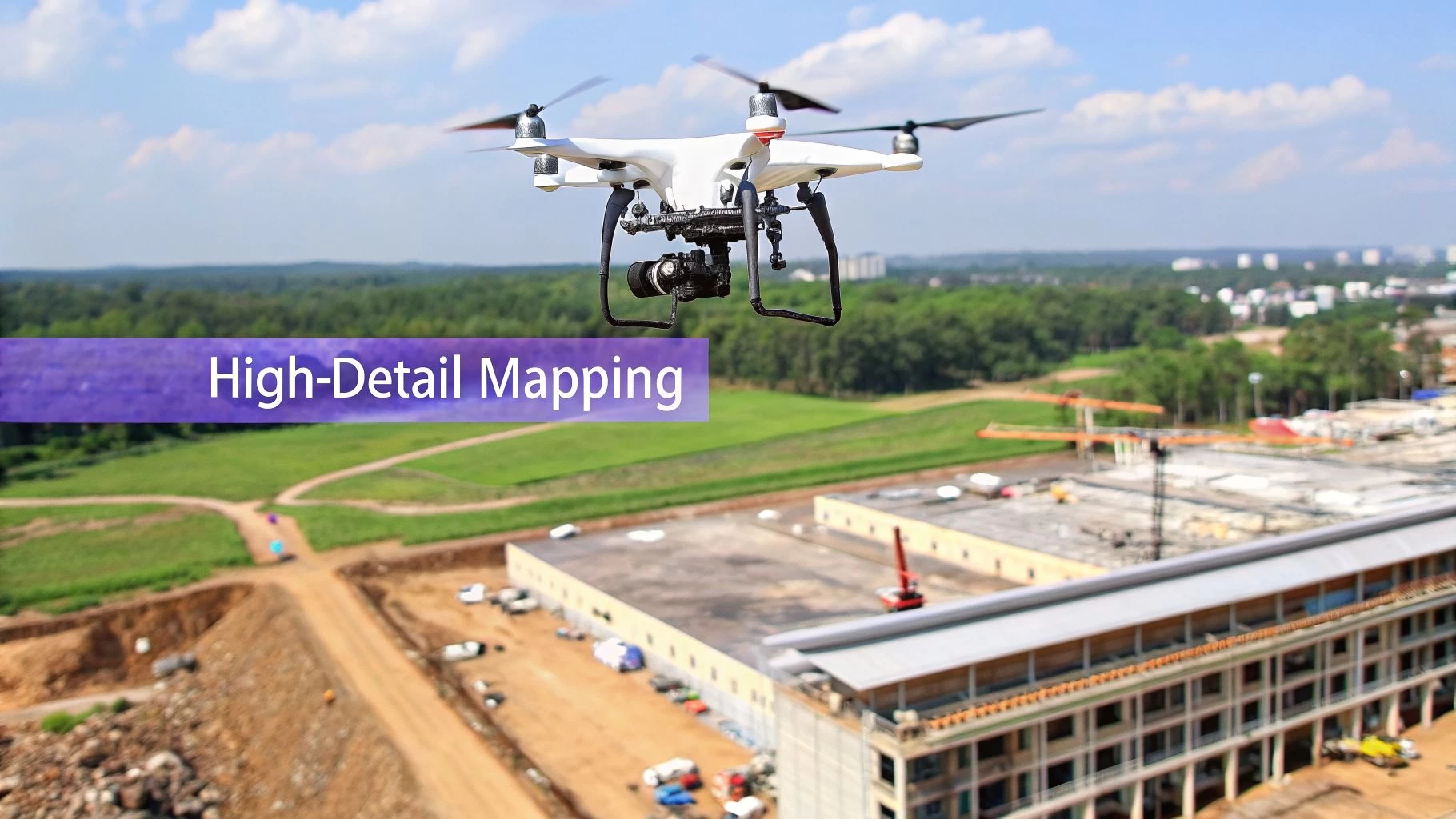
Let's cut through the jargon. At its core, a UAV mapping drone is really a data collection superpower.
Imagine trying to measure a sprawling 50-acre construction site by walking it, meticulously taking notes and measurements one by one. This slog could easily tie up a team of surveyors for days, maybe even weeks.
Now, picture a purpose-built drone flying a pre-programmed grid pattern over that same site. In less than an hour, it captures millions of precise data points, each one tagged with its exact geographic location. This is the fundamental shift these tools bring to the table—transforming a slow, labour-intensive, and often risky job into a rapid, automated, and much safer process.
From Pictures to Powerful Data
The real magic isn't just in the flying; it's in what happens to the data afterward. The two most common ways to turn aerial captures into something useful are photogrammetry and LiDAR.
Think of photogrammetry like assembling a massive 3D jigsaw puzzle from hundreds, or even thousands, of overlapping 2D photos. Specialised software analyses these images, finds common points between them, and stitches everything together to build a dimensionally accurate map or model. It's the perfect method for creating visually rich, true-to-life representations of a site.
LiDAR (which stands for Light Detection and Ranging), on the other hand, works a bit like a bat's echolocation. The sensor fires out pulses of laser light and measures the tiny fractions of a second they take to bounce back. This process generates a "point cloud"—a dense digital storm of millions of precise measurements that can model surfaces with incredible detail, even cutting through vegetation to map the bare earth underneath.
Why This Matters for Your Business
This isn't just cool tech; it delivers real, tangible value across a ton of industries by providing data that is simply faster, safer, and richer than what you can get with traditional methods.
- Construction and Earthworks: Site managers can track progress daily, calculate stockpile volumes with centimeter-level accuracy, and generate as-built surveys, which helps slash costly errors and settle disputes before they escalate.
- Agriculture: Farmers use drones equipped with special multispectral sensors to get a clear picture of crop health, pinpoint irrigation problems, and fine-tune the use of fertilisers and pesticides, all leading to better yields.
- Mining and Aggregates: Quarry operators can safely map pits, monitor blast sites, and ensure they're meeting regulatory compliance without putting personnel in hazardous areas.
By turning physical reality into a detailed digital twin, a UAV mapping drone gives project managers and stakeholders the power to measure, analyse, and manage their assets with a level of insight that was previously unimaginable. It's all about making smarter decisions, backed by better data.
Choosing the Right Sensor for Your Mission
Picking the right sensor for your UAV mapping drone is probably the single biggest decision you'll make for a project. This choice doesn't just affect the kind of data you can capture; it shapes the problems you can solve and, ultimately, the value you bring to the table.
Instead of getting bogged down in tech specs, it’s easier to think of these sensors as different lenses for seeing the world.
Each sensor type—RGB, Multispectral, and LiDAR—sees the environment in its own unique way. Your job is to match the right "vision" to the mission's goal. Are you building a stunningly realistic 3D model of a new construction site, or are you trying to spot invisible stress patterns in a field of crops? The answer will point you to the right tool.
RGB Photogrammetry The Digital Twin Creator
The most common sensor you'll find on a mapping drone is a high-resolution RGB (Red, Green, Blue) camera. This is the absolute workhorse of the industry, and it’s the foundation of photogrammetry.
Think of photogrammetry as creating a hyper-realistic, measurable digital photograph of a physical place. The drone flies a precise grid pattern over the area, snapping thousands of overlapping images. Back in the office, specialised software stitches these photos together to create orthomosaics (perfectly flat, map-like images) and detailed 3D models.
- Best For: Creating visually rich 2D maps and 3D models, calculating stockpile volumes, monitoring construction progress, and carrying out visual inspections.
- Key Advantage: It produces data that’s intuitive and easy for anyone to understand because it looks just like the real world, only with pinpoint accuracy you can measure.
Basically, if your goal is to see and measure a site just as the human eye would, an RGB sensor is your go-to. It gives you the foundational data to build a digital twin of any asset.
Multispectral Uncovering Plant Health
Now, what if you need to see beyond what's visible to us? That's where a multispectral sensor comes in. It’s like giving your drone a form of agricultural x-ray vision. It captures light from specific bands we can't see, especially in the near-infrared (NIR) range.
Healthy plants reflect a ton of NIR light, while stressed or unhealthy plants absorb more of it. By analysing these reflections, multispectral sensors create powerful health maps, like the NDVI (Normalized Difference Vegetation Index).
This technology lets farmers and agronomists spot problems like nutrient deficiencies, pest infestations, or irrigation issues weeks before they become visible to the naked eye. It’s a proactive tool that helps them make smart, data-driven decisions for better crop yields and less waste.
These sensors aren't just for farms, though. Environmental scientists rely on them to monitor forest health, track ecosystem changes, and manage natural resources with incredible precision.
LiDAR The Precision Surface Mapper
Finally, we have LiDAR (Light Detection and Ranging). If photogrammetry builds a model from photos, LiDAR builds it from millions of laser points. It's the undisputed master of precision measurement, especially when the going gets tough.
A LiDAR sensor shoots out rapid pulses of laser light and measures how long they take to bounce back. This process creates an incredibly dense and accurate "point cloud" of the ground below. Its killer feature is its ability to punch through vegetation. While an RGB camera only sees the top of a forest canopy, LiDAR pulses can find the gaps between the leaves to map the true ground surface underneath.
You can dive deeper into how this data is gathered in our guide on drone flight data acquisition.
- Best For: Surveying in densely vegetated areas, creating highly accurate Digital Terrain Models (DTMs), and mapping power lines or other complex infrastructure.
- Key Advantage: LiDAR delivers accuracy that's second to none for bare-earth models and isn't fazed by lighting conditions or shadows, which can sometimes trip up photogrammetry.
This makes it the gold standard for projects where the absolute accuracy of the ground level is non-negotiable, like in forestry, flood modelling, and corridor mapping for utilities.
Comparing UAV Mapping Drone Sensor Capabilities
A practical breakdown of RGB, Multispectral, and LiDAR sensors to help you choose the right technology for your mapping projects.
| Sensor Type | Best For | Key Strengths | Common Limitations | Relative Cost |
|---|---|---|---|---|
| RGB Photogrammetry | 2D/3D visual models, construction monitoring, volume calculations. | Intuitive, real-world visual data. Cost-effective and widely available. | Struggles with uniform surfaces and vegetation. Affected by shadows/lighting. | $ |
| Multispectral | Agriculture health monitoring, environmental analysis, vegetation indices (NDVI). | "Sees" invisible light bands to assess plant health proactively. | Data requires specialised knowledge to interpret. Not for creating visual 3D models. | $$ |
| LiDAR | Bare-earth terrain models, forestry, power line inspection, high-accuracy surveys. | Penetrates vegetation. Unmatched accuracy. Not dependent on light conditions. | High initial investment. Data processing can be complex and intensive. | $$$ |
Ultimately, the sensor you choose will directly influence your entire operational workflow, from flight planning to the final deliverables you hand over to your client. Making the right call upfront is key.
The Blueprint for a Successful Mapping Flight
A successful mapping mission is about more than just being a great pilot; it’s a disciplined, repeatable process. Think of it like building a house—you need a solid blueprint before you ever break ground. This workflow is that blueprint, guiding you from the initial idea all the way to a polished, high-quality deliverable.
Each stage builds on the last, making sure the data you capture in the field is clean, accurate, and ready to be turned into valuable insights. Trying to skip a step or rush the job is a surefire way to end up with inaccurate models, wasted time, and a need for frustrating re-work.
Stage 1: Strategic Mission Planning
This is where the magic really begins. Good planning doesn't just make the flight day go smoother; it fundamentally defines the quality of your final data. This is where you'll lock in critical flight parameters like altitude, speed, and image overlap—typically set between 70-80% to give the photogrammetry software plenty of data to work with.
Thankfully, this stage has become much easier with modern drone operations management platforms. A tool like Dronedesk, for example, pulls all your critical planning elements into one cohesive dashboard. You can manage client details, schedule the job, and, most importantly, check integrated airspace intelligence to spot potential hazards or restrictions before you even think about leaving the office.
This simple diagram shows how the mission's goal drives your sensor choice right from the start.

As you can see, the project's objective—whether it's visual modelling, vegetation analysis, or surface measurement—is what dictates the tech you'll need to get the job done right.
Stage 2: Pre-Flight Checks and On-Site Setup
Once you're on-site, a systematic series of checks is non-negotiable. This isn’t just about flicking a switch; it's a professional ritual that ensures both safety and data quality.
- Physical Inspection: Give the airframe, props, and sensor a thorough once-over, looking for any signs of damage or wear.
- System Calibration: Make sure the drone’s compass and IMU (Inertial Measurement Unit) are properly calibrated for your specific location. This can drift, so don't skip it.
- GPS Lock: Be patient and wait for the drone to get a strong GPS signal with a high satellite count. This is absolutely fundamental for accurately geotagging every single image.
- Ground Control Point (GCP) Placement: If the job demands survey-grade accuracy, this is when you’ll place and measure your GCPs. These are marked targets on the ground with precisely known coordinates that anchor your map to the real world.
Following these steps confirms your gear is ready to go and your data will have a solid, reliable foundation.
Stage 3: Automated Flight Execution
With all the planning and checks out of the way, the flight itself is often the most straightforward part of the day. A UAV mapping drone will typically fly the mission on its own, following the pre-programmed grid pattern you created back in the office.
Your role here shifts from pilot to mission supervisor. You're keeping a visual line of sight, monitoring the drone’s telemetry, and watching for any unexpected changes in the environment, like shifting weather or a surprise obstacle. The drone handles the precision flying, ensuring consistent overlap and data capture across the entire area.
Stage 4: Data Processing and Model Generation
After the flight, you’ll transfer the raw data—which could be thousands of images or a massive LiDAR point cloud—to specialized processing software. This is where the digital alchemy happens, transforming all those individual data points into coherent, valuable assets. It's this powerful capability that has made mapping and surveying the leading application for commercial drones worldwide. You can find out more about the growth of drone applications in a detailed research report.
This stage involves a few key steps:
- Aerotriangulation: The software finds common points across all the overlapping images to figure out their exact position and orientation.
- Point Cloud Generation: From the aligned images or LiDAR scans, a dense 3D point cloud is created, forming a digital twin of the site.
- Model Creation: This point cloud is then used to generate your final deliverables, like a textured 3D mesh, a 2D orthomosaic map, or Digital Elevation Models (DEMs).
This processing stage is computationally intensive. Depending on the size of your dataset, it can take anywhere from a few hours to a few days. It's the critical bridge between raw aerial data and the final, client-ready intelligence.
Stage 5: Quality Assurance and Delivery
The final step is to meticulously review the processed data. You’ll need to hunt for any gaps, distortions, or weird artifacts in the models and maps. This quality assurance (QA) check is how you guarantee that the deliverables meet the project's accuracy standards and are truly fit for purpose.
Once everything is validated, the final products are exported in industry-standard formats (like GeoTIFF for maps or .LAS for point clouds) and delivered to the client. Follow this blueprint consistently, and you'll turn the complex task of aerial mapping into a predictable and professional service every time.
Staying Compliant and Safe in the Field
In professional UAV mapping, how you fly is just as critical as what you fly. Following the rules and maintaining a rock-solid safety protocol isn't just about dodging fines. It's about protecting your gear, your clients, and the public. A reputation built on safety and compliance is the only way to build a drone business that lasts.
Navigating the rules of the sky can feel a bit overwhelming at first, but it really comes down to a few core ideas: know where you can fly, get the right permissions, and always, always have a plan. These aren't just good suggestions—they're what separate the pros from the hobbyists.
Understanding the Airspace You Fly In
The sky isn't a free-for-all. It's a highly organized system broken down into different airspace classifications, a bit like a road network with different speed limits and rules of the road. Before you even think about taking off, you have to know what class of airspace you're in, because that tells you exactly what permissions you need.
In the United States, for example, the FAA’s Low Altitude Authorization and Notification Capability (LAANC) system is a game-changer. It provides near-instant automated approvals for flying in controlled airspace around many airports. Getting to grips with systems like this is absolutely non-negotiable for any commercial pilot.
Beyond the airspace itself, you need to be clear on two main types of operation:
- Visual Line of Sight (VLOS): This is the default for most jobs. It simply means the remote pilot has to be able to see the drone with their own eyes, without any aids, at all times.
- Beyond Visual Line of Sight (BVLOS): Flying where the pilot can't directly see the drone requires special waivers and more advanced tech. It opens the door to massive mapping projects but comes with a much higher regulatory bar to clear.
Your Pre-Flight Safety Checklist
A successful mapping mission is a safe one, and that safety starts on the ground, long before the props start spinning. A detailed pre-flight risk assessment is your first and best line of defence. This isn't just a quick look-around; it's a systematic breakdown of the entire operation.
A professional pilot plans for what could go wrong to ensure everything goes right. Your pre-flight check is where you actively manage risk, turning potential hazards into manageable, mitigated factors. This discipline is what defines a truly professional UAV mapping drone operation.
Your risk assessment should always cover:
- Weather Monitoring: Check wind speed and direction, rain forecasts, and temperature. Strong winds can wreck data quality and chew through batteries surprisingly fast.
- Site Survey: Get eyes on the ground. Identify potential snags like power lines, mobile towers, tall trees, and nearby buildings. Make a note of any areas with heavy foot or vehicle traffic.
- Emergency Planning: What's your plan B? Define exactly what you'll do if you lose signal, a battery fails, or someone wanders into your flight zone unexpectedly.
How Management Platforms Ensure Compliance
Trying to manually keep track of flight logs, maintenance schedules, and compliance paperwork for every single project is a fast track to making a mistake. This is exactly why a dedicated drone operations platform like Dronedesk becomes an indispensable part of any serious mapping business.
Instead of wrestling with spreadsheets and paper forms, a system like Dronedesk brings every part of your operation into one place. It automates your flight logging, keeps your compliance documents in order, and pulls critical airspace intelligence right into your planning workflow. This frees you up to focus on flying the mission, knowing that the admin and regulatory side is being handled accurately in the background. It helps you build a safer, more professional, and more scalable operation from day one.
Achieving Survey-Grade Accuracy Every Time
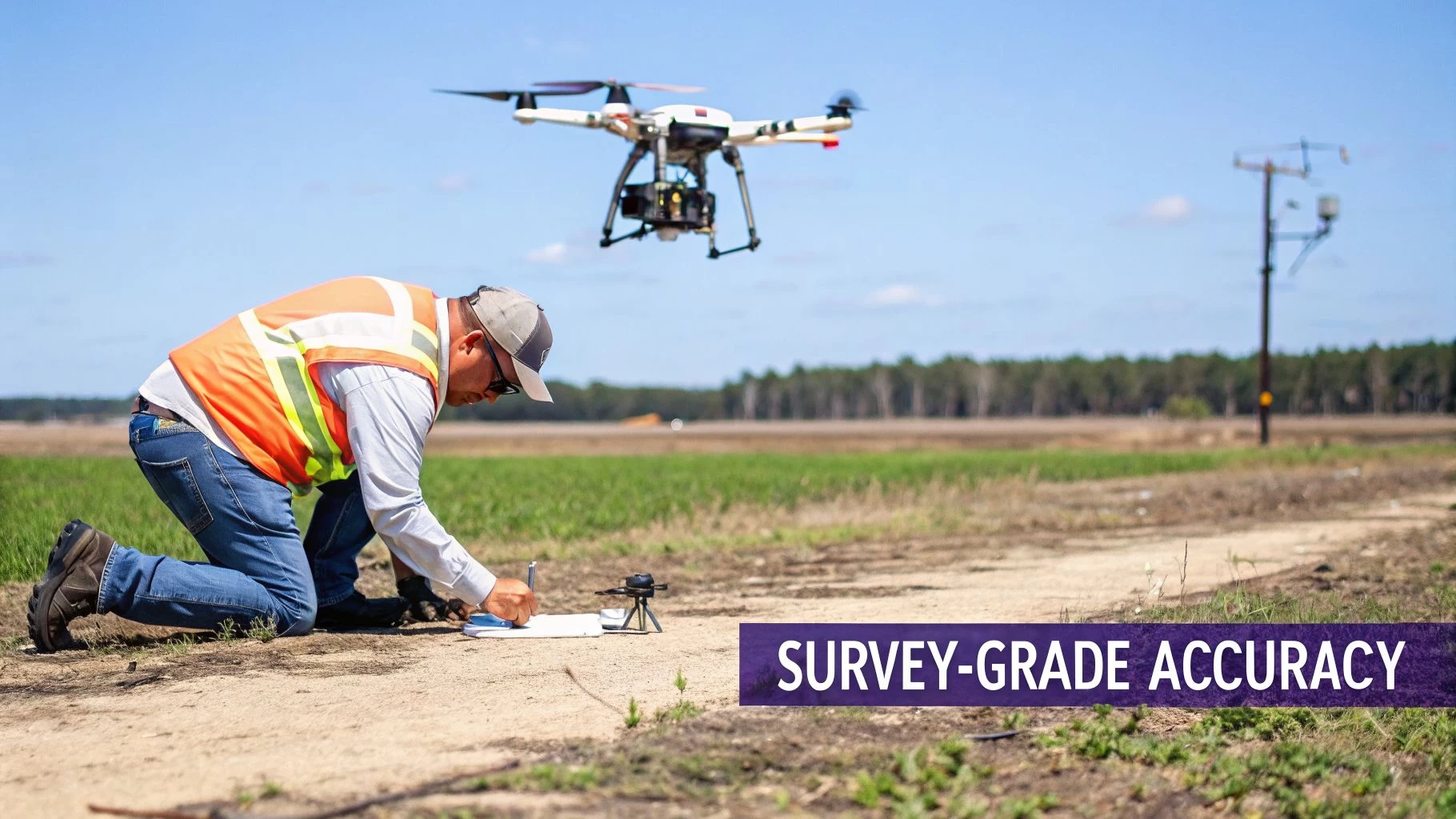 For projects where major decisions ride on precise measurements, "close enough" just doesn't fly. This is the moment a UAV mapping drone needs to level up from taking pretty pictures to delivering survey-grade data. We're talking about information so reliable that engineers, surveyors, and architects can confidently build from it.
Getting to this level of accuracy isn't about the drone alone. It's about taking the digital map it creates—which is essentially just a floating image—and locking it perfectly to its exact position on Earth. This requires specific techniques to ensure every single point in your dataset is accurate down to a few centimetres.
Ground Control Points: The Essential Anchors
The classic, tried-and-true method for achieving high accuracy is by using Ground Control Points (GCPs). Think of GCPs as high-precision anchors you strategically place on the ground across your survey area before you fly.
These are distinct, easy-to-spot markers. Their exact coordinates are measured using a survey-grade GPS rover. Later, during data processing, you’ll point out these markers in your images and tell the software their precise, known locations. The software then stretches and aligns the entire dataset to fit these anchor points, correcting for any GPS drift from the drone.
Using GCPs nails down both high relative accuracy (meaning distances between points in your model are correct) and high absolute accuracy (every point on the map is in its true geographic spot).
RTK and PPK: Onboard Precision
While GCPs are rock-solid, laying them out can be a real time-sink, especially on large or hard-to-reach sites. That's where RTK (Real-Time Kinematic) and PPK (Post-Processed Kinematic) technologies come in, giving you centimetre-level accuracy right from the drone itself.
Both systems work by correcting the drone's GPS signal errors. They use a stationary base station on the ground with a known location, which observes the same satellites as the drone and calculates the tiny inaccuracies in the signals.
- RTK (Real-Time Kinematic): This method sends correction data from the base station to the drone during the flight over a radio or cell link. The drone corrects its position on the fly, geotagging each photo with survey-grade coordinates the moment it’s taken.
- PPK (Post-Processed Kinematic): With PPK, there's no need for a live connection. The drone simply records its raw satellite data, and so does the base station. After the flight, you combine the data from both in special software to calculate the precise coordinates for each image.
Comparing RTK and PPK Workflows
| Feature | RTK (Real-Time Kinematic) | PPK (Post-Processed Kinematic) |
|---|---|---|
| Data Correction | Occurs live, during the flight. | Applied after the flight is done. |
| Communication | Needs a constant, stable link to a base station. | No in-flight communication required. |
| Best For | Open areas with strong signal; missions needing quick results. | Remote areas with poor signal or when demanding the highest accuracy. |
| Key Advantage | Delivers corrected data immediately, simplifying the workflow. | More robust against signal loss, often resulting in higher accuracy. |
Many in the field see PPK as the ultimate safety net. Even if the RTK link drops for a moment during a flight, most enterprise drones keep recording the raw data. This lets you fall back on a PPK workflow to salvage the mission and still get fantastic results. You can dive deeper into these processes by exploring a full breakdown of UAV aerial survey techniques.
Optimizing Flight Parameters for Data Quality
Finally, remember that fancy tech can't save a sloppy data capture. The quality of your raw images is paramount, and that all comes down to solid flight planning.
- Image Overlap: Don't skimp on overlap. Plan for at least 75% frontlap and 70% sidelap. This gives the processing software tons of common features between images, which is key to building a strong, cohesive model.
- Flight Altitude: Fly at a consistent altitude above the ground (AGL). This maintains a steady Ground Sampling Distance (GSD)—the real-world size of one pixel—which is critical for uniform accuracy across the map.
- Flying Speed: Slow down. Flying too fast can introduce motion blur, making it tough for photogrammetry software to find the precise points it needs to match images together. A slower speed gives the camera shutter time to capture sharp, clean photos.
By blending these ground-based, onboard, and in-flight methods, you can confidently deliver the kind of survey-grade data that professional projects demand.
Scaling Your Drone Operations for Growth
Flying a UAV mapping drone is just one piece of the puzzle. Making the leap from a skilled solo pilot to a growing mapping business means you need to get a handle on the entire workflow, from the first client call to delivering the final data.
Once your client list starts to grow, trying to juggle everything with spreadsheets, emails, and a mishmash of different apps quickly turns into a major headache. It just doesn't scale.
This is the point where a central operations management platform goes from being a "nice-to-have" to an absolute must for growth. The UAV drone market is exploding, with some forecasts showing it will rocket from $44.54 billion in 2025 to over $209.91 billion by 2035. If you want a slice of that pie, you need systems that can keep up. You can check out more insights on this expanding market and its future trends.
The Command Center for Your Business
Think of a platform like Dronedesk as the command center for your entire operation. It pulls all the disconnected parts of your business—the planning, the client comms, the fleet management—into one organised, streamlined system. Instead of digging through different apps for information, everything you need is right there in one place.
This kind of integration delivers real, tangible benefits right away:
- Client Management: Keep track of leads, manage project details, and handle all your client communication from a single hub.
- Team and Fleet Coordination: Easily schedule pilots, assign specific drones and sensors to jobs, and keep an eye on equipment maintenance schedules automatically.
- Integrated Flight Planning: Pull in airspace intelligence, assess your risks, and plan missions with all the necessary data right at your fingertips.
Unlocking Real-World ROI
The real return on your investment comes from automating the tedious but essential admin tasks that eat up so much of your time. Take manual flight logging, for instance. It’s not just a time-sink; it’s also ripe for human error, which can create some serious compliance headaches down the road.
A dedicated operations platform transforms a series of disjointed, manual tasks into a streamlined, repeatable, and scalable business engine. It’s about working smarter, not just harder, to build a professional and profitable mapping service.
Automating these processes does more than just save a few hours here and there. It builds a solid foundation of professionalism and reliability for your business. When your compliance reports, flight logs, and project histories are all consistent and in one place, you can confidently show your operational integrity to both clients and regulators.
You can explore more strategies in our article on scaling your drone operations. Ultimately, this shift means you can spend less time drowning in paperwork and more time focused on what actually matters: delivering top-notch mapping data and growing your business.
Common Questions About UAV Mapping Drones
Even when you've got a good grasp of the technology, a few practical questions always pop up when you're thinking about adding a UAV mapping drone to your business. Let's run through some of the most common ones to clear up the differences, costs, and what you can actually deliver.
Answering these helps bridge that gap between understanding the tech and feeling confident enough to invest in it.
Mapping Drone vs. Camera Drone: What’s the Difference?
While both fly and take pictures, a UAV mapping drone is a precision tool, whereas your standard camera drone is built for pretty videos. The real difference is in the integrity of the data you get.
A proper mapping drone uses advanced GPS, like RTK or PPK, to lock in its position with centimeter-level accuracy. It flies automated grid patterns built for data collection, not for getting dramatic swooping shots. A camera drone just doesn't have the specialised gear or software to produce the kind of reliable, measurable data a surveyor needs.
What’s a Realistic Starting Cost?
To get a professional-grade setup off the ground, you're realistically looking at an entry point between $5,000 and $10,000. This will usually cover an RTK-enabled drone, a decent supply of batteries, and the first year of software subscriptions for planning flights and processing data.
Be warned, though, that this is just the starting line. If you're looking at more advanced sensors, especially LiDAR, that investment can rocket past $50,000 pretty quickly. Don't forget to budget for the recurring costs too, like software renewals, insurance, and proper training.
What Final Products Can I Deliver to Clients?
The raw data you pull off the drone is just the beginning; the real value is in the processed files you hand over. What you create will depend entirely on what your client needs, but here are the most common deliverables:
- Orthomosaic Maps: Think of these as super-high-resolution, geographically accurate 2D maps. They're perfectly flat and have no distortion, making them ideal for taking measurements.
- Digital Surface Models (DSMs): These are 3D models that map the elevation of everything on the site—buildings, trees, stockpiles, you name it.
- Digital Terrain Models (DTMs): Similar to DSMs, but these models show only the bare ground. All the buildings, vegetation, and other surface objects are digitally stripped away.
- 3D Point Clouds and Textured Models: These are the most visually impressive outputs. You get dense, incredibly detailed 3D representations of the site that can be used for visualization, analysis, or dropped right into BIM or CAD software.
Managing these complex projects, from the initial planning and compliance checks right through to delivering the final assets, needs a solid operational backbone. Dronedesk gives you that end-to-end platform to keep your drone business organised, compliant, and ready to grow. Streamline your entire workflow at Dronedesk.
 FAA Small UAS Rule: Key Requirements for Operators →
 How to Build a Drone Pilot Flight Log That Is Audit Ready →
 FAA Drone Licence Requirements for Commercial Pilots →
 FAA BVLOS Waivers Granted: What Successful Cases Show →
 How to Export DJI Flight Logs for Incident Reviews →
 Drone Safety and Legal Duties for Business Operations →
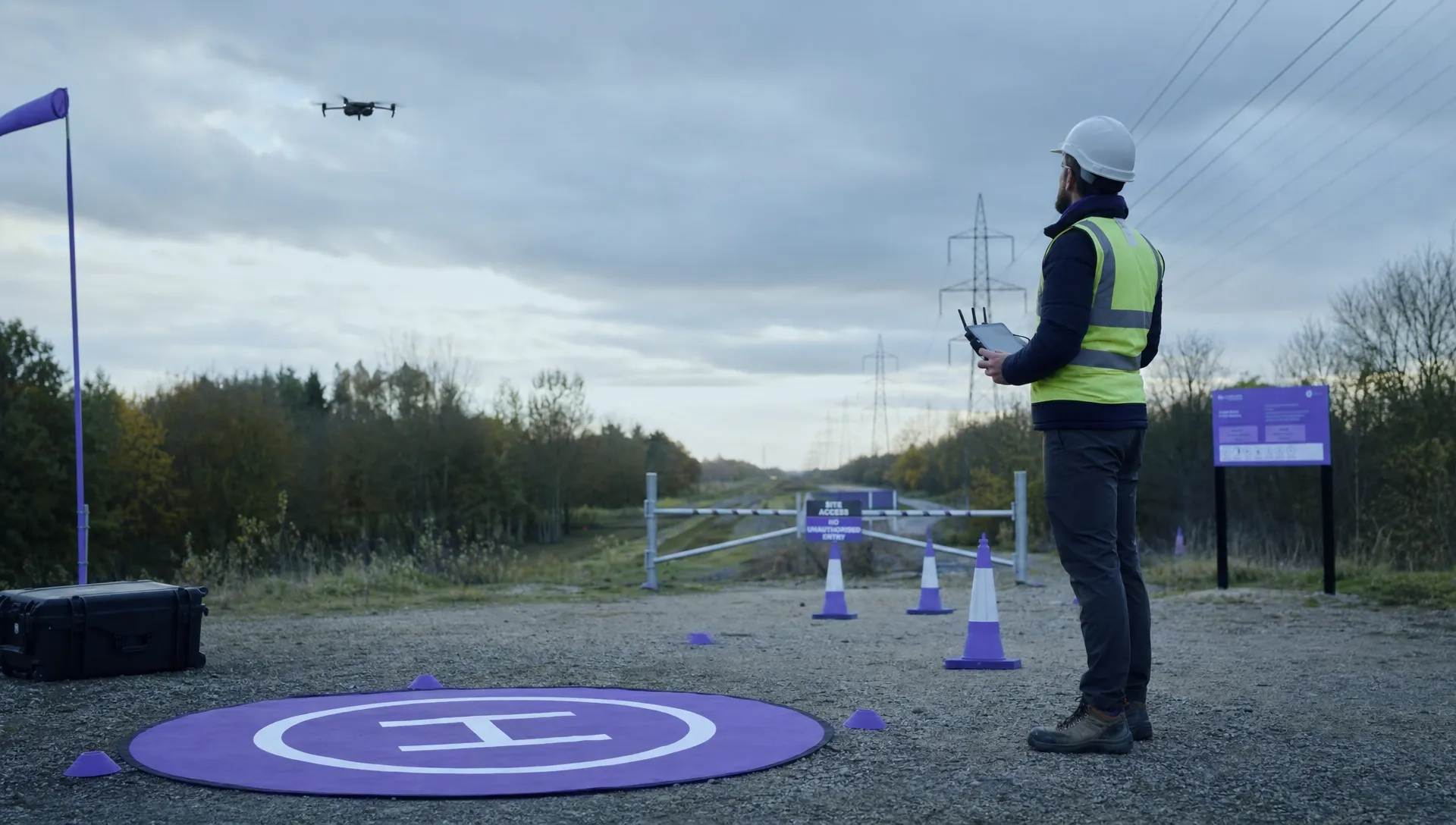 EASA Drone Regulations: Open, Specific and Certified Categories →
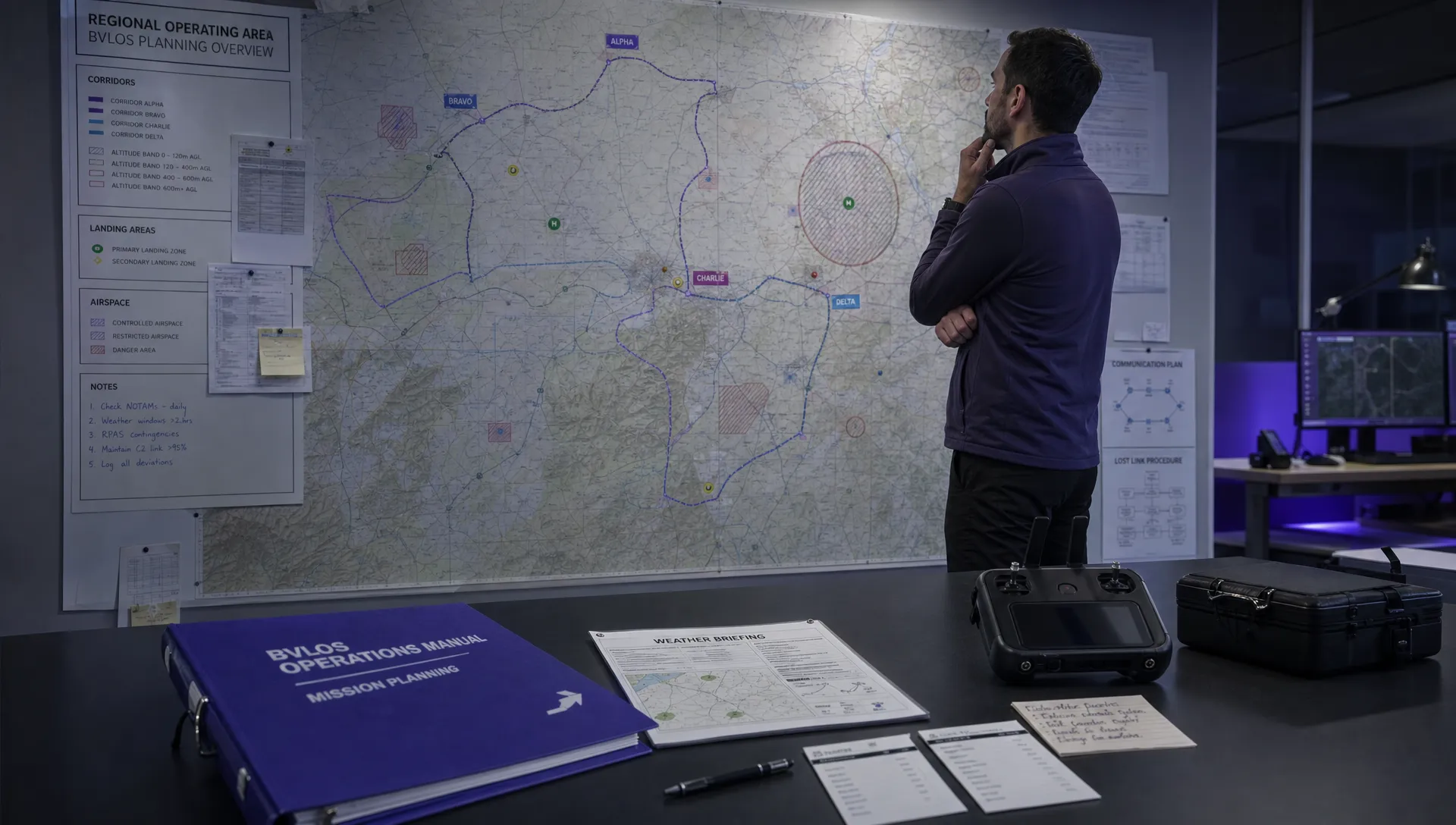 What the BVLOS ARC Report Means for UAS Operators →
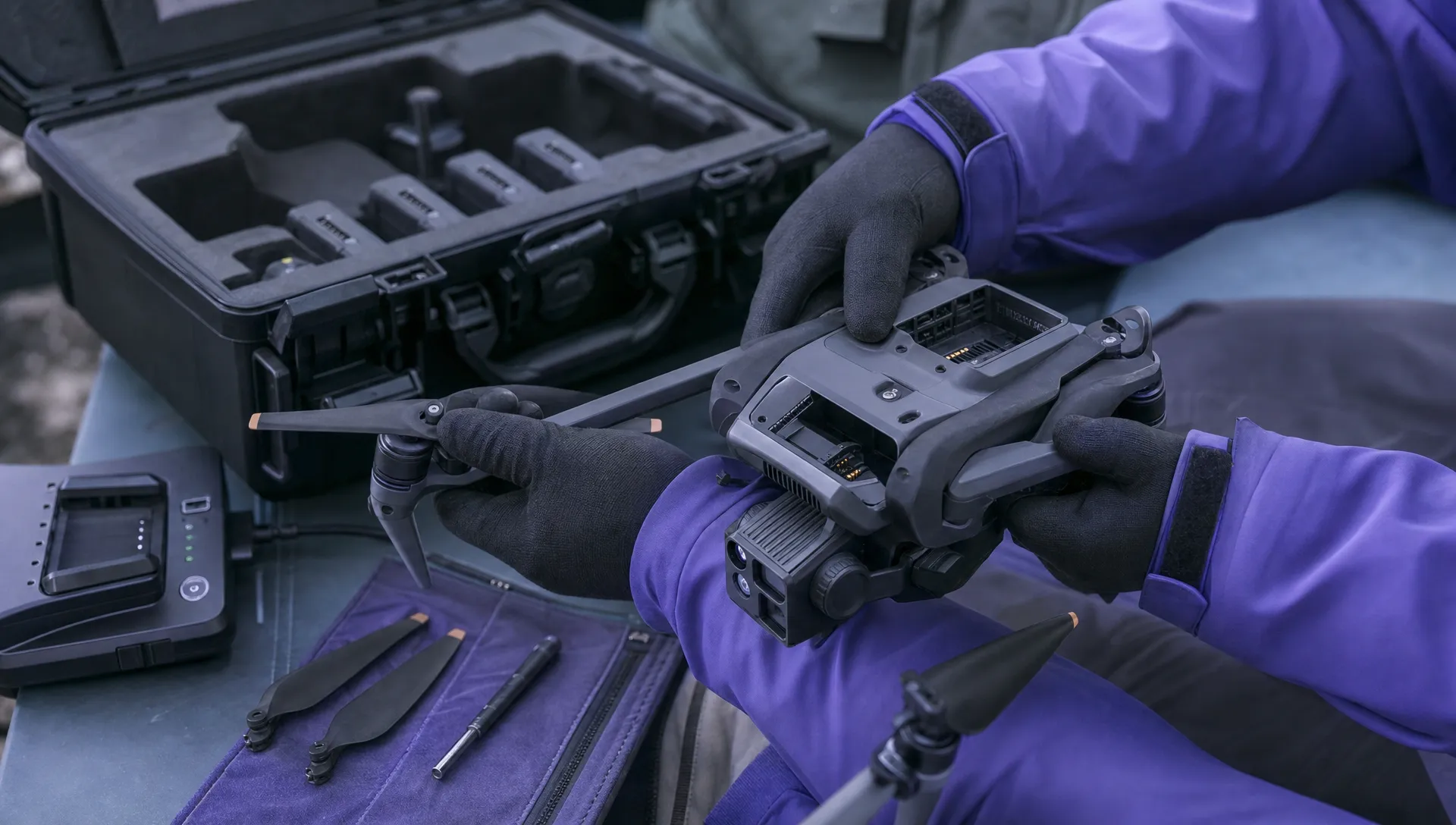 Free Drone Pre-Flight Checklist for Commercial Missions →
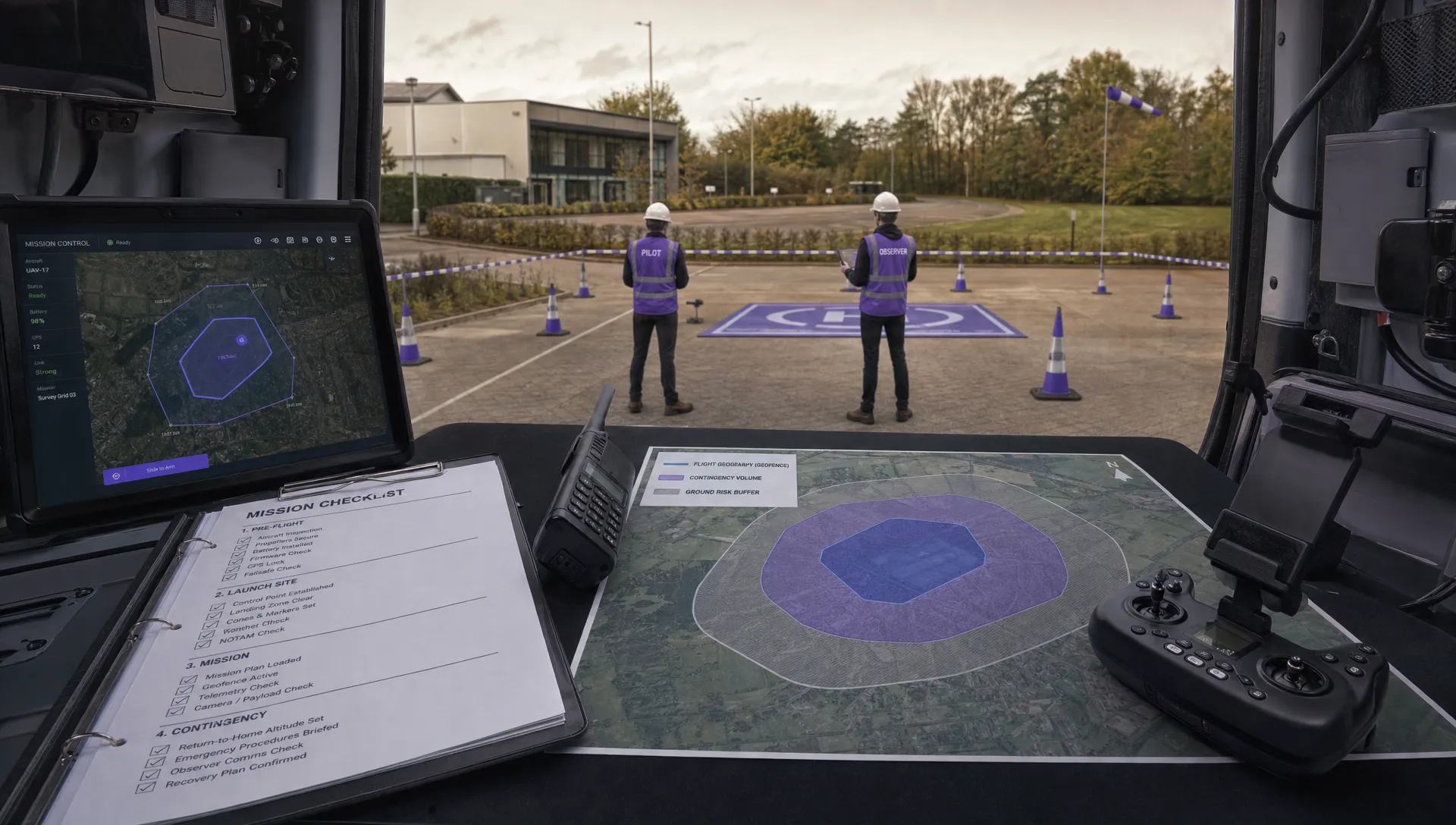 Contingency Volume and Flight Risk Buffer Explained →