
UAV Software Guide for Flight Planning and Compliance
If you operate drones professionally, flight planning is not just a pre-flight admin task. It is where safety, airspace awareness, customer expectations, crew readiness, asset management and regulatory compliance all come together.
That is why UAV software has become a core part of mature drone operations. The right platform helps you move from scattered documents, spreadsheets and browser tabs to a repeatable workflow that can be checked, shared, audited and improved.
This guide explains what to look for in UAV software for flight planning and compliance, how it supports different types of operators, and how to evaluate whether a platform is robust enough for commercial, public sector or enterprise drone work.
What is UAV software?
UAV software is any digital tool used to plan, manage, record or analyse unmanned aircraft operations. Some tools focus on one specialist task, such as photogrammetry, fleet maintenance or live streaming. Others bring operational management into one place, covering the administrative and compliance workflows that surround every flight.
For professional operators, the most valuable UAV software usually connects several areas:
- Flight planning and site assessment
- Airspace and ground risk awareness
- Risk assessments and method statements
- Pilot, crew and aircraft records
- Checklists and standard operating procedures
- Flight logging and reporting
- Client, job and project information
The key word is connected. A flight plan that sits in one folder, a pilot qualification record in another spreadsheet, and a maintenance note in someone else’s inbox may technically exist, but it is difficult to prove control when the operation grows or when a client, regulator or internal safety manager asks for evidence.
Why flight planning and compliance need the same workflow
Many operators treat flight planning and compliance as separate activities. In practice, they are two sides of the same process.
A flight plan asks practical questions. Where are we flying? What aircraft is suitable? Who is available? What hazards are present? What permissions, notifications or mitigations are needed? What will the crew do if conditions change?
Compliance asks evidential questions. Was the flight planned against the correct rules and permissions? Were risks assessed? Was the pilot competent and current? Was the aircraft airworthy? Were records retained? Can the organisation show how decisions were made?
In the UK, operators should always check the latest UK Civil Aviation Authority drone guidance and any conditions attached to their operational authorisation, insurance and client requirements. UAV software does not replace regulatory knowledge, but it can make it much easier to apply that knowledge consistently.
This matters because compliance failure is rarely caused by one missing document. It is more often the result of fragmented information, inconsistent workflows, rushed planning, poor version control or unclear ownership. Good UAV software reduces those weak points by creating a structured path from initial enquiry to completed flight log.
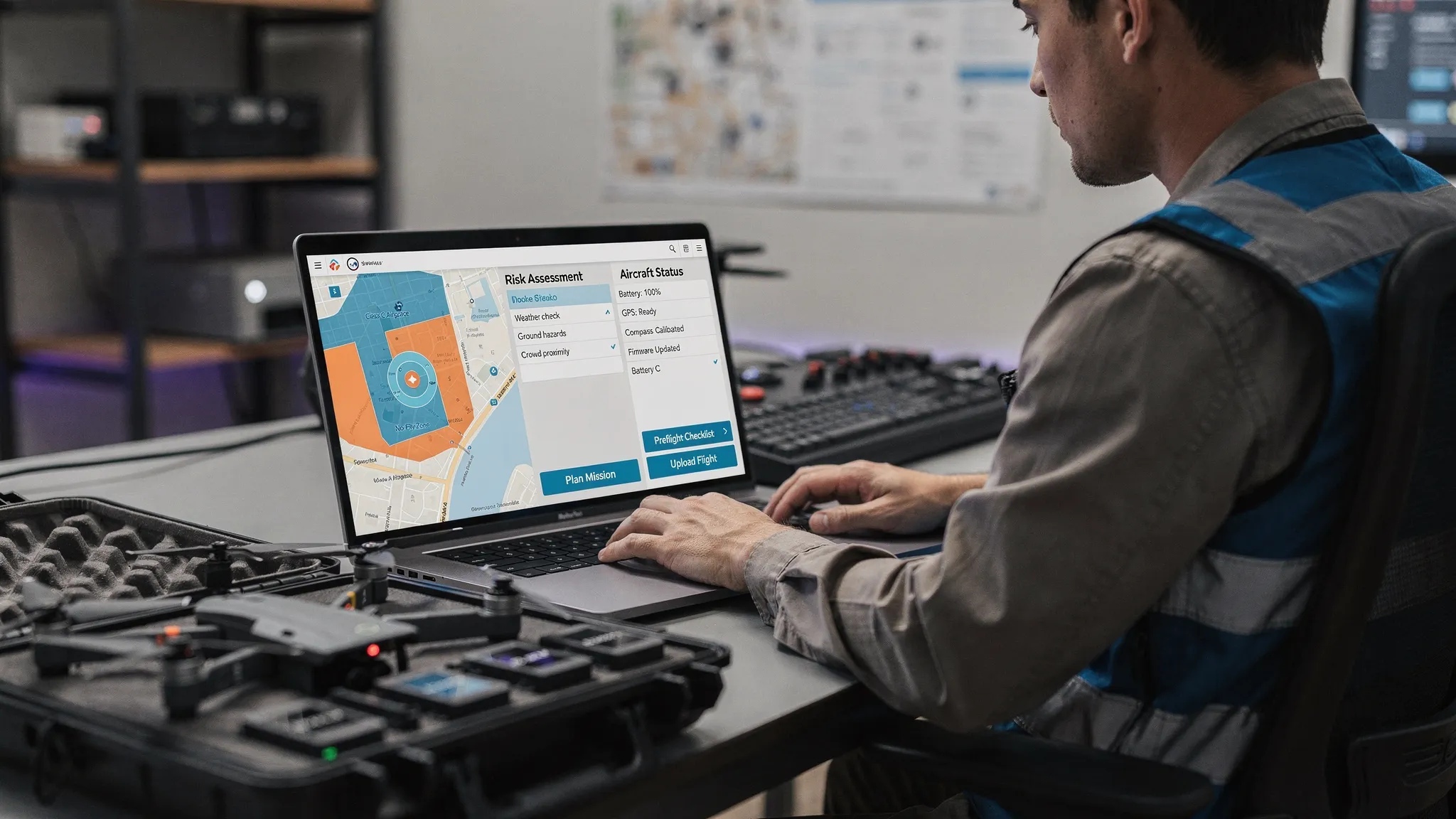
Core UAV software capabilities for safe flight planning
Not every operator needs the same software stack. A solo real estate pilot, a utility inspection team and an emergency services drone unit have different pressures. However, the foundations are surprisingly similar.
| Capability | Why it matters for flight planning | Why it matters for compliance |
|---|---|---|
| Airspace intelligence | Helps identify controlled airspace, restrictions and other aviation considerations early | Supports evidence that airspace was checked before flight |
| Proximity intelligence | Highlights nearby features, assets or ground risks that may affect the mission | Helps document site-specific hazards and mitigations |
| Risk assessments | Turns hazards into structured decisions and controls | Creates a record of risk management for audits and reviews |
| Configurable checklists | Standardises pre-flight, on-site and post-flight tasks | Reduces reliance on memory and supports procedural consistency |
| Fleet management | Shows which aircraft and equipment are available and suitable | Helps track aircraft records and operational readiness |
| Team management | Connects pilots, observers and other crew to the job | Supports oversight of people, roles and competence |
| Flight logging | Captures what actually happened during the operation | Provides a post-flight record for clients, regulators and internal reporting |
| Data reporting | Turns operational history into usable insights | Helps monitor trends, activity and compliance performance |
| Client management | Keeps customer and job information tied to the operation | Improves traceability from enquiry to delivered flight |
These capabilities are most powerful when they work together. For example, assigning a pilot should not be separate from checking aircraft availability. A site risk assessment should not be disconnected from the flight log. A completed job should not require manual retyping into a reporting spreadsheet.
A practical UAV flight planning workflow
A good software workflow should reflect how real operations happen, not force the team into unnatural admin. The best test is to walk through a typical mission from request to close-out.
1. Capture the job brief
Every operation starts with a purpose. A survey company may need roof inspection imagery. A utility team may need to inspect a transmission asset. A police or search and rescue unit may need rapid situational awareness.
At this stage, UAV software should help you capture the client or internal requester, location, scope, timing, output required, operational constraints and any known hazards. This creates the first link in the audit trail.
For commercial drone businesses, this also supports better customer management. Winning the work is only half the challenge. The organisation must also deliver the work safely, profitably and repeatably. If growth is a priority, external specialists in growth marketing and innovation support can help generate demand, while a strong operational platform ensures the work you win can be planned and delivered with control.
2. Screen the location before committing
Location screening should happen before a pilot turns up on site. At a minimum, the operator needs to understand the airspace environment, nearby hazards, ground risk, access issues and likely permission requirements.
This is where airspace and proximity intelligence become valuable. They help planners identify constraints early, ask the right questions and avoid accepting work that cannot be safely or legally completed without additional preparation.
3. Match the right pilot, aircraft and equipment
A technically simple flight can still become non-compliant if the wrong aircraft is selected or the assigned crew is not suitable for the task. UAV software should help operations managers see who is available, which aircraft are in service, and whether the planned setup matches the job.
For small teams, this avoids diary confusion. For larger organisations, it prevents operational knowledge from being locked inside one coordinator’s head.
4. Build the risk assessment and method
The risk assessment should not be a copied document that nobody reads. It should be a decision-making tool. What are the hazards? Who or what could be harmed? What mitigations are in place? What is the residual risk? What conditions would cause the flight to be delayed, modified or stopped?
Configurable templates are useful here because different operations have different risk profiles. A quarry survey, an urban roof inspection and a mountain rescue task should not be forced into the same generic checklist.
5. Complete checks, approvals and notifications
Before the flight, the team may need internal approvals, site permissions, landowner coordination, airspace permissions, briefings, equipment checks or client sign-off. The exact process depends on the operation and regulatory category.
The value of UAV software is not just that it stores forms. It should make the status of the job clear. Has the risk assessment been completed? Has the aircraft been assigned? Has the crew seen the plan? Are there outstanding actions?
6. Log the flight and close the loop
Post-flight logging is often where compliance weakens. Teams are busy, pilots move to the next job, and details are reconstructed later from memory.
A connected workflow makes logging part of the operation rather than an afterthought. The flight record should connect back to the plan, aircraft, pilot, client and risk assessment. Over time, those records support reporting, maintenance planning, safety reviews and evidence for audits.
Compliance benefits of UAV software
Compliance is not only about satisfying a regulator. It is also about protecting your people, your clients, your reputation and your ability to scale.
For a solo operator, compliance software can create confidence that every job follows a professional standard. For a survey company, it can show clients that work is planned consistently across multiple pilots. For a utility company, it can provide oversight across distributed assets and teams. For emergency services, it can preserve incident-ready records during high-pressure deployments.
The strongest compliance benefits usually fall into four areas.
Consistency
Standardised workflows reduce variation between pilots and sites. This is especially important when new team members join, when work volume increases, or when operations take place across different regions.
Traceability
A complete record should show who planned the flight, what information was considered, what risks were identified, which aircraft and crew were used, and what happened during the operation.
Accountability
When tasks, checks and approvals are visible, it becomes easier to see what is complete and who owns the next action. This reduces the risk of assumptions and missed steps.
Improvement
Flight logs and reports are not just historical records. They help identify patterns, recurring hazards, equipment utilisation, planning bottlenecks and training needs.
UAV software for different operator types
The right platform should support your current operation while leaving room to grow. Here is how priorities often differ by sector.
| Operator type | Common planning challenge | Compliance priority | Software focus |
|---|---|---|---|
| Survey companies | High job volume across varied sites | Repeatable planning and client-ready records | Job management, risk assessments, flight logs and reporting |
| Utility companies | Distributed assets, multiple crews and strict internal procedures | Oversight of pilots, aircraft and asset-related operations | Team management, fleet management and structured planning |
| Emergency services | Rapid deployment under pressure | Incident-ready records and controlled workflows | Fast planning, checklists, team visibility and audit trail |
| Solo commercial operators | Limited admin time and diverse client work | Professional documentation without heavy overhead | Simple flight planning, client management and reusable templates |
| Specialist operators | Non-standard missions or higher-risk environments | Evidence of robust controls and repeatable procedures | Configurable checklists, detailed risk assessments and reporting |
The common theme is that UAV software should reduce friction without reducing rigour. If a platform makes planning too complex, teams will work around it. If it makes planning too light, it may not stand up to scrutiny.
UAV software versus drone mapping software
Flight planning and compliance software is often confused with drone mapping software. They are related, but they solve different problems.
Drone mapping software typically focuses on capture patterns, photogrammetry, orthomosaics, point clouds, 3D models and measurement outputs. It is essential for survey, construction, agriculture, mining and inspection workflows.
UAV operations software focuses on whether the job is safe, authorised, resourced, documented and logged. It sits around the mapping tool, making sure the operation is planned and recorded properly.
Many professional teams need both. A surveyor might use specialist mapping software for data capture and processing, then use operations management software for client records, crew coordination, risk assessments, checklists and logs. If you are comparing processing tools as well, Dronedesk’s drone mapping software guide is a useful companion to this article.
How to evaluate UAV software for compliance
When comparing platforms, avoid choosing based only on screenshots or a single impressive feature. Compliance depends on the full workflow.
Ask these questions during evaluation:
- Does the platform support the way we actually plan, approve, fly and log missions?
- Can we configure checklists and risk assessments for different types of work?
- Can we manage pilots, aircraft, clients and jobs in one place?
- Does the system make it easy to produce records for audits or client assurance?
- Is it simple enough that pilots will use it consistently?
- Can it support more users, aircraft and sites as we grow?
- Does reporting help us understand operational performance, not just store data?
A useful test is to run a recent real job through the platform. Include a straightforward job and a complicated one. If you cannot reproduce the important decisions, documents and records inside the software, it may not be the right fit.
Warning signs that your current system is not enough
Spreadsheets, shared drives and document templates can work for a while. Many excellent drone businesses start that way. Problems appear when workload, regulation, client expectations or team size increase.
You may be outgrowing your current setup if planning relies on one person, pilots use different versions of forms, aircraft records are not easy to verify, post-flight logs are completed late, or client documentation takes too long to assemble.
Another warning sign is duplicated data entry. If a job address, aircraft registration, pilot name or client reference is typed repeatedly into different documents, errors are inevitable. More importantly, the team spends time maintaining admin rather than improving safety or delivering work.
Dronedesk has a separate drone fleet management guide if fleet visibility, maintenance records and pilot oversight are becoming a bigger challenge in your operation.
Where Dronedesk fits in a UAV software stack
Dronedesk is designed as an all-in-one web platform for drone operations management and flight planning. According to the Dronedesk features page, the platform includes client management, fleet management, team management, airspace intelligence, proximity intelligence, flight planning, flight logging, data reporting, configurable checklists and risk assessments.
That combination is important because flight planning and compliance rarely live in one isolated document. They rely on connected information about the job, client, people, aircraft, location, risks and completed flight.
For operators building a business case, Dronedesk also publishes a customer satisfaction survey covering user feedback on areas such as flight planning time saved, user-friendliness, reliability, customer support and overall satisfaction. That kind of evidence can be helpful when comparing the cost of software with the hidden cost of manual administration.
Dronedesk is not a replacement for your legal responsibilities, pilot judgement or specialist payload tools. It is the operational layer that helps make professional drone work easier to manage, easier to evidence and easier to scale.
Implementation tips for switching to UAV software
Moving to a new platform does not have to be disruptive. The operators who get the best results usually treat implementation as an operational improvement project, not just a software rollout.
Start by mapping your current workflow. Document how enquiries are received, how jobs are planned, who approves them, which records are created, how flights are logged and where information is stored. This exposes duplication and gaps before you configure anything.
Next, prioritise the records that matter most. For many teams, that means pilots, aircraft, standard checklists, risk assessment templates and active clients. Do not wait until every historic document is perfect before using the system for live work.
Then pilot the software with a small set of real operations. Choose jobs that represent your normal workload. Gather feedback from pilots and coordinators, refine templates, and make sure the process is simple enough to be used under pressure.
Finally, review reports after the first few weeks. Look for missing logs, recurring hazards, planning delays or inconsistent checklist completion. The aim is not just to digitise old paperwork. The aim is to build a safer, clearer and more scalable operating model.
Frequently Asked Questions
What is UAV software used for? UAV software is used to plan, manage, record and report drone operations. Depending on the platform, it may cover flight planning, airspace checks, risk assessments, checklists, fleet records, pilot management, client details and flight logs.
How does UAV software help with compliance? It helps by creating a structured workflow and audit trail. Instead of relying on scattered spreadsheets and documents, operators can connect the flight plan, risk assessment, crew, aircraft and post-flight log in one process.
Is UAV software required by the CAA? The CAA does not require every operator to use a specific software product. However, operators must comply with applicable regulations, permissions and safety responsibilities. UAV software can make it easier to apply procedures consistently and retain evidence.
Can UAV software replace pilot judgement? No. Software supports planning and record keeping, but the remote pilot and operator remain responsible for safe decision-making. A good platform should improve situational awareness and consistency, not automate judgement blindly.
Is UAV software the same as drone mapping software? No. Mapping software focuses on capturing and processing survey data, such as orthomosaics, point clouds and models. UAV operations software focuses on planning, compliance, people, aircraft, risk assessments and logs. Many professional teams use both.
What should I look for in UAV software for a growing team? Look for connected flight planning, configurable risk assessments and checklists, fleet and team management, flight logging, reporting, and a workflow that pilots will actually use. Scalability and audit-ready records become more important as the team grows.
Ready to simplify UAV flight planning and compliance?
If your drone operations still depend on spreadsheets, copied templates and scattered records, it may be time to move to a connected workflow.
Dronedesk brings the key parts of drone operations management into one web platform, including planning, risk assessments, checklists, fleet and team management, logs, reporting, client management, airspace intelligence and proximity intelligence.
Explore Dronedesk to see how a simpler, more structured approach to UAV software can help your team plan safer flights, reduce admin and maintain clearer compliance records.
 How to Evaluate a Free Drone Logbook Before Using It →
 FAA Part 107 Test: How to Master Airspace Questions →
 Drone Risk Assessment Controls That Work in the Field →
 FAA Drone License Costs Beyond the Knowledge Test →
 Drone Part 107 Operations: When a Waiver May Be Needed →
 Drone Operating Rules for Managing Contractors and Employees →
 BVLOS Drone Requirements for Building a Safety Case →
 Drone Pilot Test Mistakes That Cost Candidates Marks →
 FAA 107 License vs Part 107 Certificate: What’s the Difference? →
 Drone Airport Rules: A Field Checklist for Site Assessments →