
Drone Software Companies Compared for Commercial Ops
For commercial drone teams, comparing drone software companies is rarely a simple matter of choosing the most feature-rich platform. A survey company processing orthomosaics, a utility inspection team managing hundreds of assets, and an emergency service preparing for rapid deployment all need different software stacks.
The real question is not which vendor is best overall. It is which company solves the operational bottleneck that currently costs you time, creates compliance risk, or limits scale.
This comparison looks at the major categories of drone software used in commercial operations, how well-known companies differ, and where an operations platform such as Dronedesk fits alongside specialist mapping, fleet health, airspace and autonomous flight tools.
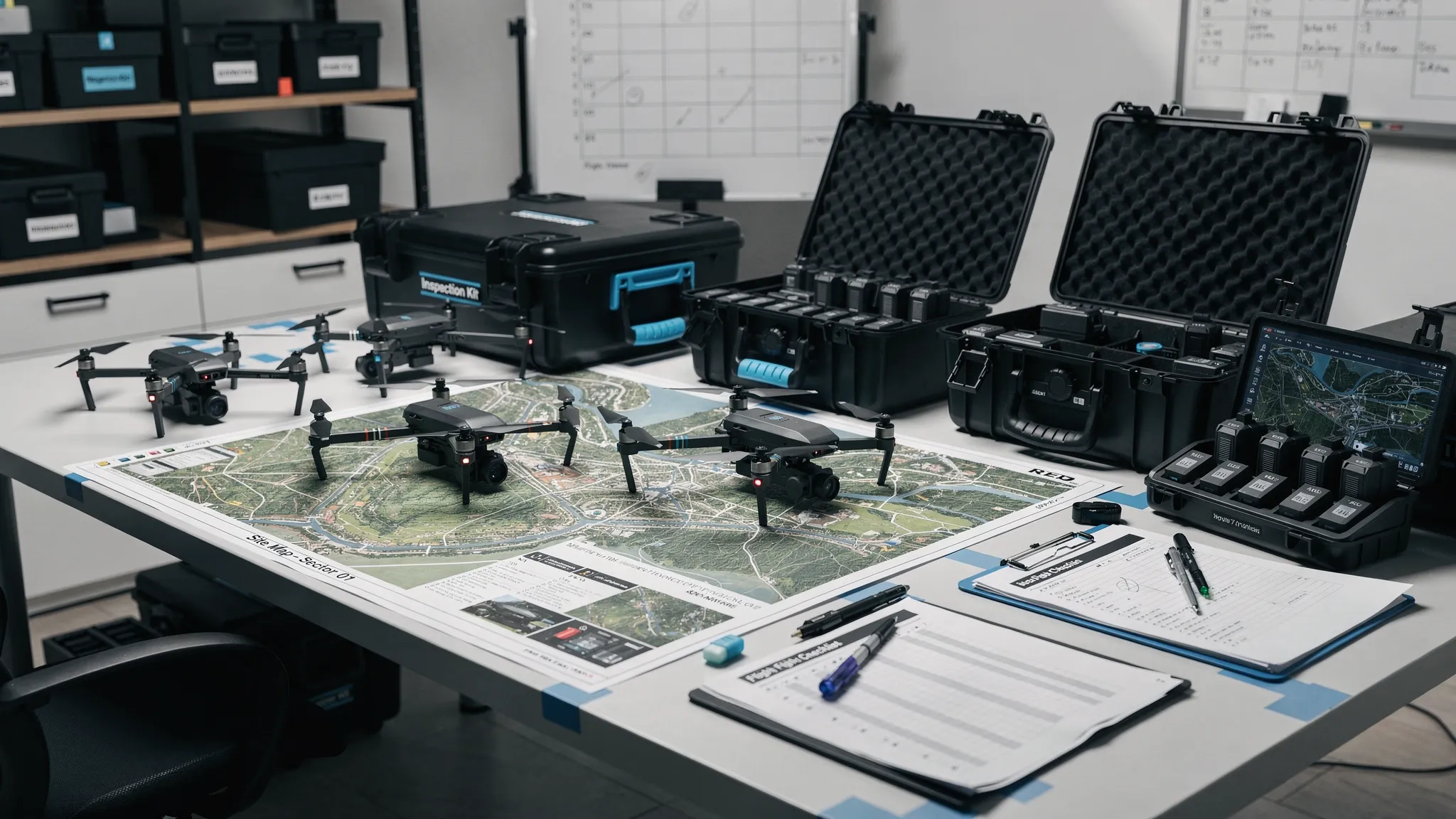
What commercial operators should compare first
Before comparing logos, define the job your software must do. Many commercial drone teams start with a mapping or mission planning tool, then discover that their biggest pain is actually client admin, risk assessments, pilot records, maintenance evidence, audit trails or post-flight reporting.
In regulated operations, the software choice also affects how confidently you can evidence compliance. In the UK, operators should keep aligned with current Civil Aviation Authority drone guidance, while teams working across Europe, the US or other jurisdictions need to check how each platform handles local airspace, permissions and record keeping.
A practical comparison should focus on five operational questions:
- Does the software manage the full job lifecycle, from enquiry to flight log, or just one part of it?
- Does it create repeatable workflows for pilots, managers and clients?
- Does it support audit-ready records for aircraft, batteries, pilots, maintenance and risk decisions?
- Does it fit your geography and regulatory environment?
- Can your team adopt it quickly without building a parallel spreadsheet system?
That last point is often underestimated. A technically powerful system that pilots avoid using will not improve safety, productivity or compliance.
Drone software companies compared by operational fit
The table below compares widely used drone software companies and platforms by commercial operations fit. It is not a like-for-like feature checklist because these tools are designed for different jobs. Some are operations systems, some are mapping platforms, some are flight data tools, and some support autonomous drone-in-a-box programmes.
| Company or platform | Primary category | Strong fit for | Watch-outs for commercial ops |
|---|---|---|---|
| Dronedesk | Operations management, flight planning and admin | Operators needing client management, fleet management, team management, airspace intelligence, proximity intelligence, flight planning, flight logging, reporting, configurable checklists and risk assessments in one web platform | Not a photogrammetry processing engine, so mapping teams may pair it with tools such as Pix4D, DroneDeploy or DJI Terra |
| DroneDeploy | Reality capture, mapping and site documentation | Construction, energy, property and inspection teams that need visual site records, maps and analytics | May not replace a dedicated operations admin system for CRM, risk assessments, pilot records and compliance workflows |
| Pix4D | Photogrammetry and geospatial processing | Survey-grade mapping, orthomosaics, point clouds, 3D models and specialist geospatial outputs | Requires strong operational processes around job planning, flight records, client admin and fleet management |
| DJI Terra | Mission planning and reconstruction within the DJI ecosystem | DJI-centric teams needing mapping, 2D reconstruction and 3D reconstruction workflows | Best suited to DJI hardware ecosystems, so mixed fleets should validate fit carefully |
| Propeller Aero | Worksite survey and earthworks analytics | Construction, quarrying, mining and earthworks teams focused on volumes, progress tracking and site measurement | More specialist than general-purpose drone operations management software |
| AirData UAV | Flight data, fleet health and maintenance records | Teams needing telemetry-based aircraft health, battery tracking, maintenance insights and pilot flight data | May need to be combined with separate software for sales pipeline, job planning and risk assessment workflows |
| DroneLogbook | Compliance records and fleet management | Organisations that need structured records for pilots, aircraft, missions and compliance evidence | Evaluate how far it covers your wider commercial workflow, including CRM, quoting, invoicing or client-facing job packs |
| FlyFreely | Drone operations and compliance management | Teams needing structured approvals, job workflows and compliance records | Check regional regulatory fit, integrations and how it matches your existing approval process |
| Aloft Air Control | Airspace, LAANC and operational management, mainly US-focused | US operators requiring airspace awareness, authorisations and fleet oversight | Less relevant where LAANC is not the governing airspace approval model |
| UgCS | Advanced mission planning | Complex waypoint flights, corridor work, terrain following, LiDAR missions and specialist data acquisition | Not designed to be your full business administration or compliance system |
| FlytBase | Autonomous and remote drone operations | Dock-based deployments, remote operations, security patrols and BVLOS-oriented programmes | Requires mature procedures, suitable hardware, permissions and strong operational governance |
The key takeaway is that commercial operators rarely need one tool in isolation. A drone mapping company might use Dronedesk for operational control and Pix4D for processing. A utility may combine an operations platform with asset inspection tools. A remote security operator may need autonomous flight software plus robust compliance and maintenance records.
The main software categories and why they matter
Operations management software
Operations management software is the backbone for commercial drone teams. It helps answer questions such as who is flying, which aircraft is assigned, what the site risks are, whether the job is approved, what documentation exists, and where the final log is stored.
This is the category where Dronedesk sits. Based on the Dronedesk features page, the platform brings together client management, fleet management, team management, airspace intelligence, proximity intelligence, flight planning, flight logging, data reporting, configurable checklists and risk assessments. For operators that are losing time to disconnected tools, this type of system can become the operational source of truth.
Mapping and photogrammetry software
Mapping software is built to turn image data into outputs such as orthomosaics, point clouds, digital elevation models and 3D reconstructions. DroneDeploy, Pix4D, DJI Terra and Propeller Aero are common names in this category, though they serve different user profiles.
Survey companies should evaluate accuracy requirements, RTK or PPK workflows, ground control support, export formats, processing location, collaboration features and client deliverables. If mapping is central to your business, this software is mission-critical, but it still does not remove the need for compliant planning, team management and flight records.
For a deeper look at this category, Dronedesk also has a separate guide to drone mapping software.
Flight data and fleet health software
Flight data platforms are useful when aircraft health, battery usage, pilot flight history and maintenance evidence become difficult to manage manually. They are particularly valuable for teams operating high utilisation fleets, mixed aircraft types or distributed pilot networks.
AirData UAV is a well-known example in this category. These systems can provide valuable technical insight, but many teams still need a broader workflow layer for client records, job planning, risk assessments, checklists and reporting.
Airspace and authorisation tools
Airspace intelligence is essential, but it varies by jurisdiction. US operators often need LAANC-capable tools, while UK and European operators need to align with their own national and regional requirements.
This is where buyers must be careful. A platform that is excellent for US airspace authorisations may not solve the same problems for a UK emergency service, utility company or survey business. Always test the platform with real locations, not just sales demo scenarios.
Autonomous and drone-in-a-box platforms
Autonomous platforms such as FlytBase support a different operating model. They are relevant when drones are deployed remotely from docks for inspection, monitoring or security tasks.
This category can be powerful, but it also raises the bar for governance. Remote operations need clear procedures, permissions, maintenance controls, incident processes, human oversight and strong evidence that the operation is being managed safely.
Where Dronedesk fits in a commercial software stack
Dronedesk is best understood as an all-in-one operations management platform for drone operators, not as a replacement for every specialist tool. Its role is to reduce the operational friction around planning, documentation, compliance, team coordination and records.
That makes it especially relevant when your current workflow looks something like this: enquiries in email, clients in a spreadsheet, flight planning in multiple browser tabs, risk assessments in Word documents, aircraft records in another spreadsheet, and flight logs somewhere else again.
In that environment, even experienced teams can lose time and visibility. More importantly, managers can struggle to prove that procedures were followed consistently across every pilot, aircraft and job.
Dronedesk’s published features show a clear focus on the commercial operations layer: client records, fleet and team management, airspace and proximity intelligence, planning, logging, reporting, checklists and risk assessments. Its customer satisfaction reporting also includes user feedback around time saved on flight planning, user-friendliness, reliability and support, which buyers can review on the Dronedesk customer satisfaction survey page.
For many teams, the strongest approach is not Dronedesk versus a mapping platform. It is Dronedesk plus the right mapping, inspection or analytics software for the deliverables you sell.
Best-fit software stacks by commercial operation type
| Operation type | Likely stack pattern | Why it works |
|---|---|---|
| Solo commercial photographer or videographer | Dronedesk for planning, risk assessments, client and flight records, plus creative editing tools | Keeps admin controlled without overcomplicating delivery |
| Survey and mapping company | Dronedesk for operations management, plus Pix4D, DroneDeploy, DJI Terra or Propeller Aero for processing and outputs | Separates compliance and workflow control from specialist geospatial processing |
| Utility inspection team | Dronedesk for job planning, team, fleet and records, plus inspection, asset management or mapping tools | Supports repeatable work across many sites, pilots and infrastructure assets |
| Emergency services drone unit | Dronedesk for rapid planning, checklists, team and asset records, plus any incident command or mapping systems already used | Prioritises readiness, consistency and post-incident auditability |
| Quarrying, mining or earthworks operation | Dronedesk for operations control, plus Propeller Aero, Pix4D or other site measurement tools | Combines safety documentation with measurement and progress reporting |
| Drone-in-a-box or remote monitoring programme | Autonomous platform such as FlytBase, plus robust operations, maintenance and compliance record systems | Supports remote deployment while maintaining operational governance |
The right stack depends on whether your commercial value comes from safe repeatable operations, specialist data outputs, fast deployment, high-volume inspections or autonomous monitoring. Most growing teams eventually need both an operational control layer and one or more specialist data tools.
How to choose between drone software companies
A good evaluation process starts with real jobs, not feature lists. Select two or three recent missions and ask each vendor to show exactly how those jobs would move through the system. Include a simple job, a complex job and a job that required changes at short notice.
| Evaluation area | Why it matters | What to ask vendors |
|---|---|---|
| Regulatory fit | Commercial operations need defensible records in the jurisdictions where they fly | Which countries, airspace processes and compliance workflows does the platform support? |
| Job lifecycle coverage | Gaps create duplicate admin and shadow spreadsheets | Can the system manage the job from client enquiry through planning, flight logging and reporting? |
| Risk assessments and checklists | Repeatable safety processes reduce variation between pilots | Can templates be configured for different job types, clients, aircraft or environments? |
| Fleet and personnel records | Scaling teams need visibility of aircraft, batteries, pilots, qualifications and maintenance | What records are held, how are updates tracked, and can managers report across them? |
| Mapping and deliverables | Survey and inspection teams need outputs clients can use | Does the platform process data, or should it integrate with a specialist processing tool? |
| Data export and reporting | Operators need control over records and client evidence | Can logs, reports and job packs be exported in useful formats? |
| User adoption | A powerful tool fails if pilots do not use it | How quickly can field teams learn the workflow, and what support is available? |
| Security and permissions | Enterprises need controlled access and reliable audit trails | What user roles, access controls and data handling processes are available? |
For larger programmes, the decision is also about people and process. Software can standardise workflows, but someone still needs to own governance, training, internal adoption and supplier management. If you are building a larger drone operations or digital transformation team, working with a specialist recruitment agency for business-critical roles can be useful when hiring the commercial, technical or operational leaders who will make the platform successful.
Common mistakes when comparing drone software
The first mistake is buying a mapping platform and expecting it to solve all operational admin. Mapping tools are essential for data products, but they do not automatically manage client records, pilot competence, risk assessments, maintenance evidence and audit trails.
The second mistake is buying an operations platform without thinking about deliverables. If your clients pay for survey outputs, inspection analytics or CAD-ready files, you still need specialist software that produces those outputs to the required standard.
The third mistake is ignoring adoption. Commercial drone teams often include pilots with different technical confidence levels, external contractors, managers, compliance leads and sometimes clients. If the system is not intuitive enough for everyday use, people will drift back to email, paper forms and spreadsheets.
The fourth mistake is comparing tools only on price. The cheaper platform may be more expensive in practice if it leaves staff duplicating work, manually rebuilding reports or struggling to prepare for audits. Conversely, an enterprise mapping suite may be unnecessary if your main problem is simply getting jobs planned, logged and evidenced consistently.
A practical shortlisting approach
Start by deciding whether your primary pain is operational control, data processing, fleet health, airspace authorisation or remote autonomy. Then shortlist vendors from that category rather than comparing every drone software company against every other one.
Run a trial with real operational data. Add actual aircraft, pilots, clients, sites and recent missions. Test the awkward details: a battery that needs maintenance, a pilot with expiring credentials, a site near controlled airspace, a client requesting documentation, or a last-minute change to the job.
Ask for sample exports and reports. Commercial operators need evidence they can share with clients, regulators, insurers or internal stakeholders. A beautiful dashboard is useful, but audit-ready outputs matter more when something is challenged.
Finally, check how the platform will scale. A solo operator can tolerate some manual work. A utility, emergency service or survey company flying hundreds or thousands of missions cannot. The best software choice is the one that still works when your operation has more pilots, more aircraft, more clients, more sites and more scrutiny.
Frequently Asked Questions
What are the main types of drone software companies? The main categories are operations management platforms, mapping and photogrammetry tools, fleet health systems, airspace authorisation tools, advanced mission planning software and autonomous drone-in-a-box platforms.
Is one drone software platform enough for commercial operations? Sometimes, but many commercial teams use a stack. For example, they may use Dronedesk for operations management and compliance workflows, then use Pix4D, DroneDeploy, DJI Terra or Propeller Aero for mapping and data processing.
Which drone software is best for survey companies? Survey companies usually need specialist mapping or photogrammetry software for deliverables, plus a separate operational layer for planning, risk assessments, aircraft records, pilot records and flight logs.
Which drone software is best for utility companies? Utility companies should prioritise repeatable planning, asset and site workflows, fleet and pilot visibility, maintenance evidence, audit-ready records and integration with inspection or asset management processes.
How should emergency services compare drone software? Emergency services should focus on speed, readiness, standardised checklists, team and asset records, pre-planned locations, easy logging and clear post-incident evidence. The best tool is one that supports rapid deployment without weakening governance.
Does Dronedesk replace mapping software? No. Dronedesk is focused on drone operations management, planning, logging, risk assessments, checklists, reporting, team management, fleet management and related admin. Mapping teams can pair it with specialist processing software.
Build a software stack around your operation, not the other way round
Commercial drone software should make operations safer, faster to administer and easier to evidence. The best choice depends on your workflows, your regulatory environment, your deliverables and your growth plans.
If your biggest challenge is managing the operational backbone of drone work, from clients and pilots to planning, checklists, risk assessments, fleet records and logs, explore how Dronedesk supports commercial drone operations. If your bottleneck is mapping output, inspection analytics or autonomous deployment, pair an operations platform with the specialist tool built for that job.
The strongest drone operations are not built on software alone. They are built on clear processes, trained people and tools that make the right way of working the easiest way to work.
 Drone Risk Assessment Controls That Work in the Field →
 FAA Drone License Costs Beyond the Knowledge Test →
 Drone Part 107 Operations: When a Waiver May Be Needed →
 Drone Operating Rules for Managing Contractors and Employees →
 BVLOS Drone Requirements for Building a Safety Case →
 Drone Pilot Test Mistakes That Cost Candidates Marks →
 FAA 107 License vs Part 107 Certificate: What’s the Difference? →
 Drone Airport Rules: A Field Checklist for Site Assessments →
 FAA Part 107 Record-Keeping Rules for Commercial Teams →
 How to Review a DJI Flight Log After an Unexpected Event →