
Sky Rider Drone App: Features, Issues, & Alternatives
You’ve got a new drone on the bench, batteries charged, props fitted, and one question holding up the first flight. Which app runs this thing?
That’s where most Sky Rider owners start. The box points you toward an app, the app store shows a few similar names, and the difference between “ready to fly” and “why won’t this connect?” gets very small very quickly. For casual users, that’s annoying. For anyone trying to use a drone for paid work, site documentation, or repeatable field tasks, it’s a bigger problem.
The sky rider drone app ecosystem is useful, but only if you understand what it is and what it isn’t. It can get a consumer drone airborne, stream video, and in some cases activate autonomous flight modes. It can also leave operators fighting WiFi pairing issues, missing flight records, and handling compliance manually.
Your First Flight with a New Drone
The usual pattern is familiar. You unbox a consumer drone, charge everything, open the quick-start sheet, and get told to download an app before the aircraft will do anything useful. That part sounds simple until you search “Sky Rider” and realize there isn’t one universal app for every model.
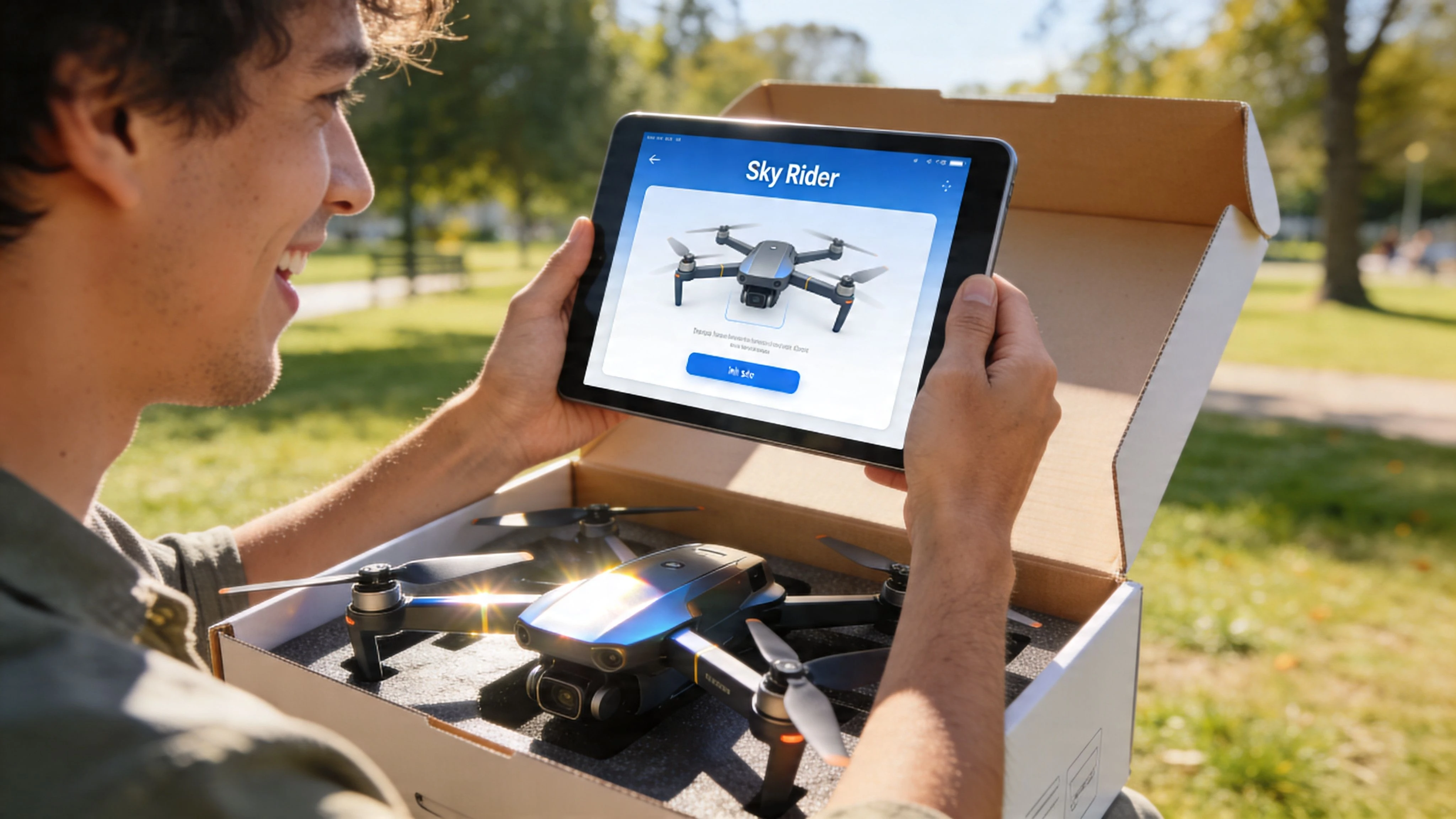
For a new pilot, the first obstacle usually isn’t flight skill. It’s setup friction. The drone broadcasts WiFi, the phone wants to stay on a stronger network, the app asks for permissions, and suddenly the “beginner-friendly” experience feels less beginner-friendly than advertised. If you need a solid walkthrough on the phone side of the process, this guide on how to connect your drone to your phone covers the practical basics well.
Experienced operators see the issue faster. Consumer drone apps often assume the user will tolerate a bit of trial and error. That’s fine on a weekend in an open field. It’s not fine when you’re on location, daylight is fading, and a client is waiting.
Most first-flight problems with consumer drones happen before takeoff. They happen during app selection, permissions, and pairing.
Sky Rider apps fit that pattern. They’re designed to make mobile control accessible, and they do that reasonably well when everything lines up. But the app name on the box doesn’t always tell you enough about compatibility, features, or reliability in the field.
That’s why it helps to treat Sky Rider less like a single product and more like a small family of apps tied to specific aircraft types and use cases.
Understanding the Sky Rider App Ecosystem
The first thing to get straight is this. “Sky Rider drone app” is not one app. It’s a label people use for several Sky Rider mobile control apps tied to different drones.
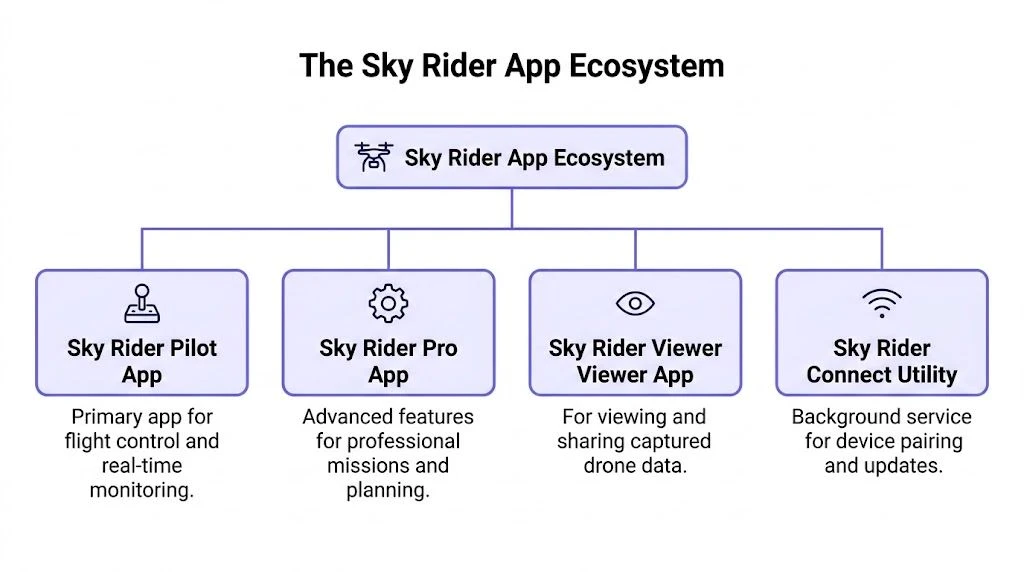
It’s more like a set of model-specific remotes
Just as TV remotes from the same brand may look related, one remote does not necessarily control every screen in the lineup. Sky Rider works the same way. You need the app that matches the aircraft’s hardware and firmware expectations.
Two names matter most in this ecosystem:
- Sky Rider Cruise
- Sky Rider GPS
They serve different levels of capability. Cruise is the simpler mobile control interface. GPS goes further into assisted and autonomous operation on supported hardware.
A useful signal of how widely the simpler app has been used is that Sky Rider Cruise has over 220,000 Android downloads and 14,000 downloads in the last month, according to the AppBrain listing for Sky Rider Cruise. That tells you this isn’t some obscure side app. A lot of entry-level pilots have been funneled through it.
What these apps actually do
At their core, Sky Rider apps turn a phone or tablet into a WiFi-based flight interface. The device connects to the drone’s wireless network, then the app handles live control inputs and camera functions.
In practical terms, that usually means:
- Flight control on a mobile screen for basic maneuvering
- Live view over WiFi so the operator can see what the camera sees
- Photo capture and video recording directly from the mobile device on supported models
- Access to drone-specific functions that won’t appear unless the hardware supports them
That last point matters. App architecture is only half the story. The aircraft decides what the app can enable.
Why this matters for operators and developers
If you’ve worked around connected hardware before, none of this is surprising. Mobile control apps live or die by device compatibility, clean UX, and predictable network behavior. That’s exactly why teams studying connected products often look at broader examples of mobile app development services, especially when reliability depends on pairing, permissions, and real-time device communication rather than a simple content app.
A consumer drone app can look polished in the store and still fail where it counts, during pairing, video transmission, or mission setup.
For Sky Rider, the ecosystem makes sense once you stop expecting one universal app. Match the app to the drone first. Everything else comes after that.
Key Features and Autonomous Flight Modes
Once you’re in the right app, the next question is simple. What can the aircraft do from the phone?
The answer depends on whether you’re using a basic control app or a GPS-enabled model. Some Sky Rider setups are mostly about manual flight and onboard camera control. Others add enough automation to make solo operation more useful.
Core functions most pilots use first
The baseline feature set is what you’d expect from a consumer drone control app. You connect over WiFi, use the mobile device as the command surface, and work from the live camera feed. That’s the normal workflow for quick flights, casual footage, and basic orientation work.
The most practical day-one functions are:
- Live video view: You get real-time visual feedback from the aircraft during flight.
- On-device media capture: Supported setups let you take photos and record video directly from the mobile device.
- Touchscreen flight interface: Instead of relying on a dedicated controller workflow, the pilot uses the phone or tablet as the main control point.
- Simple field setup: For casual users, that reduced hardware stack is part of the appeal.
That setup works best when expectations stay realistic. It’s fine for a short recreational flight. It’s less ideal for precision flying in demanding locations.
What the GPS app adds
The more interesting capabilities sit in Sky Rider GPS. According to the Apple App Store listing for Sky Rider GPS, the app supports WayPoint, Orbit, and Follow Me, streams video over 2.4G WiFi, and runs across iPhone, iPhone X, iPad, and iPod.
Those three autonomous modes are the line between “toy-like” use and something more operationally structured.
WayPoint
WayPoint mode is for preplanned movement. You define points for the aircraft to follow, and the drone flies that route instead of relying on continuous manual stick input.
That’s useful when you want:
- repeatable passes over the same area
- smoother movement than a new pilot can manage by hand
- hands-off framing while you monitor the shot
For example, a solo operator documenting a property edge or tracing a simple path over open ground gets more consistency from WayPoint than from manual zig-zagging.
Orbit
Orbit mode circles a chosen point of interest. This is the classic reveal shot for buildings, trees, monuments, or a parked vehicle.
It’s also one of the easiest autonomous modes to misuse. If the area is tight, cluttered, or windy, a clean circular path becomes a liability fast. Consumer orbit tools work best where there’s room to recover from drift and no nearby obstacles.
Field rule: Autonomous modes help most in open, predictable environments. They help least in cramped sites where the pilot may need immediate manual correction.
Follow Me
Follow Me keeps the drone tracking a subject, usually the operator or another moving target. For outdoor recreation, that’s a crowd-pleaser. For light solo content capture, it can save effort.
For professional work, it’s a narrow tool. Subject tracking sounds more dependable than it often is on consumer platforms. If the route is complicated or the background is messy, reliability can drop quickly. It’s better treated as a convenience feature than a mission-critical one.
Where Sky Rider sits compared with more mature app workflows
If you’ve used more developed mission apps, you’ll recognize the gap. Sky Rider GPS gives you a taste of automated flight, but it doesn’t carry the wider mission planning environment that experienced operators expect. For comparison, this look at the Litchi drone app shows how much deeper a dedicated flight app can go once waypoint planning becomes central to the job.
Sky Rider’s feature set is enough for learning, experimenting, and basic solo capture. It’s not enough to build a serious operations workflow around.
Supported Drones and Platform Compatibility
Compatibility is where a lot of wasted time starts. Pilots assume the app name tells them everything. It doesn’t.
The clean way to approach Sky Rider is to match app, device, and aircraft type before you ever head to the field. If one part of that chain is wrong, the app may install but still be useless.
Which app fits which kind of drone
The clearest split is functional.
| App | Best understood as | Typical role |
|---|---|---|
| Sky Rider Cruise | Basic consumer control app | WiFi flight control with photo and video functions for four-axis flying saucer drones |
| Sky Rider GPS | GPS-capable control app | Adds autonomous functions such as WayPoint, Orbit, and Follow Me on supported aircraft |
If your drone documentation points to Cruise, expect a simpler setup focused on manual flying and media capture. If it points to GPS, expect a more capable aircraft that can support assisted flight behavior.
What you should not do is assume that a similarly named Sky Rider app will work because it’s from the same brand family. In practice, that’s one of the fastest ways to lose setup time.
Platform support in real use
Sky Rider GPS has clearer platform language than many consumer drone apps. The App Store listing states support across iPhone, iPhone X, iPad, and iPod. That matters because tablets are often the better field screen when you need a larger live view.
For operators, the practical compatibility questions are:
- Will the app run on my device? Installation is the easy part.
- Will the device maintain a stable WiFi session with the drone? That’s the harder part.
- Does the aircraft expose the features advertised by the app? Hardware still decides the final answer.
A better way to check before launch
Before your first field session, verify three things:
- The exact drone model in the manual
- The exact app name listed by the manufacturer
- The exact phone or tablet you plan to fly with
That check sounds basic because it is. It also prevents a lot of bad assumptions. Consumer drone ecosystems rarely reward improvisation.
If the app, aircraft, and mobile device weren’t checked together before the job, you weren’t actually ready to fly.
For occasional recreational use, a bit of setup uncertainty is manageable. For repeat work, it’s a warning sign that the software stack may not be reliable enough for the way you operate.
Evaluating Professional Use Cases and Limitations
A fair reading of the sky rider drone app is that it can support some real work. The mistake is pretending it can support all of it.
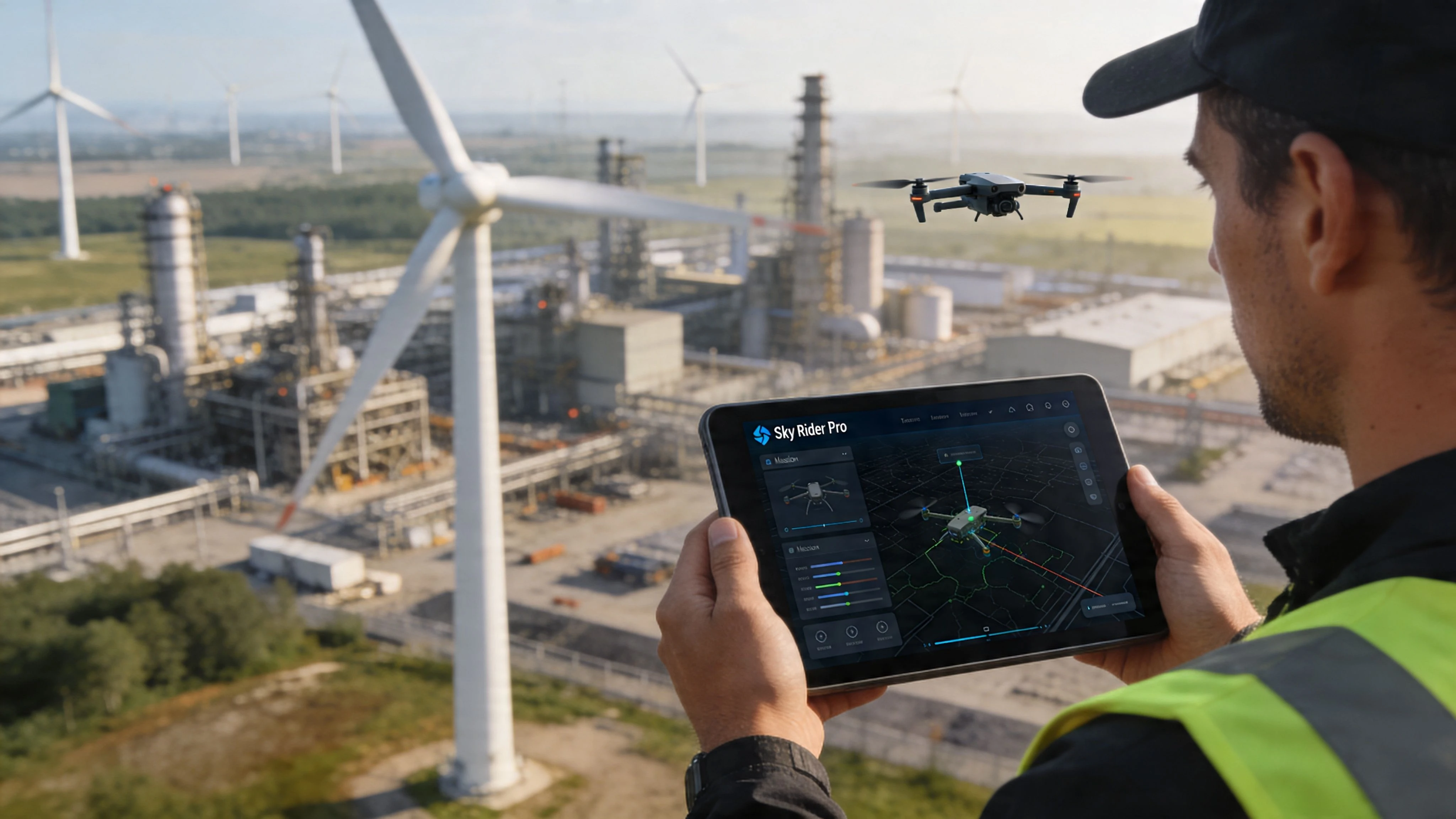
Where it can still be useful
For low-stakes flying, Sky Rider can do the job. If the task is simple visual capture, short-range observation, or getting a quick look from above in an open area, a consumer app may be enough.
That includes situations like:
- Basic real estate previews: quick non-critical shots where a missed pass isn’t a major issue
- Casual site overviews: visual awareness rather than survey-grade outputs
- Training flights: helping new pilots learn orientation, framing, and app-driven control
- Simple solo capture: one operator, one aircraft, one short session
Used that way, the app is a starting tool. No more, no less.
Where professional expectations outgrow it
The limits show up the moment a job needs documentation, repeatability, or operational traceability. Consumer control apps focus on flight and camera access. Professional workflows need much more around the flight than the flight itself.
Here’s the gap in plain terms:
| Need | What professionals usually require | What Sky Rider apps are best suited for |
|---|---|---|
| Mission planning | Structured planning tied to location, hazards, and objectives | Basic aircraft setup and flight access |
| Flight records | Reliable logs for reporting, compliance, and review | Little to no meaningful operations record |
| Fleet oversight | Asset visibility across aircraft, batteries, and teams | Single-device, single-flight use |
| Operational consistency | Repeatable process before, during, and after flight | Ad hoc consumer workflow |
| Compliance support | Airspace awareness and documented decision trail | Operator handles it separately |
That difference matters more than camera features. A commercial operator doesn’t just need the drone to fly. They need a process that stands up after the flight.
The hidden cost of “good enough”
A lot of pilots stay on consumer apps too long because the aircraft still gets airborne. That’s the trap. Basic functionality hides workflow weakness.
You can usually work around missing features by using notes, separate maps, manual checklists, and post-flight spreadsheets. But every workaround adds friction and increases the chance that something gets skipped. On a hobby flight, that’s tolerable. On a client job, it’s poor practice.
Consumer drone apps solve the immediate problem of control. Professional operations need control, records, planning, and accountability.
The line where you should stop relying on it
If any of these apply, you’re already beyond what Sky Rider should be carrying for you:
- You fly for paying clients
- You need repeatable documentation from site to site
- You manage more than one aircraft
- You operate near controlled or sensitive airspace
- You need post-flight records that someone else can review
At that point, the app isn’t your operating system. It’s just a way to move the aircraft.
Critical Connectivity and Compliance Challenges
At this point, the polished app-store description stops matching field reality.
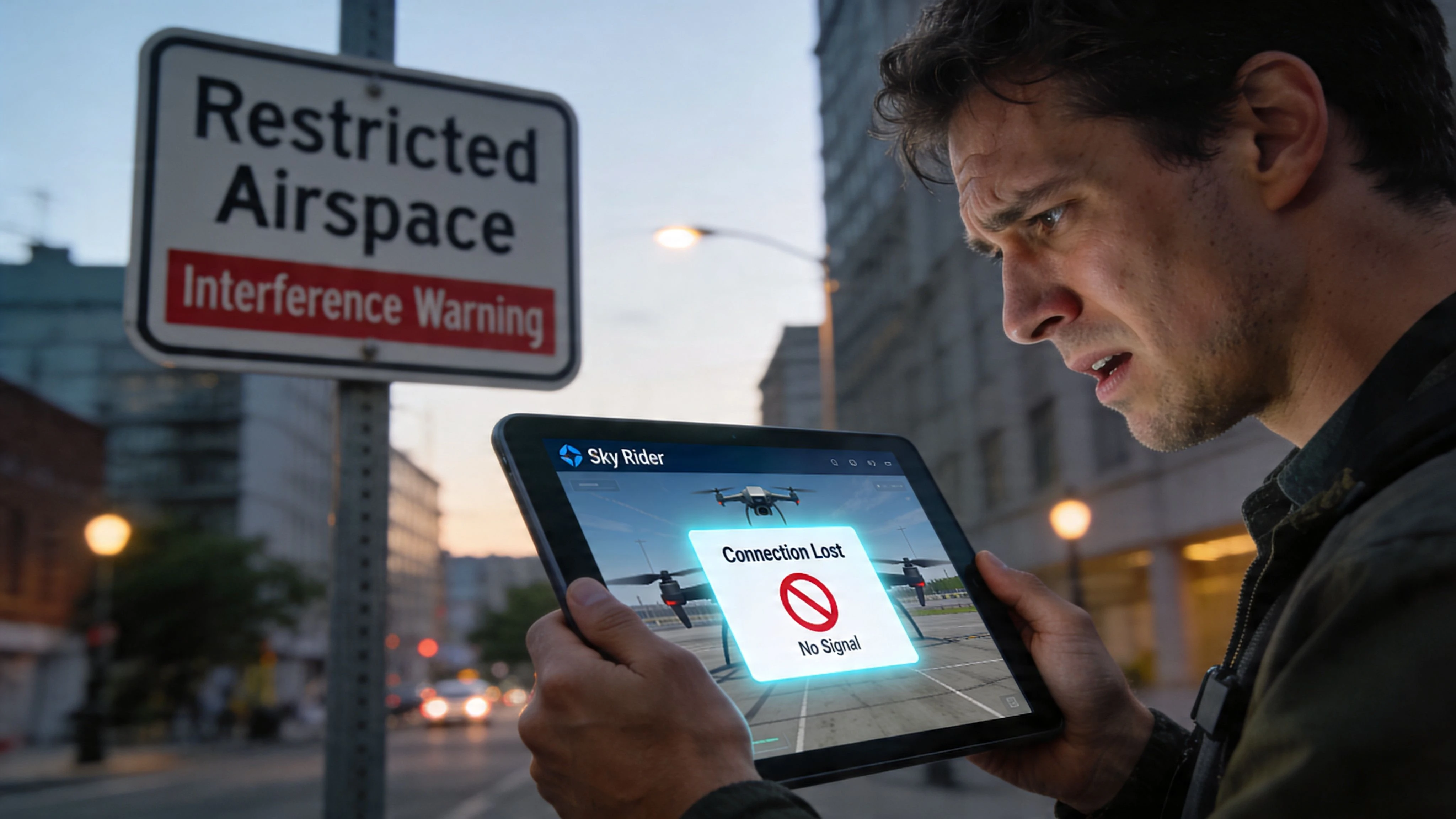
The real problem is pairing reliability
User feedback around Sky Rider repeatedly points to the same issue. Pairing can be awkward, inconsistent, and dependent on workarounds that shouldn’t be necessary in a mature flight system.
The most cited practical fix is putting the phone in airplane mode, then manually reconnecting only to the drone’s WiFi. That’s not elegant, but it often reflects the reality of how these apps behave in the field.
The broader concern is bigger than one brand. According to the verified summary tied to the Sky Rider GPS Google Play reference, user reviews and forum data reveal frequent Sky Rider app connectivity failures, often requiring airplane mode to pair via WiFi. That same verified data states that 40% of entry-level drone app complaints are tied to pairing issues. Whether you’re flying casually or trying to complete a paid task, that’s the kind of failure point you can’t ignore.
What actually works and what doesn’t
The workarounds that often help are simple, but they’re still workarounds:
- Use airplane mode first: Then manually enable the connection you need.
- Disconnect from other known WiFi networks: Phones often try to “help” by switching away from the drone.
- Keep the setup environment simple: Fewer competing signals usually means less trouble.
- Don’t assume the first connection attempt means anything: Retry logic is often part of the operational workflow.
What doesn’t work well is pretending the issue is user error every time. Sometimes the app stack is just brittle.
A drone app that needs ritualized pairing steps before every flight is manageable for hobby use. It’s a liability for business use.
Compliance is mostly on your shoulders
Even if the connection holds, Sky Rider still leaves a major operational hole. It doesn’t provide the kind of built-in compliance structure professional pilots need for routine commercial work.
That means operators are left handling things like:
- Airspace checks
- Pre-flight risk review
- Operational records
- Site-specific planning
- Post-flight accountability
None of that disappears because the drone is consumer-grade. The legal and safety burden still sits with the pilot.
There’s also a wider digital risk angle any connected hardware operator should keep in mind. When mobile devices, apps, account access, and cloud-linked workflows are part of field operations, basic cyber hygiene matters. This overview of understanding and preventing data breaches is a useful primer for teams that haven’t thought much about the security side of connected operations.
For recreational flyers, weak compliance tooling is often invisible until something goes wrong. For professionals, it’s a known gap from day one.
Moving to a Professional Drone Operations Platform
At some point, the right move isn’t finding another workaround for the app. It’s changing the workflow around the flight.
Consumer apps like Sky Rider are built to control an aircraft. Professional platforms are built to manage an operation. That difference is what matters once you’re handling repeat jobs, multiple clients, or flights that need a clear administrative trail.
A sensible transition looks like this:
- Treat the drone as a managed asset rather than just a gadget you launch when needed.
- Plan each mission before arrival with location context, airspace review, and job details captured in one place.
- Attach flights to clients, sites, and tasks so records stay useful after the day is over.
- Log what happened after the mission instead of relying on memory, screenshots, or scattered notes.
If you’re still comparing app-level control tools, this overview of a broader fly drone app workflow helps frame the difference between piloting and running drone operations.
The important point is this. You don’t need direct data migration from Sky Rider to improve your setup. You need a better operating layer around the flight itself. Once that layer is in place, the flight app becomes one small part of the job instead of the thing holding the whole job together.
For a hobby pilot, Sky Rider may be enough. For a working operator, “enough” stops being good enough pretty quickly.
If you’re ready to move beyond app-level flying and run your work with proper planning, logging, airspace awareness, fleet oversight, and client management, Dronedesk is built for that next step. It gives professional drone operators a structured system for safer, more efficient, more compliant operations without forcing them to piece the workflow together manually.
 BVLOS Drone Meaning and Why It Matters →
 Drone Operation Regulations Explained for Businesses →
 How to Pass Your Drone Pilot License Test →
 How to Review a DJI Flight Record After a Mission →
 How to Check a Drone NOTAM Before You Fly →
 Part 108: What Drone Operators Should Expect →
 Beyond Visual Line of Sight BVLOS Explained →
 Drone Laws and Regulations Every Team Should Review →
 Current Drone Laws: What Changed in 2026? →
 JARUS SORA Explained in Plain English →