
GS Pro Price: The True Cost for Drone Pilots in 2026
You’re probably here because you searched gs pro price, found old forum posts, dead App Store references, and a lot of recycled advice that treats GS Pro like it’s still a normal product you can buy and support today.
That’s the first problem.
With DJI Ground Station Pro, price was never the only question. In 2026, the bigger issue is whether the software still fits your aircraft, your tablet fleet, your team workflow, and your risk tolerance. A legacy tool can look cheap on paper and still cost more to operate than a current platform once you account for downtime, unsupported devices, and the time your pilots spend working around limitations.
From an operations standpoint, buyers get burned when they focus on the old license model and ignore the hidden line items. Can your current iPads run it reliably? Does it support the aircraft you deploy? What happens when a field pilot hits a bug on a live job and there’s no meaningful product direction behind the app anymore?
Those questions matter more than the old purchase screen ever did.
Searching for the GS Pro Price
Most pilots who search gs pro price are not looking for trivia. They’re trying to solve a practical problem. They need a mission planning tool for mapping, inspections, corridor work, or repeatable photo capture, and they want to know what the software will cost before they commit to a workflow.
GS Pro makes that harder than it should be because the answer depends on time.
If you’re asking what DJI Ground Station Pro cost historically, that’s one conversation. If you’re asking what it costs to rely on it in 2026, that’s a very different one. The old app had a simple appeal. It gave DJI operators an iPad-based way to plan automated flights without moving into a heavier enterprise stack. For a lot of small operators, that was enough.
Today, the sticker price is the least useful number in the discussion.
Why the price search feels confusing
The confusion usually comes from three things:
- Legacy product status: GS Pro still gets mentioned in articles and videos, but that does not mean it remains a current strategic product in the way buyers expect.
- Old purchase model: People remember a free base app with added capabilities accessed separately, which makes the software seem inexpensive compared with modern subscription tools.
- Hidden operating costs: Buyers often ignore the cost of old iPads, narrow aircraft support, isolated mission files, and extra admin work.
Practical rule: If software pricing looks unusually low, check what work your team has to do outside the software to make it usable.
That is the core TCO question.
What operators should evaluate instead of only price
Before you spend time chasing old GS Pro pricing details, check these points:
- Aircraft fit: Does it support the drones you fly now, not the ones you flew years ago?
- Device fit: Can your current tablets and field setup run it without creating another hardware pool to manage?
- Support exposure: If something breaks, do you have a realistic support path?
- Workflow overlap: Will you still need another tool for logs, team coordination, client records, and compliance?
If the answer to most of those is “yes, we still need something else,” then the old GS Pro price is not your real buying metric. Your real metric is operational drag.
What Is DJI GS Pro and Why Is Its Status Unclear
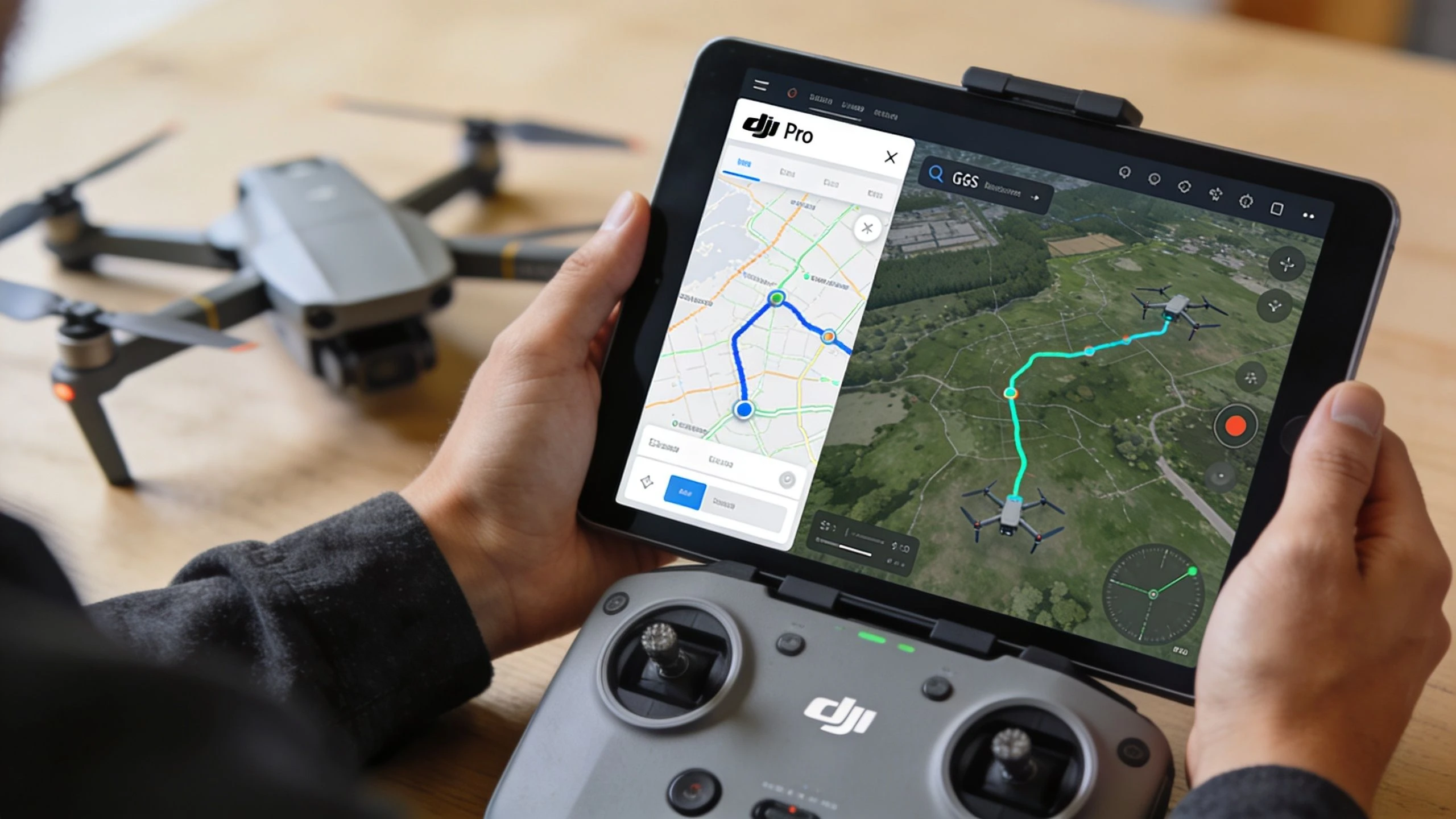
DJI GS Pro, short for Ground Station Pro, was DJI’s iPad-based flight planning app for automated missions. Pilots used it to build repeatable flights for mapping, inspections, agricultural work, and structured image capture. It sat in a useful middle ground. More capable than manual flying, but lighter than a full enterprise operations stack.
At its peak, DJI says GS Pro was used to plan over 2 million automated flights globally, mainly in agriculture and construction inspection, before DJI started moving enterprise users toward FlightHub (DJI Ground Station Pro product page).
What GS Pro was built to do
For many DJI operators, GS Pro solved a narrow but important need. You could define an area, assign mission behavior, and send the aircraft to fly a repeatable route with less manual input. That made it useful for jobs where consistency mattered more than improvisation.
Typical uses included:
- Area mapping: Grid flights for image capture
- Inspection repeats: Re-flying the same site with similar angles and overlap
- Waypoint work: Building planned routes for photo, video, or observation tasks
- Basic mission control: Setting mission parameters on an iPad instead of improvising in the field
If you want a broad overview of how the app fit into DJI workflows, this guide to DJI GS Pro is a useful reference point.
Why its current status feels muddy
The status is unclear because GS Pro was never shut off in the dramatic way people expect from a cloud platform. It became something harder to categorize. Not gone, but no longer the center of DJI’s planning strategy.
That matters.
A lot of pilots still talk about GS Pro as if it’s a current purchase decision, when in reality it sits in legacy software territory. DJI’s enterprise direction moved toward Pilot 2 and FlightHub for newer workflows and newer aircraft. Once that shift happens, the old “price” question stops being about feature value and starts being about survivability.
GS Pro still makes sense only if your aircraft, tablet, and mission profile already fit its aging boundaries.
Why pricing discussions stayed stuck in the past
Old articles often frame GS Pro as a bargain because they focus on the original app model. That misses the operational reality. Legacy mission software is only cheap when your environment has not changed. Most professional environments do change. Aircraft evolve. Controllers change. mobile OS support moves on. Teams need cloud sync, shared records, and cleaner reporting.
So the unclear status isn’t just a branding problem. It directly affects buying decisions.
If you’re a solo pilot with older DJI gear and a stable workflow, GS Pro may still look usable. If you’re managing current aircraft, multiple pilots, or regulated workflows, the uncertainty itself becomes part of the cost.
A Breakdown of GS Pro Features and In-App Purchases
When people ask about gs pro price, they usually want a clean price list. With GS Pro, the more accurate answer is that DJI used a modular app model. The base app gave pilots a starting point, and more advanced mission types or data import functions were added through in-app purchases.
That design made sense at the time. A casual user could stay lightweight. A survey pilot could access the planning tools they needed. The problem today is that this old model gets mistaken for a low total cost.
It wasn’t always low. It was just segmented.
What the free core app handled
The base version of GS Pro was useful for pilots who needed straightforward automation rather than survey-heavy workflows.
In practical terms, the free layer was associated with core tasks like:
- Waypoint flight planning
- Basic route automation
- Virtual fence controls
- Simple mission setup on iPad
For a photographer, media crew, or operator doing repeat visual capture, that was often enough. For a mapping business, it usually wasn’t.
If you’re comparing old mission-planning approaches to current options, this overview of a DJI flight planner gives good context on how expectations have changed.
The paid features were where GS Pro became useful for survey work
The add-ons mattered because DJI kept advanced use cases outside the base experience. Buyers didn’t just pay for “more features.” They paid to make GS Pro viable for commercial fieldwork.
3D Map Area
This was the feature mapping operators cared about most. It was designed for area capture workflows tied to photogrammetry and structured imaging over a defined polygon.
Who benefited from it:
- Survey and mapping pilots
- Construction progress teams
- Land and site documentation crews
What worked well: It reduced the need to improvise grid capture by hand and made repeatable planning much easier.
What didn’t: It still lived inside the limits of GS Pro’s hardware and ecosystem assumptions. If the app stopped fitting the rest of your stack, this purchase lost value quickly.
3D Map POI
This feature targeted structure capture rather than broad land area. Think towers, vertical assets, and objects where orbit logic or point-of-interest behavior mattered more than a standard grid.
It was useful for:
- Facade capture
- Tower and structure documentation
- Visual modeling jobs where angle consistency mattered
Its value depended heavily on the aircraft and payload workflow around it. If your work moved toward newer inspection drones or newer planning tools, this feature became harder to justify as a long-term investment.
KML and SHP import
For more technical teams, import support was one of the most important developments. Once pilots start working from external boundaries and GIS-based files, basic app-native drawing tools stop being enough.
This mattered to operators handling:
- Predefined site boundaries
- Utility or corridor job geometry
- Survey workflows tied to outside planning files
That feature separated casual mission planning from more professional planning.
Why the modular model looked cheaper than it was
The old setup had one clear advantage. You could buy only what you needed. For a single pilot on older DJI hardware, that often felt efficient.
Here’s the trade-off in simple terms:
| Historical view | Practical reality |
|---|---|
| Base app looked inexpensive | Advanced use often required paid unlocks |
| One-time purchases felt predictable | Value dropped if hardware or aircraft changed |
| No broad platform subscription | You still needed other tools around it |
A modular license works best when the surrounding environment stays stable. Drone operations rarely stay stable for long.
That’s why the historic GS Pro pricing model still gets nostalgic coverage. It looked lean. It was lean. But only inside a much simpler operating environment than most drone businesses run today.
The True Total Cost of Ownership for GS Pro in 2026
The gs pro price conversation gets real.
A lot of operators still evaluate GS Pro like an old one-time software purchase. That’s a mistake. In 2026, the larger cost comes from everything around the app: the iPad requirement, the aircraft limits, the absence of meaningful product momentum, and the time your team spends compensating for what the software doesn’t do.
A legacy app can be cheap to acquire and expensive to keep alive.
Hardware lock-in is a real cost
GS Pro was built around the iPad workflow. If your team already standardized on compatible Apple tablets and kept them in service, that was manageable. If not, GS Pro forced a second hardware strategy.
That creates costs in several forms:
- Device sourcing: You may need to keep older iPads in circulation just for one app.
- Battery and reliability issues: Older tablets fail in the field more often than current, supported devices.
- Operational inconsistency: One team flies with current smart controllers, another with legacy iPads, and your SOPs become harder to standardize.
None of those costs appear on a simple software pricing page. They still hit your business.
Limited aircraft compatibility raises the operating cost fast
This is the biggest reason I don’t advise most professional teams to build around GS Pro now.
Legacy planning software only works when it matches your deployed fleet. If your current aircraft sit outside that boundary, you end up doing one of two bad things. You either keep older aircraft longer than you should, or you split your workflows between old and new tools.
Both choices are expensive.
Keeping old aircraft alive
Some teams try to preserve GS Pro value by keeping compatible drones in service. That can work for low-risk, internal use. It works poorly for businesses that need dependable field operations.
What usually goes wrong:
- Battery inventory becomes harder to manage
- Spare parts get more annoying to source
- Crew training has to cover old procedures and current procedures
- New hires inherit a stack that no longer makes intuitive sense
Splitting workflows
The second path is mixed-tool operations. You use GS Pro where you still can, then use something else for newer aircraft or more modern jobs.
That sounds reasonable until the admin piles up.
You now have:
- different mission planning habits,
- different export or record paths,
- different pilot expectations,
- and more room for version errors.
Unsupported software creates hidden risk
Unsupported or lightly supported software is not just a technical issue. It is a management issue.
When a modern SaaS platform has a bug, teams expect a patch cycle, release notes, and some path forward. With legacy tools, the usual field response is more primitive: restart the tablet, downgrade expectations, find a workaround, or avoid the feature that caused the problem last time.
That is not a reliable operating model for commercial work.
If your mission software fails during planning, you lose time. If it fails mid-operation, you lose confidence across the team.
The support gap also affects security posture, internal IT approval, and long-term process planning. Even when nothing dramatic happens, unsupported software introduces hesitation. Pilots become more cautious. Managers avoid changes. Teams stop trusting the tool.
The biggest cost is workflow inefficiency
The hidden TCO item most pricing guides miss is labor.
GS Pro came from a period when flight planning could stay more isolated from the rest of the business. That is not how most professional operations run now. Modern teams need mission planning connected to job records, pilot logs, asset status, client information, and compliance evidence.
When those systems stay separate, someone has to bridge the gap manually.
That means staff time spent on:
- copying mission details between apps,
- reconciling who flew what,
- checking which aircraft was used,
- rebuilding context for audits or client questions,
- and tracking records outside the planning tool.
A pilot with one aircraft can tolerate that for a while. A business with multiple crews feels the drag quickly.
When GS Pro still makes sense
To be fair, there is a narrow case where GS Pro can still be a rational choice. If you already own the hardware, already fly compatible DJI aircraft, and only need basic automated planning in a stable, low-complexity setup, your out-of-pocket cost may stay low.
But that’s not the same as saying it’s a good default choice.
For most commercial operators in 2026, GS Pro’s true cost is not the old app price. It’s the growing penalty of forcing a modern operation to behave like an older one.
Comparing GS Pro to Modern Drone Operation Platforms
Once you stop treating gs pro price as a license question and start treating it as an operations question, comparisons get much easier. The primary benchmark is not “what did GS Pro used to cost.” The benchmark is “what does this platform require my team to do every week to stay productive and compliant.”
That changes the shortlist.
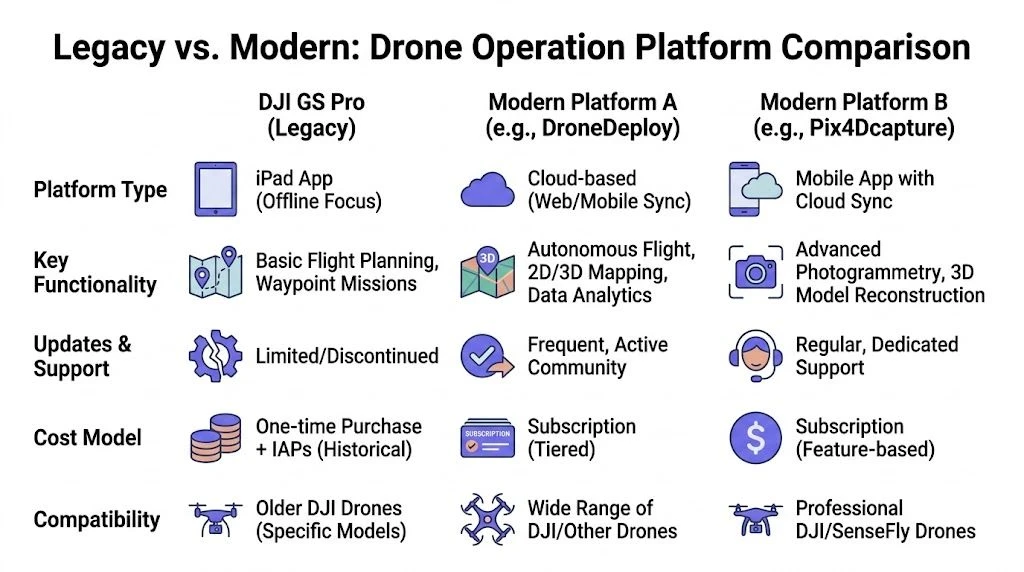
Today, most professional operators end up comparing three categories:
- DJI GS Pro as a legacy mission app
- DJI Pilot 2 with FlightHub 2 as DJI’s current enterprise direction
- A broader operations platform for teams that need planning, logging, fleet, and business admin tied together
Side-by-side comparison
| Criteria | DJI GS Pro | DJI Pilot 2 with FlightHub 2 | Dronedesk |
|---|---|---|---|
| Platform position | Legacy iPad mission planner | Current DJI enterprise ecosystem | Operations management platform for planning, compliance, logging, fleet, and teams |
| Hardware approach | iPad-centric | Built around current DJI enterprise workflows and devices | Works as an operations layer rather than a legacy mission-only tool |
| Best fit | Older DJI setups with stable, narrow needs | DJI enterprise fleets needing current DJI integration | Solo operators, growing teams, and enterprise programs needing operational oversight |
| Mission planning | Useful for older automated missions | Better fit for current DJI enterprise planning | Complements operational workflows beyond just flight route creation |
| Team coordination | Limited | Stronger than GS Pro | Built for shared operational management |
| Compliance and reporting | Mostly outside the tool | Better connected inside DJI’s ecosystem | Designed around logs, reporting, records, and business workflow |
| Support outlook | Legacy risk | Current product direction | Active software platform model |
Where GS Pro still holds up
GS Pro is still serviceable in a narrow environment. If a pilot has older supported DJI aircraft, an iPad they already trust, and a mission profile centered on repeatable planning rather than end-to-end business management, the app can still do useful work.
That is the strongest argument for it.
But there are limits that matter in daily operations:
- it doesn’t map cleanly to modern mixed-fleet environments,
- it doesn’t reduce admin outside mission planning,
- and it doesn’t solve the operational sprawl that comes with growth.
That makes it less of a platform decision and more of a stopgap.
Where Pilot 2 and FlightHub 2 make more sense
If you run current DJI enterprise aircraft, the official DJI path is the obvious place to start. Pilot 2 and FlightHub 2 are where DJI puts current product energy. That matters because modern support, fleet alignment, and current-controller workflows reduce friction that legacy tools create.
This option is strongest for:
- enterprise DJI programs,
- inspection teams standardized on current DJI hardware,
- and operations that want tighter continuity inside DJI’s ecosystem.
The limitation is that some teams need more than a DJI-centric mission and fleet layer. They also need work management, pilot records, asset tracking, and broader operational control beyond one manufacturer’s software stack.
Where a broader operations platform changes the TCO math
This is the category many small businesses ignore until their admin load becomes painful. A platform like Dronedesk is not just a mission-planning replacement. It addresses the operating layer around the flight, including planning, logs, compliance records, team management, and fleet oversight.
That matters because the hidden cost in drone software is often not route creation. It’s fragmentation.
If your current process looks like this, you already feel that cost:
- one app for mission planning,
- another for flight logs,
- spreadsheets for maintenance,
- documents for client records,
- and separate processes for compliance evidence.
A broader platform reduces those handoffs.
The cheapest software stack is usually the one that removes the most duplicated admin, not the one with the lowest entry price.
What works and what doesn’t
Here’s the blunt version from an operations perspective.
GS Pro works when
- the fleet is older and stable,
- the planning need is narrow,
- and the business can tolerate legacy-tool risk.
GS Pro does not work well when
- aircraft are current and changing,
- multiple pilots need shared visibility,
- or management needs clean records tied to operations.
Pilot 2 and FlightHub 2 work when
- DJI enterprise integration is the core requirement,
- and the operation is comfortable staying close to DJI’s ecosystem path.
A broader platform works when
- operations management matters as much as route planning,
- and the business wants fewer gaps between planning, compliance, fleet, and reporting.
That is the practical comparison most pricing pages skip. They compare features. Operators should compare friction.
Which Flight Software Is Right for You
The right answer depends less on brand preference and more on how much operational complexity you carry. A solo pilot with one aircraft can tolerate limitations that would cripple a multi-pilot team. An enterprise manager has obligations a freelance pilot never has to think about.
That is why gs pro price cannot be answered well without context.
The hobbyist or casual operator
If you’re flying older DJI gear for personal projects, occasional property capture, or non-critical repeat missions, GS Pro may still be usable. The key phrase is may still be usable.
That only works if:
- you already have the right iPad setup,
- your aircraft fit the app,
- and you accept that you’re using legacy software.
For this user, the old low-cost logic can still hold. The risk is mostly inconvenience rather than business disruption.
The small drone business
I usually advise people to move on from GS Pro at this stage.
Small commercial operators need reliability more than nostalgia. They also need fewer disconnected tools. Once you’re running client jobs, maintenance records, pilot logs, repeatable planning, and compliance paperwork at the same time, a legacy mission app becomes one piece of a messy system rather than a solution.
A small business should choose software that:
- supports current operations,
- reduces admin burden,
- and leaves room to grow without rebuilding the workflow later.
GS Pro doesn’t do that well anymore.
The enterprise drone program manager
For enterprise use, GS Pro is generally the wrong answer.
Enterprise programs care about governance, fleet standardization, documented processes, controlled user access, current aircraft support, and software that can survive internal IT and risk reviews. Legacy iPad mission software with an uncertain long-term role does not fit that environment well.
For this user, the decision usually comes down to two paths:
| Need | Better direction |
|---|---|
| Deep DJI enterprise integration | DJI Pilot 2 with FlightHub 2 |
| Broader operational oversight across teams and workflows | A platform built for operations management |
The enterprise question is not “can GS Pro still run a mission.” It’s “can we build a dependable program around it.” In most cases, the answer is no.
Frequently Asked Questions About DJI GS Pro
Can you still get DJI GS Pro?
Availability can vary by region, account history, and device situation, but the bigger issue is not whether you can still access it. The bigger issue is whether you should build a workflow around legacy software. For most professional teams, that’s the wrong starting point.
Is GS Pro available on Android?
No. GS Pro was built as an iPad-based app, which is one reason hardware lock-in becomes part of its real cost.
Does GS Pro work with non-DJI drones?
No. GS Pro was part of DJI’s own software ecosystem and was designed around DJI aircraft workflows.
Is GS Pro still a good choice for mapping?
Only in a narrow legacy setup. If you already run compatible DJI hardware, already use iPads in the field, and only need basic automated mission planning, it can still be functional. For most current commercial mapping operations, newer supported tools are a safer choice.
Is the old GS Pro pricing the right way to compare it with newer tools?
No. That is where many reviews go wrong. The old GS Pro price only tells you what the app once cost to use. It does not tell you what it costs to maintain old tablets, preserve compatible aircraft, train staff on legacy workflows, or fill the gaps with other tools.
What is the best free alternative?
That depends on the aircraft, mission type, and how much planning depth you need. For simple use cases, many operators start with current manufacturer tools before adding a dedicated operations platform. The key is to evaluate the whole workflow, not just the route builder.
Can old GS Pro purchases be treated like a long-term asset?
Only if the rest of your environment stays compatible. That is the weakness of relying on legacy mobile software. The license may still exist, but its practical value shrinks when hardware, operating systems, aircraft, and team requirements move on.
If GS Pro’s real cost comes from fragmented workflows, aging hardware, and extra admin, it’s worth looking at a platform built for the full operation, not just the flight route. Dronedesk helps drone teams manage planning, logging, compliance, fleet, clients, and reporting in one system, which is often the cleaner answer than trying to keep a legacy app alive.
 Drone Risk Assessment Controls That Work in the Field →
 FAA Drone License Costs Beyond the Knowledge Test →
 Drone Part 107 Operations: When a Waiver May Be Needed →
 Drone Operating Rules for Managing Contractors and Employees →
 BVLOS Drone Requirements for Building a Safety Case →
 Drone Pilot Test Mistakes That Cost Candidates Marks →
 FAA 107 License vs Part 107 Certificate: What’s the Difference? →
 Drone Airport Rules: A Field Checklist for Site Assessments →
 FAA Part 107 Record-Keeping Rules for Commercial Teams →
 How to Review a DJI Flight Log After an Unexpected Event →