
DJI GS Pro: A Complete Guide for Pro Pilots (2026)
You’re probably dealing with one of two situations right now.
Either you still run a Phantom 4 RTK or Mavic 2-era aircraft because it does the job well, and you need mission planning software you can trust. Or you’ve opened dji gs pro on an iPad, remembered how capable it is, then hit the same wall everyone hits in 2026: great planning tools, aging app, awkward fit with newer hardware.
That tension makes DJI GS Pro worth discussing. It’s not a dead tool. It’s a legacy tool with very real strengths. If your fleet matches its support list, it can still handle complex automated missions, repeatable survey work, 3D capture, and team flight data backup with less friction than many pilots expect. If your fleet has moved on, GS Pro can quickly become a planning island that doesn’t connect cleanly to how your operation runs now.
A lot of articles miss that split. They either treat GS Pro like a timeless solution or dismiss it because DJI’s ecosystem moved on. Neither view helps a working pilot. What matters is where GS Pro is still strong, where it’s clearly limited, and how to use it without building your whole operation around software that no longer sits at the center of DJI’s roadmap.
Introduction to DJI GS Pro
A client wants a construction site captured before equipment shifts again. The aircraft is charged, the team is ready, and the pressure is not the flying. It is getting a mission built quickly, flying it the same way every time, and bringing back data the project team can compare from one visit to the next.
That is the job DJI GS Pro was built to handle.
DJI released GS Pro as an iPad mission planning app for professional operations, and for years it was a standard tool for waypoint routes, mapping grids, and repeatable image capture. That history still matters in 2026. Plenty of operators are still running aircraft that fit GS Pro well, especially in fleets where proven workflows matter more than chasing every new airframe release.
The catch is straightforward. GS Pro still has real value, but it no longer fits the full DJI ecosystem the way it once did. If you are flying supported legacy platforms, it can still produce disciplined, repeatable missions with very little wasted effort in the field. If your operation has shifted to newer DJI hardware, GS Pro can become a dead end fast.
That trade-off is why the app deserves a more honest look than it usually gets.
In day-to-day operations, mission planning software is not just a convenience feature. It affects capture consistency, crew confidence, battery planning, and how easily a team can repeat a job under pressure. GS Pro remains useful because it was built around structured flying, not casual flying. For survey teams, inspection crews, utilities contractors, and pilots managing recurring capture tasks, that difference still shows up on site.
My view is simple. GS Pro is legacy software with professional value, not a modern default. Used on the right aircraft and inside the right workflow, it still earns its place. Used as the center of a 2026 drone program, it will show its age quickly.
What Is DJI GS Pro and Who Is It For
A crew turns up to repeat a roof inspection from last quarter. The client wants the same angles, the same flight path, and imagery that can be compared side by side without arguing about how the pilot flew the job. That is the kind of work GS Pro was built for.
DJI GS Pro is an iPad mission planning app for structured, automated flights on supported DJI aircraft. It lets the pilot set the route, capture pattern, camera actions, and mission sequence before takeoff so the aircraft flies a defined plan instead of relying on stick inputs and memory in the field.
In practice, that makes GS Pro useful for teams that value consistency over flexibility. It suits repeat work.
What GS Pro actually does
GS Pro handles planned data capture and repeatable flight paths. For the right aircraft and job type, that usually means:
- Survey planning: Setting up mapping grids and area missions for progress tracking, stockpile work, and site documentation.
- Inspection support: Building repeatable routes around buildings, assets, and infrastructure so image sets are easier to compare over time.
- Agricultural capture: Flying fields in a consistent pattern for cleaner coverage than ad hoc manual passes.
- Shared project visibility: Keeping mission information, logs, and project changes aligned across the team inside the GS Pro workflow.
That last point matters more than many pilots expect. Once more than one person touches a project, consistency in mission setup starts to affect handovers, rework, and client confidence.
If you want a broader view of how this fits into current planning tools, this guide to a drone flight planner workflow is a useful reference point.
Who gets the most value from it
GS Pro fits operators who run defined capture jobs and need the aircraft to behave predictably.
That usually includes:
- Surveyors and civil engineering teams repeating the same capture area across multiple visits
- Inspection companies documenting roofs, facades, solar arrays, or utilities where route consistency improves reporting
- Agriculture operators collecting imagery on planned patterns rather than manual lines
- Drone service providers trying to standardize how different pilots fly the same contract
- Fleet managers running older DJI platforms that still match GS Pro well
The common thread is simple. These teams are buying repeatability.
GS Pro is a poor fit for quick creative flights, mixed fleets that include newer unsupported DJI aircraft, or businesses that want one planning app to cover every drone in the operation. In 2026, that compatibility limit is the first question to answer, not the last.
What it is not
GS Pro does not run the business side of drone operations. It does not manage quoting, client communication, maintenance records, team permissions across the whole company, or compliance admin in a modern operations stack.
That gap catches people out.
Pilots sometimes judge GS Pro too harshly because they expect one app to cover flight planning, operational control, and office administration. GS Pro was built for the flight planning piece. If the core problem is operational admin, GS Pro will not fix it. If the core problem is repeatable automated flight on supported hardware, it can still do useful work.
That is who GS Pro is for in 2026. Operators with the right aircraft, repeatable tasks, and enough discipline to place it inside a wider workflow instead of asking it to do everything.
Exploring Core Features and Mission Planning UI
A pilot is on site at 6:30 a.m., the client wants the same capture as last month, and there is no time to rebuild the mission from scratch. That is the kind of job GS Pro still handles well. The interface looks dated in 2026, but the layout remains practical. You open the app, choose the mission type, check the route, and confirm what the aircraft will do.
The home screen is organized around mission outcomes, not software jargon. For field teams, that matters. It reduces menu hunting and gets the pilot to the planning screen faster.
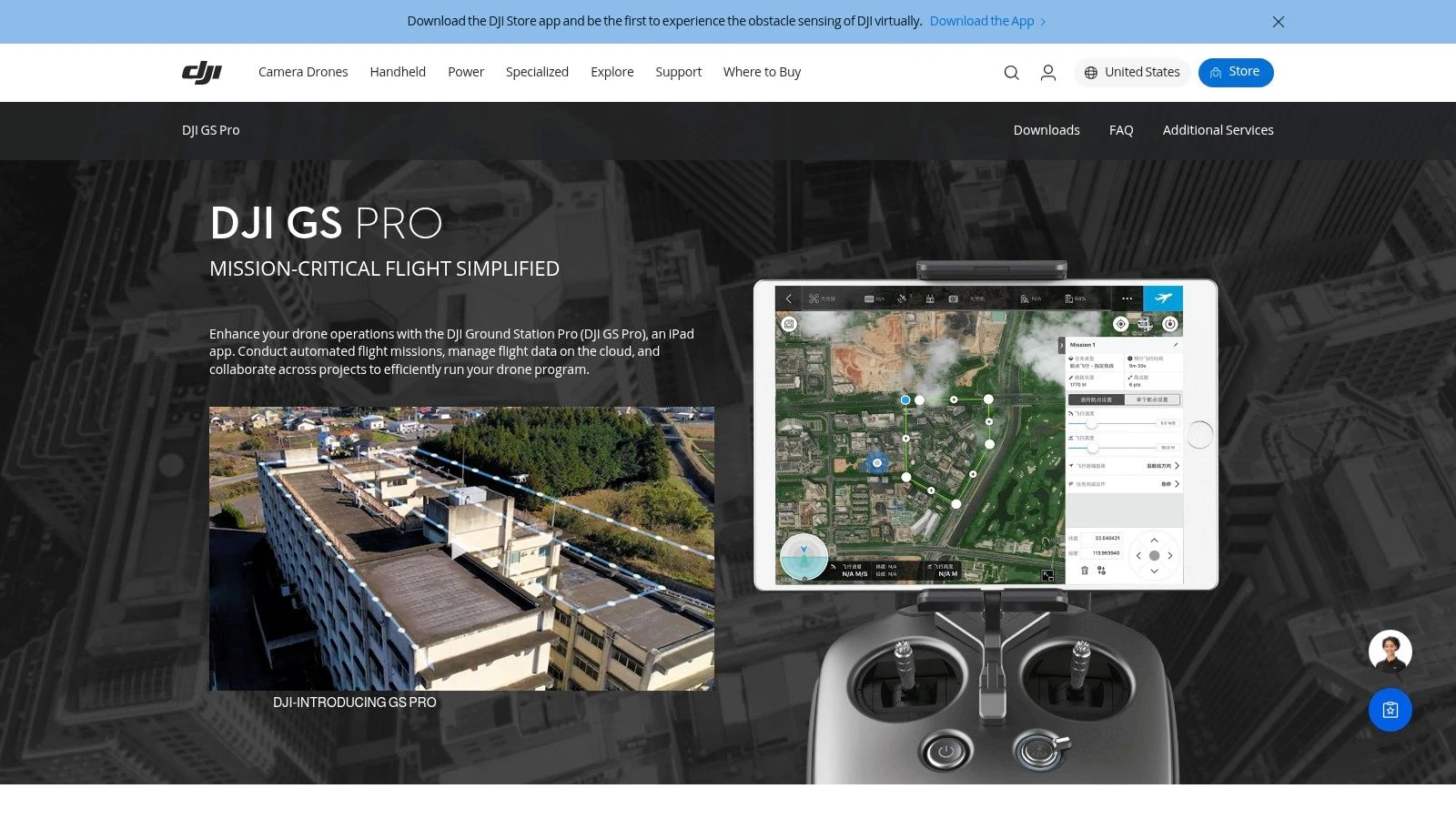
3D Map Area mode
3D Map Area is still the main reason many operators keep GS Pro on an iPad. You draw a boundary, set capture parameters, and the app builds a route that is usually good enough to refine rather than build manually.
That speed is useful, but it can also hide bad assumptions. Overlap, flight altitude, gimbal angle, and line direction all affect the quality of the final dataset. A standard setup may work for a flat stockpile yard and fail on a building with recessed facades or uneven terrain.
In practice, 3D Map Area works best when the deliverable is already clear. If the job is orthomosaic capture, progress mapping, or repeat site documentation, the mode is efficient. If the client expects a clean 3D reconstruction with strong side detail, the pilot still needs to inspect the route and adjust the plan instead of accepting the first auto-generated pattern.
Three habits improve results fast:
- Draw the boundary tightly so the aircraft does not waste battery on irrelevant ground.
- Review capture direction against sun angle and site obstacles before launch.
- Save the mission once it works, especially for monthly or staged repeat visits.
GS Pro still earns respect here because it lets crews build repeatable data capture without forcing a lot of app-level complexity. That said, it shows its age. Mission planning is capable, but the surrounding workflow is thin, so operators often pair it with newer process tools elsewhere in the stack.
Waypoint Flight mode
Waypoint mode is where GS Pro still feels like serious operations software. It gives the pilot direct control over route geometry, aircraft heading, camera actions, and the order of each movement. For inspections, utility checks, facade passes, and recurring visual documentation, that control matters more than modern UI polish.
Longer routes need more care than the screen suggests. GS Pro can break larger waypoint jobs into smaller sections, which helps keep complex missions manageable, but the pilot has to plan around those pauses. Battery swaps, restart points, radio coverage, and return-to-home behavior all need to be checked before the first takeoff.
This is one of the trade-offs that separates hobby use from professional use. The software can build a detailed route. The operator still has to think through how that route behaves on a real site with wind, obstacles, crew pressure, and limited flight windows.
For teams working on inspection workflows that feed into custom fabrication or replacement parts, repeatable waypoint capture can also support downstream processes such as UAV 3D Printing, where consistency in image collection affects what happens long after the flight ends.
Virtual Fence and mission discipline
Virtual Fence is not flashy, but it solves a real field problem. It helps define a working area when the site has clear limits, such as plant boundaries, roadside constraints, or exclusion zones near structures.
Used properly, it adds discipline to team operations. It does not replace airspace checks, visual observation, or pilot judgment. It does help reduce route drift between pilots and gives managers a cleaner way to standardize how a job is flown on supported aircraft.
Choosing the right mission type
Mission selection should follow the deliverable, not pilot preference.
Choose 3D Map Area for structured image capture over a defined area. Choose Waypoint Flight when exact positions, headings, or camera actions need to repeat visit after visit. Choose Virtual Fence when site containment matters as much as the route itself.
If your operation needs a broader planning process around aircraft, pilots, approvals, and repeat jobs, this guide to a professional drone flight planning workflow gives the bigger picture that GS Pro no longer covers on its own.
Professional Use Cases in Action
The easiest way to judge dji gs pro is by the jobs it handles well. On the right aircraft, it still solves real field problems.
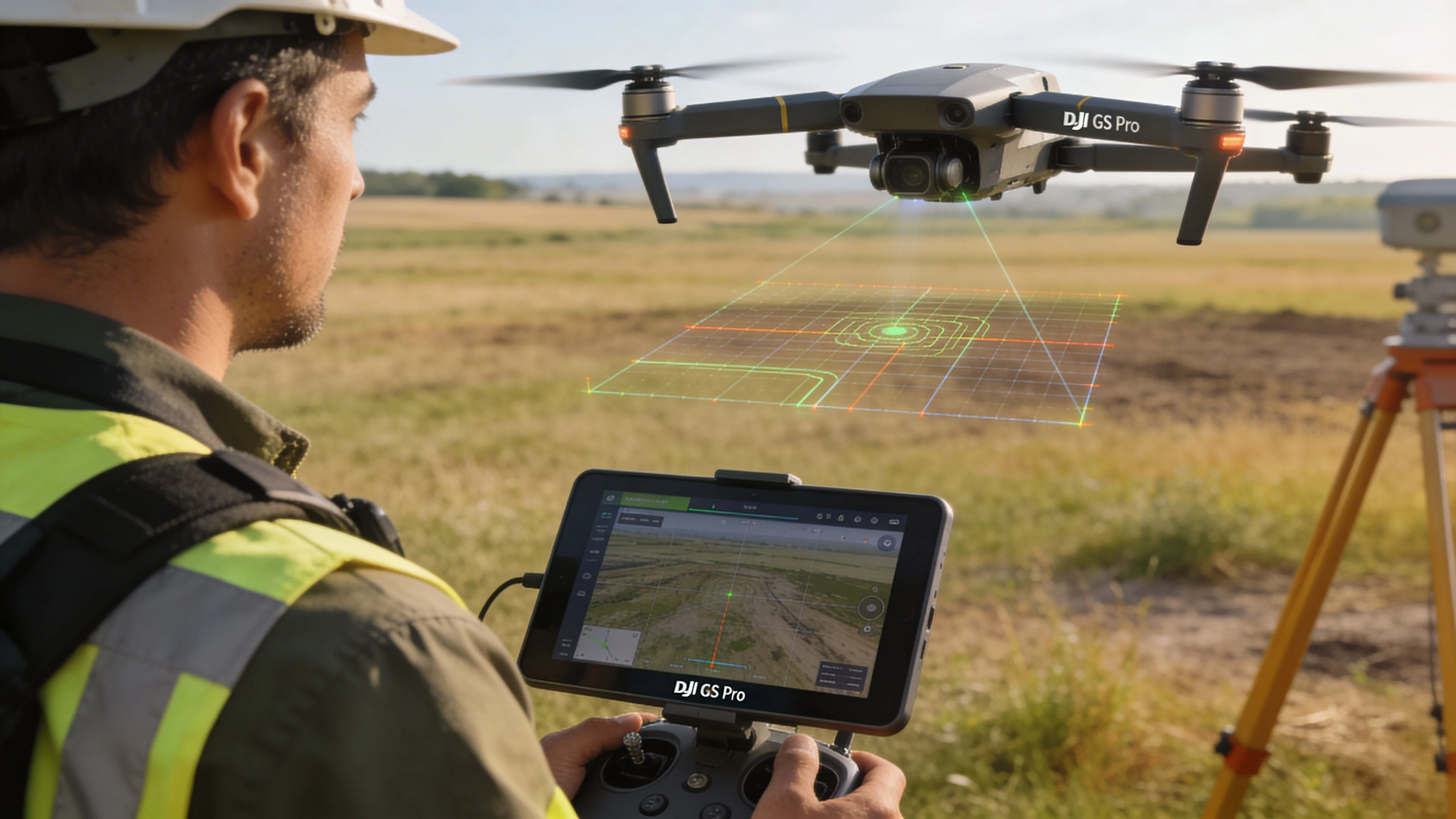
Construction land survey
A site team needs a regular visual and mapping record as earthworks change. Manual flying can capture the area, but repeatability becomes the issue. One pilot flies slightly wider, another changes altitude, and by the third visit your comparison set is messy.
GS Pro fixes that by locking the mission design first.
The operator draws the site boundary, sets the capture logic, flies the mission, and saves it for the next visit. The benefit isn’t just automation. It’s consistency. The same route can be reused when the client wants progress evidence rather than a one-off image set.
Legacy DJI aircraft still earn their keep in these scenarios. They may not have the newest app ecosystem, but if the mission profile is stable and the aircraft is supported, GS Pro keeps the collection process disciplined.
Building inspection and 3D modeling
Now take a building inspection. A simple nadir grid rarely tells the whole story when the client cares about elevations, edges, or facade context.
GS Pro can support a more deliberate approach by separating top-down coverage from structure-focused capture. Pilots often plan the broad area first, then add flights designed around the building itself. The software is especially useful when you need the same route again after repairs, storm damage, or a maintenance cycle.
That repeatability also supports downstream work such as mesh generation and fabrication review. If your work touches digital twins or physical output from aerial models, this overview of UAV 3D Printing is a worthwhile reference because it shows how aerial data can move beyond visualization into production workflows.
Agricultural grid capture
Agricultural missions are less about dramatic flying and more about clean coverage. A field operator usually wants a predictable grid, controlled overlap, and a route that doesn’t waste time on unnecessary maneuvering.
GS Pro is well suited to that style of work because it plans the area systematically. The pilot can focus on weather, launch position, battery condition, and actual site variables rather than steering every pass.
What works well here is the reduction in pilot variation. What doesn’t work well is trying to force GS Pro into hardware it doesn’t support. In agriculture, teams often keep older mapping aircraft in service longer than photo-focused operators do. That’s one reason GS Pro still appears in real workflows.
Why these jobs still fit GS Pro
These use cases share the same requirement. The mission has to be repeatable, auditable, and shaped around the output.
GS Pro is still strong when the job demands:
- Consistent route geometry across repeat flights
- Structured image acquisition for mapping or model generation
- Clear project organization inside a dedicated mission app
- Less improvisation in the field
A pilot can manually fly many of these jobs once. The real test is whether the team can fly them the same way next month.
That’s the difference between hobby-grade convenience and professional mission planning. GS Pro still understands that distinction, even if the rest of the DJI ecosystem has moved on.
Advanced Mission Planning and Safety Best Practices
Most GS Pro problems don’t come from the software. They come from pilots treating automated planning like a substitute for mission judgment.
The app can generate a route. It can’t decide whether that route is wise for the site, the light, the structure, or the battery plan.
Build the mission around battery reality
Long automated missions look clean on screen. In the field, they live or die by how you handle interruptions.
If a route is large enough to require battery swaps, plan those pauses before launch. Don’t wait to see where the aircraft happens to be when power gets low. In practice, the handoff point matters because restart friction creates mistakes. Teams miss legs, duplicate legs, or resume with changed assumptions about camera angle and coverage.
Useful habits include:
- Stage batteries in sequence: Don’t improvise pack order onsite.
- Mark restart logic: Know which segment you’re resuming and what still needs collecting.
- Check weather drift between sorties: Conditions can change enough to affect image consistency.
Use speed and altitude deliberately
Pilots often leave automated missions too close to default behavior. That’s fine for familiar sites in stable conditions. It’s weak practice on edge cases.
If light is poor, surfaces are reflective, or the target has vertical complexity, slower passes usually produce cleaner capture. Altitude needs the same discipline. Lower isn’t always better. Lower can increase obstruction risk, exaggerate terrain issues, and make route geometry less forgiving.
The safest missions usually come from boring choices. Conservative altitude. Predictable transit. Clear launch area. Fewer mid-mission changes.
For pilots who want to tighten preflight discipline around airspace and site review, Dronedesk’s overview of the DJI Fly Safe Map is a useful companion resource.
Gimbal angle is where many 3D jobs go wrong
This is the gap that catches a lot of operators. They know how to plan a grid. They don’t always know how to plan a good 3D dataset.
Many guides default to nadir imagery. That’s fine for straightforward top-down mapping. It’s often not enough for detailed 3D reconstruction.
While many guides suggest simple nadir shots, adding oblique images at angles like -75° can boost 3D model density and quality by 15% to 25% in photogrammetry software, according to the referenced YouTube resource. The practical lesson isn’t that every mission needs obliques. It’s that structural detail usually improves when you combine straight-down and angled capture instead of relying on one view.
A sound field approach is usually:
- Run the nadir mission first: Capture the base dataset cleanly.
- Add perimeter or structure-focused obliques: Use them to strengthen walls, edges, and geometry.
- Keep angle choices consistent within each flight: Random manual tilting leads to uneven reconstruction.
Field note: If you’re changing gimbal angle on the fly without a clear plan, you’re usually collecting a messy dataset instead of a richer one.
There’s a related mindset issue here. Some pilots copy settings because they worked once on a different site. That’s risky. Trees, elevation changes, facades, and reflective surfaces all change what “good coverage” looks like.
A useful parallel exists outside drones. In wildlife and remote field gear, discussions around GPS tracking technology often come back to the same principle: location-aware hardware is helpful, but setup decisions still determine whether the data is useful. Drone mapping is no different.
Integrating GS Pro with Dronedesk for Modern Workflows
GS Pro handles flight planning well. It doesn’t handle the full life of a professional drone job.
That gap gets wider in 2026 because operators need more than mission automation. They need records, team visibility, fleet context, job history, and a clean audit trail. GS Pro was never built to be that entire layer.
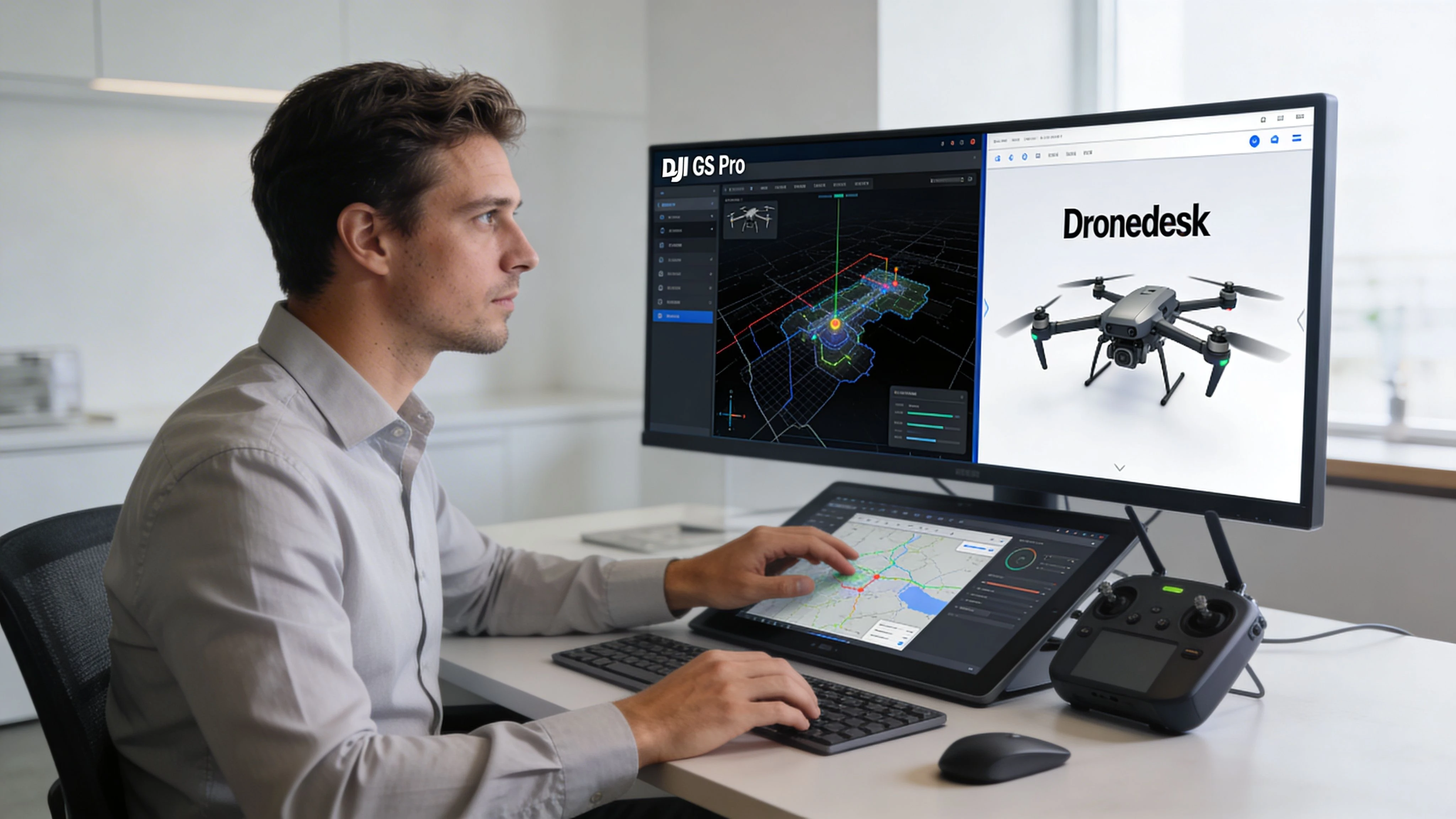
Where GS Pro fits in a modern stack
The most practical way to use GS Pro now is as a field execution tool for supported aircraft.
That means:
- Build and run the automated mission in GS Pro
- Use its mission structure and flight records to keep capture disciplined
- Move the resulting operational information into your broader job and compliance workflow
This is especially important for teams rather than solo pilots. Once multiple people, aircraft, batteries, clients, and locations are involved, “the iPad has the mission” stops being an adequate system.
The missing layers GS Pro doesn’t cover
GS Pro can help a pilot fly. It doesn’t give an operations manager everything needed to run the business side of that flight.
Common gaps include:
| Workflow need | Why GS Pro falls short |
|---|---|
| Client records | It isn’t a client management system |
| Team accountability | It doesn’t serve as a central operations log for the whole business |
| Fleet oversight | Aircraft support exists, but broader maintenance and asset workflows sit elsewhere |
| Compliance reporting | Mission data alone isn’t the same as a complete compliance record |
| Cross-job visibility | Projects remain tied to the app, not the whole operational picture |
That’s why many operators now pair mission apps with a separate operations platform rather than expecting one tool to do everything.
A workable handoff model
A sensible workflow looks like this:
- Plan in GS Pro when you need legacy DJI automation on a supported aircraft.
- Fly with discipline and keep notes on any deviations from the planned route.
- Sync the operational record into your wider management system after the mission.
- Tie the flight to the job, not just to the pilot’s device.
If your work includes mapping deliverables, Dronedesk’s article on DJI drone mapping gives a helpful broader view of how mission planning connects to repeatable commercial outputs.
The key is not to over-ask GS Pro to be something it isn’t. Let it do what it still does well. Build the rest of the workflow around tools designed for operations management, reporting, and compliance.
The Pros and Cons of Using DJI GS Pro in 2026
A crew shows up with a Phantom 4 Pro for a repeat site survey, an iPad that already holds the last mission, and a client who wants this month’s data to match the previous capture as closely as possible. In that situation, GS Pro still makes sense.
Swap that aircraft for a Mavic 3 Enterprise or a newer Matrice platform, and the answer changes fast. This describes GS Pro in 2026. It is still useful, but only inside a narrower box than many operators want to admit.
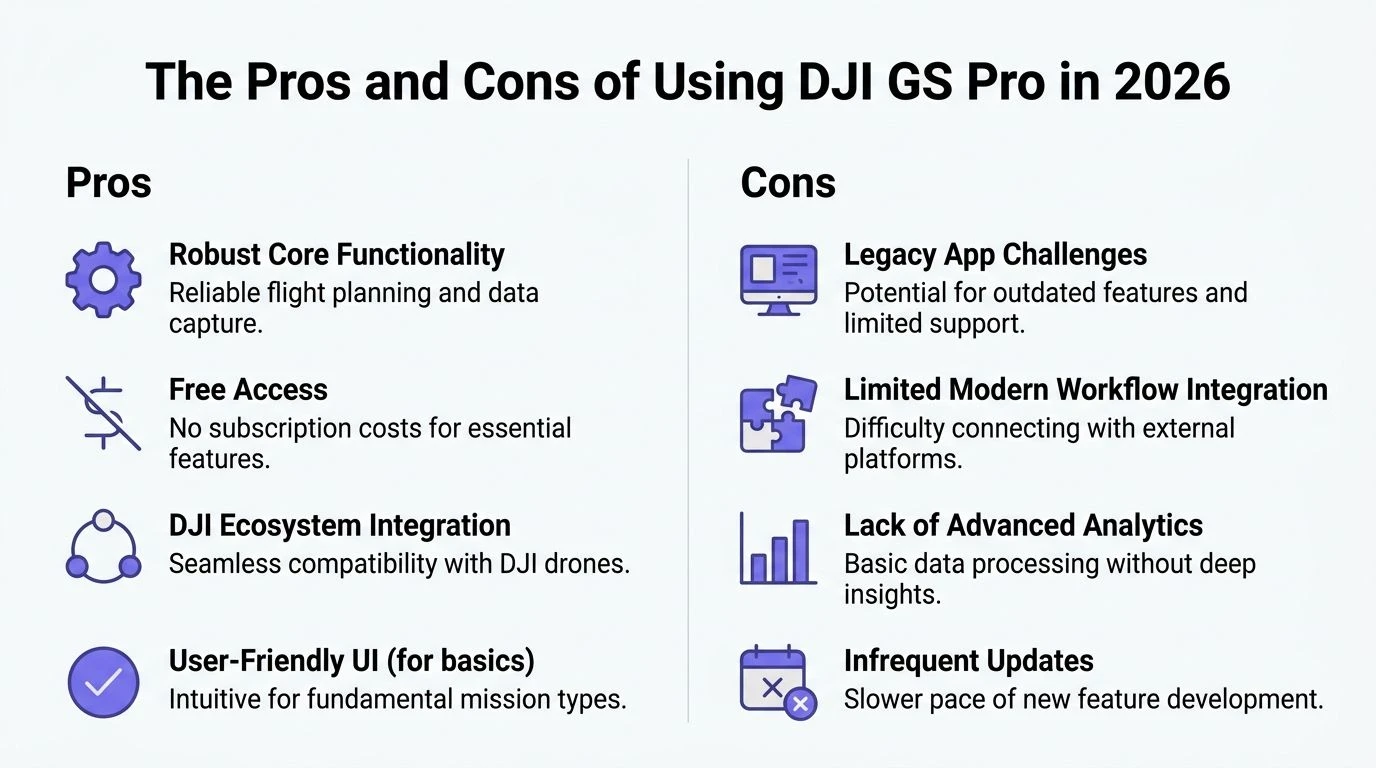
Where GS Pro still earns a place
GS Pro remains a solid mission planner for teams flying supported legacy DJI aircraft and doing repeatable, structured work. It was built for planned operations, not ad hoc flying, and that still shows in the way missions are laid out and repeated.
The practical strengths are clear:
- Repeatable flight plans: Useful for recurring surveys, corridor work, and inspection patterns where consistency matters.
- Predictable mission behavior: Experienced crews usually know how it will respond in the field, which lowers briefing time and reduces surprises.
- Clean planning workflow on iPad: Fast enough for field edits without feeling cluttered.
- Good fit for older commercial DJI fleets: Especially for operators still getting productive life out of Phantom, Inspire, or older Matrice-era equipment.
There is also a training advantage. If a team has used GS Pro for years, they can often plan and launch faster with it than with a newer platform they only touch occasionally.
Where it starts to break down
The biggest limitation is aircraft support. As noted earlier, GS Pro belongs to an older DJI generation. If your business has already moved to current enterprise aircraft, GS Pro stops being a practical default and becomes a legacy tool kept alive for specific jobs.
That matters more than interface preference.
A mission planner can be excellent on screen and still be the wrong choice for the fleet. In 2026, that is the central trade-off with GS Pro.
Other limits show up quickly in day-to-day operations:
- iPad-only deployment: Fine if your field kit is built around Apple tablets. Restrictive if your team standardised elsewhere.
- Mixed-fleet friction: One planning method for older aircraft and another for newer ones creates more room for naming errors, missed records, and inconsistent crew habits.
- Older software assumptions: GS Pro handles mission planning well, but it does not match the broader operational expectations many enterprise teams now have around logging, oversight, and workflow continuity.
- Limited long-term growth: It can still serve a mature legacy workflow, but it is not the platform I would build a growing drone operation around today.
The useful question is simple. Does GS Pro fit the aircraft, crews, and job types you actually run this quarter?
DJI GS Pro vs. modern alternatives
| Feature | DJI GS Pro | DJI Pilot 2 | DroneDeploy |
|---|---|---|---|
| Best fit | Older supported DJI fleets still doing planned commercial work | Current DJI enterprise operations | Teams that want broader mapping and software flexibility |
| Device approach | iPad-based | Current DJI enterprise app workflow | Third-party platform workflow |
| Mission style | Strong for repeatable structured missions | Better aligned with newer enterprise aircraft | Better for teams prioritising wider platform options |
| Hardware reality in 2026 | Best kept to legacy-compatible aircraft | Better suited to current DJI hardware | Depends on the aircraft, integrations, and deployment setup |
| Best user type | Operators extending the life of older aircraft with disciplined processes | Teams standardising on newer DJI enterprise hardware | Operators who need software choice beyond DJI’s older planning stack |
The blunt recommendation
Use GS Pro in 2026 if your aircraft is supported, your work depends on repeatable planned routes, and your team accepts that this is a legacy mission tool with clear boundaries.
Avoid it as your primary platform if your fleet is built around newer DJI aircraft or if you want one system to sit at the centre of planning, records, compliance, and team operations.
That is not a knock on the software. It is a realistic assessment from an operations standpoint. GS Pro still has value, but its value now comes from knowing exactly where to use it, and where to stop forcing it into a modern workflow it was never built to handle.
DJI GS Pro Alternatives and Frequently Asked Questions
For pilots with unsupported aircraft, alternatives aren’t optional. They’re the practical next step.
The main alternatives
DJI Pilot 2 is the obvious direction if your team flies newer DJI enterprise hardware. It aligns better with DJI’s current enterprise ecosystem and makes more sense than forcing modern aircraft into a GS Pro-shaped workflow.
DroneDeploy is relevant when your priority is broader mapping workflow and platform flexibility rather than staying inside a legacy DJI planning app.
Some teams also use hybrid setups. They keep GS Pro for older aircraft that still perform well and shift newer platforms onto current DJI or third-party software. That can work, but only if the team is disciplined about records, naming, and operational consistency.
Frequently asked questions
Is DJI GS Pro iPad-only
Yes. GS Pro was launched as an iPad-exclusive app for enterprise drone operations, as described on DJI’s GS Pro product page referenced earlier. If your team doesn’t want an iPad in the field, that limitation matters immediately.
Can GS Pro export useful mission data
Yes, in practical terms, operators commonly treat GS Pro mission information as something that can be moved into wider workflows, including KML-based planning handoffs. The exact usefulness depends on the rest of your software stack and whether your receiving tools are set up for that format.
What happens if connection is lost during a mission
That depends on the aircraft behavior and mission context you’ve configured, and it should be tested cautiously before a critical job. The important point is operational, not theoretical: don’t assume automated flight removes the need for a recovery plan.
Is GS Pro free
The core app has long been known for offering strong functionality without forcing a subscription-style mindset around basic mission planning. In the field, the cost question usually isn’t software price. It’s whether using GS Pro saves enough time and delivers enough consistency to justify keeping compatible legacy aircraft in service.
If you’re still using GS Pro, or juggling legacy DJI mission apps alongside modern compliance, client, and fleet admin, Dronedesk is worth a look. It gives professional drone operators a cleaner way to manage jobs, records, teams, and reporting around the flight itself, so your operation doesn’t depend on whatever happens to be sitting on one pilot’s iPad.
 How to Evaluate a Free Drone Logbook Before Using It →
 FAA Part 107 Test: How to Master Airspace Questions →
 Drone Risk Assessment Controls That Work in the Field →
 FAA Drone License Costs Beyond the Knowledge Test →
 Drone Part 107 Operations: When a Waiver May Be Needed →
 Drone Operating Rules for Managing Contractors and Employees →
 BVLOS Drone Requirements for Building a Safety Case →
 Drone Pilot Test Mistakes That Cost Candidates Marks →
 FAA 107 License vs Part 107 Certificate: What’s the Difference? →
 Drone Airport Rules: A Field Checklist for Site Assessments →