
Best Software for Drone Operations in 2026
You buy a capable drone, add extra batteries, sort your insurance, pass the required tests, and assume you're ready to start billing for work. Then the actual friction shows up. A client wants a quote by noon. Another job needs a site-specific risk assessment. Your flight logs are split across apps. Battery cycles live in a spreadsheet. Airspace checks sit in screenshots on your phone. The drone flies well, but the business around it feels improvised.
That’s the point where most operators realise the aircraft isn’t the operation. It’s one component inside a larger system of planning, data handling, compliance, asset tracking, and client delivery. If your software for drone work is fragmented, your team ends up doing admin by hand and solving the same problems twice.
Your Drone Is Only Half the Equation
A new commercial pilot usually notices the same thing within the first few paid jobs. Flying is the clean part. The messy part starts before takeoff and continues long after landing.
A roof survey might take less time in the air than it takes to prepare the paperwork, verify the site constraints, brief the client, organise imagery, produce the final report, and store the records so you can prove what happened later. If you handle that with disconnected tools, growth becomes administrative debt.
Professional drone work only became practical at scale once the software side matured. The history of drone photogrammetry and commercial adoption notes that commercialization began in earnest after DJI released the first commercial drone with a high-resolution camera in 2009, and adoption accelerated when the FAA established commercial drone regulations in 2015. That combination changed drones from interesting hardware into usable business tools.
The aircraft captures the data. The software decides whether that data becomes revenue, rework, or liability.
That shift matters because modern operators aren't just choosing a flight app. They're building an operating system for jobs, crews, records, and deliverables. Mapping tools, flight planning tools, asset logs, and client management tools all solve real problems, but they don't automatically work as one business process.
If you're trying to make sense of the broader platform layer, this guide to finding the best drone operations platform for your business is a useful starting point.
The biggest mistake I see is treating software selection as a shopping list of separate apps. A professional setup works better when each piece supports the next step in the operation.
The Four Pillars of Professional Drone Software
Think of professional drone software as a digital flight crew. One tool plans the mission. Another processes the data. Another keeps the business organised. Another watches the regulatory environment. If one role is missing, the whole operation gets slower and riskier.
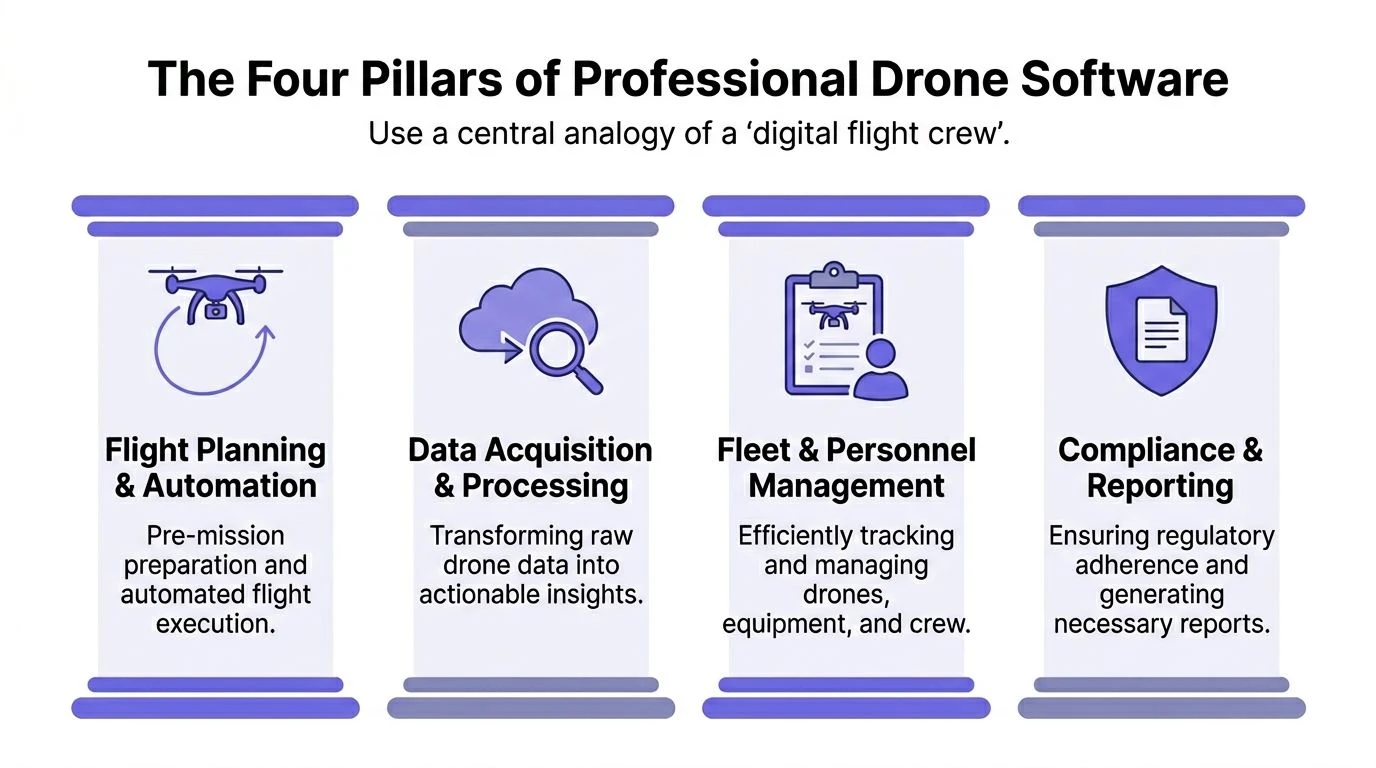
Flight planning and automation
This is the navigator. It answers the pre-mission questions that matter most.
Can the aircraft fly safely at that site? Is the route efficient? Are altitude, overlap, and capture pattern correct for the deliverable? Is the mission repeatable next week by another pilot?
For routine inspections and mapping, good planning software removes avoidable variability. You define flight paths, overlaps, capture angles, terrain following, and operational notes before you get to the field. That matters more as soon as multiple pilots touch the same client account.
Typical tasks in this pillar include:
- Mission creation: Waypoints, grid missions, corridor flights, orbit patterns, and repeatable inspection routes.
- Site preparation: Checklists, hazard notes, takeoff and landing locations, observer positioning, and weather considerations.
- Automation: Consistent image capture, repeat missions, and less dependence on pilot memory.
- Field execution: Cleaner handoff from office planning to the person standing on site.
The value isn't just convenience. It’s consistency.
Data acquisition and processing
This is the analyst. It turns captured imagery and telemetry into outputs someone can use.
Surveying, inspection, construction progress tracking, and asset documentation all depend on data quality. That means software has to do more than stitch images together. It has to preserve positional integrity, manage overlaps, and support clean deliverables.
The practical accuracy issue is easy to underestimate. In drone data processing guidance from WEZOM, achieving sub-centimeter accuracy in orthomosaics and point clouds depends on RTK/PPK corrections, and even a 10 ms delay between shutter activation and coordinate capture at 10 m/s can create a 10 cm positional error. For precision work, that isn’t a rounding issue. It can make the output unusable.
Practical rule: If the deliverable requires precision, don't judge software only by how fast it renders. Judge it by how reliably it handles timestamps, corrections, overlap, and metadata.
Some processing platforms are strong at speed and visual outputs. Others are better for survey-grade workflows. That’s why teams often split "capture software" from "processing software" instead of expecting one app to do every job well.
Fleet and operations management
This is the commander. Most new operators ignore it until they become busy.
You can fly with separate notes apps, folders, and spreadsheets for a while. Then one pilot forgets a maintenance note, a battery history goes missing, or nobody can quickly confirm which aircraft completed a specific job. That's when operations software stops looking optional.
This pillar covers the business mechanics of flying:
| Function | What it handles in practice |
|---|---|
| Job management | Client records, site details, scheduling, task ownership, and deliverable status |
| Fleet oversight | Aircraft records, batteries, accessories, maintenance history, and equipment allocation |
| Pilot administration | Qualifications, recency, assigned missions, and documentation |
| Flight records | Logs, incident notes, job-linked reports, and audit trails |
For growing teams, this layer becomes the difference between "we flew the job" and "we can prove who flew it, with what aircraft, under which plan, and what happened next."
A practical overview of this category sits in Dronedesk’s guide to flight ops software.
Compliance and airspace intelligence
This is the watchtower. It protects the mission before the pilot opens the case.
A lot of drone content still treats compliance as a pre-flight checkbox. In real operations, it’s a live constraint. Airspace restrictions change. Site conditions differ from the desktop review. Team operations introduce spacing and coordination issues that single-pilot workflows never face.
Good software in this pillar helps with:
- Airspace checks: Controlled airspace, local restrictions, and nearby hazards.
- Operational paperwork: Risk assessments, method statements, checklists, and logs.
- Proof of compliance: Stored records you can retrieve during audits or client reviews.
- Multi-crew awareness: Shared visibility when multiple people operate in the same area or for the same client.
The reason these four pillars matter is simple. Operators don't fail because one mapping engine is slightly weaker than another. They fail when planning, processing, administration, and compliance live in separate silos with no clean handoff.
Key Features That Drive Professional ROI
Most operators ask the wrong software question first. They ask, "What features do I get?" The better question is, "Which features remove friction from the jobs I already run?"
A professional software for drone setup should improve three things at the same time: how fast your team can move, how confidently you can stay compliant, and how clearly clients can understand what you delivered. If a feature doesn't help one of those, it's usually decoration.
Cloud workflows that shorten the distance from field to client
Cloud deployment isn't just a hosting preference. It changes who can use the output and how quickly teams can act on it. According to WEZOM's analysis of drone analytics and BI workflows, cloud-based drone software is projected to hold 54.2% of revenue share in 2025, and one reason is that cloud dashboards let non-technical stakeholders work with drone outputs without learning specialist processing tools.
That matters practically because many drone jobs are sold to people who don't want point clouds or raw tiles. They want progress status, measured quantities, site context, historical comparison, and a clean answer to "what changed?"
Cloud-based workflows tend to improve ROI when you need to:
- Share outputs across teams: Project managers, estimators, operations leads, and clients can review the same job without passing giant files around.
- Standardise delivery: Templates, dashboards, and repeatable reporting keep deliverables consistent.
- Reduce software bottlenecks: Fewer people need high-spec local machines just to inspect results.
- Create continuity: One pilot can capture, another team member can review, and a manager can approve delivery.
Automated logging and records that protect margin
Admin rarely destroys a drone business in one dramatic failure. It drains it gradually through repeated manual effort. Every hand-entered flight record, duplicated battery note, missing maintenance update, or disconnected job folder consumes time you can't bill.
The feature to look for isn't just "flight logging." It's automatic linkage between the flight, the pilot, the aircraft, the location, and the client job. That turns records from a compliance burden into operational memory.
A strong records system helps with:
- Pilot recency checks: You can see whether someone is current before assigning the mission.
- Audit readiness: Logs, job notes, and supporting paperwork stay together.
- Maintenance decisions: Aircraft and battery history become visible instead of anecdotal.
- Incident reconstruction: If something goes wrong, you aren't searching through phones and spreadsheets.
For teams trying to tighten this workflow, Dronedesk’s article on data analysis and management is a practical reference point.
A feature has real value when it removes a repeated manual step from every job, not when it looks impressive during a demo.
Integrated job and client management that reduces handoff errors
The underappreciated ROI feature in drone operations is client and job structure. Not because it's glamorous, but because every profitable operation depends on repeatability.
When software connects the inquiry, site details, planning notes, risk documents, scheduled pilot, captured logs, and final reports, fewer details get dropped. A client doesn't have to resend the site address. A pilot doesn't arrive without the required notes. The report isn't saved in the wrong project folder.
Here's the difference in practice:
| Weak workflow | Strong workflow |
|---|---|
| Client details live in email | Client details are attached to the job |
| Site hazards are stored separately | Hazards stay with the mission record |
| Flight logs are exported later | Flight data links directly to the operation |
| Reporting depends on memory | Reporting uses stored job history |
That kind of structure improves quoting too. Once you can review previous jobs by site type, aircraft used, crew requirement, and reporting load, future estimates become more grounded in actual operating history.
Data usability matters more than data volume
New operators often chase larger datasets, denser models, and more outputs. Clients usually value clarity more than abundance.
If your software creates polished maps but the client still needs a phone call to understand the result, the workflow isn't finished. The best return usually comes from software that helps your team turn captured data into a decision, a document, or an action.
How to Choose the Right Drone Software Stack
Most bad software decisions happen because operators buy for the current job and ignore the next stage of the business. A solo pilot can tolerate a disconnected setup for a while. A small team can't. An enterprise operation definitely can't.
The better approach is to choose a stack, not a single tool. That means evaluating how planning, capture, processing, reporting, and compliance fit together across your actual workflow.
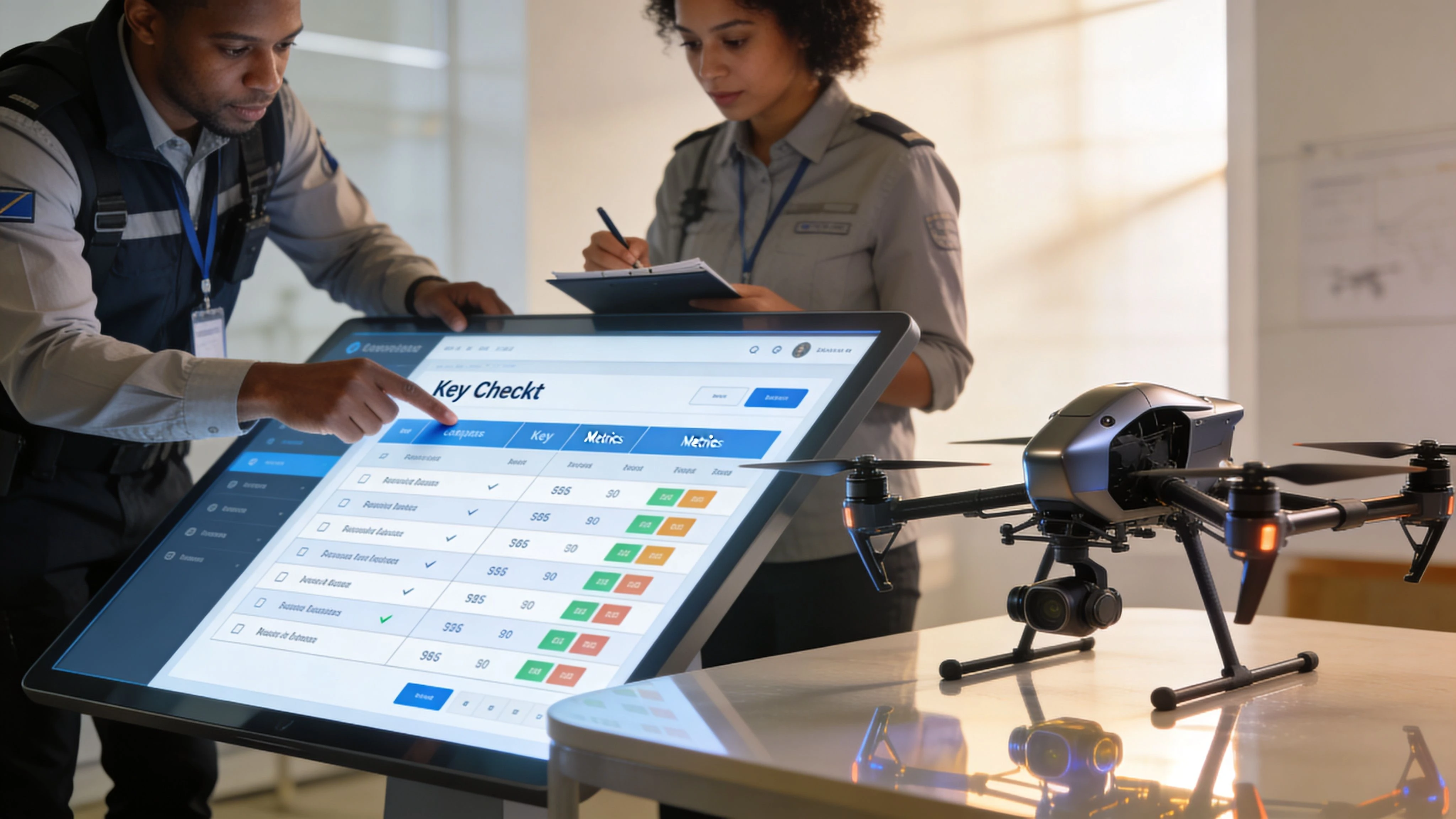
Start with your operational shape
A surveyor, a roof inspector, and a media operator may all fly the same brand of drone, but they don't need the same stack.
Ask these questions first:
- What deliverable do clients pay for most often
- Where does work currently slow down
- Who needs access to the output besides the pilot
- What records must you retain to stay compliant
- Will another pilot or subcontractor need to repeat the workflow
Those answers will tell you whether your biggest gap is field planning, processing power, client workflow, or documentation.
Judge software by handoffs, not modules
A software vendor can show excellent features in isolation. That doesn't tell you whether the full operation works cleanly.
Use this checklist when comparing options:
- Scalability: Can the system handle more pilots, more aircraft, and more jobs without forcing you to rebuild the workflow?
- Integration: Does it connect with the drones, mapping tools, and reporting process you already use?
- Compliance support: Can it store the records, risk assessments, and logs you need to show?
- Hardware fit: Does it work with your aircraft brand, sensor type, and field workflow?
- Support quality: When something breaks on a live project, can you get practical help?
A useful buying exercise is to follow one job from booking to archive and ask where each tool enters and exits the process. If that journey includes repeated exports, manual renaming, duplicate data entry, or disconnected approvals, the stack is fragile.
Questions worth asking vendors
Most demos stay too high level. Push them into operational detail.
| Ask this | Why it matters |
|---|---|
| How does a job move from planning to flight logging | Reveals whether admin is automated or manual |
| How are aircraft, batteries, and pilots linked to the mission | Shows whether you get traceability |
| What happens when two team members work the same client | Exposes collaboration limits |
| How is compliance evidence stored and retrieved | Tells you if the system supports audits |
| What does migration look like if we grow | Prevents short-term tools from becoming long-term constraints |
Choose for your next stage, not just today
A stack that feels slightly oversized now can be the right decision if you're adding pilots, entering regulated sectors, or standardising delivery.
What doesn't age well is patchwork. Separate apps can be perfectly capable on their own, but if nobody owns the handoff between them, the workload lands back on the operations manager.
Advanced Applications and The Future of Drone Ops
The next layer of drone software isn't about prettier maps. It's about running more complex operations without losing control of safety, compliance, or data quality.
That shift shows up first in infrastructure inspection, utility work, large construction programmes, and any team trying to coordinate several aircraft or crews at once. In those environments, software has to help people make decisions while work is still live, not just process files after the fact.
AI changes the value of captured data
AI in drone operations is most useful when it reduces review burden or highlights what deserves human attention first. For inspection teams, that can mean flagging anomalies for follow-up. For asset managers, it can mean comparing repeat captures to detect change over time.
The important point is operational, not theoretical. AI only helps if the business can trust the context around the result. That means clean metadata, consistent capture routines, and records that tie findings back to the correct site, aircraft, and mission. If your team is bidding on public sector or regulated work, it also helps to understand the language buyers use when they ask about automation and intelligence. This short guide to explaining AI and ML for UK bids is useful for that distinction.
Multi-drone coordination is still underserved
Single-drone workflows are well covered. Multi-drone operations are not.
The SPH Engineering overview of photogrammetry software gaps highlights this clearly, noting that a 2025 Drone Industry Insights report found 68% of SMB operators struggle with fleet admin, losing 20% to 30% of productivity to compliance errors. That gap becomes more serious as regulations tighten and as teams try to coordinate several drones, pilots, and job sites on the same day.
"The software challenge isn't flying one drone well. It's coordinating people, aircraft, locations, and records without creating blind spots."
The vulnerability for many stacks often lies here: Mapping tools may be strong. Flight apps may be strong. But if nobody can see fleet status, scheduling conflicts, no-fly zone implications, and compliance records in one operational view, scale creates its own hazards.
BVLOS and higher-complexity operations need stronger software discipline
Beyond Visual Line of Sight operations raise the standard for planning, documentation, and situational awareness. Even teams that aren't pursuing full BVLOS approvals can learn from that model.
Higher-complexity operations demand:
- Stricter mission control: Clear planning, approvals, and role assignment
- Better airspace awareness: Not just static checks, but current operational context
- Reliable audit trails: Decisions and changes need to be traceable
- Repeatable procedures: Teams need standard workflows, not pilot-specific habits
The industry still has a tooling gap here. Plenty of software helps generate data. Far less software helps organisations control scaled operations with the discipline regulators and enterprise clients increasingly expect.
How Dronedesk Unifies Your Drone Operations
Most operators don't need more software categories. They need fewer breaks between them.
That’s where a management layer earns its place. Instead of treating planning, paperwork, logging, client details, and fleet records as separate admin tasks, one operational platform can hold the mission together from first booking to final archive. In practice, that means the business stops relying on memory and starts relying on process.
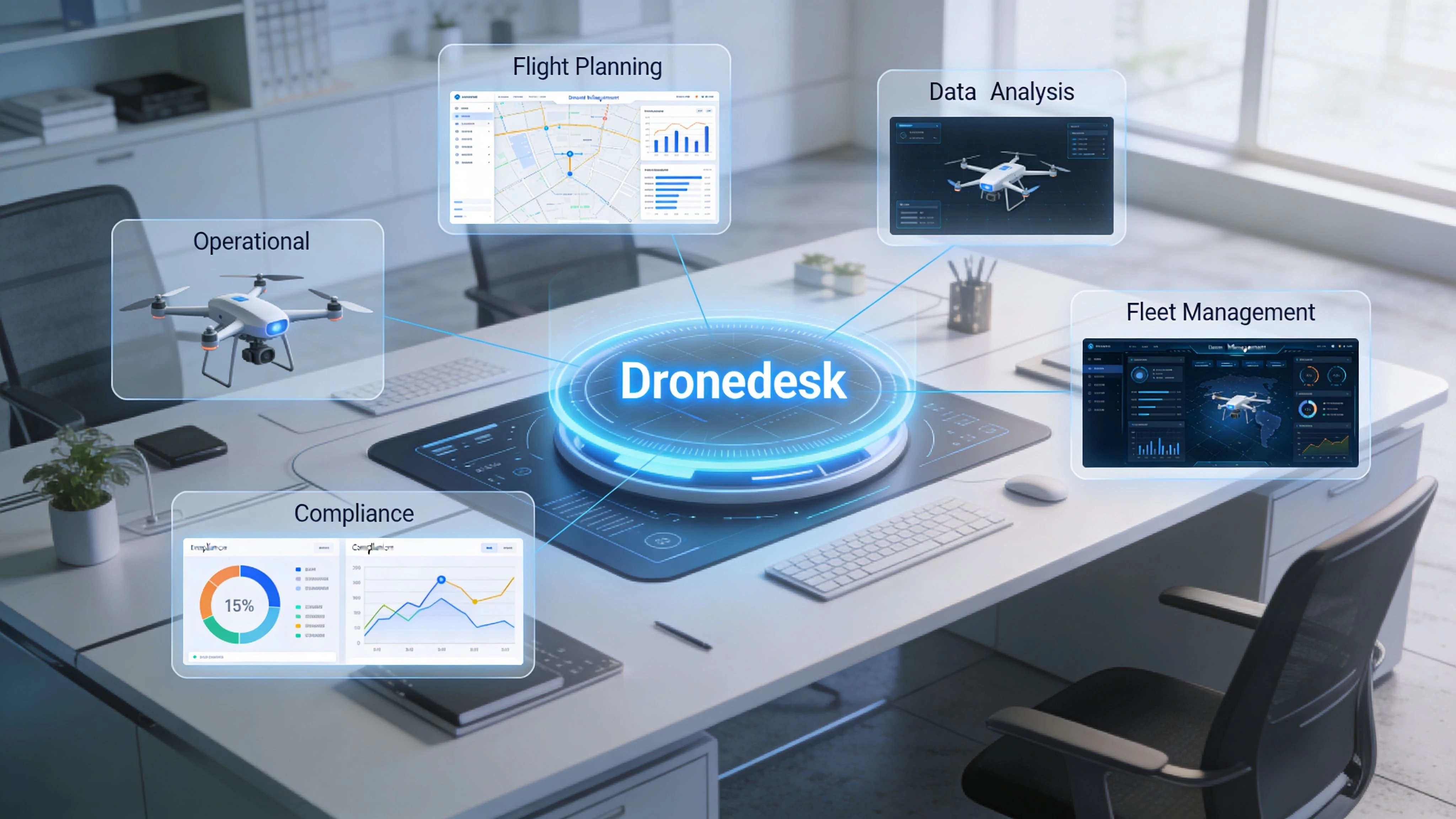
What unified operations looks like in practice
Take a routine commercial job. A client asks for a site inspection. The operation gets created with the client record attached, location details stored, and task ownership assigned. The pilot reviews the site pack, completes planning steps, checks the airspace picture, and works through the required risk documentation before travel.
After the mission, the flight record sits with the job instead of in a separate logging tool. Team members can review what was flown, which aircraft was used, and what still needs to be delivered. That matters because operational delays often happen after the drone is packed away.
This is the kind of workflow a platform like Dronedesk is built to support. Based on the publisher information provided, it combines client management, fleet management, team management, airspace and proximity intelligence, flight planning support, reporting, and DJI syncing inside one operations environment.
Where centralisation helps most
The biggest gains usually show up in ordinary tasks, not dramatic ones.
- Client and job continuity: Staff don't need to reconstruct job history from emails.
- Planning discipline: Checklists, risk assessments, and flight preparation stay tied to the actual mission.
- Fleet visibility: Aircraft, batteries, and related records are easier to track in context.
- Compliance evidence: Logs and operational paperwork remain accessible for review.
- Team coordination: Managers can assign work with clearer visibility across people and assets.
Operational insight: If a job requires three different systems before takeoff and three more after landing, the process is already too fragile for scale.
Why this matters for scaling a drone business
A lot of software for drone work is excellent at one specialist task. That's useful, but incomplete. A business doesn't run on one specialist task. It runs on the chain between tasks.
The practical benefit of a central platform is that it reduces the number of times a person has to re-enter information, chase records, or guess what happened on a previous job. That lowers error risk and makes it easier to train new pilots into a standard operating method instead of a collection of team habits.
If you run a solo operation, centralisation keeps admin from swallowing evenings and weekends. If you manage a team, it creates visibility. Both matter more than another isolated app feature.
Implementation Tips and Maintaining Compliance
Buying the stack is the easy part. Getting the team to use it correctly is where the value appears.
Most rollout problems come from two avoidable mistakes. First, teams migrate old habits into the new system instead of redesigning the workflow. Second, they treat compliance data as an afterthought instead of structuring it from day one.
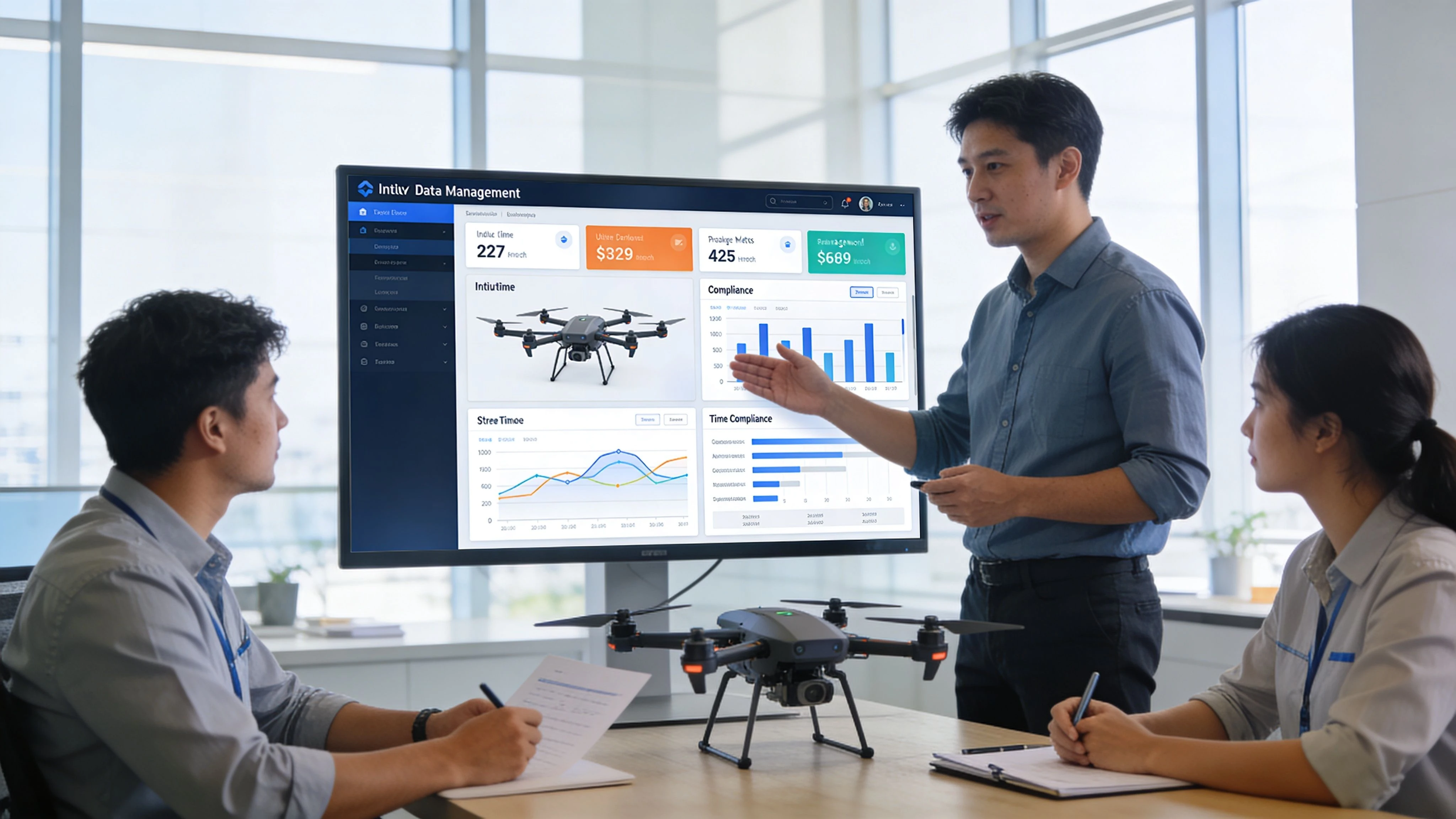
Build the workflow around one source of truth
Pick one system to hold the official job record. That record should include the client, site details, assigned crew, planning notes, risk documents, and final flight history. If staff can choose between several places to store the same information, the rollout will drift fast.
A clean implementation usually follows these steps:
- Standardise naming: Use one naming convention for clients, sites, aircraft, and jobs.
- Create templates: Build repeatable checklists, risk assessments, and reporting structures.
- Define ownership: Make it clear who creates jobs, who approves plans, and who closes records.
- Train by scenario: Use a live sample mission, not a generic software tour.
- Audit early: Check the first few completed jobs for gaps in records and process.
Treat compliance as a daily workflow
Operators often think compliance means producing documents when asked. In practice, the easier model is to collect proof continuously.
That includes keeping pilot currency records current, storing maintenance notes in the same place each time, and linking flight activity to the job it supported. When an authority, insurer, or client asks for evidence, you want retrieval to be boring.
A good daily rhythm includes:
- Pre-flight completion: Record the required checks before launch
- Post-flight closure: Finalise logs while details are still fresh
- Asset updates: Note battery or aircraft issues immediately
- Document retention: Keep risk and mission documents with the operation, not in a separate folder system
Good compliance systems don't create extra work. They replace unstructured work with repeatable work.
Train for consistency, not software trivia
New users don't need to memorise every menu. They need to know what must happen on every job without exception.
That means training should focus on operational triggers. What gets created when a client books. What gets checked before a pilot travels. What gets logged after the flight. What gets archived when delivery is complete. If those handoffs are solid, the software starts enforcing discipline instead of just storing information.
Frequently Asked Questions About Drone Software
Can I run a professional business using only free tools
You can start that way, but it gets harder as the work becomes more demanding. According to GeoNadir's summary of open-source and paid drone mapping trade-offs, a 2025 UAV Coach survey found that solo operators make up 40% of the market, yet many using free tools face 2 to 3 times longer processing on non-GPU hardware, and 55% abandon those tools due to technical hurdles. Free software can be useful for learning, experimentation, or specialised workflows, but support, hardware load, and time cost often become the ultimate price.
How much does drone brand limit software choice
It limits it more on the capture side than on the management side. Some ecosystems are tighter than others, especially when you want automated syncing or highly efficient mission execution. Processing and reporting tools may be more flexible, but compatibility always needs checking at the sensor, telemetry, and workflow level. If you fly mixed fleets, test the full job path before committing.
Should a solo operator buy an all-in-one platform early
Usually, yes, if the operator plans to grow beyond ad hoc jobs. Even a one-person business benefits from structured job records, repeatable planning, and cleaner compliance logs. The point isn't complexity. It's reducing the number of times you have to remember or rebuild the same task.
What is a realistic software budget
There isn't one fixed number that fits everyone, and I won't invent one. A solo operator might spend lightly at first and accept more manual work. A small team usually benefits from paying for stronger management and collaboration sooner. The right budget is the one that removes repeated admin, protects compliance, and supports your actual deliverables without forcing staff into workarounds.
What should I buy first
If you're already winning work, start with the software layer that fixes your main bottleneck. For some operators that's processing. For others it's operations management. If jobs are being delayed by paperwork, scheduling confusion, or scattered records, solve that before adding another specialist app.
If your current setup feels like a collection of tools rather than a coherent operation, it’s worth looking at Dronedesk as a way to organise planning, fleet records, team workflows, compliance, and job administration in one place.
 BVLOS Drone Requirements for Building a Safety Case →
 Drone Pilot Test Mistakes That Cost Candidates Marks →
 FAA 107 License vs Part 107 Certificate: What’s the Difference? →
 Drone Airport Rules: A Field Checklist for Site Assessments →
 FAA Part 107 Record-Keeping Rules for Commercial Teams →
 How to Review a DJI Flight Log After an Unexpected Event →
 Drone Laws Around the World: A Pre-Flight Research Framework →
 How to Compare Drone Survey Services for Complex Sites →
 How to Start a Drone Mapping Business With a Clear Workflow →
 Class C Airspace Drone Rules for Commercial Flights →