
Flight Ops Software: Streamline Drone Missions and Compliance
Think of flight ops software as the central command center for any serious drone operation. It’s what replaces that chaotic jumble of spreadsheets, paper logs, and random apps with one single, unified system. It's like having an air traffic control tower and a business manager all rolled into one, but built specifically for UAVs.
What Is Flight Ops Software and Why Does It Matter?
Imagine trying to run an airline with nothing but paper checklists, a few different calendar apps, and a messy web of email chains. It would be an absolute nightmare—inefficient, chaotic, and downright unsafe. For a surprising number of professional drone businesses, that's exactly what managing their missions feels like. This is precisely the problem flight ops software was designed to solve.
At its heart, this software is a digital platform that pulls every single part of a drone mission into one cohesive place. It’s built to knock down the operational bottlenecks and compliance headaches by bringing together critical tasks that were once scattered across disconnected tools. The result is a smooth workflow, from the moment a client calls to the second you deliver the final report. The market for these platforms is exploding, by the way; the global drone software sector was valued at USD 9.27 billion in 2024 and is projected to hit USD 24.39 billion by 2030. You can dig into the numbers on this growth in the latest market report.
From Manual Mess to Automated Success
Without a proper system in place, drone operators often find themselves buried in administrative quicksand. They're juggling pre-flight risk assessments, airspace checks, pilot certifications, equipment maintenance logs, and client communications, all by hand. This doesn't just eat up valuable time that could be spent flying; it opens the door to significant human error. One forgotten checklist or an overlooked airspace restriction can have serious, costly consequences.
Flight ops software automates and organizes these critical tasks, making sure nothing falls through the cracks. It creates a single source of truth for the entire team, making professional drone operations management more consistent, reliable, and scalable.
This software transforms a complex series of individual tasks into a scalable, safe, and profitable business process. It's the foundational layer that allows drone services to grow efficiently without compromising on safety or quality.
A Central Hub for Every Mission
Being able to see your entire operation at a glance is a game-changer. A centralized map view, for example, lets a manager see all active and upcoming jobs in one go. You can assign pilots based on their location and monitor progress without needing to send a dozen "where are you at?" texts.
This kind of geographical overview is fantastic for optimizing scheduling and resources. It means you can assign the nearest available pilot and equipment to a new job, which immediately cuts down on travel time and fuel costs.
Exploring the Core Features of Modern Drone Platforms
At its heart, flight ops software is all about turning complexity into clarity. It does this by rolling a bunch of powerful tools into a single, intuitive interface. The goal is to get operators away from a messy collection of apps and spreadsheets and into one unified system. Think of it as a digital multi-tool for drone pros, where every function is designed to solve a specific, real-world headache.
Let's unpack the essential features that make up the backbone of these modern platforms. These aren't just flashy add-ons; they're the gears that drive efficiency, safety, and profitability in any professional drone business. Each piece tackles a different phase of the mission, from the first spark of a plan to the final report.
This diagram breaks down the core components into the three key stages of any drone mission.
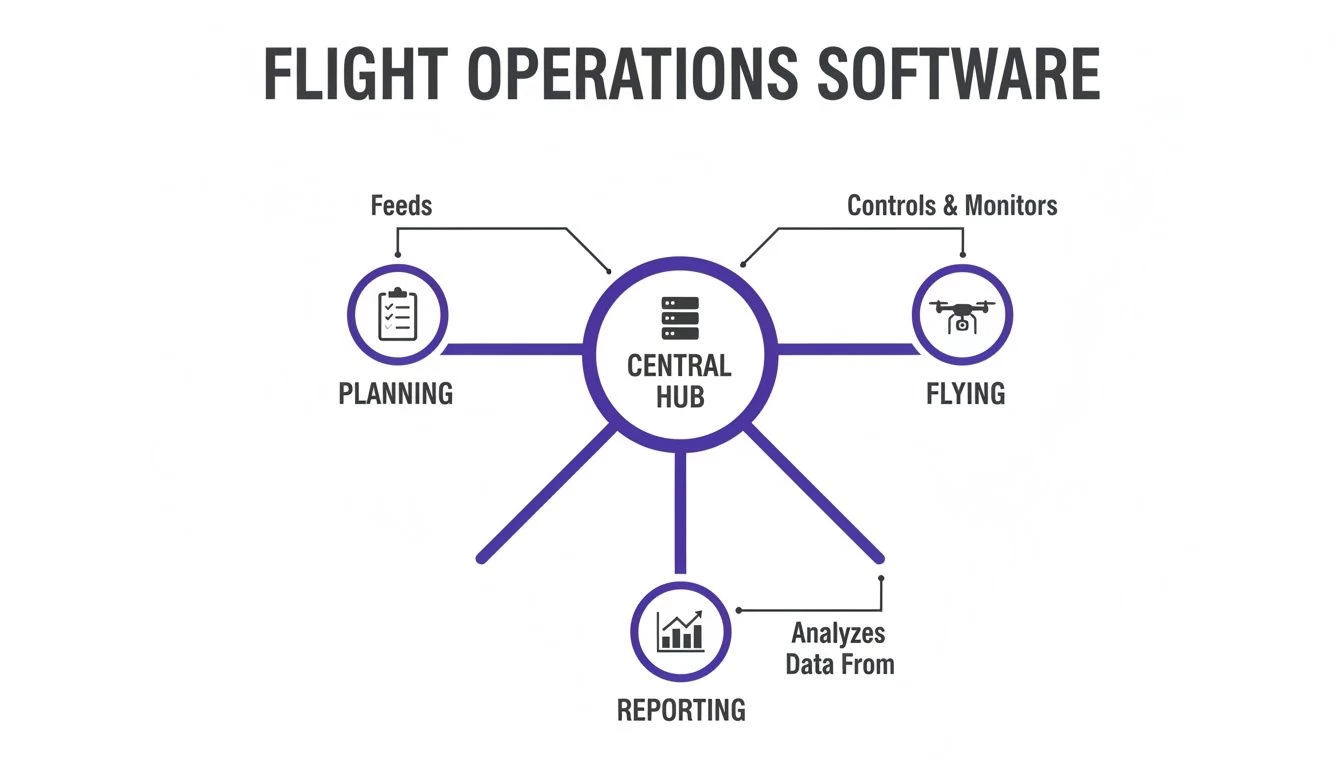
You can see how a central hub connects planning, flying, and reporting, creating a continuous, integrated workflow that ties every job together.
Flight Planning and Airspace Intelligence
The success of any mission is decided long before the props start spinning. Solid flight planning tools are the first critical piece of the puzzle, letting pilots map out every detail with precision. This is way more than just dropping a pin on a map—we’re talking about defining flight paths, setting altitudes, and knocking out detailed risk assessments before you even leave the office.
A real game-changer here is the built-in airspace intelligence. Instead of bouncing between half a dozen different websites to check for restrictions, the software does all the heavy lifting. With a few clicks, it automatically flags controlled airspace, no-fly zones, temporary flight restrictions (TFRs), and even ground hazards like schools or hospitals. This instant awareness is non-negotiable for safe and compliant flying.
Fleet and Team Management
As your drone business grows, keeping track of your gear and your pilots gets exponentially harder. This is where fleet and team management features become absolutely essential. They give you a central dashboard to see everything and everyone in one place.
For your fleet, you can see at a glance which drones are ready to fly, which are in the shop for maintenance, and when their next service is due. The system logs flight hours for each aircraft, automatically flagging when it’s time for a check-up. This proactive approach prevents expensive downtime and keeps your equipment in top shape.
When it comes to your crew, the system acts like a digital command center. It securely stores pilot licenses, tracks expiry dates, and logs flight experience, making sure you always assign the right pilot—fully qualified and compliant—to every job.
Automated Logging and Reporting
Let's be honest, the administrative slog of manual data entry is one of the biggest time-wasters for any drone operator. Automated logging and reporting features are designed to kill that headache for good. The moment a pilot lands, the software has already captured all the critical data.
This typically includes:
- Flight duration and distance: Key metrics for tracking equipment wear and for billing clients.
- Pilot and equipment used: Crucial for your compliance records and any internal audits.
- Location and flight path: A clear, verifiable record of where the mission took place.
This raw data is then seamlessly transformed into professional, client-ready reports or the compliance documents you need. With customisable templates, you can generate everything from a detailed flight log for the aviation authorities to a polished project summary for a client in a fraction of the time it would take by hand. This level of automation is a major reason the market is projected to hit $4,800 million by 2025, driven largely by cloud platforms that make these tasks effortless.
Client and Project Management
Finally, the best flight ops software doesn't just manage your drones—it helps you manage your business. These platforms often integrate business management tools directly, meaning you can handle the entire client lifecycle without ever leaving the system. It starts with creating and sending out professional quotes and ends with generating and tracking invoices.
This integration is powerful because it connects your field operations directly to your finances. All the project details, flight logs, and associated costs are tied together, giving you a crystal-clear picture of each job's profitability. This feature effectively turns your operational hub into a complete business management solution, linking every single flight directly to your bottom line. To dig deeper, check out our guide on the key features to look for in automated drone operations platforms and see how these tools really work together.
How Different Drone Businesses Benefit From This Software
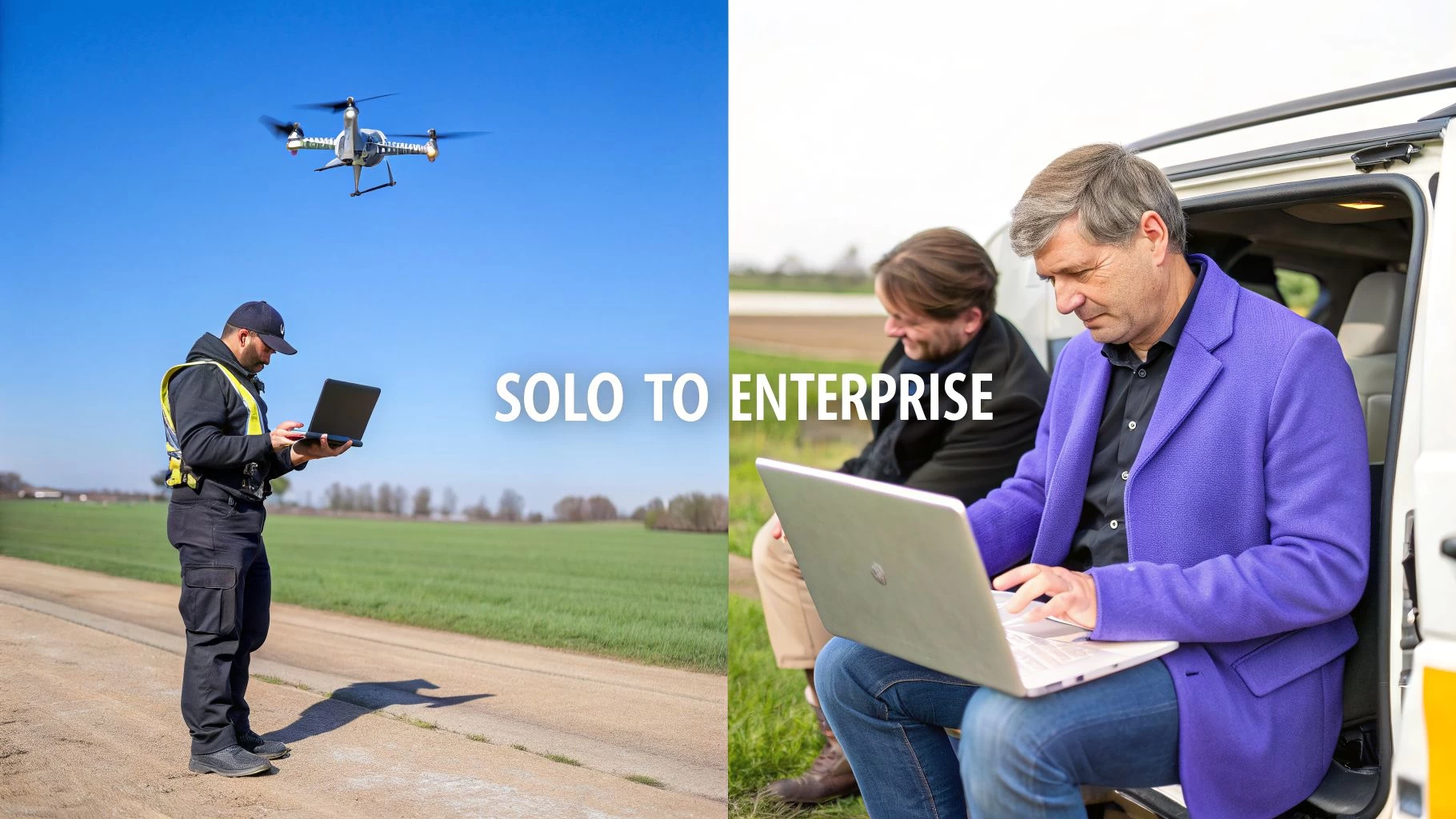
The real magic of good flight ops software is that it isn't a one-size-fits-all tool. It flexes and adapts to the very different headaches faced by operators at every level. A solo pilot just trying to keep jobs straight has a world of different problems than a global corporation tracking hundreds of pilots.
Think of it like a professional kitchen. A single chef just needs a sharp set of knives and a reliable stove to create something amazing. But a bustling restaurant? That needs a fully integrated system with clear communication between stations to keep the chaos organized. And a global catering company? They need rock-solid, standardized processes to deliver the exact same quality, every time, anywhere in the world.
The core tools might look similar, but how they’re used to solve problems changes completely with scale.
The Solo Operator Punching Above Their Weight
For the lone wolf drone pilot, time is literally money. Every minute spent buried in paperwork is a minute you're not flying, not earning, and not growing your business. Flight ops software essentially becomes your silent business partner, automating the soul-crushing admin that can drown a one-person show.
We're talking about a system that whips up professional quotes, logs your flights, and spits out client-ready invoices, all from one place. This isn't just about saving a few hours. It’s about projecting an image of total professionalism and reliability that helps you land bigger, better clients. You stop looking like a guy with a drone and start looking like a serious business.
For the solo pilot, the wins are immediate:
- Slash Your Admin Time: Automating flight logs, risk assessments, and reports can genuinely give you back hours every single week.
- Look Like a Pro: A single, clean system for quotes, job management, and billing makes you look polished and trustworthy to clients.
- Fly with Confidence: With built-in airspace checks and smart checklists, you know every flight is compliant, which dramatically reduces your personal liability.
The Growing Drone Team Finding Its Rhythm
Once you expand from a single pilot to a small crew, a whole new set of problems pop up. Consistency is suddenly king. How do you make sure every single pilot runs through the exact same pre-flight checks? How do you stop two pilots from showing up to the same site by mistake?
This is where a centralized flight ops platform becomes your team's command center. It creates a single source of truth for everyone. As a manager, you can build and lock down standard checklists and risk assessment templates, ensuring every mission meets your company’s safety bar. A shared dashboard gives you an instant, at-a-glance view of who’s flying what, where, and when. No more confusion.
For a growing team, the software is the glue that holds the operation together. It ensures every pilot operates under the same high standards, fostering a culture of safety and consistency that is vital for scalable growth.
This unified approach means that as you bring on more pilots and gear, your operational quality and safety standards don't just stay the same—they actually get stronger. You can explore the various applications for drones to see just how many industries depend on this exact level of consistency.
The Large Enterprise Managing Risk And Compliance
For a large enterprise, a drone program isn't a side hustle; it's a major investment loaded with risk and regulatory pressure. When you have dozens, or even hundreds, of pilots and aircraft in the field, just maintaining basic oversight and compliance is a beast of a task.
Flight operations software gives executives and managers the 30,000-foot view they desperately need. From a single dashboard, they can track the health of the entire fleet, monitor pilot certifications and currency, and audit flight logs across the whole organization. This centralized data isn't just nice to have—it's absolutely critical for proving compliance to regulators and for managing internal risk.
Better yet, the platform can crunch all that operational data into reports that reveal real business insights. You can pinpoint top-performing pilots, identify underused equipment, and calculate the true ROI of your drone program. For a big company, this software isn't just about managing flights. It's about managing a high-value business asset safely, efficiently, and profitably.
How to Choose the Right Flight Ops Software
Picking the right flight ops software is a huge decision, one that'll shape the future of your entire drone operation. It’s not just another line item on an expense report. Get it wrong, and you’re looking at frustrating workarounds, a team that won’t use the tool, and money down the drain. But get it right? You’ll see massive improvements in safety, efficiency, and your bottom line.
Think of it like buying a vehicle for a business. A scooter is great for zipping around town on small errands, but you wouldn’t try to haul construction materials across the country with it. In the same way, a basic logging app might be fine for a hobbyist, but a professional drone business needs a tough, reliable platform built for compliance and growth.
The market for this tech is blowing up. Flight operations software is the central nervous system for the drone industry, which is on track to become a US$147.8 billion market by 2036. Much of this growth is coming from better AI and ground control systems that make everything safer and more coordinated. If you want to dive deeper into these trends, it's worth exploring the latest research on the drones market.
Key Questions to Ask Any Provider
To see past the slick marketing and find a platform that actually fits, you need to ask the right questions. Before you even think about signing up, get clear, satisfying answers to these. This is how you tell a product from a true long-term partner.
-
Does It Scale as My Fleet Grows? A system that works for one pilot can completely fall apart with ten. Ask them about multi-user permissions, team scheduling, and how the platform handles a growing inventory of drones and gear without slowing to a crawl.
-
Does It Integrate with My Existing Tools? Your flight ops software can't be an island. You need to know about key integrations, especially direct syncing with manufacturers like DJI, which automatically pulls in flight logs and saves an unbelievable amount of time.
-
How Does It Ensure Regulatory Compliance? Aviation rules are a minefield and they’re always changing. A solid platform must have built-in, constantly updated airspace intelligence, customisable checklists, and reporting templates that meet the standards wherever you fly.
-
Is It Intuitive for My Entire Team? The most powerful software on earth is useless if your team finds it too clunky to use. Look for a clean, logical layout and ask what kind of training and customer support they offer when you get stuck.
Flight Ops Software Evaluation Checklist
The market has everything from simple, one-trick-pony apps to comprehensive platforms that do it all. A basic logging app is that scooter—it does one job well. An all-in-one platform is more like a fully-equipped work truck—versatile, powerful, and ready for anything you throw at it.
The right flight ops software should do more than just record what you’ve done; it should actively help you do it better, safer, and more profitably. It’s an investment in your operational backbone.
Let's put these two types of solutions head-to-head. This table should make it pretty clear which path makes sense for where your business is now, and where you plan on taking it.
| Evaluation Criterion | Basic Logging App | All-in-One Platform (e.g., Dronedesk) |
|---|---|---|
| Scalability | Often limited to a single user, struggles with team coordination. | Designed for teams with role-based permissions and fleet-wide oversight. |
| Integrations | Minimal; usually requires manual data export and import. | Deep integrations, including direct DJI sync and business tool connections. |
| Compliance | Basic or non-existent; relies on the user to check rules externally. | Built-in airspace intelligence, automated alerts, and compliant reporting. |
| Ease of Use | Simple for its one function, but adds to a fragmented workflow. | Unified interface for all tasks, reducing app-switching and complexity. |
At the end of the day, your choice comes down to your operational reality. For any professional operator serious about growth, an all-in-one platform like Dronedesk provides the solid framework you need to build a drone business that's scalable, compliant, and profitable.
A Simple Framework For Implementing Your New Software
Adopting new flight ops software often feels like tackling a mountain. Yet, when you break it into clear stages, each step becomes manageable. Your team will know what’s expected, and you’ll start tapping into the software’s power right away.
Picture implementation as a relay race, not a sprint. Each handoff—from one phase to the next—builds momentum until the system becomes part of your daily routine.
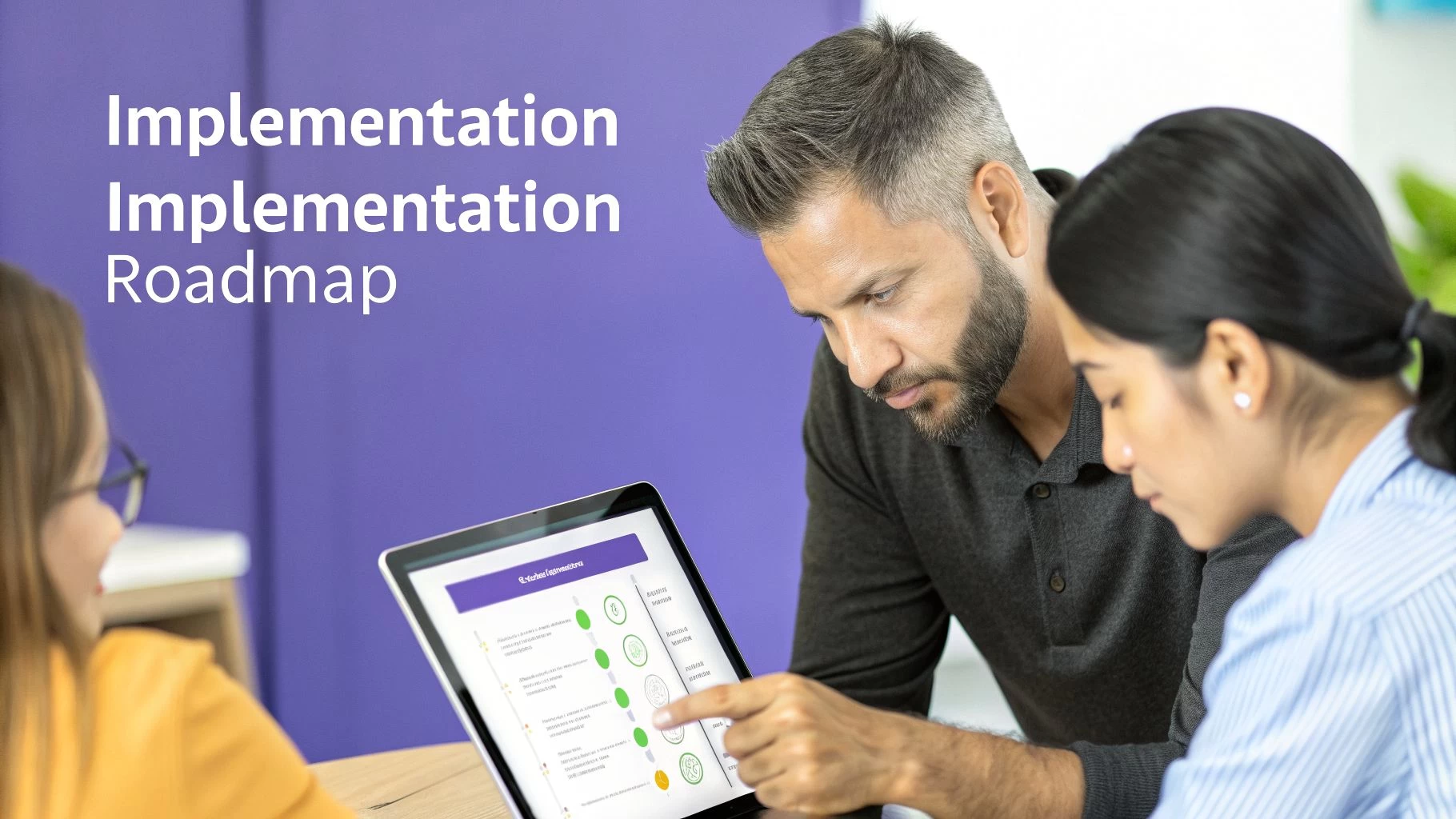
This structured plan steers you clear of typical pitfalls and lets your investment start delivering results from day one.
Phase 1 Data Migration
Moving your existing operational records into the new platform is step one. A precise import now means you’ll have reliable data later—and no frantic fixes down the road.
Your migration checklist should cover:
- Fleet Records: Serial numbers, maintenance schedules, battery logs and any other gear details.
- Team Information: Pilot names, qualifications, expiry dates, and roles.
- Client Database: Contacts, project histories, billing and contract notes to maintain continuity.
Nailing this stage lays the groundwork for everything that follows.
Phase 2 System Configuration
Once your data is in place, you shape the platform around how you work. This is where an off-the-shelf product becomes your central hub, reflecting the way your team thinks and moves.
Focus on:
- Customized pre-flight checklists and risk assessments that match your safety policies.
- Role-based permissions so each user sees exactly what they need.
- Branded reports and invoices for a consistent look on every client deliverable.
True long-term success comes from embedding your company’s DNA into the software.
Phase 3 Team Training And Phased Rollout
Now it’s time to bring your people on board. Hands-on sessions built around real-world scenarios show how the software eases daily routines. Identify a handful of champions who master the tools early and then coach their colleagues.
Launch in waves rather than switching everyone over at once. A phased rollout helps you:
- Start Small: Test the workflow with one pilot or a low-risk project.
- Gather Feedback: Collect insights to smooth out any glitches.
- Expand Gradually: Once the process proves solid, roll it out to the rest of the team.
This measured approach shrinks disruption and turns what could be a big change into a smooth, sustainable upgrade across your operation.
How to Measure the ROI of Your Flight Ops Software
Investing in flight ops software isn't just about feeling more organised; it's about making your drone business more efficient, safer, and ultimately, more profitable. But to really justify the cost, you need to prove its worth with cold, hard numbers.
Calculating the return on investment (ROI) isn't some dark art reserved for accountants. It’s how you build a rock-solid business case and confirm your investment is actually paying off. Think of it this way: you wouldn't drop a few thousand on a new camera without knowing exactly how it will improve your final product. The same logic applies here. The goal is to draw a straight line from the software's features to measurable gains in time, money, and safety.
Pinpointing Your Key Performance Metrics
To get an accurate ROI, you need to track the right things. Start by looking at where your team is sinking the most time into manual, repetitive tasks and where the biggest risks are hiding. These are the areas where good software delivers the biggest wins.
Your main metrics should include:
- Admin Hours Saved: Get a baseline of how long your team spends on tasks like creating risk assessments, manually logging flights, and churning out client reports. Then, track it again after you've implemented the software.
- Pilot and Drone Utilisation: How many more billable flight hours can you squeeze out of your week when scheduling is slicker and pilots aren't bogged down with paperwork?
- Reduction in Compliance Slip-ups: Keep an eye on any drop in compliance-related headaches, like missing paperwork or flying a mission without the proper airspace checks.
The most powerful ROI calculation connects saved time directly to your bottom line. If you save just five administrative hours a week at a blended rate of $50/hour, that's a direct saving of $13,000 per year—often more than the software costs in the first place.
A Real-World ROI Example
Let's make this tangible. Imagine a mid-sized surveying firm with five pilots. Before using any specialised software, they were spending about two hours on admin for every single job—that’s flight planning, airspace checks, data logging, and building client reports. Averaging three jobs per week, they were losing 30 hours to non-billable admin every single week.
Then, they brought in an all-in-one flight ops platform. Suddenly, most of these tasks were automated. The software's direct DJI sync meant flight logs appeared automatically, and pre-built report templates turned post-flight paperwork into a five-minute job.
Here’s how their ROI broke down:
- Time Savings: The admin time needed for each job plummeted from two hours to around 30 minutes. That’s a saving of 22.5 hours every week.
- Cost Savings: With an internal cost of $40 per hour, this translated to a direct saving of $900 per week. Annually, that’s over $46,000 straight back into the business.
- Error Reduction: The year before, one simple mistake—a missed airspace restriction—cost them a client contract worth $8,000. The new software's automated airspace intelligence made that kind of error practically impossible.
By tracking these clear-cut metrics, the firm didn't just feel more efficient. They could prove, with actual data, that the software wasn't an expense but a strategic investment that generated a massive positive return in just the first few months.
Your Questions Answered: Flight Ops Software
Even after seeing all the benefits, it's natural to have a few practical questions kicking around in your head. Let's tackle the most common ones we hear from drone pros, giving you straight answers about how this kind of software actually works in the real world.
How Much Time Will I Really Save?
The biggest win here is clawing back time from all those repetitive admin jobs. On a typical project, operators tell us they save anywhere from 30 minutes to over two hours just by ditching the manual grunt work.
Think about all those little time-sinks that just disappear:
- Pre-Flight Paperwork: Instead of manually filling out risk assessments and cross-referencing a bunch of different airspace maps, the software can generate what you need in a few minutes, all based on your mission plan.
- Logging in the Field: With a direct drone connection, like a DJI sync, it automatically logs your flight times, battery stats, and other critical data. No more scribbling in a logbook between flights.
- Post-Flight Reports: Knocking out client-ready reports and compliance documents goes from a painstaking process to a couple of clicks using pre-built templates.
All that time you get back can be spent on things that actually make you money, like flying more missions or building relationships with your clients.
Isn't This Software Overkill For a Solo Pilot?
Not at all. While a solo pilot might not use the advanced team management tools, the core benefits—automation, compliance, and looking professional—are just as vital. In fact, for a one-person show, this software often feels more like a virtual business partner.
For a solo operator, flight ops software levels the playing field. It gives you the organizational backbone and professional polish to compete with bigger outfits, all while saving your most precious resource: time.
Modern platforms are built to grow with you. Most have tiered plans, including affordable options designed specifically for individuals. This way, you only pay for what you need today, but you have the power to scale up when your business takes off. Honestly, the efficiency boost alone usually pays for the investment right away.
How Does The Software Keep Up With Changing Regulations?
Aviation rules are always in flux, and staying on the right side of them is a massive responsibility. Any reputable flight ops software treats compliance as a core feature, not just some add-on.
It handles this in a couple of smart ways:
- Live Airspace Updates: The platform plugs directly into official aviation data sources. This means your airspace maps, Temporary Flight Restrictions (TFRs), and other advisories are always up-to-date, without you having to check a dozen different websites.
- Customisable Checklists: You can build and enforce your own safety and compliance checklists. This ensures every pilot—even if it's just you—follows the exact procedures required by the authorities or your own high standards on every single flight.
This built-in intelligence turns the platform from a simple logging tool into a proper safety management system that helps protect you and your business from making expensive mistakes.
Ready to slash your admin time and fly with total confidence? See how Dronedesk unifies your entire workflow, from planning to invoicing. Start streamlining your drone operations today at https://dronedesk.io.
 How to Evaluate a Free Drone Logbook Before Using It →
 FAA Part 107 Test: How to Master Airspace Questions →
 Drone Risk Assessment Controls That Work in the Field →
 FAA Drone License Costs Beyond the Knowledge Test →
 Drone Part 107 Operations: When a Waiver May Be Needed →
 Drone Operating Rules for Managing Contractors and Employees →
 BVLOS Drone Requirements for Building a Safety Case →
 Drone Pilot Test Mistakes That Cost Candidates Marks →
 FAA 107 License vs Part 107 Certificate: What’s the Difference? →
 Drone Airport Rules: A Field Checklist for Site Assessments →