
Flight Data Recorder Download - Your Guide to flight data recorder download
A successful flight data recorder download is your first step in turning raw flight telemetry into a real operational asset. For professional pilots, these logs aren't just for emergencies; they're a treasure trove of data for proving compliance, fine-tuning performance, and locking down your safety procedures.
Why Your Drone's Flight Data Is a Goldmine
Too many operators see flight logs as a reactive tool—something you only pull up after something goes wrong. This mindset completely misses the enormous proactive value hidden in that data.
Think of it less like an airplane's black box and more like a detailed diary of every single decision your drone makes in the air. For any serious drone business, this information is absolutely critical.
Each log file captures a wealth of information that tells a story. We're not just talking about flight paths; it’s a granular, second-by-second record of your operation's health and conduct.
Key Data Points and Their Importance
- GPS Coordinates and Altitude: This gives you a precise, verifiable record of exactly where your drone flew. It's essential for proving you stayed within authorized airspace and steered clear of no-fly zones.
- Battery Voltage and Cell Health: This is your ticket to predictive maintenance. By tracking battery performance over time, you can spot a failing battery long before it ever becomes a critical in-flight failure.
- Pilot Inputs: The log records every command sent from your controller. This is undeniable proof of pilot actions if an event is ever disputed, and it's an invaluable training tool for reviewing flight maneuvers.
- Signal Strength and Connectivity: Keep an eye on the health of your command and control link. This helps you identify potential interference issues in specific locations before they lead to a lost connection.
This level of detail transforms your flight records from a simple logbook into a powerful asset for business intelligence. It's a trend you can see happening across the entire aviation industry. The aircraft flight recorder market was valued at USD 119.3 million in 2025 and is projected to shoot up to USD 211.7 million by 2035. This growth just underscores the increasing reliance on data for both safety and operational insights.
Let's play out a real-world scenario. Imagine a client claims your drone flew over a restricted area on their property. Without flight logs, it's just your word against theirs. But with a detailed GPS log, you can provide timestamped, verifiable proof of your drone's exact flight path, instantly resolving the dispute and protecting your professional reputation.
Understanding the history and evolution of flight data provides even more context for why it's so important today. Ultimately, mastering the flight data recorder download process is the gateway to unlocking all these benefits. It allows you to shift from simply flying missions to managing a sophisticated, data-driven drone operation that puts safety, compliance, and peak performance first.
Got the file? Here is how to read it. Once the
.txtflight record is off your device you need something that can decode it. Our free DJI log viewer turns it into a mapped flight path with full telemetry and battery data, encrypted logs included. There is also a guide to where DJI stores flight logs on iOS, Android and RC controllers if you are still hunting for yours.
How to Download Logs from Major Drone Platforms
Getting your hands on the raw flight data is where the magic really starts. It's the first step in turning abstract records into solid, actionable insights that can actually improve your operations. While a flight data recorder download might sound a bit technical, the major manufacturers have made it pretty simple once you know where to look.
The trick is that every drone ecosystem handles data a little differently. Some are all about syncing to the cloud, while others just dump the files onto an SD card or the controller itself. Let's break down how to track them down for the most common drone systems out there.
Accessing DJI Flight Logs
For most of us flying commercially, DJI is the name of the game. The good news is that DJI makes getting your flight logs fairly painless through their mobile apps—mainly DJI GO 4 for older models and the DJI Fly app for the newer Mavic and Mini series.
These apps are constantly creating and storing a cached version of your flight logs right on your smartphone or tablet.
- Finding Logs in the App: Head over to the "Profile" section in either app. You should see "Flight Logs" or something similar. This is great for a quick visual replay of your flight and is the easiest way to get your data synced up to the cloud.
- Getting the Raw Files: For any serious analysis, you'll want the raw files. Just connect your mobile device to a computer and dig into the DJI app's folder. The exact path is a bit different for iOS and Android, but you’re generally hunting for a folder named
DJI/dji.go.v4/FlightRecordor something along those lines.
Once you find that folder, you’ll see the raw .TXT flight logs. These are the golden tickets—the files you'll upload to third-party analysis software or a proper drone operations platform. These app-based logs are incredibly detailed and should be considered your primary record of the flight.
Parrot and Autel Systems
DJI may have the lion's share of the market, but plenty of pilots are flying Parrot or Autel drones, and they have clear pathways to their data, too. The process is pretty similar: you either grab the data through an app or pull the files directly.
With Parrot drones, especially the Anafi line, logs are usually saved on the drone’s internal memory or its SD card. The easiest way to get them is often by connecting the drone straight to your computer with a USB cable, which should make it show up like any other external drive.
Autel drones use the Autel Explorer app, which works a lot like DJI's system. Flight records are saved to your mobile device, and you can access them by plugging your device into a computer and navigating to the Explorer app's folder structure.
This whole process—downloading your flight data—is the critical first step toward leveling up your safety, compliance, and performance.
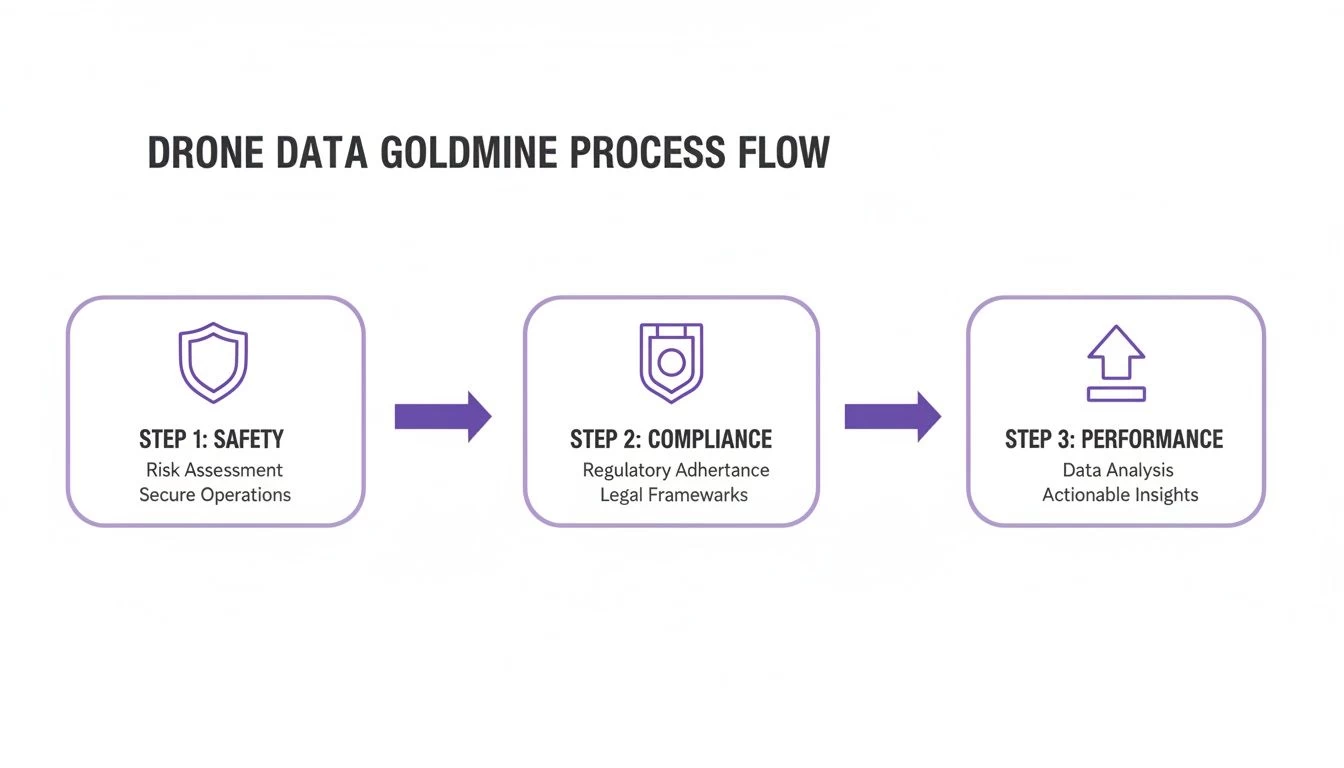
As you can see, accessing your logs is really the gateway to running a more professional and data-driven operation.
A Quick Guide to Common Log File Locations
To make things a bit easier, I've put together a quick reference table. It's designed to help you pinpoint exactly where to look for flight logs across the most popular drone platforms, whether they're hiding in an app or on an SD card.
Common Flight Log File Locations by Drone Manufacturer
| Drone Manufacturer | Primary Log Location (App/Controller) | Secondary Log Location (SD Card) |
|---|---|---|
| DJI | DJI/dji.go.v4/FlightRecord on mobile device for GO 4. Similar path for DJI Fly app. |
.DAT files on the aircraft's internal storage or SD card for more detailed hardware diagnostics. |
| Autel Robotics | Autel Explorer/FlightLogs folder on the connected mobile device. |
Often stores a backup or different log type on the aircraft's SD card, check the root directory. |
| Parrot | Flight data is primarily stored on the drone's internal memory or SD card, not cached in the app. | The main log location is the Parrot/FlightLogs or similar folder on the drone's SD card. |
| Skydio | Skydio Cloud syncs logs automatically. Can also be retrieved via Wi-Fi connection to the drone. | Logs can be downloaded directly from the drone by connecting to its Wi-Fi network and using a web browser. |
Keep in mind that firmware updates can sometimes change these locations, so if you can't find them, it's always worth checking the manufacturer's latest documentation. But for most current models, this table should get you right where you need to go.
A Centralized Approach to Log Management
Let's be honest, manually digging through folders on different phones, tablets, and SD cards after every flight is a massive pain. It’s not just inefficient; it’s a recipe for losing data or making mistakes.
This is exactly why so many professional operators sync their data into a centralized drone operations platform. Instead of wrestling with dozens of individual files, you create a single, searchable, and secure archive of your entire flight history.
It's a much smarter way to work. You can learn more about how to effectively use and analyze your own flight log history within a system built for it. This approach streamlines everything from compliance checks and maintenance tracking to building a comprehensive picture of your fleet's health and pilot performance. You stop just collecting data and start actually using it to make smarter decisions for your business.
Turning Raw Data Into Actionable Knowledge
So, you've pulled the flight data recorder download from your drone. What you're looking at is a raw text or data file—basically a digital stream-of-consciousness from your last mission. It’s powerful stuff, but it’s not exactly a page-turner. Now comes the important part: translating that wall of abstract numbers into genuine operational intelligence.
These raw files usually come in a few standard formats, like .TXT, .DAT, or .CSV. Sure, you can pop a .TXT or .CSV file open in a basic text editor or spreadsheet app, but the endless columns of numbers won't tell you much at a glance. To really make sense of it all, you need a way to visualize the story this data is trying to tell.
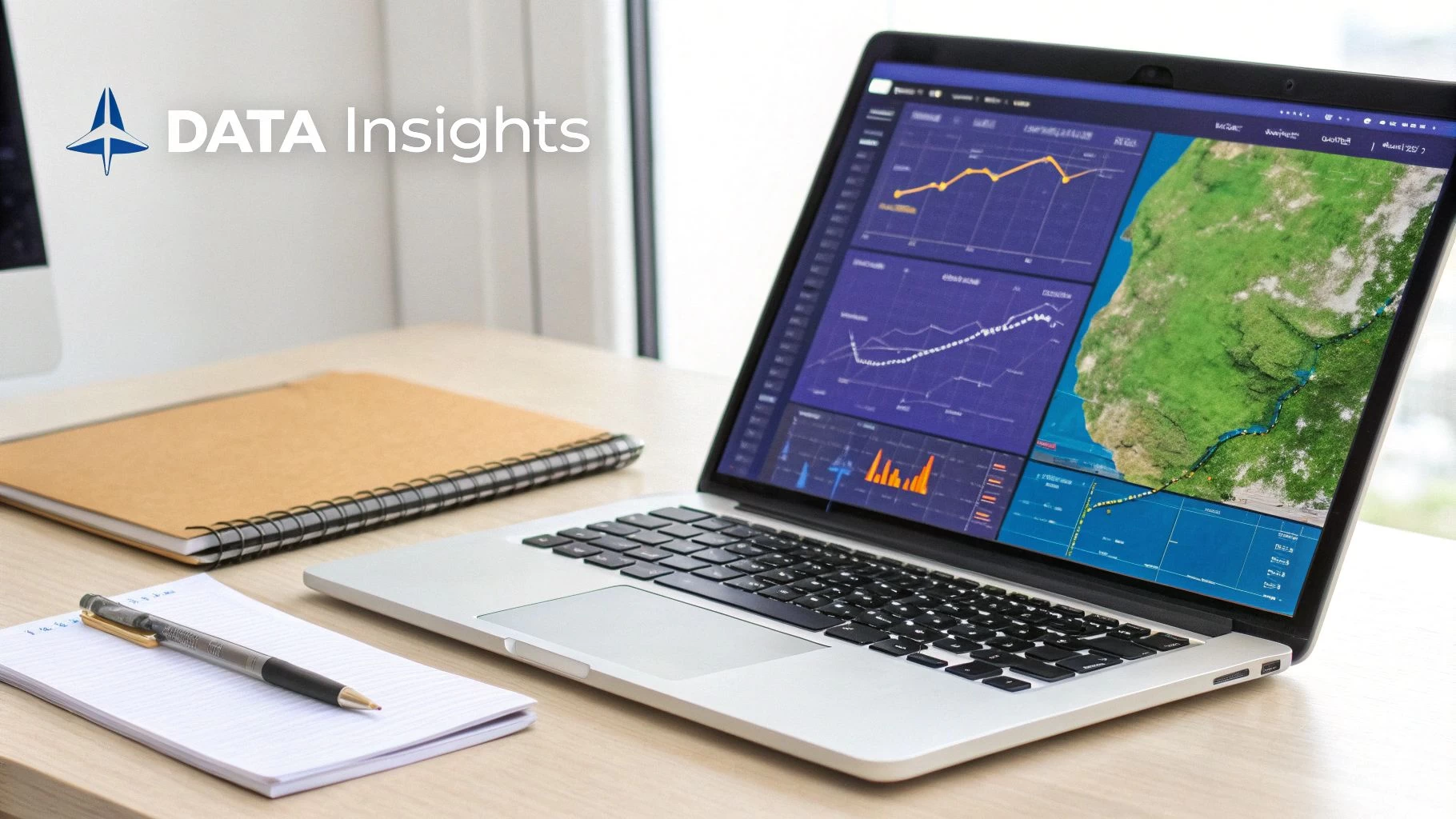
This is where specialized software and online services become your best friends. Platforms like Airdata UAV, DroneLogbook, or even Dronedesk are built specifically to parse these cryptic files. They transform them into intuitive graphs, charts, and flight path overlays, turning that stream of numbers into a crystal-clear picture of your mission from takeoff to landing.
Uncovering the Story Within the Data
Once you upload and process your log file, you can start digging into the details that truly matter for safety, compliance, and performance. You're not just looking at a flight path anymore; you’re performing a complete health check on your entire operation.
A few key metrics you should always analyze include:
- Battery Health: Don't just glance at the final percentage. Dive deep and analyze the voltage of individual cells throughout the flight. A significant voltage drop or a noticeable imbalance between cells while under load is a classic early warning sign that a battery is on its last legs.
- GPS Signal Strength: Keep an eye on the number of connected satellites. If you spot a sudden, sharp drop in a specific area, it could point to GPS interference you'll want to map out and avoid on future flights.
- Pilot Command Latency: Check the time delay between your stick inputs and the drone’s actual response. Any sluggishness can reveal potential problems with your controller or signal that you might not have even noticed in the moment.
A Practical Scenario: Unpacking a Warning
Let's walk through a common scenario. Imagine you got an intermittent "motor speed error" during a recent flight. It flashed up, disappeared quickly, and the drone seemed to fly just fine, so you carried on and completed the mission. Without looking at the logs, it's easy to write that off as a one-time glitch.
By uploading that flight log, however, you can pinpoint the exact moment the error occurred. You can then cross-reference the motor's RPM data with your stick inputs, the drone's attitude, and even the wind speed at that altitude.
This kind of detailed analysis might reveal that the error only popped up during a hard banking turn against a strong gust of wind. That tells you a specific motor was struggling under high stress. Now you have a concrete, actionable insight. Instead of just guessing, you can proactively inspect that motor, potentially preventing a critical failure on your next paying job.
This is the process that transforms you from a reactive pilot into a proactive fleet manager. For a deeper look into this process, you can learn more about how to analyze your drone log files to spot these kinds of trends. It's this level of detailed investigation that separates the pros from the hobbyists.
Streamlining Your Flight Log Management
Let's be honest, manually managing individual flight log files is a massive headache. Hunting through SD cards, different phones, and random folders for a specific flight data recorder download is more than just tedious—it's a huge operational risk. It’s the digital equivalent of stuffing receipts in a shoebox and hoping for the best come tax time.
The smart move is to ditch the manual chaos for an integrated system. When you upload or automatically sync your flight data into a dedicated drone operations platform, you create a single, reliable source of truth. This completely changes how you work with your data, turning a scattered mess of files into a powerful, centralized asset.
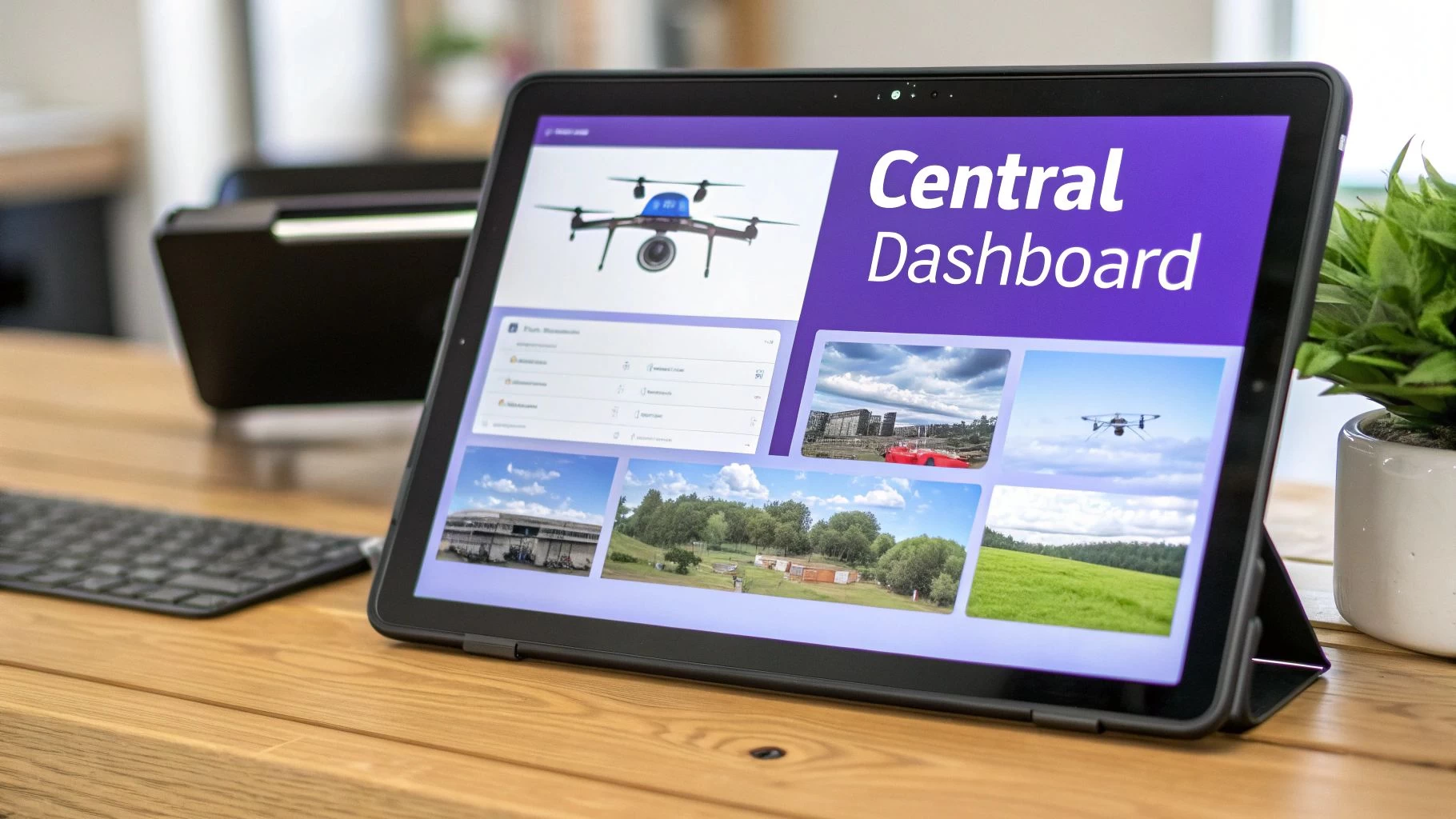
From Cluttered Folders to Clear Dashboards
Imagine trying to track pilot hours for your insurance renewal by digging through dozens of individual .TXT files. It's a nightmare. Now, picture a dashboard that automatically calculates and displays total flight time for every pilot and every drone in your fleet. The difference isn't just incremental; it's a game-changer.
An integrated platform delivers real, immediate benefits:
- Simplified Compliance Reporting: Need to generate a report for the aviation authorities or a demanding client? It's just a few clicks away, using data that's already logged and timestamped.
- Automated Hour Tracking: Effortlessly keep tabs on pilot currency and airframe maintenance schedules without ever touching a spreadsheet.
- Centralized Fleet Health: Get a bird's-eye view of your entire fleet's performance. You can spot trends in battery health or identify component wear across multiple aircraft before they become serious problems.
This shift toward total operational awareness isn't just happening in the drone world. The broader flight data monitoring market was valued at USD 6.6 billion in 2025 and is on track to hit USD 9.45 billion by 2029. That explosive growth tells you everything you need to know about where the industry is heading. You can dig deeper into these trends by reading the full research on flight data monitoring.
The core idea is simple: An integrated system gives you a complete, auditable record of every single flight. This builds an unshakeable foundation for safety, compliance, and operational excellence.
Connecting Your Data to Business Efficiency
At the end of the day, streamlining your flight log management is a business decision. Every minute you spend wrestling with disorganized files is a minute you're not flying missions, analyzing performance, or winning new clients. A proper flight data recorder download workflow shouldn't just be about archiving files—it should feed a system that adds real value back to your operation.
By connecting your download process to a platform like Dronedesk, you’re not just storing data; you're putting it to work. You create a seamless loop where data from past flights directly informs how you plan and execute future ones. Your entire operation becomes safer, more compliant, and a whole lot more efficient.
From Data Points to Defensible Records: Building Your Workflow
Okay, so you've nailed the technical steps of pulling flight logs off your drone. Now it's time to build the professional habits around that data. A solid workflow isn't just about staying organized—it’s about creating a defensible, compliant, and efficient operation from the ground up. The goal is to establish a routine that becomes second nature.
The foundation of any good workflow is consistency. Professional operators need to get into the habit of downloading and securely archiving their flight logs after every single day of operations. No exceptions. This simple discipline prevents data loss from an accidental SD card format and ensures you have a complete, unbroken chain of records for every flight.
Setting Up Your Data Retention Policy
Once you have the data, you need a plan. Where will you store it, how will you secure it, and for how long? Regulatory bodies like the FAA or EASA have specific record-keeping requirements, and your logs are the primary evidence that you're playing by the rules.
Your storage solution should be both robust and redundant. Think of it as a "belt and suspenders" approach.
- On-Site Storage: Keep the original, raw log files on a dedicated, encrypted hard drive or a network-attached storage (NAS) device in your office. This is your primary copy.
- Off-Site Backup: Use a secure cloud service or, even better, a dedicated drone operations platform like Dronedesk. This gives you an off-site backup and makes your data accessible for analysis from anywhere.
When an auditor comes knocking or a client dispute arises, your meticulously kept flight logs are your best defense. They serve as undeniable proof of your adherence to airspace rules, pilot currency, and safe operating procedures, shielding you from potential liability.
Thinking About Privacy and Regulations
Managing flight data isn't just about flight paths and battery levels anymore; you also have to be mindful of data privacy. As you build out your workflow, it’s crucial to understand regulations like the GDPR Article 30 requirements for data processing records. This is especially true if your operations capture imagery or information that could identify individuals. Being proactive on this front is becoming a non-negotiable part of being a professional.
There's a reason the UAV segment within the flight data monitoring market is growing so fast. Service providers are riding a steep growth curve of 10.75% CAGR, largely driven by industries that absolutely require auditable flight logs for insurance and regulatory sign-offs. If you want to learn more about this trend, you can see how the drone service market is expanding. By adopting a professional data workflow now, you're positioning your business to meet these rising standards and capitalize on that growth.
Frequently Asked Questions About Drone Flight Logs
No matter how smooth your routine, one question leads to another. Drone logs capture a wealth of information—so it’s easy to feel overwhelmed.
Common Operator Concerns:
- Frequency of log downloads
- Data authenticity and tamper-proofing
- Real value of keeping every record
Below, I’ve pulled together the top questions operators ask around the flight data recorder download process and managing those logs.
How Often Should I Download My Drone Logs
Most pros pull their logs after every single flight, but at minimum they download at the end of the day. It’s not just about neatness; it guards against SD card corruption or accidental formatting.
Try these tactics:
- Download immediately after each sortie
- Perform a nightly sync when multiple flights stack up
- Adopt a platform with automated syncing to eliminate manual steps
Can Flight Log Data Be Tampered With
It’s a fair concern when log files serve as evidence. In reality, DJI’s RAW .DAT files are encrypted at a low level—if you try to alter them, they simply won’t validate.
Key Points:
- Encryption and file-structure checks prevent silent edits
- Third-party platforms add an extra layer of timestamped verification
Upload original, unaltered logs to a secure service to preserve the chain of custody—this builds trust in your data and your processes.
What Is The Most Important Reason To Keep Logs
Beyond troubleshooting, think of logs as your liability protection. In an incident or insurance claim, flight records provide objective proof of your actions.
A clear record shows:
- You followed airspace restrictions
- You maintained full control throughout the flight
Without those logs, you’re left with just your word—and that rarely holds up in professional or legal settings.
Ready to stop juggling files and start managing your operations like a pro? Dronedesk provides a powerful, all-in-one platform to automatically sync, analyze, and manage your flight logs, ensuring you’re always compliant, efficient, and in control. See how Dronedesk can transform your workflow today.
 Drone Risk Assessment Controls That Work in the Field →
 FAA Drone License Costs Beyond the Knowledge Test →
 Drone Part 107 Operations: When a Waiver May Be Needed →
 Drone Operating Rules for Managing Contractors and Employees →
 BVLOS Drone Requirements for Building a Safety Case →
 Drone Pilot Test Mistakes That Cost Candidates Marks →
 FAA 107 License vs Part 107 Certificate: What’s the Difference? →
 Drone Airport Rules: A Field Checklist for Site Assessments →
 FAA Part 107 Record-Keeping Rules for Commercial Teams →
 How to Review a DJI Flight Log After an Unexpected Event →