
DJI Phantom 3 Adv: 2026 Guide & Pro Workflow
Most advice about the dji phantom 3 adv gets one thing wrong. It assumes age alone decides usefulness.
In professional operations, age matters far less than repeatability, documentation, and known failure points. A newer aircraft with weak process control can create more operational risk than an older aircraft with disciplined pre-flight checks, calibrated sensors, tracked maintenance, and clean flight records.
That’s why the DJI Phantom 3 Advanced still deserves attention in 2026. Not as a front-line answer for every commercial task, and not as a substitute for a modern enterprise platform, but as a practical aircraft for training, backup coverage, low-risk site work, and teams that know exactly where its limits sit. If you treat it like a hobby relic, it will behave like one. If you manage it like a fleet asset, it can still earn its place.
Why This Decade-Old Drone Still Matters for Pros
A 2015 airframe still has a place in commercial operations. The catch is that it only works when the operator treats it like a controlled asset instead of a cheap spare.
The DJI Phantom 3 Advanced still earns its keep in 2026 because some jobs do not need the newest sensor stack, obstacle avoidance suite, or enterprise badge. They need a predictable aircraft, a pilot who knows its limits, and records that show the machine is airworthy. That is a very different standard from hobby use, and it is the reason older platforms can remain useful long after the market has moved on.
The professional case for a Phantom 3 Advanced is narrow, but real.
- Training and currency flights: It gives pilots practice with checklist discipline, manual aircraft handling, and recovery drills without putting a newer revenue aircraft into unnecessary cycles.
- Backup coverage: A maintained P3A can cover straightforward tasks such as site overviews, roof imagery, and internal progress checks when a primary drone is down.
- Low-risk internal work: Yard mapping, stockpile photos, familiarization flights, and simple visual documentation often fit within its capabilities.
- Procedure testing: Legacy aircraft are useful for testing maintenance logs, pilot sign-out rules, and compliance workflows before applying them across the rest of the fleet.
What matters here is not nostalgia. It is cost control and operational fit. If the aircraft has stable flight behavior, healthy batteries, known maintenance history, and a defined mission set, it can still return value.
I would not put a Phantom 3 Advanced on work that depends on modern obstacle sensing, higher wind tolerance, current camera expectations, or clients who expect live integration with newer enterprise ecosystems. I would put it on controlled tasks where the deliverable is simple, the environment is understood, and the crew has strong SOPs.
That trade-off gets overlooked. Plenty of advice about the dji phantom 3 adv still treats it as either a collector piece or a budget do-everything platform. Neither view helps a working operator. In practice, it sits in the middle. It is a legacy aircraft that can still support professional workflows, provided you account for aging batteries, parts scarcity, app compatibility, and the higher importance of documented inspections and maintenance.
That last point matters more in 2026 than it did when this drone was new. Older aircraft fail in slower, less obvious ways. Compass issues, swollen batteries, tired motors, gimbal ribbon wear, and intermittent signal problems rarely show up at a convenient time. Teams that log maintenance properly and track aircraft status in a current compliance system get more usable life from a Phantom 3 Advanced than teams that pull one off a shelf and hope for the best.
Used carefully, the Phantom 3 Advanced is still a business tool. Used casually, it becomes a liability.
Unpacking the DJI Phantom 3 Advanced Specs and Performance
Spec sheets do not keep a legacy aircraft in commercial service. Mission fit does.
The Phantom 3 Advanced still earns its place on certain jobs because its core flight platform is predictable, its camera is good enough for baseline documentation, and Lightbridge remains usable in controlled environments. What matters in 2026 is reading those specs through an operations lens instead of a hobby lens. A drone can look capable on paper and still be a poor fit for paid work if the aircraft, batteries, and app stack no longer support repeatable output.
DJI Phantom 3 Advanced Key Specifications
| Specification | Value |
|---|---|
| Release | April 2015 |
| Camera sensor | Sony Exmor 1/2.3-inch |
| Video resolution | 2.7K at 30 fps |
| Secondary video mode | 1080p at 60 FPS |
| Battery capacity | 4480 mAh lithium-polymer |
| Approximate flight time | 23 minutes |
| Weight | 1.28 kilograms including battery and propellers |
| Transmission system | DJI Lightbridge |
| Transmission distance | Up to 5 kilometers |
| Positioning systems | GPS and GLONASS |
| Maximum service ceiling | 19,685 feet (6,000 meters) above sea level |
| Maximum ascent speed | 5 m/s |
| Maximum descent speed | 3 m/s |
| Maximum speed | 16 m/s in ATTI mode |
| Gimbal range | -90° to +30° |
On paper, that package still looks respectable. In the field, the useful interpretation is narrower. The 2.7K camera is enough for roof reports, site progress updates, marketing clips for smaller clients, and general visual records. It is not enough for operators who need aggressive cropping, high-end delivery formats, or inspection imagery that has to hold detail after zooming into defects.
The flight performance is still one of the aircraft's stronger points. GPS and GLONASS support help with stable positioning outdoors, and the visual positioning system can keep the aircraft settled at low altitude when satellite coverage is inconsistent. That matters for slower, methodical flying near structures, stockpiles, and open work sites where the pilot wants predictable hover behavior more than modern automation.
The gimbal is another reason this platform still has some professional value. A steady camera platform solves real workflow problems. If the assignment is broad visual capture rather than analytic inspection, smooth footage and level horizon control often matter more than headline resolution.
What still holds up in professional use
A well-maintained Phantom 3 Advanced can still cover a narrow but real set of commercial tasks:
- Routine visual documentation: Site photos, progress tracking, and basic client updates
- Simple mapping practice flights: Useful for training, internal testing, and non-critical capture where overlap discipline matters more than speed
- Controlled video work: Wide establishing shots and low-complexity promotional footage
- Pilot currency on manual skills: The aircraft rewards crews who can fly cleanly without relying on newer avoidance systems
That last point gets missed. The Phantom 3 Advanced is not efficient by current standards, but it does expose weak stick discipline and poor planning very quickly. For some teams, that makes it a useful training aircraft, provided it is airworthy and logged like any other company asset.
Where the age shows up first
The operational limits are clear once you compare it to current client expectations and current risk controls.
- No 4K capture: Acceptable for records and basic deliverables. Weak for premium media and detailed inspection review.
- No modern obstacle sensing: The pilot and observer have to carry more of the separation and hazard-management workload.
- Older transmission and app environment: Range claims from the original product era do not matter much if local RF conditions, device compatibility, or firmware history introduce inconsistency.
- Limited payload flexibility: It stays a single-purpose aircraft. There is no realistic path to advanced sensor work.
- Aging components: Flight time, signal quality, and gimbal behavior depend heavily on battery health and maintenance history, not brochure numbers.
For professional operators, the practical summary is simple. The Phantom 3 Advanced still works best on defined, low-complexity missions where stable hover, decent image quality, and disciplined piloting are enough. The original aircraft specifications remain available through the DJI Phantom 3 Advanced support page, but the main question is whether your individual airframe can still meet the standard your operation requires.
Your Pre-Flight Checklist for Setup and Calibration
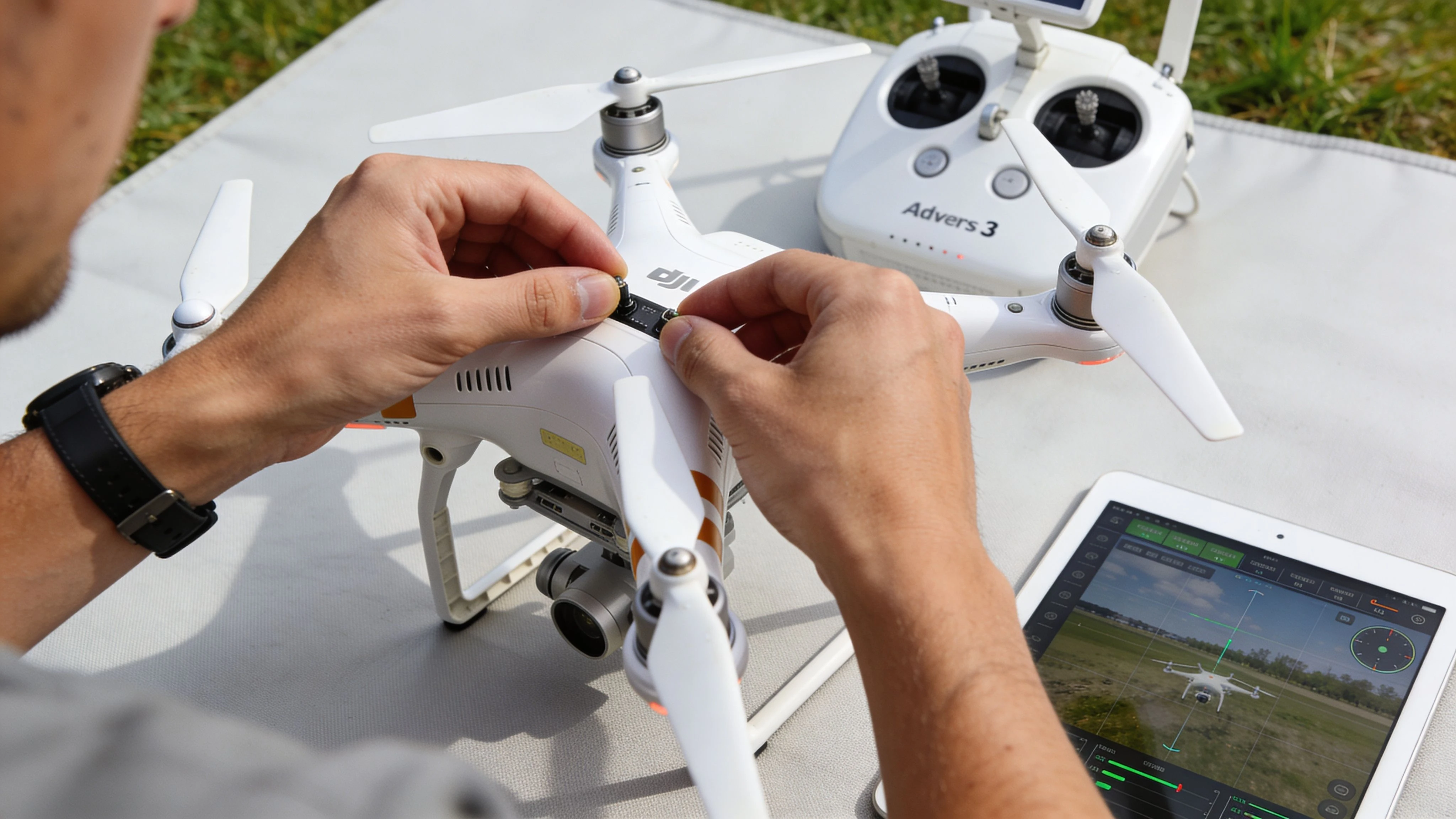
With the dji phantom 3 adv, pre-flight discipline isn’t paperwork. It’s risk control.
Older aircraft don’t give you much forgiveness for rushed setup. A modern drone can hide some operator laziness behind automation. The Phantom 3 Advanced won’t. If calibration, battery condition, controller behavior, and sensor status aren’t checked before launch, you’re accepting avoidable risk.
The field routine that actually works
A reliable setup flow should stay the same every time. That consistency matters more than speed.
- Inspect the airframe first. Check props, motor mounts, landing gear, gimbal lock removal, and shell condition before powering anything on. If the aircraft has been stored for a while, look harder than usual.
- Power up in the same order every flight. Use one sequence and keep it consistent across pilots. Consistency reduces missed steps.
- Verify controller and aircraft connection. Don’t assume yesterday’s pairing means today’s session is clean.
- Wait for stable system status before moving into calibration or takeoff checks. Rushing through startup often creates confusion that looks like hardware trouble later.
Calibrations that deserve attention
Not every flight needs every calibration. But every commercial operator should know when each one is mandatory.
IMU
The IMU is the first thing to revisit after hard transport, long storage, strange drift, or visible horizon issues. If the aircraft doesn’t feel normal on the ground, don’t push into flight hoping it will sort itself out in the air.
Compass
Compass calibration should be treated as location-sensitive, not ritualistic. Recalibrate when the environment changes meaningfully, especially after travel or when the launch site has obvious interference sources. Don’t calibrate casually next to vehicles, reinforced surfaces, or metallic clutter.
Gimbal
The gimbal check is simple but often rushed. Confirm free movement, level horizon at startup, and expected tilt response. The Phantom 3 Advanced can still produce clean footage, but only if the gimbal starts healthy.
Pre-flight checks for professional use
Use a written checklist, not memory. A short checklist beats a detailed one that nobody follows.
- Battery status: Confirm the battery seats properly and behaves normally at startup.
- Controller status: Watch for unusual charging or power behavior before leaving the ground.
- Home point confidence: Make sure the aircraft has established a reliable positioning state before launch.
- Mission fit: Ask whether this aircraft is appropriate for this exact job, not whether it can technically fly.
If you can’t explain why the aircraft is behaving normally before takeoff, you shouldn’t be flying it commercially that day.
For teams, the best practice is simple. Standardize the checklist, require sign-off, and store the record with the job file. Legacy aircraft stay useful when every launch follows a repeatable script.
Advanced Flight Planning and Flyaway Prevention
Most beginner advice on Phantom flyaways is too broad to help working pilots. “Get good GPS” isn’t enough. “Use ATTI mode if you know what you’re doing” is also incomplete.
The dji phantom 3 adv needs a more careful planning model because its risks are often tied to sensor health, calibration discipline, and environment, not just pilot confidence. That’s where professional workflows separate themselves from hobby habits.
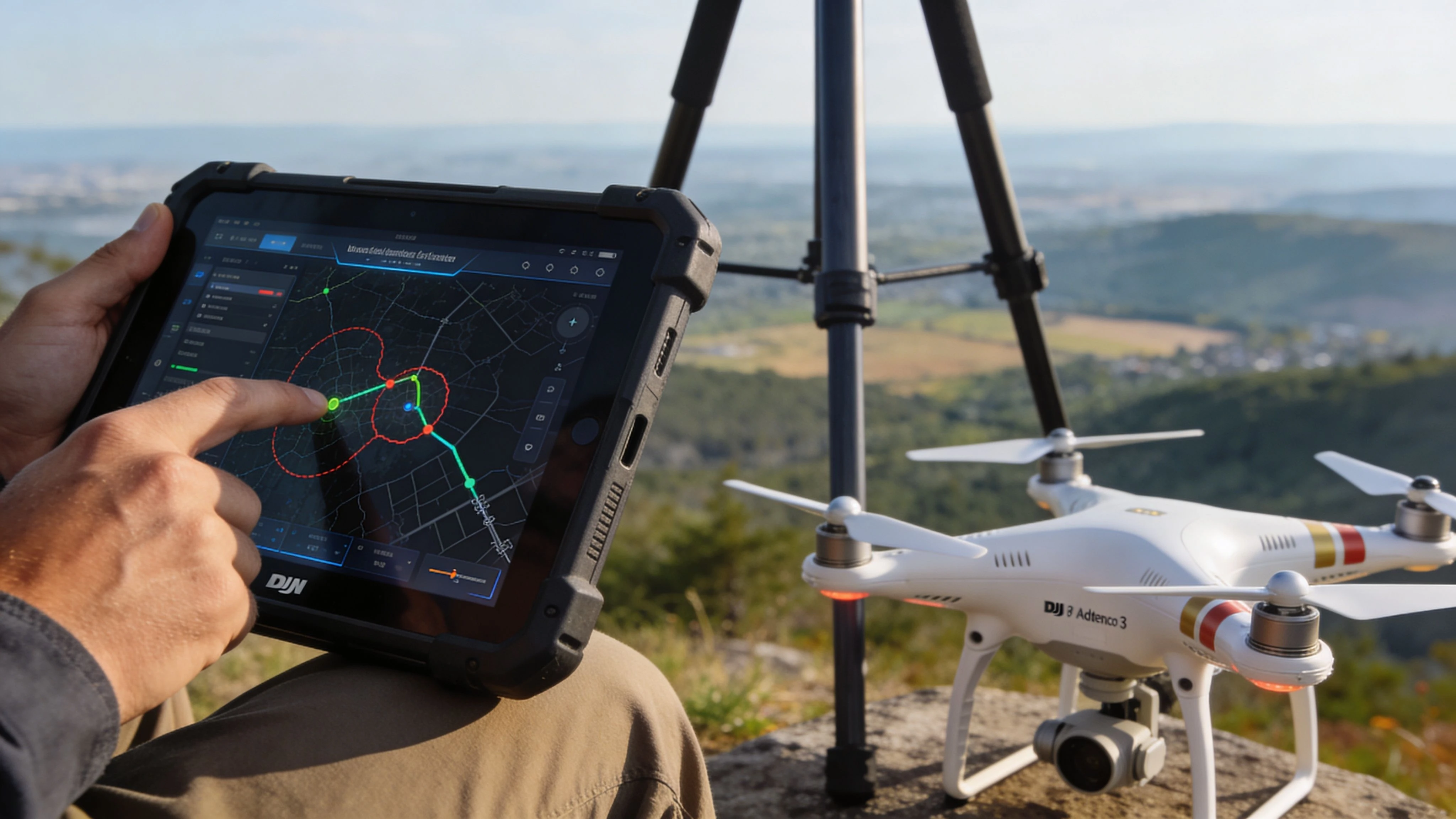
Analysis drawn from pilot forums shows that up to 40% of Phantom 3 flyaways are linked to uncalibrated IMUs causing horizon tilt, and user polls indicate ATTI mode can double the risk of flyaways in urban environments due to signal interference, as summarized from TechGearLab’s Phantom 3 Advanced review and PhantomPilots forum discussions. That should change how pros plan every mission.
Stop romanticizing ATTI mode
ATTI mode has a place. It can be useful for skilled pilots who understand drift and want direct control. But too much online advice treats it as a mark of expertise rather than a mode with a clear operational trade-off.
In urban surveys, built-up industrial sites, and interference-heavy environments, ATTI mode can remove a layer of positional support right when you need structured stability most. On a modern aircraft with more advanced sensing, that trade-off may be acceptable. On a Phantom 3 Advanced, it often isn’t.
Use ATTI intentionally. Don’t use it to prove you can.
Build planning around the aircraft you actually have
A practical prevention workflow looks like this:
- Assess interference before launch: If the site includes dense structures, vehicles, rooftop equipment, or power infrastructure, assume the aircraft may need more conservative handling.
- Treat IMU health as mission-critical: If there’s any sign of drift, odd horizon behavior, or startup inconsistency, stop and recalibrate before assigning revenue work.
- Use conservative route design: Keep simple line-of-sight geometry, broad turns, and clear escape space. The older the aircraft, the more room you want between the drone and your problem set.
- Decide abort points in advance: Don’t invent your recovery logic after control confidence drops.
For broader workflow thinking, this guide to drone flight planning practices is a useful reference when building repeatable procedures around older aircraft.
Recovery starts before takeoff
Teams often think of recovery as what happens after control is compromised. In reality, recovery success is mostly decided on the ground.
Before launch, lock in these decisions
| Risk area | Better approach |
|---|---|
| Sensor uncertainty | Delay launch and recalibrate |
| Urban interference | Favor conservative flight paths and lower task complexity |
| Inexperienced pilot assignment | Use the aircraft for training only, not live client work |
| Marginal battery confidence | Swap the pack and shorten the mission |
Don’t ask a legacy aircraft to rescue a weak plan. Give it a simple mission and a clear exit path.
The Phantom 3 Advanced can still fly safely and productively. But it rewards operators who reduce variables before the props spin. That’s the opposite of casual flying, and exactly what professional clients expect.
Modernizing Your Fleet by Integrating with Dronedesk
A Phantom 3 Advanced usually does not leave a professional fleet because it cannot fly. It leaves because the admin around it gets sloppy.
That pattern shows up fast with older aircraft. One pilot keeps battery notes on a phone. Another logs flights in a spreadsheet. Maintenance details sit in chat threads or in somebody’s head. The aircraft still launches, but the operation gets harder to defend to clients, auditors, and your own management team.
What a modern workflow fixes
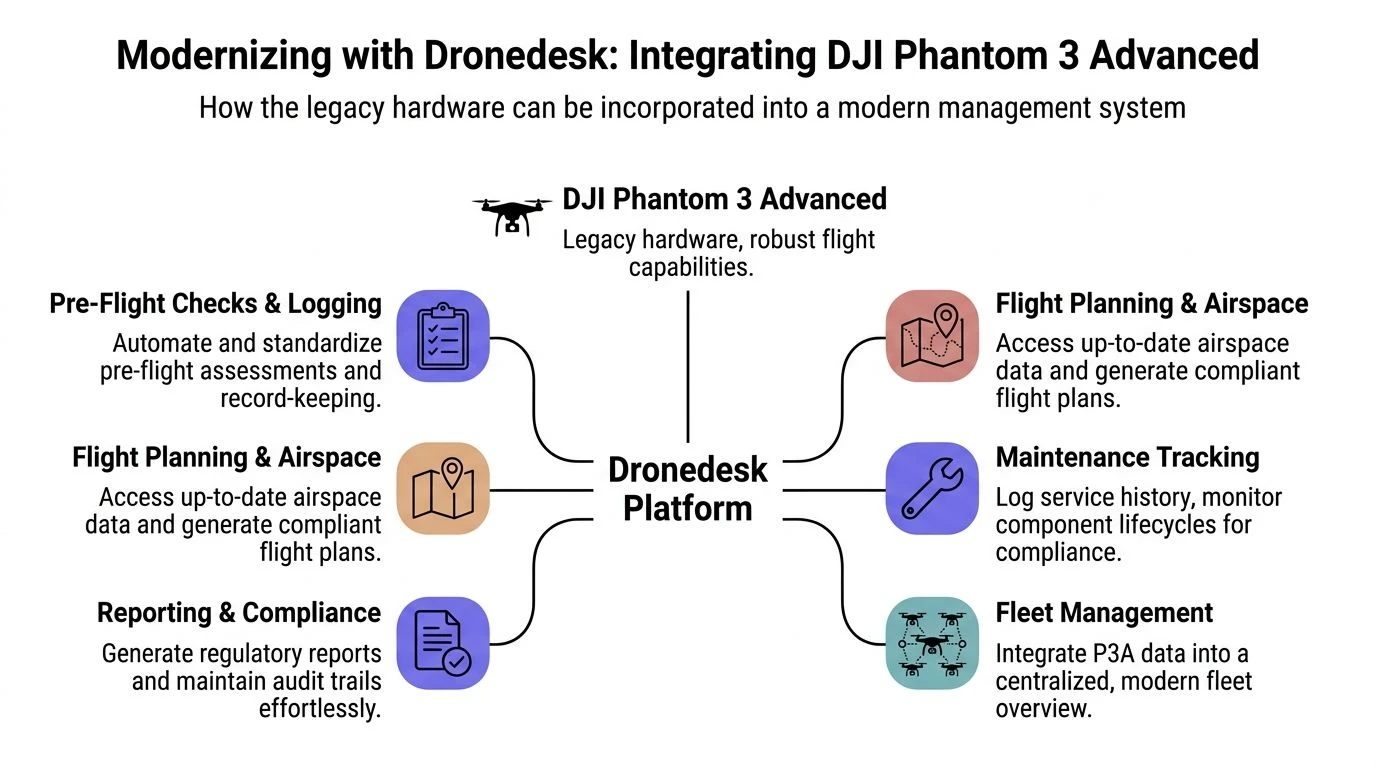
In 2026, the Phantom 3 Advanced stays useful in professional work when the aircraft sits inside a current compliance process. That means the value no longer comes from airframe capability alone. It comes from whether the team can prove who flew it, what condition it was in, what job it supported, and what defects were carried forward or cleared.
For older platforms, the software layer does the work the aircraft never will. A system built around scheduled jobs, checklists, pilot records, maintenance history, and flight documentation gives legacy hardware a place in a modern operation. That matters whether the drone is used for training, internal inspection, or limited site capture that does not require newer sensors. Teams running mixed missions can also align legacy aircraft use with broader DJI drone mapping workflows instead of managing the Phantom as an isolated exception.
A practical integration model
Treat each Phantom 3 Advanced as a managed asset with a documented life, not as the spare aircraft that comes out when newer equipment is booked.
Start with clean records. Set up one aircraft profile per airframe, then track batteries, controller, and major fault history in a way that survives staff changes. Aging drones rarely fail as a single neat event. They develop patterns across components. If those records stay separated, recurring issues become visible before they disrupt paid work.
Standardized checklists matter more here than on newer DJI aircraft. A newer platform can hide a lot of operator inconsistency behind stronger automation. The Phantom 3 Advanced cannot. Pre-flight checks, defect reporting, and post-flight sign-offs need to be identical across pilots, especially in fleets where some operators spend most of their time on newer systems.
Then tie every flight to an actual job. A flight log without client, site, or training context is only half a record. Job-linked history makes it easier to explain aircraft use, review incident chains, and decide whether a specific unit still belongs on revenue work or should move to training duty.
Why this matters more with a legacy aircraft
The Phantom 3 Advanced creates extra management work because it predates the tighter software expectations that operators now treat as standard. That gap is exactly why Dronedesk is useful in this context. It gives teams one place to manage flight planning, logs, maintenance tracking, pilot currency, and fleet oversight around DJI operations, including older airframes.
In practice, that changes the risk profile. A legacy drone with disciplined records is usually easier to manage than a newer drone used casually. I have seen old backup aircraft cause more operational friction than frontline units, because nobody held them to the same documentation standard.
A legacy drone keeps its business value when every flight is documented, every defect is traceable, and every pilot works from the same process.
That is the real modernization step for a Phantom 3 Advanced in 2026. You do not need to pretend it is a current flagship. You need to run it with current controls.
Maintaining an Aging Drone with Common Issues and Fixes
A Phantom 3 Advanced usually leaves professional service for maintenance reasons, not because it suddenly stops flying well.
On a 2026 work schedule, the primary problem is age-related reliability. Power faults, tired batteries, brittle plastics, and small charging inconsistencies create more downtime than headline flight specs ever will. Teams that still get value from this airframe treat it like legacy equipment. They inspect it harder, document defects earlier, and retire marginal components before they become field failures.
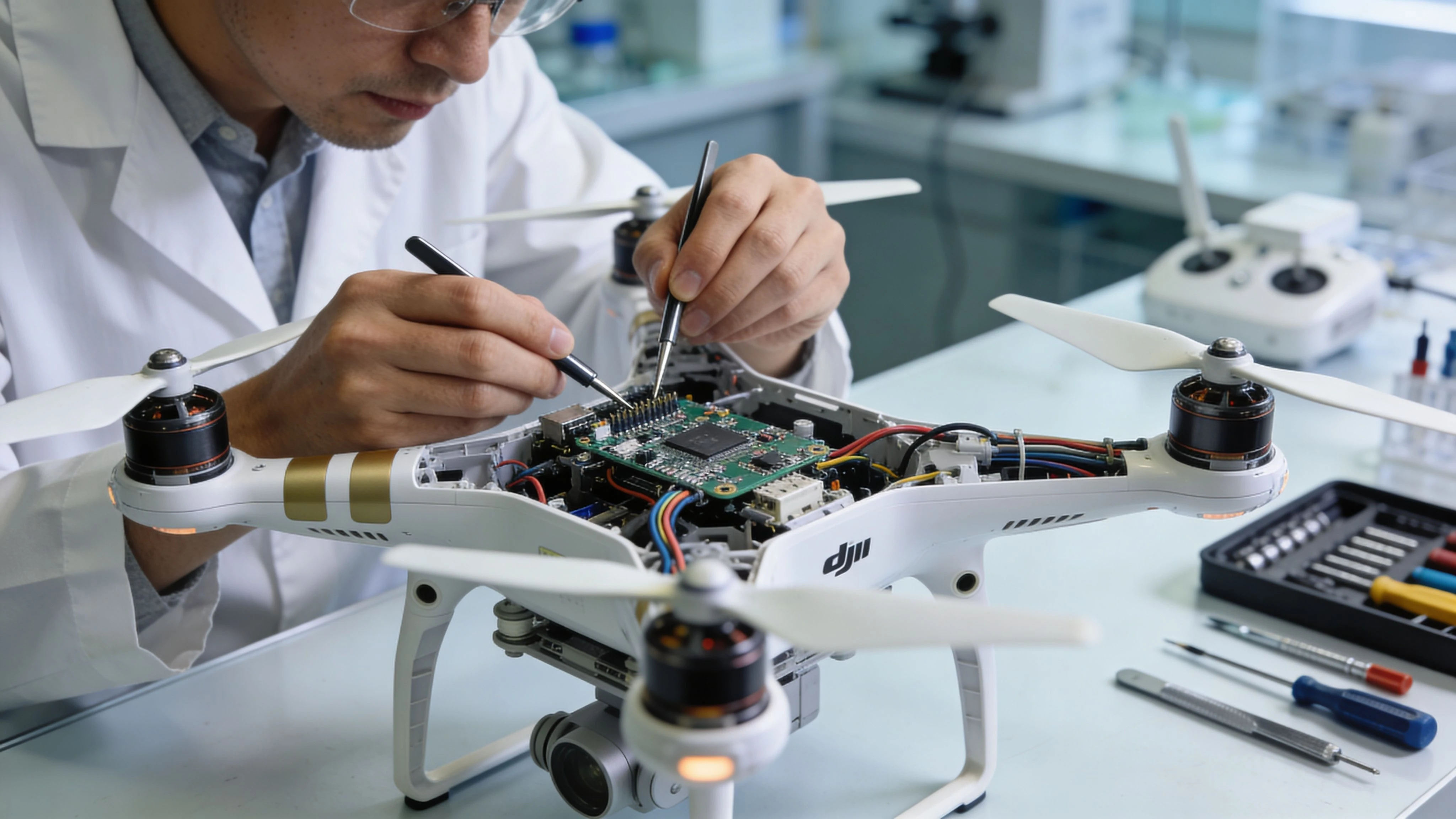
The first place to look is the power system. Older Phantom 3 units often get written off as “bad batteries” when the underlying fault sits in the controller charging circuit, the battery interface, or aging regulators. The iFixit DJI Phantom 3 Advanced troubleshooting guide is still a useful reference for common symptoms and repair paths, but the practical lesson for operators is simpler. Diagnose before replacing.
Charging faults are often diagnosed badly
A controller that refuses to hold charge, reports low power after charging, or behaves inconsistently across sessions should not automatically be blamed on the internal battery. The same goes for flight packs that appear erratic after storage. On an aircraft this old, the charging path matters as much as the cell itself.
That distinction affects cost and dispatch planning. Replacing packs without confirming the fault wastes money. Sending a questionable unit to site is worse, because now the aircraft, pilot time, and booked job are all tied to a weak diagnosis.
A useful companion read is this overview of DJI Phantom 3 battery behavior and maintenance planning, especially if you are trying to separate normal battery aging from fault behavior.
Maintenance checks that still make business sense
For a legacy aircraft, maintenance has to be repetitive and boring. That is what keeps it commercially usable.
- Track batteries by individual pack, not as a group. Mark them clearly and log charge behavior, voltage concerns, swelling, and storage history.
- Watch controller charging over time. Intermittent faults rarely stay intermittent for long.
- Inspect shell condition closely. Stress marks around motor mounts, landing gear attachment points, and battery bay edges matter more than cosmetic scratches.
- Check gimbal ribbon and camera behavior before every paid job. Video feed dropouts and startup twitching are early warning signs.
- Test hover stability after any repair or hard landing. A short controlled test flight is cheaper than losing confidence on assignment.
This is also where a modern maintenance log helps. If the aircraft is already being managed inside Dronedesk, defect notes, recurring issues, battery history, and retirement decisions stay tied to the same airframe record instead of living in someone’s memory.
Repair it, downgrade it, or retire it
Aging Phantoms should not all be treated the same. Some are still useful revenue assets for simple, controlled tasks. Some belong in training. Some should become parts donors.
Usually worth repairing:
- A confirmed controller charging fault on an otherwise stable aircraft
- A clean airframe with known history and only one repeatable issue
- Minor landing gear, shell, or non-flight-critical hardware damage
Usually better moved to training or internal practice:
- Cosmetic wear with acceptable flight behavior, but declining confidence for client work
- Older batteries that still function predictably but no longer belong on time-sensitive jobs
Usually better retired from commercial duty:
- Repeated unexplained power loss or startup inconsistency
- Multiple faults across aircraft, controller, and batteries
- Unknown storage history combined with erratic charging, compass issues, or unstable hover behavior
The trade-off is straightforward. A cheap repair is only cheap if it leads to repeatable service. If each fix exposes another age-related fault, the aircraft is no longer saving money.
Parts support is another constraint. DJI is not building this ecosystem around current professional expectations, so operators often need practical alternatives for non-critical accessories and small physical components. In those cases, 3D printing for on-demand replacement parts can help keep legacy equipment usable without waiting for scarce original stock.
Good maintenance discipline keeps the Phantom 3 Advanced viable longer than many operators expect. Guesswork does the opposite.
The Phantom 3 Advanced as a Business Asset A 2026 Buying Guide
A DJI Phantom 3 Advanced is not the cheap answer to every 2026 drone need. It is a disciplined purchase for operators who already know the job, the limits, and the paperwork.
That distinction matters. In professional use, this aircraft earns its keep only when the mission profile is narrow and the operator runs it like a managed asset, not a lucky marketplace find.
Who should consider one
The strongest buyers are not chasing modern features at a discount. They are filling a specific operational gap.
| Buyer type | Fit |
|---|---|
| Solo operator building process discipline | Good fit for straightforward, low-risk flights with documented procedures |
| Small team needing a backup aircraft | Good fit if the aircraft has a known history, verified batteries, and a clear support role |
| Training operation | Good fit because it forces pilots to learn aircraft behavior instead of relying on newer automation |
| Inspection or survey team needing advanced data capture | Poor fit |
| Premium photo and video business | Poor fit |
For commercial work, the buying decision comes down to control. Can you verify battery age, charging behavior, firmware state, controller reliability, and maintenance history? If the answer is no, the low entry price stops looking cheap.
What to inspect before buying
A tidy shell means very little on a drone this old. I would put far more weight on repeatable behavior across several power cycles than on a seller's claim that it "flies great."
Check these areas first:
- Power consistency: Fully charge the controller and each battery, then watch for stable charging, normal startup, and predictable battery reporting.
- Cold start behavior: Let the aircraft sit, then power it up again. Intermittent faults often show up on the second or third start, not the first.
- Hover and control response: A short test flight should confirm steady hover, normal braking, clean gimbal response, and no unexplained drift.
- Records and identification: Match serial numbers where possible and ask for maintenance notes, battery labels, and any service history.
- Included kit: Confirm the charger, controller, props, and usable batteries are operational, not just present in the case.
One missing detail can change the economics fast. A Phantom 3 Advanced with weak batteries and an unreliable controller is a repair project, not a business asset.
When it becomes a bad business decision
The wrong purchase usually looks good on paper. Low price, clean photos, "worked fine last season." That is how operators end up buying downtime.
Treat this aircraft as a limited-duty platform. If your plan depends on old batteries holding up through client work, scarce parts arriving exactly when needed, or unresolved quirks never getting worse, the numbers do not work.
Replacement planning matters as well. Some non-critical plastic pieces and mounts are already harder to source through normal channels, which is why 3D printing for on-demand replacement parts has become part of the conversation for legacy fleet support.
The practical valuation method is simple. Buy it for a defined role, test it against that role, then decide whether it belongs in revenue work, training, or retirement. In 2026, the Phantom 3 Advanced still has business value, but only for operators who manage old hardware with current standards.
Conclusion Maximizing the Value of a Legacy Workhorse
The dji phantom 3 adv still has a place in professional operations. Just not in the way most outdated buying guides suggest.
Its value in 2026 comes from role clarity. It works when you assign it the right missions, keep calibration tight, monitor hardware aging closely, and surround it with stronger process control than most hobby users ever needed. That’s the recurring theme with legacy aircraft. They don’t reward convenience. They reward discipline.
The strongest argument for keeping or buying a Phantom 3 Advanced isn’t that it competes directly with current aircraft. It doesn’t. The stronger argument is that it can still produce useful work as a backup, trainer, or controlled-use platform when the operation itself is well managed.
That means thinking like a fleet manager, even if you fly solo. Keep written checklists. Track batteries and controllers as separate assets. Treat strange charging behavior as a maintenance signal, not a minor annoyance. Be conservative with ATTI mode in complex environments. Build recovery thinking into the mission before launch.
When operators do that, the Phantom 3 Advanced stops being “old DJI gear” and starts becoming what it should be. A known asset with known constraints.
That’s often enough.
If you’re running legacy DJI aircraft and want cleaner flight records, maintenance tracking, and compliance workflows in one place, Dronedesk is worth a look as part of a structured operations setup.
 Drone Manufacturers Compared for Enterprise Operations →
 How to Prepare for the Drone Licence Test →
 How to Choose a Drone Mapping Service for Your Project →
 Drone Safety Rules That Every Commercial Team Needs →
 Airport Drone Rules: How to Plan Flights Without Surprises →
 FAA Part 107 Licence: Your Step-by-Step Application Guide →
 How to View DJI Flight Logs Online Safely →
 What Part 107 Covers Beyond the Pilot Certificate →
 How to Download and Read a DJI Flight Log →
 Drone Videography Planning Tips for Professional Crews →