
Drone Safety Checklist for Commercial Flights
A safe commercial drone flight starts long before the aircraft leaves the ground. For survey companies, utilities, emergency services and professional drone operators, a drone safety checklist is more than a reminder of what to pack. It is a repeatable operating control that helps you identify risk, brief your team, protect the public and create an audit trail if questions arise later.
This guide gives you a practical checklist structure for commercial flights in the UK. Use it as a baseline, then adapt it to your aircraft, operating category, Operational Authorisation, client requirements and internal procedures.
Why a drone safety checklist matters for commercial operations
Commercial drone work is often performed under time pressure. A client wants a roof inspection completed before scaffolding comes down. A utility team needs imagery before a planned outage ends. An emergency service may need aerial awareness while conditions are still changing.
That pressure is exactly why checklists matter. They reduce reliance on memory, standardise decisions across pilots and make it easier to prove that safety-critical steps were completed. They also help separate routine tasks from judgement calls, so the remote pilot can focus on the situation rather than trying to remember every administrative detail.
In the UK, the Civil Aviation Authority expects drone operators to understand their responsibilities and operate safely within the rules. The CAA Drone and Model Aircraft Code is a useful reference for core operating requirements, while CAP 722 provides wider guidance on unmanned aircraft system operations. Your checklist should support those obligations, not replace them.
Start with the operating context
Before checking batteries or propellers, confirm what type of operation you are actually conducting. Commercial use does not automatically define the regulatory category. The key questions are about aircraft weight, location, proximity to people, airspace, operating method and the level of risk.
For example, a simple land survey in a rural field may need a different level of preparation from a roof inspection near a railway, a powerline inspection beside a road, or a search and rescue deployment involving multiple agencies. If you operate in the Specific category, your Operations Manual, risk assessment and any Operational Authorisation conditions should drive the checklist.
A good commercial drone safety checklist should answer three questions:
- [ ] Are we allowed to do this flight here, now and in this way?
- [ ] Have we reduced the risks to people, property, aircraft and infrastructure as far as reasonably practicable?
- [ ] Can we evidence the decisions we made before, during and after the flight?
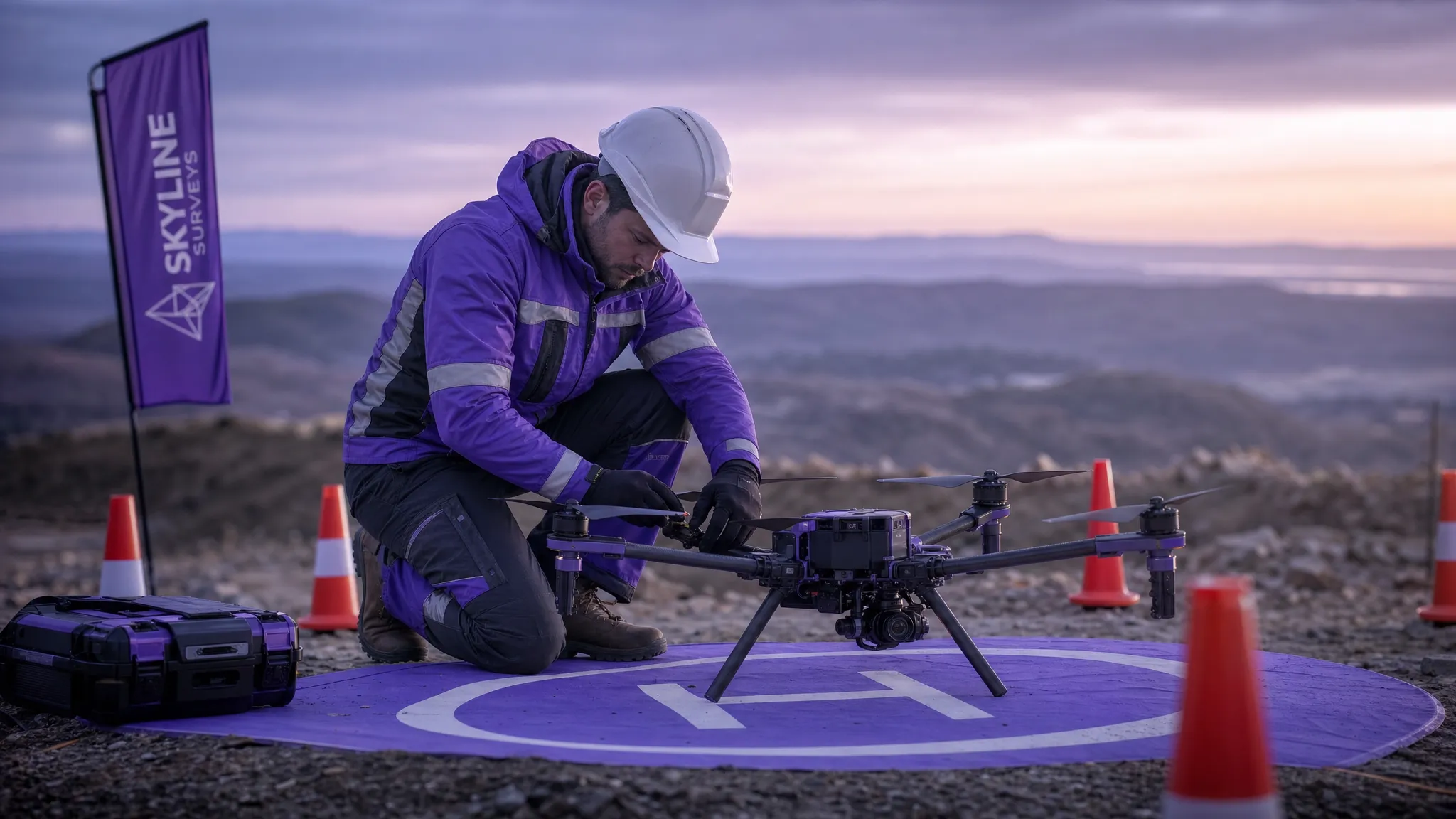
Commercial drone safety checklist overview
The table below summarises the main areas your checklist should cover. Some items will be completed days before the flight, while others must be confirmed on site immediately before take-off.
| Checklist area | What to confirm | Typical evidence to keep |
|---|---|---|
| Mission scope | Client brief, location, deliverables, flight objectives and constraints | Job brief, site plan, client instructions |
| Regulatory status | Operator ID, Flyer ID where required, permissions, operating category and authorisations | Registration details, Operational Authorisation, Operations Manual reference |
| Airspace | Controlled airspace, flight restriction zones, NOTAMs, temporary restrictions and nearby aerodromes | Airspace check, approvals, coordination notes |
| Site hazards | People, roads, railways, buildings, livestock, powerlines, masts, terrain and access | Risk assessment, annotated map, site photos |
| Weather | Wind, gusts, visibility, precipitation, temperature and forecast changes | Weather source, go/no-go decision |
| Aircraft and equipment | Aircraft condition, firmware status, batteries, propellers, payload, controller and spares | Maintenance records, pre-flight inspection |
| Crew and communications | Remote pilot, observers, client contacts, emergency contacts and communications method | Crew briefing record, contact list |
| Emergency procedures | Lost link, flyaway, low battery, incursion, injury, crash and recovery actions | Emergency plan, incident log if needed |
| Post-flight records | Flight time, location, battery use, defects, incidents, images captured and lessons learned | Flight log, defect report, client notes |
Pre-planning checklist, before you travel to site
The safest flights are usually the ones that look uneventful because most of the hard decisions were made in advance. Pre-planning gives you time to check airspace, question the client brief and identify anything that could make the job unsafe or non-compliant.
Start with the mission objective. Define what the client actually needs, not just what they asked for. A utility inspection may require specific assets, angles or thermal imagery. A survey may require ground control, overlap and repeatable flight lines. An emergency service deployment may require live situational awareness rather than survey-grade data. The safety checklist should reflect the mission, not sit separately from it.
Key pre-planning checks include:
- [ ] Confirm the exact operating location, including coordinates, access points and boundaries.
- [ ] Identify the operating category and any authorisation conditions that apply.
- [ ] Check controlled airspace, flight restriction zones, NOTAMs and temporary restrictions.
- [ ] Review nearby aerodromes, heliports, emergency landing sites and aviation activity.
- [ ] Assess proximity to people, roads, railways, utilities, buildings and sensitive sites.
- [ ] Confirm whether landowner, client, site manager or authority permission is needed.
- [ ] Review the weather forecast against aircraft limits and operational limits.
- [ ] Prepare a risk assessment and decide whether additional mitigations are required.
For repeat clients or recurring sites, do not assume the risk picture is unchanged. Roadworks, temporary events, scaffolding, cranes, livestock, public access and weather can all change the safety profile of a familiar location.
Documentation and compliance checks
Commercial operators need a clean compliance trail. If something goes wrong, or if a client asks for assurance, you should be able to show who planned the flight, who approved it, which aircraft was used, what risks were identified and what decisions were made.
Your checklist should confirm that the aircraft, pilot and organisation are all ready for the job. This includes registration details, insurance where applicable, authorisations, competency evidence, aircraft maintenance status and any client-specific documents. If you work with multiple pilots or subcontractors, make sure the checklist identifies who is responsible for each decision.
For Specific category operations, align the checklist with your Operations Manual. Avoid creating a generic form that conflicts with your approved procedures. The aim is to make compliance easier to follow in the field, not to create a second system that pilots have to interpret under pressure.
Aircraft, battery and payload checklist
Aircraft checks are the most familiar part of drone safety, but they are still easy to rush. A commercial pilot may be thinking about client deliverables, access arrangements or changing light conditions. A clear aircraft checklist keeps the basics visible.
Before leaving for site, confirm that the aircraft and payload are suitable for the mission. On site, repeat a physical inspection before take-off. Pay particular attention to batteries, propellers, motors, firmware, sensors, payload mounting and storage media.
Essential equipment checks include:
- [ ] Aircraft is serviceable and within any maintenance schedule.
- [ ] Propellers are undamaged, correctly fitted and secure.
- [ ] Batteries are charged, healthy, correctly labelled and suitable for the temperature.
- [ ] Controller, tablet or display device is charged and functioning.
- [ ] Payload, camera, gimbal or sensor is secure and configured for the job.
- [ ] Return-to-home settings, altitude limits and failsafe behaviour are appropriate for the site.
- [ ] Memory cards, data storage and capture settings are ready.
- [ ] Landing mat, cones, signage, fire safety equipment and first aid kit are available where required.
Battery management deserves particular attention. Cold weather, high winds and repeated climbs can reduce endurance. For commercial work, plan around conservative battery thresholds rather than the best possible flight time shown in ideal conditions.
On-site safety and take-off checklist
When you arrive, validate your planning against reality. The site may look different from satellite imagery. There may be more people than expected. A crane may have appeared. A field may contain livestock. A road may be busier than the map suggested.
Walk the site where practical and establish a clear take-off and landing area. Confirm that the remote pilot has an unobstructed position, that observers understand their roles and that the public can be managed safely. If the site no longer matches the assumptions in your risk assessment, pause and update the plan before flying.
The final take-off checklist should be short enough to use every time:
- [ ] Site matches the planned operating area and hazards are understood.
- [ ] Take-off and landing area is secure and appropriate.
- [ ] Crew briefing is complete and communication method is tested.
- [ ] Weather remains within limits, including wind and visibility.
- [ ] Airspace check is current and any approval conditions are understood.
- [ ] Compass, GNSS, control link and aircraft status show normal indications.
- [ ] Home point, return-to-home altitude and failsafe settings are confirmed.
- [ ] People, vehicles and animals are clear of the operating area.
A useful rule is to make the final checklist verbal when working with a crew. Speaking each item out loud helps observers challenge assumptions and encourages a shared mental model of the operation.
In-flight monitoring checklist
A checklist should not end at take-off. During flight, the remote pilot must continue to monitor aircraft performance, airspace, people, weather and mission progress. For complex work, assign an observer or payload operator where appropriate so the remote pilot is not overloaded.
In-flight monitoring should include aircraft battery state, signal strength, GNSS status, aircraft position, separation from people and obstacles, and any change in the operating environment. The pilot should also monitor whether the mission still makes sense. If the data capture is failing, weather is deteriorating or people are entering the area, it may be safer to land and reset than to continue.
For commercial jobs, build decision points into the flight. For instance, confirm after the first image pass that the camera settings are correct. Confirm after the first inspection orbit that the aircraft remains clear of structures. Confirm at a pre-set battery level that the aircraft will return and land with a safe margin.
Emergency and contingency checklist
Emergency procedures should be simple, rehearsed and known by the whole crew. In a real incident, people do not have time to search through long documents. Your drone safety checklist should identify the most likely failures and the immediate response.
Common contingency scenarios include lost control link, degraded GNSS, low battery, flyaway, manned aircraft proximity, public incursion, bird activity, injury, collision, fire and data security issues. The correct response depends on the aircraft, site and operation, so your checklist should link directly to your standard procedures.
At a minimum, confirm these items before flight:
- [ ] Emergency landing areas have been identified.
- [ ] Lost link and return-to-home behaviour are suitable for the site.
- [ ] Crew know who will call “land” or “abort” if conditions change.
- [ ] Emergency contacts, site contacts and incident reporting routes are available.
- [ ] The pilot knows when to stop the mission rather than continue under pressure.
The last point is important. Commercial pressure can create unsafe continuation bias. A strong safety culture gives the remote pilot authority to stop the flight, even if the client is waiting.
Post-flight checklist and records
Post-flight checks protect the next operation. They also help you learn from small issues before they become serious. A cracked propeller, overheated battery, weak signal area or near miss with a dog walker should not disappear once the aircraft is packed away.
After landing, record the flight while the details are still fresh. Include location, flight time, aircraft, pilot, battery use, payload, defects, incidents, client notes and any deviations from the plan. If an incident or abnormal event occurred, follow your reporting procedure and preserve relevant logs.
Post-flight review is especially valuable for larger teams. Patterns often appear across multiple jobs, such as repeated access problems, recurring battery issues, unclear client briefs or sites that need additional observers. Those lessons should feed back into your checklist, risk assessments and training.
Turning your checklist into a repeatable workflow
A checklist is only useful if people actually use it. Paper forms and spreadsheets can work for very small teams, but they become harder to manage as the number of pilots, aircraft, clients and jobs grows. Version control, missing records and duplicated data quickly become safety risks as well as admin problems.
Digital operations management helps by keeping the checklist connected to the wider job. Dronedesk is an all-in-one web platform for drone operators that brings together client management, fleet management, team management, airspace intelligence, proximity intelligence, flight planning, flight logging, data reporting, configurable checklists and risk assessments. You can explore the platform’s capabilities on the Dronedesk features page.
The key advantage is consistency. When your safety checklist sits alongside planning, risk assessment, aircraft records and flight logs, it becomes part of the operation rather than a separate document to chase after the event.
A practical checklist culture for commercial drone teams
The best drone safety checklist is not the longest one. It is the one your pilots can use reliably, under real conditions, without missing the decisions that matter.
Review your checklist after incidents, near misses, regulatory changes, new aircraft, new payloads and new types of work. Ask pilots which items are unclear, duplicated or missing. Keep the checklist practical, but do not remove items simply because they are inconvenient. In commercial drone operations, convenience must never outrank safety.
For survey companies, utility operators and emergency services, the payoff is significant: safer flights, clearer responsibilities, better records and more confidence when clients, regulators or internal stakeholders ask how the operation was controlled.
Frequently asked questions
What should be included in a drone safety checklist? A drone safety checklist should include mission scope, regulatory requirements, airspace checks, site hazards, weather, aircraft condition, battery status, crew briefing, emergency procedures and post-flight records.
Is a drone safety checklist required for every commercial flight? Requirements depend on your operating category, authorisations and procedures, but using a checklist for every commercial flight is good practice. It supports consistency, risk management and record keeping.
How often should a commercial drone checklist be updated? Review it whenever regulations, aircraft, payloads, operating locations or internal procedures change. It should also be reviewed after incidents, near misses and recurring operational issues.
Can one checklist cover all drone operations? A core checklist can cover standard items, but high-risk or specialist operations often need additional checks. For example, utility inspections, emergency response, night operations and congested area work may require extra controls.
How does Dronedesk help with drone safety checklists? Dronedesk includes configurable checklists, risk assessments, flight planning, airspace and proximity intelligence, flight logging, fleet management and team management in one web platform for drone operators.
Make your next commercial flight easier to manage
If your drone safety checklist is scattered across paper forms, spreadsheets and separate apps, it is harder to keep your operation consistent. Dronedesk helps commercial operators manage planning, risk assessments, checklists, aircraft, teams and flight logs in one place.
Explore how Dronedesk can support safer, more organised drone operations at dronedesk.io.
 How to Review a DJI Flight Log After an Unexpected Event →
 Drone Laws Around the World: A Pre-Flight Research Framework →
 How to Compare Drone Survey Services for Complex Sites →
 How to Start a Drone Mapping Business With a Clear Workflow →
 Class C Airspace Drone Rules for Commercial Flights →
 How to Create a Drone Job Pack for Every Mission →
 FAA Small UAS Rule: Key Requirements for Operators →
 How to Build a Drone Pilot Flight Log That Is Audit Ready →
 FAA Drone Licence Requirements for Commercial Pilots →
 FAA BVLOS Waivers Granted: What Successful Cases Show →