
Drone Risk Assessment Template for Commercial Operations
A drone risk assessment is more than a form to satisfy a client or tick a compliance box. For commercial operations, it is the link between what you planned, what you found on site and the decision to fly or stand down.
The challenge is consistency. Survey teams, utility inspection crews and emergency services often work across changing sites, changing airspace and changing time pressure. A reusable drone risk assessment template helps every pilot assess the same core hazards, record the same decisions and prove that controls were considered before take-off.
This guide gives you a practical template you can adapt for commercial drone operations in the UK. It is not legal advice and it does not replace your operations manual, Operational Authorisation or CAA guidance, but it gives you a solid structure for safer, more auditable flight planning.
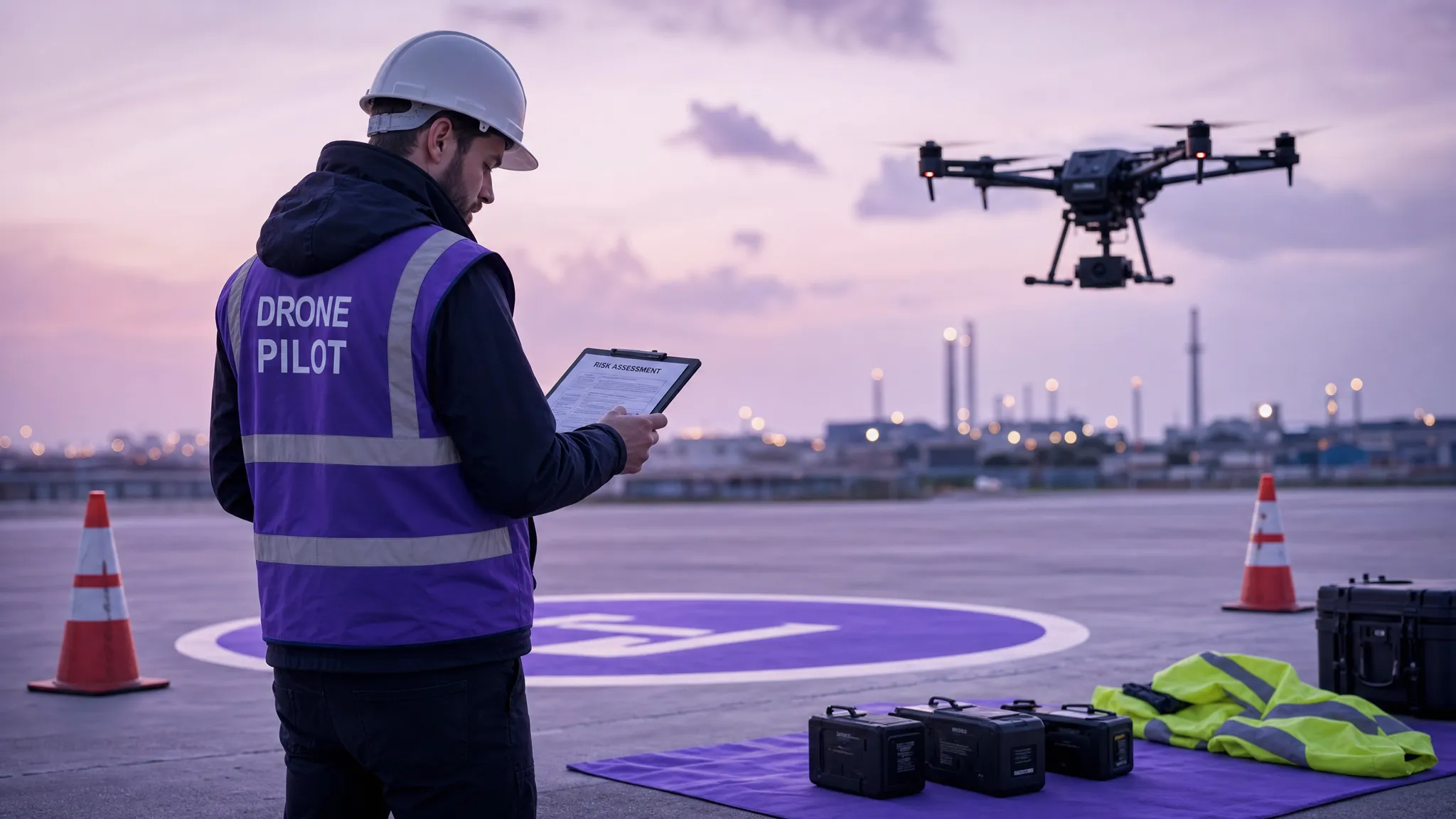
Why commercial drone risk assessments need to be site-specific
In the UK, drone rules are based on the risk of the operation rather than whether a flight is commercial or recreational. The UK Civil Aviation Authority groups operations into categories such as Open, Specific and Certified, with more complex or higher-risk operations requiring more formal permissions and controls. The CAA’s CAP 722 guidance is a key reference for unmanned aircraft system operations in UK airspace.
That means a commercial operator cannot rely on a generic statement such as “pilot will maintain VLOS” or “public will be kept clear”. Those controls may be valid, but only if they match the actual site, aircraft, crew, weather, airspace and task.
A good risk assessment should answer three practical questions:
- What could realistically go wrong on this job?
- Who or what could be harmed if it does?
- What controls make the residual risk acceptable before flight?
For survey companies, that might mean controlling risk around roads, railways, construction sites or uninvolved people. For utility companies, it may include power infrastructure, electromagnetic interference, difficult terrain and access constraints. For emergency services, the risk picture can change quickly as people, vehicles, aircraft and weather move around the incident scene.
Before you use the template
Use the template below alongside your own operations manual, client requirements, insurance conditions and applicable CAA permissions. If you operate in the Specific Category, your risk assessment process should align with the conditions of your Operational Authorisation and any associated procedures.
You should also make sure the person completing the assessment is competent to do so. A risk assessment completed by someone who does not understand the aircraft, flight profile, airspace or emergency procedures is unlikely to be reliable.
Suggested 5 x 5 risk scoring matrix
Many operators use a simple likelihood multiplied by severity model. If your organisation already has a scoring system, use that instead. The matrix below is an example only.
| Score | Likelihood | Severity | Example interpretation |
|---|---|---|---|
| 1 | Rare | Insignificant | Unlikely event with no injury or negligible damage |
| 2 | Unlikely | Minor | Possible minor injury, minor disruption or low-value damage |
| 3 | Possible | Moderate | Credible event with injury, reportable incident or significant damage |
| 4 | Likely | Major | Serious injury, major property damage or major airspace conflict |
| 5 | Almost certain | Catastrophic | Fatality, aircraft collision or severe public safety impact |
| Risk score | Rating | Typical action |
|---|---|---|
| 1-4 | Low | Proceed if controls are in place and conditions match the plan |
| 5-9 | Medium | Proceed only with named controls and pilot in command approval |
| 10-15 | High | Add further controls, amend the plan or escalate for approval |
| 16-25 | Unacceptable | Do not fly unless the task is redesigned and risk is reduced |
The key is not the exact numbers. The key is that initial risk, control measures and residual risk are all recorded clearly enough for another competent person to understand the decision.
Drone risk assessment template for commercial operations
Copy the following structure into your job pack, operations manual appendix, RAMS document or digital operations platform.
1. Operation details
| Field | What to record |
|---|---|
| Job reference | Internal job number, client reference or incident number |
| Client or requesting organisation | Name, contact details and site representative |
| Date and time window | Planned date, arrival time, flight window and contingency window |
| Site address and coordinates | Full address, grid reference or latitude and longitude |
| Operating category | Open, Specific or other applicable category |
| Authorisation or permission reference | Operational Authorisation, landowner permission, FRZ approval or other relevant approvals |
| Aircraft and payload | Drone model, serial number, payload, sensors and any special equipment |
| Pilot in command | Name, competency and contact details |
| Supporting crew | Observers, payload operators, spotters, safety marshals or incident commanders |
| Purpose of flight | Survey, inspection, mapping, media, search, incident support or other task |
| Planned flight profile | Maximum height, operating area, VLOS or other operating mode, take-off and landing areas |
2. Regulatory, airspace and location checks
| Check | Record the result |
|---|---|
| Airspace classification | Controlled airspace, uncontrolled airspace, danger areas or restricted areas |
| Flight restriction zones | Nearby aerodromes, heliports, FRZs and approval status |
| NOTAMs and temporary restrictions | Relevant NOTAMs, temporary danger areas or emergency restrictions |
| Nearby aviation activity | Helicopter routes, gliding sites, parachute sites, low-flying activity or emergency aircraft |
| Ground permissions | Landowner or site manager permission, access limits and site induction requirements |
| Local bylaws or site rules | Parks, heritage sites, ports, rail property, utilities or private estates |
| Data protection and privacy | Expected capture of people, vehicles, homes or sensitive assets |
| Client-specific constraints | Working hours, exclusion zones, permit-to-work rules or security requirements |
The CAA’s Drone and Model Aircraft Code is a useful reference for core responsibilities, especially when considering separation, registration and safe flying behaviours. For imagery and personal data, the Information Commissioner’s Office has guidance for the public on drones and privacy, which is useful context for operators planning work in sensitive locations.
3. Site layout and operating area
Create or attach a site plan showing the intended operating area. This can be a marked-up map, aerial image, client site drawing or incident map.
Record the following:
- Primary take-off and landing area
- Alternate landing area
- Pilot position and observer positions
- Public access points, roads, paths and car parks
- Buildings, trees, masts, cranes, wires and other obstacles
- Exclusion zones and controlled access points
- Emergency landing options
- Direction of planned flight lines or inspection route
If the site layout changes on arrival, update the assessment before take-off. A template is only useful if the pilot treats it as a live operational document rather than paperwork completed in advance and forgotten.
4. People, roles and communication
| Role or item | Details to record |
|---|---|
| Pilot in command | Responsible for final go/no-go decision and safe conduct of the flight |
| Visual observer | Position, responsibilities and communication method |
| Payload operator | Sensor or camera responsibilities, if separate from the pilot |
| Site contact | Person controlling access, inductions or local site rules |
| Emergency contact | Site emergency number, local emergency services details or incident command contact |
| Communication method | Radios, mobile phones, hand signals or agreed verbal commands |
| Crew briefing completed | Names of people briefed, time of briefing and key hazards covered |
| Fatigue and fitness check | Confirmation that crew are fit, rested and not impaired |
For commercial work, crew coordination is often where risk assessments fail in practice. Everyone may understand the drone, but not everyone understands who can stop the job, who controls the public, who talks to the client and who watches for aircraft.
Make stop-work authority explicit. If an observer, marshal or site representative sees an unsafe condition, the pilot in command should know how that warning will be communicated and what action will follow.
5. Environmental conditions
| Factor | Minimum information to record |
|---|---|
| Wind | Forecast and on-site wind, including gusts and manufacturer limits |
| Visibility | Forecast and actual visibility, including haze, fog, smoke or darkness |
| Precipitation | Rain, snow, sleet or moisture risk, including aircraft weather tolerance |
| Temperature | Battery performance, crew welfare and equipment limits |
| Sun position and glare | Impact on VLOS, camera task and pilot visibility |
| Terrain | Slopes, water, mud, vegetation, cliffs, unstable ground or restricted access |
| GNSS and compass environment | Metal structures, power infrastructure, bridges, cranes or known interference sources |
| Wildlife | Birds, livestock, protected habitats or seasonal sensitivities |
Do not use weather as a formality. Record the forecast used, the time checked and the on-site observation. If the weather is close to limits, define the trigger for standing down before you launch.
6. Aircraft, equipment and maintenance
| Item | Check |
|---|---|
| Aircraft serviceability | No visible damage, defects or unresolved maintenance issues |
| Propellers and motors | Secure, undamaged and appropriate for the aircraft |
| Batteries | Charged, healthy, correctly stored and sufficient for the task plus contingency |
| Controller and display | Charged, connected and functioning correctly |
| Firmware and geofencing | Suitable for the operation and checked before arrival where possible |
| Payload | Secure, calibrated and configured for the task |
| Failsafe settings | Return-to-home height, lost link action and home point checked |
| Fire safety | Battery fire plan and suitable equipment available where required |
A strong template should connect the aircraft check to the risk assessment. For example, a low battery warning is not just an equipment issue. It can become a controlled landing risk if the operating area has poor emergency landing options or public access nearby.
Hazard register template
Use this table to capture the main hazards for each operation. Keep the wording specific. “People” is too vague. “Uninvolved people using public footpath along the western boundary” is useful.
| Hazard ID | Hazard | Who or what is at risk | Initial risk | Control measures | Residual risk | Decision and owner |
|---|---|---|---|---|---|---|
| H01 | Uninvolved people entering operating area | Public, crew, aircraft | L x S = score | Establish exclusion zone, brief observer, use cones/signage, pause flight if breached | L x S = score | Proceed, PIC owns control |
| H02 | Low-flying helicopter activity nearby | Manned aircraft, drone, public | L x S = score | Check airspace data, maintain VLOS, observer monitors, land immediately if conflict suspected | L x S = score | Proceed, observer monitors |
| H03 | Strong gusts near structures | Aircraft, property, public | L x S = score | Check site wind, increase separation, avoid lee of structures, set wind limit trigger | L x S = score | Proceed only below limit |
| H04 | Power lines within survey area | Aircraft, infrastructure, service users | L x S = score | Mark lines on site map, maintain separation, use observer, amend flight path | L x S = score | Proceed with amended route |
| H05 | Loss of GNSS or compass error | Aircraft, property, task quality | L x S = score | Check interference sources, confirm manual control competence, define abort action | L x S = score | Proceed if stable |
Common commercial drone hazards and control prompts
The table below is not a completed risk assessment. It is a prompt list to help you think through credible hazards before and during the job.
| Hazard area | Typical examples | Possible controls to consider |
|---|---|---|
| Uninvolved people | Footpaths, car parks, residents, site visitors | Exclusion zone, observer, signage, site contact, pause flight if people enter area |
| Roads and railways | Traffic distraction, overflight, emergency landing limits | Increase separation, avoid overflight, coordinate with asset owner, plan alternate landing site |
| Airspace conflict | FRZ, heliports, emergency aircraft, low-level routes | Check airspace, obtain permissions, use observer, monitor for aircraft, land when uncertain |
| Obstacles | Trees, wires, cranes, masts, bridges, buildings | Site walk, map obstacles, set minimum separation, use spotter, adjust flight path |
| Weather | Gusts, rain, fog, poor visibility, turbulence around structures | Define limits, check forecast and actuals, delay flight, reduce altitude or stand down |
| Technical failure | Battery issue, propeller damage, lost link, sensor fault | Pre-flight checks, maintenance records, safe RTH settings, emergency landing plan |
| Human factors | Fatigue, time pressure, poor briefing, unclear roles | Crew briefing, stop-work authority, defined roles, realistic schedule |
| Privacy and security | Capturing homes, people, vehicles or sensitive infrastructure | Camera angles, data minimisation, client briefing, secure data handling |
| Emergency response | Crash, injury, fire, flyaway or incident escalation | Emergency contacts, first aid, fire procedure, incident reporting process |
Method statement section
For many commercial clients, the risk assessment is part of a wider RAMS pack. Include a concise method statement that explains how the work will be carried out.
A practical method statement should cover the sequence of work: arrival, site induction, site walk, crew briefing, equipment setup, pre-flight checks, flight execution, data capture, landing, post-flight checks and departure.
It should also explain how the task will be paused or stopped. For example, state that the pilot in command will land or hold the aircraft if uninvolved people enter the exclusion zone, if crew lose visual contact, if another aircraft is observed nearby, if weather moves outside limits or if the client changes the task in a way that affects the agreed plan.
Dynamic risk assessment on site
A pre-planned risk assessment is only the starting point. Commercial drone operations often change once the crew arrives. A gate may be locked, the client may ask for an extra angle, a crane may have moved or a public right of way may be busier than expected.
Add a short dynamic risk assessment section to every template.
| Question | On-site answer |
|---|---|
| Are site conditions the same as planned? | Yes, no or details of change |
| Are airspace and weather checks still valid? | Time checked and result |
| Are take-off, landing and emergency areas clear? | Confirmed or revised location |
| Are uninvolved people controlled as planned? | Controls in place or flight delayed |
| Have new obstacles or hazards been identified? | Details and updated controls |
| Has the client changed the task? | Confirm whether new task is within scope |
| Final go/no-go decision | Go, no-go or go with amendments |
The dynamic section should be completed as close to flight time as practical. For emergency services or urgent infrastructure work, this section is especially important because the operating environment can change minute by minute.
Approval, sign-off and record keeping
Finish the template with a clear sign-off. At minimum, record the name of the pilot in command, the date and time of approval, the version of the risk assessment and whether the operation proceeded.
For auditability, retain the completed assessment with associated records such as airspace checks, permissions, site maps, crew briefing notes, flight logs, maintenance status and incident reports if applicable.
A commercial operator should be able to answer these questions after the event:
- What information was available before the decision to fly?
- What hazards were identified and controlled?
- Who approved the flight?
- What changed on site?
- What actually happened during and after the flight?
If you cannot reconstruct those answers, your risk assessment process is probably too fragmented.
How to complete the template in practice
- Start with the task, not the aircraft: Define what the client needs and how the drone will achieve it. The same aircraft can present very different risks depending on whether it is flying a roof inspection, a corridor survey or an emergency scene overview.
- Check the operating category and permissions early: Do not leave airspace, FRZ, landowner or site approvals until the day of flight. If permission is not confirmed, the residual risk and the commercial schedule may both be affected.
- Build the first hazard register from desktop planning: Use maps, airspace data, site drawings, previous job notes and client information to identify obvious hazards before travelling.
- Validate the assessment during the site walk: The site walk should confirm, challenge or update your assumptions. If something material changes, update the assessment before flying.
- Brief the crew using the risk assessment: Do not brief from memory. Use the completed assessment to confirm roles, limits, stop-work triggers and emergency actions.
- Close the loop after the flight: Record what happened, note any issues and update future templates if a new hazard or better control was identified.
Managing drone risk assessments digitally
Paper forms and spreadsheets can work for small teams, but they become harder to control as operations grow. Different pilots may use different versions, aircraft records may sit elsewhere and job information can become separated from the risk assessment that supported the flight.
Dronedesk brings core drone operations management features into one web platform, including client management, fleet management, team management, airspace intelligence, proximity intelligence, flight planning, flight logging, data reporting, configurable checklists and risk assessments.
For operators managing repeatable commercial work, that means risk assessments can sit alongside the wider operational context rather than being treated as a detached document. The result is a more consistent workflow for planning, checking, flying and recording commercial drone operations.
Frequently Asked Questions
Is a drone risk assessment required for every commercial flight? A written risk assessment is strongly recommended for commercial drone work and may be required by your procedures, client, insurer or Operational Authorisation. Even where a formal document is not explicitly required for a low-risk Open Category task, you still need to assess whether the flight can be conducted safely and legally.
Can I use the same drone risk assessment template for every job? You can use the same template structure, but the content should be site-specific. Hazards, controls, permissions, weather, people, aircraft and emergency arrangements can change significantly between jobs.
What is the difference between a risk assessment and a method statement? A risk assessment identifies hazards, evaluates risk and records controls. A method statement explains how the work will be carried out. Commercial clients often request both together as RAMS.
What risk score is acceptable for drone operations? There is no universal score that applies to every operator. Your acceptable threshold should match your operations manual, authorisations, client requirements and safety management process. Any high or unacceptable residual risk should trigger redesign, escalation or cancellation.
Does this template replace my Operational Authorisation? No. If you operate under an Operational Authorisation, you must follow its conditions and your accepted procedures. This template is a practical structure to support planning and record keeping, not a replacement for regulatory permissions.
Should emergency services use a different drone risk assessment template? Emergency services may need additional incident command, public safety and dynamic risk sections, but the core structure is similar. The key difference is that the assessment must support rapid updates as the incident evolves.
Make risk assessment part of the whole operation
A useful drone risk assessment template does not just produce a document. It supports better decisions, clearer briefings and stronger evidence that each flight was planned and managed responsibly.
If your team is outgrowing paper forms or disconnected spreadsheets, explore how Dronedesk supports commercial drone operations with planning, risk assessments, checklists, flight logging, fleet management and more in one platform.
 How to Review a DJI Flight Log After an Unexpected Event →
 Drone Laws Around the World: A Pre-Flight Research Framework →
 How to Compare Drone Survey Services for Complex Sites →
 How to Start a Drone Mapping Business With a Clear Workflow →
 Class C Airspace Drone Rules for Commercial Flights →
 How to Create a Drone Job Pack for Every Mission →
 FAA Small UAS Rule: Key Requirements for Operators →
 How to Build a Drone Pilot Flight Log That Is Audit Ready →
 FAA Drone Licence Requirements for Commercial Pilots →
 FAA BVLOS Waivers Granted: What Successful Cases Show →