
Your Guide to DJI Drone Registration in 2026
You've just unboxed your shiny new DJI drone, and that urge to get it in the air is almost overwhelming. I get it. But before you launch, there’s one crucial step that separates a responsible pilot from one who’s risking some pretty hefty fines: DJI drone registration. This isn’t just about paperwork; in most parts of the world, it’s your license to fly legally and safely.
Why You Can't Skip Registering Your DJI Drone
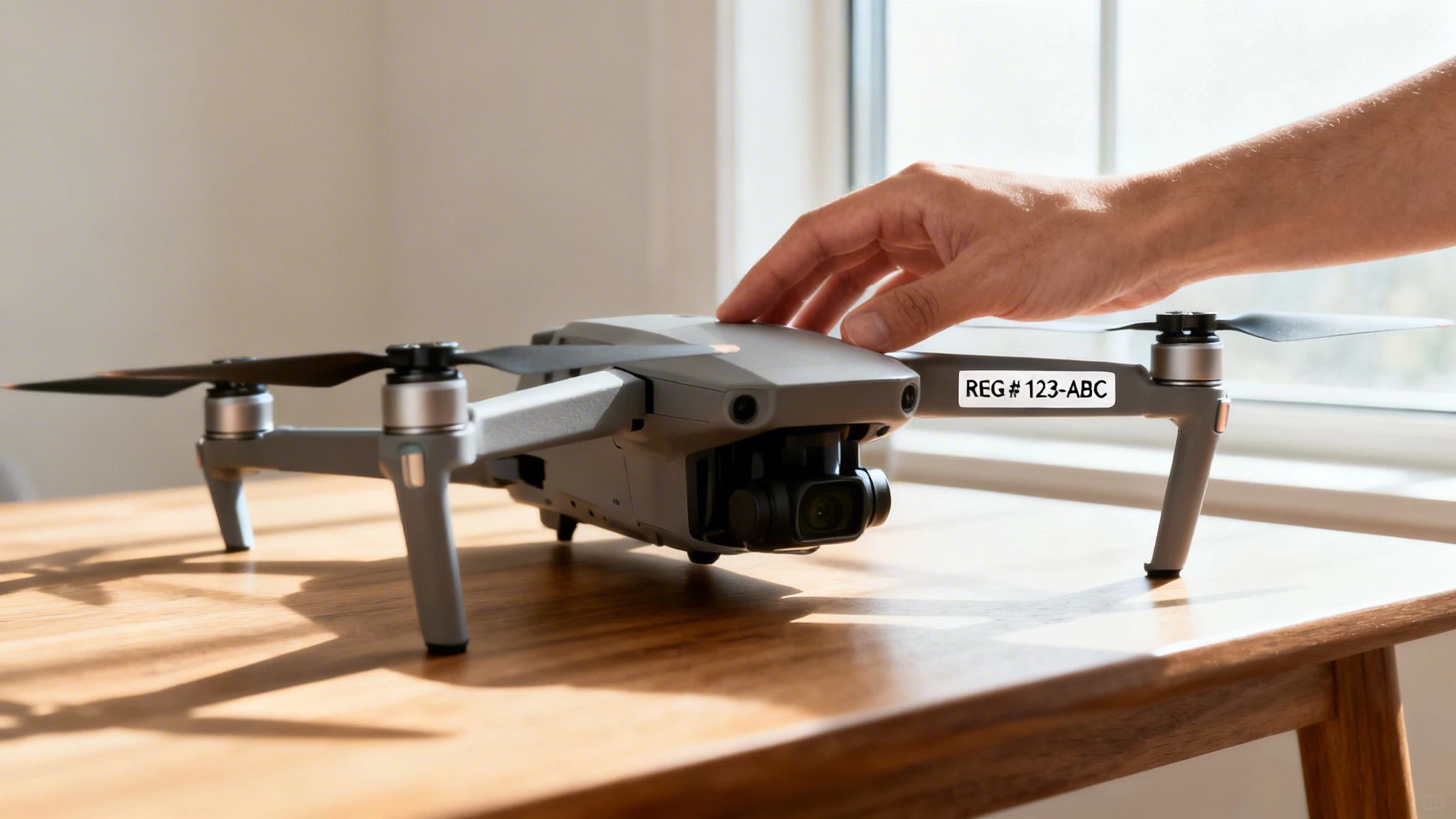
Think of registration as a license plate for your high-tech camera in the sky. It ties that powerful piece of gear back to a real person—you. This accountability is the bedrock of a safe, shared airspace, protecting people on the ground and other aircraft. Without it, authorities have no way to track down a drone involved in an incident or one flying where it shouldn't be.
And it’s much more than just a bureaucratic hoop to jump through. Registration is what unlocks key safety features. A great example is Remote ID, which acts like a digital broadcast of your drone's location and registration number. Getting this set up from day one is your single best move to avoid serious legal trouble and financial pain down the road.
Recreational Fun vs. Professional Work
How you plan to fly makes a huge difference in how you need to register. The rules for a hobbyist grabbing vacation shots are worlds apart from those for a professional doing a paid roof inspection.
-
Recreational Flying: If you’re flying just for the fun of it, you'll usually have a simpler path. In the U.S., for example, this means passing The Recreational UAS Safety Test (TRUST) and registering yourself once. You then apply that single registration number to every drone you own.
-
Commercial Operations: The moment you use your drone for any economic gain—even a small one—you're flying commercially. This requires a more involved process, like getting your Part 107 certification in the States, where each drone is registered individually.
This distinction is absolutely critical. Trying to fly commercially with a recreational registration is a surefire way to get hit with violations. We cover this topic in more detail in our guide on drone registration requirements.
To help you figure out where you stand, here’s a quick overview of the key things that influence your registration needs.
Registration Requirements At a Glance
This table breaks down the main factors that determine how you'll need to register your drone, depending on whether you're flying for fun or for work.
| Factor | Recreational / Hobby Use | Commercial / Professional Use |
|---|---|---|
| Aircraft Weight | Usually matters. Drones under 250g are often exempt in many places. | Almost always required, regardless of weight. |
| Pilot Certification | May require a basic safety test (e.g., FAA's TRUST). | Requires a formal pilot certification (e.g., FAA's Part 107). |
| Registration Type | Typically register the pilot once and apply the number to all drones. | Each individual drone must be registered separately. |
| Cost | Generally a small, one-time or recurring fee. | Fees per drone, plus costs for certification and training. |
| Usage | Strictly for personal enjoyment and recreation. No compensation. | Any flight for business, compensation, or economic benefit. |
Keep in mind that rules can change, so always double-check with your local aviation authority for the latest requirements before you take to the skies.
Registration isn't just about following rules—it's about becoming a predictable and responsible member of the aviation community. It signals to authorities and the public that you understand your obligations as a pilot.
A Sky Full of Registered Drones
If you’re thinking registration is optional, think again. The number of pilots doing the right thing is staggering. Just look at the United States, a huge market for drone operations. FAA data from late 2025 revealed a total of 855,860 registered drones.
Of that number, over 536,000 were registered for recreational use. Even more telling, commercial registrations had climbed past 316,000, highlighting just how many professionals have integrated drones into their work. These figures prove that registration is the accepted, standard practice for hundreds of thousands of pilots. Ignoring it puts you in a shrinking minority and at significant risk.
Finding Your Aviation Authority and Its Rules
Before you even start thinking about filling out online forms for your DJI drone, you have to answer one critical question: who makes the rules where you'll be flying? Drone laws are hyper-local, and what’s perfectly fine in one country can land you in a whole lot of trouble in another.
Think of it this way: a photographer flying a DJI Mavic 4 Pro for a paid job in California is under the FAA's Part 107 rules. But if a tourist flies that exact same drone for fun in Italy, they’re answering to the European Union Aviation Safety Agency (EASA). Your first job is always to figure out who governs the airspace you're about to enter.
Major Aviation Authorities to Know
While every country might have its own little quirks, most drone regulations fall under the authority of a few big players. Chances are, you’ll be dealing with one of these.
- Federal Aviation Administration (FAA) in the United States. They oversee one of the world's busiest airspaces and have completely different rulebooks for recreational and commercial pilots.
- European Union Aviation Safety Agency (EASA) across the European Union. EASA brought in a unified set of rules for member states, which makes flying across most of Europe much simpler, though you still need to watch out for local restrictions.
- Civil Aviation Authority (CAA) in the United Kingdom. After Brexit, the UK went its own way with drone rules. They often look similar to EASA's but have crucial differences, especially around drone classifications and when you need to register.
- Transport Canada (TC) in Canada. They keep things fairly straightforward with two main categories for basic and advanced drone operations.
Finding the right authority is usually as simple as searching for "[Country Name] drone laws" online. Just make sure you're heading to the official government source—never rely solely on forums or old blog posts for legal advice.
Your drone's weight and what you plan to do with it are the two biggest factors that decide which specific rules apply. A sub-250g drone flown for fun is in a totally different league from a 2kg drone used for a commercial survey.
Decoding the Rules for Your Specific Drone
Once you’ve found your authority, the next step is to drill down into the exact rules for your DJI model. Drone regulations are almost always tiered based on the drone's weight and the risk involved in flying it.
For example, under EASA and UK rules, drones are put into classes (C0, C1, C2, etc.). A DJI Mini 4 Pro is a C0 class drone, which means it has the fewest restrictions. But, and this is important, anyone operating a C0 drone with a camera must still register for an Operator ID.
On the other hand, a heavier drone like the DJI Mavic 3 Pro is a C2 class drone. This class requires the pilot to get a specific certificate (like the A2 CofC in the UK) if they want to fly it near people.
Let’s walk through a real-world scenario. Say you're heading to the UK with your DJI Air 3S, which is a C1-class drone.
- Identify the Authority: That would be the Civil Aviation Authority (CAA).
- Check Registration Rules: The CAA demands an Operator ID for any drone that has a camera. Since your Air 3S has one, you’ll need to register online and stick your unique Operator ID on the drone.
- Check Pilot Competency: For flying in the A1 subcategory (over uninvolved people, but not crowds), you just need to have read the user manual. But if you want more freedom, you'll probably need to get a Flyer ID by passing a simple online test.
Going through this process makes sure you're not just registered, but you also know exactly what you can and can't do with your specific drone.
Quick Links to Official Registration Portals
To save you some searching, here are the direct links to the registration portals for the main aviation authorities. You'll want to bookmark the one that applies to you.
| Authority | Region | Official Registration Portal |
|---|---|---|
| FAA | United States | FAA DroneZone |
| EASA | European Union | Handled by each member state (e.g., Germany's LBA) |
| CAA | United Kingdom | CAA Registration System |
| TC | Canada | Transport Canada Drone Management Portal |
And remember, registering in one country doesn't give you a free pass to fly everywhere else. If you're a US pilot with an FAA registration and you're planning a trip to Europe, you'll need to register with an EASA member state's authority for that trip. Your FAA registration is only good within the United States.
How to Complete Your Drone Registration Online
Right, let's get to the main event: getting your DJI drone officially registered. This is the step that turns your new toy into a legal aircraft, and thankfully, it’s almost all done online. The whole thing is pretty straightforward once you know what’s coming.
We’ll walk through the process using the FAA's DroneZone portal as our guide, since many other countries have built similar systems.
Before you even open a browser tab, do yourself a favor and get your paperwork in order. A little prep turns this into a five-minute job. It's like getting your ingredients ready before you start cooking—everything just flows better.
Here’s what you’ll want to have on hand:
- Your full legal name and current mailing address.
- A valid email you can access for verification.
- The make and model of your drone (e.g., DJI Mavic 4 Pro).
- Your drone's unique serial number. You can usually find this in the battery compartment or on the original box.
- A credit or debit card for the registration fee.
Navigating the Online Portal
Once you're on the official site, like the FAA's DroneZone, your first move is to create an account. Think of this as your personal command center for all things drone-related, from this initial registration to future renewals.
After you’re logged in, you’ll face the most critical choice of the whole process: selecting your registration type. You'll need to decide between recreational (often called Section 44809) or commercial (Part 107) registration.
Be honest with yourself here. If there is any chance you'll make money from your flights—even selling a single photo or posting footage on a monetized YouTube channel—you have to register under the commercial Part 107 rules. Getting this wrong can completely invalidate your registration.
Understanding the Process with a Visual Guide
The path to getting your drone fully compliant isn't complicated. It starts with where you are, which tells you who's in charge, and finally, what rules you need to follow.
This diagram breaks down the basic flow of drone regulation perfectly.
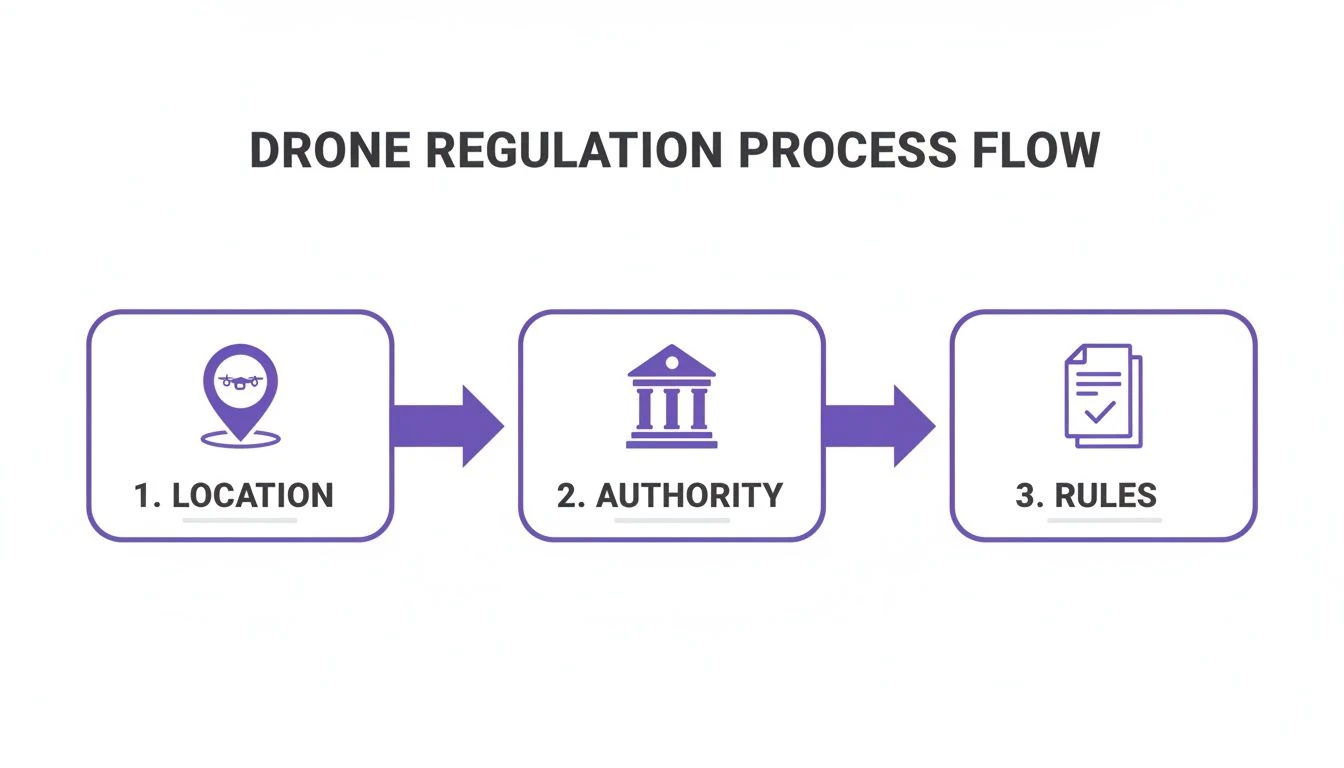
As you can see, it all starts with your location. That determines the aviation authority you answer to, and they set the specific rules for every flight you make.
Paying the Fee and Getting Your Number
After you’ve selected your registration type and plugged in your drone's details, you'll hit the payment page. For an FAA registration, the fee is just $5 per drone and it's good for three years. A tiny price for total peace of mind.
The best part? You get your official registration number instantly after payment. For commercial Part 107 pilots, this number is unique to that specific drone. For recreational flyers, you'll be given a single number that you must put on every drone you own and fly.
The huge number of DJI drones out there makes this process essential. FAA data from 2025 showed that DJI drones made up over 96% of all aircraft spotted by their monitoring systems. With models like the Mini 4 Pro and Air 3 flying off the shelves and 72.8% of LAANC authorizations being for Part 107 commercial flights, it’s clear that pros are overwhelmingly choosing and registering DJI. You can dig into more of these stats in the FAA's research on DJI's presence in U.S. airspace.
Labeling Your Drone for Compliance
Getting your number is a great feeling, but you're not done just yet. You are legally required to display this number on the outside of your drone where it can be easily seen and read during an inspection.
There are a few solid ways to get this done:
- Use a label maker: This is the go-to method for most pilots. It's clean, professional, and holds up well against the elements.
- Engrave it: For maximum durability, some pilots engrave the number directly onto a non-critical metal or plastic part of the drone's frame.
- Write with a permanent marker: This works in a pinch and is technically compliant, but it’s the least durable option and will likely wear off over time.
For professional operators juggling a fleet of aircraft, keeping track of registration numbers and renewal dates is a job in itself. This is where a platform like Dronedesk becomes a lifesaver. It gives you a central dashboard to log every drone, its registration details, and maintenance history, making sure your entire operation stays compliant without the administrative headache. Once you've completed these steps, your DJI drone is officially registered, properly marked, and 100% legal to fly.
Syncing Your Registration with DJI FlySafe
Getting your official government registration is a massive milestone, but it’s only half the battle. To really fly without restriction, especially in sensitive airspace, you’ve got to get your credentials synced up with DJI’s own geofencing system, FlySafe. It’s a crucial step that connects your legal flight permissions to your drone’s brain, giving you the keys to operate where others simply can’t.
Here’s a good way to think about it: your government registration is like having a driver's license. The DJI FlySafe unlock, on the other hand, is the specific key you need to get your car out of a secured parking garage. You need both to actually get anywhere. This system is what keeps unauthorized drones out of high-risk locations, ensuring only pilots with the proper approvals can take to the skies.
What Are DJI GEO Zones?
DJI's FlySafe system carves up the airspace into several different zones, all designed to improve safety. You'll see these colour-coded areas on your flight map, and understanding what they mean is fundamental to planning your missions.
- Restricted Zones (Red): These are no-fly zones, pure and simple. We’re talking major airports, prisons, or other critical national infrastructure. Getting an unlock for these areas involves exceptional circumstances and direct, coordinated approval from DJI.
- Authorization Zones (Grey): Think of smaller regional airports here. These areas require you to have official permission to fly, but you don't need a bespoke unlock directly from DJI. You can often self-authorize in the DJI Fly app if you have a verified account and the right paperwork.
- Enhanced Warning Zones (Yellow): You’ll just get a heads-up in the app when you fly into one of these zones. Your flight won’t be blocked, but you’ll have to accept a prompt.
- Altitude Zones (Blue): These zones come with height restrictions, which you often see layered around airport approach and departure paths.
To really get your head around what these maps look like in practice, have a look at our guide on reading drone restrictions maps. It’ll help you visualize the airspace before you even get on-site.
The Unlocking Process Demystified
Let's walk through a real-world scenario. You're a certified surveyor, and you've got a client job near a regional airport. The location falls smack in the middle of a grey Authorization Zone. You’ve done your homework and already secured a LAANC authorization from the FAA for the specific time and place.
But here's the catch—when you power up your DJI drone on-site, the app will still ground you. This is exactly where syncing your permissions with DJI becomes non-negotiable. You have to submit that official LAANC approval to DJI's portal to "unlock" the airspace for your specific drone's serial number.
The DJI FlySafe portal is basically mission control for gaining access to these managed airspaces.
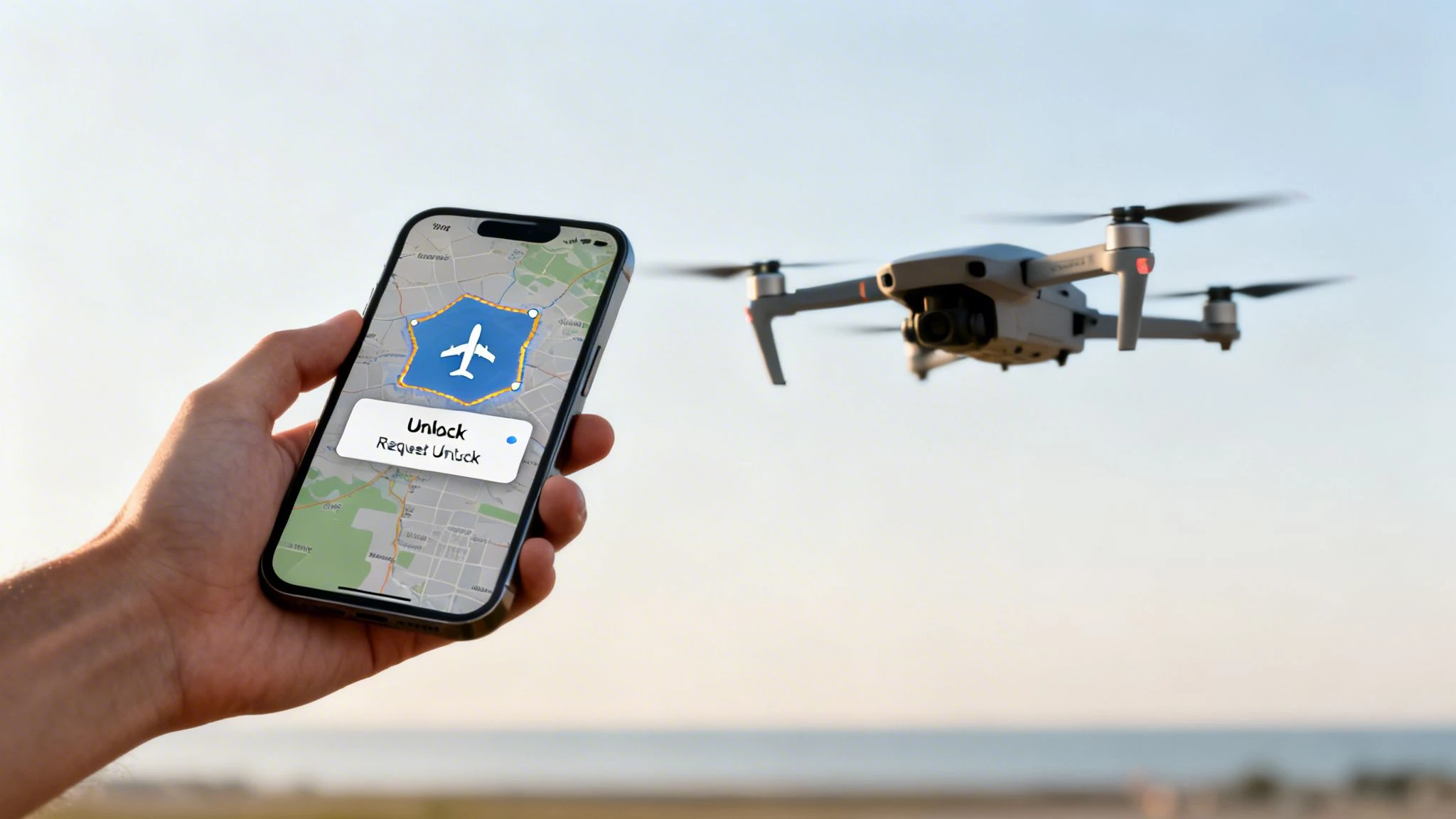
This is where you'll be uploading your government-issued flight permits to prove you have the right to fly there.
You’ll generally run into two types of unlocking:
- Self-Unlocking: For blue "Altitude Zones," you can often get the unlock live in the field right from the DJI Fly app. This just requires you to have a verified DJI account, which usually means linking a credit card or phone number.
- Custom Unlocking: For the more sensitive grey "Authorization Zones," you’ll need to plan ahead and apply through the FlySafe website. Here, you'll upload your official documents (like that FAA LAANC approval), specify the serial numbers for the drone and flight controller, and set the date and time for the unlock.
Pro Tip: I always tell people to apply for custom unlocks at least a day or two before the mission. DJI is usually pretty quick, but trying to get a last-minute approval just adds unnecessary stress to a job. Once it's approved, the unlock license is sent to your controller and kicks in automatically when you enter the zone.
This whole process also handles the activation of your Remote ID—the "digital license plate" for your drone that’s now required in many countries. Your government registration number gets electronically tied to your drone, which lets authorities identify it while it's in the air. By going through the DJI unlock process, you’re ensuring all these systems—government registration, DJI geofencing, and Remote ID—are all playing nicely together, making your commercial flights both seamless and fully compliant.
Managing Compliance for Your Commercial Drone Fleet
So, you've registered your first DJI drone. That was easy enough. But what happens when your business grows and you’re suddenly juggling five, ten, or even a hundred aircraft? This is where the real work starts.
Trying to track individual registrations, pilot qualifications, and flight logs for an entire fleet using spreadsheets is a recipe for an administrative nightmare. It’s not just tedious; it’s a huge risk to your business.
This is precisely where dedicated drone operations software stops being a "nice-to-have" and becomes your most valuable asset. A good platform centralises all that critical data, giving you a single dashboard for everything from registration renewal alerts to maintenance schedules and pilot assignments.
Imagine having a system that automatically confirms every drone is registered and insured before it even leaves the hangar. That’s the kind of operational backbone that lets professional drone companies scale up without chaos.
Moving Past Manual Logs to Automated Compliance
Let's be honest, the days of manually typing up flight logs are well and truly over. The sheer volume of data a commercial fleet generates makes manual entry a slow, painful process that's just begging for expensive mistakes.
A game-changer for any serious business is a system that integrates directly with DJI’s flight logs.
This kind of automation pulls everything—flight duration, location, pilot, aircraft used—straight into your central system. It completely eliminates hours of data entry and ensures your records are always accurate and ready for an audit at a moment's notice. For more on this, check out our in-depth guide to a complete UAS fleet management system.
A solid compliance system isn't just about staying legal; it’s about building trust with clients. When you can instantly pull up detailed reports on flight history, maintenance, and pilot certs, you’re showing a level of professionalism that most of your competition can't match.
Scaling Your Operations in Any Industry
This need for airtight compliance tracking is exploding across almost every sector. For commercial pilots, understanding the complex regulatory side is vital, especially when using advanced tools like drones in engineering for site assessments. In these jobs, every single flight has to be logged and every asset tracked with pinpoint accuracy.
Just look at the global agriculture sector for a massive example of this scaling. While standard U.S. registration stats show DJI's dominance in the consumer market, the agricultural world is on another level. By the end of 2024, an estimated 400,000 DJI agricultural spray drones were in use worldwide—that's a staggering 90% increase from 2020.
For big operations in the Americas and Southeast Asia, this creates a monumental compliance challenge. This is where platforms like Dronedesk become indispensable, providing the framework to manage huge, multinational fleets by pulling in DJI data for precision farming operations. Every DJI drone registration has to be tracked according to local laws, and a centralised system is the only sane way to manage it all.
The Power of a Centralised Dashboard
When it comes down to it, effective fleet management is all about having one single source of truth. A comprehensive platform gives you far more than just a digital logbook; it delivers a complete operational picture.
Think about what a good system should handle for you:
- Asset Tracking: Know exactly where every drone, battery, and controller is. You can track maintenance cycles and automatically ground any equipment that’s due for service.
- Pilot Management: Keep digital files for every pilot’s qualifications, training records, and flight hours. Assign pilots to jobs based on their specific certifications and availability.
- Project Planning: Plan entire missions from start to finish. This includes pre-flight risk assessments, airspace checks, and getting client approvals all in one place.
- Automated Reporting: Generate reports for financials, flight time, and asset usage in just a few clicks. This saves countless admin hours and gives you priceless business insights.
By connecting everything—from the initial DJI drone registration to the final project report—drone operations software gives you the structure you need to grow your business safely and profitably. It turns compliance from a headache into a smooth, proactive process.
Common Questions About DJI Drone Registration
Even after you've dotted the i's and crossed the t's on your registration, a few tricky questions always seem to pop up. Getting these details right is the difference between flying with confidence and worrying about compliance. Let's clear up some of the most common questions pilots ask.
Do I Have to Register a DJI Drone Under 250 Grams?
This is probably the biggest point of confusion, and the answer hinges on two things: your location and how you plan to fly.
In the United States, if you're flying a sub-250g drone like the DJI Mini 4 Pro purely for fun, you do not have to register it with the FAA. But—and this is a big but—the second you use that same drone for any kind of commercial work, it must be registered under Part 107 rules. Even selling a single photo counts.
The rules look quite different elsewhere.
- In the European Union (under EASA rules), if your sub-250g drone has a camera, you, the operator, are required to register.
- The same goes for the United Kingdom (under CAA rules). An Operator ID is mandatory for any drone equipped with a camera, no matter its weight.
In the EU and UK, you'll get an Operator ID that you have to put on every drone you own. The "under 250g" rule is definitely not a universal get-out-of-jail-free card, so always check the specific laws for where you'll be flying.
What Happens If I Fly an Unregistered DJI Drone?
Flying an unregistered drone where it's required is playing with fire. Aviation authorities like the FAA don't mess around, and the penalties can be incredibly steep.
For recreational pilots in the U.S., civil penalties can hit $27,500. Commercial operators face even stiffer fines. While less common, criminal penalties could mean fines up to $250,000 and even jail time.
Beyond the eye-watering fines, you'll run into practical problems. Your DJI drone might refuse to take off in certain geofenced areas, which often stay locked until you can prove you have a valid registration.
Worse still, if you have an accident while flying an unregistered drone, your insurance will almost certainly be void. That leaves you on the hook for potentially massive liability claims. When registration only costs a few dollars, the risk of flying unregistered just isn't worth it.
How Do I Renew or Transfer My Drone Registration?
Your drone registration isn't a "one and done" deal; it has an expiry date and needs looking after to stay valid.
In the United States, for instance, both recreational and Part 107 registrations from the FAA last for three years. You don't have to set a calendar reminder, though—the FAA will send you email alerts when your expiration date is approaching.
Renewing is straightforward. You just log back into the FAA DroneZone portal, find the drone or registration you want to renew, double-check that your details are correct, and pay the renewal fee.
Selling Your Registered Drone
If you sell your drone, you can't just pass the registration on to the new owner. Your registration number is tied to you, not the aircraft.
Here's the right way to handle it: log into your DroneZone account and formally cancel the registration for that specific drone's serial number. This is a crucial step that removes your liability for anything that happens with that drone from that point forward.
It's then entirely up to the new owner to start from square one and register the drone under their own name. This ensures a clean, legal transfer that protects both you and the buyer.
What If I Travel Internationally with My Drone?
Your home country's registration is not a global passport for your drone. An FAA registration is only good in the U.S., just as a CAA registration is only valid in the UK.
If you're heading abroad, you absolutely must research and follow the drone laws of your destination. For example, a pilot from the U.S. traveling to France has to register as an operator with the French aviation authority (or another EASA member state) to fly legally.
If you don't, you're flying illegally, simple as that—even if you're fully registered back home. Always do your homework and get any required international registrations sorted before you travel to avoid having your expensive gear grounded.
Juggling all these details for a single drone is one thing, but for a whole fleet, it can become a real headache. Dronedesk is built to solve this, giving you one place to manage your aircraft, track compliance, and get automatic renewal alerts. Find out how Dronedesk can take the pain out of compliance and keep your operations audit-ready by visiting https://dronedesk.io.
 How to Evaluate a Free Drone Logbook Before Using It →
 FAA Part 107 Test: How to Master Airspace Questions →
 Drone Risk Assessment Controls That Work in the Field →
 FAA Drone License Costs Beyond the Knowledge Test →
 Drone Part 107 Operations: When a Waiver May Be Needed →
 Drone Operating Rules for Managing Contractors and Employees →
 BVLOS Drone Requirements for Building a Safety Case →
 Drone Pilot Test Mistakes That Cost Candidates Marks →
 FAA 107 License vs Part 107 Certificate: What’s the Difference? →
 Drone Airport Rules: A Field Checklist for Site Assessments →