
Serial Number Phantom 4: Phantom 4 Serial Number: Locate &
You usually need the Phantom 4 serial number when time is already tight. A client asks for aircraft details before a site visit. An insurer wants proof of the exact airframe involved in an incident. A regulator asks you to confirm which aircraft was used on a job. That’s when a small label inside the aircraft stops being admin and starts being operational data.
For professional operators, serial number phantom 4 isn’t just a search query. It’s the identifier that ties one aircraft to its service history, registration record, pilot allocation, and job documentation. If that link is weak, the rest of your records are weak too.
Why Your Phantom 4 Serial Number is a Critical Asset
A Phantom 4 serial number matters for the same reason a vehicle VIN matters. It’s the core identifier that connects the physical machine to everything around it. If you work across multiple aircraft, batteries, pilots, and clients, that identifier becomes the anchor for your entire audit trail.
If you want a useful parallel outside drones, AutoProv’s explanation of what is a VIN shows the same principle in another asset-heavy industry. The code itself is simple. The value comes from everything it lets you prove.
For a Phantom 4 fleet, that means the serial number supports:
- Aircraft identity: Which exact airframe flew the mission.
- Service continuity: Which machine had a repair, inspection, or recurring issue.
- Compliance records: Which aircraft was registered and linked to operational paperwork.
- Insurance clarity: Which physical drone is named in incident or policy documents.
The Phantom 4 line uses the serial number as the practical bridge between the aircraft and the paperwork around it. That’s why disciplined operators don’t treat it as something to look up only when support asks for it.
What goes wrong when you treat it like a label
The usual failures are boring, but expensive. Teams copy the number from the box instead of the aircraft. Someone enters a character wrong. A passed-down drone enters service with no clean intake record. Months later, no one is fully sure which aircraft had the motor issue or which one was assigned to a specific survey.
Practical rule: If the serial number isn’t captured, verified, and tied to the aircraft profile on day one, you’ll end up reconstructing that history later under pressure.
That’s why asset intake matters. A simple process like the one described in drone asset tracking best practices is usually enough to prevent the worst recordkeeping errors.
Where professionals get real value from it
The strongest use of the serial number isn’t lookup. It’s linkage.
When an operator logs an aircraft properly, the serial number becomes the point that connects maintenance notes, registration details, operational restrictions, pilot assignments, and client-facing reporting. That creates something much more useful than a hardware list. It creates defensible records.
In day-to-day operations, that’s what keeps a basic admin task from turning into a scramble.
Your Phantom 4 Serial Number Blueprint
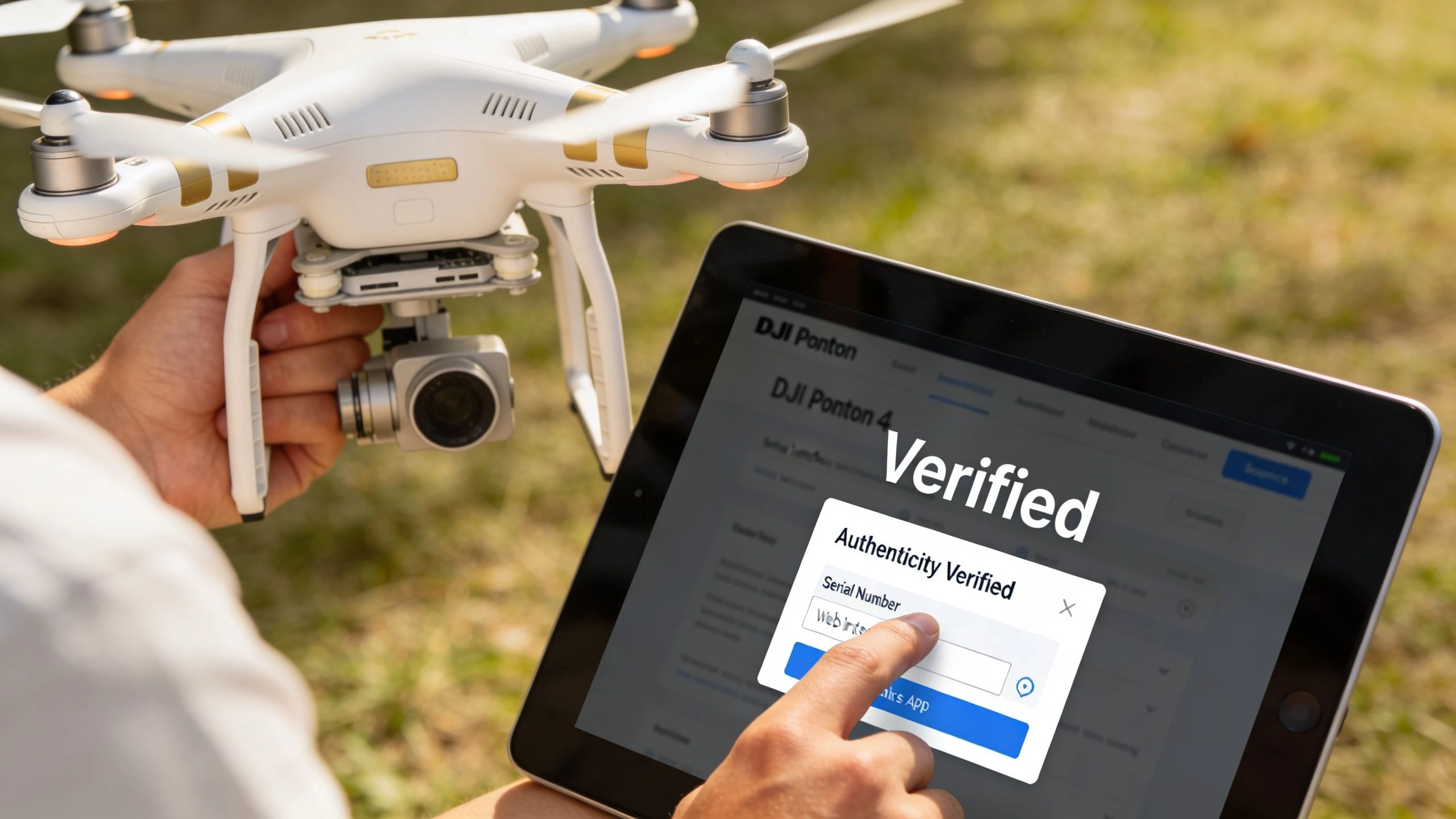
The DJI Phantom 4 series uses a standardized 14-digit serial number located in the battery compartment of the aircraft, according to DJI’s own serial number documentation for Phantom 4 products, which also notes how this consistency supports fleet tracking across operations through systems that rely on a stable aircraft identifier (DJI serial number documentation).
That physical location is the source of truth. Everything else is secondary.
Check the aircraft first
Remove the battery and inspect the battery compartment. On Phantom 4 aircraft, that’s the location you should trust first when you’re identifying the airframe itself.
This is the number to record during intake, audits, maintenance events, and pre-purchase checks. It’s the one that should match your fleet record for that aircraft.
Use this process:
- Power down the aircraft before handling it.
- Remove the battery and inspect the compartment carefully.
- Photograph the serial number in good light.
- Transcribe it immediately into your asset record.
- Have a second person verify it if the aircraft is entering a commercial fleet.
A clear photo matters more than people think. It gives you a durable record if the label becomes worn, if you need to submit support evidence, or if a team member later questions the aircraft identity.
Use the box for intake support, not final verification
The original packaging can help during procurement and receiving. If several aircraft arrive at once, the box label is useful for matching purchase paperwork before opening each unit.
But don’t stop there.
Boxes get mixed up. Aircraft get returned to the wrong case. Fleet reshuffles happen. For operations management, the box is a convenience reference, not the definitive identity check.
If the box and the aircraft don’t match, trust the aircraft and investigate the discrepancy before assigning it to a job.
Check the remote controller separately
Operators often assume the controller label will solve all identification questions. It won’t. The controller has its own identifier, and that’s useful, but it isn’t a substitute for the aircraft serial number.
That matters when equipment is paired differently over time. In real fleets, controllers move between airframes. If your records tie mission evidence to the wrong hardware because someone logged the controller instead of the aircraft, your audit trail gets messy fast.
Here's a simple explanation:
| Item | Best use |
|---|---|
| Aircraft serial number | Primary aircraft identity |
| Box label | Receiving and procurement cross-check |
| Controller identifier | Controller asset tracking |
| App-based serial view | Digital verification |
Use the app when you need digital confirmation
If you’re in the field, a digital confirmation path helps. It’s especially useful when the aircraft is already deployed, when you’re validating equipment before a mission, or when you want to compare physical and digital records.
For Phantom 4 operations, the practical workflow is to capture the physical serial number at intake, then keep a digital confirmation method available for later checks. That gives you both a hardware-side and a software-side reference.
Capture records once, use them many times
Good teams don’t keep “finding” serial numbers. They capture them properly once and reuse the record everywhere it matters.
At minimum, store:
- A clear photo of the aircraft serial number
- The typed serial number
- A note of where and when it was captured
- Any linked purchase or service documents
- The assigned aircraft name or internal fleet ID
That turns a lookup task into a controlled asset record.
Using the Serial Number for Verification and Service
Most serial number problems show up when money is already involved. You’re buying a used Phantom 4. You’re filing a support request. You’re trying to prove the aircraft in front of you is the same one in your records. In all three cases, a single-source check is weak.
That’s why physical inspection alone isn’t enough.
DJI support documentation states that checking the flight controller serial number through the DJI app adds another verification layer beyond the physical serial number, and that combining physical and app-based serial checks supports pre-flight asset verification, warranty claims, and compliance auditing (DJI app serial number guidance).
Why a second check matters
A label can be damaged, replaced, or copied incorrectly into your records. The app-based flight controller serial number gives you another reference point from the aircraft system itself.
That’s particularly useful when:
- Buying used equipment: You want more than a sticker check.
- Handling service requests: Support may ask for precise device identity.
- Running fleet QA: You want confirmation that the scheduled aircraft is the one in hand.
Combine the physical aircraft S/N with the app-based flight controller S/N before you approve a used aircraft for operational service.
That won’t answer every question, but it closes off a lot of avoidable mistakes.
A practical check before buying or deploying
If I were assessing a second-hand Phantom 4 for commercial use, I’d want four things before it ever enters the fleet:
- The aircraft serial number photographed inside the battery compartment.
- The app-based flight controller serial number viewed from the aircraft system.
- Visible consistency between the aircraft’s condition, labels, and seller description.
- Purchase records or prior ownership details when available.
If any of those are missing, the burden shifts back to the seller. That’s not paranoia. It’s basic asset control.
Service and warranty records depend on clean identity
Support cases get harder when teams can’t produce consistent identifiers. If the airframe serial number in your log doesn’t match what the technician sees, or if your support request only includes one identifier when the device has several relevant ones, you create friction for yourself.
A better workflow is simple:
- Pull the aircraft serial number from the aircraft.
- Pull the flight controller serial number from the app.
- Attach both to the service note or support request.
- Save screenshots and photos with the maintenance record.
That creates a stronger service trail and reduces ambiguity later, especially if the aircraft changes hands internally between pilots or departments.
Decoding the Serial Number for Advanced Fleet Management
Finding the number is easy. Interpreting it is where things get messy.
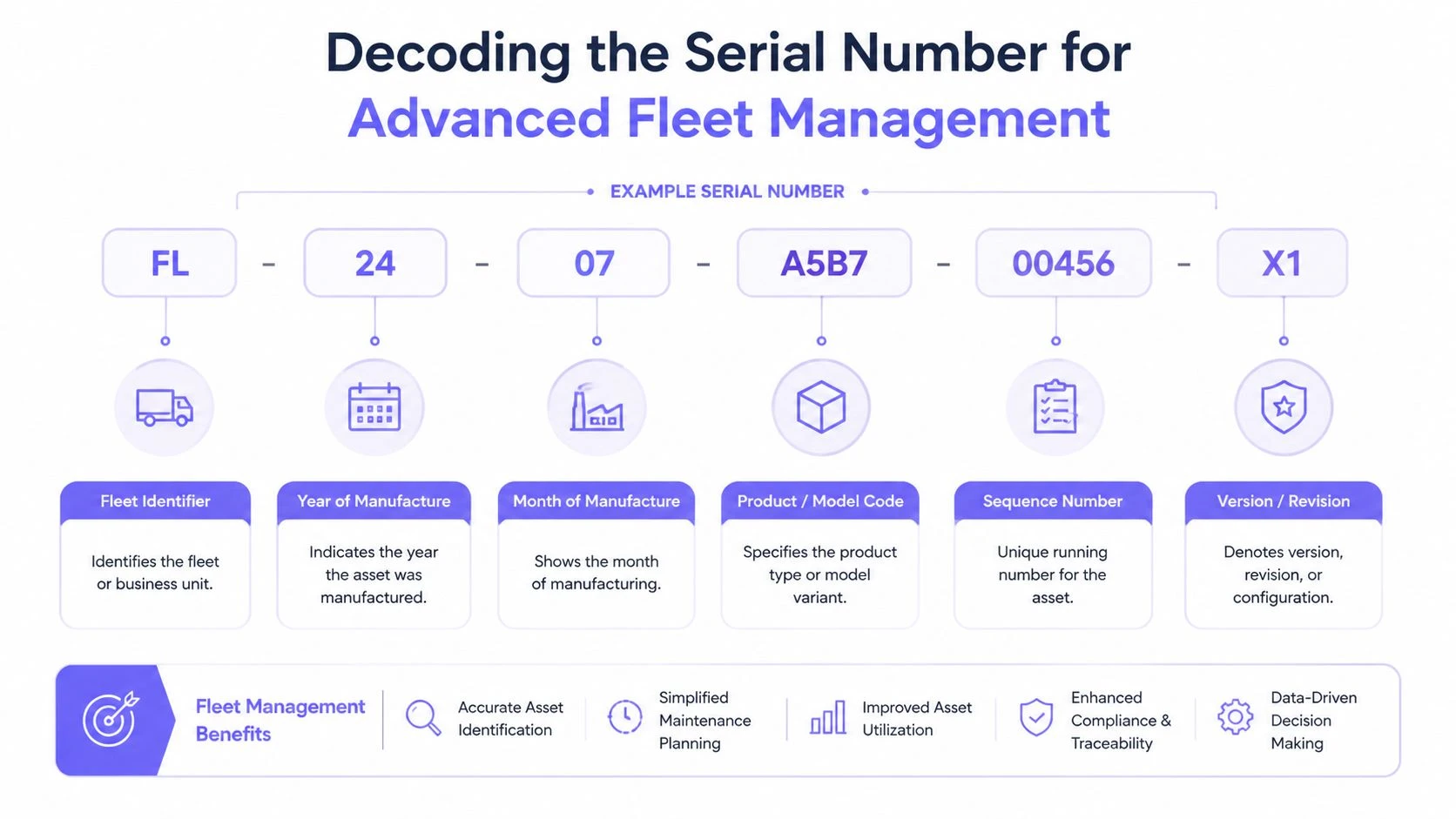
The Phantom 4 family uses a standardized structure, and known Phantom 4 series prefixes include values such as 04, 07, 08, 0A, 0B, 0D, 0H, 0U, 0V, 0Y, 0Z, 11, 18, 1U, and 37 in the official and regulatory material provided in the verified dataset. That gives fleet managers a useful first pass when they’re sorting mixed inventories.
But prefix reading has limits.
Prefixes help, but they don’t settle the model question
Community research summarized in the verified material shows that Phantom 4 prefixes can overlap across variants, including cases where the same prefix may appear across a standard P4, an Advanced variant, and a Pro+ variant. That means prefix matching can support inventory work, but it doesn’t always give definitive model identification on its own (Phantom 4 prefix overlap discussion).
That’s the trap many teams fall into. They assume the first characters will cleanly separate every sub-variant in the fleet. Sometimes they will. Sometimes they won’t.
What the serial number can and can’t tell you
Use the serial number for what it’s good at, and don’t force it into jobs it can’t do reliably.
| Use case | Reliable from serial alone | Needs cross-check |
|---|---|---|
| Confirming the aircraft is Phantom 4 series | Yes | No |
| Linking the physical aircraft to records | Yes | No |
| Identifying exact sub-variant every time | No | Yes |
| Ordering variant-specific parts | Not safely | Yes |
| Sorting mixed fleet groups | Often | Sometimes |
This matters most when a fleet includes legacy aircraft acquired at different times, through resellers, or through internal transfers. Decals disappear. Packaging goes missing. Staff assume they know the variant because the camera or controller “looks right.” That’s where errors creep in.
Field note: If a model distinction affects parts, compliance, or mission suitability, don’t approve the aircraft based on serial prefix alone.
What works better for definitive identification
When prefixes overlap, the answer is operational discipline, not guesswork.
Use a layered identification method:
- Cross-check purchase records. Original invoices, procurement records, and handover notes often settle variant questions faster than visual inspection.
- Inspect physical model markings. Useful, but only if they’re intact and trustworthy.
- Use DJI service-side validation when needed. For disputed aircraft identity, that’s often the cleanest path.
- Store your own internal fleet classification. Once verified, lock it into your asset record so the team doesn’t repeat the same uncertainty later.
A fleet dataset becomes much more useful when each aircraft profile includes not only the serial number, but also a verified model classification and notes on how that classification was confirmed. The structure shown in Dronedesk’s discussion of a fleet management dataset is a good example of the kind of discipline that prevents recurring identification errors.
Use decoding as triage, not final authority
Serial decoding is best used as a triage tool. It helps you sort, flag, and investigate. It does not replace confirmed model records.
That distinction saves time. Its greater value lies in preventing bad decisions about parts compatibility, aircraft assignment, and regulatory paperwork.
Navigating Drone Regulations and Compliance in 2026
An audit goes sideways fast when the aircraft record, registration record, and Remote ID record point to three different identifiers. That happens with Phantom 4 fleets more often than it should, usually because teams pull a number from DJI GO 4 and assume it covers every compliance field.
For regulators, the serial number is the aircraft’s primary identity record. It ties the airframe to registration, operating approvals, insurance records, and incident documentation. For professional operators, that makes the Phantom 4 serial number more than a label on the shell. It is the reference point that keeps the legal record aligned with the physical aircraft.
Registration is not the same thing as Remote ID
Legacy Phantom 4 fleets create a specific problem. The Flight Controller Serial Number shown in DJI GO 4 for a Phantom 4 is not a compliant Remote ID serial number.
That distinction matters in daily operations. Teams often copy the first identifier they can find in the app into a registration or Remote ID field, then discover the records do not match the aircraft’s actual compliance setup. With older Phantom 4 aircraft, the airframe serial, controller identifiers, and any aftermarket Remote ID module details may all need to be tracked separately.
For original Phantom 4 models, the aircraft serial number still carries real weight. It supports registration, asset traceability, warranty and service discussions, and internal fleet control. It does not automatically satisfy Remote ID requirements.
The compliance mistake that creates avoidable risk
The failure pattern is usually simple:
- An operator reads a serial in DJI GO 4
- They enter it into the wrong compliance field
- Registration records and Remote ID records no longer match
- The mismatch surfaces during renewal, an audit, or a field check
That is an administrative error, but it has operational consequences. It slows approvals, creates doubt about the aircraft’s status, and wastes time when the team should be flying or maintaining equipment.
If your Phantom 4 uses an aftermarket Remote ID solution, keep the aircraft serial number and the Remote ID module identifier as separate controlled records.
A practical compliance workflow for Phantom 4 fleets
The cleanest process is the one your team can repeat under pressure.
Record the aircraft serial number from the airframe itself. Confirm which identifier your regulator expects for aircraft registration and which one applies to Remote ID. If the aircraft uses an external module, log that module’s identifier in its own field, not in the aircraft serial field. Then train pilots and operations staff to stop copying app-visible identifiers without checking what the field requires.
This is also where a structured operations platform helps. A system with dedicated fields for aircraft identity, attached equipment, documentation, and approval status reduces the chance of mixing records. Dronedesk’s drone compliance management features are a good example of how to keep those identifiers separate and audit-ready.
By 2026, the Phantom 4 is still serviceable in many commercial environments, but legacy aircraft demand cleaner administration than they did a few years ago. Operators who maintain a clear split between airframe identity and Remote ID identity avoid preventable compliance failures and keep service, registration, and fleet records usable.
Streamlining Operations by Logging Serial Numbers in Dronedesk
Most serial number failures don’t start with regulation. They start with spreadsheets.
One person stores the aircraft serial in a procurement sheet. Another keeps maintenance notes in a shared folder. Pilot allocations live somewhere else. By the time you need a clean record for an audit or service issue, the same aircraft exists under three names and two partial identifiers.
That’s why the serial number should sit at the center of your asset record, not on the edge of it.
The Phantom 4’s standardized 14-digit serial number is recognized by authorities including CASA, and that standardization is what enables operational platforms to use the serial number as the main link between the physical aircraft and records such as pilot qualifications, insurance, and flight authorizations (CASA serial number guidance for registration and identification).

What a usable aircraft record should contain
If you’re logging a Phantom 4 into an operations platform, don’t stop at the serial field. Build a record that can support the actual questions your team gets asked later.
At minimum, log:
- Aircraft serial number: Captured from the aircraft and verified against your intake photo.
- Internal fleet name or asset code: The label your team uses in scheduling and field comms.
- Model classification: Your confirmed variant record, not a guess based on prefix alone.
- Purchase and service documents: Stored where operations staff can retrieve them without chasing email trails.
- Pilot assignment controls: So the aircraft is linked to who flew it and on which job.
- Maintenance status: Enough to tell whether the airframe is deployable.
A proper ops platform demonstrates its value. With tools such as Dronedesk compliance features, the serial number can be used as the fixed identifier that ties aircraft records to compliance and operational workflows instead of leaving them scattered across separate admin systems.
A practical intake workflow that holds up later
For a Phantom 4 entering service, I’d keep the process tight:
- Capture the serial number from the battery compartment
- Photograph it
- Create the aircraft asset profile
- Add the verified model and internal asset name
- Attach purchase or transfer records
- Assign the aircraft to the right pilot pool or team
- Log any service history already known
That gives you a record that’s useful on day one and still useful months later when someone asks a harder question.
Why this reduces friction across the business
A serial number becomes far more valuable when it’s not trapped in a note field.
With a structured record, operations staff can answer practical questions quickly:
| Question | What the serial-linked record helps confirm |
|---|---|
| Which aircraft flew this mission | The exact airframe tied to the flight log |
| Is this the aircraft insured for this work | The identity linked to policy records |
| Which unit had the recurring issue | Service history against the same aircraft |
| Can this aircraft be assigned today | Maintenance and status visibility |
| Which pilot used it last | Allocation and operational traceability |
That’s the main gain. Not speed for its own sake, but fewer identity errors moving between planning, field work, support, and compliance.
What doesn’t work
A few practices almost always break down:
- Using box labels as primary identity
- Letting pilots enter serials manually from memory
- Treating controller IDs as aircraft IDs
- Keeping maintenance records separate from asset records
- Relying on serial prefix assumptions for exact variant naming
Each one seems manageable until the fleet grows, a team member leaves, or a regulator asks for evidence.
The serial number only becomes operationally useful when everyone in the team uses the same identifier in the same system for the same aircraft.
That’s the difference between having data and having control.
If you want to turn Phantom 4 serial numbers into usable operational records instead of scattered admin notes, Dronedesk gives you a structured place to log aircraft identity alongside maintenance, compliance, pilot, and flight planning data. For professional teams, that’s the practical step that makes a serial number useful after the intake photo is taken.
 How to Evaluate a Free Drone Logbook Before Using It →
 FAA Part 107 Test: How to Master Airspace Questions →
 Drone Risk Assessment Controls That Work in the Field →
 FAA Drone License Costs Beyond the Knowledge Test →
 Drone Part 107 Operations: When a Waiver May Be Needed →
 Drone Operating Rules for Managing Contractors and Employees →
 BVLOS Drone Requirements for Building a Safety Case →
 Drone Pilot Test Mistakes That Cost Candidates Marks →
 FAA 107 License vs Part 107 Certificate: What’s the Difference? →
 Drone Airport Rules: A Field Checklist for Site Assessments →