
Your Complete Guide to DJI Active Track
Imagine trying to perfectly follow a moving subject with your drone, manually juggling both flight controls and camera adjustments. It’s tough. You need a dedicated camera operator for that, right? Not anymore. That’s the problem DJI Active Track solves—it’s like having a professional, virtual camera operator built right into your drone.
This intelligent flight mode uses some seriously clever AI and computer vision to lock onto a subject—be it a person, car, or boat—and follow it automatically. The result is a dynamic, hands-free shot that once required a two-person crew.
What Is DJI Active Track and How Does It Work?
At its core, DJI Active Track is an automated flight system that keeps the drone’s camera trained on a target you select. But it’s not just blindly following a GPS signal. It’s a sophisticated process that involves seeing, thinking, and predicting.
When you draw a box around a subject on your screen, the drone's software instantly gets to work. It analyses the pixels that make up your target, learning its unique shape, colour, and texture to distinguish it from the background.
The Brains Behind the Flight
Here’s where it gets really impressive. The drone isn't just looking at a flat image; it's building a live, 3D map of the world around it. Using data pouring in from its multiple vision sensors, the drone understands its own position in relation to the ground, nearby trees, buildings, and of course, your subject.
The system is constantly running calculations to predict where the subject will go next. If you're tracking a cyclist, for example, it uses their current speed and direction to anticipate their path. This predictive power allows the drone to translate a firehose of visual data into smooth, deliberate flight commands, adjusting its own movements to keep the shot perfectly framed.
This is a massive upgrade from older "Follow Me" modes, which typically just followed the GPS signal of your controller. Active Track's vision-based system is far more precise and versatile, allowing it to track subjects that aren't carrying a controller at all.
The entire workflow can be boiled down to three key steps: mapping the environment, identifying the subject, and predicting its motion.
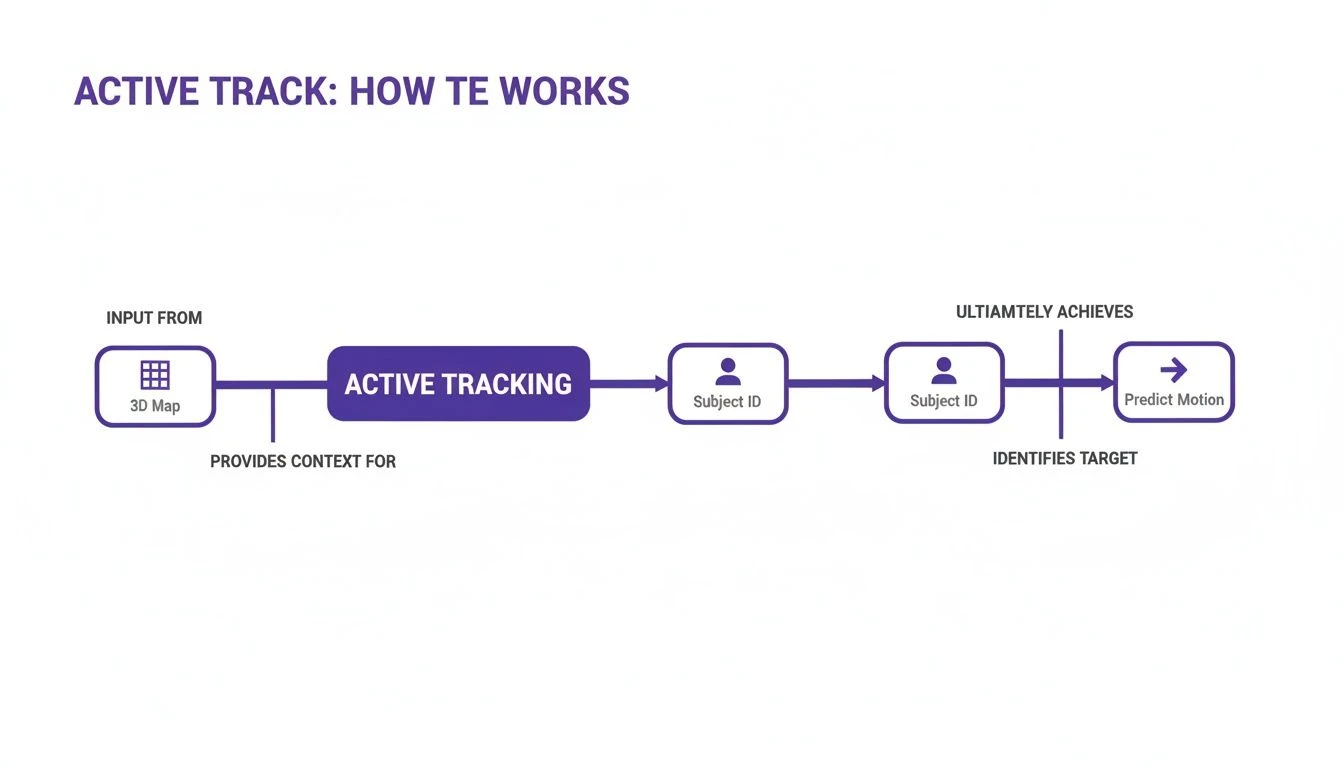
This process—from sensing the environment to locking on and predicting movement—happens in a split second. It’s a testament to the incredible on-board processing power of modern drones.
A Major Leap in Drone Autonomy
Before Active Track, getting smooth tracking shots meant flying manually, a skill that takes hundreds of hours to master and often results in shaky footage for less experienced pilots. The feature’s debut with the Phantom 4 in March 2016 was a game-changer.
For the first time, pilots could simply tap a subject on their screen, and the drone would lock on and follow it flawlessly at speeds up to 22 mph, even navigating around obstacles on its own. It truly marked a new era of drone autonomy.
Key Takeaway: DJI Active Track isn’t just a simple “follow” command. It’s an intelligent system that builds a 3D model of its surroundings, isolates a target within that model, and predicts its movements to execute professional-grade tracking shots automatically. To get started, you might find our guide on how to connect your drone to your phone helpful for a seamless setup.
Exploring the Different Active Track Modes
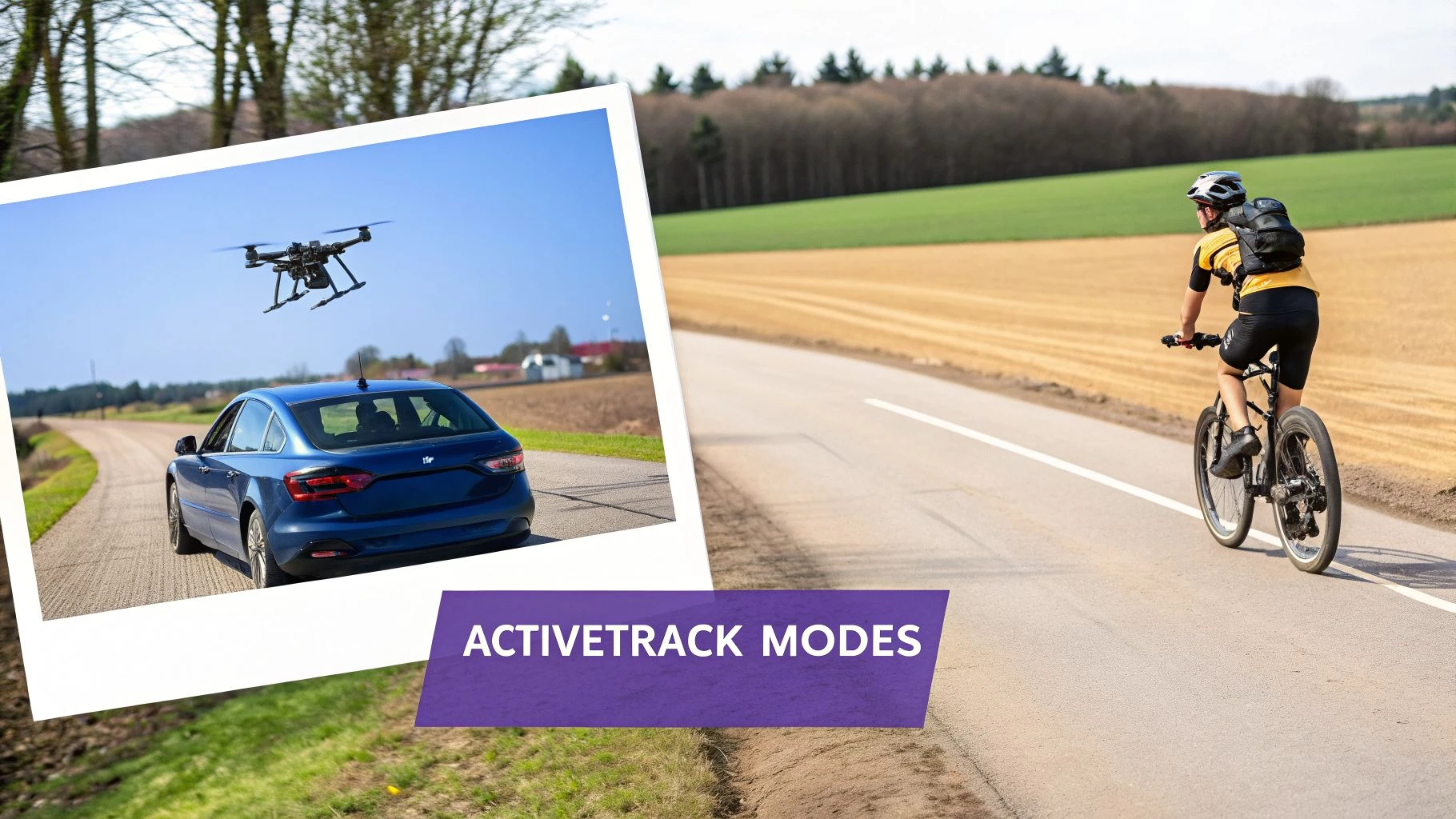
DJI's Active Track isn't just one feature; it’s really a whole suite of intelligent flight modes. Think of them as having different virtual camera operators on your team, each with a unique specialty for capturing cinematic shots. Getting the hang of which mode to use and when is what separates basic "follow-me" footage from truly dynamic, professional-looking video.
The three main modes you'll be working with are Trace, Profile, and Spotlight. Each one gives you a different kind of shot, and choosing the right one all comes down to what you're trying to create. Let's dig into what makes each one tick.
Comparing DJI Active Track Modes
To get a quick overview, here's a simple breakdown of the main Active Track modes. This should help you decide which one to tap for the shot you have in mind.
| Mode | Tracking Behavior | Best For |
|---|---|---|
| Trace | Follows the subject from directly behind or in front at a set distance. | Creating classic "chase cam" shots or leading a subject to reveal their path. |
| Profile | Flies parallel to the subject, tracking it from the side. | Dynamic side-on shots that emphasize speed and create a parallax effect. |
| Spotlight | Locks the camera on the subject while giving you full manual flight control. | Complex, creative shots like orbits, fly-bys, and reveals around obstacles. |
Now that you have the cheat sheet, let's explore how these modes work in the real world.
Trace: Following From Behind or In Front
Trace is your go-to for classic follow shots. It's straightforward: the drone locks onto your subject and follows it from either directly behind or in front, holding whatever distance you set.
Imagine you're filming a car winding its way up a mountain pass. With Trace mode, the drone will faithfully tail it, giving you that perfect, dramatic chase sequence. It's just as effective for tracking a runner down a forest trail or a boat carving through the water. This mode is all about creating a sense of forward momentum and taking the viewer on a journey.
Profile: Tracking From the Side
Now, if you want a more dynamic and cinematic perspective, you'll want to switch over to Profile mode. Instead of just following from behind, the drone flies parallel to your subject, keeping it in frame from the side.
This is the secret to creating a beautiful parallax effect, where the background seems to rush past faster than your subject. It adds a fantastic sense of depth and speed. Picture tracking a cyclist along a coastal road; Profile mode keeps them perfectly framed while the scenery blurs by, giving the shot a professional, high-energy feel. If you're looking for the right gear for these kinds of shots, our guide on the best drones for cinematography can point you in the right direction.
Spotlight: Unlocking Creative Freedom
This is where things get really fun. Spotlight mode is your creative co-pilot. In this mode, the drone's brain handles keeping the camera perfectly aimed at your subject, freeing you up to fly the drone wherever you want. The camera work is automated, so you can focus entirely on the flight path.
Key Insight: Spotlight separates camera control from flight control. This allows you to perform complex maneuvers like graceful orbits, dramatic reveals from behind an object, or intricate fly-by shots, all while knowing your subject will remain perfectly centered in the frame.
For solo pilots, this is a game-changer. It makes incredibly sophisticated shots possible without a second operator. You can fly a smooth, sweeping circle around a building or a person, or weave the drone through obstacles for a dramatic reveal—all without ever needing to touch the gimbal controls. The drone handles the hard part, so you can be the artist.
These core modes have only gotten better over time, evolving into suites like FocusTrack. Later versions, like ActiveTrack 5.0, brought huge improvements, including better algorithms for re-finding a subject if it ducks behind a tree. This, combined with more advanced obstacle avoidance, makes the entire tracking experience smoother, safer, and far more reliable.
Which DJI Drones Support ActiveTrack?
One of the first things you learn when shopping for a DJI drone is that not all models get the same features. When it comes to intelligent flight modes, DJI ActiveTrack is a perfect example. Whether a drone has it—and how well it works—comes down to the specific model, its internal hardware, and when it was released.
Simply put, DJI packs its most sophisticated tracking technology into its mid-range and premium drones. As you climb the product ladder, you get more reliable tracking that’s faster and smarter about flying around obstacles. The jump from ActiveTrack 3.0 to the latest versions is significant, much like the difference between early cruise control and modern adaptive driving assistance.
ActiveTrack Across DJI's Lineup
You can see this evolution clearly by looking at DJI's most popular drone families.
- DJI Mavic Series: This has always been the showcase for DJI's best tracking tech. The latest Mavic 3 models, with their powerful ActiveTrack 5.0, are in a different league compared to the already-impressive tracking on the older Mavic 2.
- DJI Air Series: The Air series hits that sweet spot between portability and performance. Drones like the Air 2S and Air 3 have fantastic tracking capabilities, which is why so many content creators swear by them.
- DJI Mini Series: For years, the Mini line skipped advanced tracking to stay under that crucial 250g weight limit. That all changed with the Mini 3 Pro and Mini 4 Pro, which now pack surprisingly capable versions of ActiveTrack. This was a game-changer for ultralight drones.
- DJI Phantom Series: The iconic Phantom 4 was the drone that introduced ActiveTrack to the world back in 2016. It was groundbreaking at the time, but its early tracking technology has since been far surpassed.
The feature’s importance in the real world can't be overstated. After its debut, its adoption in professional work grew rapidly. By 2020, DJI drones equipped with ActiveTrack were reportedly used in a staggering 62% of all commercial drone flights across North America and Europe. You can read more about the evolution of DJI on Dronelife.com.
Why Newer Models Perform Better
So, what makes a new drone like the Mavic 3 so much better at tracking than an older one? It's all about the hardware. With its full suite of omnidirectional obstacle sensors and a much more powerful processor, the Mavic 3 can see the world in 360 degrees.
This allows it to follow subjects more aggressively, predict their movements, and quickly find them again if they disappear behind a tree or building. This is often a key consideration for pilots looking at the best real estate drones, where smooth, autonomous shots are a must.
For any professional running a fleet of drones for video work or inspections, knowing which models have the right tracking capabilities is fundamental. It directly impacts your ability to plan safe, effective, and successful flights—a core part of managing any commercial drone operation.
Pro Tips for Flawless ActiveTrack Performance
Anyone can tap a screen to turn on DJI ActiveTrack, but getting that buttery-smooth, cinematic footage you see online? That's a different story entirely. Moving from just using the feature to truly mastering it isn't about luck; it's about knowing how to set the drone up for success before you even launch.
The secret is to think like the drone's computer vision. It relies entirely on contrast to keep a subject locked in.
Imagine you're trying to spot a friend in a massive crowd. If they're wearing a bright yellow raincoat, you'll never lose them. But if they're in a grey hoodie in a sea of grey-suited commuters, good luck. ActiveTrack sees the world the same way. A person in a colorful shirt against a green field is an easy lock. A person in camouflage gear walking through a dense forest? That's a recipe for frustration.
Mastering Your Setup Before Takeoff
The best shots begin on the ground. A few simple checks before you even hit the "Go" button can be the difference between a perfect take and a tracking failure. You're essentially giving the drone's AI the best possible chance to succeed.
- Find Good Light: Bright, even lighting is your absolute best friend. As light fades, the camera struggles to find the edges of your subject, and tracking becomes far less reliable. Shadows and visual noise are the enemies of a solid lock.
- Get a Clean Lock: Don't be in a hurry here. Take a moment to draw a tight, accurate box around your subject. Wait for the green box to feel "stuck" and confirmed before you start the tracking sequence. A sloppy selection is a common point of failure.
- Pick a Smart Starting Altitude: Flying a little higher often gives the drone a much clearer, top-down view. This simple trick helps prevent small ground objects like bushes or benches from momentarily breaking the line of sight and losing the track.
Nailing these three things gives the system a massive head start. You’re no longer just hoping it works; you're creating the ideal conditions for it.
Fine-Tuning for Smoother Footage
Once you're airborne and tracking is engaged, a few small tweaks can turn a good shot into a great one. The default settings are a starting point, not the final word for cinematic motion.
One of the most powerful adjustments you can make is to reduce the tracking speed. Dig into the DJI Fly app's settings and look for the speed control. Setting it to be slightly slower than your subject's actual movement works wonders. This small change forces the drone to play a game of "catch-up," resulting in a graceful, fluid arc instead of twitchy, reactive corrections.
Think about tracking a slow-moving boat. If you drop the speed setting, the drone will create a beautiful, gliding shot. If you leave it on a faster setting, you'll likely see it overshoot the target and then jerk back into position.
My rule of thumb is simple: make the drone's job as easy as possible. Give it a predictable target, a clear line of sight, and smooth speed settings. When you do, the AI can work its magic and deliver the flawless shots you're aiming for.
Avoiding Common Tracking Failures
Even with the perfect setup, ActiveTrack can still stumble. Knowing what makes it fail is the key to anticipating and avoiding those problems in the field. Here are the most common culprits and how to beat them.
- The Subject's Shape Changes: When a person turns from front-on to sideways, or a car makes a sharp turn, their entire visual profile changes. If the change is too abrupt, the drone can lose its lock. Try to anticipate these moments so you can be ready to retake manual control if needed.
- Sudden, Jerky Movements: If your subject suddenly accelerates or darts in an unpredictable direction, the drone's predictive algorithm can get thrown off. This is a classic issue when trying to track fast-action sports, where keeping a lock is more about raw speed than avoiding obstacles.
- The Subject and Background Blend: As we covered, contrast is everything. If your subject moves from a bright, sunny field into a deeply shadowed area, the distinction between them and the background can vanish. Plan your flight path to keep your subject in consistent lighting whenever possible.
By understanding these weak points, you can start to fly in a way that actively supports the DJI ActiveTrack system, helping you bring home incredible footage on every flight.
Using ActiveTrack in Professional Workflows
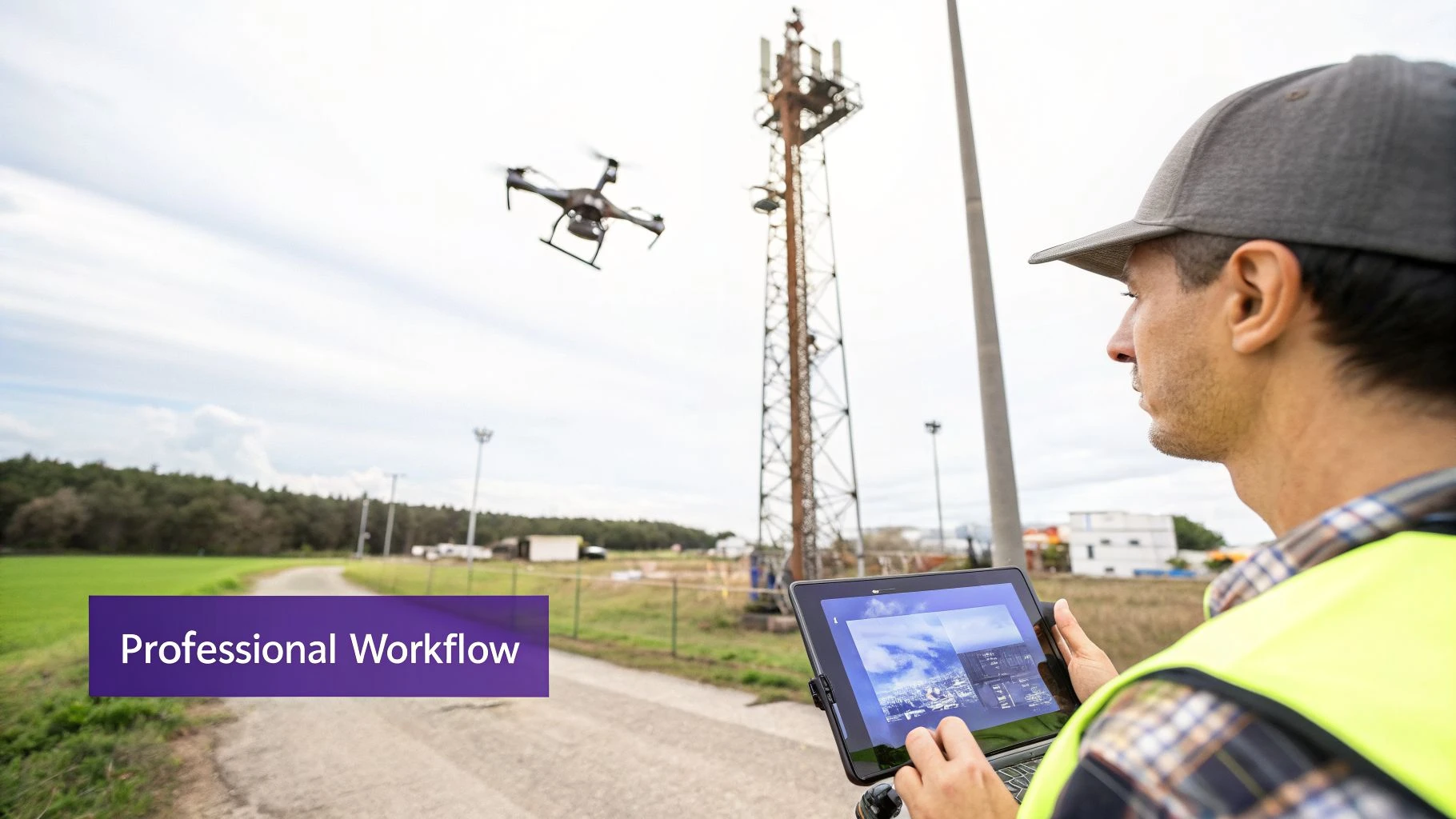
Most people hear DJI ActiveTrack and think of cyclists or runners being followed for a cool video. While it excels at that, its real power for professionals lies in a completely different area: boosting the efficiency and consistency of commercial jobs.
Think about inspecting a long power line or a complex cell tower. Flying a perfect, steady orbit by hand is incredibly difficult, even for a seasoned pilot. It takes time and intense concentration. With ActiveTrack, you can simply lock onto a point on the structure—say, an antenna or an insulator—and command the drone to execute a flawless orbit. This frees you up to do the most important job: actually inspecting the asset on your screen for damage, not wrestling with the controls.
From a Cool Feature to a Core Workflow Tool
Using a smart flight mode is great, but integrating it into a fully compliant and scalable professional operation is what separates the pros from the hobbyists. Every commercial flight, especially one using automation, demands meticulous planning, thorough risk assessments, and detailed record-keeping.
This is where a dedicated drone operations management platform like Dronedesk bridges the gap. It provides the essential structure to build a professional, accountable process around features like DJI ActiveTrack.
Before your drone's props even spin up, you can build a complete job pack that covers all your bases:
- Mission Planning: Map out your flight zones and clearly document where and why ActiveTrack will be used, like performing a 360-degree inspection of a specific asset.
- Risk Assessments: Proactively identify and mitigate the unique risks of automated flight. What happens if the drone loses its lock on the subject? How might fog or low light affect the sensors?
- Airspace Intelligence: Instantly check for airspace restrictions, nearby airports, or ground hazards that could create a conflict with your automated flight plan.
Taking these steps ensures that every automated flight is planned from the ground up with safety and compliance as the top priorities.
Key Takeaway: For a professional, ActiveTrack isn't just for getting a smooth shot. It's for capturing repeatable, consistent data. A platform like Dronedesk ensures these automated flights are planned, executed, and logged within a compliant framework, making the entire operation defensible and scalable.
Turning Flight Data into Business Intelligence
The benefits don't stop when the drone lands. After a mission, all flight data, including the automated segments, can be logged automatically. This isn't just about ticking a box; this data is vital for generating compliance reports, tracking flight hours on your equipment, and giving clients detailed proof of the work performed.
For instance, this Dronedesk dashboard gives you a single, clear view for managing all of your jobs, pilots, and drones.
This kind of organized overview allows a business to manage its entire fleet effectively. You can assign specific drones with the right ActiveTrack capabilities to the jobs that need them most. By systematically planning, executing, and logging every mission, you transform a powerful feature into a reliable, auditable, and truly professional tool.
Common Questions About DJI ActiveTrack
Once you get the hang of DJI ActiveTrack, a whole new set of questions inevitably pops up. It's an incredible feature, but it has its quirks and limitations that you only discover in the field. Let's tackle some of the most common questions I hear from pilots.
Getting these answers straight will help you know what to expect, figure out what's going wrong when a flight doesn't go to plan, and ultimately fly with more confidence.
Can DJI ActiveTrack Avoid All Obstacles?
The short, honest answer is no. While the latest DJI drones with omnidirectional sensors are amazingly good at seeing and avoiding obstacles, they aren't perfect. The system is only as good as its sensors—the cameras pointing forward, backward, up, down, and to the sides.
The real trouble comes from thin objects. Think about things like small tree branches, power lines, or guy-wires. The drone's vision system can easily miss these, leading to a collision if you're not paying close attention. Performance also takes a nosedive in less-than-ideal conditions.
- Low Light: As it gets dark, the vision sensors can't see the contrast they need to identify obstacles.
- Bad Weather: Rain, dense fog, or even heavy snow can blind the sensors, making them virtually useless.
Always remember that ActiveTrack is a pilot-assist tool, not autopilot. You are still the pilot-in-command. You must maintain a visual line of sight (VLOS) and be ready to take over manually at a moment's notice, especially in tricky environments.
What Is the Difference Between ActiveTrack and FocusTrack?
This is a common point of confusion, but the breakdown is actually pretty simple. FocusTrack is the brand name for the entire suite of intelligent tracking features on newer DJI drones like the Mavic 3 or Air 3. DJI ActiveTrack is just one of the modes inside that suite.
A good way to think about it is that FocusTrack is the main app on your phone, and ActiveTrack is one of the key functions within it. The FocusTrack suite typically includes:
- ActiveTrack (4.0/5.0): The main event—this is the mode for automatically following a subject.
- Spotlight 2.0: This keeps the camera locked onto your subject, but you fly the drone yourself. It's great for more complex, manual shots.
- Point of Interest (POI) 3.0: This lets you automatically circle a stationary target.
So, when you hear someone talk about FocusTrack, they're talking about the whole package of smart tools. ActiveTrack is just the star player for following things that move.
Why Does My Drone Keep Losing the Subject?
It's incredibly frustrating when the drone loses its lock on your subject mid-shot, but it's a common problem. It almost always comes down to one of a few key things. The number one culprit is poor contrast—the subject simply blends into the background, like a person wearing a green jacket running through a forest.
Other times, the subject's shape might change too quickly for the drone to recognise it, like a car making a sharp turn and showing its side profile instead of its rear. The subject could also get temporarily hidden behind a tree or building. And finally, if your subject is just moving too fast or erratically, the drone’s predictive algorithm simply can't keep up.
For a more reliable track, try to pick subjects that really stand out from their surroundings. Flying a bit higher can also help the drone maintain a clear, uninterrupted view.
By integrating features like DJI ActiveTrack into a structured workflow, you can elevate your entire operation. Dronedesk provides the end-to-end platform to plan missions, manage risks, and log flights, ensuring every job is safe, compliant, and professional. Discover how Dronedesk can transform your drone operations today.
 How to Evaluate a Free Drone Logbook Before Using It →
 FAA Part 107 Test: How to Master Airspace Questions →
 Drone Risk Assessment Controls That Work in the Field →
 FAA Drone License Costs Beyond the Knowledge Test →
 Drone Part 107 Operations: When a Waiver May Be Needed →
 Drone Operating Rules for Managing Contractors and Employees →
 BVLOS Drone Requirements for Building a Safety Case →
 Drone Pilot Test Mistakes That Cost Candidates Marks →
 FAA 107 License vs Part 107 Certificate: What’s the Difference? →
 Drone Airport Rules: A Field Checklist for Site Assessments →