
Advanced Drone Diagnostics with CAN Bus Data Logger
You land after a routine job and something still feels off. One aircraft pulled harder than usual in crosswind. A payload reset once, then behaved normally. Battery temps looked fine in the flight app, yet the craft sounded rough on climb-out. You review the standard flight log and get the usual broad picture. Position, altitude, warnings, battery state. Useful, but not enough.
That's where a can bus data logger changes the conversation. It doesn't just tell you that the drone had a bad moment. It shows what the aircraft's internal systems were saying to each other during that moment.
For drone professionals, that matters more than most articles admit. A lot of CAN content still talks like every reader is diagnosing a car or a factory machine. The gap is obvious in current coverage, which gives limited attention to drone-specific needs like mixed-fleet telemetry, maintenance tracking, and cross-platform aggregation for operators using systems such as DJI and Auterion, as noted in this discussion of the gap in drone-focused CAN guidance. Drone teams need a workflow view, not just a protocol lesson.
If you already rely on digital tools for fleet records, the same mindset applies to connected systems around the business. Teams that store flight, maintenance, and client data in cloud platforms should also think about affordable SaaS security testing so operational data stays protected as the stack grows.
A CAN logger also fits naturally beside a flight recorder. If you want the clean distinction, this guide on what a flight recorder is is worth reading first. The short version is simple. A flight recorder captures the official story of the mission. A CAN logger captures the aircraft's internal conversation.
Beyond Black Box Data Why Your Drone Needs a Deeper Look
Most operators first think about diagnostics after a problem costs them time. A failed inspection slot, a repeat site visit, or a grounded aircraft does more damage than the fault itself. The underlying cost is uncertainty. If you can't prove what happened, you can't prevent the next one.
A can bus data logger gives you that deeper layer. It sits on the network, listens, timestamps messages, and stores them for later review. Its role is akin to a court reporter placed inside the drone. Every important subsystem keeps talking. The logger creates a record you can examine.
What standard flight logs miss
Flight logs are good at mission-level events. They're built to answer questions like where the aircraft went, when a warning appeared, or whether a mission completed. They're not always built to expose subtle interactions between internal components.
That matters when faults are intermittent.
- Motor irregularities: You may hear a rough note in flight but see no clear alarm.
- Payload communication issues: A gimbal, sensor, or third-party module may reconnect fast enough that the pilot never sees a persistent error.
- Power anomalies: Voltage sag can appear acceptable at the app level while internal devices show unstable behavior.
- Maintenance disputes: A client, insurer, or internal safety lead may want more than a screenshot and a pilot note.
Practical rule: If the problem is sporadic, expensive, or safety-related, mission logs alone usually aren't enough.
Why drone teams benefit earlier than they think
This isn't only for OEM engineers or large R&D labs. It helps any operator who has to answer practical questions fast. Was the issue pilot technique, a wiring fault, a noisy sensor, a bad motor, or a payload interaction? A logger won't replace judgment, but it reduces guesswork.
For solo pilots, the value is credibility. For small teams, it's consistency. For enterprise fleets, it's control.
The underused part is workflow integration. Drone businesses often have aircraft from different vendors, different payloads, and different logging habits. A CAN logger can become the common diagnostic layer across that mess. That's the useful angle. Not more raw data for its own sake, but better evidence when operations get complicated.
How a CAN Bus Data Logger Actually Works
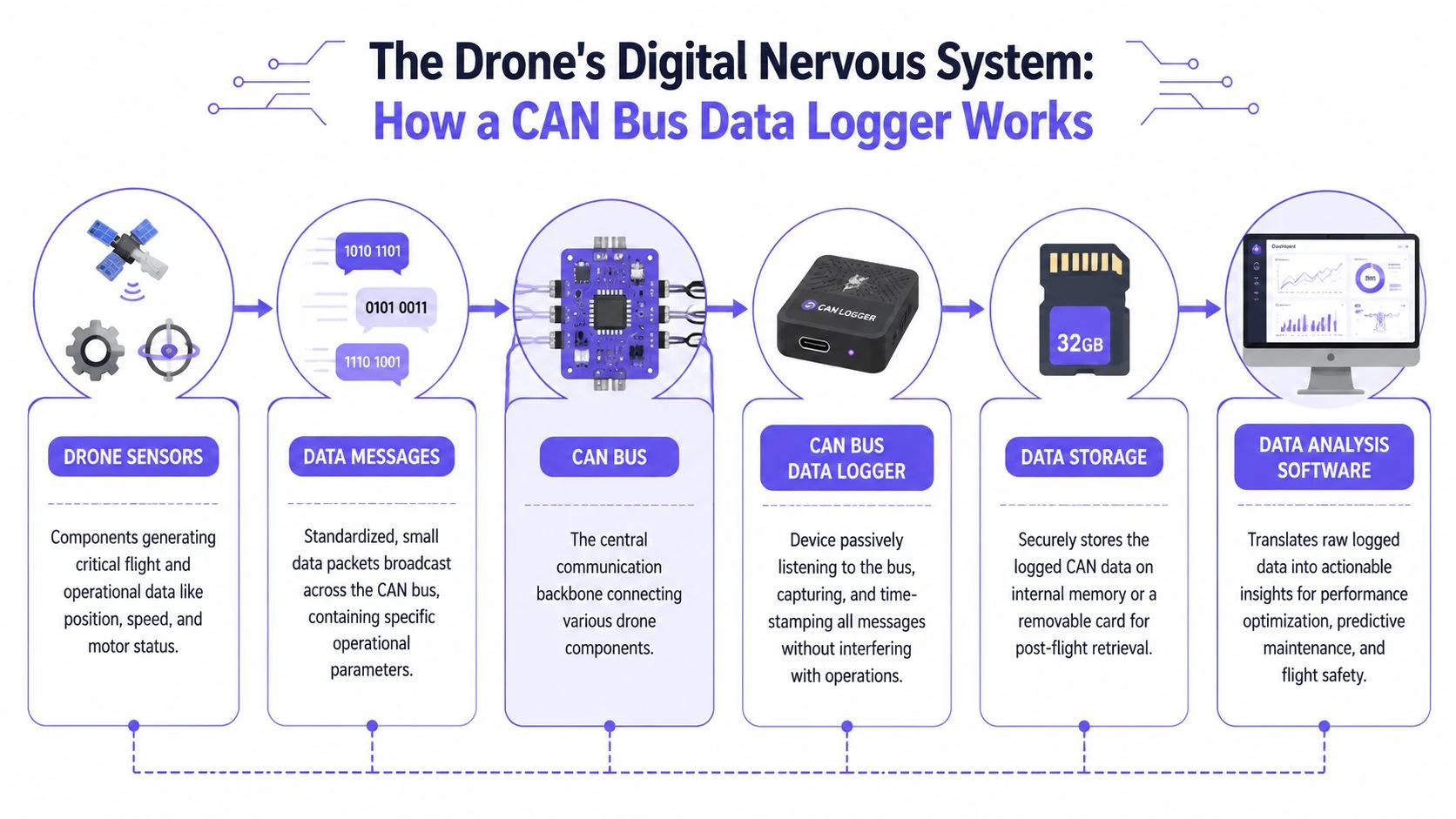
The CAN bus is easiest to understand if you stop thinking about wires and start thinking about signals moving through a body. In a drone, the bus acts like a digital nervous system. Sensors, controllers, motors, and other electronic units send short messages across a shared pathway. A logger listens to that traffic without interrupting it.
That quiet, passive role is what makes the tool so useful in the field. You're not changing how the aircraft behaves. You're observing what it already says when it's under load, during startup, or in the middle of a fault.
The bus is shared and message-driven
On CAN, devices don't chat one-to-one like a phone call. They broadcast messages onto the network. Each message carries an identifier. Other devices decide whether that identifier matters to them.
That design came from automotive engineering for a reason. Robert Bosch GmbH began developing CAN in 1983, publicly debuted it in February 1986, and the design's content-based identification and non-destructive arbitration helped replace complex wiring with a reliable real-time system now embedded in nearly 100% of new passenger cars in Europe according to the history of CAN technology. For drone operators, the takeaway isn't nostalgia. It's trust. This protocol earned its place in systems where reliability matters.
What the logger is actually capturing
A can bus data logger records the traffic moving across that shared line. In practice, that means:
| Element | What it means in drone work |
|---|---|
| Message ID | Tells you what kind of data is being sent and often which subsystem it relates to |
| Timestamp | Shows exactly when the message appeared relative to other events |
| Payload data | The actual bytes carrying values like status, commands, sensor output, or fault states |
| Sequence over time | Lets you reconstruct cause and effect instead of seeing isolated alerts |
This is why loggers are different from a simple app export. They preserve timing and relationships between events.
If you work with payloads, custom integrations, or test programs, a broader overview of flight data acquisition helps frame where CAN logging sits in the larger data chain.
Why arbitration matters to pilots
One of CAN's core tricks is non-destructive arbitration. That sounds academic until you translate it. If multiple devices try to talk at once, the higher-priority message wins without corrupting the bus.
For pilots and fleet managers, that matters because critical messages get through cleanly. It's one reason CAN became trusted in safety-focused systems. You don't need to memorize frame fields to benefit from that. You just need to know the network was built to behave predictably under pressure.
The best analogy is an airband radio net with strict priority. Important calls get through first, but nobody has to physically rewire the aircraft to make that happen.
What works and what doesn't
What works is passive capture, clean timestamps, and clear decoding using the right message definitions. What doesn't work is treating CAN data like magic. If you don't know the aircraft architecture, message map, or payload behavior, the logger gives you raw truth, not instant answers.
That's still a huge step forward. Raw truth beats assumptions every time.
Why CAN Bus Data Matters for Modern Drone Operations
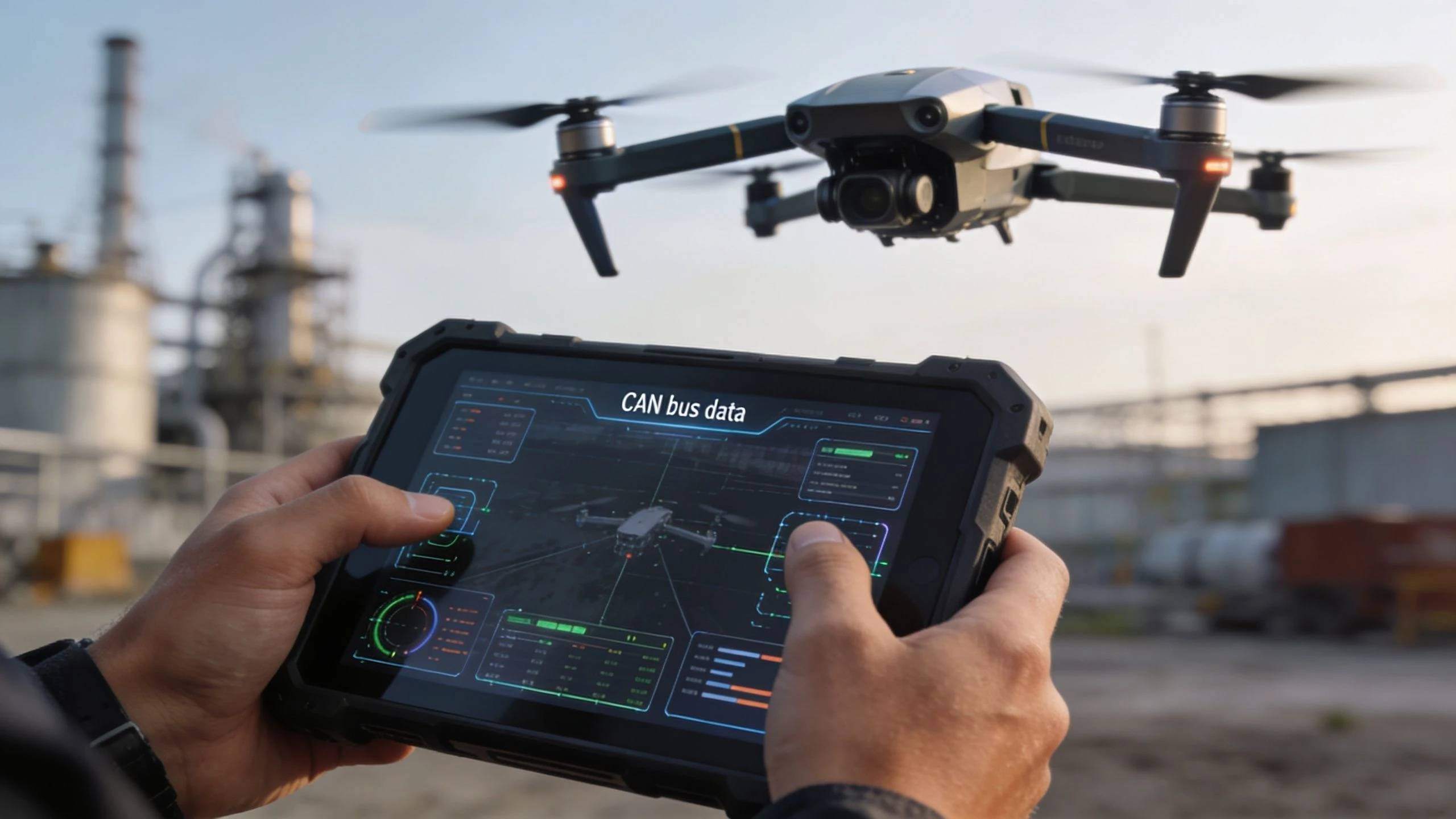
The strongest case for a can bus data logger isn't technical elegance. It's operational clarity. When a drone starts behaving strangely, the requirement isn't more abstract telemetry. Rather, sufficient detail is essential to decide whether the aircraft can fly tomorrow, whether a part should be replaced, and whether a pattern is forming across the fleet.
Predictive maintenance starts with timing
A lot of failures don't arrive as clean failures. They arrive as drift. A motor starts showing irregular RPM behavior. A sensor gets noisy. A connector intermittently drops clean communication during vibration or heat.
Industrial-grade CAN loggers can capture 3000+ frames per second without data loss, using features such as 50 µs timestamp resolution and configurable filters, which makes cause-effect diagnostics possible. The same benchmark summary notes that correlating motor RPM spikes with IMU data can identify vibration-induced failures and may reduce fleet downtime by an estimated 40-60% in the cited source on high-speed CAN logging for diagnostics.
That matters because maintenance decisions improve when you can see sequence, not just symptoms.
- Before the mission: Review trend changes across repeated test flights.
- After a warning: Check what happened immediately before the alert.
- After repair: Confirm the fault signature is gone, not just hidden.
Accident review gets much more precise
Post-incident analysis often falls apart because teams only have broad event markers. A warning appeared. The drone drifted. The pilot recovered late. That's not enough if you're trying to improve procedure or defend a maintenance decision.
CAN data helps separate:
- pilot input from subsystem delay
- payload faults from flight-controller behavior
- power issues from communication issues
- one-off anomalies from repeatable hardware patterns
Field note: The value isn't in proving someone wrong. It's in ruling out the wrong explanation fast.
Payload data becomes more useful when it shares a timeline
For survey, inspection, and specialist payload work, the aircraft is only part of the story. The payload has its own electronics, status messages, and health indicators. If those ride on CAN, the logger can create a common timeline between aircraft behavior and payload behavior.
That's useful in jobs where deliverables matter more than the flight itself. If a sensor underperformed, you want to know whether the issue came from platform vibration, power instability, a payload reset, or environmental conditions. A synchronized data record gives you a cleaner answer.
Compliance and internal standards improve too
A flight app screenshot is fine for routine records. It's weak when you need a defensible maintenance trail. CAN logging gives teams a more detailed archive for recurring faults, engineering reviews, and higher-risk operations where equipment history matters.
The practical result is simple. You stop treating diagnostics as a one-off firefight and start treating them as part of operations discipline.
Choosing the Right CAN Bus Data Logger for Your Needs
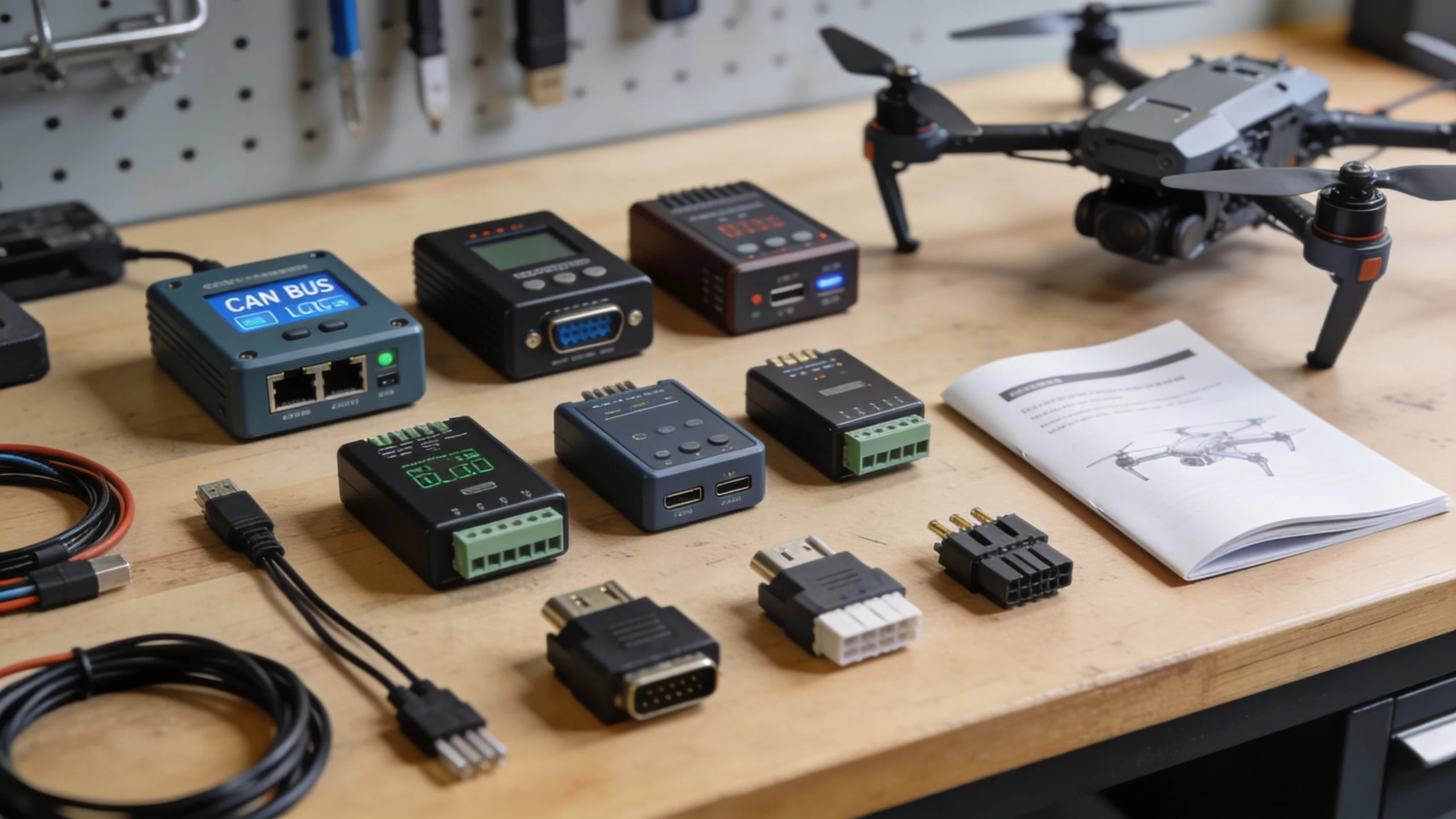
Buying the wrong logger is easy. The spec sheet looks impressive, the connector fits, only for the unit to be awkward in the field, annoying to configure, or too limited once your workflow expands. For drone operations, selection is less about chasing the biggest number and more about matching the logger to the job.
Start with the aircraft and payload mix
A single aircraft with a straightforward internal network doesn't need the same setup as a fleet carrying different sensors and custom electronics. The question isn't “What's the best logger?” It's “How many conversations do I need to capture at once?”
The upper end of the market shows what scalability looks like. Advanced loggers such as the dataTaker DT85 can expand to over 900 analog inputs alongside digital and counter channels, and store up to 10 million data points. That modularity is useful for survey workflows monitoring parameters like RPM, pressure, and levels across more complex systems in this overview of the dataTaker-class CAN logging approach.
Most drone operators won't need that level of expansion. But the lesson is important. Fixed-channel simplicity is great until your operation adds another payload, sensor source, or vehicle type.
The selection criteria that matter in practice
Use this checklist before you buy:
- Channel count: One or two channels can be enough for a straightforward aircraft. Mixed systems, support vehicles, or payload integration may need more.
- CAN versus CAN FD: If your current aircraft only uses classic CAN, that's fine. If you expect newer hardware or more data-heavy systems, CAN FD gives more room to grow.
- Storage method: Removable media is convenient when you want quick handoff and field retrieval. Internal storage can be tidier, but less flexible on busy operations.
- Power options: Bus-powered devices reduce clutter. Separate power can be more stable in some installations.
- Configuration software: This gets ignored too often. If setup is painful, the logger won't get used consistently.
- File format and export: Choose a logger that fits your analysis workflow, not one that locks you into a niche viewer.
If software usability is a deciding factor, it's worth thinking in terms of the wider ecosystem around data logging software, not just the hardware itself.
A simple buyer matrix
| Operation type | Logger priority | Common mistake |
|---|---|---|
| Solo operator | Fast setup, portability, simple exports | Buying a highly expandable unit that stays in the case |
| Small team | Repeatable configuration, shared workflow, easy review | Mixing incompatible tools between pilots |
| Enterprise fleet | Standardization, scaling, integration with maintenance process | Optimizing for one aircraft type and creating fragmentation |
What works better than the spec sheet suggests
In real use, three features carry more weight than marketing copy.
First, stable time alignment. If timestamps are poor, diagnosis turns into guesswork.
Second, easy filter setup. You want the ability to capture what matters without drowning in noise.
Third, physical practicality. A logger that's awkward to mount or too fragile for field handling becomes a bench tool, not an operational one.
Buy the logger your team will actually deploy after a long site day, not the one that looks smartest in a lab catalog.
Your First Logging Workflow from Setup to Analysis
The first setup usually feels more intimidating than it is. Most of the difficulty comes from uncertainty, not complexity. Once you've done it once on a non-critical test aircraft, the workflow becomes routine.
A practical first run
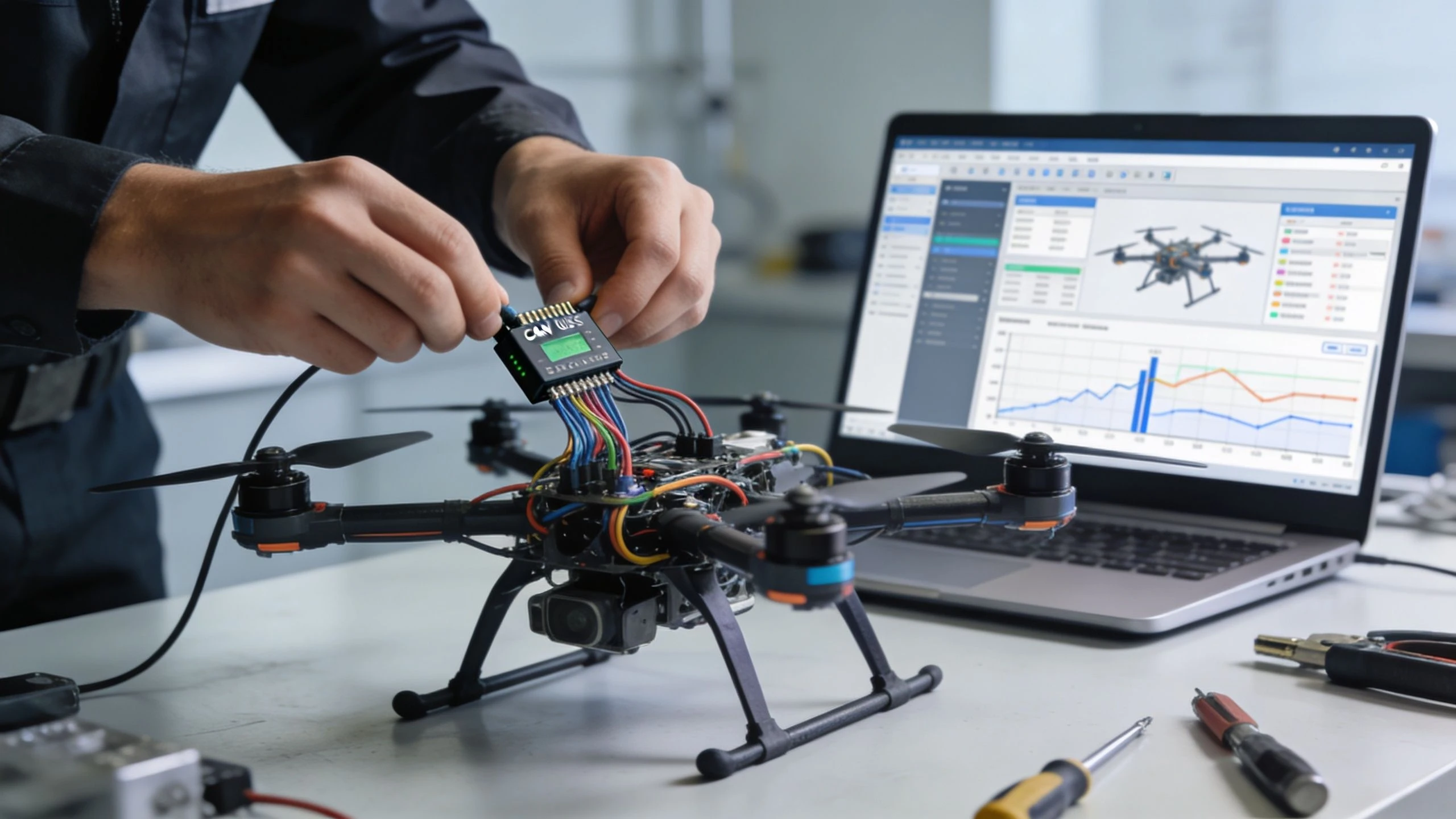
Start on the bench or during a controlled ground test. Don't make your first logging attempt part of a paid mission.
-
Find the correct access point
Use the aircraft or payload documentation and identify the CAN connection you're allowed to access. Don't guess. Some systems expose service or payload interfaces more safely than core control wiring. -
Connect the logger cleanly
Use the proper adapter and secure the cable so vibration doesn't create a false fault. Good diagnostics start with boring cable discipline. -
Set the bitrate and capture mode
If the logger supports auto-detection, that can save time. If not, match the known bus settings from the hardware docs. Start broad, then narrow your filters once basic communication is confirmed. -
Run a short test sequence
Power on, arm if appropriate for your procedure, trigger any payload actions, and create a few known events. You want recognizable moments in the data. -
Stop and retrieve the file
Export the data into your analysis tool of choice. If the logger writes MDF4 or CSV, life gets easier because your review path is simpler and more portable.
What to look for in the first analysis pass
Don't try to decode everything in the first session. Focus on relationships.
- Startup sequence: Which modules speak first, and does the order look consistent?
- Fault moments: Did communication change before the warning?
- Repeated identifiers: Are the key systems sending steady, regular traffic?
- State changes: Can you spot clear transitions tied to actions like payload activation or mode changes?
A useful first habit is keeping a handwritten test note beside the log. Mark the exact moment you switched modes, moved a gimbal, or saw an alert. That makes correlation much faster.
Common hurdles
Most early frustration comes from a short list of issues.
| Problem | What it usually means | Practical fix |
|---|---|---|
| No traffic visible | Wrong bitrate, wrong port, or incorrect wiring | Verify bus access point and bitrate first |
| Messy or partial capture | Poor connection or noisy setup | Re-seat connectors and secure the logger physically |
| Intermittent errors | Network integrity issue or installation mistake | Inspect cabling and confirm the bus is configured correctly |
| Data overload | Too much irrelevant traffic | Apply filters after confirming baseline capture |
The mistake to avoid
Don't start by logging everything across every possible system on a live client job. That creates huge files and weakens focus. Start with a clear question. Why did this payload reset? Why does this aircraft show rough behavior on climb? Why does one airframe differ from the others?
A can bus data logger is most powerful when you use it to answer one sharp question at a time.
When the answer is useful, your logging workflow grows naturally.
Practical Use Cases for Solo Operators to Enterprise Fleets
The best way to judge a can bus data logger is by what it changes in daily work. Not in theory. In scheduling, maintenance, handovers, and client confidence.
Solo operators
If you run one aircraft or a very small set of assets, the logger can still earn its place. The common hardware investment range of $500-$2000+ for these devices can make sense even for smaller operators when it solves business problems such as reducing diagnostic time on client sites, creating verifiable maintenance records for insurance purposes, or supporting premium data analysis services, as discussed on the CAN hardware products overview.
That's the practical pitch for a solo operator. Not “become an engineer.” Instead:
- Cut wasted revisits: Diagnose questionable aircraft behavior before the next booked job.
- Document maintenance better: Keep a stronger record when a part is replaced or an anomaly is investigated.
- Offer more insight: Some clients value technical reporting, especially in inspection-heavy work.
If your business leans toward industrial work, this overview of TruTec drone inspection services is a useful reminder of how much client value comes from reliable, defensible operational data rather than flight alone.
Small teams
Small teams get a different benefit. They can use CAN logging to standardize troubleshooting across pilots and aircraft. One pilot's “felt odd” becomes a shared reference point. One recurring issue stops being anecdotal and starts becoming traceable.
That has knock-on effects in training and maintenance discipline. Teams stop overreacting to noise and stop ignoring weak warning signs.
Enterprise fleets
Larger fleets benefit most when they treat logging as a system, not a gadget. Standard operating procedures can define when to log, how to label files, how to review exceptions, and how to compare aircraft behavior over time.
The primary gain is consistency across mixed fleets. Different aircraft may have different native ecosystems, but disciplined CAN capture can provide a common diagnostic language for engineering review and maintenance escalation.
Better diagnostics rarely look dramatic from the outside. They look like fewer arguments, faster grounding decisions, and cleaner maintenance records.
That's why this tool stays underused for so long. It sounds niche until you run serious operations. Then it starts looking less like optional hardware and more like a practical layer of operational intelligence.
Dronedesk helps drone professionals turn scattered operational data into a usable workflow. If you need one place for planning, logging, fleet management, compliance records, and team coordination, Dronedesk is built for that job.
 FAA Part 107 Record-Keeping Rules for Commercial Teams →
 How to Review a DJI Flight Log After an Unexpected Event →
 Drone Laws Around the World: A Pre-Flight Research Framework →
 How to Compare Drone Survey Services for Complex Sites →
 How to Start a Drone Mapping Business With a Clear Workflow →
 Class C Airspace Drone Rules for Commercial Flights →
 How to Create a Drone Job Pack for Every Mission →
 FAA Small UAS Rule: Key Requirements for Operators →
 How to Build a Drone Pilot Flight Log That Is Audit Ready →
 FAA Drone Licence Requirements for Commercial Pilots →