
A Practical Guide to UAV for Mapping Success
Ever wonder how you can turn a physical, real-world landscape into a hyper-accurate digital model with just one drone flight? That’s the entire point of using a UAV for mapping. It completely changes the game for capturing high-resolution spatial data, offering a way that's faster, safer, and a whole lot cheaper than old-school surveying methods.
Think of it as the difference between taking a simple photo and using a 3D scanner that sees everything—from elevation and texture right down to the health of the surrounding vegetation.
Understanding the Power of UAV Mapping
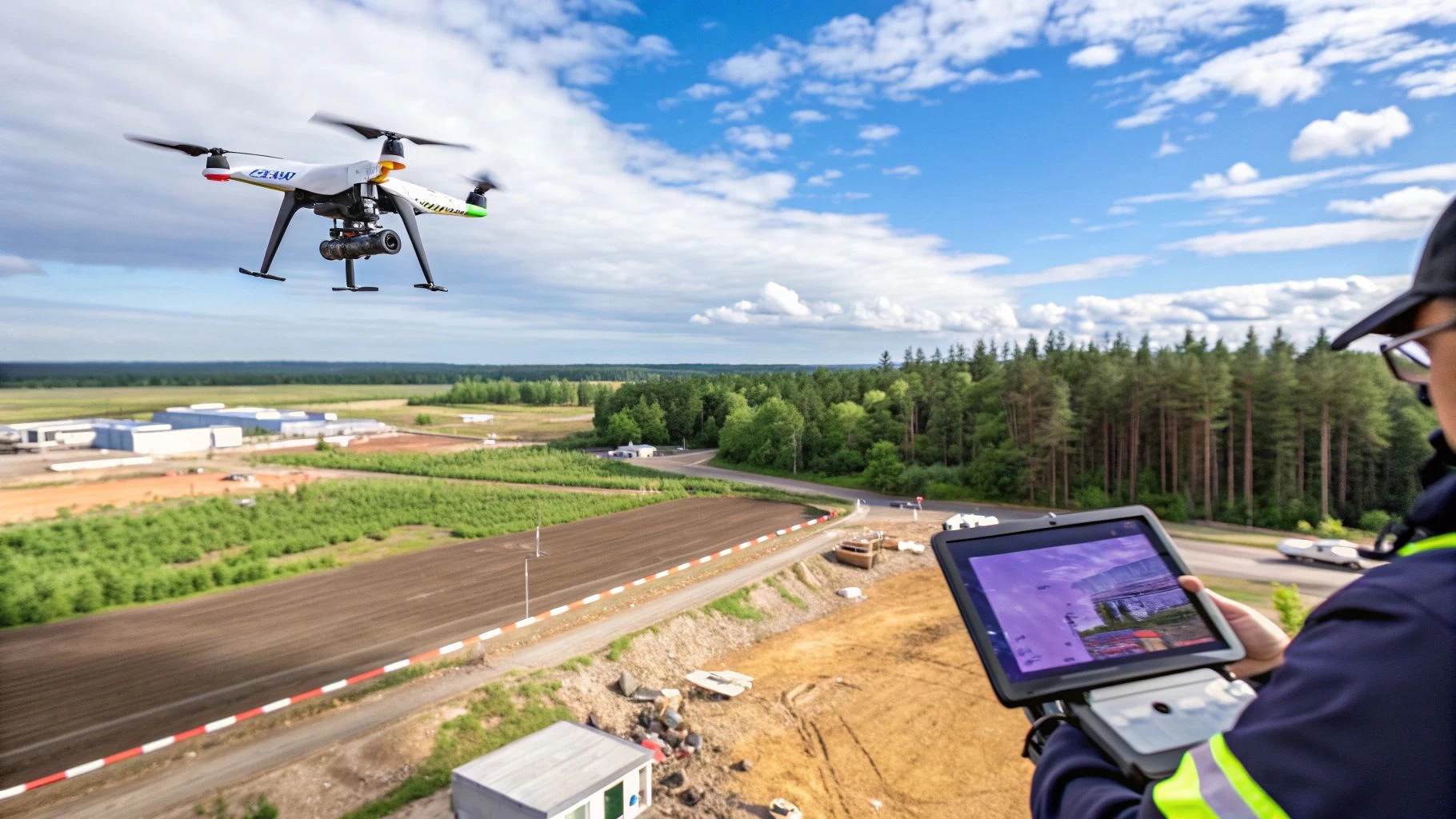
At its core, UAV mapping is pretty straightforward. You fly a drone kitted out with a specialised sensor over a specific area. The drone follows a pre-planned, autonomous grid pattern, snapping hundreds—sometimes thousands—of overlapping, geotagged photos from various angles.
This massive collection of images is then fed into photogrammetry software. The software gets to work stitching them all together, kind of like creating a giant, perfectly aligned photo quilt. By analysing the parallax—the tiny shift in an object's position between overlapping images—it can calculate precise 3D coordinates for millions of individual points.
What you get back isn't just a flat picture; it's a rich, data-packed digital twin of the site. This is a huge leap beyond simple aerial photography, delivering measurable insights that are absolutely critical for making smart decisions across dozens of industries.
The Key Deliverables from a Mapping Mission
The real magic of UAV mapping is in the outputs. These digital assets give you a detailed, accurate model of the surveyed area that you can use for analysis, planning, and monitoring. Here are the main deliverables from a typical mission:
- Orthomosaic Maps: These are high-resolution aerial maps with all distortion removed. Unlike a regular aerial photo where buildings at the edges look tilted, an orthomosaic is corrected so every point on the map is viewed as if you were looking straight down from above.
- 3D Point Clouds: A huge collection of data points, each with its own X, Y, and Z coordinate. This forms the foundational 3D skeleton of the mapped area, allowing for incredibly precise measurements of distance, area, and volume.
- Digital Surface Models (DSM) & Digital Terrain Models (DTM): A DSM captures the elevation of everything on the surface—buildings, trees, cars, you name it. A DTM filters all that out to show you just the bare earth elevation, which is vital for things like drainage analysis and site planning.
- 3D Textured Meshes: These are the photorealistic, interactive 3D models you see in demos. They're made by draping the captured photos over the 3D geometry from the point cloud, giving you a stunningly visual way to inspect a site from any angle.
Why This Matters for Modern Operations
Moving from boots-on-the-ground surveying to aerial mapping isn't just a small step up; it's a fundamental shift in how work gets done. It delivers a level of detail that, until recently, was either wildly impractical or far too expensive to even consider.
This technology gives teams the power to capture a complete snapshot of a project site in a matter of hours. That same job might have taken days or even weeks with traditional methods. This speed unlocks the ability to monitor progress, verify work, and spot issues with a frequency that keeps projects on track and on budget.
Managing this entire workflow—from planning the mission and sorting out compliance to logging flights and handling the data—is where a platform like Dronedesk becomes indispensable. It provides the operational backbone you need to make sure every mission is safe, compliant, and perfectly executed. This turns what could be a complex data capture job into a simple, repeatable process and makes using a UAV for mapping a cornerstone of modern field operations.
Choosing Your Drone and Sensor for Precision Mapping
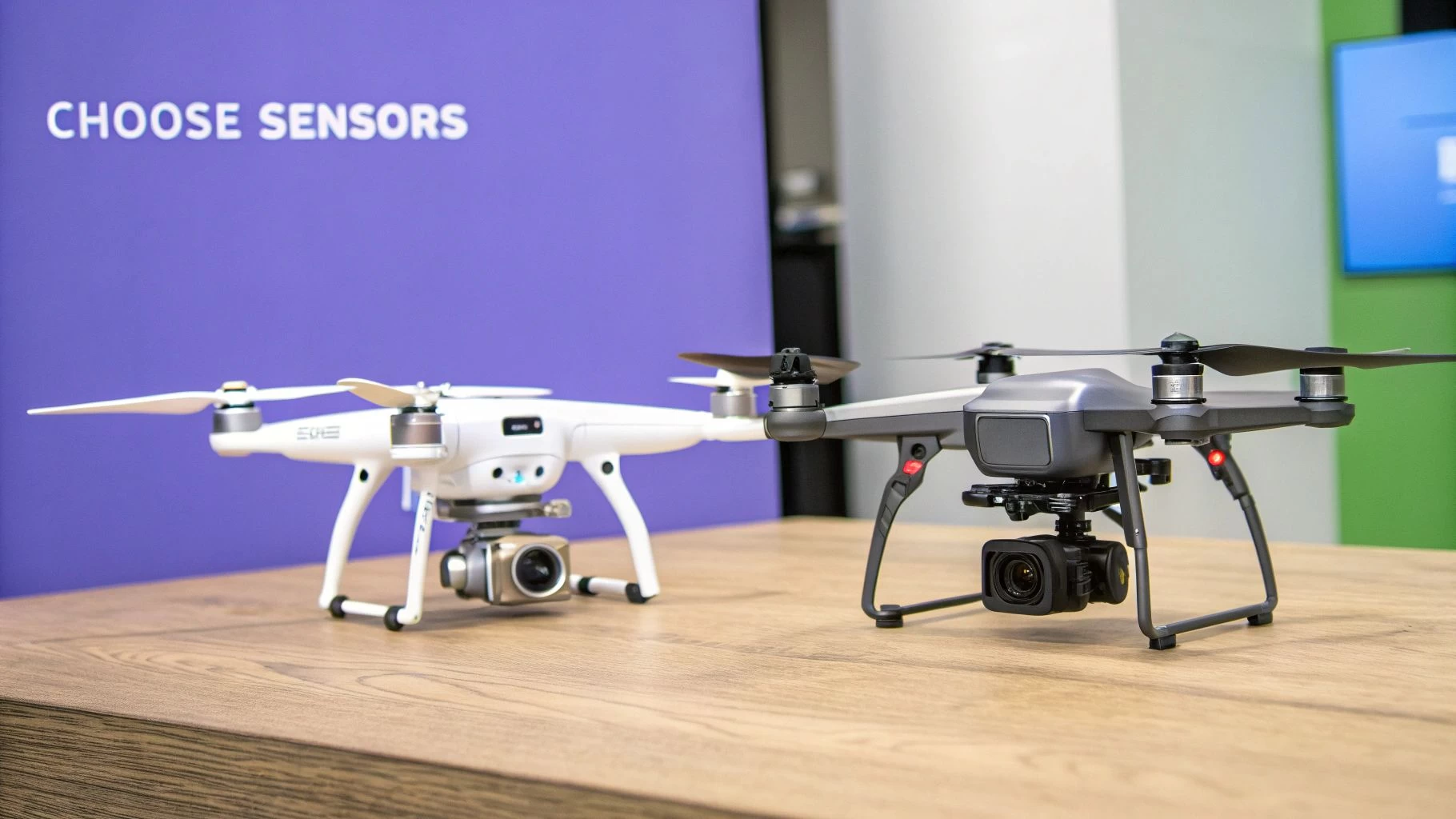
Picking the right hardware is easily the most important decision you'll make at the start of any mapping project. Think of it like a builder choosing between a sledgehammer and a finishing hammer; both are tools, but using the wrong one for the job will lead to a mess. Your drone is the platform, and the sensor is its purpose-built set of eyes. Getting this combination right is non-negotiable for quality results.
This single choice sets the stage for everything else—flight time, how much area you can cover, the kind of data you can collect, and the final accuracy of your maps. A poor choice here means inefficient flights, data you can't use, and a lot of wasted time and money. Let's walk through the options so you can get it right from the start.
Multi-Rotor vs. Fixed-Wing Drones
Your first big decision is the type of drone itself. Each design comes with a distinct set of pros and cons, perfectly suited to different mapping environments and project sizes.
-
Multi-Rotor Drones (The Agile Gymnasts): These are what most people picture when they think of commercial drones—quadcopters, hexacopters, and the like. They can take off and land vertically (VTOL) and hover perfectly still, which makes them incredibly versatile. This makes them the ideal UAV for mapping complex, smaller sites like construction projects, quarries, or detailed building inspections where maneuverability is everything.
-
Fixed-Wing Drones (The Marathon Runners): Looking more like a traditional airplane, these drones are built for endurance. They can cover huge areas in a single flight, making them the go-to choice for large-scale agricultural mapping, corridor surveys for pipelines, or regional environmental monitoring. If you need to map hundreds of acres quickly, this is your tool.
The trade-off is pretty clear. Multi-rotors give you precision and flexibility in tight spots, while fixed-wings deliver incredible efficiency over vast, open areas. The scale and complexity of your project will naturally point you in the right direction. For more specific model recommendations, check out our guide to the best drones for land surveys.
Understanding Your Sensor Options
If the drone is the body, the sensor is its eyes. It determines what kind of information the drone can actually "see" and record. The sensor you choose depends entirely on the questions you need your data to answer.
The growth in this space is staggering. The UAV mapping software market is projected to jump from $1.4 billion in 2026 to a massive $3.0 billion by 2032, climbing at a compound annual growth rate of 13.81%. This explosion shows just how vital these advanced sensors have become for industries all over the world.
Let's dive into the three main sensor types you'll encounter in UAV mapping.
Drone Sensor Comparison for Mapping Applications
To make the choice clearer, here’s a quick-glance table comparing the most common sensors. This should help you quickly see which tool fits your specific mapping job.
| Sensor Type | Primary Use Case | Key Advantage | Main Limitation |
|---|---|---|---|
| RGB | Creating high-resolution maps and 3D models of visible surfaces. | Cost-effective and produces visually realistic, easy-to-interpret data. | Cannot see through vegetation or capture non-visible light spectrums. |
| Multispectral | Analysing plant health, water quality, and environmental conditions. | Captures data in specific light bands invisible to the human eye. | Requires specialised knowledge to interpret the data accurately. |
| LiDAR | Generating highly accurate terrain models, especially under tree canopy. | Actively penetrates vegetation to map the true ground surface with precision. | Significantly more expensive hardware and data processing is complex. |
Each sensor has a job it was born to do. Your project's unique requirements—whether it's visual progress tracking, agricultural analysis, or forestry management—will make the right choice obvious.
1. RGB (Red, Green, Blue) Sensors This is your standard high-resolution camera, capturing light just like the human eye. It’s the workhorse of photogrammetry, used to create visually stunning orthomosaics and 3D models.
- Best For: Tracking construction progress, calculating stockpile volumes, and creating realistic 3D digital twins of assets.
2. Multispectral Sensors These advanced sensors capture data from specific, narrow bands of light across the electromagnetic spectrum, including wavelengths we can't see, like near-infrared. Different materials and surfaces reflect these light bands in unique ways.
- Best For: Precision agriculture. It's the go-to tool for analysing crop health, spotting stress, and fine-tuning irrigation or fertiliser application.
3. LiDAR (Light Detection and Ranging) Instead of a camera, a LiDAR unit shoots out thousands of laser pulses every second and measures how long they take to bounce back. This process builds an incredibly dense and accurate 3D point cloud of the surface below.
- Best For: Mapping in areas with thick vegetation. The laser pulses can punch through the tree canopy to capture the true ground terrain underneath. It's also unmatched for mapping linear features like power lines with extreme precision.
Planning and Executing a Flawless Mapping Mission
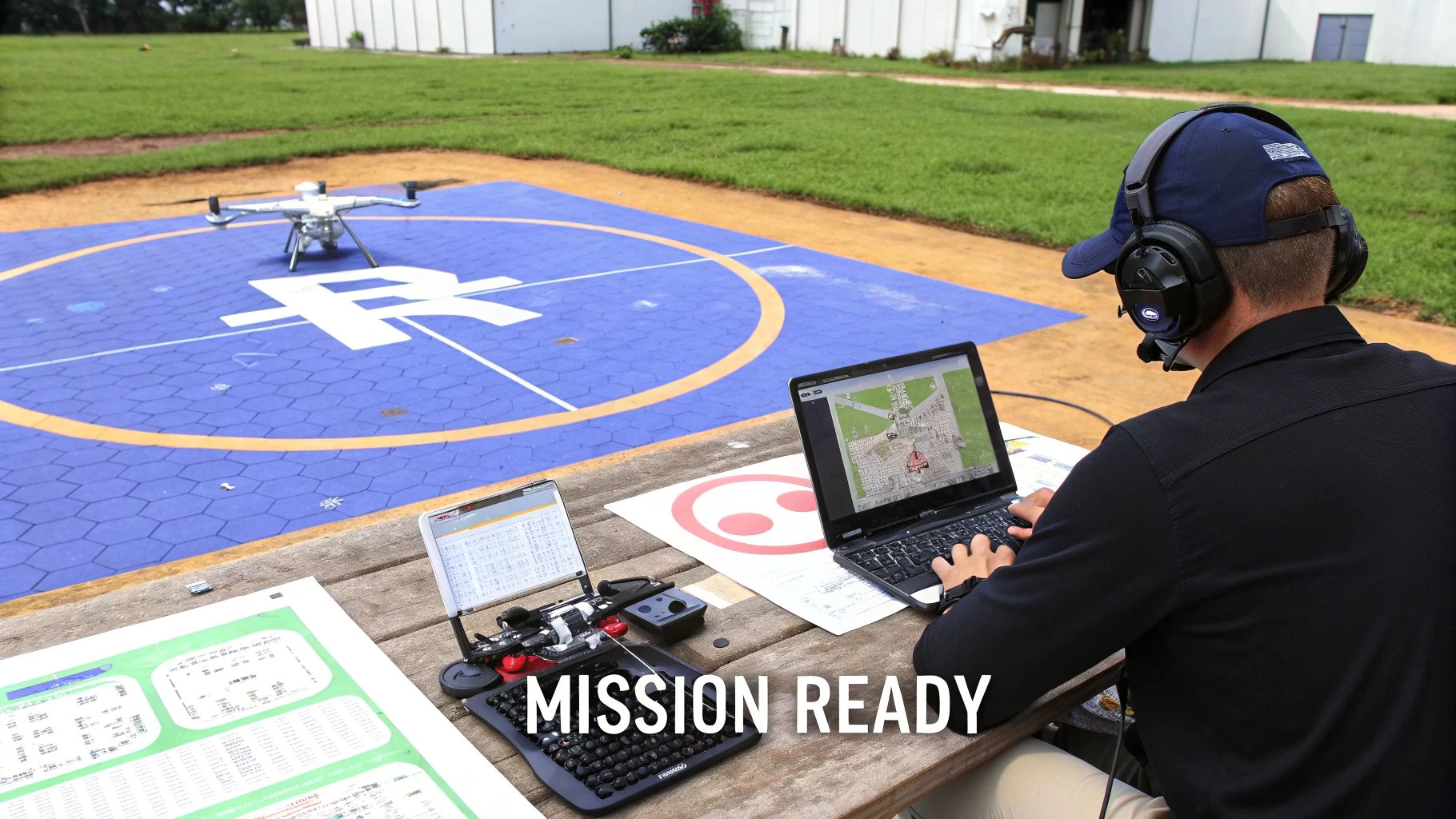
Pulling exceptional data from a UAV for mapping starts long before the props start spinning. A successful mission is really built on two things: meticulous planning and precise execution. Without a rock-solid plan, even the most expensive drone and sensor combo will deliver subpar, unreliable results.
Think of it like taking a panoramic photo with your phone. You don’t just wave it around and hope for the best. You carefully line up each shot, making sure there's just enough overlap so the software can stitch it all together seamlessly. Drone mapping works on the exact same principle, just on a much bigger, more exacting scale.
Defining Your Flight Parameters
The first real step is programming the drone’s autonomous flight path. This means dialing in the critical settings that will directly impact the quality and resolution of your final maps and models. Modern flight planning software makes this part easy, but truly understanding the why behind each setting is what separates the pros from the amateurs.
Two of the most important parameters to get right are flight altitude and image overlap.
- Flight Altitude: This dictates your Ground Sampling Distance (GSD), which is just the real-world size represented by a single pixel in your images. Flying lower gives you a smaller GSD and a higher-resolution map, but it also means more flight time and more batteries to cover the same area.
- Image Overlap: This is simply the percentage that each photo overlaps with the one next to it. You need a high overlap—typically 75-80%—to give the photogrammetry software enough common points to accurately reconstruct the site’s 3D geometry. Skimping on overlap is one of the most common and frustrating ways a mapping mission can fail.
Getting these right is a constant balancing act between the data quality you need and the practical limits of your gear. If you want to go deeper, our complete guide to drone flight planning breaks all this down in much more detail.
Achieving Survey-Grade Accuracy
For jobs that demand high absolute accuracy—where your map has to align perfectly with real-world coordinates—you need to tie your aerial data to the ground. This is where Ground Control Points (GCPs) come in. GCPs are just physical markers you place around the survey area, and their exact coordinates are measured using survey-grade GPS gear.
These markers act like anchors for your map. When you're processing the data, you'll identify the GCPs in your photos and plug in their known coordinates. The software then uses these anchors to warp and shift the entire dataset, effectively locking it into its precise real-world position.
Without GCPs, a map can have great relative accuracy (meaning measurements within the map are correct in relation to each other) but poor absolute accuracy (the whole map might be shifted a few meters to the north). For any project that needs to line up with existing CAD files or official survey data, GCPs are absolutely non-negotiable.
The Non-Negotiable Pre-Flight Checklist
Before every single flight, a series of pre-flight checks is mandatory. This isn't just a "nice-to-have"; it's a core part of professional drone operations that ensures both safety and compliance. This routine should become second nature.
Your pre-flight checklist must always cover:
- Airspace Analysis: Are there any flight restrictions, TFRs, or airports nearby?
- Weather Assessment: Check the wind, rain, and visibility. Strong winds can ruin image stability, and rain can kill your equipment.
- Site Hazard Identification: Scan the area for power lines, cranes, tall trees, or anything else that could get in the way of your flight path.
- Equipment Inspection: Do a full check of the drone, batteries, props, and sensor to catch any potential issues before they become in-flight failures.
Managing all this planning, logging, and compliance work can be a huge time-sink. This is exactly why a drone management platform like Dronedesk is so valuable. It automates airspace checks, streamlines risk assessments, and logs every mission detail, cutting down on human error and making sure every flight is safe, compliant, and documented from start to finish.
Turning Aerial Images Into Actionable Intelligence
A successful mapping flight is really just the beginning. At this point, all you have is an SD card filled with thousands of individual, overlapping photos. They're the raw ingredients, but the real magic happens back at the computer during post-processing. This is where that jumble of images gets cooked into something cohesive, intelligent, and genuinely useful.
The whole process hinges on a science called photogrammetry—which is a fancy way of saying we're making measurements from photographs. Specialised software chews through all those images, finding common points between them to digitally reconstruct the site in three dimensions. It’s a heavy lift for any computer, stitching a massive mosaic of data points into a single, seamless digital twin of your project.
From Image Alignment to Dense Point Cloud
The first step in this digital alchemy is the initial alignment. The software looks at the geotags and visual data in every single photo, identifying millions of common "tie points" across the overlapping shots. Picture a supercomputer solving a colossal 3D jigsaw puzzle. It uses the slight shift in perspective between each photo to figure out the exact spot and angle from which it was taken.
This initial step creates a sparse point cloud, which is essentially a 3D skeleton of the site. From there, the software goes back and fleshes out that skeleton, creating a dense point cloud. This can contain hundreds of millions of individual points, each with a precise X, Y, and Z coordinate. This incredibly detailed dataset is the foundation for every other map and model you'll create and is the first truly measurable output from your flight.
Creating the Final Mapping Deliverables
Once the dense point cloud is built, the software can generate the final products you'll actually use. Each one serves a different purpose, turning raw spatial data into a powerful tool for making better decisions on the ground. The demand for this kind of data is exploding, with the global mapping drone market growing from $2,361.5 million in 2021 and projected to hit $3,789.4 million by 2025. You can dig into more of the numbers behind this growth on cognitivemarketresearch.com.
The main outputs you’ll be working with are:
- Orthomosaic Map: This is a high-resolution aerial map, but with a crucial difference—all distortion has been removed. Unlike a regular photo, an orthomosaic has a uniform scale, meaning you can take true-to-scale measurements of distance and area directly from the image.
- Digital Surface Model (DSM): Think of this as a 3D topographic map of everything on the site, including buildings, trees, equipment, and any other surface features. It maps the elevation of the entire surface as is.
- Digital Terrain Model (DTM): The DTM is a smarter, filtered version of the DSM. The software intelligently strips away all the above-ground features like buildings and vegetation to reveal just the bare earth. This is absolutely critical for jobs like planning site grading or analysing water drainage.
- 3D Textured Mesh: This is the one that wows clients—a photorealistic, interactive 3D model of the site. It's built by draping the original image textures over the 3D geometry from the point cloud, giving you an immersive way to inspect the site from any angle imaginable.
These outputs are far more than just pretty pictures; they are powerful analytical tools. An orthomosaic lets a project manager track progress visually, a DTM helps an engineer design a proper drainage system, and a point cloud allows a surveyor to calculate stockpile volumes with over 99% accuracy.
After processing, this intelligence can be fed into other specialized tools. In landscaping and earthworks, for example, these models are invaluable for precise planning and estimation using solutions like Exayard landscape takeoff software. The right processing workflow turns a simple drone flight into a cornerstone of data-driven project management. If you're currently weighing your options, you might want to check out our deep dive into the best drone mapping software on the market today.
How UAV Mapping Delivers Real-World ROI
Theory and technical specs are one thing, but the real value of using a UAV for mapping shows up on the bottom line. We're talking about faster project timelines, slashed costs, and much safer job sites. Across major industries, drone-captured data is quickly moving from a "nice-to-have" novelty to an essential part of daily operations, delivering a clear and compelling return on investment.
This shift is creating a huge opportunity. The mapping drone market is projected to hit around $4.82 billion in 2025 and is on track for an 11.9% compound annual growth rate through 2033. For operations managers and surveyors, this translates to game-changing efficiency. A single drone can map 1,000 acres in a few hours—a job that would take days with traditional methods, often cutting project costs by a whopping 60-80%. You can dig into more of the numbers on this expanding market at datainsightsmarket.com.
Construction and Earthworks
Nowhere is the ROI more obvious than in construction. Project managers use weekly drone surveys to get an eagle-eye view of progress, comparing as-built conditions against the original plans. This helps them catch errors early before they spiral into expensive rework.
One of the most powerful uses is calculating stockpile volumes. Forget rough estimates or sending a survey crew out to climb over piles of material. A quick, 20-minute drone flight can generate a 3D point cloud that calculates the volume of sand, gravel, or soil with over 99% accuracy. This simple flight prevents over-ordering materials and ensures subcontractors are paid for the exact amount of earth they’ve moved.
The diagram below shows the basic data processing flow, which turns raw aerial images into these valuable 3D outputs.
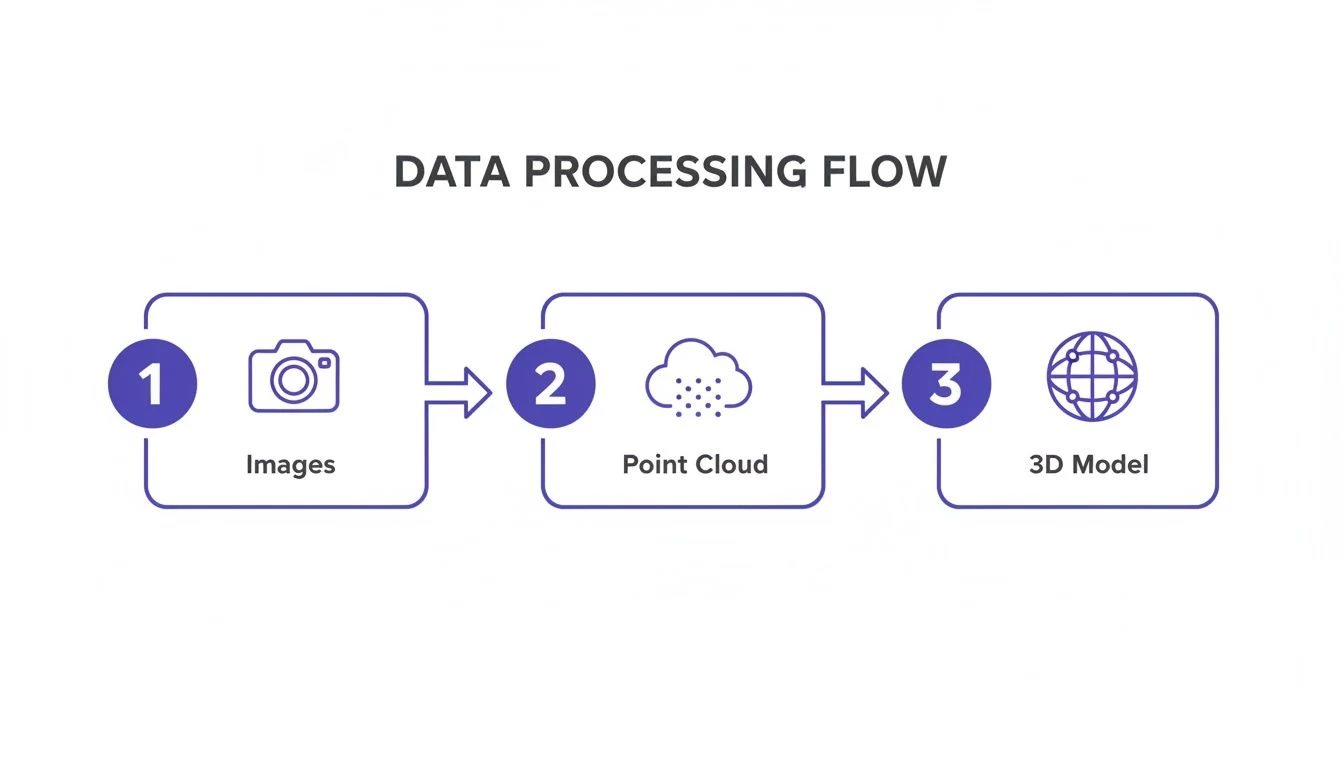
This workflow shows how hundreds of individual photos are stitched together to create a foundational point cloud, which then becomes the basis for a measurable 3D model.
Agriculture and Environmental Monitoring
In precision agriculture, UAVs carrying multispectral sensors are changing how farms are managed. These sensors can see what the human eye can't, picking up on subtle variations in crop health across massive fields.
Instead of applying fertilizer or water uniformly across every acre, farmers can analyze this data to create variable-rate prescription maps. This lets them target resources exactly where they're needed, which not only boosts crop yields but also significantly cuts down on input costs and environmental runoff.
For a large-scale farm, this targeted approach can save thousands of dollars per growing season on fertilizer alone. The drone data empowers farmers to act proactively, tackling issues like pests or irrigation problems before they spread and threaten the harvest.
Mining and Utilities
The mining industry depends on UAV mapping for critical safety and operational checks. Drones are sent in to monitor the stability of tailings dams, conduct pit surveys, and track blast fragmentation—all without putting a single person in a potentially hazardous area.
It's a similar story for utility companies. They deploy drones for corridor mapping, inspecting hundreds of miles of remote power lines or pipelines. This is exponentially faster and safer than sending out ground crews or chartering expensive manned helicopters. The high-resolution imagery allows inspectors to spot potential issues, like vegetation getting too close to lines or equipment damage, all from the safety of an office, helping ensure a more reliable and resilient grid.
Navigating Regulations and Building a Culture of Safety
Flying a drone for a mapping job isn't just a technical exercise—it's a serious responsibility. Out in the professional world, you're not just a pilot; you're an aviator operating in shared skies, and that comes with a deep-seated commitment to safety and compliance.
Aviation authorities like the FAA in the United States or the CAA in the UK aren't there to create red tape. They exist to keep the skies safe for everyone, from commercial airliners to other drone operators.
Think of the regulations as the official rules of the road for the sky. Just like you need a driver's license, commercial drone pilots need the right credentials, such as the Part 107 certificate in the U.S. This proves you've got a handle on airspace classifications, know the restrictions around sensitive spots like airports, and understand how to fly your gear responsibly.
Trying to wing it and ignore these rules can land you in hot water, with hefty fines and even the loss of your flying privileges on the table. A truly professional operation is built on a foundation of compliance, not as an afterthought.
Your Mission Safety Checklist
A real safety culture isn't about luck; it's about solid, repeatable processes. A comprehensive checklist is absolutely non-negotiable for any mapping mission, covering every single phase of the operation. We're not just talking about the drone itself, but the entire system you've built around it.
A good checklist is best broken down into three critical phases:
- Pre-Flight Preparations: This is where you lay the groundwork for a smooth flight. It means checking weather forecasts, scrutinising the airspace for any restrictions, giving your UAV and sensor a thorough physical inspection, and making sure every battery is fully charged and in good health.
- In-Flight Monitoring: Once the drone is airborne, your head needs to be in the game. Maintaining a visual line of sight is crucial, as is keeping an eye on the telemetry data for any strange readings. You have to be ready to jump on the controls and take over if the automated flight plan hits a snag.
- Post-Flight Procedures: The job isn't done when the props stop spinning. You need to securely transfer and back up that valuable data you just collected, inspect the aircraft for any wear and tear, and log every detail of the flight for your records. This is what separates the pros from the amateurs.
A robust safety protocol does more than just prevent accidents; it builds trust. When clients and regulators see a professional, documented approach to safety, it establishes credibility and demonstrates that you are a reliable and responsible operator.
The Operational Backbone for Safety and Compliance
Trying to manually keep up with every regulation, log every flight, and complete a risk assessment for every single job is a fast track to burnout and human error. This is exactly where an integrated drone management system becomes your most valuable player in building an impeccable safety record.
A platform like Dronedesk acts as the central hub for your entire operation, taking these complex but critical tasks and making them straightforward. It can automate your pre-flight airspace checks, provide templates for site-specific risk assessments, and maintain a detailed, compliant logbook of all your flights.
By making safety and compliance management simple, a system like this helps you get past the chore of just "following the rules." It empowers you to build a genuine culture of safety that gives clients confidence, protects your business, and ensures every UAV for mapping mission is executed flawlessly.
A Few Common Questions About Drone Mapping
When you first dip your toes into the world of drone mapping, a handful of questions always seem to pop up. It usually boils down to accuracy, cost, and the tech itself. Getting straight, practical answers to these is the key to getting your operations off to a flying start.
We'll tackle the most common questions we hear from operators in the field. The answers are direct, no-fluff, and hopefully helpful whether you're just starting out or looking to fine-tune what you're already doing.
What Level of Accuracy Can I Really Expect?
The short answer? The precision of your final map is completely tied to the quality of your tools and your process. There are two flavors of accuracy to think about, and the difference between them is huge.
- Absolute Accuracy: This is the big one. It's about how closely the coordinates on your map match their actual coordinates on planet Earth. Using Ground Control Points (GCPs) or a drone equipped with RTK/PPK, you can hit survey-grade absolute accuracy, often in the ballpark of 2-5 cm.
- Relative Accuracy: This measures how accurate points are in relation to each other within the map. Even without GCPs, a well-flown mission will give you great relative accuracy, but the whole map might be shifted a bit from its true position in the world.
If your project needs to line up perfectly with official engineering plans or site boundaries, high absolute accuracy isn't just nice to have—it's non-negotiable. This is what separates professional-grade mapping from just taking pretty pictures from the sky.
Is It Expensive to Get Started with Drone Mapping?
There’s definitely an upfront investment in the drone, software, and the right training. But the return on that investment usually comes back fast and in a big way, mostly through massive efficiency gains.
Think about it like this: a drone can survey a sprawling construction site in less than an hour. That same job might take a ground-based crew a full day. That massive drop in field time translates directly into huge savings on labour costs. On top of that, the quality and sheer volume of data you collect helps you catch problems early and avoid expensive rework, making that initial outlay a very smart business decision.
How Do I Pick the Right Mapping Software?
Your choice of processing software really needs to be guided by your projects and the way you like to work. There’s no single "best" option out there; the right tool is the one that slots neatly into your workflow.
When you're weighing your options, think about these key factors:
- Where the Work Happens: Do you need a cloud-based platform that makes it easy to collaborate with a remote team? Or is a desktop solution better, giving you total control over processing on your own powerful computer?
- Sensor Support: Make sure the software is built to handle the data from your specific sensor, whether that's standard RGB photos for photogrammetry or more complex data types like LiDAR.
- Outputs and Integrations: How easily can you get your data out in the formats you need? And, crucially, can it play nicely with the CAD or GIS programs you already use?
Ready to pull your entire drone operation—from planning and logging to compliance and safety—into one place? Dronedesk is a single platform built to manage your flights, fleet, and paperwork, making sure every mapping mission you fly is efficient, professional, and by the book. Learn more about how Dronedesk can support your mapping workflows at dronedesk.io.
 How to Evaluate a Free Drone Logbook Before Using It →
 FAA Part 107 Test: How to Master Airspace Questions →
 Drone Risk Assessment Controls That Work in the Field →
 FAA Drone License Costs Beyond the Knowledge Test →
 Drone Part 107 Operations: When a Waiver May Be Needed →
 Drone Operating Rules for Managing Contractors and Employees →
 BVLOS Drone Requirements for Building a Safety Case →
 Drone Pilot Test Mistakes That Cost Candidates Marks →
 FAA 107 License vs Part 107 Certificate: What’s the Difference? →
 Drone Airport Rules: A Field Checklist for Site Assessments →