
Unlocking Your Team with Mobile Workforce Management Solutions
At its heart, mobile workforce management is all about bringing order to the chaos of a team working on the move. These aren't just fancy apps; they're complete digital platforms that act as the command centre for your entire field operation, connecting managers with staff in real-time.
What Are Mobile Workforce Management Solutions?
Think about trying to run a business where your most valuable people—technicians, surveyors, pilots, sales reps—are scattered across town, or even the country. How do you keep everyone on the same page? That's the problem mobile workforce management (MWM) solutions are built to solve.

Forget the endless back-and-forth of phone calls, messy text threads, and outdated spreadsheets. An MWM platform provides a single source of truth. It's the central nervous system connecting the office to the field, making sure every job, from assignment to completion, runs smoothly.
From Clipboards to the Cloud
It wasn’t so long ago that managing a field team meant a stack of paper job sheets, a crackly two-way radio, and a healthy dose of guesswork. Today, that world has been completely replaced by sophisticated, cloud-based software. This isn't just a minor upgrade; it’s a fundamental shift in how mobile businesses operate.
The market growth tells the story. Valued at USD 13.52 billion in 2022, the global Mobile Workforce Management market is expected to skyrocket to USD 40 billion by 2033. Why the boom? Because businesses are seeing real results, cutting down administrative work by an estimated 40% through smart automation. You can dig into the numbers in this detailed market report about mobile workforce management.
At its core, an MWM solution replaces operational chaos with digital clarity. It ensures the right person, with the right skills and equipment, is at the right place at the right time—all while capturing data automatically.
Key Functions That Drive Efficiency
While every platform has its own bells and whistles, they all stand on a few core functions. These are the non-negotiables that make modern field operations tick. For an in-depth look, our UK Mobile Workforce Management Solutions Guide is a great resource.
Here’s a quick summary of the essential capabilities that define these platforms. This should give you a good handle on what they actually do.
| Core Functions of a Mobile Workforce Management Solution | | :--- | :--- | :--- | | Function | What It Does | Primary Benefit | | Job & Task Management | Creates, assigns, and tracks jobs from initiation to completion, with real-time status updates. | Full visibility into job progress and team workload. | | Scheduling & Dispatch | Uses intelligent algorithms to create optimized schedules and routes for field staff. | Reduced travel time, lower fuel costs, and more jobs completed per day. | | Real-Time Communication | Provides instant messaging, alerts, and file sharing between the office and field teams. | Faster problem-solving and fewer communication breakdowns. | | Data Capture & Reporting | Enables field staff to collect data, photos, and e-signatures via mobile forms. | Creates a digital, audit-proof paper trail and provides insights for analysis. |
These capabilities are the building blocks of an efficient mobile operation, turning what used to be a logistical nightmare into a well-oiled machine.
It's worth noting that MWM is a broad category. These tools can sometimes be confused with more specialised platforms like FSM. To get a better sense of the nuances, check out our guide on the top field service management software which breaks down the differences.
Core Features That Power Modern Mobile Teams
A modern mobile workforce management solution is much more than a glorified digital calendar. Think of it less as an address book and more as the central nervous system for your entire field operation, connecting every moving part to make things smoother, safer, and ultimately, more profitable.
Let's pop the hood and see what makes these platforms tick.
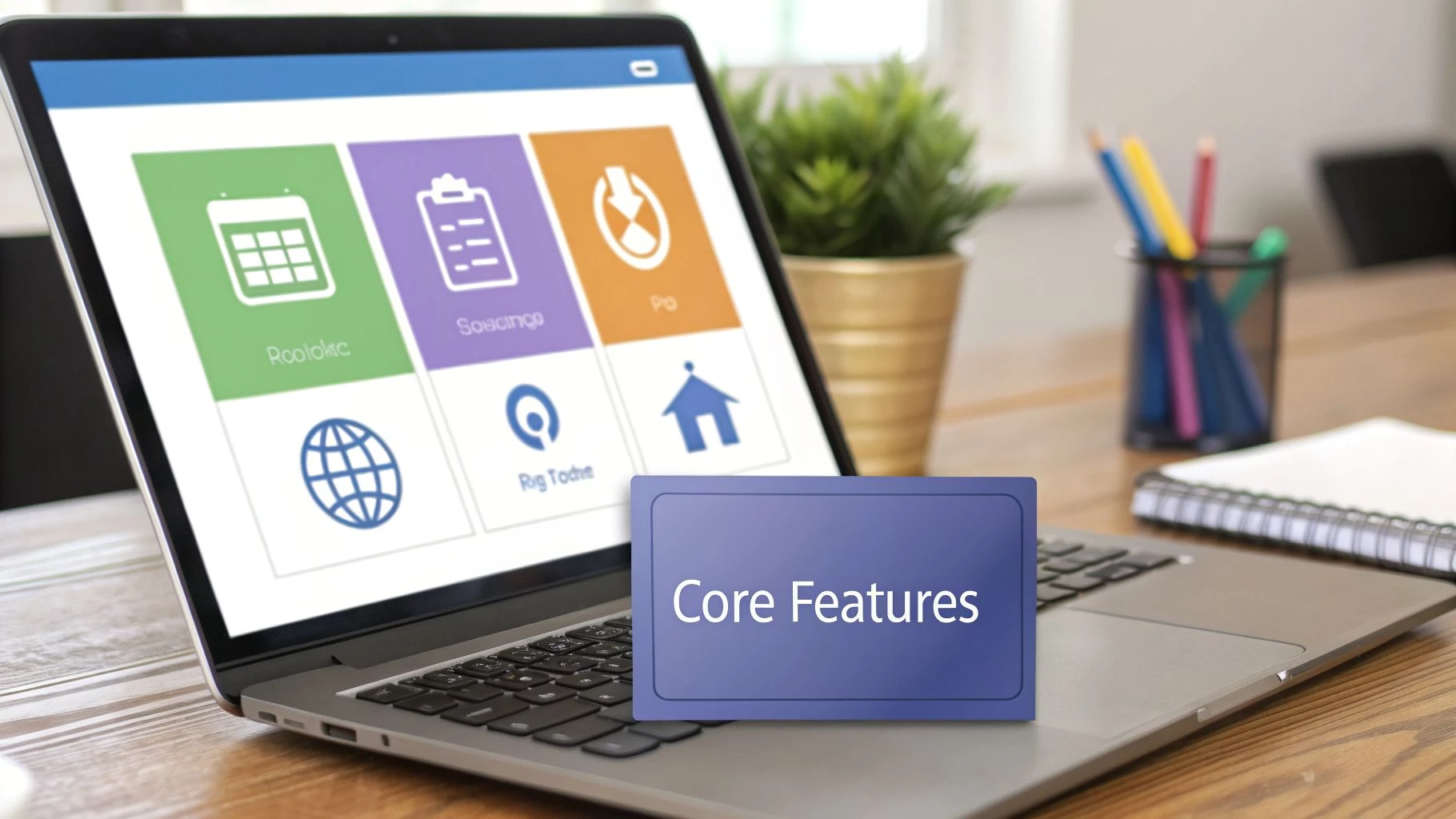
Understanding these core pieces is key to seeing how raw information from a job site transforms into a real strategic advantage back at the office. Each feature is designed to solve a specific, real-world headache that mobile teams face every single day.
Intelligent Scheduling and Dispatching
The days of staring at a map and manually assigning jobs based on a gut feeling are long gone. At the heart of any solid MWM platform is the ability to automate scheduling and dispatching.
Imagine you’ve got ten service calls scattered across town and five technicians ready to go. The system doesn't just play pin the tail on the donkey; it crunches multiple factors in real-time to find the perfect match for every job.
- Skill-Based Assignment: The software knows which technician has the high-voltage repair certification or which drone pilot holds the right credentials for a survey job. No more sending the wrong person to the wrong site.
- Route Optimization: It’s not just about the shortest distance. It calculates the smartest routes, factoring in live traffic and tight appointment windows to slash drive time and fuel costs.
- Automated Communication: As soon as a job is assigned, your field team gets an instant notification on their phone with all the details. This alone cuts out countless frantic phone calls.
This level of automation frees up managers to focus on handling exceptions and thinking strategically, rather than getting buried in logistical puzzles. We've talked before about automating repetitive tasks, and this is a prime example of its power.
Real-Time Fleet and Team Management
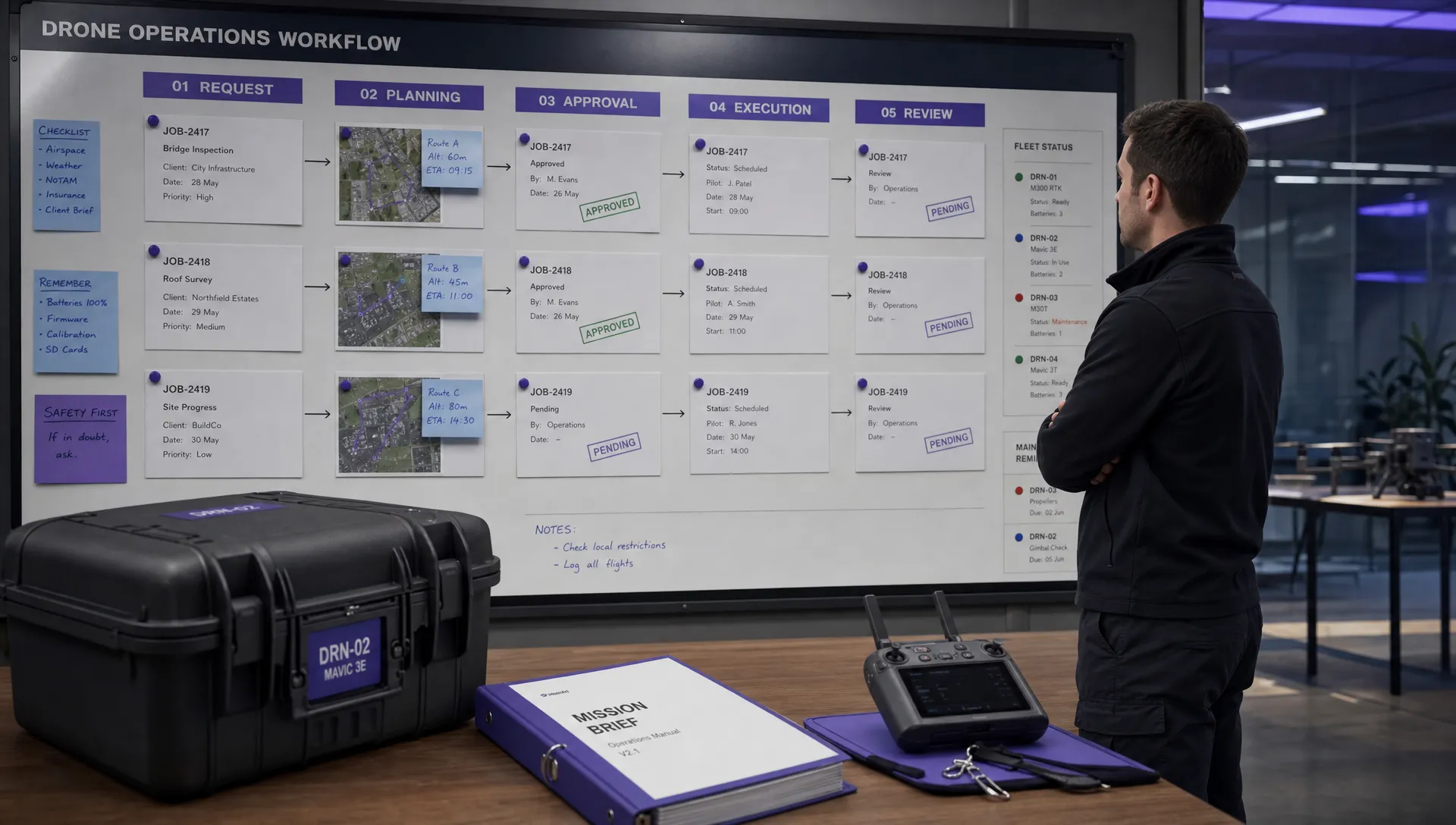
Once your team hits the road, you can't manage what you can't see. Fleet and team management features give you a live, bird's-eye view of your whole operation, turning a static map into a dynamic command centre.
This is mostly done through GPS tracking, but its real value goes way beyond just seeing pins on a map. For example, many platforms integrate features like lone worker location tracking to improve safety for staff working by themselves, especially in remote locations. This isn't just about being efficient; it's about your duty of care.
A key advantage is the ability to react quickly. If a customer calls with an emergency, a manager can instantly see the nearest available technician and reroute them, dramatically improving response times and customer satisfaction.
Robust Compliance and Safety Modules
In many industries—especially heavily regulated ones like drone services or utilities—compliance isn't a "nice-to-have," it's a "must-do." Good MWM solutions bake compliance right into the daily workflow.
Instead of wrestling with paper checklists and binders that get lost or damaged, these platforms digitize the whole shebang.
- Digital Forms and Checklists: Field staff complete pre-flight checks, site risk assessments, or safety inspections directly on their mobile app.
- Automated Logging: Every single action, from equipment maintenance to a drone's flight time, is automatically time-stamped and logged. This creates an unchangeable audit trail.
- Instant Access to Documents: Manuals, licenses, and insurance certificates are stored securely in the cloud, ready to be pulled up anytime, anywhere.
This ensures every job is done safely and by the book, giving managers peace of mind and keeping the business audit-ready 24/7.
Insightful Reporting and Analytics
Here’s where the magic really happens. The true power of these platforms is their ability to turn all that field activity into actual business intelligence. Every job ticked off, every form filled out, and every mile driven creates a stream of valuable data.
Reporting and analytics dashboards pull all this information together into easy-to-read charts and graphs. This lets you move beyond guesswork and start making decisions based on hard facts, spotting trends like which services are your most profitable or which teams are knocking it out of the park.
This shift to data is being supercharged by the cloud. Market research shows that cloud-based platforms are the fastest-growing part of the market, expected to grow at a 15.3% CAGR from 2026. This is largely because software suites, which already grab over 65% of revenue, can seamlessly tie together functions like compliance and forecasting. You can see the full research about AI-driven growth in workforce management for a deeper dive into the numbers.
How MWM Solutions Scale with Your Business
It's a common myth that mobile workforce management solutions are just for massive corporations with huge fleets. The truth is, these platforms are incredibly flexible, delivering value that grows right alongside your business, whether you're a one-person show or a global enterprise.
I like to think of it like picking a vehicle. A solo operator might just need a reliable car to get jobs done efficiently. A growing team needs a bigger van to haul more people and gear. A huge company? They need an entire fleet of specialised trucks, all tracked from a central hub. An MWM platform works the same way, giving you the right tools for your current stage of growth.
The core benefits—efficiency, visibility, and compliance—are gold at every level. The software just changes the scale and focus to match the specific headaches you're dealing with at your size.
The Solo Operator’s Secret Weapon
If you're a solo operator, like a freelance drone pilot or an independent field tech, time is literally money. Every minute you spend on admin is a minute you're not earning. This is where a mobile workforce management solution stops being a "nice to have" and becomes your best business partner.
At this stage, it’s all about personal productivity. The software takes over the boring, repetitive tasks that can easily bury a one-person business.
- Automated Quoting and Invoicing: Fire off professional quotes and invoices in a couple of clicks. This speeds up your cash flow like you wouldn't believe.
- Simplified Job Planning: Keep all your jobs, client details, and site notes in one place. No more juggling scattered notebooks and spreadsheets.
- Effortless Compliance: For drone pilots, this is huge. The platform can automate things like pre-flight checklists, risk assessments, and flight logging, making sure every job is compliant without hours of painful paperwork.
For a solo pro, an MWM system is like having a virtual admin assistant. It tames the back-office chaos, so you can focus on your craft, deliver great service, and, most importantly, take on more work.
This kind of automation is a genuine game-changer. For instance, a platform like Dronedesk can take the time needed to plan a single drone job from over an hour down to just a few minutes. That's time you get back to actually grow your business.
Powering Small and Medium Teams
When your business expands from one person to a small or medium-sized crew, the challenge changes. It's less about personal productivity and more about team coordination. Suddenly you're dealing with communication breakdowns, assigning the wrong person to a job, and fighting to keep quality consistent as you get bigger.
An MWM solution tackles this by creating a single source of truth for the whole team. It makes sure everyone, whether they're in the office or out on a site miles away, is on the same page.
Here, the focus shifts to:
- Seamless Dispatching: Assign jobs to the right person based on their skills, location, and availability. This prevents double-bookings and cuts down on wasted travel time.
- Real-Time Visibility: Managers can see where everyone is and what they’re working on. This allows for quick pivots and much better communication with customers.
- Standardized Workflows: Ensure every team member follows the exact same process for every job—from safety checks to final reports—which guarantees your service quality stays high.
This structure is what allows a business to grow without all the chaos that usually comes with it. You can learn more about how the right platform helps during this crucial phase in our article on Dronedesk for scaling your operations.
Enterprise-Grade Control and Consistency
For a large enterprise with hundreds, or even thousands, of mobile workers spread across different regions, the challenges are just magnified. The focus isn't just on coordination anymore. It’s about achieving unwavering operational consistency, locking down enterprise-grade security, and using data to make big-picture strategic moves.
At this scale, mobile workforce management solutions become the central nervous system for governance and optimisation. They give the C-suite the high-level controls they need to manage a vast and complex mobile workforce effectively.
Key enterprise capabilities include:
- Territory Management: Divide operations by region, with unique rules, teams, and analytics for each area.
- Advanced Security: Roll out detailed user permissions, strict data protection, and complete audit trails to meet tough corporate security standards.
- Strategic Analytics: Pull together data from the entire organisation to spot macro trends, compare performance between regions, and guide long-term business strategy.
This allows a massive company to operate with the agility of a small team but at a global scale, ensuring brand standards and procedures are followed everywhere, every time.
Choosing the Right Mobile Workforce Management Solution
Picking the right platform from the endless list of mobile workforce management solutions can feel overwhelming. With so many options, and each one promising to solve all your operational problems, how do you find the one that’s actually a good fit for your business? The trick is to look past the slick marketing and zero in on a few critical points that separate a decent tool from the perfect one for you.
This isn't about finding the platform with the most bells and whistles; it’s about finding the one with the right ones. Think of it like buying a vehicle. A city commuter, a building contractor, and a long-haul trucker all need to get from A to B, but their ideal vehicles couldn't be more different. Your business is the same. You need a solution built for your specific journey.
Create Your Evaluation Checklist
Before you sit through a single demo, you need a solid checklist of what really matters. A structured approach keeps you grounded in your real-world needs, stopping you from getting distracted by flashy features you’ll never actually use. Your checklist should be built around four core pillars.
Start by grading each potential platform on these key areas:
- Industry-Specific Functionality: Does the software speak your language? A generic solution might handle basic scheduling, but specialized fields have unique demands. For a drone business, this means features like built-in airspace intelligence and automated flight logging aren't just nice-to-haves—they're essential.
- Scalability and Growth Potential: The solution you pick today has to support your business tomorrow. Ask yourself: will this platform still work for me if my team doubles in size in two years? A scalable solution grows with you, not against you.
- Integration Power: Your MWM software doesn't operate in a vacuum. It must talk to the other tools you depend on, like your accounting software (e.g., QuickBooks, Xero) or your CRM. Bad integrations create frustrating data silos and more manual work.
- User Experience (UX): Honestly, this might be the most important factor of all. If the software is clunky, complicated, or just plain ugly, your team simply won't use it. The best platforms are intuitive enough for your least tech-savvy team member to pick up in minutes.
The flowchart below shows how your business scale—from a solo operator to a large enterprise—directly impacts which features you ought to prioritize.
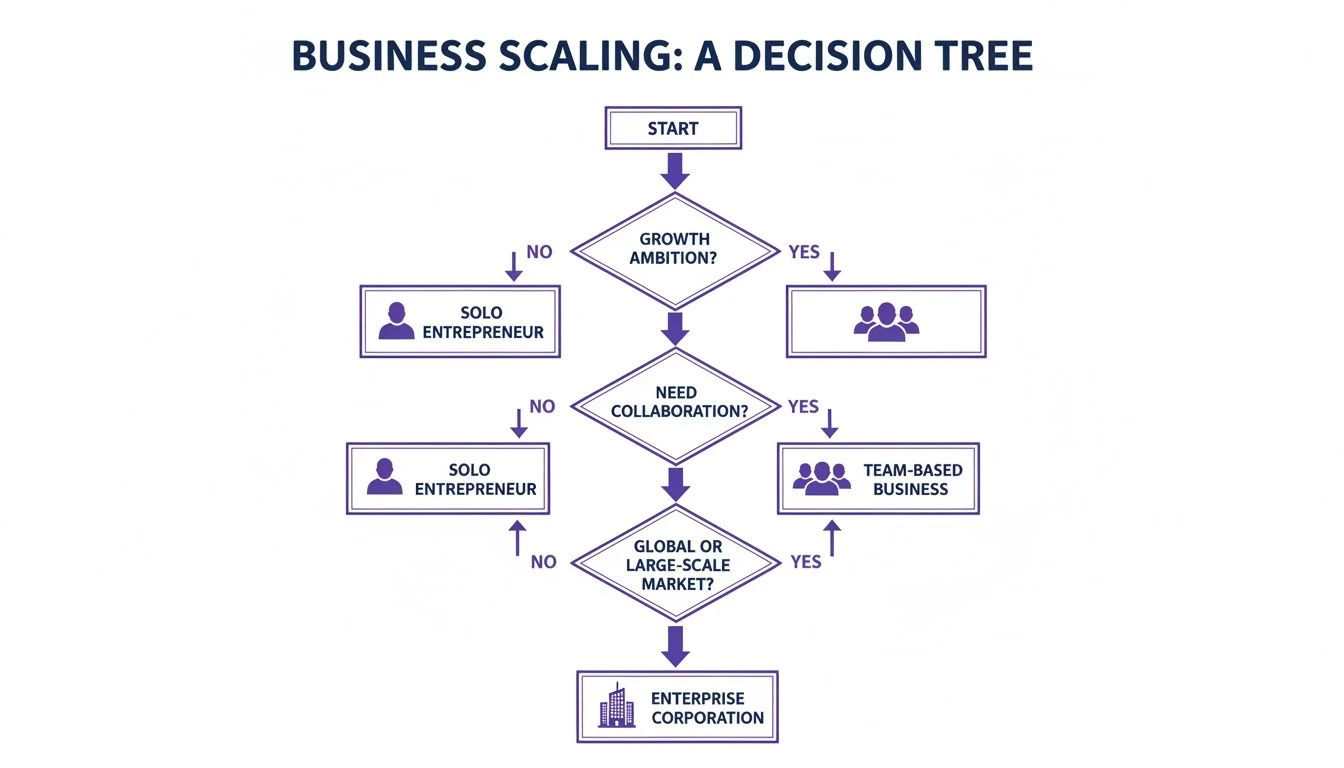
As you can see, the focus shifts as a business grows. A solo pilot just needs tools to stay productive. A small team needs coordination. And at the enterprise level, it's all about governance and consistency.
General Tools vs. Specialized Platforms
One of the biggest forks in the road is deciding between a general, "one-size-fits-all" MWM platform and an industry-specific one. A general tool might seem more flexible at first glance, but a specialized solution is built from the ground up to solve the exact problems you wrestle with every single day.
For highly regulated or technical fields, a specialized platform isn't just a preference—it's a competitive advantage. It turns complex, industry-specific compliance from a major burden into an automated, background process.
This is especially true for drone operations. A generic MWM can't provide the integrated airspace maps, risk assessments, and automated flight logs that are crucial for safety and legal compliance. A specialized platform like Dronedesk bakes these requirements directly into the workflow.
This table really highlights the difference between a tool that’s been adapted for your industry and one that was born in it.
General MWM vs. Specialized Solutions (e.g., Dronedesk)
| Feature/Aspect | General MWM Platform | Specialized Drone Platform (like Dronedesk) |
|---|---|---|
| Compliance | Basic digital forms and checklists that you have to build and maintain yourself. | Pre-built, automated workflows for industry-specific compliance like flight risk assessments and airspace checks. |
| Workflow | Generic job templates that may require heavy customization to fit your process. | Tailored end-to-end workflows designed for specific jobs, such as a drone survey or roof inspection. |
| Terminology | Uses broad terms like "jobs" and "assets" that may not align with your industry's language. | Uses industry-specific language ("flights," "pilots," "airspace") that your team immediately understands. |
| Integration | Connects to common business apps like CRMs but may lack integration with specialized hardware. | Offers deep integrations with essential industry hardware and software, such as DJI drones and flight control apps. |
When it comes down to it, choosing the right platform is about knowing your business inside and out. By creating a solid evaluation checklist and understanding the critical difference between general and specialized tools, you can confidently pick a platform that not only fixes today's headaches but also clears the path for future growth.
Your Roadmap for a Successful MWM Implementation
Adopting a new platform is a journey, not just a flick of a switch. A successful rollout of mobile workforce management solutions needs a clear plan. Without one, even the best software can flop, leaving you with frustrated teams and a wasted investment.
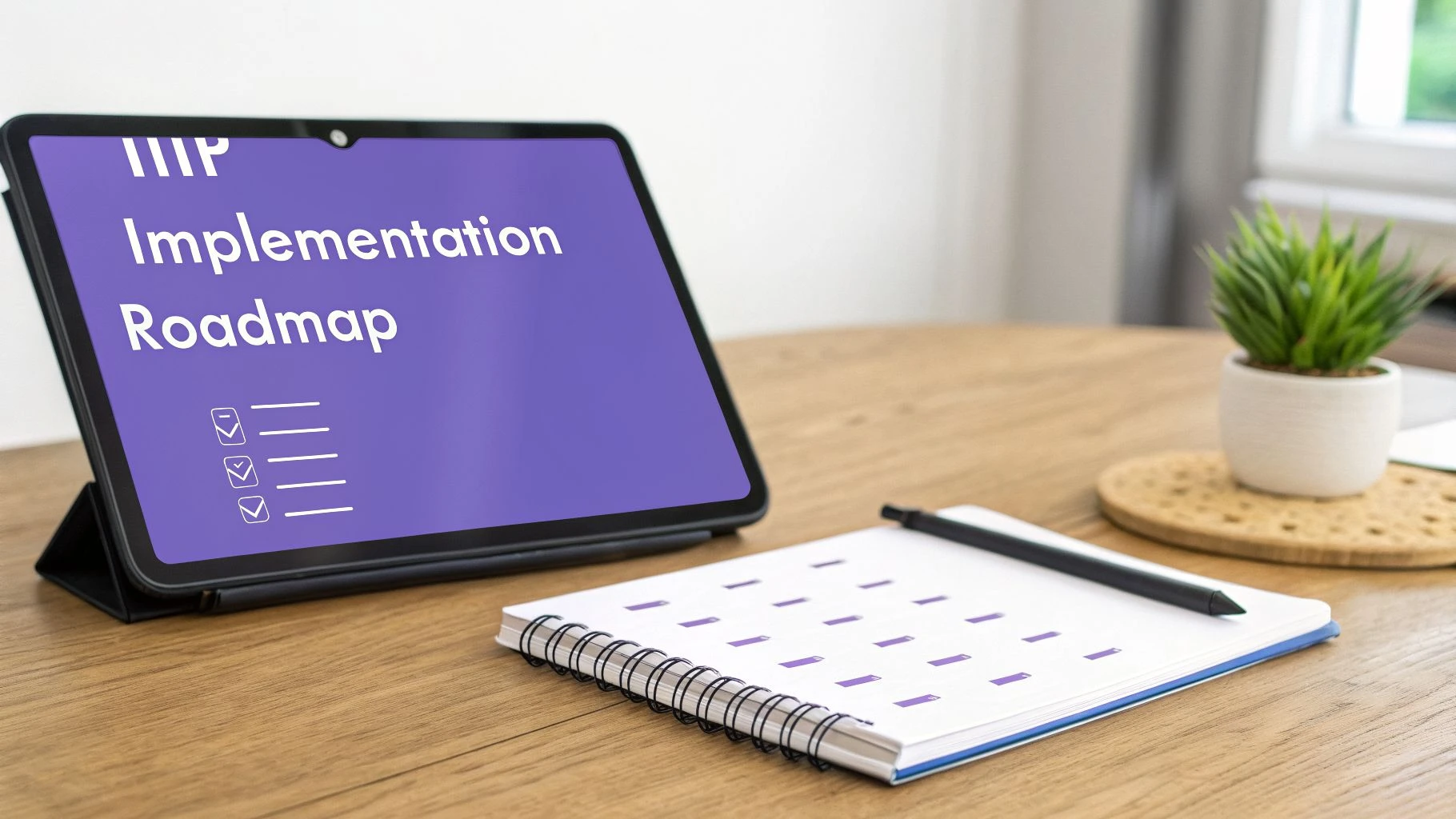
Think of it as building a house: you need a solid foundation before you start putting up walls. This roadmap is that foundation—a proven, step-by-step approach to make sure your transition is smooth and you start seeing a return on your investment fast.
Define Your Goals Clearly
The most critical first step is figuring out what success actually looks like. Why are you even implementing this software? Vague goals like "improving efficiency" just won't cut it. You need specific, measurable targets.
This clarity will guide every single decision you make from here on out. It helps you set up the software correctly and, down the line, prove it was worth the money.
Get specific with your objectives:
- Cost Reduction: Are you aiming to cut fuel costs by 15% with better route optimization?
- Productivity Gains: Do you want to boost the number of jobs completed per tech per day by 20%?
- Service Quality: Is the goal to lift your first-time fix rate from 75% to 90%?
With clear KPIs, your project has a purpose. It stops being a simple software installation and becomes a targeted initiative to improve the business.
Involve Your Team from the Start
Dropping a new tool on your team without talking to the people who will use it every day is a recipe for disaster. Resistance to change is natural, but you can turn potential critics into your biggest champions by getting them involved early.
Your field crew knows the real-world challenges better than anyone. Their input is gold for spotting roadblocks and tweaking the software to fit how work actually gets done.
By gathering feedback from day one, you build a sense of shared ownership. The platform becomes "our tool" that solves "our problems," not just another top-down mandate from the office.
Launch a Pilot Program
Instead of a "big bang" rollout across the whole company, start small with a pilot program. Pick a small, trusted group—maybe one or two of your most experienced field techs and a dispatcher—to test the platform in a real-world but controlled setting.
This trial run is crucial for a few reasons:
- Work Out the Kinks: No rollout is perfect. A pilot lets you find and fix configuration issues, workflow gaps, or training needs on a small scale before they affect your entire operation.
- Gather Actionable Feedback: Your pilot team will give you honest, practical feedback on what works and what doesn't, allowing you to fine-tune the setup.
- Build Internal Champions: When the pilot goes well, this group becomes powerful advocates for the new system. They'll share their positive experiences with the rest of the team and help calm any nerves during the full rollout.
Provide Comprehensive Training
Once you’ve refined everything based on your pilot, it’s time to train the rest of the team. And let’s be clear, good training is way more than a single one-hour webinar. It needs to be role-specific, hands-on, and ongoing.
Make sure your training covers not just how to use the software, but why it helps them directly—less paperwork, clearer instructions, and fairer job allocation. Back this up with quick-reference guides and easy access to support for those inevitable post-launch questions. Your team's confidence with the new tools will make or break user adoption. A solid training plan is absolutely non-negotiable.
Frequently Asked Questions About MWM Solutions
Alright, you're sold on the concept of a mobile workforce management solution. But now come the big, practical questions. Making a major change to your operational software is a huge decision, and you need straight answers before you commit.
Let's cut through the sales-speak and tackle the most common questions we hear from businesses on the verge of adopting a new MWM platform. We’ll cover everything from the real cost and setup time to data security and how it plays with your other software.
What Is the Typical Cost of an MWM Solution?
This is usually the first question on everyone's mind: "What's this actually going to set me back?" The honest answer is, it varies. Pricing for mobile workforce management solutions can be all over the map depending on the provider, the features you need, and how big your team is.
Most pricing plans, however, fall into a few buckets. Getting your head around these will make it much easier to compare your options.
- Per-User, Per-Month Fee: This is the most common model you'll see, especially for cloud-based tools. You pay a fixed fee for each person on the platform every month. It’s a great model because your costs scale directly with your team. These fees can run anywhere from $20 to over $100 per user, depending on how powerful the software is.
- Tiered Plans: Many providers bundle their features into plans like Basic, Pro, or Enterprise. Each step up unlocks more advanced tools, like in-depth analytics, extra security features, or niche integrations. This is great because you only pay for what you need right now, but you have a clear path to upgrade as you grow.
- Custom Enterprise Pricing: If you're a large outfit with hundreds or even thousands of mobile workers, you'll almost always be looking at custom pricing. This usually means a negotiated annual contract that bundles in things like dedicated support, custom-built integrations, and specific service level agreements (SLAs).
When you're looking at the price tag, try to think beyond the monthly fee. A platform that costs a little more but saves every technician an hour a day is going to give you a much better return in the long run.
How Long Does Implementation Usually Take?
Getting a new MWM system up and running can take anywhere from a couple of hours to a few months. The timeline really boils down to how complex your business is and which platform you've picked.
A solo operator or a small team using a simple, off-the-shelf solution could genuinely be up and running the same day they sign up. It’s often just a case of creating an account, inviting your team, and maybe importing a client list.
For a bigger company with complicated workflows, custom software links, and teams spread all over the map, the process is a whole lot deeper. You should budget for several weeks, or even a few months, to get it right.
This longer enterprise timeline is usually broken down into a few key stages:
- Discovery and Planning: This is where you map out your goals, workflows, and figure out what integrations you absolutely need.
- Configuration and Customization: Setting up the platform to mirror your exact processes, user permissions, and any compliance rules you have to follow.
- Pilot Program: You'll test the system with a small, select group of users to find and fix any kinks.
- Full Rollout and Training: Finally, you'll onboard the entire team and make sure everyone gets the training they need to use the system properly.
Can These Platforms Integrate with Our Existing Software?
Absolutely. In fact, this is one of the most critical features of any modern mobile workforce management solution. A platform that lives on an island and doesn't talk to your other tools creates more work than it saves. The best MWM systems are built to be the central hub of your operations, which means they must connect to the other software you use every day.
This connection is usually handled through Application Programming Interfaces (APIs). Think of an API as a secure messenger that lets different software programs talk to each other and share data automatically, without you having to lift a finger.
Common integrations you'll see include:
- Accounting Software: Connecting to tools like QuickBooks or Xero automates your invoicing and payroll. No more mind-numbing data entry, no more costly mistakes.
- CRM Systems: Linking up with your Customer Relationship Management (CRM) platform, like Salesforce, makes sure your client details and job histories are always perfectly in sync between the field and the office.
- Industry-Specific Tools: For our world, this is huge. A drone management platform, for example, might sync flight logs directly from a DJI drone controller, saving pilots a ton of admin time.
Before you pull the trigger on a provider, always check their list of pre-built integrations. And if you have a unique tool you need to connect, ask about their API to see if a custom connection is possible.
How Secure Is Our Data in a Cloud-Based MWM?
Trusting a third party with your sensitive operational and client data is a big deal, and it's a perfectly valid concern. Any reputable MWM vendor knows this and sinks a lot of money into heavy-duty security to protect your information. Frankly, a good cloud-based platform is often far more secure than an on-site server managed by a small internal IT team.
Here are the standard security protocols you should be looking for:
- Data Encryption: All your data—whether it's sitting on a server (at rest) or being sent over the internet (in transit)—should be locked down with industry-standard encryption like AES-256.
- Secure Data Centers: Providers should be using top-tier data centers like Amazon Web Services (AWS) or Microsoft Azure. These facilities have their own fortress-like physical and digital security, including firewalls and constant monitoring.
- User Access Controls: The software must let you set specific permissions for each user. This ensures your team members only see the information they need to do their jobs, and nothing more.
- Regular Audits and Compliance: Many providers get regular, independent security audits and are certified against international standards like SOC 2 or ISO 27001. This is their way of proving they're serious about data security.
Don't be shy about asking a potential vendor for their security documentation. How transparent they are about their security is a great sign of how seriously they take protecting your business.
Ready to streamline your drone operations, cut down on admin, and ensure compliance on every job? Dronedesk is the all-in-one mobile workforce management solution built specifically for drone professionals. See how thousands of pilots are saving time and flying safer. Start your free trial of Dronedesk today!
 How to Start a Drone Mapping Business With a Clear Workflow →
 Class C Airspace Drone Rules for Commercial Flights →
 How to Create a Drone Job Pack for Every Mission →
 FAA Small UAS Rule: Key Requirements for Operators →
 How to Build a Drone Pilot Flight Log That Is Audit Ready →
 FAA Drone Licence Requirements for Commercial Pilots →
 FAA BVLOS Waivers Granted: What Successful Cases Show →
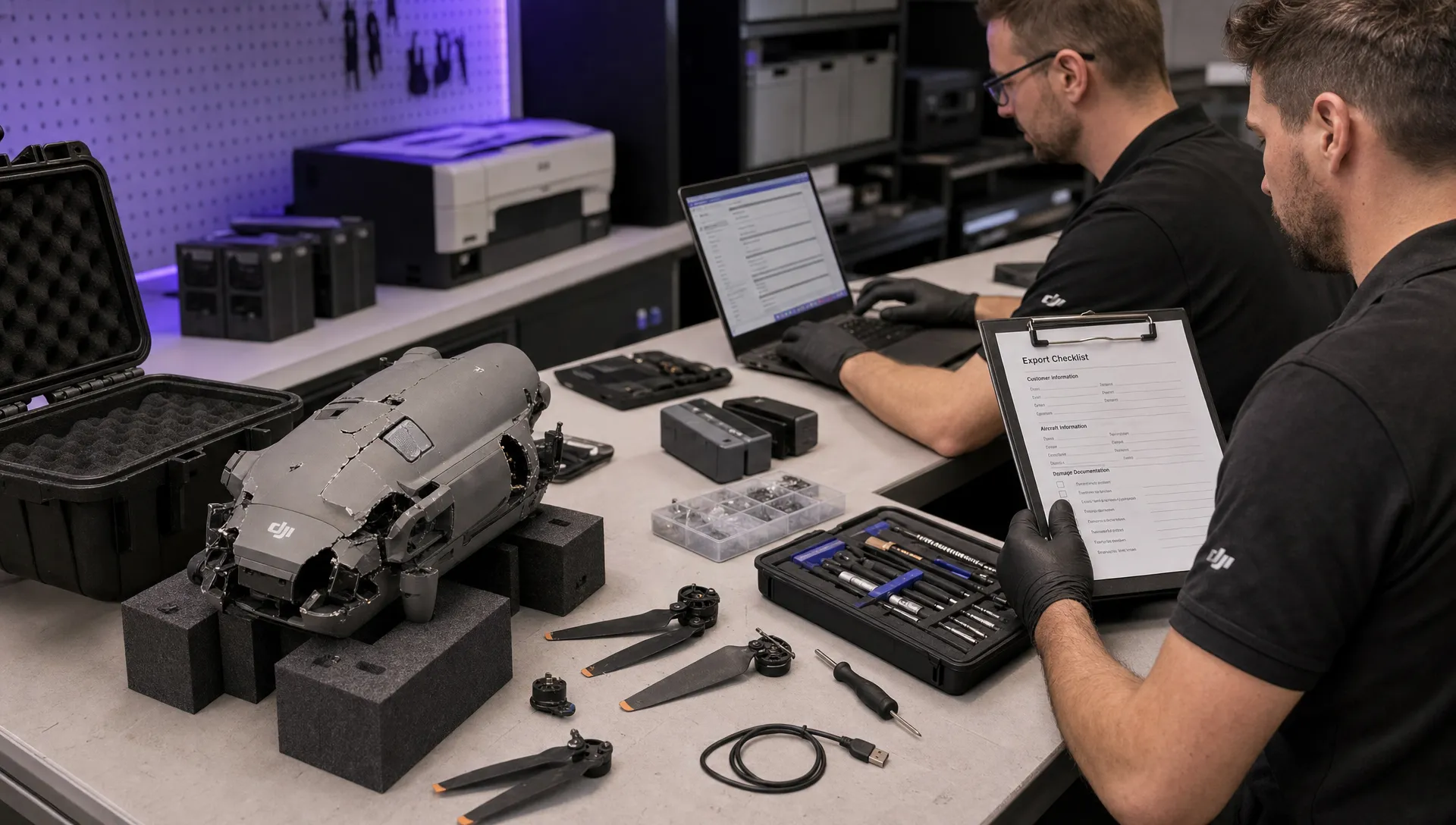 How to Export DJI Flight Logs for Incident Reviews →
 Drone Safety and Legal Duties for Business Operations →
 EASA Drone Regulations: Open, Specific and Certified Categories →