
Map Pilot Pro Your Complete Guide to Drone Mapping in 2026
Imagine having an expert co-pilot with you on every job, making sure you capture flawless mapping data every single time. That’s pretty much what you get with Map Pilot Pro. It's a specialist flight automation app designed for professionals who absolutely need consistent, top-quality data for mapping and 3D modeling.
What Is Map Pilot Pro and Why Do Professionals Use It?
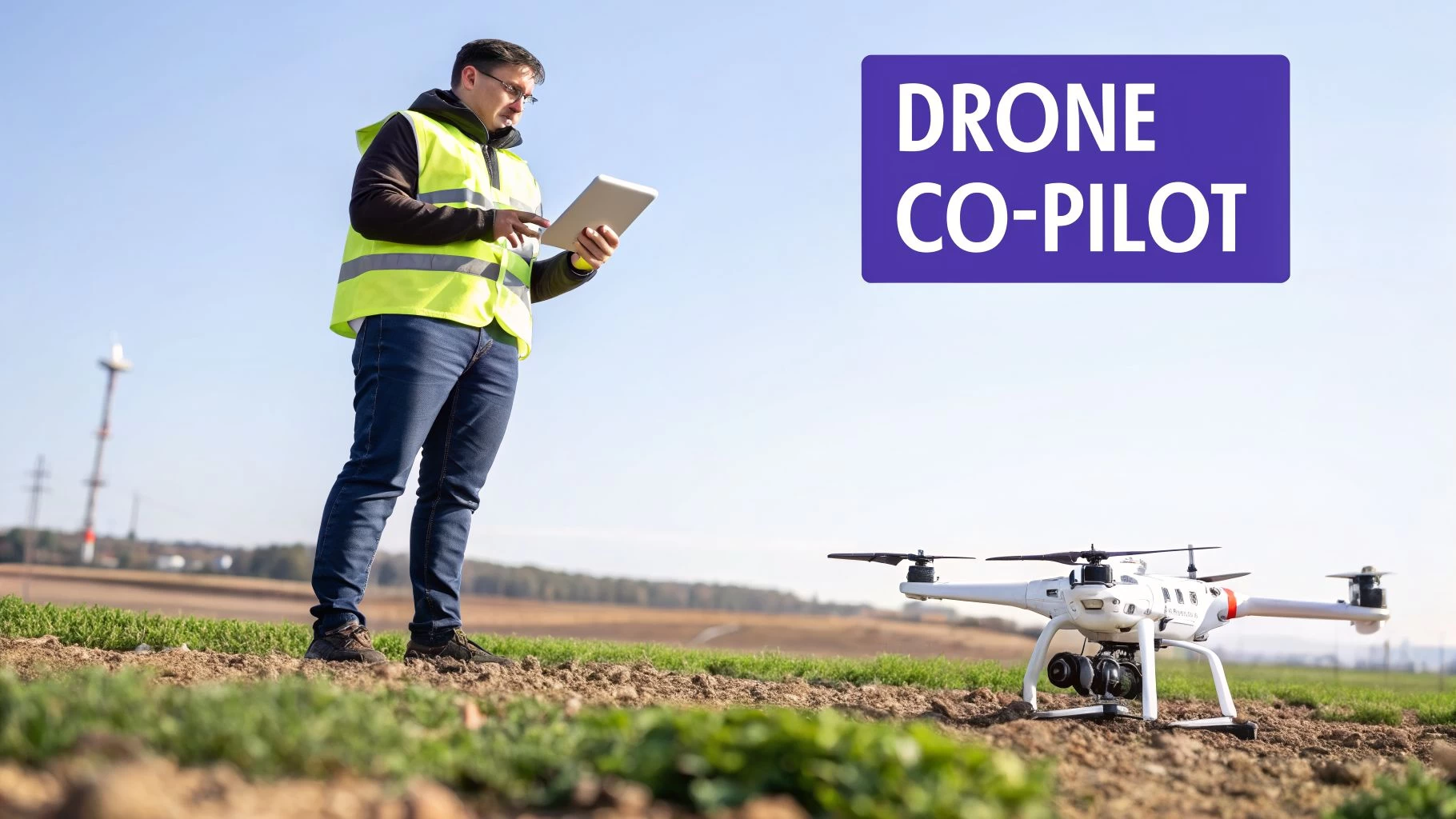
Think of it like this: a standard car sat-nav gets you from A to B, but a specialized one for truckers will route them around low bridges and find designated rest stops. In the same way, you could manually fly a drone to take pictures, but Map Pilot Pro automates the whole flight to guarantee every photo is captured perfectly for creating accurate maps. It’s a tool built for a specific, demanding job.
It tackles one of the biggest headaches in photogrammetry: inconsistent data. Trying to manually fly a perfect grid pattern, maintaining the right image overlap and camera angle, is next to impossible. The smallest deviation can create gaps, distortions, or just plain unusable data, forcing you into expensive and frustrating re-flights. Map Pilot Pro takes that human error out of the equation.
Before we dive deeper, here’s a quick overview of what Map Pilot Pro brings to the table.
Map Pilot Pro At a Glance
| Aspect | Description |
|---|---|
| Primary Function | Automated flight planning and execution for aerial mapping and 3D modeling. |
| Core Workflow | Define mission area, set parameters (overlap, altitude), and let the app fly the drone autonomously. |
| Key Features | Terrain Awareness, Multi-Battery Missions, Manual Flight Logging, Linear Missions. |
| Target Users | Surveyors, Construction Managers, Agronomists, Asset Inspectors, and other mapping professionals. |
| Main Benefit | Ensures consistent, high-quality, and repeatable data capture while eliminating human error. |
This table should give you a good sense of its role in a professional drone operation. Now, let's look at who it's really built for.
Who Is the Target User?
This powerful app is built for pros who rely on precise aerial data. It's not really a tool for the casual weekend flyer; it’s a critical piece of field equipment for several key industries.
- Surveyors and Civil Engineers: They use it to generate highly accurate topographic maps, measure stockpile volumes, and monitor construction progress, often achieving centimeter-level accuracy.
- Construction Managers: Teams depend on it for weekly progress tracking, creating as-built models, and making sure projects stay on track and on budget.
- Agronomists and Farmers: It's a game-changer for assessing crop health, spotting irrigation problems, and generating variable-rate prescription maps for precision agriculture.
- Asset and Utility Inspectors: Professionals use it to create detailed 3D models of tricky subjects like cell towers, bridges, and power lines for maintenance and inspection workflows.
At its heart, Map Pilot Pro is for any professional whose work demands repeatable, high-quality aerial imagery. Its job is to handle the flight and data capture, freeing up the pilot to focus on what matters most in the field: safety and mission oversight.
The app gives pilots incredibly detailed control over flight parameters like altitude, speed, image overlap, and camera settings. By locking in these details before takeoff, the drone can execute the mission perfectly on its own. This ensures the photos are exactly what you need to process them into accurate 2D maps and 3D models. It acts as your in-field specialist, focused entirely on that crucial first step—getting the data right.
Understanding the Key Features of Map Pilot Pro
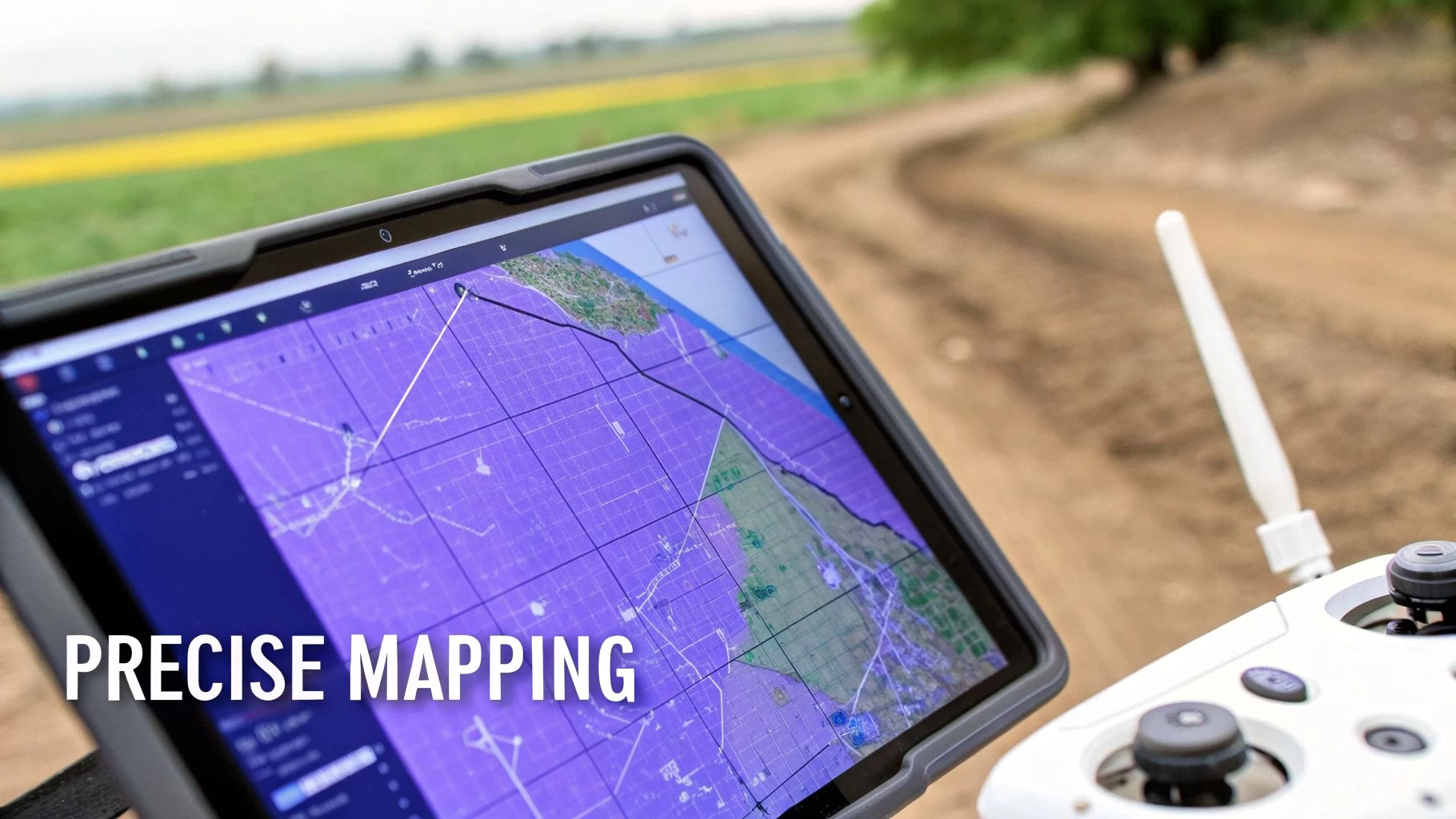
To really get what Map Pilot Pro is all about, we have to look past a simple feature list. The real magic is in how its tools work together to nail the data capture out in the field. This is the bedrock of any good mapping project, and it all comes down to giving the pilot surgical control before the drone's wheels ever leave the ground.
At its heart, the app is a master of automated flight planning. Let's say you need to map a 50-acre construction site. Trying to fly a perfect grid pattern by hand is a recipe for disaster—it's practically impossible. Instead, you just draw a boundary around the site, and the app instantly figures out the most efficient flight path.
This automation is absolutely vital for getting the right image overlap. To stitch images together without weird gaps or distortions, photogrammetry software needs them to overlap by a huge margin, often 70-80%. Map Pilot Pro takes care of this for you, guaranteeing you get the coverage needed for crisp 2D orthomosaics and detailed 3D models.
Advanced Mission Planning Capabilities
But the app's smarts don't stop at basic grids. It packs in specialised tools for the tricky jobs, which is why it’s a go-to for professionals. These are features built to tackle the kind of real-world headaches that bog-standard flight apps just can't handle, saving pilots from expensive and frustrating re-flights.
Here are a few of the standout planning features:
- Linear Mission Planning: This is an absolute lifesaver for mapping long, skinny things like roads, pipelines, or railway lines. The app lays out an efficient, multi-pass flight path right down the middle of the corridor, making sure you get consistent data from end to end.
- Terrain Following: Flying over hills or uneven ground is a huge risk for both safety and data quality. With Terrain Following, Map Pilot Pro uses elevation data to automatically adjust the drone's altitude, keeping it at a constant height above the ground. This not only keeps the drone safe but also ensures your image resolution is consistent across the whole map.
- Real-Time Flight Monitoring: While the mission is underway, the app is your co-pilot. You can watch image captures, battery levels, and flight progress as it happens. This lets you sort out any problems on the spot, rather than finding them when you’re back at your desk.
The point of these features isn't just about making life easier; it's about repeatability and reliability. When a client needs monthly progress reports on a development, you can re-fly the exact same mission with a single tap. The result? Perfectly comparable datasets, every single time.
This level of control and automation is why so many pros put their trust in Map Pilot Pro. By taking care of the complex flight mechanics, it lets the pilot focus on what really matters: site safety and the big picture. This approach is key to running a tight ship, and for anyone juggling multiple projects, it’s worth understanding the full picture of what a drone flight planner can do. This obsessive focus on top-notch data capture ensures that what you feed into your processing software is as clean and accurate as it gets.
Real World Map Pilot Pro Workflows and Use Cases
Knowing what a piece of software does is one thing, but seeing it in action on a real job site is where the penny really drops. Map Pilot Pro is no exception. It truly comes into its own when you throw real-world challenges at it, turning what could be complicated data capture jobs into simple, repeatable workflows.
Let's dive into a few examples of how pros are using it to get their work done.
From Land Surveys to Tower Inspections
Picture this: a surveyor needs to create a detailed topographic map for a new 100-acre housing development. This map is critical for planning roads and drainage. Flying this manually would be a nightmare—time-consuming and riddled with potential for inconsistent data.
Instead, the surveyor opens Map Pilot Pro, draws a quick polygon around the property, and tells the app the ground resolution they need. The app does the heavy lifting, calculating the perfect flight path, altitude, and image overlap.
The Terrain Following feature is the real hero here. It keeps the drone at a constant height above the ground, even as the elevation changes. This guarantees every photo has the same resolution, which is vital for accurate mapping. With a single tap, the drone takes off and flies the mission on its own, snapping hundreds of geotagged images. The result? A super-accurate point cloud and digital elevation model (DEM) that forms the bedrock of the whole engineering plan.
Now, let's switch gears. Think about an inspector who needs to check out a 150-foot cell tower. The goal is to get crisp, close-up photos of every nut, bolt, and antenna without sending a person up. Using the app's Orbit function or even logging a manual flight, the inspector can gather all the data needed to create a detailed 3D model.
For contractors, showing you can do this safely and efficiently is a huge selling point. Knowing how to package and sell these advanced drone inspection services is what separates you from the competition and helps you land bigger contracts.
Finally, imagine an agronomist monitoring crop health across vast fields to find stressed areas. With Map Pilot Pro and a multispectral camera, they can set up automated grid flights over each section. Because the flights are automated, the data is consistent and scientifically sound, perfect for comparing week after week. This imagery is then processed into health maps (like NDVI) that pinpoint problem areas the naked eye would miss.
These examples all share a common thread: Map Pilot Pro is the expert in the field. It takes care of the "how" of flying the mission, so professionals can stay focused on the "why"—turning that data into insights that make a real difference to the business.
The data captured on missions like these is fuelling a massive boom in the drone analytics market. This sector was valued at USD 18.64 billion in 2025 and is expected to explode to USD 115.05 billion by 2034, growing at a compound annual rate of 22.42%.
This massive growth highlights a key point: the real money isn't just in flying drones. It's in pulling actionable intelligence from the data they collect—and that whole process starts with getting flawless data capture using tools like Map Pilot Pro. You can check out the full market analysis over on Fortune Business Insights.
Map Pilot Pro vs Dronedesk: Choosing the Right Tool
When you’re looking at Map Pilot Pro and Dronedesk, it's easy to fall into the trap of asking which one is "better." But that's the wrong question. It’s really about understanding their very different jobs and picking the right tool for the task at hand. This is a classic specialist vs. generalist scenario, and knowing when to use each is the secret to an efficient workflow.
Let me put it another way. Think about building a house. Map Pilot Pro is your high-precision laser level. It does one thing—capturing perfectly aligned spatial data—and it does it exceptionally well. It's your expert on the ground (or in the air, rather), focused entirely on automating the flight so you return with flawless imagery for your maps and models.
Dronedesk, on the other hand, is the general contractor’s entire back office. It's the command center for your whole drone operation. It handles everything from the initial client quote and project scheduling right through to post-flight compliance paperwork, assigning teams, and even tracking your finances. It doesn’t fly the drone, but it manages every single business process around the flight.
Where Each Platform Excels
To make this crystal clear, let's look at their core functions. You wouldn't use a hammer to cut a board, and you wouldn't use a saw to drive a nail. The same logic applies here.
To help you decide which tool fits your needs, here's a side-by-side comparison of what they're built to do.
Map Pilot Pro vs Dronedesk Feature Comparison
| Functionality | Map Pilot Pro | Dronedesk |
|---|---|---|
| Primary Role | In-field flight automation and data capture. | End-to-end business and operations management. |
| Core Focus | Executing precise mapping missions (grids, orbits). | Managing clients, projects, compliance, and financials. |
| When to Use It | During the flight phase on a job site. | Before, during, and after every job you fly. |
| Key Benefit | Guarantees high-quality, repeatable aerial data. | Creates a single source of truth for your entire drone business. |
As you can see, they aren't competitors at all; they’re complementary parts of a professional’s toolkit. In fact, the smartest approach often involves using both in a powerful hybrid workflow.
This decision tree gives you a great visual for when to reach for Map Pilot Pro based on your specific project.
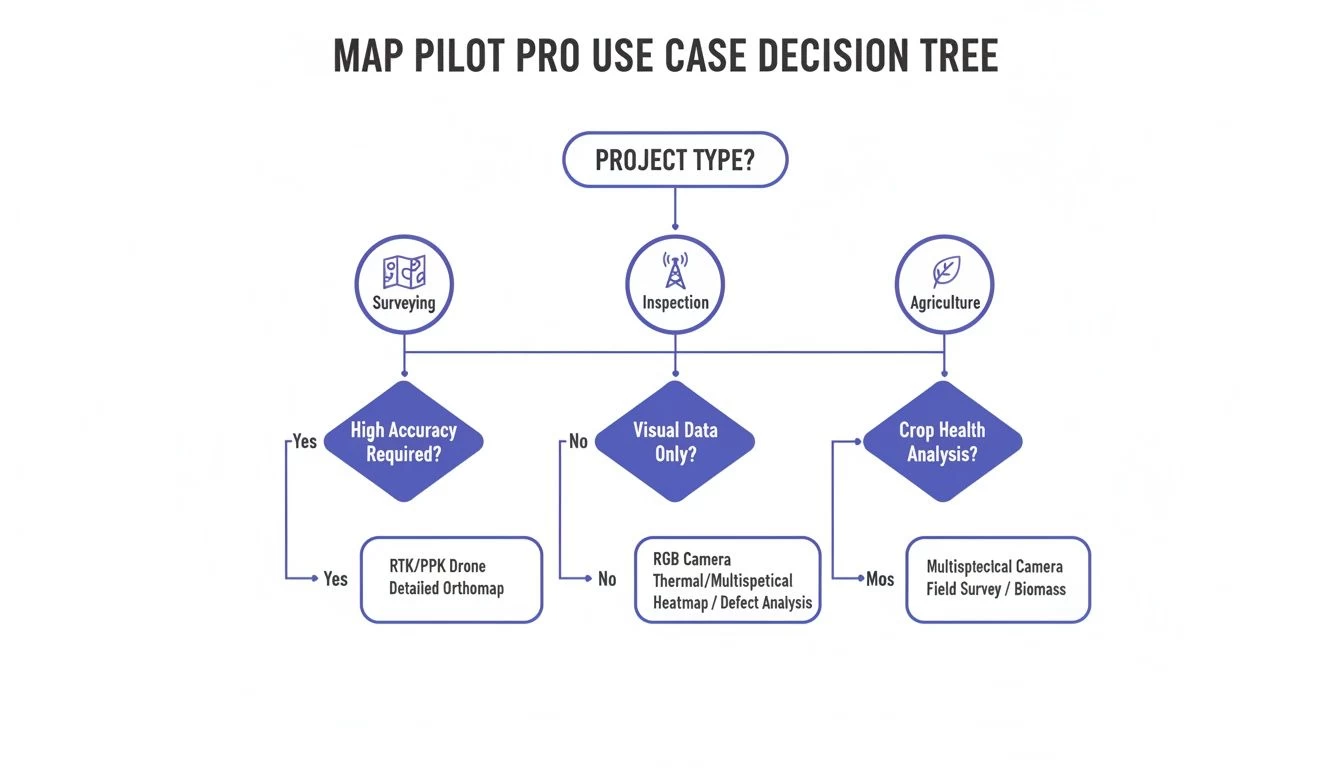
It plainly shows that whether you're working in surveying, inspection, or agriculture, Map Pilot Pro offers a specialized flight path to get the job done right.
The Hybrid Workflow: A Powerful Combination
So, how does this actually work in the real world? Let’s say you’ve just won a contract to survey a new commercial development. Here’s what your workflow would look like:
- Project Setup (Dronedesk): First, you create the job in Dronedesk. You’ll enter all the client details, the site location, and generate your risk assessments and other pre-flight paperwork.
- Data Capture (Map Pilot Pro): Once you're on-site, you’ll fire up Map Pilot Pro to execute the automated flight plan and capture the high-resolution survey data.
- Logging and Compliance (Dronedesk): After the flight, you jump back into Dronedesk to log your flight time and battery usage, and attach your completed, signed risk assessment. This creates a complete, compliant, and auditable record for the entire operation.
This integrated approach is quickly becoming essential as the industry grows. Just look at the numbers: commercial drone shipments grew from 828,000 units in 2021 and are projected to hit 1.4 million by 2026. As professionals manage more drones and more projects, using a platform like Dronedesk for oversight isn't a luxury anymore—it's a necessity for running an efficient business. You can read more about this trend on the Edge AI and Vision Alliance website.
The takeaway is simple: Use Map Pilot Pro to fly the mission, and use Dronedesk to manage the business. This strategy lets you tap into a best-in-class flight tool while maintaining a robust, scalable, and compliant business operation from end to end.
Ultimately, choosing between these platforms is a false choice. The real question is how to combine them effectively. By integrating specialist tools for data capture with a central hub for business management, you build a tech stack that’s ready for whatever comes next. If you're still exploring your options, have a look at our guide on the best drone mapping software available today.
Understanding Its Pros and Limitations
Every tool has its sweet spot, and Map Pilot Pro is no exception. It’s a master of its craft, but you need to understand both its strengths and weaknesses to get the most out of it. Think of it less as a Swiss Army knife and more as a high-precision scalpel for fieldwork.
Its single biggest advantage is its rock-solid flight automation. The app gives you an incredible amount of control over every detail of your mission, from overlap and altitude right down to the camera settings. This meticulous level of control is what ensures you walk away from a site with high-quality, consistent data, massively cutting down the risk of expensive re-flights.
Where Map Pilot Pro Shines
The app is laser-focused on one thing: delivering reliable and repeatable data capture. Its whole feature set is built around this promise, which translates into real, tangible benefits for professional drone pilots.
- Exceptional Data Quality: By taking the human element out of the flight path, it ensures perfect image overlap and a consistent ground sample distance (GSD). These are the absolute cornerstones of accurate photogrammetry.
- Specialized Mission Types: It handles tricky jobs with ease. You get built-in tools like Terrain Following for flying safely over hilly ground and Linear Mission planning for mapping long corridors like roads or pipelines.
- Reliability and Repeatability: Once you've designed a mission, you can save it and fly it again with just one tap. This is a game-changer for progress monitoring projects where you need to compare data captured weeks or even months apart.
For pilots who are purely focused on the data capture phase of a mapping project, Map Pilot Pro is an unbelievably powerful and dependable tool. It’s designed from the ground up to get the in-field part of the job done with precision and efficiency.
Knowing Its Boundaries
Just as crucial, though, is knowing what Map Pilot Pro is not built to do. It’s a dedicated flight app, and its focus is intentionally narrow. It’s a tool for the field, not for the office.
This means you won't find any features for the business side of running a professional drone service. There's nothing for client management, project scheduling, invoicing, or creating compliance reports. It won’t help you manage your drone fleet, keep track of pilot qualifications, or put together detailed risk assessments.
This is a limitation by design. The app's strength is its singular focus on executing the flight. Trying to be a jack-of-all-trades would only water down its core purpose. This is exactly why a comprehensive operations platform like Dronedesk is so essential. While Map Pilot Pro makes sure you capture flawless data, Dronedesk is there to manage the entire business framework that surrounds that flight—from the first client quote to the final project report.
Why an Integrated Tech Stack Is Key to Success
The days of relying on a single, do-it-all app to run a professional drone business are pretty much over. As the industry has grown up, the most successful operators have learned that a one-size-fits-all approach just doesn't cut it anymore. Instead, they're building an integrated tech stack by combining the best tools for specific jobs.
This change is a direct result of a more demanding market. A specialized flight app like Map Pilot Pro is an absolute beast for its main job: capturing perfect data in the field. It’s laser-focused on flight automation, which means you get the best possible imagery for your maps and models.
But let's be honest, running a drone business that can actually scale is about more than just great data. You need a solid system for managing clients, scheduling projects, handling compliance paperwork, and keeping an eye on your finances. This is where an operations platform like Dronedesk comes in, acting as the central nervous system for your entire business.
Building for Growth and Profitability
Putting together an integrated stack isn’t just about making things run a bit smoother; it’s about setting your business up for real, long-term growth. The global drone market is exploding, with its value expected to jump from $83.81 billion in 2025 to $96.38 billion in 2026. This creates a massive wave of opportunity, but it also means dealing with a lot more complexity.
The winning strategy is crystal clear: pair specialized tools for the field with a powerful management platform. Using Map Pilot Pro for your flights and Dronedesk for your operations creates a workflow that’s not just efficient, but ready to grow with you.
This hybrid approach lets you keep your data capture standards sky-high while making sure the business side of things is professional, compliant, and—most importantly—profitable. As you start juggling more clients and more complex missions, having a rock-solid drone data management program becomes absolutely essential. An integrated tech stack isn't a luxury anymore; it’s the new standard for winning in the professional drone game.
A Few Common Questions About Map Pilot Pro
Jumping into new software always brings up questions. To give you a clearer picture, we’ve put together answers to some of the queries we hear most often about using Map Pilot Pro for drone mapping.
How Much Does Map Pilot Pro Cost?
Map Pilot Pro generally works on a subscription basis, which keeps you up-to-date with the latest features and support. The cost depends on the plan you choose, so your best bet is to pop over to the official Maps Made Easy website for the current pricing.
What Drones Does It Work With?
The app is built to play nicely with the DJI ecosystem. It supports a whole host of popular mapping drones, from the Mavic series right up to the more professional Matrice platforms.
Compatibility lists are always changing as new drones and firmware come out. Before you commit, it's always smart to check the official compatibility list on the Maps Made Easy site to make sure your specific drone is covered.
It's important to remember that Map Pilot Pro is a data capture tool. Its job is to fly the mission and gather top-notch, geotagged images. You’ll still need separate photogrammetry software to stitch those images into your final 2D maps and 3D models.
How Does It Work With Dronedesk?
The workflow between Map Pilot Pro and Dronedesk is refreshingly simple and effective, giving professional operators a powerful one-two punch. Out in the field, you'll use Map Pilot Pro to fly the automated mission and capture your data.
Once you land, you log all the critical details of the job back in Dronedesk. This is where you’ll record flight times, battery usage, attach your risk assessments, and link the image data to the right project and client. This gives you a complete, compliant, and auditable record of the entire operation, from start to finish.
Ready to bring this level of control and organisation to your own drone business? Dronedesk gives you the end-to-end management platform you need to stay on top of your game, compliant, and profitable. Explore Dronedesk and start your free trial today.
 Drone Operating Rules for Managing Contractors and Employees →
 BVLOS Drone Requirements for Building a Safety Case →
 Drone Pilot Test Mistakes That Cost Candidates Marks →
 FAA 107 License vs Part 107 Certificate: What’s the Difference? →
 Drone Airport Rules: A Field Checklist for Site Assessments →
 FAA Part 107 Record-Keeping Rules for Commercial Teams →
 How to Review a DJI Flight Log After an Unexpected Event →
 Drone Laws Around the World: A Pre-Flight Research Framework →
 How to Compare Drone Survey Services for Complex Sites →
 How to Start a Drone Mapping Business With a Clear Workflow →