
A Drone Pilot's Guide to Airport Pattern Altitude
When you hear the term airport pattern altitude, think of it as a standardized highway in the sky. It's a specific height—usually around 1,000 feet above the ground—where planes fly a rectangular circuit around an airport just before they land. For drone operators, knowing exactly where this highway is and how to stay clear of it is non-negotiable.
Why Airport Pattern Altitude Is a Critical Safety Zone
Picture the airspace around a runway. It's a flurry of activity with planes arriving and departing. The traffic pattern is what brings order to this potential chaos. By setting a designated altitude, it creates a predictable lane where pilots know to look for other aircraft, dramatically cutting the risk of mid-air collisions.
It’s a foundational piece of aviation safety. For a drone operator, flying into this zone without full awareness is like stepping onto a motorway blindfolded. Manned aircraft always have the right-of-way, and pilots operate with the firm expectation that this slice of sky is clear for them to manoeuvre.
The 1,000 Foot "Standard"
The idea of a standard pattern altitude has been a cornerstone of aviation safety for decades. The FAA recommends 1,000 feet above ground level (AGL), a figure born from extensive safety analysis that’s drilled into every pilot during training.
But here’s the catch: the real world isn't always standard. You'll find propeller-driven aircraft traffic patterns anywhere from 600 feet to as high as 1,500 feet AGL, especially at different types of airports or military bases. For more context on this, check out these aviation facts on anima-project.eu.
These variations mean you can't just assume 1,000 feet is the rule everywhere. Pre-flight research is an absolute must. Things like local terrain, noise abatement procedures, or the specific types of aircraft using the airport can all lead to a non-standard altitude.
To give you a better idea of what to expect, here’s a quick breakdown of common pattern altitudes for different aircraft.
Standard vs Non-Standard Pattern Altitudes
| Aircraft Type | Standard Recommended Altitude (AGL) | Common Variations (AGL) |
|---|---|---|
| Piston Aircraft | 1,000 feet | 800 - 1,200 feet |
| Turboprop Aircraft | 1,500 feet | 1,000 - 2,000 feet |
| Light Jets | 1,500 feet | 1,500 - 2,500 feet |
| Helicopters | 500 feet (or as assigned) | Varies widely by airport and procedure |
| Gliders/Ultralights | 800 feet | 500 - 1,000 feet |
As you can see, the "standard" is more of a starting point. Always verify the specifics for the airspace you'll be operating in.
Why It Matters for Drone Pilots
For any remote pilot, the airport pattern altitude is a high-risk zone. Even if you have LAANC authorization to fly in controlled airspace, that permission slip doesn't mean you can interfere with manned aircraft. Your duty to "see and avoid" is paramount.
Understanding the traffic pattern altitude isn't just about following the rules—it's about building genuine situational awareness. Knowing where manned aircraft are most likely to be is your single greatest tool for preventing a catastrophic incident.
By taking the time to identify the pattern altitude for any nearby airport, you can:
- Establish a hard deck: Set a maximum flight altitude for your drone that gives you a safe buffer well below the pattern.
- Anticipate aircraft movement: You'll know exactly where to be looking for planes on approach or departure.
- Plan safer missions: You can build your flight plans to actively minimize or even eliminate any time spent near this critical airspace.
Deconstructing the Airport Traffic Pattern
To really get your head around airport pattern altitude, you have to picture the path it creates. Imagine a standardised, rectangular racetrack in the sky, positioned perfectly around a runway. Pilots use this exact route for takeoffs and landings, which helps create a predictable, safe flow of air traffic.
This racetrack isn't just one big loop; it’s broken down into five distinct sections, or "legs." Each leg has a specific job, guiding the aircraft from its initial approach all the way to a smooth landing. For drone pilots, knowing this sequence is vital. It helps you anticipate exactly where manned aircraft will be, so you can stay well clear.
The Five Legs of the Traffic Pattern
This structured pattern is how pilots get in line with other aircraft, get their plane ready for landing, and keep a constant lookout for any potential issues. The whole circuit is normally flown at the designated airport pattern altitude.
Here’s a look at each leg and what’s happening during that phase of flight:
- Upwind Leg: This is the first climb out right after takeoff. The aircraft flies parallel to the runway, going in the same direction, climbing to a safe altitude before making its first turn.
- Crosswind Leg: Once they’re high enough on the upwind leg, the pilot hangs a 90-degree turn. This leg runs perpendicular to the runway and sets the aircraft up to join the main part of the pattern.
- Downwind Leg: This is arguably the busiest and most critical leg. Here, the aircraft is flying parallel to the runway but in the opposite direction it will land. Pilots are running through checklists, adjusting their speed, and making radio calls to announce where they are. This is a very active area, and drone operators need to be extra vigilant here.
The infographic below really drives home the core ideas of airspace awareness, managing altitude, and the overall safety mindset required when operating near an airport.
This visual shows that a solid grasp of airspace layers and specific altitudes is the bedrock of any safe flight operation.
- Base Leg: Coming off the downwind leg, the pilot makes another 90-degree turn, this time heading toward the runway. On this leg, the aircraft starts its final descent, continuing to slow down and prepare for touchdown.
- Final Approach: The last 90-degree turn lines the aircraft up perfectly with the runway. This is the home stretch—the final descent path where the pilot is completely focused on landing the plane.
Visualizing the Flight Path
This diagram clearly shows how the five legs form a complete circuit around the runway.
You can see how the turns create that predictable, box-like path, making an aircraft's intentions clear to every other pilot in the vicinity.
Most traffic patterns use left-hand turns by default, so that's what pilots generally expect. However, some airports require right-hand patterns for things like noise reduction or to avoid obstacles. This is a critical piece of information you'll find marked on official charts. To really sharpen your situational awareness, you can learn more about how to read aeronautical charts in our detailed guide.
Once you can visualize this flow, an abstract idea like airport pattern altitude becomes a real, practical tool. You're no longer just avoiding a number; you're avoiding a specific, active highway in the sky where aircraft are always on the move.
Understanding this structure is what separates just knowing the rules from having true situational awareness. As a drone pilot, this knowledge is power. It lets you build safer, more compliant flight plans because you can accurately predict how manned aircraft will be moving around any airfield.
How to Find the Official Pattern Altitude
When you're operating a drone near an airfield, guesswork is a recipe for disaster. Just assuming the airport pattern altitude is the standard 1,000 feet AGL isn’t good enough—you absolutely have to verify it. Thankfully, pinning down the official, published altitude is pretty straightforward if you know where to look.
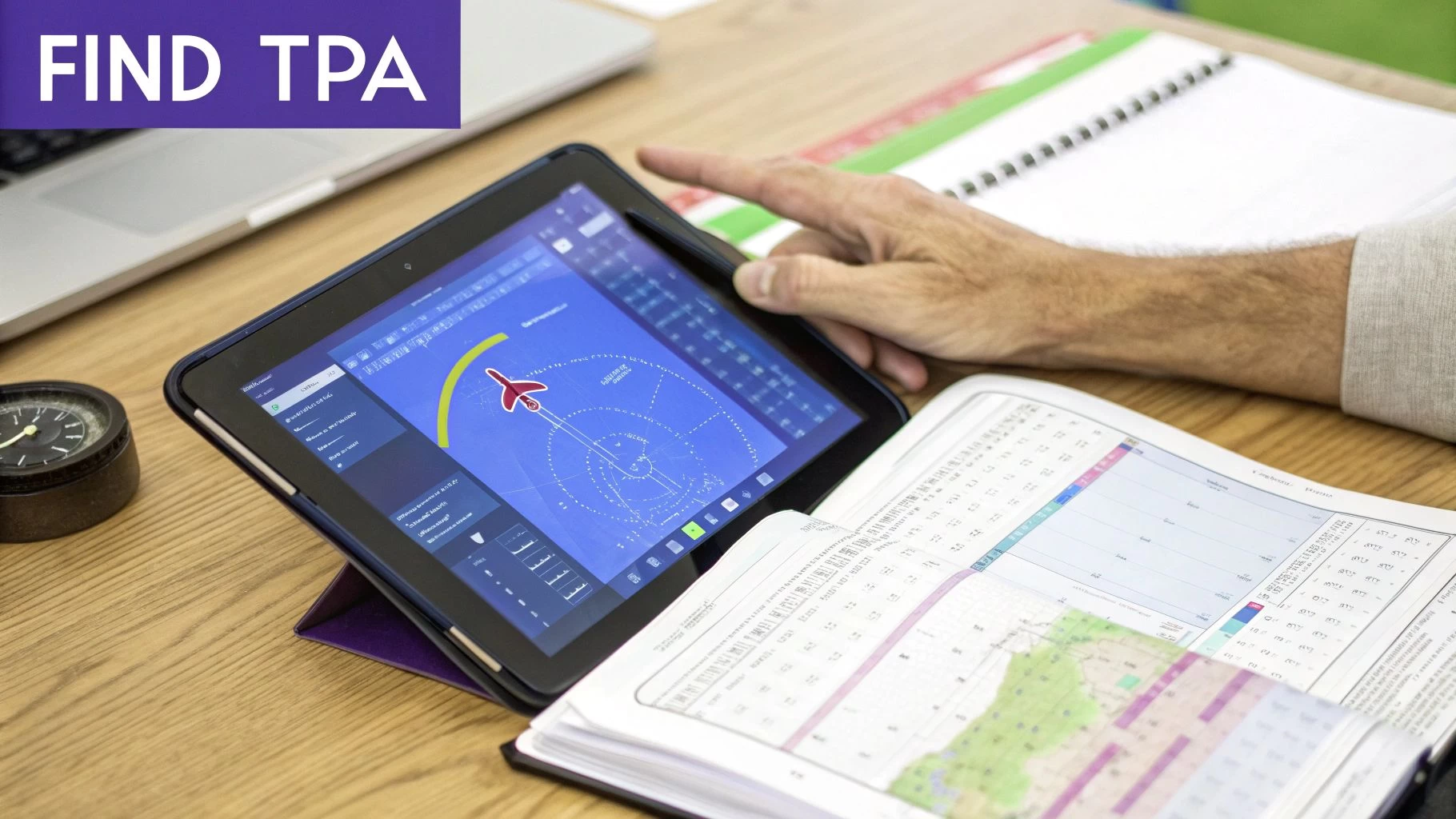
In the United States, your go-to source is the FAA's Chart Supplement, which used to be called the Airport/Facility Directory (A/FD). Think of this document as the definitive guide for every public-use airport, packed with all the critical data pilots need to fly safely.
Navigating the Chart Supplement
The Chart Supplement is basically the official encyclopedia for an airport. Every entry is laid out in a standardized data block, which makes finding specific details a quick job once you know the format.
To find the Traffic Pattern Altitude (TPA), you’ll want to look near the top of the airport's data block, usually listed alongside other key operational info.
Here’s what you're looking for:
- TPA: The altitude is almost always labeled clearly as "TPA."
- MSL and AGL: The entry often gives the altitude in both Mean Sea Level (MSL) and Above Ground Level (AGL). It might look something like this: "TPA—1800(1000)." The number in the parentheses is the AGL altitude, which is the figure that really matters for understanding how high the pattern is from the ground.
This systematic approach is the result of decades of safety analysis aimed at keeping air traffic predictable and preventing collisions. Most airport entries will have the TPA in a prominent spot, but if you don’t see one listed, you can generally fall back on the standard 1,000 feet AGL. If you want to see how pilots use this data in practice, check out this excellent breakdown of traffic pattern procedures.
What If No TPA Is Listed?
If you've scoured the Chart Supplement and can't find a specific TPA for an airport, it's not a mistake. It simply means the standard FAA recommendation of 1,000 feet AGL is in effect. This default rule provides a reliable safety baseline, especially at smaller or less complex airfields.
As a remote pilot, it's your job to do the due diligence. If the information isn't explicitly published, the default rule applies. Documenting that you checked official sources and are sticking to the standard is a crucial part of building a professional safety case.
AGL vs MSL: The Critical Distinction
Getting the difference between Above Ground Level (AGL) and Mean Sea Level (MSL) straight is absolutely vital for interpreting the TPA correctly.
- AGL (Above Ground Level): This is altitude measured straight up from the ground directly beneath the aircraft. For things like obstacle clearance and staying clear of terrain, AGL is what truly matters. The TPA is, at its core, an AGL concept.
- MSL (Mean Sea Level): This is altitude measured from the average height of the ocean. All aircraft altimeters are set to MSL, so this is the number pilots use for navigation and when talking to air traffic control.
For instance, if an airport's elevation is 800 feet MSL and its TPA is 1,000 feet AGL, a manned aircraft pilot will fly the pattern at an indicated altitude of 1,800 feet MSL. As a drone operator planning a mission nearby, you need to know that aircraft will be flying 1,000 feet directly above the airport grounds. Resources like the FAA Facility Map can also give you great contextual information on airport layouts and the surrounding airspace.
So, Why Do Pattern Altitudes Change from Airport to Airport?
That 1,000-foot standard for an airport pattern is a fantastic rule of thumb, but it's definitely not a universal law. Think of it as a default setting; plenty of airports have to tweak their procedures to fit their unique corner of the world. A whole host of real-world factors can push an airport to adopt a non-standard altitude, and getting your head around these is crucial for genuine situational awareness.
Every airport has its own operational DNA. Just assuming the 1,000-foot rule applies everywhere is a shortcut that can seriously compromise safety. There's no substitute for diligent pre-flight research to make sure your mission plan is built on solid, verified data, not guesswork.
The Challenge of High-Altitude Airports
One of the biggest reasons for a custom pattern altitude is the airport's own elevation. At high-altitude airports, the air is much thinner, a phenomenon we call high density altitude. This has a massive impact on aircraft performance.
Thinner air means less lift from the wings and less power from the engine. To make up for it, pilots have to fly at higher true airspeeds to get the same lift, which naturally requires a wider, more stable traffic pattern. As a result, the pattern altitude is often pushed higher to give pilots more breathing room to maneuver safely during these faster approaches.
High-altitude airports fundamentally change the physics of flying, demanding specialized procedures that are a world away from what you'd see at sea level. Take Daocheng Yading Airport in China, the highest commercial airport in the world, sitting at a staggering 4,411 meters (14,468 feet). At those extremes, planes need much longer runways just to get off the ground. You can dig into these unique challenges by reading about the world's highest airports at airport-technology.com.
Noise Abatement and Keeping the Neighbours Happy
Airports are often squeezed in near residential areas or other noise-sensitive spots. To be good neighbours, many put specific noise abatement procedures in place to minimise the sound footprint of planes coming and going.
These procedures often involve changing the traffic pattern altitude. By raising the TPA, aircraft fly higher over the surrounding communities, which can dramatically cut down on the noise people experience on the ground. These altitudes aren't just suggestions; they're carefully calculated and often mandatory for pilots.
A non-standard pattern altitude isn't just a friendly tip; it's often a strict requirement born from community agreements, safety analysis, or physical necessity. Ignoring it doesn't just create risk—it can land you in hot water with local regulations.
Obstacles and Tricky Terrain
The physical landscape around an airport is another huge player. An airport tucked into a valley, nestled near mountains, or surrounded by tall man-made obstacles like communication towers simply can't use a standard 1,000-foot pattern.
To guarantee safe clearance, the pattern altitude has to be set well above any potential hazards. This creates a safety buffer, letting pilots fly the entire pattern without having to sweat about hitting terrain or obstructions. In these cases, the TPA is custom-built for the local topography.
A few key things that force terrain-based TPA changes include:
- Mountainous terrain: Requires a significantly higher pattern to keep aircraft safely above peaks and ridges.
- Tall antennas or buildings: Obstacles near the flight path mean a higher TPA is needed to provide vertical separation.
- Proximity to other airfields: A non-standard altitude might be used to deconflict traffic from a nearby airport.
Juggling Mixed Air Traffic
Finally, the type of aircraft using an airport plays a massive role. A small general aviation field used mostly by piston-engine planes can operate perfectly happily with a 1,000-foot pattern. But an airport that handles a mix of slower propeller planes and faster business jets needs a more layered approach.
To manage this mix, airports often set up different pattern altitudes for different aircraft types. For instance, piston aircraft might be assigned a 1,000-foot AGL pattern, while faster turboprops and jets are told to fly a pattern at 1,500 feet AGL or even higher. This vertical separation is a simple but incredibly effective way to keep faster traffic from running up the back of slower planes, ensuring a safe and orderly flow for everyone.
Bringing Pattern Altitude Awareness into Your Drone Workflow
Knowing the theory is one thing, but putting pattern altitude knowledge into practice is what separates the pros from the amateurs. It’s all about building a solid, repeatable pre-flight workflow that keeps safety front and centre. This isn’t just about ticking boxes; it’s about building trust with clients and aviation authorities.
The first step is always to load up your planned flight area in your drone flight software. Visually overlaying the airport boundary and its specific traffic pattern altitude layer gives you an immediate picture of your operational ceiling. This simple check sets the stage for everything that follows.
To make this process foolproof, it's smart to follow a consistent checklist every single time you plan a flight near an airport.
Pre-Flight Safety Checklist Near Airports
This checklist isn't just a suggestion; it's an actionable guide to ensure you've covered all your bases before a single propeller spins up. Working through these items systematically turns a complex task into a manageable routine.
| Checklist Item | Verification Method | Compliance Notes |
|---|---|---|
| Identify Traffic Pattern Altitude | Check the Chart Supplement or digital charts for the specific airport. | Record the AGL value and calculate the MSL equivalent for your flight area. |
| Set Max Drone Altitude Below Pattern | Use your flight planning software's map and altitude settings. | Maintain a safety buffer of at least 200 ft below the pattern altitude. |
| Review LAANC Authorization Details | Access your LAANC portal dashboard for the specific approval. | Note the approved ceiling, grid boundaries, and exact time window. |
| Confirm Flight Path vs. Airspace | Use an airspace intelligence tool to cross-reference data. | Ensure your entire planned route respects FAR regulations and chart data. |
| Document All Pre-Flight Research | Log everything in your Dronedesk mission plan. | Attach screenshots of charts, LAANC approvals, and notes on your altitude limits. |
By following this checklist, you create a documented trail of due diligence, proving that you've actively managed the risks associated with operating near manned aircraft traffic.
Mapping Nearby Traffic Patterns
Once you've identified the TPA, treat it as a hard deck—a high-threat zone you absolutely must not enter. Your drone’s maximum altitude for the mission should be set with a generous buffer.
“A drone authorization isn't a waiver from active traffic scanning.”
Plan your ascent and entire flight profile to stop at least 200 ft below that published TPA. A great way to enforce this is by setting geofences or hard altitude limits directly in your drone’s control app. These virtual barriers act as an automated safety net, preventing accidental breaches.
Mapping the traffic patterns in your planning tool is a massive boost to your situational awareness. You can import geo-tagged runway overlays to see exactly where aircraft are likely to be on their entry, downwind, and final approach legs. These visual cues help you anticipate the flow of traffic long before you hear an engine.
Interpreting LAANC Authorizations
Getting a LAANC approval is a key step, but it's not a free pass. These authorizations come with specific conditions: a maximum altitude, a defined grid area, and a strict time window for your flight.
Always double-check the approved altitude ceiling before you even think about taking off. It might be lower than what you requested. Time windows can also expire, so validate the start and end times carefully. If the weather takes a turn, don't risk it—cancel the current LAANC and re-request one with updated parameters for the new conditions.
Make it a habit to log all these authorization details in Dronedesk before you leave for the site. It's a simple, three-step routine:
- Check the approved altitude ceiling and time window in your LAANC portal.
- Export the authorization details into your Dronedesk mission log.
- Update your mission plan if the approved ceiling is lower than what you originally planned.
Embedding this routine into your workflow ensures that the official LAANC conditions are documented and followed.
Maintaining Vigilance in High-Risk Zones
Even with all the planning in the world, nothing beats a good old-fashioned visual scan. Never rely solely on LAANC or other apps to alert you to incoming aircraft.
Dedicate a portion of your screen—and your mental energy—to constantly scanning the sky. Some pilots even set a recurring timer on their phone or watch to go off every 30 seconds, prompting them to pause and do a full 360-degree sky check. This simple habit keeps your eyes up and aware of where manned aircraft are most likely to appear.
Documenting Your Safety Case
Solid documentation is your best friend. For every mission, open a new project file in Dronedesk and make it your central repository for all safety-related information.
Attach your pre-flight charts, screenshots of your LAANC approval, and notes on the hard deck settings you've programmed into your drone. You can also log your manual scan intervals and any communication with your visual observer. At the end of the job, export a PDF summary. This becomes your proof of compliance and diligent risk management, ready to share with clients or regulators if needed.
For a deeper dive into the rules, check out our guide on flying a drone near an airport. This resource helps you connect the dots between formal aviation regulations and practical drone protocols.
Ultimately, integrating TPA data and LAANC conditions into your workflow is about proactive risk management. It might seem like a lot at first, but after a few missions, this process becomes second nature. It builds a reliable audit trail and demonstrates a level of professionalism that sets you apart.
Got Questions About Pattern Altitude?
Even when you feel like you've got a handle on the basics, the real world has a way of throwing curveballs. When it comes to airport pattern altitude, a lot of common questions pop up for drone pilots. Let's tackle some of the most frequent ones to clear up any confusion and make sure you're flying safe and smart.
What Happens If a Manned Aircraft Pops Up Out of Nowhere?
This is the one scenario every single remote pilot needs to have rehearsed in their mind. If a plane or helicopter suddenly appears in your flight zone and looks like it's anywhere near your drone's altitude, your one and only job is to create space. Fast.
The rule couldn't be simpler: manned aircraft always have the right-of-way.
Don't hesitate. Don't wait to see what they're going to do. Your reaction needs to be instant and decisive.
- Drop Altitude, Now: The safest, most predictable move is to bring your drone straight down. Pilots in manned aircraft aren't looking for drones below them, so descending quickly gets you out of their immediate airspace and line of sight.
- Move Away From Their Path: As you descend, if you can, also move your drone laterally, away from the aircraft's direction of travel.
- Land if You Have To: If the aircraft is circling or flying an unpredictable path, the smartest play is to get your drone on the ground as quickly and safely as you can.
Remember, your legal responsibility is to "see and avoid." That isn't a passive role; it means taking action to prevent a problem before it even has a chance to develop.
Do I Really Need to Worry About Pattern Altitude at an Airport Without a Tower?
Yes, absolutely. In fact, you should probably be even more careful at non-towered airports.
Without a controller directing traffic, the pattern itself is the primary way pilots keep themselves organized and avoid running into each other. They rely on standardized procedures and radio calls to coordinate their movements.
Pilots are trained to enter the pattern at a specific 45-degree angle to the downwind leg, a procedure designed to make them visible to other pilots already in the circuit.
At a non-towered field, that traffic pattern isn't just a suggestion—it's the core of their collision avoidance system. Your job to stay well clear of the airport pattern altitude is just as critical, maybe even more so, than at an airport with a control tower.
Doing your homework on the local TPA before you fly and keeping your eyes glued to the sky are your best tools in this environment.
What’s the Difference Between a Standard and Non-Standard Pattern?
It all comes down to which way the planes are turning.
A standard traffic pattern uses left-hand turns for all five legs of the circuit. Think of it like a racetrack where everyone turns left. This is the default, and it's what pilots will be doing unless a specific procedure says otherwise.
A non-standard pattern, on the other hand, uses right-hand turns. Airports set these up for very specific reasons:
- Noise Abatement: To keep aircraft from flying over neighbourhoods, schools, or other noise-sensitive areas.
- Obstacle Clearance: To steer clear of nearby mountains, tall communication towers, or other terrain.
- Airspace Conflicts: To keep the traffic from two nearby airports from getting mixed up.
You'll find information on whether an airport uses a non-standard, right-hand pattern published on aeronautical charts and in the FAA's Chart Supplement. It's a vital piece of pre-flight intel because it completely changes where that "racetrack in the sky" is located.
If I Have LAANC Approval, Can I Fly Up to the Pattern Altitude?
No. This is a common and potentially dangerous misunderstanding. A LAANC authorization is your ticket to operate within a specific slice of controlled airspace up to a certain ceiling. It is not a free pass to get in the way of manned aircraft.
Here's an analogy: Your LAANC approval is like getting a permit to do roadwork on the shoulder of a busy highway. You're allowed to be there, but you're still 100% responsible for staying out of the traffic lanes. The airport pattern altitude is a very active lane of traffic.
Your see-and-avoid responsibility, outlined in 14 CFR § 91.113, always trumps your LAANC approval. You have to give way to all other aircraft, period. The best practice is to always build in a healthy vertical buffer—plan to fly at least 200-500 feet below the published TPA to guarantee you're staying safely out of the way.
What Should I Do If My Drone Loses Connection Near an Airport?
Losing your command-and-control link is a serious problem anywhere, but it's especially hairy near an airport. Most modern drones have a return-to-home (RTH) failsafe, but it's only useful if you've set it up correctly before you take off.
Your RTH altitude needs to be a careful balance. It should be just high enough to clear any trees or buildings on its way back to you, but it absolutely must remain well below the local airport pattern altitude. The last thing you want is a runaway drone climbing straight into the path of an approaching aircraft. Documenting these RTH failsafe settings in your pre-flight plan isn't just good practice; it's a critical part of being a responsible pilot.
Managing airspace data, logging flights, and documenting compliance can feel like a full-time job. Dronedesk simplifies your entire workflow, from pre-flight planning and risk assessments to post-flight analysis, ensuring every mission is safe, compliant, and efficient. Take control of your drone operations by visiting https://dronedesk.io to learn more.
 BVLOS Drone Requirements for Building a Safety Case →
 Drone Pilot Test Mistakes That Cost Candidates Marks →
 FAA 107 License vs Part 107 Certificate: What’s the Difference? →
 Drone Airport Rules: A Field Checklist for Site Assessments →
 FAA Part 107 Record-Keeping Rules for Commercial Teams →
 How to Review a DJI Flight Log After an Unexpected Event →
 Drone Laws Around the World: A Pre-Flight Research Framework →
 How to Compare Drone Survey Services for Complex Sites →
 How to Start a Drone Mapping Business With a Clear Workflow →
 Class C Airspace Drone Rules for Commercial Flights →