
A Guide to Your Flight Plan for DJI Drones
Creating a flight plan for DJI drones is what turns a simple flight into a calculated, professional mission. It's the most critical step you'll take before your props even spin up. This isn't just about drawing a line on a map; it's about building a comprehensive strategy that covers safety, compliance, and ultimately, the quality of your data. A structured approach is what truly separates the hobbyists from the pros.
Why Your DJI Flight Plan Is Mission Critical
Long before you launch, the success of your entire operation is pretty much decided by the quality of your flight plan. Think of it as the architectural blueprint for your flight. Without it, you’re just winging it. A solid plan for your DJI drone is often the difference between capturing flawless data and coming home with a useless SD card—or worse, a damaged aircraft.
A detailed plan helps you see disasters coming and steer clear of them. I’ve seen it happen: a pilot flies into a valley for a beautiful cinematic shot, only to lose signal because they didn't account for the terrain. Or they're on a large mapping job and a simple miscalculation in battery life forces them back early, leaving huge gaps in the data. These are the kinds of headaches that good planning easily prevents.
The Foundation of a Professional Operation
But this isn't just about dodging problems. Structured planning is about guaranteeing professional results every single time. It directly leads to:
- Enhanced Safety: Spotting hazards like power lines, cell towers, or unexpected terrain changes before you're in the air.
- Regulatory Compliance: Making sure your flight path stays well clear of restricted airspace and follows all local rules.
- Superior Results: Optimizing your flight path for that perfect image overlap in a survey or for smooth, predictable movements in a film shoot.
A great flight plan for a DJI drone isn’t just a route. It’s a complete mission strategy, covering risk assessment, equipment checks, and clear objectives. It’s what makes sure every flight is safe, legal, and effective.
Getting this right is non-negotiable, especially when you consider DJI's dominance. They control roughly 70% of the global civilian drone market, and that number jumps to around 80% in the United States. That means the vast majority of professional drone work is done on DJI platforms, making flight planning a core skill for any serious pilot. You can dig deeper into DJI's market share over at electroiq.com. This is why tools like dedicated drone flight management software exist—they’re built to support this level of detailed, professional planning.
Laying the Groundwork Before You Fly
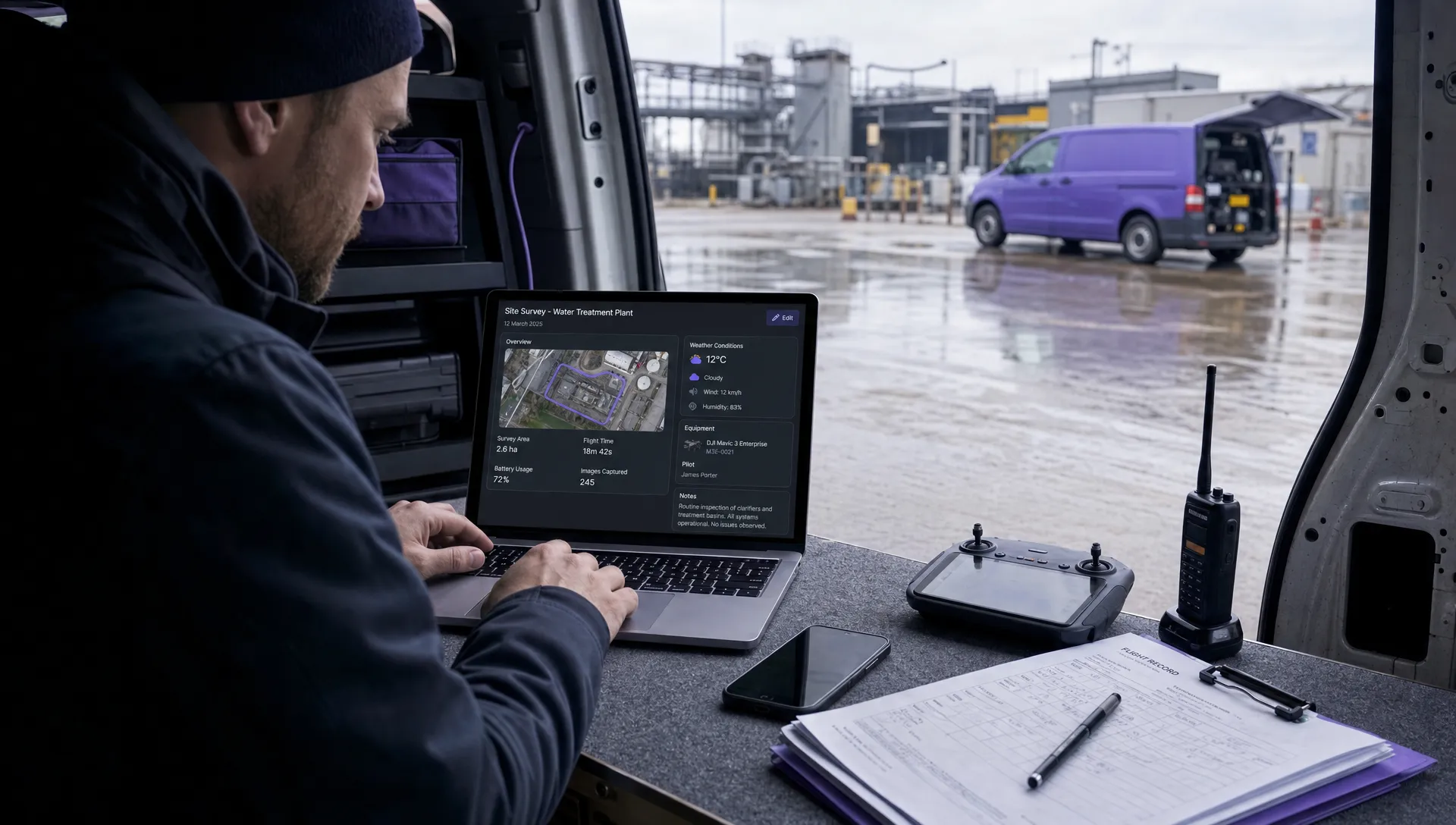
A truly great flight starts long before your props even begin to spin. The real magic happens during the pre-flight assessment, where you meticulously go over your operational area to spot any potential problems. This isn't just a quick peek at a satellite map; it's a full-blown professional site survey.
You've got to identify hazards that might not be obvious from the air—things like cell towers, power lines, and even tall trees. This is also your chance to double-check any local restrictions. I always have apps like Aloft or B4UFLY open to verify airspace class and spot any temporary flight restrictions (TFRs) that could ground your mission before it even begins. Getting a feel for the terrain and environment is non-negotiable.
Building Your Pre-Flight Checklist
Every mission is different. A simple real estate shoot carries a completely different risk profile than, say, an inspection near a busy airport. Your planning has to match that reality.
A few key factors to always keep in mind:
- Mission Goals: What are you actually trying to capture? Are you shooting a cinematic video that needs smooth, flowing shots, or are you creating a precise orthomosaic map where data accuracy is king?
- Payload Settings: Have you dialed in your camera settings? Things like shutter speed and ISO need to be optimized for the lighting conditions you'll be flying in.
- Environmental Conditions: Always check the forecast. I'm not just talking about rain—look at the wind forecast, solar flare activity (your K-index), and the temperature. All of these can seriously impact battery life and flight stability.
This visual really drives home how solid planning improves safety, compliance, and the quality of your data.

Ultimately, this all goes to show that a strong flight plan for a DJI drone is built on layers of solid preparation, not just a line drawn on a map.
Think of your pre-flight groundwork as building a strong foundation. A weak or rushed assessment introduces unnecessary risk, while a thorough one ensures you are prepared for almost any contingency that might arise once you're in the air.
This kind of systematic approach is what separates the pros from the amateurs. To really nail this process down, using a comprehensive drone pre-flight checklist can make all the difference, ensuring no critical step gets missed. Trust me, proper preparation is your best defense against mission failure.
Automating Missions with DJI Native Apps
Making the leap from manual flight to automated missions is a huge step up, and DJI’s own apps like DJI Pilot 2 and DJI Fly come packed with powerful, built-in tools to map out a precise flight plan for dji drones. These apps let you pre-program just about everything—from complex waypoint routes to specific camera actions—guaranteeing you get consistent, repeatable results, flight after flight. That kind of control is a must-have for both technical surveys and creative film projects.
It doesn’t matter if you're mapping a construction site or filming a sweeping cinematic shot; the process is the same. You set up all the mission details safely on the ground, and the drone executes that plan perfectly up in the air. This approach isn't just more efficient—it’s also a massive boost for safety, as it cuts down on the chances of pilot error during tricky manoeuvres.
Crafting a Flawless Mapping Mission
If you're after survey-grade data, one of the most common jobs is creating a grid pattern for an orthomosaic map. Fire up an app like DJI Pilot 2, outline your survey area on the map, and the software will instantly plot the most efficient flight path for you. From there, it's all about dialling in the settings to ensure you capture clean, usable data.
Here are the non-negotiables you need to configure:
- Image Overlap: You'll want to set both your front and side overlap to at least 70-80%. This gives your photogrammetry software plenty of common reference points between images to stitch together a highly accurate map.
- Camera Angle: For a standard 2D top-down map (often called a nadir map), your gimbal needs to be pointing straight down at -90 degrees.
- Altitude: Your flight height has a direct impact on your Ground Sample Distance (GSD), which is just the real-world size represented by a single pixel. Flying lower gives you a higher resolution, but be prepared for longer flight times and more battery swaps.
You'll find all of these mapping and waypoint options laid out clearly in the DJI Pilot 2 interface.

This screenshot gives you a feel for the mission planning screen. It’s incredibly intuitive, letting you pick from different automated flight modes like Waypoint, Mapping, or Oblique, depending on what your project calls for.
Designing Cinematic Waypoint Flights
When the goal is capturing stunning video, the Waypoint feature in apps like DJI Fly is your secret weapon. Instead of the rigid grid used for mapping, you get to manually place a series of points in 3D space. The drone will then fly a perfectly smooth path between them, pulling off a shot that would be nearly impossible to fly by hand.
Pro Tip: Don't just plot the points—program the actions, too. At each waypoint, you can command the drone to start recording, tilt the gimbal, or even change its flight speed. This is how you create those incredibly dynamic and professional-looking shots.
For any automated mission, one of the most critical safety checks is setting the Return-to-Home (RTH) height. Before you even think about launching, scan the entire operational area for the tallest obstacle—whether it's a tree, a building, or a phone mast—and set your RTH altitude well above that height. This one setting is your best insurance against a disastrous collision if the drone has to come home on its own due to signal loss or a low battery. It’s a simple check that makes your automated flight plan for DJI drones both effective and safe.
Diving Into Third-Party Apps for Advanced Planning
While DJI's native apps are solid for basic flights, the real magic for commercial operations happens when you bring in specialized third-party software. These platforms take you way beyond simple waypoints, offering complete, end-to-end mission management that a pro pilot truly needs. Think of them as your entire operations dashboard, not just a map.
Tools like Dronedesk, DroneDeploy, and Litchi bring capabilities to the table that DJI's apps just don't touch. For a commercial pilot, this is where you can stop juggling a dozen different apps and start managing an entire project—from the first client call and risk assessment to airspace checks and post-flight logging—all from one place.
Dronedesk for Professional Operations
Dronedesk is a perfect example of a system built from the ground up for professional operators. It’s for pilots who need serious compliance features baked right into their daily workflow. No more jumping between different tools for weather forecasts, airspace maps, and reporting; it's all handled seamlessly.
This is a game-changer for complex jobs, especially when you need to generate:
- Detailed Risk Assessments: Creating and documenting RAMS (Risk Assessment Method Statements) is a core part of any professional job.
- Airspace Authorizations: Quickly checking and recording your compliance with local airspace rules.
- Flight and Maintenance Logs: Automatically tracking flight hours and equipment status for your records and insurance.
- Client Reports: Whipping up professional-looking documents that detail every aspect of the mission's execution.
This all-in-one approach is what a modern drone flight planner for business is all about, and it saves an unbelievable amount of admin time.
DJI Native Apps vs Third-Party Flight Planners
So, should you stick with the app that came with your drone or invest in a third-party platform? It really comes down to the complexity of your work. Here's a quick comparison to help you decide which flight planning tool is right for your mission.
| Feature | DJI Native Apps (Pilot 2/Fly) | Third-Party Apps (e.g., Dronedesk, DroneDeploy) |
|---|---|---|
| Core Function | Manual flight control, basic automated missions | Comprehensive mission management, compliance, and data processing |
| Flight Planning | Basic waypoints, grid patterns | Advanced 2D/3D mapping, complex routes, multi-battery missions |
| Risk Assessments & RAMS | Not included | Integrated, often customizable templates for legal and insurance requirements |
| Airspace Awareness | Basic geofencing and warnings | Detailed, multi-layered airspace data with automated checks and logging |
| Team & Asset Management | Not included | Centralized management of pilots, drones, batteries, and maintenance logs |
| Client Reporting | Manual process (screenshots, etc.) | Automated, professional report generation |
| Best For | Hobbyists, straightforward single-pilot jobs, quick flights. | Commercial operators, survey/inspection, team-based projects, complex jobs. |
Ultimately, DJI's apps are great for getting in the air quickly. But for repeatable, compliant, and professional operations, a dedicated third-party platform is pretty much essential.
Choosing the Right Tool for the Job
The best app for your flight plan really depends on what you're trying to achieve. A videographer or creative professional might gravitate toward an app like Litchi. It’s fantastic for advanced camera moves like ‘Focus’ and ‘Orbit,’ giving you the granular control needed to nail those cinematic shots.
On the other hand, a surveyor or inspector will get far more value from a platform like DroneDeploy or Dronedesk. These are built around data acquisition, accuracy, and operational efficiency. For those focused purely on complex mission design, tools like the Airial Flights platform can also be incredibly useful for generating and managing detailed flight paths.
The key takeaway is to match the software to the job. Don't try to shoehorn a creative-focused app into a complex survey mission, and don't expect a compliance-heavy platform to have the most intuitive cinematic controls. Picking the right tool from the start will make your entire workflow smoother and guarantee a better result.
Executing Your Flight Plan Like A Pro
Having a perfect flight plan for your DJI drone is a great start, but flawless execution is what really separates the seasoned pros from everyone else. Once you're on-site, the very first thing you do—before the props even think about spinning up—is run through your pre-flight checks. This is absolutely non-negotiable.

Before you even dream of launching an automated mission, make sure you've got a solid GPS lock and your home point is set correctly. I always take a quick manual lap around the perimeter first. It’s a simple step, but it’s saved me more than once by helping me spot new obstacles—like a recently parked truck or some temporary construction gear—that weren’t visible on the satellite map back at the office.
Maintaining Situational Awareness
As the mission gets underway, keep a sharp eye on your telemetry data. Don't just stare at the drone in the sky; your controller screen is telling you a crucial story. I’m always watching these key metrics:
- Battery Voltage: Any sudden drops could signal a failing cell or the effects of extreme temperatures. It's an early warning you don't want to miss.
- Wind Speed: The on-screen alerts often lag behind what's actually happening. If you see the drone visibly struggling to hold its line, be ready to step in.
- Signal Strength: Keep an eye on both your RC and video feed signals, particularly when the drone is at the farthest points of its mission.
The actual execution of your flight plan demands precision and sticking to best practices, much like the detailed process of carrying out perfect project executions in any professional field. With the drone market growing like it is, these are the skills that will set you apart.
Never forget that you are the Pilot in Command. An automated mission doesn't absolve you of responsibility. Keep your hands near the controls at all times, ready to pause the mission or take over manually the second something looks off.
This industry is expanding at a breakneck pace. The global drone market was valued at USD 73.06 billion and is projected to rocket to USD 163.60 billion by 2030. That alone shows you just how vital these professional skills are becoming. Nail these on-site checks, and you’ll set yourself up for a successful flight, every single time.
Got Questions About Your DJI Flight Plan?
When you're out in the field, a solid flight plan is your best friend. But even with the best prep, questions pop up. I’ve seen the same ones come up time and time again from pilots, so let’s tackle a few of the most common ones right now.
Can I Make a DJI Flight Plan Offline?
Absolutely, but you need to think ahead. Most of the go-to apps, like DJI Pilot 2 or Litchi, will let you build waypoint missions without an internet connection.
The catch? You have to pre-load the map for your flight area before you head out. Do it while you still have Wi-Fi, and you'll have all the map data you need cached on your device, ready to go.
What Happens if My Drone Loses Signal?
This is a classic worry, but modern DJI drones are built for it. When the connection drops, the drone immediately kicks into its failsafe protocol. Nine times out of ten, this is set to Return-to-Home (RTH).
This is non-negotiable: before you even think about taking off, you must set your RTH altitude high enough to clear every single obstacle in the area—trees, buildings, towers, you name it. A properly set RTH is what turns a potential disaster into a non-event.
How Do I Plan a 3D Mapping Flight?
If you're building a 3D model, a simple top-down grid flight just won't cut it. You need to capture the sides of the building or structure, not just the roof. This is where more advanced flight planning software really shines.
Look for apps with automated 3D modes. These will typically plan a multi-stage flight for you, which often includes:
- One standard top-down grid flight.
- Several angled orbital flights around the target to capture the sides (oblique imagery).
This combination gives you the comprehensive data you need to generate a detailed and accurate 3D model.
Ready to manage your entire drone operation from a single, powerful platform? Dronedesk simplifies everything from flight planning and risk assessments to client reporting. Try it today and see how much time you can save: https://dronedesk.io
 Drone Airspace Rules: How to Document Your Site Checks →
 How to Evaluate a Free Drone Logbook Before Using It →
 FAA Part 107 Test: How to Master Airspace Questions →
 Drone Risk Assessment Controls That Work in the Field →
 FAA Drone License Costs Beyond the Knowledge Test →
 Drone Part 107 Operations: When a Waiver May Be Needed →
 Drone Operating Rules for Managing Contractors and Employees →
 BVLOS Drone Requirements for Building a Safety Case →
 Drone Pilot Test Mistakes That Cost Candidates Marks →
 FAA 107 License vs Part 107 Certificate: What’s the Difference? →