
Choosing Your UAV GPS Tracker a Complete Explainer Guide
Think of a UAV GPS tracker as an insurance policy for your drone. It's a small, self-powered, and totally independent device that lets you find your aircraft no matter what. Your drone's built-in GPS is fantastic for flying, but if it crashes and the main battery disconnects, it goes completely dark. That's where a separate tracker becomes an absolute lifesaver.
Why Your Drone Needs a Separate GPS Tracker
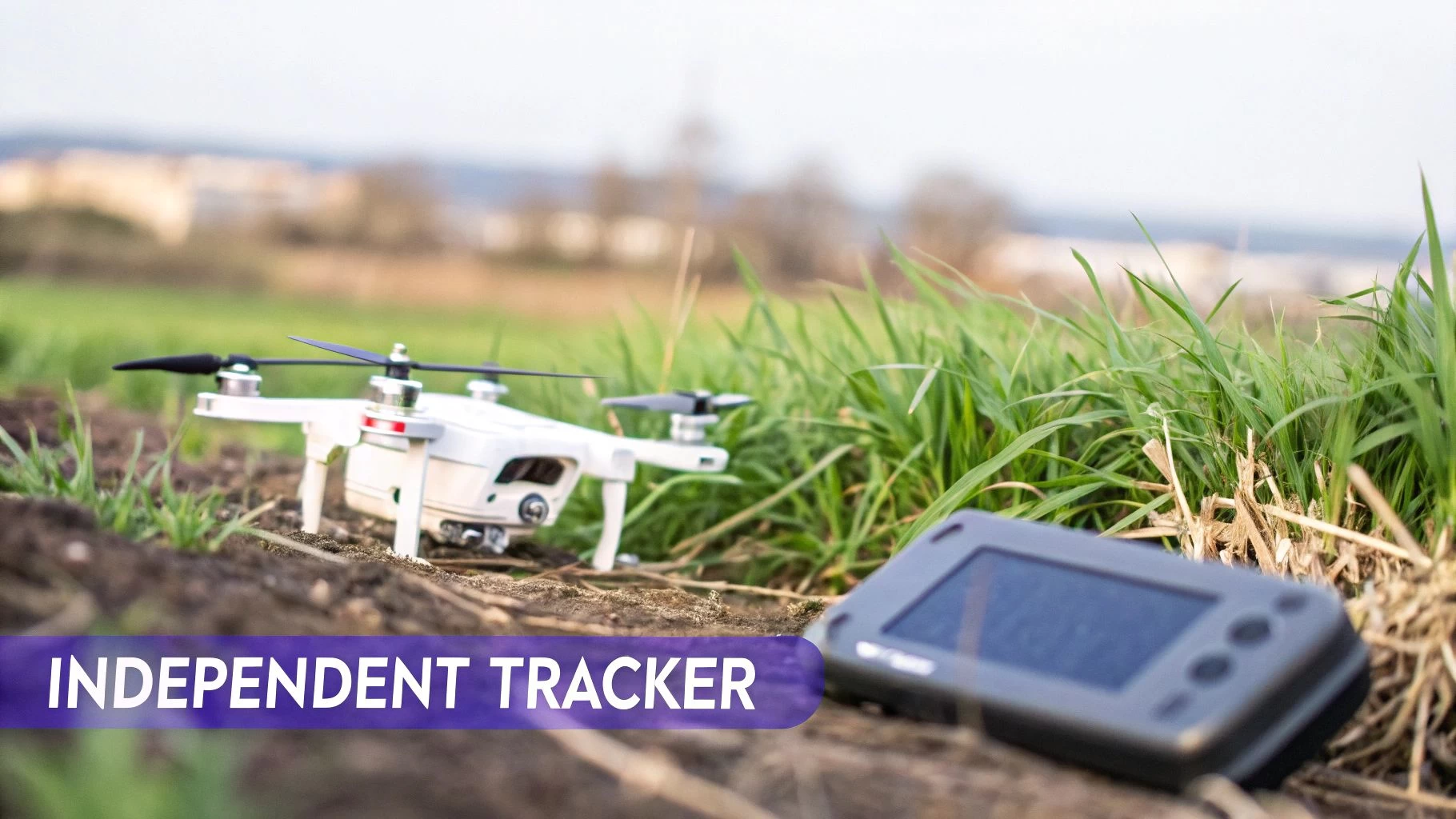
Relying only on the drone's own GPS is a gamble you don't want to take. It's like having a smartphone without "Find My iPhone" activated. The phone’s maps app can guide you anywhere, but if you lose the phone and the battery dies, that app is useless for finding it. A dedicated tracker, on the other hand, has its own battery and connection, so it keeps pinging its location long after the main power is gone.
That’s exactly how a dedicated UAV GPS tracker works. It’s an independent lifeline for your expensive gear.
The Problem with Onboard GPS
The biggest vulnerability of a drone's integrated GPS is its total reliance on the main flight battery. During a crash or even just a rough landing, it's incredibly common for that battery to get ejected or for the power leads to be severed. When that happens, you’re in trouble:
- The drone's GPS system shuts down instantly.
- The "last known location" in your flight log can be misleading, especially if the drone tumbled out of the sky from a high altitude.
- Your recovery mission quickly turns into a frustrating, and often futile, guessing game.
An independent tracker is the single most effective way to protect a high-value drone. It turns a potential total loss into a simple recovery mission, saving you thousands of dollars and preventing massive operational downtime.
Unlocking Advanced Capabilities
Beyond just finding a lost drone, a separate GPS tracker opens up a whole new world of professional workflows. It gives you a "source of truth" for location data that's completely separate from the drone's own systems.
Throughout this guide, we'll dig into how this tech helps you pinpoint a downed drone with precision, set up automated geofences to stay compliant, and even manage an entire fleet of aircraft in real-time. Adopting these professional drone asset tracking best practices is a crucial step toward running a safer, smarter, and more profitable operation.
How Do These GPS Trackers Actually Work?
To really appreciate why a dedicated UAV GPS tracker is such a game-changer, you have to understand that it’s a totally self-contained piece of kit. It’s not just an accessory; think of it more like a tiny, rugged phone with one single, critical job: report its location, no matter what happens to the drone it’s attached to. That independence is its superpower.
The whole process is a clever but surprisingly simple two-step dance between satellites in space and networks on the ground.
It all kicks off with the tracker's own internal GPS receiver. This little component is constantly listening for signals beamed down from a whole constellation of satellites orbiting high above the Earth. By locking onto signals from at least four of these satellites, the tracker can perform a slick calculation called trilateration. Each satellite signal basically says, "You are this far away from me." By combining the distances from a few different satellites, the device nails down its exact latitude, longitude, and altitude with pinpoint accuracy.
From Space to Your Screen
Once the tracker knows exactly where it is, the second crucial part of its mission begins: phoning home. This is where its self-sufficiency really comes into its own. Your drone’s built-in GPS needs the drone's main radio link to talk to you, but an independent tracker has its own line of communication.
This "voice" is usually a cellular modem, just like the one in your smartphone. It hooks up to nearby mobile networks to send its coordinates to a secure server. From there, you can see the location data in real-time on a web dashboard or a mobile app. It’s that simple.
- Step 1: Listening to Space The tracker’s receiver picks up signals from multiple GPS satellites.
- Step 2: Pinpointing Position It calculates its exact location using the tiny time differences in those signals.
- Step 3: Phoning Home The built-in cellular or satellite modem sends the location data to a server.
- Step 4: Eyes on the Asset You log into an app to see the tracker’s live location on a map.
This entire sequence happens completely separately from the drone's own power or flight control systems. The tracker has its own battery and its own brain, which means it keeps on working even if the drone crashes, gets soaked, or loses all power. It's this rock-solid reliability that gives professional pilots the confidence to protect their valuable aircraft in any scenario.
If you want to dive a bit deeper into the satellite side of things, check out our guide on how many GPS satellites are needed for a safe flight.
Diving Into the Most Important Tracker Features
Picking the right UAV GPS tracker isn't about finding the one with the longest spec sheet. It's about matching its real-world capabilities to your missions. When you boil it all down, there are four pillars that truly matter: accuracy, battery life, how it communicates, and its toughness. Get these right, and you'll have a device you can count on when things go sideways.
A tracker is essentially a self-sufficient little package. It has its own brain, its own power, and its own way of talking to the outside world, all working in harmony.
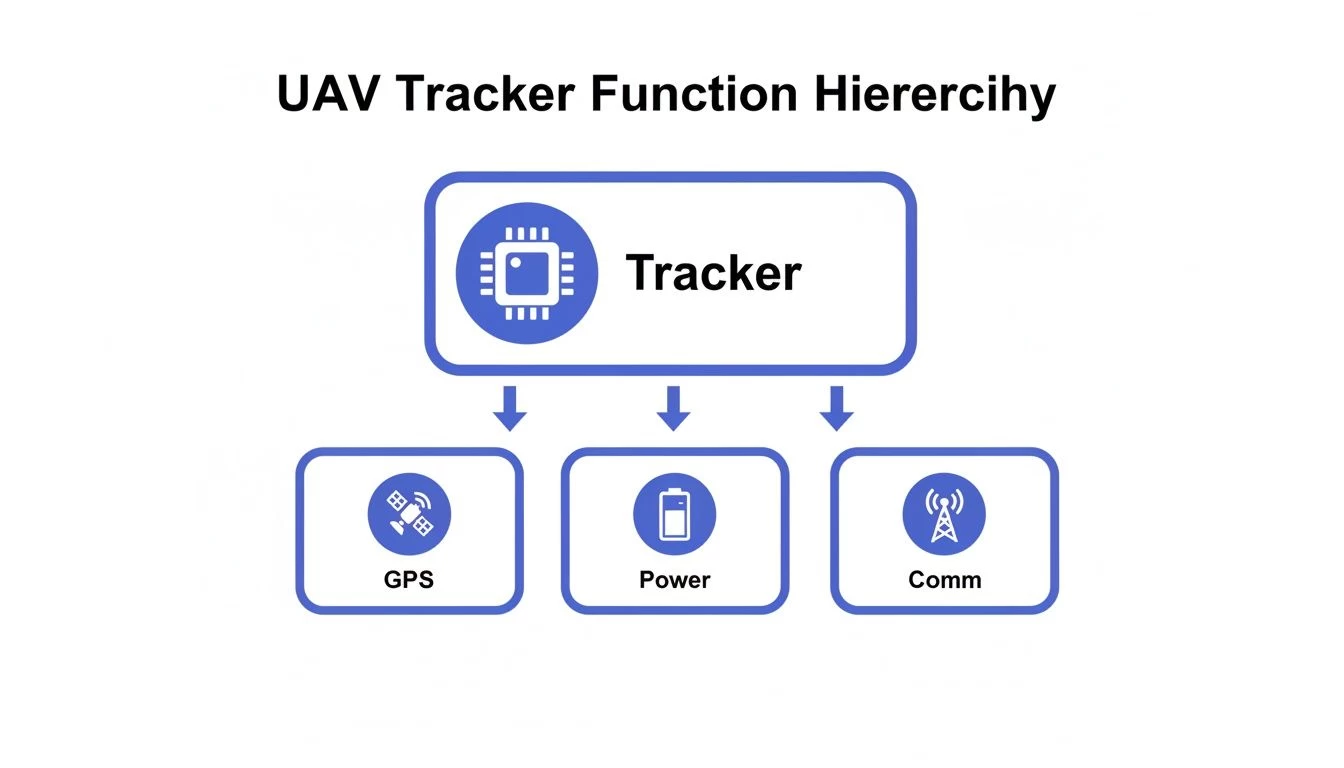
This independence is key. It means that even if your drone's power is completely cut off in a crash, the tracker keeps on working, giving you that vital last-known location.
Choosing a tracker involves weighing these core features against your specific needs. What works for a solo operator doing local real estate shoots will be overkill for a large enterprise team conducting remote inspections, and vice-versa. Let's break down what to look for.
UAV GPS Tracker Feature Comparison
| Feature | What to Look For | Best For Solo Operators | Best For Enterprise Fleets |
|---|---|---|---|
| Accuracy & Update Rate | Accuracy within 2-3 meters. Update rate of 5-10 seconds for detailed tracking. | Moderate accuracy (5m) is often sufficient. Slower update rates (30s+) to conserve battery. | High accuracy (<3m) is non-negotiable. Fast update rates for real-time fleet oversight. |
| Battery Life & Power | At least 24 hours in active mode; weeks in standby. Multiple power-saving modes are a plus. | A few days of active life is usually enough for local recovery. USB-C charging is convenient. | Long standby times (weeks/months) are critical. Options for hardwiring to the drone are a bonus. |
| Communication | 4G/LTE for urban/suburban areas. Satellite for remote work. RF for short-range, no-fee tracking. | Cellular (4G/LTE) is the most cost-effective and practical choice for most local jobs. | A mix of Cellular and Satellite trackers to cover all potential operational environments. |
| Durability & Build | IP67 rating or higher for water and dust resistance. Good shock tolerance. | A decent IP rating is good, but extreme ruggedness might be overkill for standard operations. | High IP ratings (IP67+) and certified shock resistance are essential to protect the investment. |
Ultimately, the goal is to choose a device that provides reliable data without becoming another operational headache.
Accuracy and Update Rate
Let's be blunt: accuracy is everything. A tracker that tells you the drone is "somewhere in that 10-meter patch of woods" is a lot less helpful than one that narrows it down to a 2-3 meter circle. That's the difference between a quick recovery and a long, frustrating search. This precision comes down to the quality of the internal GNSS receiver.
The other half of this equation is the update rate—how often the tracker pings its location. A fast rate, say every 5-10 seconds, paints a very detailed picture of the drone's flight path, giving you a precise last-known point of failure. The trade-off? Faster updates burn through the battery much more quickly.
Battery Life and Power Modes
A dead tracker is just dead weight. When you're comparing devices, pay close attention to the stated battery life, especially how it performs in different modes.
- Active Tracking Mode: This is the power-hungry mode, giving you frequent updates. Expect it to last anywhere from a few hours to a couple of days.
- Standby Mode: The tracker goes into a low-power "sleep," waking up only occasionally to report in. This can stretch the battery life out for weeks, sometimes even months.
A longer battery life simply gives you more time. If your drone goes down in a hard-to-reach area, that extra time can be the difference between recovery and a total loss.
Communication Method
How your tracker phones home is a critical choice that hinges entirely on where you fly. There are three main ways they communicate, each with clear pros and cons.
- Cellular (4G/LTE): Perfect for flying in areas with good mobile coverage. It’s affordable, reliable, and supports fast update rates.
- Satellite: The go-to for remote jobs. If you're out in the wilderness with no cell signal, this is your only real option. The subscriptions cost more, but you get true global coverage.
- Radio Frequency (RF): This method is completely independent of public networks and usually has no monthly fees. The downside is its range, which is often limited to just a few miles.
Choosing the wrong communication method is a classic rookie mistake. A cellular tracker is useless in the backcountry, while a satellite subscription is overkill for purely urban missions. Match the technology to your typical flight area.
Durability and Build Quality
Your tracker has to survive whatever your drone just went through. Look for an IP rating (like IP67), which tells you how well it’s sealed against dust and water. The higher the number, the better it can handle the elements. Shock tolerance is just as important; you need to know the electronics inside can take a hit and keep on ticking. A rugged tracker is a reliable one.
Advanced Operations Powered by GPS Tracking
A dedicated UAV GPS tracker is so much more than a simple "find my drone" device. Think of it less as an insurance policy and more as an operational powerhouse that unlocks new levels of efficiency, safety, and compliance on every single mission.
Once you shift your mindset from seeing the tracker as just a backup plan to viewing it as an active part of your workflow, you can start using its data to manage complex jobs with way more confidence and control.
Streamlining Lost Drone Recovery
Okay, let's start with the most obvious win: getting your drone back. We’ve all felt that stomach-drop moment. Imagine a mapping drone has a sudden battery failure over a dense, remote forest. The last telemetry point from the flight controller gives you a rough idea, but you're still looking at a huge search area.
This is where a dedicated tracker shines. Its final ping, sent using its own power and communication link, turns a potential multi-day search party into a quick, precise retrieval. That one feature alone can save you thousands in lost gear and project delays, easily paying for the tracker after a single incident.
Geofencing for Automated Compliance
Sticking to airspace rules is absolutely non-negotiable in the world of professional drone work. A UAV GPS tracker makes this a whole lot easier with geofencing—letting you draw virtual boundaries on a map.
A geofence is basically an invisible electric fence for your drone. If the tracker sees the aircraft cross that line you've set, it can fire off an instant alert to the pilot or operations manager.
This is a game-changer for keeping clear of sensitive spots like airports, schools, or private property you're not supposed to be over. Instead of just relying on the pilot to keep an eye on the map, geofencing adds an automated safety net. It helps prevent those accidental airspace slip-ups and keeps your compliance record spotless.
This kind of automated tool is becoming more critical than ever. The unmanned aerial vehicle market is exploding, with projections suggesting it could hit USD 133.5 billion by 2026, thanks to growth in both commercial and military use. You can get more details on this market growth on Military Embedded Systems.
Effective Fleet Management and Oversight
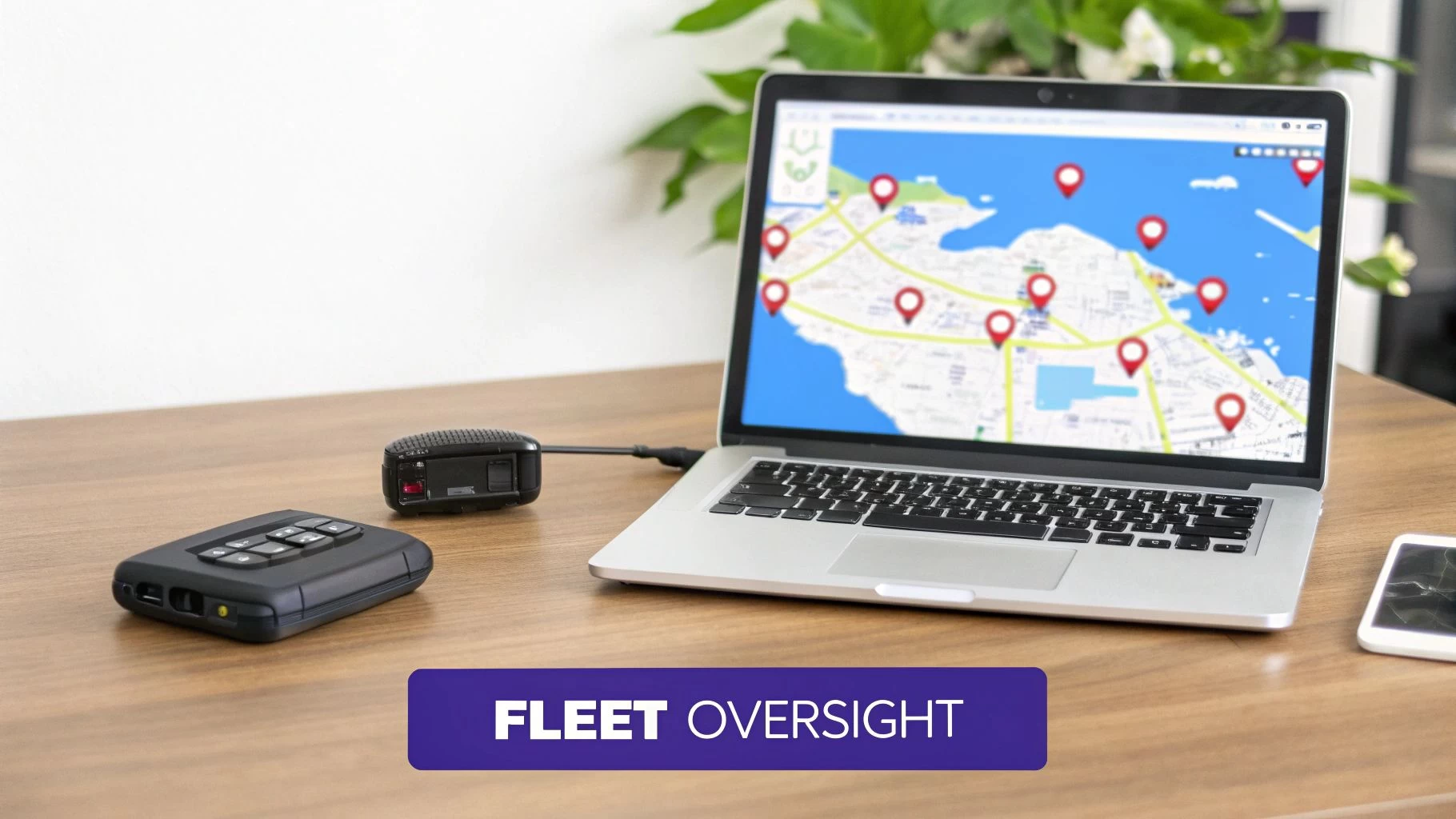
For any business running more than one drone, feeding GPS tracker data into a central dashboard is a total game-changer. You get a single, live map showing where every single asset is, whether it's in the air or sitting in a van. This kind of bird's-eye view gives you some serious advantages:
- Optimized Deployments: See which team is closest to a new job site, cutting down travel time and getting you on-site faster.
- Enhanced Team Safety: Knowing where every drone and pilot is located boosts situational awareness, which is huge for large-scale or beyond-visual-line-of-sight (BVLOS) operations.
- Asset Utilization: Tracking data quickly shows you which drones are sitting idle, helping you make sure your expensive equipment is where it needs to be for the next scheduled mission.
By tapping into these advanced features, a humble UAV GPS tracker goes from being a reactive safety gadget to a proactive management tool that improves every part of your drone operations.
Weaving Tracker Data Into Your Workflow
A GPS tracker on its own is a fantastic recovery tool, but the real magic happens when you plug that raw location data into a central drone operations platform like Dronedesk. This is where simple pings on a map transform into genuinely useful business intelligence, building a far more robust and efficient workflow for you and your team.
Think of it this way: integrating tracker data massively boosts your operational integrity. Instead of relying only on the drone’s own flight logs—which can sometimes be patchy or incomplete after an incident—you get an independent, verifiable audit trail for every single mission. For client reports and compliance checks, that external data stream is gold, providing undeniable proof of your flight paths.
Building a Verifiable Flight Record
The biggest win from integration is creating a secondary, tamper-proof record of your operations. When you sync external tracker data with your management platform, you can cross-reference it against the drone’s built-in telemetry. This dual-source approach is brilliant for validating flight logs and seriously strengthens your documentation for any post-flight review.
Take a look at how Dronedesk visualises airspace and proximity intelligence, layering multiple data sources to give you the complete operational picture.
Now, imagine adding your tracker data as another layer here. You could instantly confirm your drone’s actual path against your planned routes and any known hazards, all in one place.
This level of detail takes you way beyond simple asset protection and into the realm of sophisticated operational analysis. A solid management system uses this external data to confirm that every flight happened exactly where it was supposed to, boosting both safety and accountability across the board.
Syncing Trackers for Smarter Fleet Management
If you're managing more than one aircraft, integration isn't just nice to have; it's essential. The process is pretty straightforward: you link a tracker’s unique ID to a specific drone in your fleet roster. This creates a permanent digital bond between the physical asset and its data stream.
By linking trackers to specific drones in a platform, you transform your fleet into a network of smart, trackable assets. Every flight automatically contributes to a comprehensive history for that specific drone, simplifying maintenance schedules and tracking its deployment history.
This idea isn’t new to the drone world. It's worth looking at how other industries handle this. In the vehicle sector, for example, real-time location data is the backbone of modern fleet management practices, covering everything from logistics and routing to security.
This centralized view gives managers a complete operational overview, letting them see where every asset is in real time. For a deeper dive into the software that makes this all possible, check out our essential guide to drone tracking software. At the end of the day, a well-integrated UAV GPS tracker becomes a vital data source, feeding crucial information straight into the system that runs your entire operation.
Got Questions About UAV GPS Trackers? We've Got Answers.
As professional drone operations get more serious, so does the need to protect your gear. A dedicated UAV GPS tracker is a game-changer for asset security, but it’s natural to have a few questions before you commit. We hear them all the time.
Let's cut through the noise and get you the straight answers you need to make a smart decision for your drone program.
"But My Drone Already Has GPS. Isn't That Enough?"
This is the big one, and it gets right to the point. Your drone's built-in GPS is fantastic for flying and navigating, but it has one massive Achilles' heel: it's tied to the drone's main battery.
The moment that battery dies in the air or gets thrown clear in a crash—which happens more often than you'd think—the onboard GPS is toast. It goes completely silent. A dedicated UAV GPS tracker is your lifeline because it runs on its own power. It will keep pinging its location for hours, sometimes even days, after your drone has gone down.
Think of it like a black box for your drone. It adds a critical layer of redundancy that can turn a potential write-off worth thousands of dollars into a simple walk-in-the-park recovery mission.
"How Do I Stick a Tracker on Without Messing Up My Drone's Performance?"
Good question. The last thing you want is for your safety net to cause a problem. Luckily, today's trackers are tiny and incredibly light, often weighing just 20-50 grams. For most professional drones, that’s barely a drop in the bucket.
To get it right, just follow these simple rules of thumb:
- Make it Stick: Don't just use any old tape. High-strength stuff like 3M Dual Lock or a purpose-built 3D-printed mount is the way to go. You need it to stay put, even in a rough-and-tumble landing.
- Give it a View: Mount the tracker on the top surface of the drone. This gives it a clear, unobstructed line of sight to the sky, which is exactly what it needs for a solid satellite lock.
- Keep it Centered: Get the tracker as close to the drone's center of gravity as you can. This will minimize any impact on how the aircraft balances and handles in the air.
Once it's on, always do a quick test hover. You’ll know right away if the drone feels stable and predictable. This little check gives you peace of mind that everything is dialed in correctly.
"What's the Deal with Subscription Costs?"
This is a totally fair question. Nobody likes surprise fees. The cost really boils down to how the tracker communicates. If it uses a cellular or satellite network to send its location, it’s going to need a data plan.
Here’s a rough breakdown of what you can expect:
- Cellular Plans: These are the most popular and wallet-friendly, typically running between $5 to $20 a month. They're perfect as long as you're flying in areas with decent mobile coverage.
- Satellite Plans: If you're out in the middle of nowhere, satellite is your only real option. These plans are pricier, often starting around $40 per month, but they give you true "fly-anywhere" global coverage.
- RF Trackers: Some trackers use radio frequency (RF). These usually have no monthly fees, but the trade-off is a much shorter range, generally just a few miles.
When you're looking at a UAV GPS tracker, just bake the subscription fee into the total cost. The key is to match the plan to where you actually fly, so you aren't paying for coverage you'll never use.
Ready to take control of your drone operations? Dronedesk provides a complete platform for managing your fleet, flights, and compliance, integrating seamlessly with your tracking hardware.
 FAA Drone License Costs Beyond the Knowledge Test →
 Drone Part 107 Operations: When a Waiver May Be Needed →
 Drone Operating Rules for Managing Contractors and Employees →
 BVLOS Drone Requirements for Building a Safety Case →
 Drone Pilot Test Mistakes That Cost Candidates Marks →
 FAA 107 License vs Part 107 Certificate: What’s the Difference? →
 Drone Airport Rules: A Field Checklist for Site Assessments →
 FAA Part 107 Record-Keeping Rules for Commercial Teams →
 How to Review a DJI Flight Log After an Unexpected Event →
 Drone Laws Around the World: A Pre-Flight Research Framework →