
How to Find a Place to Fly Drone Near Me: 7 Best Tools for 2026
The thrill of unboxing a new drone is quickly followed by a crucial question: "Where is a safe and legal place to fly drone near me?" It's a simple query with a complex answer, tangled in a web of federal, state, and local regulations. Flying without proper checks can lead to hefty fines, safety incidents, or unintended airspace violations, making pre-flight planning an non-negotiable step for every pilot.
This guide cuts through the confusion, providing a clear roadmap for both recreational hobbyists and certified Part 107 commercial operators. We are not just listing locations; we are providing a complete toolkit to find, verify, and document your flights legally and efficiently. You will discover the essential digital tools that solve the complex problem of airspace awareness, transforming a potentially hour-long research task into a minutes-long verification process.
We will explore seven indispensable platforms, from FAA-approved B4UFLY applications that provide real-time airspace data and LAANC authorizations to community-sourced maps revealing hidden gems for stunning aerial photography. Each entry includes direct links and screenshots to help you quickly identify the best resource for your specific needs. By the end of this article, you will have a comprehensive understanding of how to confidently and compliantly find your next flight zone, ensuring every launch is both safe and successful.
1. Aloft Air Aware (FAA-approved B4UFLY service)
When your primary concern is compliance, starting with an official FAA-approved B4UFLY service is the most reliable first step. Aloft Air Aware is a leading platform, available on both web and mobile, that provides a clear, authoritative view of the National Airspace System (NAS). It’s designed to give drone pilots a simple go/no-go answer for any location, making it an essential tool for finding a safe and legal place to fly drone near me.
The platform aggregates critical data directly from the FAA and presents it on an easy-to-read map. You can quickly search any address or drop a pin to see if the area is clear for flight or if restrictions apply. This data includes controlled airspace around airports, Temporary Flight Restrictions (TFRs), and special use airspace, ensuring you have the most current information before you take off.
Key Features and User Experience
Aloft’s interface is clean and user-centric, focusing on delivering crucial information without overwhelming the user. Its standout feature is the clear "Airspace Status" indicator, which instantly tells you if the location is safe, requires authorization, or is a no-fly zone. The map layers are interactive, allowing you to click on specific advisories to get more detail.
- FAA Data Layers: Includes official B4UFLY information, controlled airspace grids, TFRs, and national security UAS flight restrictions.
- FRIA Sites: Displays FAA-Recognized Identification Areas, which are designated safe zones for recreational flyers.
- Notify & Fly: A valuable situational awareness feature that shows self-reported flight activity from other Aloft users in the area.
- LAANC Handoff: While Aloft Air Aware is for situational awareness, it seamlessly integrates with its companion app, Aloft Air Control, for pilots who need to submit a LAANC (Low Altitude Authorization and Notification Capability) request to fly in controlled airspace.
Pro Tip: Before heading out, use the search function in Aloft to check the address of your potential flying spot. Pay close attention to the altitude grids on the map, which show the maximum allowable flight altitude if you were to receive LAANC authorization. For a deeper dive into these grids, you can learn more about how FAA facility maps work and what they mean for your flight planning.
Pros and Cons
| Pros | Cons |
|---|---|
| Official FAA Data: As an approved B4UFLY provider, its information is authoritative and reliable. | LAANC is in a Separate App: Requires downloading Aloft Air Control to submit authorization requests. |
| Simple, Clean Interface: Easy for both new and experienced pilots to get a quick compliance check. | Compliance-Focused: Does not offer crowdsourced recommendations for scenic or photogenic spots. |
| Excellent Situational Awareness: Live TFRs and the "Notify & Fly" feature help pilots understand real-time airspace activity. | |
| Free to Use: The core Air Aware service is completely free on both web and mobile platforms. |
Ultimately, Aloft Air Aware excels as a foundational tool for pre-flight safety and compliance checks. It’s the perfect starting point to verify if a location is legally viable before you even think about camera angles or flight paths.
Website: https://airaware.aloft.ai
2. Wing OpenSky
Another powerful, free, and FAA-approved tool for ensuring compliance is Wing OpenSky. Developed by Wing (an Alphabet company), this platform is designed to provide clear, actionable guidance for drone pilots. Available on both mobile and web, OpenSky excels at simplifying complex airspace rules, making it an excellent resource for anyone searching for a safe and legal place to fly drone near me.

What sets OpenSky apart is its ability to tailor airspace information based on your flight type. By selecting whether you are flying under Part 107 rules or as a recreational pilot, the app adjusts the advisories and restrictions it displays. This customization helps eliminate confusion and ensures the rules you see are relevant to your specific operation, providing a clear go/no-go decision.
Key Features and User Experience
Wing OpenSky boasts an exceptionally clean and beginner-friendly user experience. The interface prioritizes clarity, using a simple color-coded system to indicate where you can and cannot fly. Its standout feature is the integrated LAANC authorization process, which is handled directly within the app, creating a seamless workflow from planning to approval.
- Tailored Flight Briefs: Customizes airspace rules and advisories based on whether you are a Part 107 or recreational pilot.
- Integrated LAANC Requests: Allows users to submit, manage, and track the status of LAANC authorizations for flights in controlled airspace directly within the same application.
- Clear Hazard Visibility: Provides crucial information on Temporary Flight Restrictions (TFRs) and other potential ground or air hazards to inform your decision-making.
- Streamlined Mobile Experience: The mobile app is particularly well-designed for quick checks and submitting LAANC requests while on the go.
Pro Tip: Use the flight type toggle (Part 107 vs. Recreational) to understand how the rules differ in the same location. This is especially useful for pilots who operate under both rule sets, as it provides a quick comparison of operational limitations before you plan your mission.
Pros and Cons
| Pros | Cons |
|---|---|
| Clean, Beginner-Friendly UX: The interface is intuitive, making it easy to understand complex airspace rules. | Compliance-Only Focus: Does not include crowdsourced information on scenic spots or community-recommended flying locations. |
| Integrated LAANC Authorizations: The entire LAANC process is handled within one app, which simplifies the workflow. | Lighter Desktop Feature Set: Some features and the user experience are more robust and streamlined on the mobile app compared to the web version. |
| Strong Mobile Experience: Designed for pilots in the field who need quick, reliable access to airspace information. | |
| Free to Use: Provides essential compliance and authorization tools at no cost. |
Wing OpenSky is a fantastic all-in-one solution for pilots who value simplicity and efficiency. Its ability to handle both airspace awareness and LAANC authorizations in a single, user-friendly package makes it an indispensable tool for confirming the viability of any potential flying spot.
Website: https://wing.com/opensky/
3. AirHub Portal by Airspace Link
For pilots who want to move beyond a simple airspace check and into a more integrated planning and authorization workflow, AirHub Portal by Airspace Link is a powerful all-in-one solution. As another FAA-approved B4UFLY provider, it delivers authoritative airspace data while uniquely combining it with built-in LAANC submission capabilities. This makes it an incredibly efficient tool for any professional or serious hobbyist looking for a place to fly drone near me that might be located within controlled airspace.
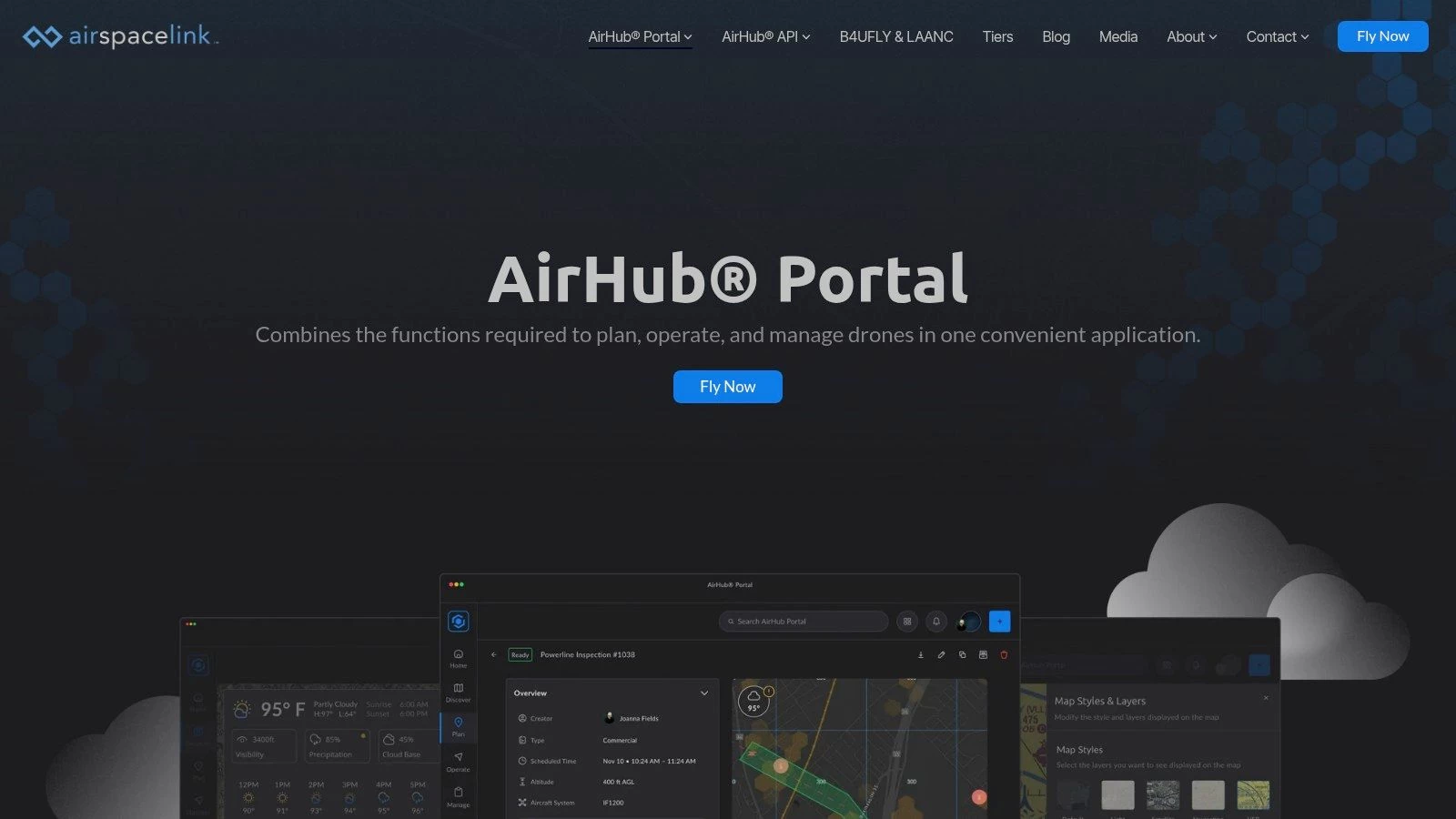
The platform is available on both web and mobile, with a robust desktop portal that is particularly useful for detailed pre-flight planning on a larger screen. You can drop a pin on the map to instantly see airspace restrictions, local ground rules, and critical infrastructure advisories. If the location is in controlled airspace, you can seamlessly initiate a LAANC request directly from the same interface, eliminating the need to switch between different apps for awareness and authorization.
Key Features and User Experience
AirHub Portal is designed for a more comprehensive approach to mission planning. While it offers the same go/no-go clarity as simpler apps, its interface provides deeper layers of information, including pre-flight risk assessments and advisory data. This makes it ideal for Part 107 pilots who need to document their due diligence. The user experience feels more like a professional flight operations tool, but it remains accessible enough for recreational flyers who need LAANC access.
- Integrated B4UFLY and LAANC: Check airspace status and submit an authorization request in one seamless workflow without leaving the platform.
- Comprehensive Advisories: Beyond FAA data, it often includes local advisories, ground rules, and information on critical infrastructure.
- Pre-flight Risk Checks: The platform can generate automated risk assessments for a planned operation area, a key feature for commercial pilots.
- Robust Web Portal: The desktop version is a standout, offering a powerful planning environment for complex missions before you head into the field.
Pro Tip: When planning a flight, always zoom in on the map to check for local advisories that AirHub might display. These can include rules for specific parks or sensitive areas that aren't part of the core FAA data. Remember that federal rules are just the starting point; you must also follow local regulations. You can get familiar with the state drone laws in your area to ensure full compliance.
Pros and Cons
| Pros | Cons |
|---|---|
| True One-Stop Solution: The integration of B4UFLY awareness and LAANC authorization is seamless and efficient. | Account Required: You must create an account to use the platform, even for basic checks in some cases. |
| Robust Desktop and Web Access: Excellent for detailed planning on a PC, which many other apps lack. | Interface Can Feel Heavy: The wealth of features can be more than a casual hobbyist needs for a quick check. |
| Detailed Ground-Level Data: Often includes local advisories that provide a more complete operational picture. | |
| Excellent for Part 107 Pilots: Features like risk assessments and asset management are tailored to professional use. |
In summary, AirHub Portal is the perfect choice for pilots who regularly fly in controlled airspace or who want a single, powerful tool for all their planning and compliance needs. It bridges the gap between simple awareness apps and full-fledged fleet management software.
Website: https://airspacelink.com/airhubportal
4. Avision for Drones
For pilots who value an all-in-one mobile experience, Avision for Drones presents a streamlined solution that combines FAA-approved B4UFLY airspace awareness with integrated LAANC authorizations. Its guided workflow is designed to take a pilot from initial site assessment to a submitted authorization request within a single app, making it a highly efficient tool for finding a compliant place to fly drone near me.
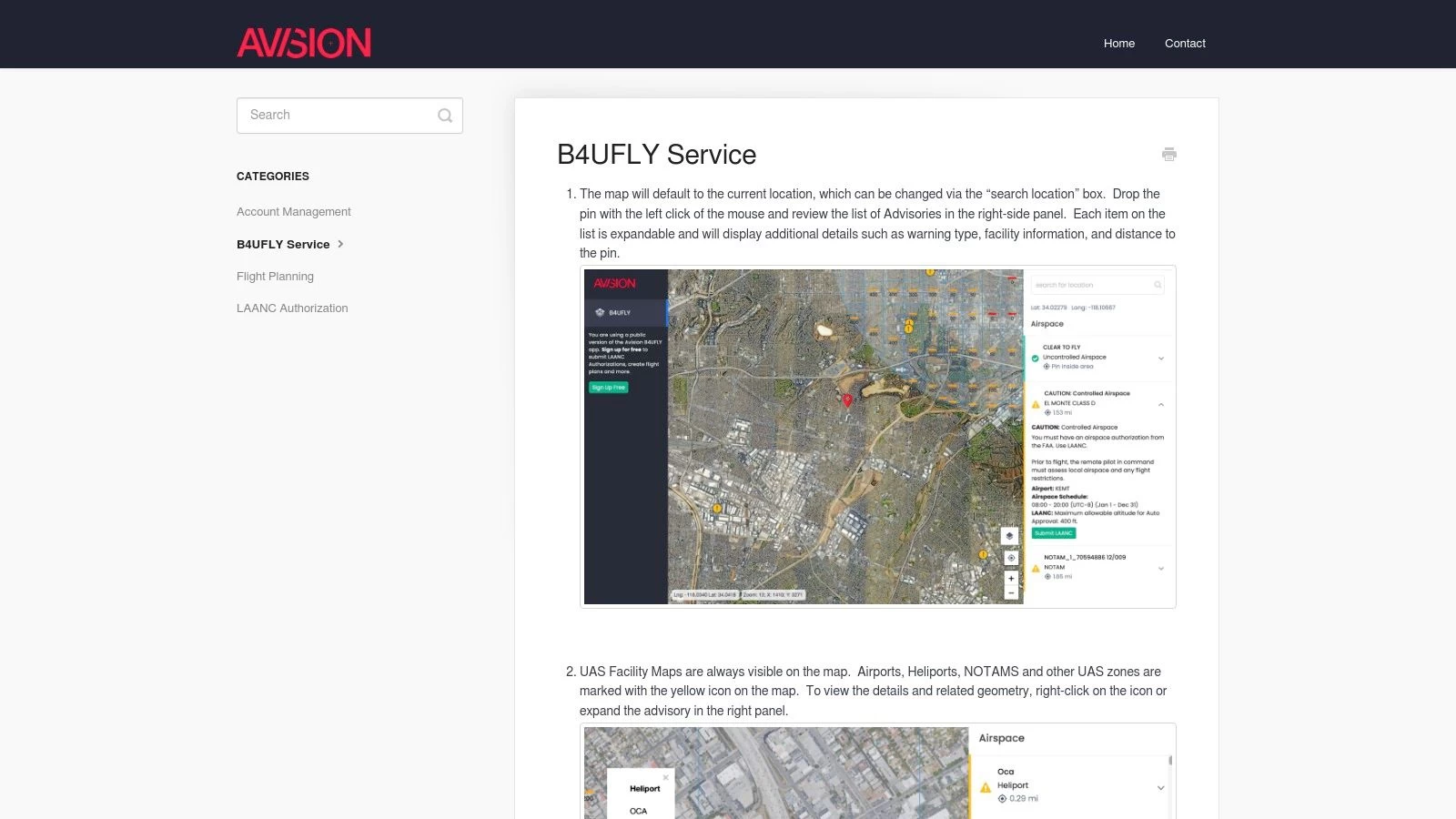
The platform excels at providing more than just airspace data. It incorporates comprehensive flight plan validation that checks your proposed operation against weather, terrain, and known obstacles. This proactive approach helps pilots identify potential risks early in the planning stage, ensuring a safer flight before you even arrive on site.
Key Features and User Experience
Avision’s mobile-first interface is built for speed and clarity. When you check a location, a right-hand panel immediately populates with clear, color-coded advisories. These are expandable, allowing you to dive into the specifics of a particular restriction or notification without cluttering the main map view. This design makes it easy to quickly understand the airspace and take the next appropriate action.
- Integrated B4UFLY & LAANC: Seamlessly check airspace status and, if needed, submit a LAANC request with a single tap, all within the same application flow.
- Comprehensive Flight Planning: The app validates your planned flight against multiple factors including weather forecasts, terrain elevation, and potential ground obstacles.
- Clear Advisory Panel: Important information like Special Use Airspace (SUA), NOTAMs, and UAS Facility Map restrictions are neatly organized and expandable for details.
- Guided Workflow: The user experience is designed as a guided process, which is particularly helpful for new pilots navigating the complexities of airspace authorization.
Pro Tip: Use the flight plan validation feature even for recreational flights. Checking your intended flight path against terrain and obstacle data can reveal unseen hazards, such as a nearby tower or a sudden rise in ground elevation, that a simple map view might miss. This extra layer of safety planning is a key advantage of the Avision platform.
Pros and Cons
| Pros | Cons |
|---|---|
| Smooth B4UFLY-to-LAANC Workflow: The integrated system is one of the most efficient for requesting authorization. | Best Experience is on Mobile: The desktop interface is primarily a gateway to the app-centric experience. |
| Excellent Advisory Details: The clear right-panel advisories with expandable details make information easy to digest. | Account Needed for LAANC Requests: While browsing is open, you must create an account to submit authorizations. |
| Advanced Safety Checks: Flight plan validation against weather, terrain, and obstacles is a powerful feature. | |
| Free for B4UFLY and LAANC: The core airspace awareness and authorization services are free to use. |
Avision for Drones is an excellent choice for pilots who operate frequently in controlled airspace and prefer a mobile-centric workflow. Its combination of compliance, authorization, and advanced safety checks in one unified package makes it a robust tool for any drone operation.
Website: https://help.avision.io/article/30-avision-b4ufly
5. Academy of Model Aeronautics (AMA) Club Finder
For pilots seeking a sense of community and a dedicated, reliable flying location, the Academy of Model Aeronautics (AMA) Club Finder is an invaluable resource. This tool is a directory that helps you locate established RC/UAV clubs and their designated flying fields. Joining a club is one of the best ways to find a consistent and safe place to fly drone near me, complete with community standards, established safety procedures, and the benefits of a shared passion.
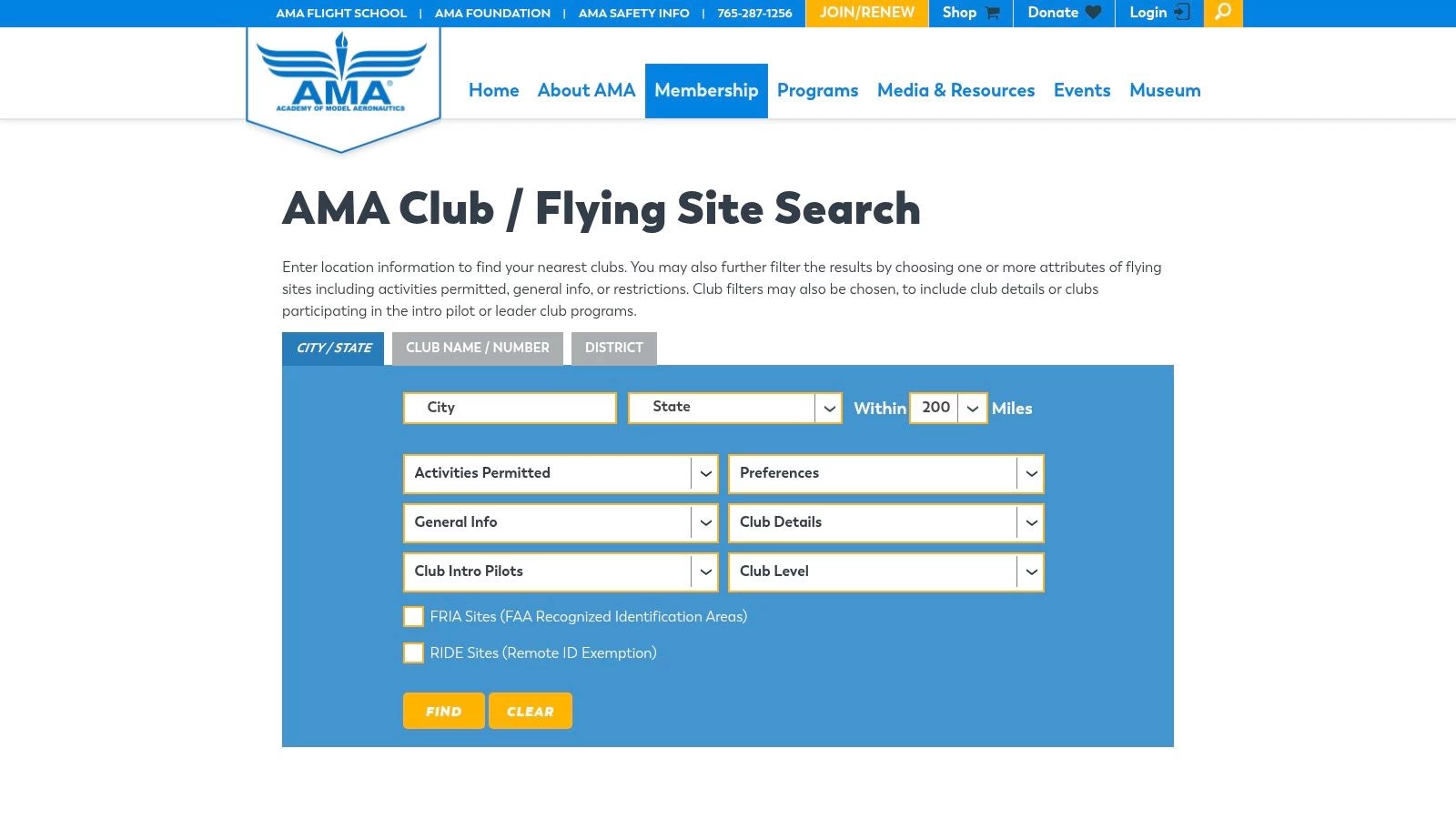
The AMA is a long-standing organization that advocates for model aviation, and its chartered clubs offer maintained sites specifically for flying. Many of these locations are designated as FAA-Recognized Identification Areas (FRIAs), which means recreational pilots flying within their boundaries do not need to broadcast Remote ID. The club finder tool allows you to search by ZIP code, state, or radius to discover these sanctioned locations.
Key Features and User Experience
The AMA Club Finder website is straightforward, prioritizing function over form. Its primary purpose is to connect you with a local club, and it does so effectively. You simply enter your location, and the search tool populates a list and map of nearby chartered clubs, showing their distance from you and providing direct contact information.
- Club and Field Locator: Search by ZIP, city, state, and radius to quickly identify all chartered clubs in your vicinity.
- FRIA-Designated Sites: Clubs with a "FRIA" badge are clearly marked, making it easy to find sites where Remote ID is not required for recreational flights.
- Direct Club Contact: Each listing provides links to the club's website and contact details, streamlining the process of inquiring about membership.
- Community and Safety: Beyond just a location, joining a club provides access to experienced mentors, training opportunities, and a structured, safe flying environment.
Pro Tip: When you find a promising club, visit their website or contact them directly before showing up. Ask about their rules for multirotor/drone pilots, guest policies, and any specific "checkout" or orientation flights required for new members to gain full access to the field.
Pros and Cons
| Pros | Cons |
|---|---|
| Consistent, Legal Flying Sites: Offers reliable and maintained fields purpose-built for model aircraft and drones. | Membership Required: Most fields require both an AMA membership and separate club dues to fly regularly. |
| FRIA Benefits: Many clubs operate at FRIA sites, simplifying Remote ID compliance for recreational pilots. | Limited Access: Flying times may be restricted to specific member hours or events. |
| Strong Community Aspect: An excellent way to meet fellow pilots, learn new skills, and promote the hobby safely. | May Have Specific Rules: Clubs often have their own operational rules beyond FAA regulations, such as restrictions on FPV. |
| Insurance Coverage: AMA membership typically includes personal liability insurance, a significant benefit for pilots. |
Ultimately, the AMA Club Finder is the perfect tool for pilots who value structure, safety, and community over the spontaneity of finding a random park. It’s an investment in your hobby that provides a dedicated place to fly drone near me with the added benefits of mentorship and established safety protocols.
Website: https://www.modelaircraft.org/club-finder
6. UAV Coach — "Where to Fly Your Drone"
While compliance tools tell you if you can fly, they don’t always tell you where you should fly. This is where UAV Coach’s "Where to Fly Your Drone" directory shines. Instead of providing a live airspace map, it offers a curated collection of city- and state-specific guides, highlighting scenic and legally viable locations. It’s an excellent resource for inspiration when you're looking for a picturesque place to fly drone near me and need a starting point before performing your due diligence.
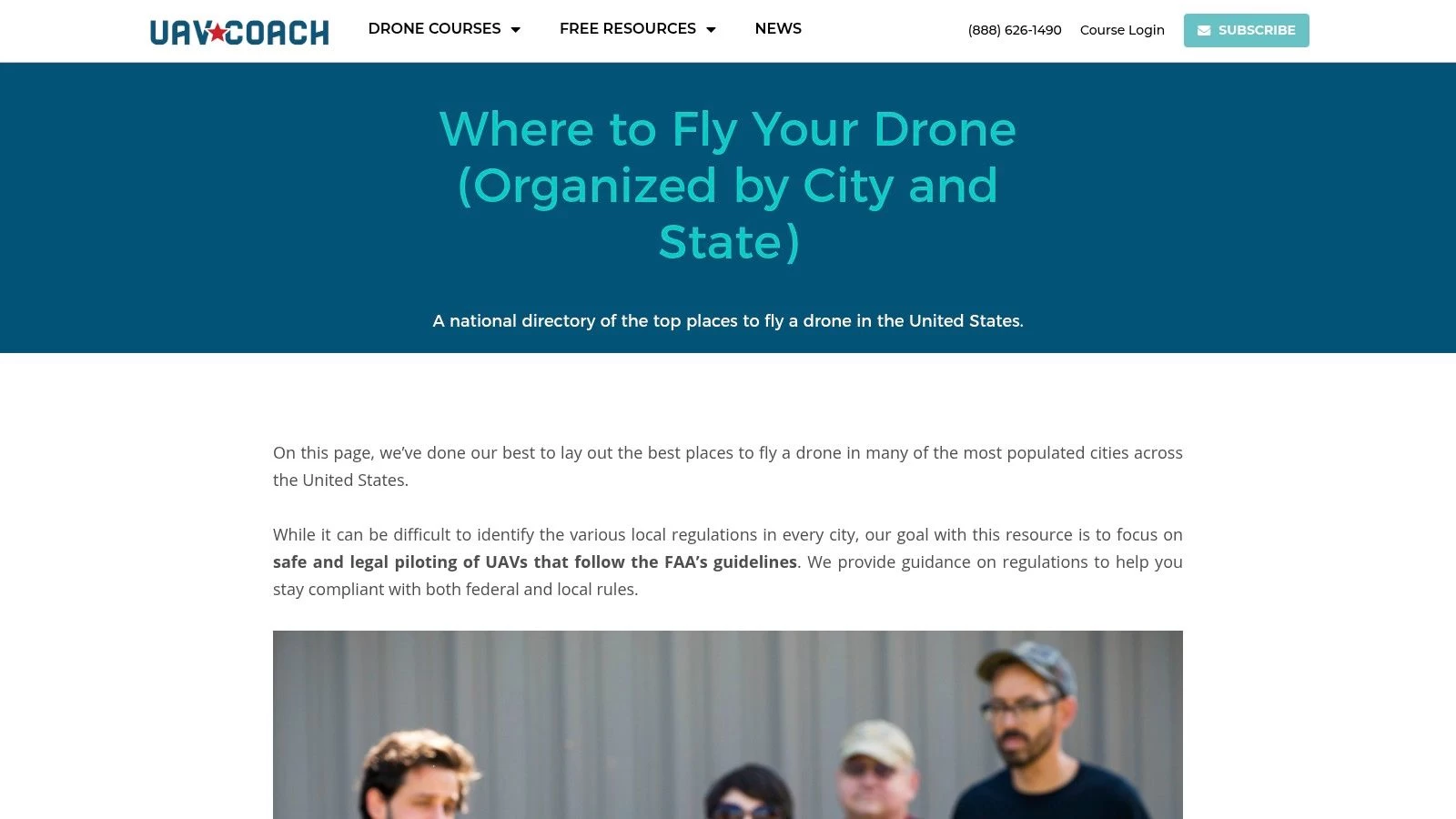
The platform functions as a discovery engine, presenting hand-picked spots like parks, coastal areas, and other open spaces known to be drone-friendly. Each location comes with a brief description, often including helpful tips on what to capture and, most importantly, a reminder to verify current airspace status using an FAA-approved app. This approach bridges the gap between finding a beautiful location and ensuring a safe, compliant flight.
Key Features and User Experience
UAV Coach’s directory is straightforward and easy to navigate. The main page lists U.S. states, which then lead to more detailed guides for major cities within that state. The user experience is focused on discovery rather than technical analysis, making it accessible for pilots of all skill levels who are simply looking for ideas.
- Curated Location Guides: The core feature is its organized directory of recommended flying spots, categorized by state and city.
- Descriptive Blurbs: Each location includes helpful context, potential photo opportunities, and general advice.
- Emphasis on Compliance: UAV Coach consistently reminds users that the guides are a starting point and that they must verify airspace rules in a B4UFLY/LAANC app before every flight.
- Integrated Training Resources: As a drone training company, the website links to its other valuable educational content, helping pilots improve their skills.
Pro Tip: Use the UAV Coach guides to build a list of potential locations for your next outing. Once you have a few spots in mind, plug their addresses into a B4UFLY app like Aloft or AirMap to check for TFRs and controlled airspace. This two-step process combines creative discovery with essential safety checks. For more ideas on how to discover great spots, you can explore additional strategies for finding drone-friendly locations to complement your search.
Pros and Cons
| Pros | Cons |
|---|---|
| Excellent for Discovery: Uncovers scenic, photogenic spots that you might not find on a standard airspace map. | Not a Live Airspace Tool: Information is static and requires separate verification in a B4UFLY/LAANC app. |
| Beginner-Friendly: Easy to use and provides clear, simple suggestions without overwhelming technical data. | Coverage is Uneven: Strongest in major metropolitan areas; some rural or less-populated states have limited listings. |
| Promotes Safe Practices: Constantly reminds pilots to double-check FAA rules, reinforcing a culture of compliance. | Information Can Become Outdated: Local park rules or regulations can change, so independent verification is always necessary. |
| Free Resource: The entire directory is available for free, making it a valuable planning tool. |
Ultimately, UAV Coach is an outstanding supplementary resource. It excels at answering the creative question of "where should I fly?" rather than the regulatory question of "where can I fly?". By using it to generate ideas and then verifying those ideas with an official tool, you create a well-rounded and responsible flight plan.
Website: https://uavcoach.com/where-to-fly-drone/
7. DroneSpot
While FAA-approved apps are essential for legal compliance, creative pilots often need a tool focused on discovery. DroneSpot fills this niche perfectly as a community-driven map of user-submitted flying locations. It’s an excellent resource for finding a visually interesting place to fly drone near me, from scenic parks to FPV-friendly “bandos” (abandoned buildings), complete with local insights you won’t find on an official airspace chart.
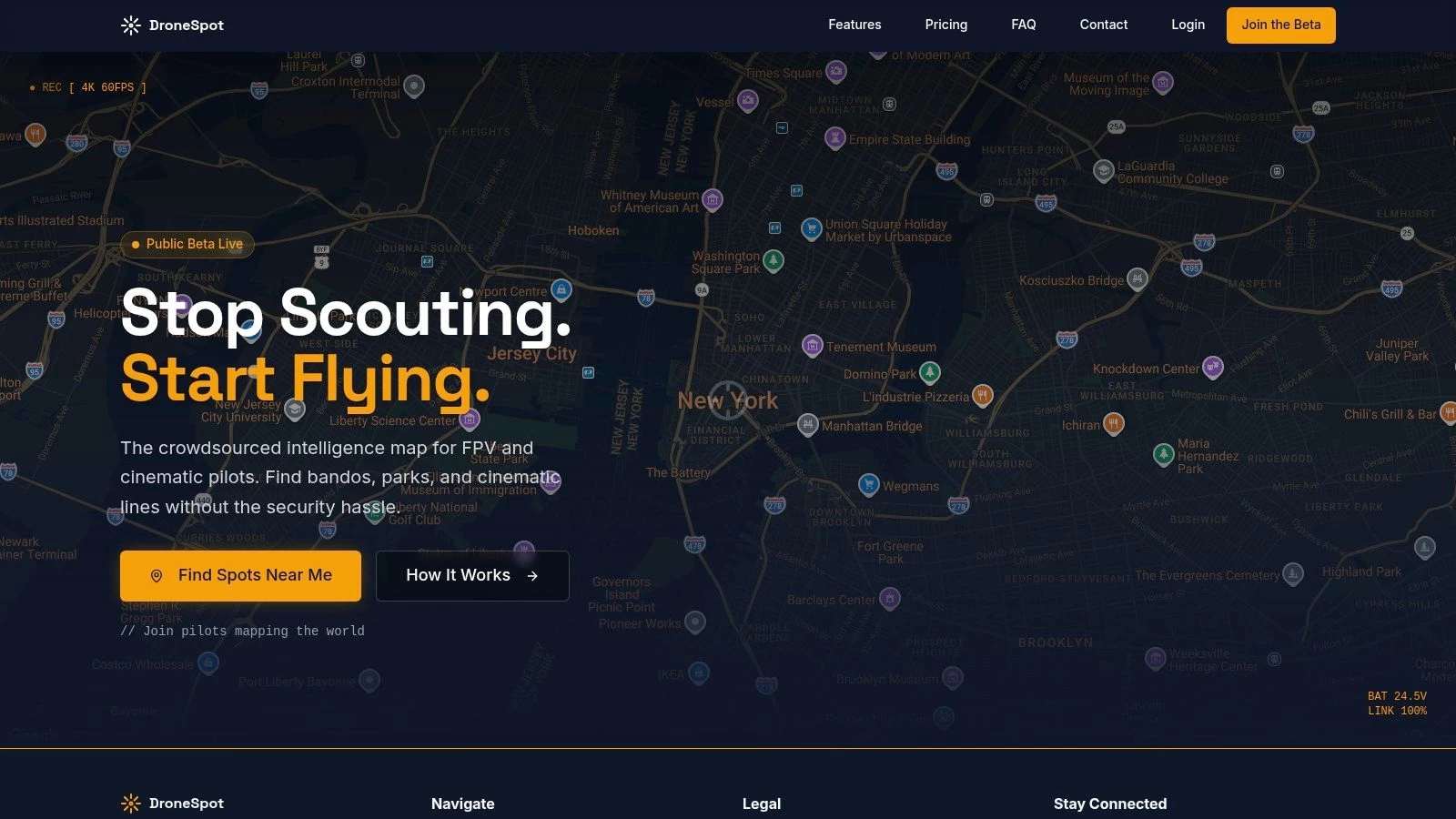
The platform’s strength lies in its crowdsourced knowledge. Users pin locations on a global map and add descriptions, photos, and crucial on-the-ground details. This can include notes about the best time of day to fly, potential obstacles like power lines, or tips on where to park and access a site, making it invaluable for scouting new and compelling spots.
Key Features and User Experience
DroneSpot features a simple, map-centric web interface designed for quick and easy exploration. You can use the "Find spots near me" function or pan around the map to discover what other pilots have shared. Its FPV-friendly emphasis is a major differentiator, with categories that appeal directly to freestyle and cinematic pilots.
- User-Submitted Locations: The map is populated entirely by other drone pilots, offering a real-world perspective on good flying spots.
- Location Categories: Pins are often categorized, making it easy to filter for specific types of environments like parks, landscapes, or abandoned sites.
- Local Knowledge: User notes often contain practical advice on access, potential hazards, and the best lines to fly, saving you from a wasted trip.
- Visual Scouting: Many submissions include photos or video links, allowing you to visually vet a location before you go.
Pro Tip: Always treat DroneSpot as your first step for creative inspiration, not your last step for legal verification. Once you find a promising location on DroneSpot, your very next action should be to input that exact address or GPS coordinate into an FAA-approved B4UFLY app like Aloft to confirm the airspace is clear and legal for flight.
Pros and Cons
| Pros | Cons |
|---|---|
| Excellent for Creative Discovery: Uncovers photogenic and FPV-friendly spots that official maps won't show. | No Legal or Airspace Data: Does not validate legality; you must cross-check with a B4UFLY provider. |
| Helpful Local Knowledge: Access notes, obstacle warnings, and flying tips from fellow pilots are invaluable. | Inconsistent Coverage: Spot density is highest in and around major U.S. metro areas and can be sparse elsewhere. |
| Simple and Focused Interface: Easy to navigate and search for spots without unnecessary clutter. | Information Can Be Outdated: A spot may have new restrictions or no longer be accessible since it was last updated. |
| Free to Use: The platform is entirely free for browsing and contributing. |
In summary, DroneSpot is an outstanding tool for the discovery phase of your flight planning. It answers the question "where are the cool places to fly?" by tapping into the collective knowledge of the drone community. Just remember to pair it with a compliance tool to ensure every flight is both creative and legal.
Website: https://dronespot.app
Where to Fly: Top 7 Tools Compared
| Tool | Implementation (🔄) | Resources (⚡) | Expected outcomes (📊) | Ideal use cases (💡) | Key advantages (⭐) |
|---|---|---|---|---|---|
| Aloft Air Aware (FAA-approved B4UFLY service) | Low 🔄 — web & mobile; B4UFLY view (LAANC via separate app) | Minimal ⚡ — free; no account needed for checks | Clear go/no-go and live situational awareness 📊 | Quick compliance checks and preflight situational awareness 💡 | Official B4UFLY data; reliable compliance view ⭐⭐⭐ |
| Wing OpenSky | Low 🔄 — mobile-first with in-app LAANC flow | Minimal ⚡ — free; best on mobile | Fast LAANC authorizations and tailored briefs 📊 | Beginners and pilots needing quick LAANC & simple briefs 💡 | Clean UX and quick LAANC flow ⭐⭐⭐ |
| AirHub Portal (Airspace Link) | Medium 🔄 — full web/desktop portal; account for LAANC | Moderate ⚡ — web/desktop planning; account recommended | Comprehensive planning plus integrated LAANC and risk checks 📊 | Professionals and planners needing one-stop preflight & fleet tools 💡 | Integrated LAANC + robust desktop planning ⭐⭐⭐⭐ |
| Avision for Drones | Low–Medium 🔄 — guided mobile flow from check to LAANC | Moderate ⚡ — mobile-centric; account for LAANC | Streamlined submit + flight-plan validation (weather/terrain) 📊 | Pilots who want validated flight plans and guided LAANC requests 💡 | Flight validation and smooth B4UFLY→LAANC workflow ⭐⭐⭐ |
| AMA Club Finder | Low 🔄 — directory search for clubs/fields | Low ⚡ — free directory; membership/dues for field access | Access to maintained FRIA fields and community support 📊 | Hobbyists seeking legal, maintained places to fly and local clubs 💡 | FRIA sites, community safety, insurance pathways ⭐⭐ |
| UAV Coach — "Where to Fly Your Drone" | Low 🔄 — curated guides; not a live map | Low ⚡ — free content; manual rule verification required | Discovery of photogenic, drone-friendly locations (non-live) 📊 | Scouting creative/photogenic spots before compliance checks 💡 | Curated local guides and tips for locations ⭐⭐ |
| DroneSpot | Low 🔄 — community-driven pins and notes map | Low ⚡ — free; relies on user submissions and moderation | Variable results; strong local insights where active 📊 | Finding creative/FPV-friendly or offbeat spots and local access notes 💡 | Community-sourced locations with practical access info ⭐⭐ |
Streamline Your Operations: From Finding a Spot to Final Report
Finding a safe, legal, and visually compelling place to fly a drone near you is the critical first step in any successful mission. Throughout this guide, we've explored a powerful suite of tools, from FAA-approved B4UFLY apps like Aloft and Wing OpenSky to community-driven resources like DroneSpot and the AMA Club Finder. Each platform offers a unique lens through which to view your local airspace, helping you identify potential sites, check for restrictions, and gain situational awareness.
However, for the professional drone operator, site selection is merely the beginning. A successful operation is a symphony of meticulous planning, risk mitigation, and compliant execution. The true challenge lies not just in finding a location, but in managing the entire project lifecycle that surrounds it. This is where the journey transitions from discovery to professional operations management.
From Discovery to Deployment: A Cohesive Workflow
The tools we've detailed are exceptional for the discovery phase. You might use AirHub to check for local advisories or UAV Coach to find a scenic park. But what happens next? A professional pilot must then pivot to a different set of tasks:
- Risk Assessment: Creating detailed RAMS (Risk Assessment Method Statements) specific to the chosen site.
- Asset Management: Assigning specific drones, batteries, and payloads to the job, and tracking their maintenance schedules.
- Team Coordination: Briefing team members and assigning specific roles for the operation.
- Compliance & Logging: Recording flight times, battery cycles, and incident reports to maintain regulatory compliance.
- Client Reporting: Generating professional, comprehensive reports that detail the mission's outcomes and data.
Juggling these responsibilities across separate apps, spreadsheets, and documents is inefficient and introduces risk. The key to scaling your operations and ensuring top-tier professionalism is to unify these processes.
Key Takeaway: The best drone pilots don't just find great places to fly; they build a repeatable, compliant, and efficient workflow for every mission, from initial site scouting to the final client deliverable.
Choosing Your Operational Hub
Integrating a comprehensive management platform like Dronedesk doesn't replace the specialized location-finding tools we've discussed. Instead, it acts as the central nervous system for your entire operation, pulling everything together once you've identified a potential place to fly a drone near you.
Consider your specific needs when building your workflow:
- For the Solo Operator: Your primary need is efficiency. A unified platform helps you automate administrative tasks like logging and risk assessments, giving you more time to focus on flying and business development.
- For Small to Medium Teams: You need collaboration and consistency. A central hub ensures every pilot on your team follows the same safety procedures, uses the correct checklists, and logs data in a standardized format.
- For Enterprise Operations: Compliance, scalability, and oversight are paramount. An operations management system provides a complete audit trail, manages pilot and equipment certifications, and offers a high-level view of all ongoing projects.
By bridging the gap between finding a location and executing the mission, you transform a series of disjointed tasks into a streamlined, professional, and profitable business process. This holistic approach ensures that every flight is not only safe and legal but also managed with the highest degree of operational excellence.
Ready to elevate your entire drone operation beyond just finding a location? Dronedesk is the all-in-one management platform that consolidates your flight planning, risk assessments, asset tracking, and compliance logging. Transform how you manage every "place to fly drone near me" by trying Dronedesk today and turn complex projects into streamlined successes.
 How to Review a DJI Flight Log After an Unexpected Event →
 Drone Laws Around the World: A Pre-Flight Research Framework →
 How to Compare Drone Survey Services for Complex Sites →
 How to Start a Drone Mapping Business With a Clear Workflow →
 Class C Airspace Drone Rules for Commercial Flights →
 How to Create a Drone Job Pack for Every Mission →
 FAA Small UAS Rule: Key Requirements for Operators →
 How to Build a Drone Pilot Flight Log That Is Audit Ready →
 FAA Drone Licence Requirements for Commercial Pilots →
 FAA BVLOS Waivers Granted: What Successful Cases Show →