
How to Build a Drone Business Website That Wins Clients
A drone business website has a tougher job than a typical brochure site. It must make a cautious buyer believe three things quickly: you can capture the data or imagery they need, you can do it safely and legally, and you will be easy to work with from enquiry to delivery.
That is why the best drone business website is not just a gallery of impressive aerial shots. It is a trust-building sales asset that explains who you help, what you deliver, how you manage risk and what the next step looks like. Whether you serve survey companies, utilities, construction teams, emergency services or local commercial clients, your website should reduce uncertainty before a prospect ever picks up the phone.
Below is a practical framework for building a drone business website that attracts the right visitors and turns them into qualified enquiries.
Start with the client, not the drone
Many drone operators make the same mistake: they build the website around aircraft, camera specs and dramatic footage. Those things matter, but they are rarely the first thing a client is trying to solve.
A utilities manager may be thinking about asset condition, outage risk and safe access. A survey company may want accurate deliverables, repeatable workflows and fewer site visits. An emergency service may care about speed, documentation and operational control. Your website should speak to those priorities first.
A useful starting point is to map your services to client outcomes.
| Target client | What they are really buying | Website content that supports the sale |
|---|---|---|
| Survey and construction firms | Reliable site data, progress records and deliverables they can use | Service pages for mapping, surveying, progress monitoring and sample outputs |
| Utilities and infrastructure teams | Safer inspection options, asset visibility and documented procedures | Sector pages for inspections, asset management, thermal work and compliance approach |
| Emergency services and public sector teams | Rapid situational awareness, accountable processes and audit-ready records | Pages explaining deployment workflow, safety management, evidence handling and case studies |
| Property and marketing clients | High-quality aerial visuals with minimal hassle | Portfolio pages, package examples, licensing notes and fast enquiry forms |
| Environmental and land management organisations | Repeatable monitoring, clear reporting and access to difficult locations | Use-case pages for habitat surveys, coastal monitoring, agriculture and land mapping |
This approach makes your site more persuasive because it mirrors how buyers search and decide. Instead of relying on a generic page called Services, create pages around real client needs, such as drone roof inspections, construction progress monitoring, solar farm inspections or drone survey support.
Build the homepage like a decision page
Your homepage should answer the questions a serious buyer has within the first few seconds. It does not need to explain everything, but it should give visitors enough confidence to keep reading.
A strong homepage usually includes these elements:
- A clear positioning statement that says who you help and what you deliver.
- A short list of core services linked to dedicated service pages.
- Evidence of professionalism, such as case studies, client sectors, accreditations or example deliverables.
- A concise safety and compliance message.
- A visible call to action, such as request a quote, book a site assessment or discuss a project.
For example, Drone services for infrastructure, construction and public-sector teams is stronger than Professional drone operator with the latest UAV technology. The first line is client-focused. The second line is operator-focused.
Your homepage should also make it easy to self-select. A visitor should be able to quickly identify whether you work with their type of organisation, in their location, on their kind of project.
Create the essential pages every drone business website needs
A high-performing drone business website does not need hundreds of pages. It does need the right pages, written with enough specificity to earn trust and rank for relevant searches.
| Page | Main purpose | What to include |
|---|---|---|
| Homepage | Position the business and direct visitors | Core services, sectors served, trust signals, location coverage and primary CTA |
| Service pages | Convert visitors with a specific need | Problems solved, workflow, deliverables, equipment used where relevant and FAQs |
| Sector pages | Show relevance to a particular market | Industry challenges, typical projects, safety considerations and proof points |
| Case studies | Prove you can deliver | Client context, challenge, approach, results and images or sample outputs where permitted |
| Safety and compliance page | Reduce perceived risk | Insurance, operating procedures, CAA compliance approach and risk management process |
| About page | Humanise the business | Team experience, qualifications, values, operating area and why clients choose you |
| Fleet and equipment page | Support credibility | Aircraft types, sensors, backup equipment and what each setup is used for |
| Contact or enquiry page | Generate qualified leads | Simple form, phone number, email, service area, response expectations and upload option if useful |
The most important pages are usually your service pages. If you offer multiple services, do not cram them all into one long page. A client searching for drone thermal inspection has different concerns from someone searching for aerial filming, and your content should reflect that.
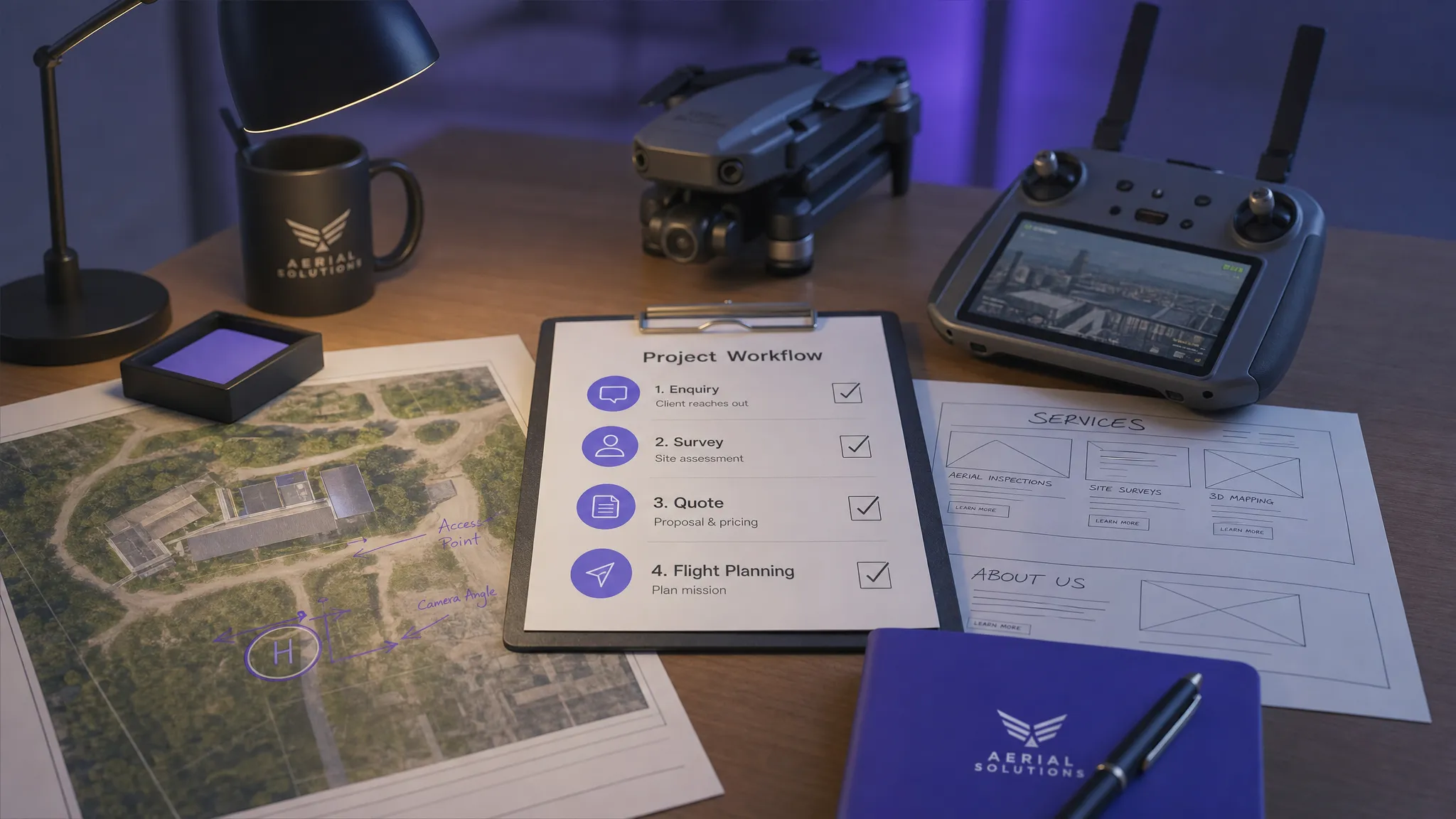
Write copy that sells outcomes, not flight hours
Good website copy does not exaggerate. It simply connects your capability to the buyer's problem.
A practical copy structure for each service page is:
- Problem: Explain the operational challenge your client faces.
- Solution: Show how drone work helps solve it.
- Process: Outline what happens before, during and after the flight.
- Deliverables: Make clear what the client receives.
- Proof: Add examples, testimonials, case studies or relevant experience.
- CTA: Tell the visitor exactly what to do next.
Here are a few examples of how to make drone website copy more client-centred.
| Weak copy | Stronger copy | Why it works |
|---|---|---|
| We use advanced drones for inspections | We provide high-resolution inspection imagery that helps asset teams assess condition without unnecessary access equipment | It links the service to a business outcome |
| We are CAA compliant | Every job is planned with airspace checks, site-specific risk assessment and documented flight records | It explains what compliance looks like in practice |
| We offer aerial photography | We capture licensed aerial imagery for commercial property, planning, marketing and progress reporting | It clarifies use cases and buyers |
| Contact us for drone services | Send us your site location and project brief, and we will confirm feasibility and next steps | It reduces friction and sets expectations |
Avoid vague claims such as best drone company or cheapest drone operator. They are hard to prove and rarely match what serious commercial clients want. Specificity is more persuasive than hype.
Prove safety and compliance without overwhelming visitors
Drone clients are not only buying an output. They are also accepting operational risk, especially when flights take place near people, property, infrastructure, roads, railways or controlled airspace.
Your website should reassure them that safety is built into your process. In the UK, the Civil Aviation Authority provides drone guidance for operators, pilots and organisations using drones. Your website should not try to replace official guidance, but it should clearly explain that your work is planned and carried out in line with relevant rules and permissions.
A strong safety and compliance page can include:
- Your approach to site assessment and pre-flight planning.
- Confirmation that you hold appropriate insurance for commercial work.
- How you assess airspace, nearby hazards and proximity risks.
- How you manage checklists, risk assessments and flight records.
- How clients can support safe delivery by providing site access details and known hazards.
Do not publish sensitive internal documents, full risk assessments for specific clients or anything that could create security concerns. The goal is to show professionalism, not expose operational details that should remain project-specific.
If your work captures identifiable people, private property or sensitive locations, you should also think about privacy and data handling. The UK Information Commissioner's Office has guidance relating to drones, which is useful when considering how imagery is captured, stored and shared.
Show the deliverable, not just the flight
Aerial footage looks impressive, but many commercial clients care more about what they receive at the end of the job. If your website only shows drones in the sky, it may leave buyers guessing.
Where possible, show examples of final deliverables, such as inspection image sets, annotated reports, orthomosaics, 3D models, progress comparison images, thermal snapshots or edited marketing assets. If client confidentiality prevents this, create anonymised samples or demonstration projects.
For each service, answer practical delivery questions:
- What file formats can the client expect?
- How long does delivery usually take, if this varies by project size?
- Can outputs be used in CAD, GIS, reports, marketing campaigns or insurance files?
- What does the client need to provide before the flight?
- Are permissions, site access or stakeholder notifications required?
This is especially important for survey companies and utility organisations. They are often not buying a drone flight. They are buying data they can use in a workflow.
Build trust with proof that matches the buyer
Proof should be relevant. A wedding-style drone showreel will not persuade a highways client. A technical inspection sample may not persuade a hotel marketing manager. Match your evidence to the market you want to win.
Good proof assets include testimonials, case studies, project summaries, before-and-after comparisons, sample reports, sector experience and named client logos where you have permission.
A simple case study structure works well:
- Client situation: What problem or objective did the client have?
- Constraints: What made the job complex, such as access, timing, weather or site risk?
- Approach: How did you plan and deliver the work?
- Output: What did the client receive?
- Result: What changed for the client?
For public-sector and emergency services audiences, case studies are particularly powerful because buyers need confidence in process as well as capability. As an example of how operational proof can be framed, Dronedesk's law enforcement case study explains how Dyfed-Powys Police managed pilots, drones, documentation and regulatory compliance in an in-house drone programme.
Make the enquiry process easy and qualified
A website that wins clients should not simply generate more enquiries. It should generate better enquiries.
A good drone project enquiry form asks for enough information to assess feasibility without becoming a barrier. Useful fields include project location, required service, preferred date, site type, intended output, contact details and any known constraints. If your work involves inspections or surveys, an option to upload plans, images or a brief can be useful.
Keep the form short enough that a busy project manager can complete it in under two minutes. You can gather more detail once the conversation starts.
Your contact page should also include a phone number, email address, operating area and expected response time if you can reliably meet it. If your work is urgent, such as emergency response support or incident documentation, make the emergency or priority contact route obvious.
Design for credibility, speed and mobile visitors
A beautiful website helps, but credibility is not the same as decoration. Clients are more likely to trust a site that feels clear, fast and current than one overloaded with cinematic effects.
Focus on practical design choices:
- Use real project imagery rather than generic stock photos where possible.
- Make text readable on mobile devices.
- Compress images so pages load quickly.
- Keep navigation simple, with no more than a few primary menu items.
- Add clear buttons at the top and bottom of key pages.
- Avoid auto-playing video with sound.
- Make contact details easy to find.
Mobile matters because many prospects will find you while on site, in transit or between meetings. If they cannot quickly understand your offer or send an enquiry from a phone, you may lose the lead.
Accessibility also matters. Use descriptive alt text for images, maintain colour contrast and avoid putting important text inside images. These improvements help users and search engines understand your content.
Use local SEO without sounding robotic
For many operators, local and regional search is a major source of leads. A well-built drone business website should tell search engines where you operate and what services you provide, but it should still read naturally.
Start with your Google Business Profile, consistent name, address and phone details, and a clear service area on your website. Then create service pages that reflect real searches, such as drone roof inspection in your region, drone survey services for construction, or aerial photography for commercial property.
If you cover several locations, avoid duplicating the same page with only the town name changed. Instead, create genuinely useful regional pages that mention local operating considerations, project types, sectors served and relevant examples.
On each important page, optimise the basics:
- Use a descriptive title tag and meta description.
- Include one clear H1 on the page.
- Add internal links to related services and case studies.
- Use descriptive image filenames and alt text.
- Include FAQs that answer real buyer questions.
- Add LocalBusiness or Organisation schema where appropriate.
SEO should make your site easier to understand, not harder to read. If a sentence sounds unnatural because you are forcing in keywords, rewrite it.
Align your website promises with your operational workflow
Your website can promise professionalism, but your back-office process must support it. If a client asks for your planning approach, flight records, risk assessment process or evidence of previous work, you need to respond confidently.
This is where a dedicated operations platform can support the claims your website makes. According to the Dronedesk features page, Dronedesk brings together client management, fleet management, team management, airspace intelligence, proximity intelligence, flight planning, flight logging, data reporting, configurable checklists and risk assessments.
For a growing drone business, that matters because a lead is only the start of the job. You still need to qualify the site, plan safely, manage the team, document decisions, complete checklists, log the flight and keep records. When your website says you operate professionally, your systems should make that true in day-to-day work.
Decide how to present pricing
Drone service pricing can be difficult to publish because projects vary widely. Location, airspace, permissions, deliverables, editing, repeat visits, travel and risk level can all affect cost.
That does not mean your website should say nothing about pricing. If you do not want to publish fixed prices, explain what affects the quote. This helps filter unrealistic enquiries and reassures serious buyers that your pricing is considered rather than arbitrary.
You might include a short section that says quotes are based on site location, flight complexity, required deliverables, number of visits, post-processing needs and urgency. For simpler services, such as property photography, packages or starting prices may work well. For inspections, surveys and emergency support, a consultation-based quote may be more appropriate.
The key is transparency. Clients do not always need an instant price, but they do need to understand the path to one.
Common mistakes that stop drone websites winning clients
Small website issues can create doubt, especially in risk-sensitive sectors. Review your site for the problems below.
| Mistake | Why it hurts conversions | Better approach |
|---|---|---|
| Leading with drone specs only | Clients may not understand the business value | Lead with outcomes, then support with equipment details |
| No clear service area | Visitors do not know whether you can help | Add locations served and travel availability |
| Thin service pages | Search engines and buyers lack context | Build detailed pages for each major service |
| No compliance information | Buyers may worry about risk | Explain your planning, insurance and record-keeping approach |
| Only using showreel footage | Commercial buyers may not see useful outputs | Show reports, maps, inspection examples and deliverables |
| Weak enquiry form | You receive vague leads or no leads | Ask for the minimum details needed to assess the project |
| Outdated content | It suggests the business may not be active | Refresh images, case studies, service pages and contact details |
Your website does not need to be perfect before it launches. It does need to be clear, credible and easy to act on.
A simple launch checklist
Before publishing or redesigning your drone business website, check the fundamentals.
- Can a visitor understand what you do in five seconds?
- Are your main services on separate pages?
- Do you explain who you serve and where you operate?
- Is there visible proof, such as case studies, testimonials or sample deliverables?
- Do you explain safety, insurance and compliance in plain English?
- Is the enquiry form short, clear and easy to complete on mobile?
- Are your images compressed and relevant?
- Are title tags, meta descriptions and headings specific to each page?
- Can you back up your website claims with operational records?
If the answer is yes to most of these, your website is already ahead of many competitors.
Frequently Asked Questions
What should a drone business website include? A drone business website should include a clear homepage, dedicated service pages, sector pages if you serve specialist markets, case studies, safety and compliance information, sample deliverables, an about page and a simple enquiry form.
Should I publish drone service prices on my website? Publish prices if your services are standardised and easy to scope. If projects vary, explain the factors that affect pricing and invite visitors to request a quote. This gives buyers clarity without forcing you into inaccurate fixed pricing.
How can a drone operator build trust online? Build trust by showing relevant proof, explaining your planning and risk assessment process, displaying insurance and compliance information where appropriate, using real project examples and making your contact details easy to verify.
Do I need separate pages for each drone service? Yes, in most cases. Separate pages help visitors find the exact service they need and help search engines understand your expertise. A drone mapping page, inspection page and aerial filming page should not all say the same thing.
How does Dronedesk support a professional drone business website? Dronedesk supports the operational side behind your website promises, including client management, fleet and team management, flight planning, flight logging, checklists, risk assessments and reporting. This helps operators manage enquiries and jobs in a structured way.
Turn your website promises into professional operations
A strong drone business website can win attention, trust and enquiries. But the client experience continues after the form is submitted. The way you plan, document, manage and log each job is what turns a promising lead into a professional operation.
If you want a single platform to help manage the operational side of your drone business, explore Dronedesk. You can also review the full list of tools on the Dronedesk features page and see how it supports safer, more organised drone operations from planning through to flight logging and reporting.
 How to Prepare for the Drone Licence Test →
 How to Choose a Drone Mapping Service for Your Project →
 Drone Safety Rules That Every Commercial Team Needs →
 Airport Drone Rules: How to Plan Flights Without Surprises →
 FAA Part 107 Licence: Your Step-by-Step Application Guide →
 How to View DJI Flight Logs Online Safely →
 What Part 107 Covers Beyond the Pilot Certificate →
 How to Download and Read a DJI Flight Log →
 Drone Videography Planning Tips for Professional Crews →
 EU Drone Rules for Sub-250g Aircraft Explained →