
How Drone Fleet Management Software Supports Growing Teams
Growing a drone operation is exciting, but it quickly exposes the limits of informal admin. A solo pilot can often keep jobs, aircraft details, risk assessments and flight logs under control with a mix of spreadsheets, folders and memory. A growing team cannot.
As soon as you add more pilots, more aircraft, more repeat clients or more safety-critical work, every small admin gap becomes a bigger operational risk. Who is assigned to the job? Which aircraft is available? Has the site risk assessment been completed? Are the flight logs up to date? Can you prove what happened if a client, auditor or regulator asks?
That is where drone fleet management software becomes more than a convenience. For growing teams, it becomes the operational backbone that connects people, aircraft, clients, planning, compliance and reporting in one repeatable workflow.
Why growing drone teams outgrow spreadsheets
Spreadsheets are flexible, cheap and familiar, which is why many drone businesses start with them. The problem is that spreadsheets depend heavily on human discipline. They do not naturally enforce process, capture operational context or make it easy for managers to see what is happening across the team.
For a small operation, that may be manageable. For a survey company handling multiple sites, a utility team coordinating asset inspections, or an emergency service deploying pilots under pressure, it can become a bottleneck.
Common signs that your team has outgrown manual systems include:
- Flight logs are updated late, inconsistently or only when someone remembers.
- Risk assessments are copied from old files with little visibility of what changed.
- Client, site and aircraft information lives in different folders or inboxes.
- Managers cannot quickly see who flew, where they flew, what aircraft they used and what documentation was completed.
- Pilots spend too much time gathering the same planning information before every job.
- Compliance evidence is difficult to assemble when needed.
The issue is not just admin efficiency. In professional drone operations, weak admin can affect safety, accountability and client confidence. The UK Civil Aviation Authority’s CAP 722 guidance sets out the wider regulatory context for unmanned aircraft operations, and professional teams need systems that help them work consistently within their operational procedures.
What drone fleet management software does for a growing team
At its best, drone fleet management software gives the organisation a shared operating system. It helps everyone work from the same information, follow the same processes and maintain the same standard of evidence.
| Growth challenge | Risk if unmanaged | How software helps |
|---|---|---|
| More pilots | Inconsistent planning, logging and documentation | Centralised team records and standard workflows |
| More aircraft | Poor visibility of fleet status and usage | Fleet records connected to jobs and flight logs |
| More clients | Lost context, duplicated admin and slower handovers | Client management linked to operational planning |
| More sites | Missed hazards or repeated manual research | Airspace, proximity and planning intelligence in one workflow |
| More compliance evidence | Harder audits and incomplete records | Structured risk assessments, checklists and reporting |
| More management oversight | Decisions based on partial information | Operational data available across the team |
This is why the best systems are not simply aircraft databases. They support the full operational cycle, from client enquiry and planning through to flight logging and reporting.
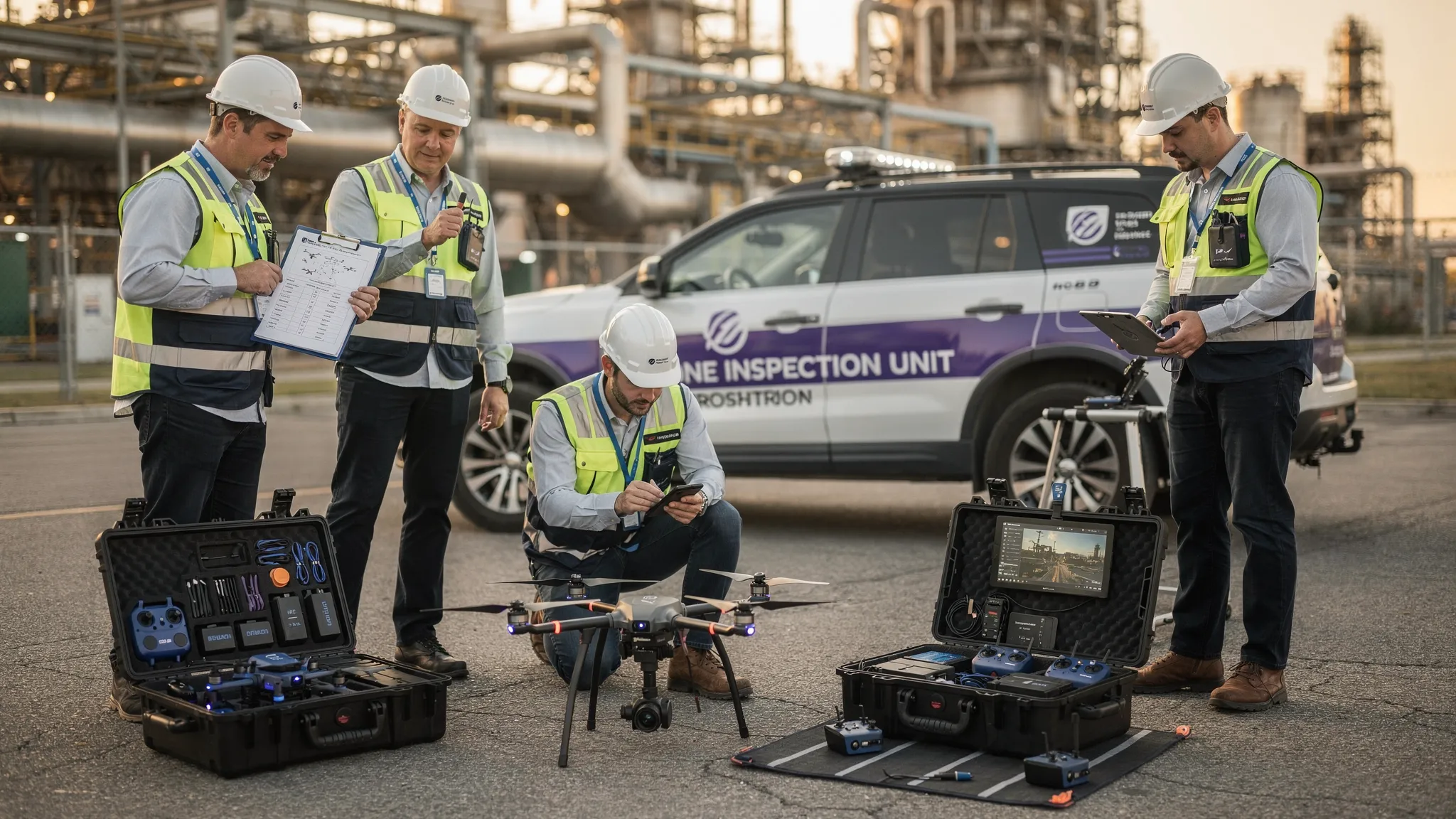
1. Creating a single source of operational truth
As teams grow, the first major benefit is centralisation. Instead of storing information across spreadsheets, email threads, shared drives and individual pilot laptops, drone fleet management software brings the operational record into one place.
This matters because drone work involves many connected details. A single job may involve a client, a site, a pilot, an aircraft, airspace checks, local hazards, a risk assessment, a checklist and a flight log. If those details are split across disconnected tools, managers spend too much time chasing information and pilots risk working from incomplete context.
Dronedesk’s feature set reflects this end-to-end requirement, with client management, fleet management, team management, airspace intelligence, proximity intelligence, flight planning, flight logging, data reporting, configurable checklists and risk assessments. For a growing team, the value is not only in each feature individually. It is in having those elements connected as part of the same operational workflow.
A single source of truth also improves resilience. If a pilot is unavailable, a manager or another team member can pick up the job context without rebuilding the plan from scratch. If a client asks for an update, the office team can respond without interrupting the pilot in the field. If an audit requires evidence, records are easier to locate.
2. Standardising planning across multiple pilots
One of the biggest risks in a growing drone team is process drift. Experienced pilots may each have their own way of planning. Newer pilots may need more structure. Managers may assume that a risk assessment has been completed in a certain way, only to discover later that standards vary from person to person.
Standardisation does not mean removing professional judgement. It means giving pilots a consistent framework so that essential steps are less likely to be missed.
Drone fleet management software can support this by combining planning tools with configurable checklists and risk assessments. Instead of relying on memory or a folder of old templates, teams can guide pilots through the information they need to review and record before a job.
For organisations working in higher-risk environments, such as utilities, quarries, emergency response or infrastructure inspection, this consistency is especially important. A repeatable planning process helps managers demonstrate that safety is built into the workflow, not added as an afterthought.
It also supports onboarding. When new pilots join, they can follow the same structure as the rest of the team. That shortens the gap between being qualified to fly and being fully aligned with the organisation’s internal procedures.
3. Improving visibility across people, aircraft and jobs
A growing drone operation needs visibility at two levels. Pilots need the information required to complete a specific flight safely and efficiently. Managers need a wider view of team activity, aircraft use and operational workload.
Without software, managers often build that view manually. They ask pilots for updates, check calendars, open spreadsheets, search folders and reconcile logs after the event. That may work for five jobs a month. It becomes much harder at fifty, one hundred or more.
With fleet, team, planning and logging information in one place, managers can build a clearer picture of what is happening across the operation. They can see patterns, identify gaps and make better decisions about workload, aircraft allocation and process improvement.
This is particularly valuable for organisations where drone operations are part of a wider service delivery model. A survey company may need to coordinate pilots across multiple client sites. A utility company may need to inspect distributed infrastructure. Emergency services may need to maintain readiness across trained pilots and available aircraft. In each case, management visibility is essential.
4. Making compliance evidence easier to produce
Compliance is not only about doing the right thing. It is also about being able to prove that the right thing was done.
As teams grow, evidence becomes harder to manage manually. Flight logs, risk assessments, checklists and operational notes may be completed by different people in different formats. If they are not stored consistently, reconstructing the record later can be painful.
Drone fleet management software helps by keeping operational documentation connected to the job. Risk assessments, checklists and flight logs become part of the same record rather than separate files that need to be matched up afterwards.
For commercial operators, this supports client assurance and internal governance. For emergency services and public-sector teams, it supports accountability. For utility and infrastructure organisations, it helps demonstrate that work was planned and recorded in a controlled manner.
This is where digital workflows can also reduce admin pressure. Dronedesk’s customer satisfaction survey reports customer feedback on time saved in flight planning, alongside satisfaction, usability, reliability and support measures. For growing teams, those time savings matter because admin overhead tends to multiply as more people, aircraft and jobs are added.
5. Supporting safer, more consistent field operations
Professional drone work rarely happens in perfect conditions. Sites change, weather changes, access changes and unexpected hazards appear. A growing team needs a way to ensure that the planning context is available when it matters, not trapped in someone’s inbox.
Airspace intelligence and proximity intelligence help teams consider the operating environment during planning. Configurable checklists help pilots follow site-specific or organisation-specific steps. Risk assessments help document hazards, controls and decisions.
The benefit is not that software replaces the remote pilot’s judgement. It is that software gives the pilot a stronger foundation for that judgement. When the workflow brings together relevant operational information, the pilot is less likely to miss a step or rely on assumptions.
For emergency services, this can support rapid but structured deployment. For survey teams, it can help maintain consistency across repeat sites. For utility companies, it can help pilots prepare for complex environments where nearby infrastructure, access restrictions and safety considerations all matter.
6. Reducing duplicated admin as workload increases
Growth often brings an admin paradox. More work should mean more revenue or more operational value, but it can also mean more paperwork, more duplicated data entry and more time spent reconciling records.
If every job requires pilots to manually gather the same information, recreate similar documents and update separate spreadsheets, the organisation’s capacity is limited by admin rather than flight capability.
Drone fleet management software helps reduce that duplication by keeping key operational data in a structured system. Client records, team records, fleet information, planning details, risk assessments, checklists and flight logs can be managed as part of a connected process.
That can make a major difference to growing teams because small efficiencies compound. Saving time on one job is helpful. Saving time across every pilot, every site and every month changes the economics of the operation.
The goal is not to remove necessary checks. The goal is to remove unnecessary repetition so pilots and managers can spend more time on safe delivery, client communication and operational improvement.
How different growing teams benefit
The value of drone fleet management software varies by organisation, but the underlying pattern is the same: more complexity requires more structure.
Survey companies
Survey businesses often manage repeat clients, multiple sites and tight delivery schedules. Their challenge is to keep planning, logs and reporting consistent while maintaining commercial speed.
Centralised client management, flight planning, risk assessments and reporting can help survey teams move from job-by-job admin to a repeatable operating model. The Dronedesk survey company case study shows how this type of structure can support a high-volume drone operation without relying on fragile spreadsheets.
Utility companies
Utility drone teams often deal with distributed assets, complex access requirements and safety-critical environments. They need strong coordination between pilots, managers and stakeholders.
For these teams, fleet visibility, team management, planning records and reporting are especially important. The Dronedesk utility company case study demonstrates how structured drone operations management can support inspection workflows at scale.
Emergency services
Emergency services need rapid deployment, but they also need governance, training records, asset control and auditable activity. Paper-based or fragmented systems can struggle under operational pressure.
A central platform helps keep pilots, aircraft, planning and logs aligned, supporting both spontaneous and pre-planned deployments. The Dronedesk law enforcement case study gives an example of how a public-sector drone programme can use structured systems to manage pilots, drones and compliance evidence.
Specialist commercial operators
For creative, inspection, agricultural, quarrying or niche drone services, growth often means moving from founder-led delivery to a wider team or partner network. That transition requires more than technical flying skill. It requires consistent administration, clear records and professional client management.
Drone fleet management software gives these operators a foundation for scaling without losing the quality and control that won early clients in the first place.
Spreadsheets vs drone fleet management software
Spreadsheets are not always wrong. They can still be useful for simple analysis or exports. But they are rarely ideal as the main operating system for a growing drone team.
| Area | Spreadsheet-based approach | Software-based approach |
|---|---|---|
| Client information | Stored separately from flight records | Linked to jobs and operational activity |
| Fleet records | Manually updated and easy to overlook | Managed as part of the operational workflow |
| Pilot records | Often split across files or folders | Centralised team management |
| Planning | Rebuilt manually from multiple sources | Structured flight planning workflow |
| Risk assessments | Copied, edited and stored as documents | Integrated risk assessment process |
| Checklists | Paper forms or static files | Configurable digital checklists |
| Flight logs | Updated after the event, often inconsistently | Connected to planned operations |
| Reporting | Manual consolidation | Data reporting from operational records |
The biggest difference is not the interface. It is the reliability of the process. Growing teams need systems that make the right way of working the easiest way of working.
What to look for when choosing drone fleet management software
If your team is evaluating options, focus on operational fit rather than feature volume alone. A long feature list is less useful than a workflow your pilots will actually use.
Key questions to ask include:
- Does it support the whole operation, from client and job management through to flight logging and reporting?
- Can it help standardise risk assessments and checklists across the team?
- Does it bring airspace and proximity intelligence into the planning process?
- Can managers keep track of team, fleet and operational records in one place?
- Is it simple enough for pilots to adopt without creating more admin?
- Does it support the evidence you need for clients, internal governance or regulatory oversight?
Ease of adoption is critical. The best system is not the one with the most complex configuration. It is the one that helps your team work more safely, consistently and efficiently with minimal friction.
Where Dronedesk fits
Dronedesk is built for drone operations management and flight planning, with a focus on helping operators manage the admin that sits around safe, compliant flying. According to the Dronedesk features page, the platform brings together client management, fleet management, team management, airspace intelligence, proximity intelligence, flight planning, flight logging, data reporting, configurable checklists and risk assessments.
For growing teams, that combination is important. It means the platform is not limited to one part of the workflow. It supports the operational chain that connects clients, pilots, aircraft, planning decisions, safety checks and records.
That makes it relevant whether you are a commercial drone operator adding your first extra pilot, a survey company scaling monthly flight volume, a utility organisation coordinating inspections, or an emergency service building a structured drone capability.
Frequently Asked Questions
What is drone fleet management software? Drone fleet management software is a digital system for managing the people, aircraft, planning, safety checks, flight logs and records involved in drone operations. For growing teams, it helps replace fragmented spreadsheets and folders with a more consistent operational workflow.
When should a drone team move away from spreadsheets? A team should consider moving away from spreadsheets when multiple pilots, aircraft, clients or sites make it difficult to maintain accurate records, standardise planning or produce compliance evidence quickly.
Does drone fleet management software improve compliance? It can support compliance by helping teams complete, store and retrieve risk assessments, checklists, flight logs and operational records consistently. It does not replace regulatory responsibility, but it makes evidence and process management easier.
Is drone fleet management software useful for emergency services? Yes. Emergency services need fast deployment and strong accountability. A central system can help manage pilots, aircraft, planning records and logs so that operational activity remains structured even under time pressure.
How does Dronedesk support growing drone teams? Dronedesk supports growing teams by combining client management, fleet management, team management, flight planning, airspace and proximity intelligence, configurable checklists, risk assessments, flight logging and reporting in one platform.
Build a drone operation that can scale
Growth should not make your drone operation harder to control. With the right systems, adding pilots, aircraft and clients can make your team more capable rather than more complicated.
If your current process relies on spreadsheets, copied documents and scattered records, now is the time to consider a more structured approach. Explore Dronedesk’s features to see how an all-in-one drone operations management platform can support safer planning, clearer records and more scalable team workflows.
 How to Prepare for the Drone Licence Test →
 How to Choose a Drone Mapping Service for Your Project →
 Drone Safety Rules That Every Commercial Team Needs →
 Airport Drone Rules: How to Plan Flights Without Surprises →
 FAA Part 107 Licence: Your Step-by-Step Application Guide →
 How to View DJI Flight Logs Online Safely →
 What Part 107 Covers Beyond the Pilot Certificate →
 How to Download and Read a DJI Flight Log →
 Drone Videography Planning Tips for Professional Crews →
 EU Drone Rules for Sub-250g Aircraft Explained →