
FAA Certificate of Authorization Guide for Agencies
If you're a public agency—like a police department, fire service, or state university—and you want to use drones, you're in a different ballpark than commercial pilots. You'll need an FAA Certificate of Authorization, or COA. This isn't just another piece of paper; it's the official green light for using drones in governmental functions, opening up a world of possibilities that go far beyond standard commercial operations.
So, What Exactly is a COA?
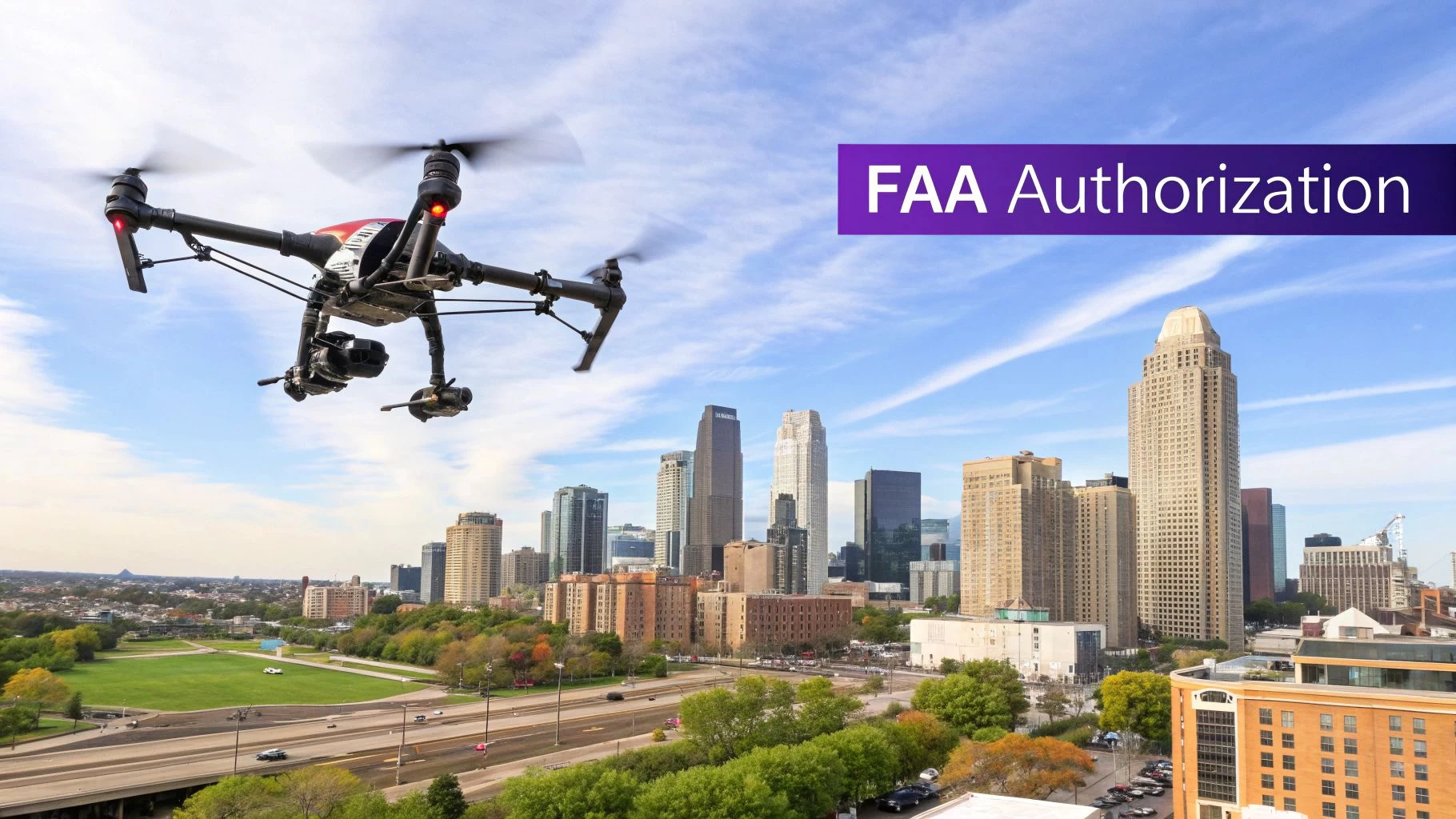
It’s best to think of a Certificate of Authorization as a special permit for your entire organization, not a license for an individual pilot. While commercial drone pilots operate under a Part 107 license, a COA is granted to a public entity itself.
This distinction is key. The FAA recognizes that your missions serve the "public good," not commercial profit. This framework gives public agencies the flexibility they need for critical, and often unpredictable, operations.
When is a COA Necessary? Real-World Examples
The use cases for a COA are as varied as they are vital. A fire department might use a drone with a thermal camera to get a bird's-eye view of a structural fire, spotting hotspots and helping to keep firefighters safe. A state university’s environmental science team could deploy a UAS to monitor coastal erosion, a governmental function focused on managing public resources.
Here are a few common scenarios where a COA is the required route:
- Law Enforcement: Creating detailed 3D models of accident scenes or providing aerial support during large public events.
- Emergency Services: Leading search and rescue for a missing person in dense woods or assessing widespread damage after a hurricane.
- Public Universities: Conducting agricultural research on state-owned land or gathering atmospheric data for scientific studies.
- Governmental Agencies: Inspecting bridges, dams, and other public infrastructure to ensure they remain safe for public use.
The common denominator here? Every mission is non-commercial and serves a governmental purpose. If that same agency hired a private company for the job, the private company would fly under its own commercial license. For a deeper dive into the rules, our complete https://blog.dronedesk.io/drone-certificate-of-authorization/ guide has all the specifics.
A COA is more than just permission. It’s a powerful statement that your agency self-certifies the safety of its drone program—from the aircraft to the pilots. The FAA grants the authorization based on your commitment to maintaining exceptional safety standards for your unique public operations.
To help you decide which path is right for your agency, let's break down the key differences between operating under a COA and a standard Part 107 license.
COA vs. Part 107 At a Glance
| Feature | Certificate of Authorization (COA) | Part 107 License |
|---|---|---|
| Who It's For | Public agencies (e.g., police, fire, state universities) | Commercial & recreational pilots |
| Type of Approval | An authorization for an entire organization | A remote pilot certificate for an individual |
| Operational Scope | Governmental functions; can allow for broader operational waivers | Commercial or recreational flights |
| Pilot Requirements | Agency self-certifies its pilots based on its own training program | Pilot must pass an FAA aeronautical knowledge test |
| Airspace Access | Can be tailored to specific operational needs, including access to controlled airspace | Generally requires LAANC authorization for controlled airspace |
This table makes it clear: if you're a public entity performing governmental duties, the COA is your designated pathway.
Where Did the COA Come From?
The idea of special flight permissions is nothing new. It has its roots in the Civil Aeronautics Authority of 1938, which was the first real step toward centralized oversight of American aviation.
As the years went by, the FAA was formed, and our skies became more crowded and complex. The systems for granting special authorizations had to evolve, too. Today’s FAA Certificate of Authorization is a direct descendant of those early frameworks, specifically adapted to handle the unique challenge of safely integrating unmanned aircraft into the national airspace.
So, Does Your Agency Actually Qualify for a COA?

Before you even think about filling out a single form, let's get the most important question out of the way: is your organization actually eligible for an FAA Certificate of Authorization? This isn't just a simple checkbox; it's the entire foundation of your application. Get this wrong, and you're just wasting everyone's time.
The FAA keeps COAs for a very specific type of mission, what they call a "public aircraft operation." This basically means your drone flights have to be for a recognized governmental function, and your organization must be a governmental body. It’s a hard and fast rule.
It's not enough to just have a .gov email address. The FAA wants to see a direct, undeniable line connecting your agency’s official duties to the drone missions you're planning.
Defining Your “Governmental Function”
The real meat of your eligibility comes down to proving your flights support a "governmental function." It sounds broad, but the FAA has a pretty clear idea of what this means. We're talking about non-commercial missions that directly serve the public as part of an official government mandate.
Here are some of the most common functions that get the green light:
- Law Enforcement: This is a big one. Think crime scene documentation, overwatch for public events, or even helping track a suspect.
- Firefighting: Using a drone's thermal camera to see through smoke, tracking a wildfire's spread, and helping coordinate crews on the ground are all perfect examples.
- Search and Rescue (SAR): Flying a drone to find a missing hiker in rough terrain is a classic governmental function.
- Natural Resource Management: This could be anything from monitoring wildlife on state land and checking forest health to tracking coastal erosion for a state agency.
- Public Infrastructure Inspection: Sending a drone up to check on government-owned bridges, dams, or power lines for maintenance and safety is a clear fit.
Key Takeaway: The purpose of the mission is what matters most. If the main reason for the flight is to make money, support a tuition-based class, or provide a for-profit service, it won't qualify. This is true even if a public agency is the one flying the drone.
The Public vs. Private Muddle
This is where a lot of organizations trip up. The line between a public and private entity can get fuzzy, especially when it comes to universities. Let’s look at a real-world example to make it crystal clear.
-
Eligible Scenario: A state university's agriculture department flies drones over a research farm. The work is funded by state and federal grants, and the data is used for public research to help all farmers. This is a governmental function—it’s a state school doing work for the public good.
-
Ineligible Scenario: A prestigious private university's film school wants to use drones for a student's thesis movie. Even though the film isn't for profit, the school is a private entity, and the flight is for educational purposes, not a governmental one. These pilots would have to fly under Part 107 rules.
The key difference is twofold: the type of organization (public vs. private) and the nature of the mission (governmental vs. educational/commercial).
Proving Your Public Mission
To get your COA, you can't just say you're a public agency doing public work—you have to prove it with documentation. The FAA needs to see cold, hard facts. Before you even start the application, get these documents lined up:
- A "Letter of Declaration": This is an official letter on your agency's letterhead. It needs to state clearly that you are a governmental entity and that you'll only be using the UAS for governmental missions.
- Supporting Statutes or Mandates: This is your backup. If you can, include copies of state laws, local ordinances, or other legal documents that lay out your agency's public mission and authority. A sheriff’s office, for example, might include the state law that defines its duties.
Having this paperwork ready to go shows the FAA you've done your homework and understand what you're getting into. It’s a simple, proactive step that can save you from an immediate rejection and prove you’re taking the responsibility of a COA seriously.
Alright, you’ve confirmed your agency is eligible and you've got your paperwork ready. Now it’s time to dive into the main event: the application itself. This is where you’ll get acquainted with the FAA’s Certificate of Authorization Processing System (CAPS).
The portal can look a bit intimidating at first, but I find it helps to think of it as a detailed conversation with the FAA. You aren't just filling out forms; you're building a rock-solid safety case for your drone operations.
It's easy to forget that this whole digital process is a relatively new convenience. Getting an FAA Certificate of Authorization used to be a very different beast. Agencies originally used a paper-based system with FAA Form 7711-2, a manual slog that involved physical checks by Aviation Safety Inspectors and was, to put it mildly, slow. The FAA rolled out its first web-based system in the mid-2010s, which eventually evolved into the current CAPS platform in 2017 to handle the boom in unmanned aircraft. This history shows how the FAA has shifted from old-school oversight to the kind of efficient, digital authorization needed for today's crowded airspace. If you're curious about the system's evolution, there's a detailed transportation document that covers its privacy and development.
This infographic breaks down the essential steps in the application journey, from initial prep to final submission.

Seeing the workflow laid out like this really helps. It shows how each piece of information you provide builds upon the last, creating the complete operational picture the FAA needs to see.
Creating Your Account and Initial Setup
First things first, you'll need to create an account in CAPS. This part is straightforward, but don't rush it. Use an official agency email and make sure the contact information is for the person who will actually be managing the application. That person needs to be ready to field any follow-up questions from the FAA.
Once you’re in, you’ll start a new COA application. This is your chance to make a good first impression by uploading the "Letter of Declaration" and supporting statutes you gathered earlier. Getting this right from the jump establishes your agency's legitimacy and sets a professional tone.
Describing Your Planned Flight Operations
This section is the absolute heart of your application, and it's where many agencies stumble. Vague descriptions are a fast track to delays. You need to paint a clear, detailed picture of exactly what you plan to do.
Don't just say, "We will use drones for law enforcement." That tells the FAA nothing. Get specific.
- Weak Example: "Drone use for police work."
- Strong Example: "Our agency will deploy a DJI Mavic 3 Thermal UAS to provide aerial situational awareness during active emergency scenes, such as structure fires or barricaded subjects. The UAS will also be used to document and create 3D models of major vehicle collision scenes for investigative purposes."
See the difference? That level of detail shows you’ve actually thought through the mission specifics and gives the reviewer confidence in your program.
Defining Your Operational Area with Precision
Next up, you have to define precisely where you’ll be flying. CAPS has mapping tools to help, but you can't just type in a city or county name. You need to draw a specific geographical boundary.
- For a Jurisdictional COA: You'll draw a polygon on a map that covers your agency's territory. Be meticulous. If your jurisdiction has an irregular shape, trace it carefully.
- For a Site-Specific COA: You'll define a much smaller area, like the airspace around a single bridge you need to inspect.
It's absolutely critical to accurately identify the airspace class within your proposed area. Is it Class G (uncontrolled), or does it overlap with controlled airspace from a nearby airport (Class B, C, D, or E)? I’ve seen countless applications get kicked back for this exact reason.
A common mistake is to request a much larger operational area than necessary. It might seem convenient, but a massive area that slices through multiple classes of controlled airspace will trigger a much higher level of scrutiny. Be realistic and only ask for the airspace you genuinely need.
Completing the Safety and Risk Assessment
At the end of the day, the FAA's number one concern is safety. Your application has to prove that you can operate without endangering other aircraft or people on the ground. This means laying out your internal safety protocols in detail.
Be ready to provide thorough information on:
- Pilot Qualifications and Training: Don't just say your pilots are trained. Describe your entire training program. What topics does it cover? How do you handle recurrent training? How do you certify a pilot is proficient for a specific mission type?
- Aircraft and Maintenance: You need to list every single UAS you plan to fly. For each drone, describe your maintenance protocol—pre-flight and post-flight checklists, routine inspection schedules, and how you document repairs.
- Emergency Procedures: What happens when things go wrong? You need a clear plan for lost link events, system failures, and potential fly-aways. Define who is responsible for what actions in an emergency.
Think of this section as your program's safety bible. The more detailed and well-documented your procedures are, the smoother the approval process will be. This is where a platform like Dronedesk becomes invaluable. It gives you a central place to log flights, track maintenance, and manage pilot records, making it simple to pull the exact data you need for the application. That level of organization doesn't just help you get the COA; it builds the foundation for long-term compliance and safe flying.
Avoiding Common Application Pitfalls
Getting your hands on an FAA Certificate of Authorization really comes down to the quality of your application. The process is detailed, sure, but I see so many agencies get stuck in a frustrating loop of revisions and delays, all because of simple, avoidable mistakes.
Think of this as your pre-flight check for the application itself. Catching these common slip-ups now will save you a world of headaches and lost time down the line.
The most common stumbling block I see time and time again? A lack of specifics. An application that’s vague or incomplete doesn't just raise a few questions—it brings the whole review process to a screeching halt. The FAA reviewer isn't paid to guess what you mean. They'll just send it back, and that 60-day review clock you were watching? It just reset.
Vague Operational Details
This is, without a doubt, the number one killer of COA applications. Just writing that you’ll use drones for “public safety” is an instant red flag for any FAA reviewer. They need a crystal-clear picture of exactly what your drones will be doing, how they'll be doing it, and why it qualifies as a governmental function.
Let's look at a real-world comparison to see what I mean.
- Weak Submission: "Our fire department will use UAS for emergency response."
- Strong Submission: "The Anytown Fire Department will deploy a DJI Matrice 30T for aerial reconnaissance during active structure fires. The primary mission is to use the thermal sensor to identify fire spread, locate hotspots for interior attack crews, and provide command staff with real-time situational awareness to enhance firefighter safety."
See the difference? The strong example gives the FAA concrete, verifiable information. It names the aircraft, specifies the mission (thermal imaging during fires), and clarifies the purpose (improving crew safety and strategy). This kind of detail shows you’re a professional who has a well-thought-out operational plan.
Inadequate Safety and Risk Mitigation Plans
Your safety plan is no place for generic, copy-paste statements. Remember, the FAA is giving you the authority to self-certify your entire program. They need to see that you have a rock-solid internal system for managing risk. A flimsy safety plan basically tells them your program isn’t ready for prime time.
A classic oversight is the emergency procedures section. What is your precise protocol if a drone loses its command link near a busy highway? Who is the ultimate authority on the ground to call off a flight if the weather suddenly turns?
Your application must prove you've thought through all the 'what-ifs.' A detailed plan for handling lost links, airspace incursions, and unexpected hardware failures shows the FAA you're a responsible operator ready to manage risk proactively, not just reactively.
Think about how you document pilot training. There's a right way and a wrong way.
- Weak Approach: "All pilots are Part 107 certified and have completed training."
- Strong Approach: "All pilots hold a Part 107 certificate and must complete our internal 25-hour training syllabus. This includes 5 hours of simulated emergency procedures, 10 hours of hands-on flight training on the specific airframe they will operate, and a final practical flight evaluation by our lead instructor."
The second approach lays out a verifiable standard. It gives specific training hours, calls out emergency drills, and points to a clear internal certification process. This is the kind of detail that builds trust and confidence with the person reviewing your file.
Mistakes in Defining Your Airspace
Nailing down your operational area is another critical step where applications frequently get tripped up. Asking for an overly broad area or getting the airspace classifications wrong are common mistakes that can cause major delays.
Let’s picture a county sheriff's office applying for a jurisdictional COA.
- The Mistake: They just draw a big rectangle around their entire county. The problem is, this county contains a Class C airport, a military operations area, and a national park. Their simple request has suddenly become incredibly complex, and it’s going to get intense scrutiny from multiple FAA departments.
- The Solution: The agency should get more strategic. They could submit a primary COA just for the Class G airspace where 90% of their operations will happen. Then, for the controlled airspace near the airport, they can file a separate, more detailed request, maybe even talking to the local air traffic control tower beforehand to smooth things over.
This targeted approach is far more likely to get a quick approval. It shows the FAA you understand airspace complexity and respect the structure of the National Airspace System.
Submitting a clear, well-scoped, and detailed application is the hallmark of a professional drone program. By getting out ahead of these common pitfalls, your application for an FAA Certificate of Authorization will be more polished and positioned for a much smoother journey to approval.
Managing Your COA and Maintaining Compliance
Getting that FAA Certificate of Authorization is a huge milestone, but it’s really just the starting line. The real work starts now. A COA isn't a "set it and forget it" document; it's a living authorization that carries some serious ongoing responsibilities. Think of it as a pact you've made with the FAA, promising to maintain the highest safety and operational standards.
Your approved COA will arrive with a specific set of provisions—these are the conditions and limits tailored to your agency's operations. It is absolutely crucial that you and your entire team read, understand, and stick to every single one. These aren't just suggestions; they're the binding rules of your authorization.
For instance, a provision might restrict flights to daylight hours or demand you keep a certain buffer from people not involved in the operation. Ignoring these is a direct violation and could put your entire drone program in jeopardy.
Mastering Your Reporting Requirements
A massive part of staying compliant is diligent reporting. The FAA requires COA holders to submit regular operational reports, usually every month. This isn't optional—it's one of the main ways the FAA keeps an eye on things.
Typically, these reports need to include detailed logs of your flights, covering things like:
- Dates and times of operations
- Specific locations for each flight
- Total flight hours logged for each aircraft
- The nature of the mission (e.g., accident reconstruction, fire overwatch)
This data proves you're actively and responsibly using your authorization. If you're late with these reports, or just don't submit them, it could lead to the suspension or even revocation of your COA.
Beyond routine logs, you must have a clear and immediate protocol for incident reporting. If you have an accident or a fly-away, you are required to report it to the FAA. Knowing exactly what constitutes a reportable incident and how to submit that report is a cornerstone of a compliant program.
Amending and Renewing Your COA
As your program grows, your needs will change. You might get new, more capable drones, or your agency could be tasked with missions that fall outside your current COA's scope. When that happens, you don't have to start the whole application process over. You just need to amend your existing COA.
The amendment process lets you update your authorization to reflect these changes. This could mean adding new aircraft to your fleet, expanding your geographical operating area, or asking for a waiver for things like night flying. The key is to be proactive. Get that amendment request in before you conduct any new type of operation.
Likewise, your COA has an expiration date, usually two years from when it was issued. You need to apply for renewal well before this date to make sure there's no gap in your authority to fly. A good rule of thumb? Mark your calendar and kick off the renewal process at least 90 days before it expires.
A Practical Checklist for Ongoing Compliance
Staying compliant boils down to excellent record-keeping. Your documentation is the ultimate proof that you’re running a safe and professional program. While a platform like Dronedesk can automate a lot of this headache, the ultimate responsibility for keeping those records is on you.
Your compliance library should always be current with:
- Flight Logs: Detailed records of every single flight. No exceptions.
- Maintenance Records: A complete history of all inspections, repairs, and battery cycle counts for each drone.
- Pilot Files: Up-to-date training records, certifications, and flight currency for every pilot in your program.
- Remote ID Compliance: Making sure your drones are equipped and broadcasting correctly is another critical piece of modern compliance. For a deeper dive, you can learn about FAA Remote ID requirements and how they impact your operations.
By treating your COA as a dynamic agreement and diligently managing these responsibilities, you'll build a foundation of trust with the FAA. It's the only way to ensure the long-term success and safety of your public drone program.
Common Questions About the FAA COA Process
It’s only natural to have questions when you’re diving into something as complex as the FAA’s Certificate of Authorization. Even with a step-by-step guide, there are always a few specific scenarios that pop up.
Think of this as your rapid-fire Q&A. I’ll run through some of the most common questions we hear from public agencies to clear up any lingering confusion.
How Long Does It Take to Get an FAA Certificate of Authorization?
The official line from the FAA is a 60-day turnaround, but in my experience, that’s more of a guideline than a hard rule. The actual timeline can swing pretty wildly.
For a straightforward application—say, flying in uncontrolled Class G airspace with all your ducks in a row—you might see an approval in just 30-45 days. But if you’re asking for something complex, like operating in busy Class B airspace or requesting special waivers, be prepared to wait. Those applications can easily take 90 days or even longer.
Honestly, the biggest delay I see comes from incomplete applications. If the FAA has to circle back to ask for more info, that 60-day clock essentially resets, pushing your timeline way out.
Can I Hire a Contractor to Fly Under My Agency's COA?
This question comes up a lot, and the answer is a firm "no." A COA is issued directly to a specific public agency for its own governmental work. It's tied to your agency, your self-certified pilots, and your aircraft.
You can’t just "loan out" your COA to a private drone company. If you bring in a commercial operator, they need to fly under their own FAA certifications. For most jobs, this means their pilots will operate under Part 107 rules. In fact, many professional pilots also hold an FAA Part 107 drone license for exactly this reason—it gives them the flexibility to fly both public and commercial missions under the correct set of regulations.
Key Insight: A COA is non-transferable. The flight must be for your agency’s exclusive, non-commercial use, and flown by your own team.
What Is a Jurisdictional COA Versus a Blanket COA?
Getting a handle on these two types of COAs is crucial for planning your drone program. They serve very different functions.
-
Blanket COA: Think of this as a starter permit. It’s a broad, nationwide authorization for public agencies to conduct low-risk flights. It covers operations in Class G (uncontrolled) airspace at or below 400 feet, as long as you steer clear of airports. It's a good first step, but it’s quite limited.
-
Jurisdictional COA: This is the one most active drone programs will need. It’s custom-tailored to your agency's specific operating area, like a city or county boundary. You absolutely need a Jurisdictional COA for any flights in controlled airspace (Class B, C, D, or E) or for any missions that fall outside the narrow scope of the Blanket COA.
For any serious, day-to-day drone operations, the Jurisdictional COA is what you’ll be working toward.
Trying to keep all the data straight for your COA application and day-to-day compliance can feel like a full-time job. Dronedesk pulls it all together, giving you one central place to manage flight logs, maintenance schedules, and pilot records. This ensures you have everything organized for a smooth approval process and long-term success. Find out more at https://dronedesk.io.
 How to Evaluate a Free Drone Logbook Before Using It →
 FAA Part 107 Test: How to Master Airspace Questions →
 Drone Risk Assessment Controls That Work in the Field →
 FAA Drone License Costs Beyond the Knowledge Test →
 Drone Part 107 Operations: When a Waiver May Be Needed →
 Drone Operating Rules for Managing Contractors and Employees →
 BVLOS Drone Requirements for Building a Safety Case →
 Drone Pilot Test Mistakes That Cost Candidates Marks →
 FAA 107 License vs Part 107 Certificate: What’s the Difference? →
 Drone Airport Rules: A Field Checklist for Site Assessments →