
Your Guide to a Drone Flight Simulator
Picture this: a training ground where you can fly through a gale, tackle high-stakes missions, and even crash a drone, all without any real-world consequences. That’s the reality a modern drone flight simulator offers. But don't mistake this for a game; it's a professional pilot’s 'virtual cockpit'—an absolutely essential tool for honing skills in a perfectly safe and controlled space.
Welcome to Your Virtual Cockpit
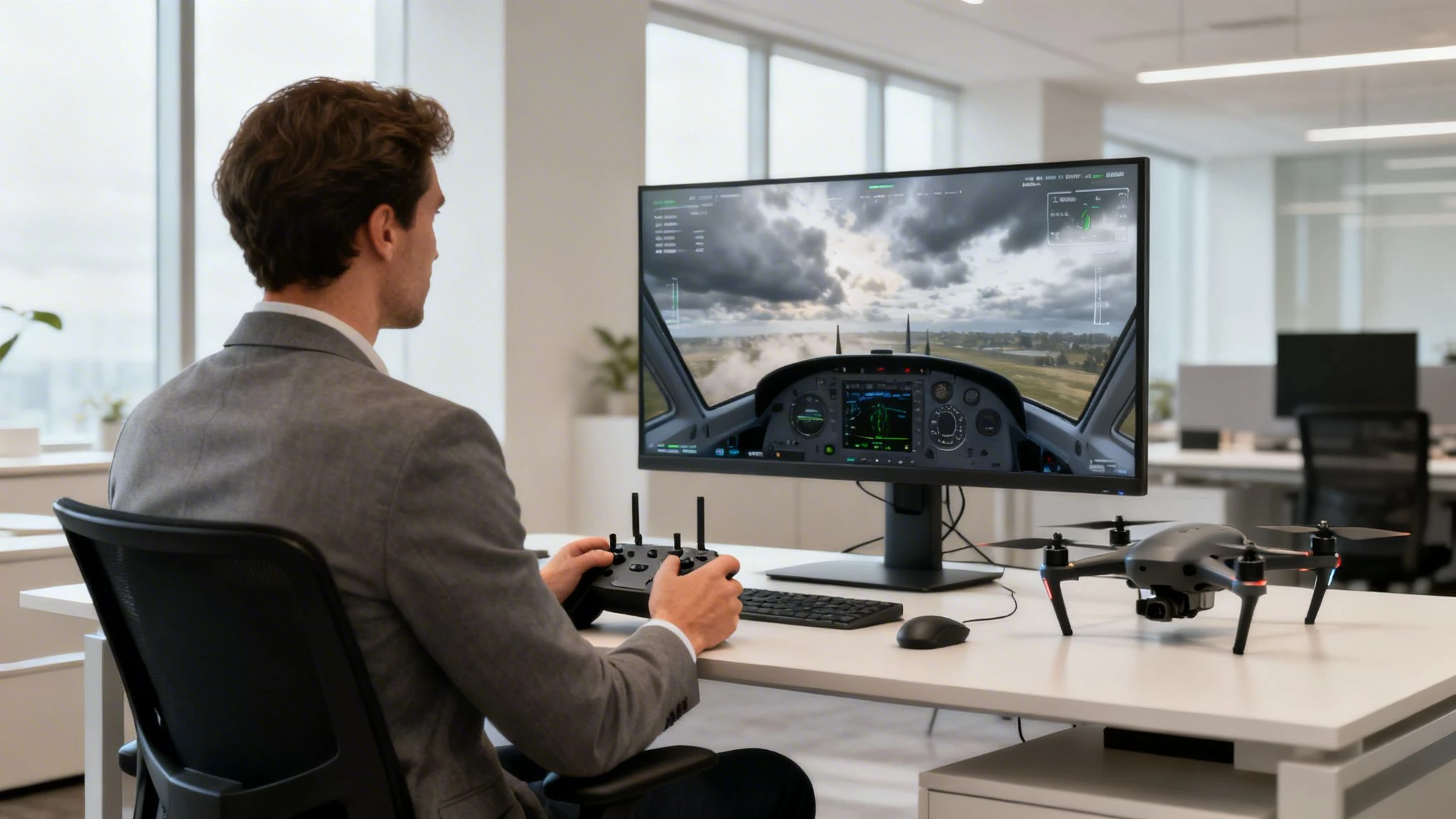
Think of a drone flight simulator as a highly realistic digital copy of the real world. It gives professional pilots and enterprise teams a space to master their aircraft without ever putting expensive hardware or public safety on the line. This is the virtual proving ground where pilots forge the muscle memory and quick decision-making needed for tricky, real-world jobs.
The real value of a professional simulator is how well it mimics the authentic feel and physics of flying a specific drone. It's so much more than a video game. It’s a sophisticated training environment engineered to sharpen performance and guarantee you're ready for anything on-site.
From Luxury to Necessity in Drone Operations
Not long ago, high-end simulators were seen as a bit of a luxury. Today, they're a non-negotiable part of any serious commercial drone operation. The reason for the change is simple: simulators are a direct answer to the biggest challenges in running a successful drone business.
- Risk-Free Skill Development: You can practice emergency procedures, like a sudden motor failure or GPS signal loss, until your response is pure instinct.
- Cost Reduction: Why risk a £5,000 drone on a training flight? Make your mistakes in the virtual world and avoid the eye-watering repair bills.
- Enhanced Mission Productivity: Rehearse complex flight plans for inspections or surveys before you even get to the site. This way, you’re efficient and effective from the moment you arrive.
- Improved Compliance and Safety: Logging simulator hours shows a real commitment to pilot proficiency and a strong safety culture. That's worth its weight in gold when it comes to insurance and regulatory oversight.
The market’s massive growth tells the same story. The global UAV simulator market was valued at USD 769.9 million in 2020 and is on track to hit an incredible USD 5,670.42 million by 2032. This explosive growth, running at a CAGR of 18.00%, is all thanks to the booming commercial sector, where operators need to master complex jobs without risking their gear or the public. You can learn more about these market projections and what's driving this growth.
A drone flight simulator is the bridge between theoretical knowledge and practical mastery. It allows you to build confidence and competence, ensuring that when you launch a real drone, you're not just prepared—you're mission-ready.
By building simulator training into your workflow—especially when paired with a management platform like Dronedesk—you create a powerful cycle of improvement. You can plan missions, practice them in the sim, and then execute them flawlessly in the field. This guide will walk you through exactly how to do it.
How a Drone Flight Simulator Actually Works
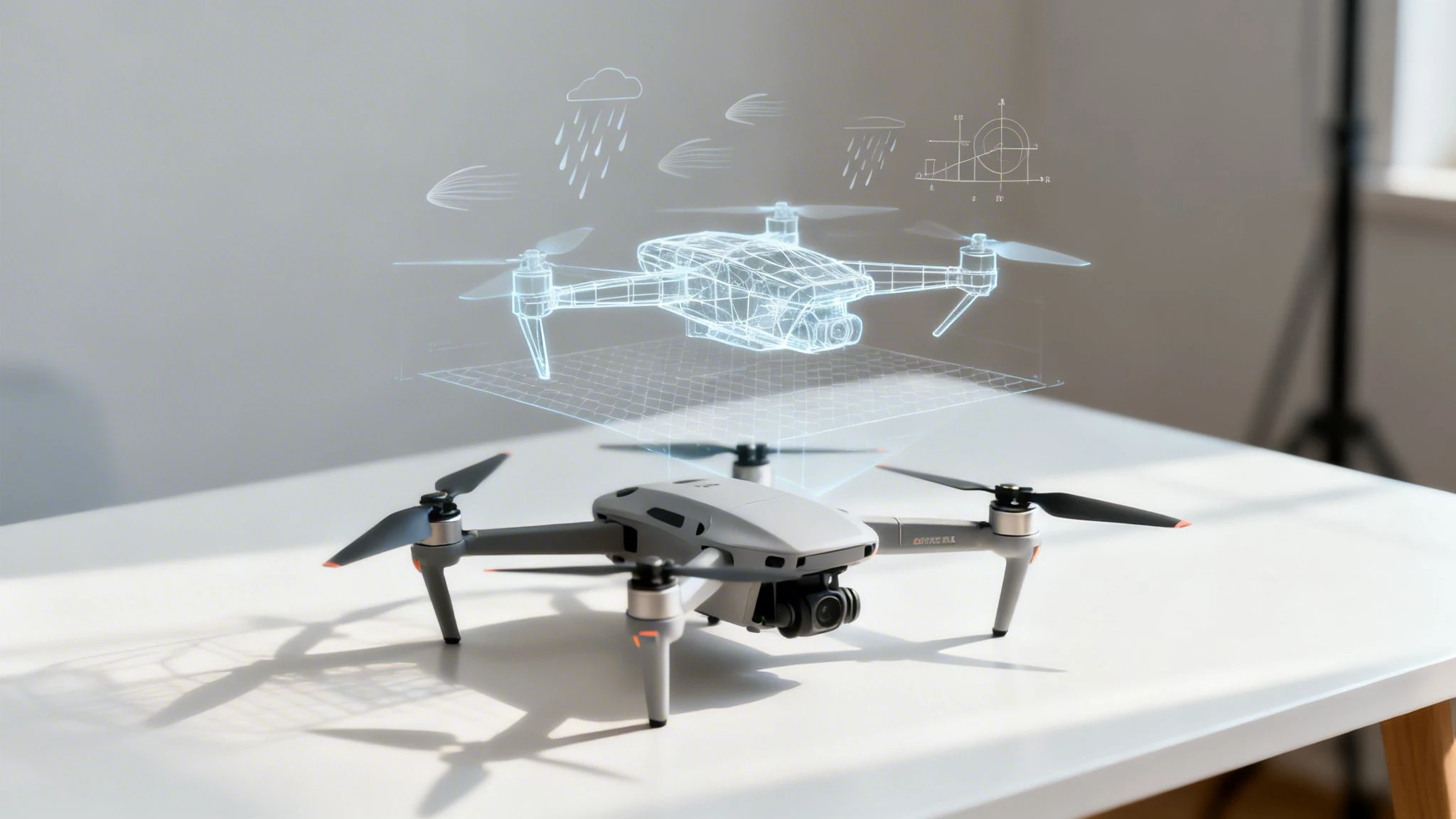
First things first, let's get one thing straight: a professional drone flight simulator is not a video game. It's so much more. The best way to think about it is as a "digital twin" of your entire drone operation—a meticulously crafted virtual copy of your aircraft, the environment, and the forces of nature.
It’s built from three key ingredients: a seriously clever physics engine, true-to-life drone models, and immersive virtual worlds. When these come together, you get an experience that feels less like playing a game and more like genuine stick time. You're not trying to beat a high score; you're building real muscle memory and decision-making skills that you can take straight into the field.
This dedication to realism is what separates a serious training tool from a toy. It’s a safe space to push the limits, master your aircraft, and practice for the unexpected, bridging the gap between virtual training and real-world success.
The Physics Engine: The Unseen Force
The real magic behind a top-tier drone simulator is its physics engine. This is the invisible code that runs the show, making sure every little input has a believable and accurate consequence. It’s worlds away from the watered-down physics you’d find in an arcade-style game.
This engine is constantly crunching numbers on hundreds of variables. It’s what makes your drone feel the pull of gravity, what gives it momentum through turns, and what makes a sudden gust of wind feel genuinely threatening. If you have a simulated propeller failure, the physics engine will replicate the terrifyingly unstable flight dynamics with gut-wrenching accuracy.
A professional simulator's physics engine doesn't just mimic flight; it replicates the feel of flight. It models the specific weight, payload, and aerodynamic profile of your drone, making practice directly relevant to your actual equipment.
This kind of detail is non-negotiable. It’s what ensures that when you’re fighting a 30 mph crosswind or practising a recovery from battery failure in the sim, you’re conditioning your brain and hands for the exact same scenario out on a job.
Replicating Drones and Worlds
Of course, a physics engine needs something to act upon. That's where the digital assets come in—the virtual drones and the environments they fly in. We’re not talking about generic stand-ins here; these are painstakingly accurate digital copies of real-world kit and locations.
-
Drone Model Accuracy: Good simulators have a whole library of commercial drone models, from the usual quadcopters to big, heavy-lift hexacopters. Each one is programmed with its unique flight characteristics—top speed, climb rate, battery life, and even the specs of its camera sensor.
-
Realistic Environments: You can practice anywhere from a wide-open field (perfect for beginners) to a complex urban canyon for some hairy inspection drills. Many simulators even let you build custom maps, so you can create a digital twin of a client's site and rehearse the entire mission before your boots ever touch the ground.
The final piece of the puzzle is the hardware. By plugging in your actual drone controller, you connect the virtual world to your own muscle memory. Every twitch of the sticks gives you a one-to-one response from the virtual drone, just like it would in the field. This tactile link is what turns all that practice into real, tangible piloting skill.
The Evolution from Pilot Trainers to Digital Skies
To really get why a modern drone flight simulator is such a game-changer, it’s worth taking a look back at where the whole idea came from. This isn't some new-fangled concept; it’s the result of nearly a hundred years of work, all built on one simple truth: you need a safe, risk-free way to practice if you ever want to master flying. This journey started long before the first drone ever buzzed into the sky.
The story doesn't begin with drones, but with their manned counterparts. The technology that powers today's digital drone training environments actually has its roots way back in 1929. That was the year Edwin Link cobbled together the world's first electromechanical trainer, a device that completely changed how pilots learn to fly. You can find out more about this history and its modern impact and see the clear line to what we use today.
From the Blue Box to the Digital Age
That first trainer, affectionately nicknamed the "Blue Box," was a mechanical wonder. It used a clever system of pumps and motors to pitch and roll just like a real plane, all while sitting safely on the workshop floor. Its real value, however, became crystal clear during World War II, when training huge numbers of pilots quickly and safely was a matter of life and death.
Over 10,000 Link Trainer units were built, helping to train an incredible 500,000 Allied pilots. The 'Blue Box' was sophisticated enough to mimic specific aircraft and critical emergencies, proving the life-saving potential of simulation and making it a non-negotiable part of flight school.
The next massive leap forward came with the digital revolution of the 1960s and 70s. As computers grew more powerful, simulators evolved from clunky mechanical rigs to sophisticated digital systems. This opened the door to far more realistic and complex training scenarios, complete with detailed weather, random system failures, and accurate environmental physics. Commercial airlines jumped on this, and it quickly became the bedrock of pilot certification and ongoing training.
This historic image shows early military drone technology, which laid the groundwork for today's advanced unmanned systems. These early remote-controlled vehicles proved that aircraft didn't need a pilot in the cockpit, which in turn created the need for training tools that didn't put expensive hardware at risk.
The Natural Progression to Drone Simulation
Fast forward to the 21st century, and the commercial drone industry was booming. Suddenly, a new generation of pilots faced the very same challenges as those early aviators: the risk of expensive crashes, the high cost of equipment, and the absolute necessity of practicing for emergencies. It was only a matter of time before the proven principles of flight simulation were adapted for this new age of aviation.
The evolution of simulators, from those early pilot trainers to today's incredibly detailed systems, also includes specialised applications like Helicopter Simulator Hire, showing just how widespread the technology has become. Modern drone simulators are the direct descendants of the Blue Box, just supercharged with all the power of modern tech.
At their heart, they have the exact same mission: to give pilots a safe, repeatable, and affordable place to build their skills, rehearse complex missions, and truly master their aircraft. Just as simulators made manned aviation safer, the drone flight simulator is doing the same for the professional operators of today, making sure they’re ready for whatever the real world decides to throw at them.
Choosing the Right Drone Flight Simulator
Picking the right professional drone flight simulator isn't about finding the one with the slickest graphics or the longest feature list. It's about matching the software's capabilities to your actual job requirements.
Think of it like any other specialized tool. A carpenter wouldn't use a sledgehammer for delicate cabinetry, and a pro drone pilot needs a simulator that sharpens the specific skills their missions demand. This means looking past basic flight controls and focusing on features that translate directly to how you perform in the field. The goal is to find a platform that’s a true digital twin of your operations—from the aircraft you fly to the environments you work in.
Defining Your Core Requirements
Before you even start window-shopping for software, the first and most important step is to figure out what you really need the simulator to do. Are you a surveyor who needs to nail perfect grid patterns for photogrammetry? Or a public safety pilot who has to rehearse complex search-and-rescue flights in tricky terrain?
Your professional needs will dictate the features that matter. Start by asking yourself a few pointed questions:
- What specific missions will I practice? (e.g., cell tower inspections, roof surveys, cinematic real estate shots)
- What are my biggest operational risks? (e.g., high winds, signal loss, battery failure)
- Which drone models do I operate? (e.g., DJI Mavic 3 Enterprise, Matrice 300 RTK, Autel EVO II)
Answering these creates a clear checklist. It flips the question from "what's the best simulator?" to "what's the best simulator for me?" This is the foundation for making a smart decision that will pay you back in both safety and efficiency.
A simulator’s value is measured by its relevance. If the virtual training doesn't accurately reflect your real-world challenges and equipment, you're building the wrong kind of muscle memory.
Essential Features for Professional Pilots
Once you know your requirements, you can start evaluating simulators based on a few non-negotiable features. These are the things that separate a true professional-grade training tool from a consumer-level game.
-
Physics and Flight Model Accuracy: The simulator has to feel like your actual drone. It needs to realistically model your aircraft's weight, momentum, and any payloads you’re carrying. The physics engine should also be sophisticated enough to replicate environmental factors like wind turbulence, ground effect, and air density.
-
Specific Drone and Payload Library: Look for a comprehensive library that includes the commercial drones you use every day. This isn't just about the aircraft itself, but also the specific payloads—thermal cameras, LiDAR sensors, or high-zoom cameras—so you can practice operating the entire system.
-
Real-World Controller Support: Practice builds muscle memory, it's as simple as that. Your simulator absolutely must support your actual RC controller, like the DJI RC Pro or a similar professional model. Using a generic video game controller just won't cut it and won't prepare you for the tactile feel of real flight.
-
Customizable Scenarios and Training Modules: The best simulators come with structured training modules for specific industries, like emergency procedure drills or complex inspection flight patterns. Even better are platforms that let you create your own custom scenarios, allowing you to replicate a client's site or a particularly difficult environment you expect to encounter. When you're picking software for real-world jobs, you'll also want to look closely at its flight control capabilities; you can learn more about drone flying software for flight control in our detailed guide.
To help guide your choice, here’s a quick comparison of the different tiers of simulators you’ll come across.
Drone Flight Simulator Types Compared
This table breaks down the main types of simulators available. Use it to figure out which category best aligns with your training goals, whether you're just starting out or running a large enterprise team.
| Simulator Type | Primary Use Case | Key Features | Ideal For |
|---|---|---|---|
| Basic/Consumer | Learning fundamental stick controls and orientation. | Generic drone models, simple physics, limited environments. | Hobbyists and brand-new pilots getting a feel for flight. |
| Prosumer | Building muscle memory and practicing advanced maneuvers. | Some real drone models, better physics, weather options. | Freelance pilots and small teams needing skill refinement. |
| Enterprise | Job-specific mission rehearsal, team training, and compliance. | Accurate physics, vast library of commercial drones and sensors, scenario builder, logging. | Large drone teams, public safety, and industrial inspection. |
In the end, choosing the right drone flight simulator is an investment in your safety, proficiency, and confidence. By carefully matching the software's features to your operational needs, you ensure that every hour spent in the virtual world delivers real, tangible value in the field.
Mastering Real-World Training Scenarios
Knowing the theory is one thing, but executing it flawlessly under pressure is what separates the pros from the amateurs. This is where a professional drone flight simulator really earns its keep, acting as a bridge between book smarts and real-world stick skills. It’s how pilots move beyond just learning to fly and start rehearsing the exact, job-specific missions that determine success in the field.
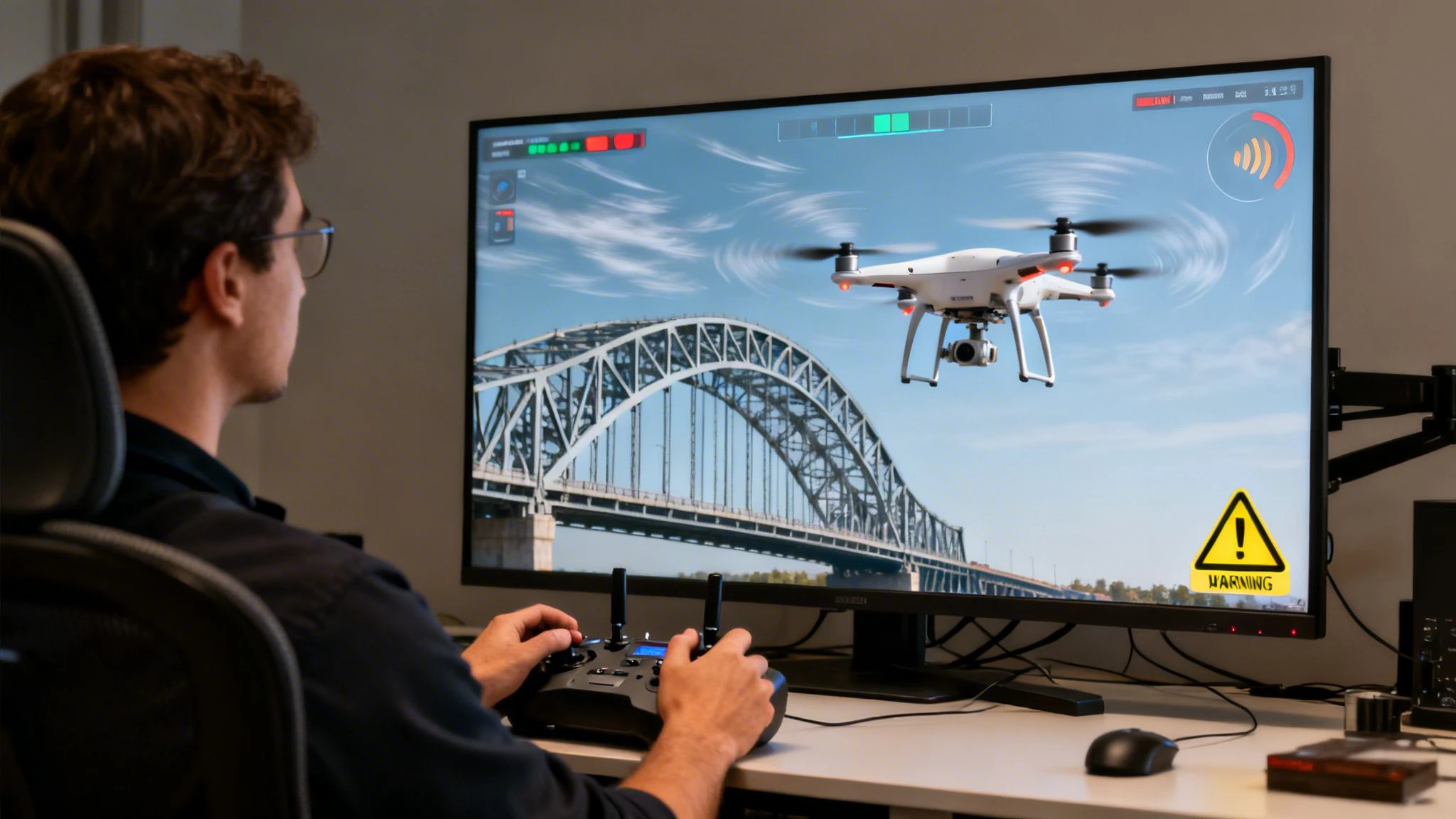
Picture this: you're flying a complex bridge inspection. Suddenly, the simulator flashes a GPS signal loss warning—a classic problem in environments with a lot of steel. Instead of panicking with a five-figure asset hanging in the air, you calmly switch to ATTI mode and guide the drone home. Why? Because you’ve already drilled this exact scenario a dozen times.
That's the real power of scenario-based training. It turns a simple practice tool into a full-blown mission rehearsal stage, building the kind of muscle memory and confidence that makes real-world risks feel manageable.
From Virtual Drills to Field Dominance
Across every corner of the industry, smart pilots are using simulators to get the hard stuff right long before they ever set foot on-site. These aren't just generic flying exercises; they're dress rehearsals for high-stakes operations where there’s no room for error.
-
Cinematic Real Estate Tours: An FPV pilot can practice nailing those slick "swooping" shots through a virtual mansion, perfecting the flow and timing for a high-end property video without leaving a single scuff mark on an actual wall.
-
Emergency Response Readiness: A public safety team can run through a search pattern over a dense, virtual forest in simulated low-light, making sure they can find a target when every second is critical.
-
High-Wind Inspections: A roofer can get a feel for a job site with simulated 30 mph wind gusts, learning exactly how the drone will drift and how much throttle is needed to hold a steady shot. That’s how you get the job done safely and efficiently when the weather isn’t playing nice.
The idea of safe, repeatable practice is nothing new; it’s a bedrock principle of aviation. Simulators for unmanned flight have surprisingly deep roots in military history. As far back as 1935, Reginald Denny's Radioplane OQ-2 became America's first mass-produced UAV, primarily used for target practice and proving the absolute need for risk-free training methods. You can discover more insights about the history of drone technology and its military origins to see how these early innovations set the stage for the tools we rely on today.
Case Study: A Bridge Inspection Under Duress
Let's take an industrial inspection pilot who needs to assess the underside of a huge concrete bridge. It's a textbook nightmare scenario: multipath interference bouncing off the structure, spotty GPS, and wind funnelling unpredictably between the pylons.
Using a professional drone flight simulator, the pilot builds a custom mission that’s a dead ringer for the actual job site. They program in specific failure points, like a sudden video feed blackout or an unexpected battery voltage drop. For the next hour, they fly the mission again and again, hitting every simulated snag and working through it.
When that pilot finally arrives at the real site, it all feels strangely familiar. They aren't just ready for what might happen; they’re ready for what they know will happen, because they’ve already beaten the worst-case scenarios in the digital world.
This level of prep is the mark of a true professional. It shows a commitment to safety and quality that both clients and regulators notice. When it comes to mimicking these challenges, a powerful platform like the RealFlight Flight Simulator provides a hyper-realistic environment to truly master remote-controlled flight.
In the end, mastering real-world training scenarios in a simulator is about solving problems before they happen. Every virtual flight is a deposit into your bank of experience—one you can draw on when it really counts. If you're looking to add some structure to this kind of training, you might be interested in our guide on how to find the best UAV training online.
Integrating Simulator Training into Your Workflow
Getting the most out of simulator training means thinking beyond just practice flights. It should be a core, integrated part of your entire operations management strategy.
Think of your drone flight simulator as a digital rehearsal stage, and your management platform—like Dronedesk—as the script for the real show. When you use them together, you create a powerful cycle of planning, practice, and execution. This approach elevates safety and efficiency across your whole operation.
This transforms the simulator from a simple practice tool into a vital part of your safety and efficiency ecosystem. It’s about moving past basic flight skills and getting into mission-specific readiness. By connecting your virtual flights to your real-world plans, you make sure every minute spent in the simulator has a direct, measurable impact on your success in the field.
Bridge the Gap Between Planning and Practice
The first step is to treat your simulator as a direct extension of your mission planning. Instead of just flying aimlessly in a virtual world, you can load your pre-planned missions from your operations platform and practice them with a clear purpose.
Imagine you've used Dronedesk to map out a detailed flight plan for a tricky roof inspection. The plan has specific waypoints, altitude changes, and camera gimbal angles all sorted. Before you even step foot on-site, you can fly that exact route in your drone flight simulator. You'll be prepared for every turn, ascent, and data capture point.
This method turns mission rehearsal from a vague idea into a concrete, repeatable process. You're no longer just practicing flying; you're practicing the job. This builds muscle memory for the specific mission, drastically reducing the chances of pilot error and improving the quality of your deliverables.
Use Your Simulator to Mitigate Real Risks
A huge part of professional mission planning is spotting potential hazards before they become problems. Your operations management software gives you critical airspace and ground risk intelligence, flagging things like nearby airports, controlled airspace, schools, or other sensitive areas. A simulator provides the perfect—and safest—environment to practice flying with these risks in mind.
Let's say Dronedesk’s pre-flight checks identify that your flight path is a bit too close to a busy road. You can jump into the simulator and practice manoeuvres that keep the drone well clear of that hazard, even with a simulated crosswind trying to push you towards it. Or, if your flight is near the edge of controlled airspace, you can rehearse flying precise boundary patterns to avoid accidentally straying where you shouldn't.
By directly linking your simulator practice to the risks identified in your planning phase, you train your pilots to respond to real-world dangers with calm and precision. For a deeper dive into formalising your training program, check out our guide on finding the right drone flight training options.
Log and Track Proficiency for Compliance
Finally, to close the loop, simulator time has to be documented. Logging these hours in your management system is crucial for tracking team proficiency, showing a commitment to safety, and keeping detailed compliance records. This creates a single, auditable source of truth for all training activities, both real and virtual.
Here’s a simple way to integrate logging into your workflow:
- Create a Dedicated Training Project: Within a platform like Dronedesk, set up a specific project or folder just for training activities.
- Log Simulator Sessions Like Real Flights: For each simulator session, create a new flight log. Record the date, duration, pilot, and the specific scenarios you practiced (e.g., "Motor Failure Drill" or "Bridge Inspection Rehearsal").
- Attach Evidence: Many professional simulators can export a summary of the training session. Attach this file to the log entry as proof of completion.
This process gives you a clear, organised record of ongoing pilot development. It’s invaluable for internal reviews, insurance renewals, and satisfying regulatory bodies like the CAA, which place a high value on documented evidence of pilot currency and competency. This transforms your simulator from just a training tool into a key part of your compliance and safety management system.
Your Top Simulator Questions, Answered
Even after you're sold on the idea of what a drone flight simulator can do, a few practical questions always pop up. Let's clear up some of the common ones we hear from professional operators so you can feel confident adding this tool to your workflow.
Can a Simulator Truly Replace Real Flight Training?
Nope. And it's not meant to. Think of a simulator as the perfect driving range for a golfer; it's where you build muscle memory and perfect your swing before you step onto the course for a real game. The simulator is where you want to make your mistakes.
It's absolutely brilliant for building a pilot's confidence and for drilling emergency procedures without risking a single penny. A new pilot can rack up hundreds of takeoffs and landings, dealing with everything from motor failures to signal loss, all before touching a real, expensive drone. That alone massively cuts down the odds of a costly crash on day one.
For your seasoned pilots, it’s an essential tool for keeping skills sharp and rehearsing high-stakes missions. The best training programs blend both: use the simulator to build those core skills and instinctive reactions, then apply and polish them with real stick time.
Are Free Simulators Good Enough for Professional Training?
While free simulators are a great way to get a feel for basic stick controls, they almost always fall short for serious professional training. They often lack the hyper-realistic physics that mimic your specific commercial drone models and payloads. That's a critical difference—practicing with a generic model doesn't prepare you for the unique handling of your own gear.
Investing in a professional-grade simulator is a small price to pay for the huge reduction in operational risk. The advanced features, like realistic weather and structured training modules, are what turn simple practice into genuine mission readiness.
Paid platforms also typically support your actual drone controller, which is vital for building the right muscle memory. When your business reputation is built on precision and safety, a professional simulator isn't an expense—it's an investment in quality and risk management.
How Do I Log Simulator Time for Compliance?
Logging simulator time is a crucial part of demonstrating a robust safety culture and keeping pilots current. This paperwork is invaluable for regulatory compliance, insurance renewals, and internal quality control. Luckily, many professional simulators have built-in logging features that track your flight time and the training modules you've aced.
Here's how this fits into a professional workflow:
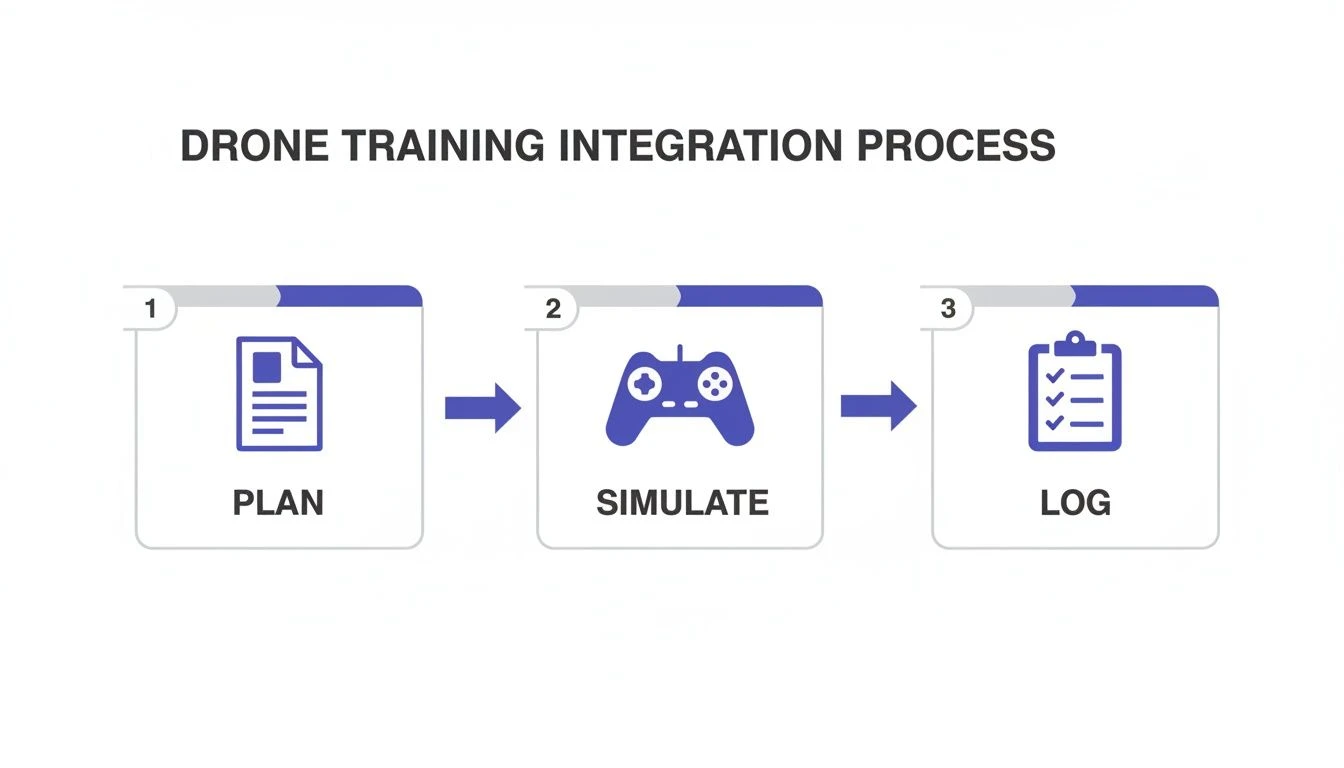
It's a simple but powerful cycle: you plan the mission, practice the tricky parts in the simulator, and then log that training as part of your official pilot records.
For a completely seamless process, you can manually add these training sessions into an operations management platform. This gives you one central, auditable record of all training—both real and virtual—and provides clear proof of your commitment to professional development.
By integrating planning, practice, and logging, you can elevate your entire operation. Dronedesk provides the perfect platform to manage this workflow, helping you maintain impeccable records for every aspect of your drone business. Explore how Dronedesk can streamline your operations today.
 Drone Part 107 Operations: When a Waiver May Be Needed →
 Drone Operating Rules for Managing Contractors and Employees →
 BVLOS Drone Requirements for Building a Safety Case →
 Drone Pilot Test Mistakes That Cost Candidates Marks →
 FAA 107 License vs Part 107 Certificate: What’s the Difference? →
 Drone Airport Rules: A Field Checklist for Site Assessments →
 FAA Part 107 Record-Keeping Rules for Commercial Teams →
 How to Review a DJI Flight Log After an Unexpected Event →
 Drone Laws Around the World: A Pre-Flight Research Framework →
 How to Compare Drone Survey Services for Complex Sites →