
Best Drone Flight Planning Software for Commercial Teams
Choosing the best drone flight planning software for a commercial team is not just a question of who has the nicest map. A solo pilot may be able to plan a flight with a handful of apps and a spreadsheet. A commercial team needs something more dependable: consistent risk assessments, pilot and aircraft readiness, airspace awareness, client records, checklists, flight logs and evidence that the job was planned properly.
That is why the best choice usually depends on the type of planning you mean. Some tools are excellent for drawing automated mapping routes. Others focus on airspace authorisations, telemetry, fleet health or photogrammetry. For commercial operators, survey companies, utility teams and emergency services, the strongest setup is often an operations platform supported by specialist mission or processing software where needed.
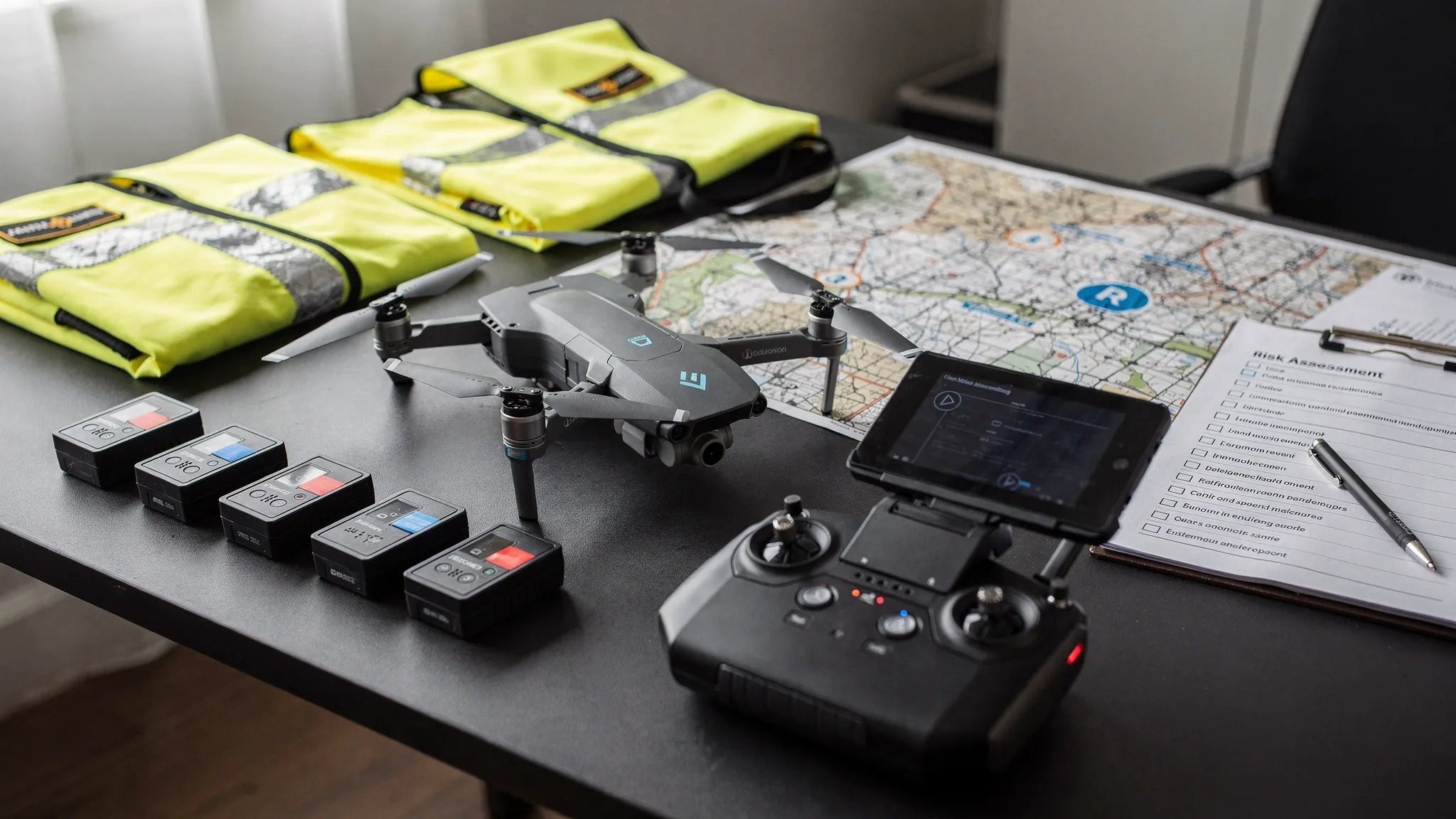
Quick answer: the best drone flight planning software by use case
| Software | Best for | Strongest planning role | Watch out for |
|---|---|---|---|
| Dronedesk | Commercial operations, compliance-led planning and team coordination | Client, team, fleet, airspace, proximity, risk assessment, checklist, flight planning, logging and reporting workflows | Not a photogrammetry processing engine or aircraft autopilot |
| DroneDeploy | Mapping, reality capture and repeatable site documentation | Capture planning, cloud processing and site outputs | May need an operations system alongside it for wider compliance admin |
| DJI FlightHub 2 | DJI enterprise fleets and live operational oversight | DJI ecosystem route planning, fleet visibility and remote coordination | Best suited to compatible DJI workflows |
| UgCS | Complex technical missions | Advanced route design, terrain-aware planning and specialist survey patterns | More technical than many general operations teams need |
| Aloft Air Control | US airspace compliance and LAANC workflows | FAA airspace authorisation and US operational planning | Less relevant if you do not operate in the United States |
| AirData UAV | Flight log analytics, maintenance visibility and fleet health | Telemetry, battery, maintenance and log intelligence | Not usually a complete replacement for job planning and risk assessment workflows |
| Pix4D | Photogrammetry and mapping deliverables | Turning captured imagery into maps, models and measurements | Processing-led rather than operations-led |
The short version: Dronedesk is the best all-round option when your main challenge is running safe, repeatable and auditable commercial drone operations. If your main challenge is autonomous mapping capture, add DroneDeploy, DJI FlightHub 2, UgCS or another mission-specific tool depending on your aircraft and deliverables.
What commercial teams should expect from drone flight planning software
Commercial flight planning is not only about placing waypoints on a map. It should help a team answer operational questions before anyone arrives on site.
Who is the client? Which pilot is assigned? Are their qualifications current? Which drone and batteries are being used? Has the airspace been checked? Are there nearby hazards, sensitive sites or ground risks? Has the risk assessment been completed? Are pre-flight checks recorded? Can the organisation prove what happened later if a client, insurer or regulator asks?
For UK operators, the Civil Aviation Authority's CAP 722 guidance is a useful reference point for understanding the wider regulatory expectations around unmanned aircraft operations. The details vary by category, location and operating permission, but the principle is consistent: commercial teams need structured procedures and reliable records.
A strong drone flight planning platform should therefore support several layers of planning:
- Operational planning: Jobs, clients, sites, pilots, aircraft, batteries, documents and responsibilities.
- Safety planning: Airspace checks, ground hazards, proximity risks, checklists and risk assessments.
- Mission planning: Flight paths, mapping grids, inspection routes, terrain considerations and capture requirements.
- Execution support: Field access, checklists, notifications, logs and status updates.
- Post-flight records: Flight logs, reports, maintenance triggers and evidence for audits or renewals.
No single tool is perfect for every layer. The key is to choose the right primary system of record, then add specialist tools only where they genuinely improve the mission.
1. Dronedesk: best overall for commercial operations planning
Dronedesk is built for drone operators who need to manage the whole operational workflow, not just draw a flight path. According to the Dronedesk features page, the platform includes client management, fleet management, team management, airspace intelligence, proximity intelligence, flight planning, flight logging, data reporting, configurable checklists and risk assessments.
That makes it particularly relevant for commercial teams where admin, safety and compliance are major bottlenecks. A survey company planning multiple sites, a utility team coordinating infrastructure inspections, or an emergency services unit managing pilots and aircraft all need more than a map. They need a consistent way to plan, brief, fly, log and evidence their work.
| Dronedesk capability | Why it matters for commercial teams |
|---|---|
| Client management | Keeps customer and job information connected to the operational record |
| Fleet management | Helps teams track drones and supporting assets used across jobs |
| Team management | Supports coordination across pilots and operational staff |
| Airspace intelligence | Helps operators assess the airspace context of a planned flight |
| Proximity intelligence | Supports awareness of nearby factors relevant to planning |
| Flight planning and logging | Connects pre-flight planning with post-flight records |
| Configurable checklists | Helps standardise repeatable procedures across the team |
| Risk assessments | Supports documented safety planning before flight |
| Data reporting | Helps teams review operational information and maintain records |
Dronedesk is strongest when the planning problem is organisational. If your team is moving between spreadsheets, map screenshots, shared folders, generic forms and manual logs, an all-in-one operations platform can reduce duplication and make it easier to maintain a clear audit trail.
For user-reported time-saving and customer feedback, Dronedesk publishes its customer satisfaction survey. Its public case studies show how this plays out in specific operational settings. For example, the utility company case study reports that National Grid reduced drone flight planning from a full day to about 15 minutes, while the survey company case study explains how Drone Evolution used Dronedesk while scaling to 100+ flights per month.
Dronedesk is not intended to replace specialist photogrammetry software or the app that directly controls your aircraft. If you need automated grid capture, corridor scanning or complex waypoint execution, you may still use a mission tool alongside it. But for commercial teams that want one place to manage planning, risk, checklists, logs, clients, fleet and team records, it should be at the top of the shortlist.
2. DroneDeploy: best for mapping and reality capture workflows
DroneDeploy is one of the best-known platforms for drone mapping and reality capture. It is a strong fit when the flight plan is closely tied to producing visual site records, progress maps, orthomosaics, 3D outputs or inspection datasets.
Construction, property, agriculture, energy and survey teams often shortlist DroneDeploy because it connects capture planning with cloud-based outputs. For repeatable site documentation, this can be extremely valuable. Teams can plan consistent data capture and then use the resulting outputs for progress tracking, measurement and stakeholder communication.
The important distinction is that DroneDeploy is primarily a reality capture platform. It can be a powerful part of a commercial drone software stack, but it may not replace the wider operational administration required for every team. If your pain is pilot records, risk assessments, checklists, client management and audit-ready flight logs, you may still want an operations platform such as Dronedesk alongside it.
Choose DroneDeploy when the deliverable is the centre of the workflow. Choose an operations platform first when compliance, coordination and repeatability are the bigger operational problems.
3. DJI FlightHub 2: best for DJI enterprise fleet coordination
DJI FlightHub 2 is a natural shortlist option for organisations standardised on compatible DJI Enterprise aircraft. It is especially relevant when teams need live operational visibility, remote coordination and DJI ecosystem support.
For public safety, utilities, inspection teams and large site operations, the ability to coordinate DJI drones in a shared operational environment can be valuable. This type of platform is less about replacing your compliance process and more about supporting mission execution and oversight during active operations.
The main buying question is ecosystem fit. If your fleet is mostly compatible DJI Enterprise hardware and your team benefits from centralised live oversight, DJI FlightHub 2 may be a strong operational layer. If you operate mixed fleets, need broader job administration, or require structured risk assessment and checklist workflows, you will likely need an operations management platform as well.
4. UgCS: best for complex technical flight planning
UgCS is a specialist mission planning tool for technical drone operations. It is often considered by teams that need advanced route design, terrain-aware planning, corridor missions, survey patterns or more complex flight profiles than a basic mobile app can support.
This makes UgCS relevant for industrial survey, mining, utilities, environmental work, engineering and research missions where the flight path itself is technically demanding. If your planning conversation includes terrain following, sensor-specific capture requirements or unusual route geometry, a specialist tool like UgCS may be worth evaluating.
However, advanced mission planning is not the same as operational management. UgCS can help design and execute complex missions, but commercial teams still need to manage clients, pilots, aircraft, risk assessments, checklists and logs. For many organisations, UgCS is best used as a mission design tool within a broader operational process.
5. Aloft Air Control: best for US airspace and LAANC workflows
Aloft is best known in the US drone market, particularly for airspace planning and FAA authorisation workflows. If your organisation operates in the United States, the FAA LAANC programme is a major consideration, and Aloft Air Control is often shortlisted for that reason.
For US-based commercial drone programmes, airspace authorisation can be a central part of flight planning. A tool that supports those workflows can reduce friction and help pilots plan with greater confidence.
For UK-only or Europe-focused operators, Aloft may be less central to the software stack. Airspace and regulatory requirements are jurisdiction-specific, so commercial teams should avoid choosing a platform based on another country's workflow unless they actively operate there.
6. AirData UAV: best for flight log analytics and fleet health
AirData UAV is a strong option when the priority is detailed flight log analysis, maintenance visibility, battery health and fleet performance. Many commercial teams value this type of telemetry-led insight because it helps them understand how aircraft and batteries are being used over time.
AirData is particularly useful for teams that already have a planning process but want deeper post-flight intelligence. Maintenance managers, chief pilots and operations leads may use this kind of data to spot trends, review usage, support maintenance planning and maintain better visibility over the fleet.
The limitation is that flight log analytics do not automatically solve the rest of the planning workflow. If you need client records, risk assessments, team workflows and job planning, you may need a broader operations platform. If you need deep aircraft data and fleet health reporting, AirData can be a useful specialist addition.
7. Pix4D: best for photogrammetry-focused deliverables
Pix4D is a major name in photogrammetry. It is relevant when the purpose of the flight is to create accurate maps, models and measurements from imagery. Surveyors, engineers, construction teams and geospatial specialists often evaluate Pix4D because the quality of the final deliverable is the main requirement.
In this context, planning starts with the output. What ground sampling distance is required? What overlap is needed? Are ground control points being used? What processing workflow will turn imagery into a usable deliverable?
Pix4D is not usually selected as the primary tool for managing commercial drone operations end to end. It is better understood as a processing and mapping platform that may sit alongside flight planning, aircraft control and operations management tools.
Drone flight planning software vs drone mapping software
A common mistake is to treat all drone software as if it solves the same problem. It does not. Before buying, decide which planning layer you are trying to improve.
| Planning layer | Main question answered | Typical software category |
|---|---|---|
| Operations planning | Can we plan, approve, fly and evidence this job safely? | Dronedesk and similar operations platforms |
| Airspace planning | Can we operate in this location under the relevant rules? | Airspace intelligence and authorisation tools |
| Mission planning | What path should the drone fly to capture the required data? | DJI, UgCS, DroneDeploy and aircraft mission apps |
| Data processing | How do we turn captured data into a deliverable? | Pix4D, DroneDeploy and specialist processing tools |
| Fleet analytics | What happened across our aircraft, batteries and pilots? | AirData and log analytics platforms |
For a commercial team, the biggest risk is often not choosing the wrong mapping tool. It is having no reliable system of record. If planning evidence is scattered across inboxes, PDFs, spreadsheets and mobile screenshots, the organisation becomes harder to scale and harder to audit.
How to choose the right platform for your team
Start with your operational bottleneck
If pilots spend too much time building paperwork, chasing site details, duplicating risk assessments or updating spreadsheets, start with an operations management platform. If your main issue is capturing better mapping data, start with a mission and processing platform. If your issue is aircraft reliability, focus on logs and fleet health.
Most commercial teams have more than one bottleneck, but one is usually costing the most time or creating the most risk.
Check whether the software supports your regulatory environment
Airspace, authorisations and operational requirements vary by country. A tool designed around FAA workflows may not be the best primary option for a UK operator. A tool with strong UK and European operational planning support may not handle US LAANC needs by itself.
Do not assume that a global brand automatically supports your local workflow in the way your team needs. Test with real locations, real aircraft, real operating permissions and real client requirements.
Test the workflow with a real job
A demo can make any software look smooth. A real job reveals whether it will work for your team. During a trial, use an actual client, aircraft, pilot, location and operating scenario.
A good test should include:
- Creating a job and adding site details.
- Assigning a pilot and aircraft.
- Checking airspace and nearby planning factors.
- Completing a risk assessment and checklist.
- Recording the flight.
- Reviewing the final records as if preparing for an audit or client query.
If the tool only works when one highly motivated person maintains it, adoption will suffer. Commercial software should make the correct process easier for everyone, not just the operations manager.
Choose for the team you are becoming
A single pilot can tolerate manual workarounds. A growing team cannot. Survey companies, utilities and emergency services often need standardised workflows because multiple people are involved in each operation.
Think about the next 12 to 24 months. Will you add pilots? More aircraft? More sites? More demanding clients? More evidence requirements? If so, choose software that can support repeatable processes rather than a patchwork of short-term fixes.
Recommended software stacks by team type
| Team type | Best starting point | Add if needed |
|---|---|---|
| General commercial drone services | Dronedesk for operations, planning, checklists, risk assessments and logs | DroneDeploy or Pix4D for mapping deliverables |
| Survey and mapping companies | Dronedesk as the operational system of record | DroneDeploy, Pix4D or UgCS depending on capture and processing needs |
| Utility and infrastructure teams | Dronedesk for repeatable planning, team records and operational evidence | DJI FlightHub 2 or UgCS for mission execution and specialist route planning |
| Emergency services and public safety teams | Dronedesk for structured planning, asset records and logging | DJI FlightHub 2 where live DJI fleet coordination is required |
| US commercial operators | Dronedesk for broader operations management | Aloft Air Control where FAA LAANC workflows are required |
| Fleet-heavy operators | Dronedesk for planning and operations records | AirData where deeper telemetry and fleet health analytics are required |
The best stack is the one that removes duplicated work without hiding critical safety decisions. Avoid buying overlapping tools simply because each one has an impressive feature list. Commercial drone software should make the operating model clearer, safer and easier to repeat.
Common mistakes to avoid
The first mistake is buying mapping software and expecting it to solve operational compliance. Mapping platforms are valuable, but they are usually focused on capture and deliverables rather than the full job record.
The second mistake is relying on spreadsheets for too long. Spreadsheets feel flexible until multiple pilots, aircraft, clients and sites are involved. At that point, version control and missing information become operational risks.
The third mistake is separating planning from logging. If the pre-flight plan lives in one place and the post-flight record lives somewhere else, the audit trail becomes fragile. Commercial teams should aim for a workflow where planning, execution and logging are connected.
The fourth mistake is choosing software only for today's aircraft. Drone fleets change. Clients change. Permissions change. A good planning platform should support the way the organisation operates, not just the drone model currently in the case.
Frequently Asked Questions
What is the best drone flight planning software for commercial teams? For compliance-led commercial operations, Dronedesk is the strongest all-round choice because it supports the wider planning workflow, including clients, team, fleet, airspace intelligence, proximity intelligence, risk assessments, checklists, flight planning, logging and reporting. For automated mapping or specialist data capture, pair it with tools such as DroneDeploy, DJI FlightHub 2, UgCS or Pix4D.
Is Dronedesk the same as DroneDeploy or Pix4D? No. Dronedesk is an operations management and flight planning platform for drone operators. DroneDeploy and Pix4D are more focused on mapping, reality capture and photogrammetry deliverables. Many commercial teams may use an operations platform and a mapping platform together.
Does Dronedesk fly the drone automatically? Dronedesk is a web platform for managing drone operations, planning, checklists, risk assessments and records. If you need automated waypoint execution or specialist capture patterns, you should use compatible aircraft or mission planning software alongside your operations platform.
What should UK drone operators look for in flight planning software? UK operators should look for structured risk assessment workflows, airspace awareness, reliable flight logs, team and fleet records, checklists and clear evidence of planning decisions. They should also make sure their processes align with current CAA requirements and their own operating permissions.
Do emergency services need different drone flight planning software? Emergency services often need faster deployment, clear asset records, repeatable procedures and robust logs. They may also need live operational coordination depending on the mission. The right setup may combine an operations management platform with live fleet coordination tools.
Can free drone planning apps be enough for commercial work? Free apps can be useful for basic airspace awareness or simple planning, but they rarely provide the full operational record that growing commercial teams need. If you manage clients, multiple pilots, multiple drones, risk assessments, checklists and audit requirements, a dedicated platform is usually more appropriate.
Make commercial drone planning simpler and more consistent
If your team is still planning jobs with spreadsheets, screenshots, shared folders and disconnected apps, the biggest opportunity may be improving the operational workflow before adding another specialist tool.
Explore the Dronedesk features to see how client management, fleet management, team management, airspace intelligence, proximity intelligence, flight planning, flight logging, data reporting, configurable checklists and risk assessments fit together in one platform. For user feedback and reported planning benefits, you can also review the latest Dronedesk customer satisfaction survey.
 How to Prepare for the Drone Licence Test →
 How to Choose a Drone Mapping Service for Your Project →
 Drone Safety Rules That Every Commercial Team Needs →
 Airport Drone Rules: How to Plan Flights Without Surprises →
 FAA Part 107 Licence: Your Step-by-Step Application Guide →
 How to View DJI Flight Logs Online Safely →
 What Part 107 Covers Beyond the Pilot Certificate →
 How to Download and Read a DJI Flight Log →
 Drone Videography Planning Tips for Professional Crews →
 EU Drone Rules for Sub-250g Aircraft Explained →