
Top 7 Apps for Drone Flying in 2025 – Your Ultimate Guide
Taking Off with the Best Drone Flight Apps
Finding the right app for drone flying is essential for safe and efficient operations. This list of top 7 drone flight apps for 2025 helps solo drone operators, enterprise teams, and everyone in between optimize their workflows. Whether you need to plan complex missions, capture stunning footage, or ensure regulatory compliance, these tools provide the solutions. Discover which app best suits your needs—from pre-flight planning with apps like Dronedesk and AirMap, to advanced cinematography with Litchi and DJI Fly, to data acquisition using Pix4Dcapture and DroneDeploy, and finally checking airspace regulations with B4UFLY—and elevate your drone operations.
1. Dronedesk: Your All-in-One App for Drone Flying
Dronedesk stands out as a leading drone operations management platform, trusted by a vast network of over 2,400 professional pilots across more than 650 companies worldwide. Whether you're a solo drone operator capturing breathtaking aerial footage or managing a complex enterprise drone program, Dronedesk provides a comprehensive suite of tools to streamline every facet of your operations. From meticulous flight planning and real-time airspace monitoring to efficient client management and insightful performance reporting, this platform is designed to elevate your drone business to new heights. Dronedesk's commitment to simplifying complex workflows, enhancing safety protocols, and optimizing operational efficiency makes it a top contender for anyone looking for a robust app for drone flying.
One of Dronedesk’s key strengths lies in its intuitive flight planning capabilities. Featuring direct DJI data synchronization, the platform allows you to seamlessly import your drone's specifications and plan flights with unparalleled accuracy. Integrating real-time airspace intelligence, including live NOTAMs (Notices to Airmen) and comprehensive hazard datasets, ensures you’re always aware of potential risks and can adapt your flight plans accordingly. This is crucial for maintaining safe and compliant operations, especially in complex or dynamic environments. For professionals like surveyors, utility inspectors, and photographers, this feature translates to reduced pre-flight preparation time and increased confidence in their flight plans.
Beyond flight planning, Dronedesk offers powerful tools for managing your entire drone operation. From tracking pilot flight hours and maintenance logs to managing client communication and generating detailed financial reports, the platform centralizes all essential information in one easily accessible location. Imagine effortlessly scheduling drone flights, assigning tasks to team members, and tracking the status of ongoing projects – all within a single, unified interface. This centralized approach eliminates the need for multiple disparate tools and drastically reduces administrative overhead, freeing up valuable time for core business activities.
For larger teams and enterprises, Dronedesk’s robust fleet management capabilities are invaluable. You can track the location, maintenance history, and performance metrics of each drone in your fleet, ensuring optimal utilization and minimizing downtime. The platform also facilitates seamless collaboration within teams, enabling efficient communication and streamlined workflows. This is particularly beneficial for drone service providers and enterprise operations managers who need to coordinate multiple pilots and drones across various projects.
While Dronedesk offers a comprehensive suite of features for a wide range of users, its pricing structure is designed to be flexible and scalable. From free trials for those just getting started to tiered plans tailored for part-time flyers and large enterprise teams, Dronedesk ensures accessibility for operators of all sizes. While the platform’s full feature set might be more than necessary for very occasional drone users, the potential for time savings and improved operational efficiency makes it a compelling investment for serious drone professionals.
One potential drawback is Dronedesk's currently limited geographic availability. While the platform is continually expanding its coverage, some regions may not yet be supported. It’s important to check their website to ensure compatibility in your area before subscribing.
Dronedesk’s commitment to user satisfaction is underscored by its impressive 5.0 rating from hundreds of verified pilots and a 100% money-back guarantee promising at least 50% faster job planning. This speaks volumes about the platform’s effectiveness and its ability to deliver tangible results for drone professionals. For those seeking a comprehensive, user-friendly, and reliable app for drone flying, Dronedesk offers an all-in-one solution to save time, cut costs, and elevate your drone business. You can learn more and explore the platform's features on their website: https://dronedesk.io
2. DJI Fly
DJI Fly is the official drone flight control app developed by DJI, a leading manufacturer of consumer and professional drones. Designed for seamless integration with a range of DJI drones, including the popular Mavic Mini series, Air series, and Mini series, this app provides a comprehensive platform for everything from pre-flight planning to post-production editing. Whether you're a novice pilot taking your first aerial photos or a seasoned professional capturing cinematic footage, DJI Fly offers a user-friendly experience combined with powerful features to elevate your drone operations. It’s a robust app for drone flying, offering a balance of simplicity and advanced capabilities.

One of DJI Fly's key strengths lies in its intuitive interface. The app presents essential flight information clearly and concisely, making it easy to monitor critical parameters like altitude, speed, battery life, and signal strength. The streamlined controls are specifically designed to be accessible for beginners, minimizing the learning curve associated with drone operation. However, don't let the simplicity fool you; beneath the surface lies a wealth of advanced features catering to experienced pilots. These include manual camera controls for fine-tuning exposure, ISO, and shutter speed, as well as customizable flight modes to suit specific mission requirements.
For those looking to capture stunning aerial content without extensive piloting experience, DJI Fly offers a suite of automated flight modes. QuickShots, for instance, enables users to execute pre-programmed flight maneuvers, such as circling a point of interest or following a subject autonomously, with just a few taps on the screen. Intelligent flight modes like ActiveTrack and Point of Interest further simplify complex shots, allowing the drone to intelligently track a moving subject or orbit a designated location, freeing the pilot to focus on camera control and composition. Learn more about DJI Fly and other drone control apps to broaden your understanding of the options available.
DJI Fly also simplifies the post-flight workflow with its integrated video editor. Users can trim footage, add music, apply filters, and create professional-looking videos directly within the app, eliminating the need for complex desktop editing software. This feature is particularly valuable for content creators and social media enthusiasts who want to share their aerial adventures quickly and easily.
While DJI Fly is a free download, it’s worth noting that its functionality is tied to specific DJI drone models. It's essential to ensure compatibility between your drone and the app before attempting to fly. The app also requires a constant internet connection for certain features, such as firmware updates and no-fly zone information, which can be a limitation in areas with poor connectivity. Finally, the app can be resource-intensive, particularly on older mobile devices, which may experience performance issues. Despite these minor drawbacks, DJI Fly remains a powerful and versatile tool for drone pilots of all skill levels.
For professional photographers and videographers, DJI Fly provides a robust platform for capturing high-quality aerial imagery. The app offers real-time HD video transmission, allowing users to monitor their shots on their mobile device while in flight. Precise camera controls enable fine-tuning of exposure, white balance, and other settings to achieve the desired aesthetic. The ability to record flight data and telemetry information is invaluable for post-flight analysis and optimization.
Similarly, surveyors and utility inspectors can leverage DJI Fly's features to enhance their workflows. The app’s compatibility with various DJI drone payloads, such as thermal cameras and multispectral sensors, expands the range of data that can be collected. The precise flight control and automated flight modes enable efficient and accurate data acquisition. Finally, drone service providers will appreciate the seamless integration with DJI hardware, the user-friendly interface, and the regular updates with new features, making DJI Fly a reliable and valuable tool for their business operations.
You can download DJI Fly from the official website: https://www.dji.com/downloads/djiapp/dji-fly
3. Litchi
Litchi stands out as a powerful, versatile app for drone flying, particularly for those seeking advanced autonomous capabilities and intricate flight planning. While it's a premium option with a one-time purchase of $24.99, its robust feature set makes it a worthwhile investment for serious drone pilots, filmmakers, and professionals across various industries. Whether you're mapping a complex survey route, capturing a dramatic cinematic shot, or automating repetitive inspection tasks, Litchi empowers you to push the boundaries of what's possible with your DJI drone. This app bridges the gap between simple flight control and sophisticated mission planning, providing a comprehensive platform for both creative and practical drone operations.
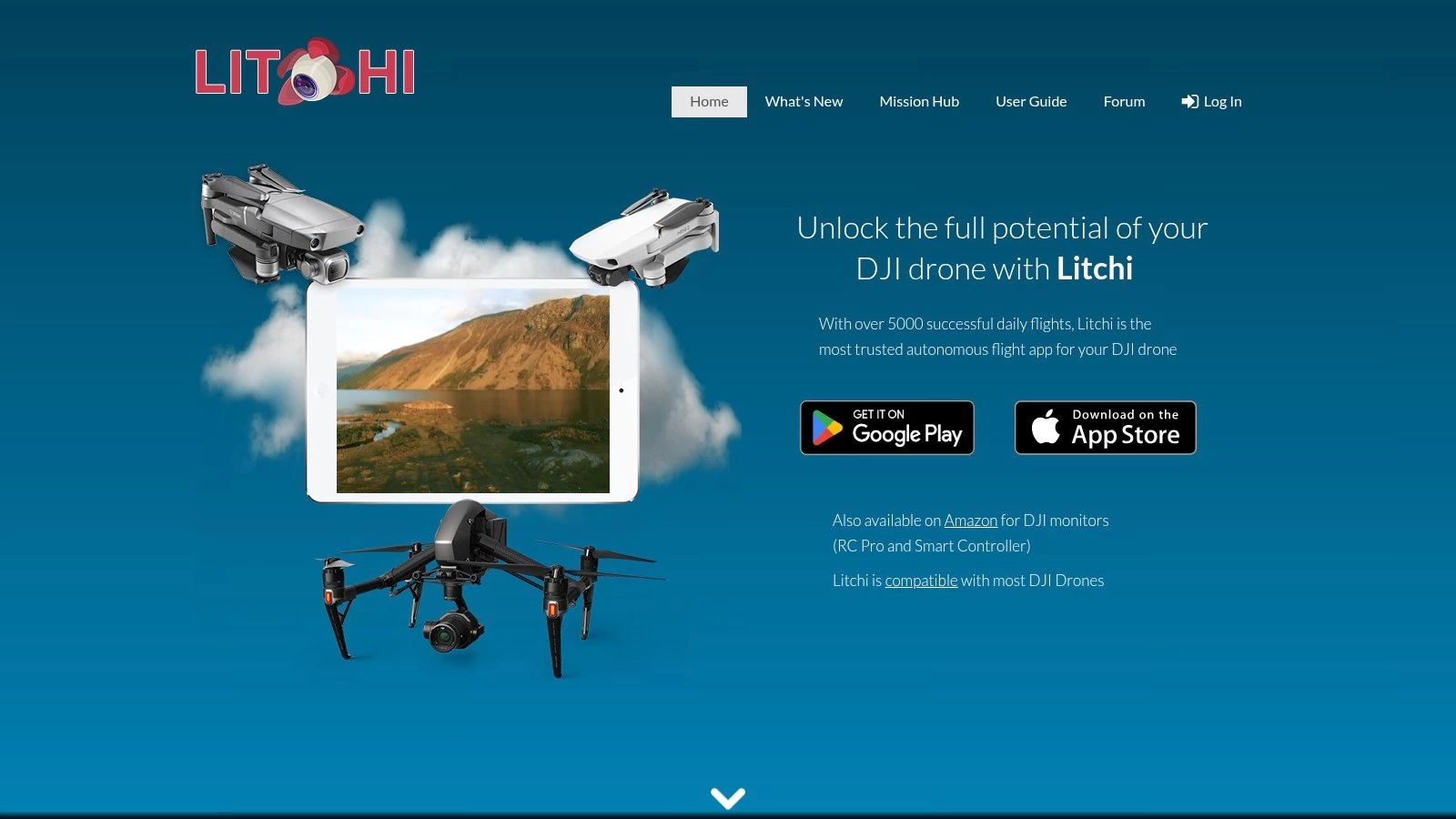
One of Litchi's core strengths lies in its waypoint mission planning. Unlike more basic flight apps, Litchi allows for intricate flight path customization, letting you define not only the waypoints but also the drone's actions at each point. You can control altitude, speed, camera angle, gimbal orientation, and even trigger specific actions like taking photos or starting video recordings. This level of granular control is essential for tasks like 3D mapping, infrastructure inspection, and precision agriculture, where precise data acquisition is paramount. For instance, surveyors can pre-program their drones to fly a grid pattern over a site, capturing overlapping images for accurate 3D model generation. Similarly, utility inspectors can automate power line inspections, ensuring consistent data collection and reducing risks associated with manual flight.
Beyond waypoint missions, Litchi offers a range of intelligent flight modes. The Follow Me mode, with its multiple tracking options, makes it easy to capture dynamic footage of moving subjects, whether it's a cyclist navigating a mountain trail or a boat traversing a lake. The Orbit mode enables stunning circular shots around points of interest, perfect for showcasing architectural marvels or capturing panoramic landscapes. The Virtual Reality (VR) flight experience adds an immersive dimension to drone flying, while the Panorama mode simplifies the creation of high-resolution 360-degree images.
Compared to the official DJI apps, Litchi provides a more in-depth and specialized approach to drone control. While DJI's apps offer a streamlined user experience suitable for beginners, Litchi caters to those who demand more control and advanced functionality. For example, while DJI apps might provide basic waypoint missions, Litchi's implementation allows for significantly more complex flight paths, including curved paths, point-of-interest focusing, and even terrain following. This makes Litchi a preferred choice for professional photographers, videographers, and anyone engaged in specialized drone operations.
While Litchi offers a plethora of advantages, it's important to acknowledge its limitations. The $24.99 price tag, while a one-time purchase, might be a barrier for some users, particularly hobbyists. Furthermore, the app's extensive feature set contributes to a steeper learning curve compared to more basic drone control apps. Beginners may find themselves overwhelmed initially, and investing time in tutorials and practice is crucial to mastering Litchi's functionalities. Lastly, while Litchi’s website and user forums offer resources, its customer support might not be as readily available or comprehensive as that provided by DJI for their official apps.
Before using Litchi, ensure your DJI drone model is compatible – information readily available on the Litchi website (https://flylitchi.com). The website also offers valuable tutorials and documentation to help users familiarize themselves with the app's capabilities. One valuable tip is to plan and simulate your missions thoroughly before executing them in the field. This allows you to refine flight paths, camera settings, and other parameters, minimizing the risk of errors during actual flights, especially when working on complex projects. Furthermore, take advantage of Litchi’s offline capabilities: once a mission is planned, it can be executed without an internet connection, which is particularly useful in remote areas with limited or no connectivity. With dedicated practice and exploration of its features, Litchi can transform your drone operations, unlocking new levels of creativity and efficiency in your aerial endeavors.
4. DroneDeploy
DroneDeploy stands out as a leading cloud-based drone mapping and analytics platform, specifically designed for commercial and enterprise applications. It empowers users to generate high-quality maps, construct accurate 3D models, and perform comprehensive aerial surveys across various sectors, including construction, agriculture, and real estate. One of its key strengths lies in its ability to automate flight planning for mapping missions, streamlining workflows and improving efficiency. Whether you’re a solo drone operator looking to scale your business or an enterprise managing a fleet, DroneDeploy offers tools tailored to professional needs within the drone industry. This makes it a compelling option for anyone serious about leveraging drone technology for data acquisition and analysis.

For professionals seeking an app for drone flying that goes beyond basic flight control, DroneDeploy's robust feature set is a significant advantage. Automated flight planning for mapping and surveying significantly reduces the complexity of mission setup, allowing users to define the area of interest and let the software determine the optimal flight path. Real-time map processing and analytics provide immediate insights from collected data, enabling quicker decision-making. Furthermore, the platform's capability to generate 3D models and orthomosaic maps provides detailed and accurate representations of the surveyed area, ideal for applications like progress tracking in construction and agriculture. Learn more about Drone Deploy to delve deeper into its flight planning capabilities.
DroneDeploy's cloud-based infrastructure offers several advantages. Data is processed and stored securely in the cloud, eliminating the need for powerful local hardware and simplifying collaboration. This is particularly beneficial for teams working on large projects or across multiple locations, as it facilitates seamless data sharing and project management. The platform also offers industry-specific analytics and reporting tools. For example, in construction, DroneDeploy can generate reports on earthwork volumes, track progress against project timelines, and identify potential issues. In agriculture, it can analyze crop health, assess field variability, and optimize irrigation strategies. This targeted functionality sets it apart from more general-purpose drone flight apps.
While DroneDeploy's powerful features are highly valuable, it's important to consider its pricing structure. It operates on a subscription-based model, starting at $99/month, which can be a significant investment, especially for smaller businesses or individual operators. This pricing reflects its focus on commercial use, and the platform may not be the best fit for recreational drone pilots or those with limited budgets. Another factor to consider is its reliance on internet connectivity. While some basic functionality is available offline, full access to the platform's processing and analytics capabilities requires a stable internet connection. This can be a limitation in remote areas or locations with unreliable internet service. Finally, while DroneDeploy excels in its core functionalities of mapping and surveying, it offers limited recreational flying features. Users primarily interested in aerial photography, videography, or casual drone flying may find other apps more suitable for their needs.
Implementation of DroneDeploy is relatively straightforward. After subscribing to a plan, users download the mobile app and connect it to their compatible drone. The app guides users through the process of setting up flight plans, defining mission parameters, and initiating data acquisition. Post-flight, data is automatically uploaded to the cloud for processing and analysis. DroneDeploy provides extensive documentation and tutorials to help users familiarize themselves with the platform's features and workflows.
DroneDeploy secures its position on this list due to its comprehensive suite of professional-grade mapping and analytics tools. It addresses the specific needs of commercial and enterprise drone operations with automated flight planning, real-time data processing, and industry-specific reporting. While the subscription pricing and focus on commercial use might not appeal to all users, its powerful functionalities and cloud-based infrastructure make it a valuable asset for those looking to leverage drone technology for professional applications. The ability to streamline workflows, gain actionable insights from aerial data, and improve operational efficiency makes DroneDeploy a powerful app for drone flying in the commercial space.
5. AirMap: Ensuring Safe and Compliant Drone Flights
AirMap is a leading provider of airspace intelligence and regulatory compliance services, making it an indispensable app for drone flying, especially for those operating in controlled airspace. This powerful tool goes beyond simply displaying airspace restrictions; it actively assists drone pilots in understanding and adhering to complex regulations, obtaining necessary authorizations, and ultimately, flying safely and legally. Whether you're a solo drone operator capturing stunning aerial footage or part of a large enterprise drone operation conducting critical infrastructure inspections, AirMap offers valuable features to ensure your flights are compliant and risk-free.
This app for drone flying provides a comprehensive suite of tools that cater to various needs. Real-time airspace information is a cornerstone of AirMap. The app displays dynamic airspace restrictions, including temporary flight restrictions (TFRs), no-fly zones, and controlled airspace boundaries. This real-time data is critical for avoiding potentially dangerous situations and ensuring you’re always operating within legal parameters. For operations in controlled airspace, AirMap integrates with the FAA's Low Altitude Authorization and Notification Capability (LAANC), streamlining the process of obtaining near-real-time authorizations to fly in specific areas. This feature dramatically reduces the administrative burden and wait times traditionally associated with obtaining airspace authorizations. AirMap also provides Digital Notice and Acknowledgment (DNAAS) services, allowing drone pilots to inform relevant aviation authorities of their planned flights, further enhancing safety and coordination within the airspace.
Beyond real-time airspace data, AirMap facilitates comprehensive flight planning. Pilots can plot their intended flight paths within the app, and AirMap will automatically check for any airspace conflicts or regulatory restrictions. This pre-flight planning capability helps avoid last-minute surprises and ensures that every flight is conducted safely and legally. The app also provides crucial weather information, including wind speed, direction, and visibility, which are crucial factors for safe drone operations.
AirMap offers a free basic version that provides access to essential airspace information and basic flight planning tools, making it a valuable resource even for casual drone flyers. For more advanced features, such as LAANC integration and advanced flight planning tools, a premium subscription is required. Learn more about AirMap and their various pricing tiers to find the best fit for your operational needs. While pricing information isn’t readily available on the basic website, exploring different subscription options will reveal the specific features included in each tier.
One of AirMap's key strengths lies in its integration with official aviation systems, particularly within the United States. Its close collaboration with the FAA ensures that the information provided is accurate and up-to-date, providing drone operators with peace of mind knowing they're operating within the bounds of the law. However, this close integration with US regulations also means that the app's international coverage can be somewhat limited compared to other apps for drone flying. While it provides some international airspace information, its primary focus is on US regulations, which may be a drawback for pilots operating frequently outside of the US.
While the wealth of features offered by AirMap is a significant advantage, it can also lead to a somewhat complex interface, which might feel overwhelming for casual users. Navigating the various layers of airspace data and regulatory information requires some learning and familiarization. Additionally, while AirMap excels in airspace intelligence and compliance, it offers limited flight control capabilities. It’s primarily designed for pre-flight planning and airspace awareness rather than actual drone control, meaning you'll still need to use a dedicated flight control app for your drone.
For solo drone operators, small to medium drone teams, enterprise drone operations managers, professional photographers and videographers, surveyors, utility inspectors, and drone service providers, AirMap offers essential tools to ensure safe and compliant drone operations. Its real-time airspace updates, seamless integration with FAA systems (primarily within the US), and comprehensive flight planning tools are invaluable for navigating complex regulations and minimizing operational risks. While the interface can be complex for casual users and premium features require a subscription, AirMap’s focus on legal compliance makes it a worthwhile investment for any serious drone operator, particularly those working within the US airspace system. You can explore AirMap's features and offerings further by visiting their website: https://www.airmap.com.
6. Pix4Dcapture: Precision Mapping From the Sky
Pix4Dcapture stands out as a powerful free app for drone flying specifically designed for professionals seeking high-quality mapping and surveying data. This isn't your average recreational drone flying app; Pix4Dcapture prioritizes data acquisition and automated flight planning for photogrammetry, making it a valuable tool for various industries. From creating detailed 2D maps and 3D models to generating precise point clouds, Pix4Dcapture empowers users to unlock the full potential of their drones for professional applications. This app earns its spot on this list due to its robust feature set, compatibility with various drone brands, and focus on delivering accurate data for demanding projects.

While Pix4Dcapture is free to use for flight planning, it’s important to note that processing the captured data requires the separate, paid Pix4D desktop software. This integration ensures a seamless workflow from data acquisition to processing and analysis. This two-part system makes Pix4Dcapture especially attractive to professionals already invested in the Pix4D ecosystem. However, solo drone operators or smaller teams exploring photogrammetry might consider the combined cost of the software when evaluating their options.
Pix4Dcapture offers a range of automated flight planning modes tailored for specific mapping and surveying tasks. Grid missions are ideal for mapping large areas systematically, while circular and facade inspection modes cater to detailed inspections of structures and vertical surfaces. For enhanced accuracy, the double grid pattern captures overlapping images, resulting in denser point clouds and more detailed models. This level of control and precision makes Pix4Dcapture a valuable asset for applications like:
- Construction and Engineering: Monitoring construction progress, creating as-built models, and conducting site surveys.
- Agriculture: Assessing crop health, generating precision maps for variable rate application, and monitoring field conditions.
- Environmental Monitoring: Mapping deforestation, tracking erosion, and documenting environmental changes.
- Inspection and Surveying: Inspecting infrastructure like bridges, power lines, and cell towers for damage or defects.
- Archaeology: Creating detailed maps and 3D models of archaeological sites for research and preservation.
One of Pix4Dcapture's strengths lies in its compatibility with a wide range of drone brands, ensuring flexibility for users with existing equipment. The app streamlines the flight planning process, simplifying complex missions into a few taps on your mobile device. Users define the area of interest, select the desired flight mode and parameters (like overlap and altitude), and Pix4Dcapture automatically generates the flight plan. This automation saves valuable time and reduces the risk of human error, ensuring consistent data collection.
However, the focus on professional mapping means Pix4Dcapture isn't designed for casual drone flying. Its interface and functionality are geared towards data acquisition, making it less intuitive for beginners seeking a simple flying experience. The learning curve might be steeper for those unfamiliar with photogrammetry concepts, but the investment in learning the software is worthwhile for professionals looking to leverage drone technology for precise mapping and surveying.
Implementation Tips:
- Plan your missions thoroughly: Define your objectives, area of interest, and desired data resolution before setting up your flight plan.
- Ensure sufficient battery life: Automated missions can consume considerable power, so always double-check your drone's battery level.
- Maintain line of sight: Even with automated flights, it's crucial to maintain visual contact with your drone to ensure safety and comply with regulations.
- Explore the Pix4D training resources: Pix4D offers various tutorials and documentation to help users master the software and its capabilities.
- Consider ground control points (GCPs): For enhanced accuracy, especially in large-scale mapping projects, using GCPs can improve georeferencing.
Pix4Dcapture is a powerful app for drone flying for professionals seeking efficient and accurate mapping and surveying solutions. Its automated flight planning features, compatibility with numerous drone brands, and integration with the Pix4D processing software make it a valuable tool for various industries. While it's not suited for recreational flying or beginners, Pix4Dcapture empowers professionals to unlock the full potential of drone technology for data acquisition and analysis. You can explore the app and its capabilities further on their website: https://www.pix4d.com/product/pix4dcapture.
7. B4UFLY
If you're flying a drone in the United States, knowing where you can and can't fly legally is paramount. B4UFLY is the official mobile app from the Federal Aviation Administration (FAA) designed specifically to address this crucial aspect of drone operation. It provides drone pilots with location-based information regarding airspace restrictions, temporary flight restrictions (TFRs), and other important safety notices. For anyone looking for an app for drone flying within the US, B4UFLY is not just recommended, it's essential for maintaining regulatory compliance.

B4UFLY leverages your device's GPS to pinpoint your location and overlay that information on an interactive map displaying various airspace restrictions. This includes controlled airspace around airports, military training areas, and other sensitive locations. It also provides real-time updates on TFRs, which are temporary restrictions often put in place for events like sporting events, natural disasters, or VIP movements. This dynamic information ensures you are always aware of the current airspace limitations, helping you avoid potentially serious legal consequences.
One of the most significant advantages of B4UFLY is its direct link to the FAA's NOTAM (Notice to Airmen) system. NOTAMs are essential notices containing information that could affect your flight, such as construction cranes, parachute operations, or changes to airspace classifications. Having access to this information within the B4UFLY app streamlines pre-flight planning and reduces the risk of encountering unexpected hazards.
B4UFLY also functions as an excellent educational resource for drone regulations. The app offers clear explanations of the rules governing drone operations in the US, including registration requirements, maximum altitude restrictions, and operational limitations near airports. This built-in educational component makes B4UFLY a valuable tool not only for seasoned professionals but also for those new to drone flying.
The app is free to use and available on both iOS and Android platforms, making it accessible to a wide range of drone pilots. While B4UFLY doesn't offer flight control capabilities like some other apps on the market, its focus on airspace awareness and regulatory compliance makes it an indispensable companion for any drone pilot operating within the US. For enterprise drone operations managers, ensuring their teams are equipped with and actively using B4UFLY is critical for maintaining a safe and compliant operation. Similarly, for professionals like photographers, videographers, surveyors, and utility inspectors, B4UFLY provides the necessary information to plan flights legally and safely, avoiding potential fines and legal complications.
While B4UFLY's strength lies in its official FAA backing and up-to-date information, it does have limitations. Its primary drawback is its US-centric focus. The app only displays airspace information and regulations specific to the United States, making it unsuitable for international drone operations. Additionally, the interface, while functional, is relatively basic and could benefit from a more modern and user-friendly design. While it delivers crucial information, some users might find navigating the app less intuitive than some of the more polished commercial alternatives. Furthermore, B4UFLY doesn't offer features like flight planning or autonomous flight modes; its sole purpose is to provide airspace awareness and regulatory guidance.
To implement B4UFLY into your drone operations, simply download the app from the Apple App Store or Google Play Store. Once installed, ensure your device's location services are enabled to allow the app to accurately determine your position and display relevant airspace information. Before each flight, consult B4UFLY to check for any restrictions or NOTAMs in your planned flight area. This simple pre-flight check can save you time, prevent potential legal issues, and contribute significantly to safer drone operations.
For anyone operating a drone within the United States, B4UFLY is a non-negotiable tool. Its direct connection to the FAA, real-time updates, and comprehensive airspace information make it an essential resource for maintaining legal compliance and ensuring safe, responsible drone flights. While it may lack the advanced features of some other drone apps, its focus on safety and regulatory information earns it a well-deserved place on this list. You can download B4UFLY from the official website: https://www.faa.gov/uas/recreational_fliers/where_can_i_fly/b4ufly
Top 7 Drone Flying Apps Comparison
| Platform | Core Features/Capabilities | User Experience & Quality ★ | Value & Pricing 💰 | Target Audience 👥 | Unique Selling Points ✨ |
|---|---|---|---|---|---|
| 🏆 Dronedesk | Client, fleet & team mgmt, flight & compliance | ⭐⭐⭐⭐⭐ (Trusted by 2,400+ pilots) | Scalable plans + free trial 💰 | Solo operators to large enterprises 👥 | DJI sync, airspace intelligence, 50% faster planning ✨ |
| DJI Fly | Flight control, camera, media mgmt | ⭐⭐⭐⭐ (Beginner-friendly) | Free with DJI drones 💰 | Consumer DJI drone users 👥 | Integrated video editor, QuickShots modes ✨ |
| Litchi | Autonomous flight plans, waypoint missions | ⭐⭐⭐⭐ (Pro-level capabilities) | $24.99 one-time 💰 | Professional cinematographers 👥 | VR flights, advanced mission planning ✨ |
| DroneDeploy | Automated mapping, 3D modeling, analytics | ⭐⭐⭐⭐ (Enterprise-grade) | Subscription from $99/month 💰 | Commercial & enterprise users 👥 | Cloud mapping, team collaboration ✨ |
| AirMap | Airspace info, flight authorization | ⭐⭐⭐⭐ (Compliance-focused) | Free + premium subscription 💰 | Compliance-focused pilots 👥 | Real-time airspace data, LAANC integration ✨ |
| Pix4Dcapture | Automated photogrammetry flight planning | ⭐⭐⭐⭐ (Mapping accuracy) | Free app, paid processing 💰 | Mapping & surveying professionals 👥 | Multi-drone support, grid & facade missions ✨ |
| B4UFLY | Airspace restrictions, TFR updates | ⭐⭐⭐ (FAA official app) | Free 💰 | US-based recreational pilots 👥 | Official FAA app, NOTAM integration ✨ |
Soaring to New Heights: Choosing the Right Drone App
Navigating the world of drone apps can feel like a flight in itself. This curated list of the 7 best apps for drone flying in 2025—Dronedesk, DJI Fly, Litchi, DroneDeploy, AirMap, Pix4Dcapture, and B4UFLY—provides a solid foundation for informed decision-making. From pre-flight planning and airspace awareness with apps like AirMap and B4UFLY, to capturing stunning aerial footage and data acquisition using tools like DJI Fly, Litchi, and Pix4Dcapture, and managing complex drone operations with platforms such as DroneDeploy and Dronedesk, there's an app for drone flying to elevate every aspect of your drone experience.
The most important takeaway is to carefully consider your individual needs. Solo operators might prioritize ease of use and automated flight features, while enterprise teams may require robust data management and collaboration tools. Professional photographers might focus on camera control and image processing capabilities, whereas surveyors and inspectors will value precise mapping and 3D modeling functionalities. Regardless of your specific requirements, prioritize safety, compliance, and responsible flying practices to ensure a smooth and enjoyable journey in the skies. While the apps listed above offer fantastic features for drone pilots, the future of drone flight could involve even more sophisticated AI integration. If you're interested in learning more about the development of AI-powered tools, check out this guide on how to build an AI chatbot.
Remember, the perfect app for drone flying is the one that best aligns with your specific workflow and goals. Looking for a comprehensive platform to manage your entire drone program, from flight operations and maintenance logging to team collaboration and data analysis? Explore Dronedesk, a powerful solution designed to streamline your workflow and unlock the full potential of your drone operations. Visit Dronedesk today to learn more and start your free trial.
 Drone Pilot Test Mistakes That Cost Candidates Marks →
 FAA 107 License vs Part 107 Certificate: What’s the Difference? →
 Drone Airport Rules: A Field Checklist for Site Assessments →
 FAA Part 107 Record-Keeping Rules for Commercial Teams →
 How to Review a DJI Flight Log After an Unexpected Event →
 Drone Laws Around the World: A Pre-Flight Research Framework →
 How to Compare Drone Survey Services for Complex Sites →
 How to Start a Drone Mapping Business With a Clear Workflow →
 Class C Airspace Drone Rules for Commercial Flights →
 How to Create a Drone Job Pack for Every Mission →