
How to Review a DJI Flight Log After an Unexpected Event
An unexpected event in flight is the point where your DJI flight log becomes more than a record of where the aircraft went. It is the evidence trail that helps you understand whether the issue came from pilot input, aircraft behaviour, battery performance, signal loss, airspace constraints, weather or a combination of factors.
For commercial drone operators, survey teams, utilities and emergency services, the aim is not to find someone to blame. The aim is to make a defensible post-event review, protect the aircraft and crew, meet any reporting obligations and stop the same problem happening again.
Start with safety, preservation and context
Before opening files or drawing conclusions, secure the immediate scene. If there has been a collision, hard landing, flyaway recovery, payload strike or suspected aircraft fault, stop using the aircraft until it has been inspected. Continuing to fly can turn a minor incident into a maintenance, insurance or compliance problem.
Preserve evidence in its original form. Export copies for analysis, but keep the original files, SD card media, controller data and app records intact where possible. If your organisation has an incident procedure, follow it before syncing, deleting, renaming or moving files. A careful DJI flight log review is only useful if the underlying evidence has not been accidentally changed.
Capture context while memories are fresh. Write down the local time, site location, crew names, aircraft model, controller type, app used, battery serial number, payload, weather, mission objective and what each crew member observed. If the aircraft was being operated for a client, also record the job reference and any site constraints that may matter later.
If the event may involve injury, property damage, loss of control, airspace infringement or a breach of operating conditions, do not rely on blog guidance alone. Check the official rules that apply to your operation, such as the UK Civil Aviation Authority drone guidance, the FAA Part 107 overview or the EASA drone regulatory overview. Your operations manual, insurer and regulator may all need different information.
Find the right DJI files and supporting evidence
The first DJI flight log you open may not be the only record that matters. DJI aircraft and controllers can hold several layers of data, depending on the model, firmware, controller and app. DJI Fly, DJI GO 4 and DJI Pilot 2 do not all expose information in the same way.
In practice, a post-event pack should bring together the aircraft record, controller or mobile-device record, photographs, mission plan, weather source, NOTAM or airspace checks where relevant, maintenance notes and crew statements. The log can tell you what the system recorded, but it cannot fully replace on-site observation.
| Evidence type | What it can help explain | Notes for review |
|---|---|---|
| App flight record | Position, altitude, speed, warnings, mode changes and some pilot inputs | Often the easiest starting point for review |
| Aircraft or internal data file | Deeper aircraft telemetry on some models | Availability and readability vary by model and firmware |
| Controller record | Link behaviour, app warnings and interaction with the pilot | Useful after signal or display issues |
| Photos and video | Obstacle proximity, weather, visibility, payload state and damage | Keep original timestamps where possible |
| Flight plan and risk assessment | Intended route, mitigations, permissions and crew roles | Essential for comparing plan against execution |
If you use DJI enterprise aircraft, include the relevant controller and app version in your notes. A DJI flight log from a Matrice used on an infrastructure inspection may contain different data fields from a small prosumer aircraft used for a roof survey. Treat the file as model-specific evidence, not a universal black box.
How to review a DJI flight log step by step
A structured method helps you avoid jumping to the most dramatic explanation. Work from the known facts, then test each possible cause against the telemetry, warnings and crew observations.
Build a simple event timeline
Start with a timeline from power-on to shutdown. Mark take-off, home point recording, mode changes, mission start, warnings, loss of link, return-to-home events, manual inputs, impact and landing. If the log uses UTC but witnesses noted local time, convert times carefully and document the time zone.
Look for the first abnormal event, not only the final outcome. A hard landing at the end may be the visible problem, but the cause could be a low-battery return, a weak GNSS environment, unexpected wind, obstacle avoidance behaviour or an earlier control input.
Check position, altitude and navigation quality
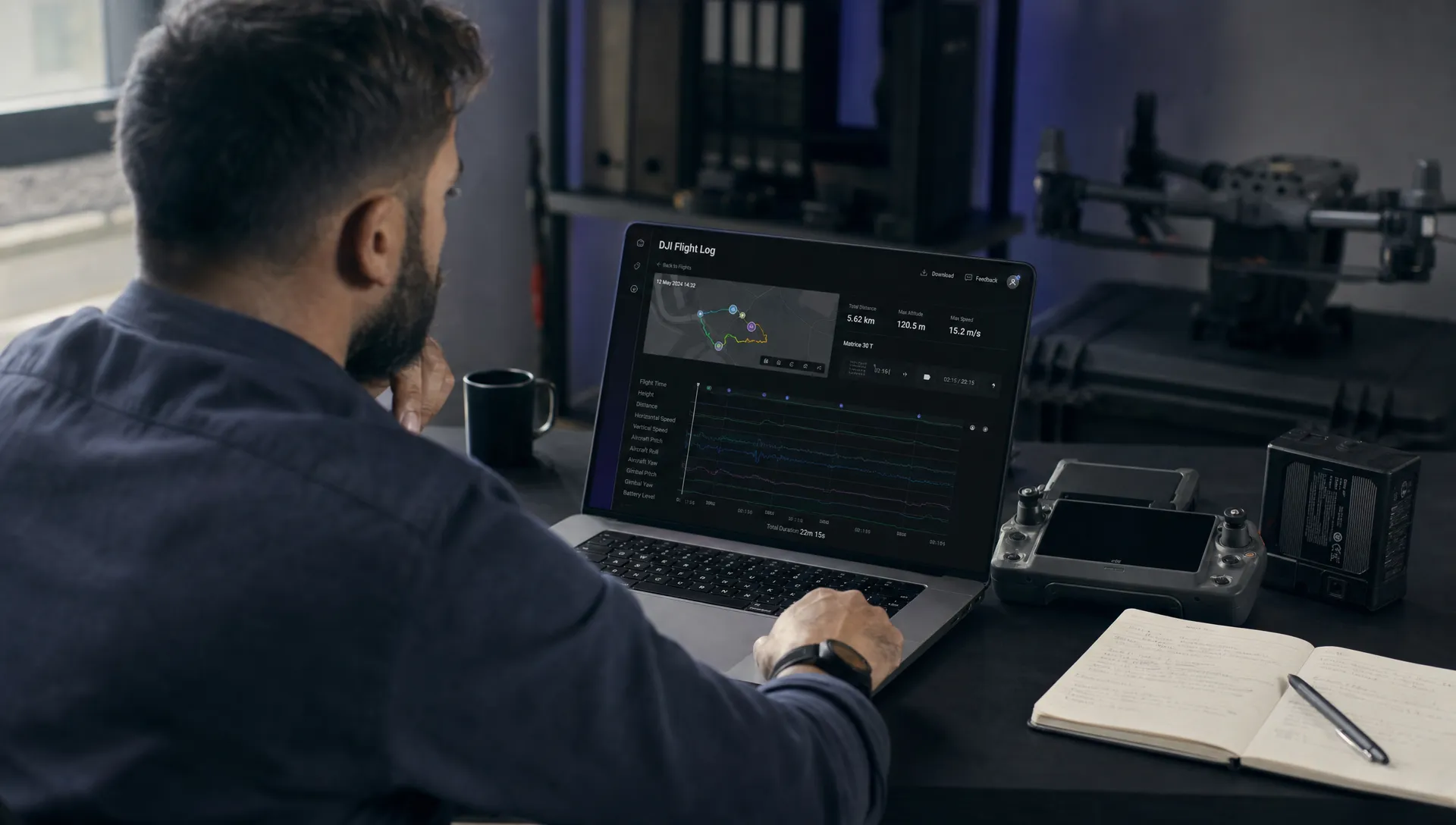
Review the route against the intended plan. Confirm whether the aircraft was inside the planned operating volume and whether the recorded altitude makes sense for the site. When reviewing a DJI flight log, pay close attention to home point position, return-to-home altitude, flight mode and any GNSS or compass warnings that appear before the incident.
Navigation data should be interpreted with caution. GNSS quality can change around metal structures, cliffs, cranes, masts, power infrastructure and dense urban sites. A log may show the aircraft position clearly, but it may not explain local interference unless you compare it with site notes and crew observations.
Compare pilot inputs with aircraft response
Next, compare stick inputs, speed, heading, attitude and altitude changes. If the aircraft moved in the same direction and timing as the pilot input, that may point towards handling, workload or situational awareness. If movement continued without matching input, look for wind, flight mode, automated mission commands, obstacle sensing, failsafe behaviour or sensor warnings.
Do not treat this as a single-data-field exercise. One spike in speed or attitude may be less important than the sequence around it. For example, a brief descent command followed by low battery warnings and strong wind may tell a different story from a descent command in calm conditions with a healthy battery.
Review battery, propulsion and payload clues
Battery behaviour often explains events that look like control problems. Check battery percentage, voltage, cell deviation where available, temperature and warnings. A sudden voltage drop under load can matter more than the displayed percentage, especially in cold weather, high wind or aggressive manoeuvring.
Payload and aircraft configuration also matter. A mapping drone flying with a camera, RTK module or other payload may respond differently from the same aircraft in a light configuration. If propellers were changed, a battery was swapped mid-job or a payload mount was adjusted, include that information in the review pack.
Read warnings in sequence, not in isolation
Warnings are most useful when read in order. A compass warning after impact is very different from a compass warning before take-off. A return-to-home message after signal loss is different from a manual return-to-home action by the pilot.
A DJI flight log can show warnings that were easy to miss during a high-workload moment. For emergency services, utility inspections and survey missions, that sequence can help separate an aircraft issue from a workload, communications or site-control issue.
Use analysis tools, then compare with operational records
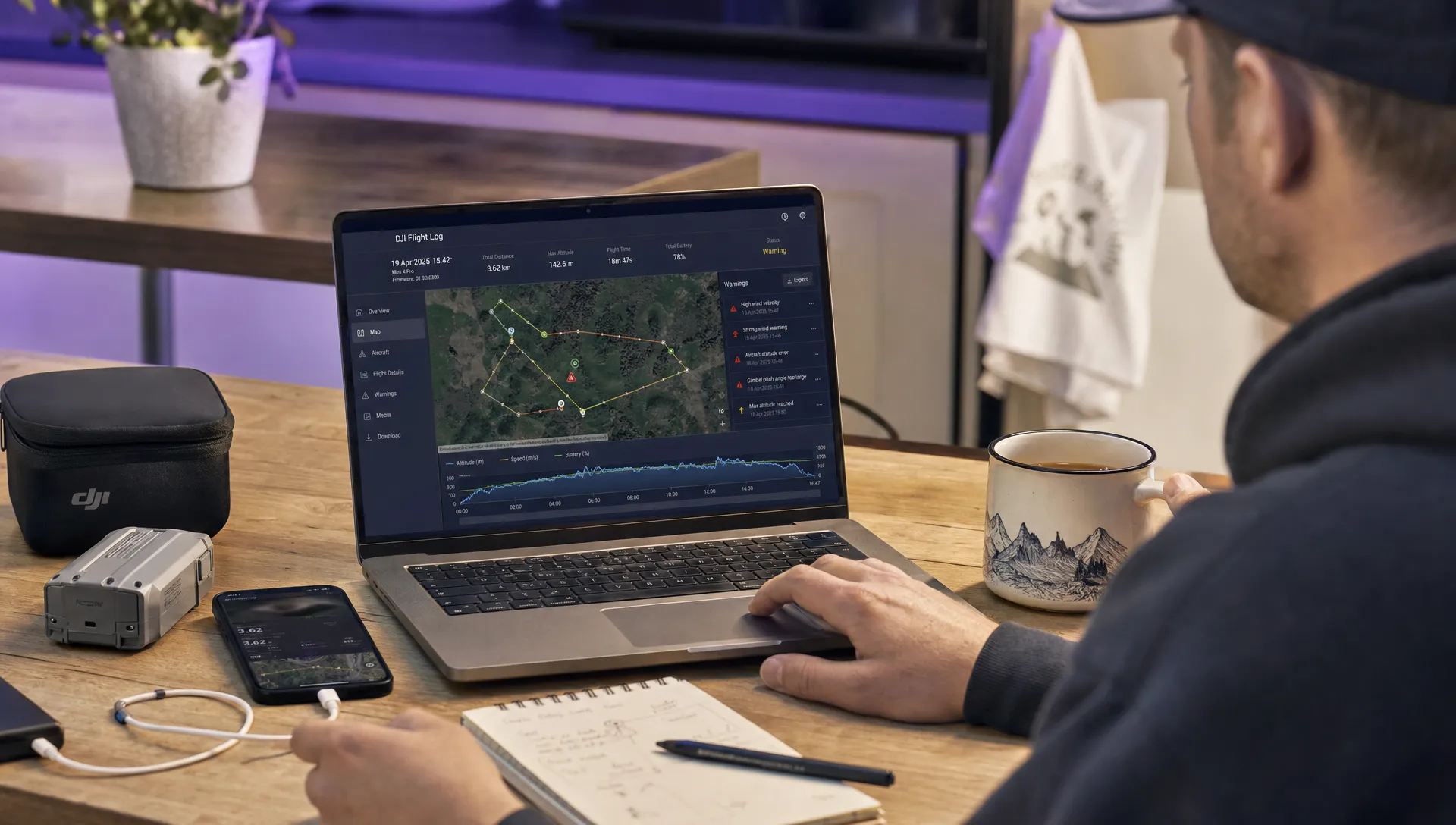
A spreadsheet or raw text export can be difficult to interpret under pressure. A dedicated viewer can make the flight path, telemetry and warning sequence easier to understand, especially when more than one person needs to review the event.
Dronedesk provides a DJI flight log analysis tool that can help you inspect compatible DJI logs in a more readable format. Use it alongside your original evidence pack rather than as a replacement for the underlying files.
For organisations managing repeated operations, the log review should connect back to the rest of the operation. Dronedesk’s platform includes flight planning, flight logging, configurable checklists, risk assessments, fleet management, team management, client management, airspace intelligence, proximity intelligence and data reporting, as set out on the Dronedesk features page. That matters because an event rarely sits in isolation from the plan, crew, aircraft, site and risk controls.
If the event involved a risk control that did not work as intended, revisit the assessment rather than simply adding a note to the log. The Dronedesk guide on building a drone flight risk assessment that works is a useful companion when turning post-event findings into better pre-flight controls.
Turn the review into clear findings and actions
Your final output should be short enough for a manager, chief pilot, safety officer or client to understand, but detailed enough to defend the conclusion. Separate confirmed facts from likely causes and unanswered questions.
A strong post-event report usually includes the event summary, aircraft and crew details, the planned mission, the actual flight path, warnings, timeline, damage, regulatory considerations, root cause assessment and corrective actions. If you cannot determine the cause, say so clearly. A forced conclusion can be more dangerous than an open finding.
Corrective actions should be practical. They might include updating a checklist, changing a minimum battery threshold, adding a wind limit for a specific payload, briefing crews on return-to-home settings, inspecting a take-off area more carefully or requiring a second observer on complex sites.
For survey companies and utilities, also consider client communication. Clients usually do not need raw telemetry, but they do need assurance that the event has been reviewed, safety actions have been taken and any impact on deliverables is understood.
Common mistakes to avoid
One common mistake is starting with the crash point and working backwards only far enough to support a preferred theory. Start at the beginning of the flight instead. Many incidents begin with a small setup issue, missed warning or planning assumption long before the unexpected event becomes visible.
Another mistake is treating the log as complete truth. Logs are powerful, but they are still recorded data from a system operating in a physical environment. Weather, glare, distractions, radio interference, bystanders, birds, moving vehicles and site access problems may never be fully represented in the file.
Avoid editing the only copy of the file. Work from duplicates and keep originals. If the event may become an insurance, disciplinary, client or regulatory matter, document who accessed the evidence and when.
Finally, do not close the review without feeding lessons back into operations. A DJI flight log is most valuable when it improves the next job, not when it is filed away as a one-off technical artefact.
Frequently Asked Questions
Where do I find a DJI flight log after an unexpected event? The location depends on the aircraft, controller and app. Start with the flight records in DJI Fly, DJI GO 4 or DJI Pilot 2, then preserve any controller data, aircraft data files, SD card media and screen recordings that relate to the flight.
Can a log prove whether the pilot or the aircraft caused the problem? Sometimes it can strongly support a conclusion, but it should not be reviewed alone. Compare telemetry with witness notes, weather, site conditions, maintenance records, payload setup and the original flight plan.
Should I sync the flight record before exporting it? Follow your organisation’s procedure first. In a serious event, preserve the original record and create copies for analysis. If syncing changes availability, timestamps or access permissions, document what was done and why.
What should I do if the file does not show the data I need? Some data fields vary by DJI model, app and firmware. Use all available supporting evidence and consider manufacturer, maintenance, insurance or regulator guidance if the event is significant.
Do I need to report every unexpected drone event? Reporting duties depend on the country, operation type and seriousness of the event. Check the official aviation authority guidance for your jurisdiction and your own operations manual before deciding.
Make post-event reviews easier to manage
Unexpected events are easier to handle when your flight plans, checklists, risk assessments, fleet records and flight logs are organised before anything goes wrong. Dronedesk helps drone teams manage those operational records in one place, making it easier to connect the event with the aircraft, crew, site and planned controls.
If you need to inspect telemetry from a DJI aircraft, start with the Dronedesk log viewer, then use your findings to improve your next flight plan, risk assessment and crew briefing.
 How to Review a DJI Flight Log After an Unexpected Event →
 Drone Laws Around the World: A Pre-Flight Research Framework →
 How to Compare Drone Survey Services for Complex Sites →
 How to Start a Drone Mapping Business With a Clear Workflow →
 Class C Airspace Drone Rules for Commercial Flights →
 How to Create a Drone Job Pack for Every Mission →
 FAA Small UAS Rule: Key Requirements for Operators →
 How to Build a Drone Pilot Flight Log That Is Audit Ready →
 FAA Drone Licence Requirements for Commercial Pilots →
 FAA BVLOS Waivers Granted: What Successful Cases Show →